Search models, users, collections, and posts

TESLA Model 3/Y MagSafe Charging Station
Print Profile(2)

All
P1S
P1P
X1E
X1 Carbon
H2D
H2C
H2S
H2D Pro
P2S
A1
X1
X2D
A2L

0.2mm layer, 4 walls, 25% infill
Designer
14.8 h
3 plates
5.0(4)

0.2mm layer, 4 walls, 30% infill
Designer
5.7 h
1 plate
5.0(1)

Open in Bambu Studio
Boost
53
202
38
11
153
75
Released 

Description

Membership

Unlock full commercial rights to my designs and help support future projects by joining my membership. You’ll get permission to sell prints, early access to new models, and designs that are tested on real gear.

Join

Revision Note: Additional STL files have been added to support a wider range of MagSafe chargers. They feature larger charging bay dimensions and enlarged cable channels. To save time and material, some of the revised file also include tolerance test prints.


The original files: Ø55.5 mm charging bays with 3 mm cable channels — optimized for MX6X3LL/A


New revisions (STL Files):

  • Ø55.8 mm charging bays with 4 mm cable channels (5.3 mm bay depth)
  • Ø55.8 mm charging bays with 4 mm cable channels (5.3 mm bay depth) Compatible with Pro Max iPhones (excluding the 17 Pro Max)
  • Ø56 mm charging bays with 4 mm cable channels (5.3 mm bay depth)

Additional Android-friendly STL revisions. May not be compatible with all Android devices; users should verify fit before printing.

  • Ø58.6mm charging bays with 4mm cable channels (6.3mm bay depth)
  • Ø58.8mm charging bays with 4mm cable channels (6.3mm bay depth)


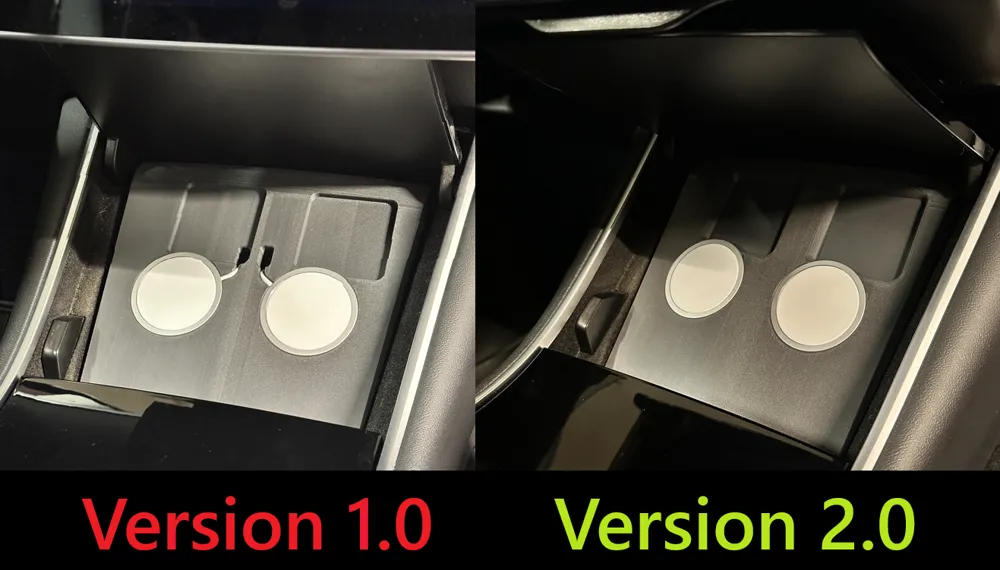
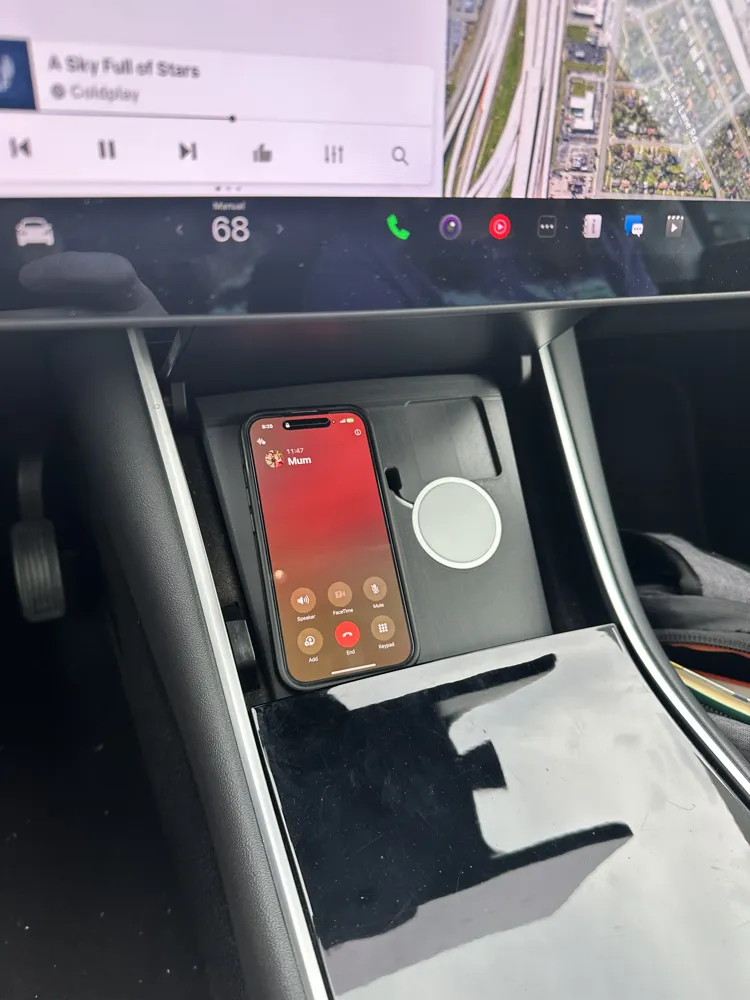
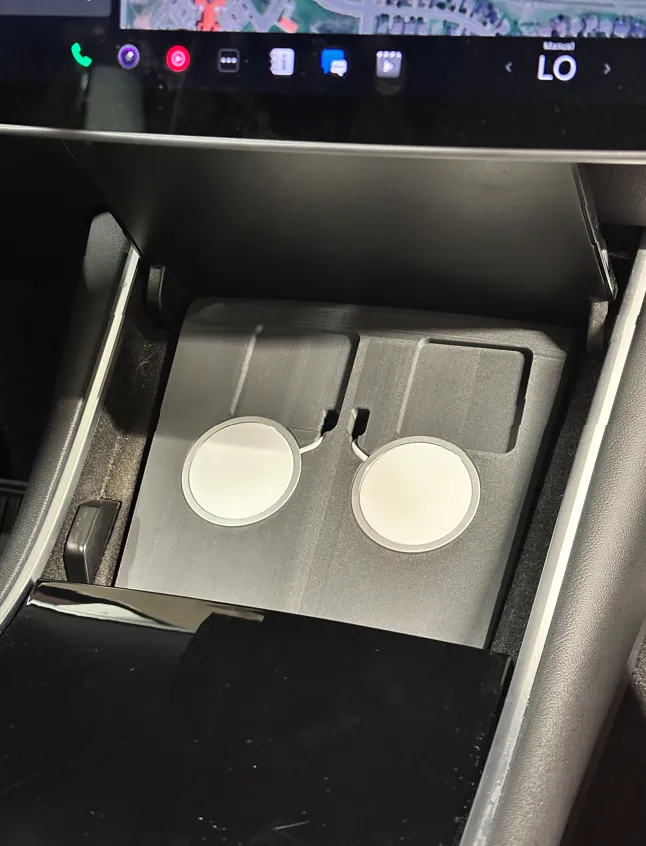
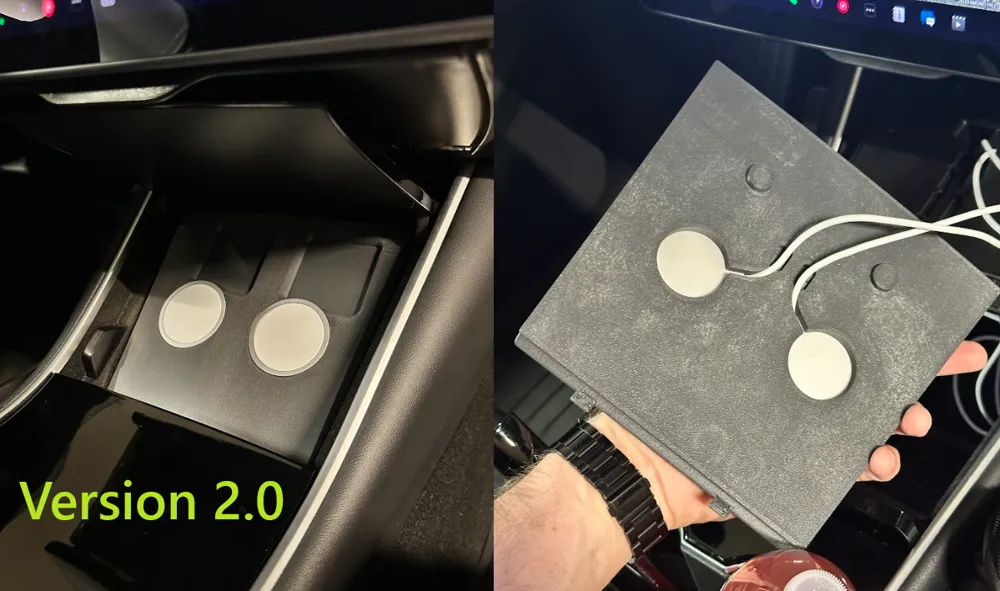
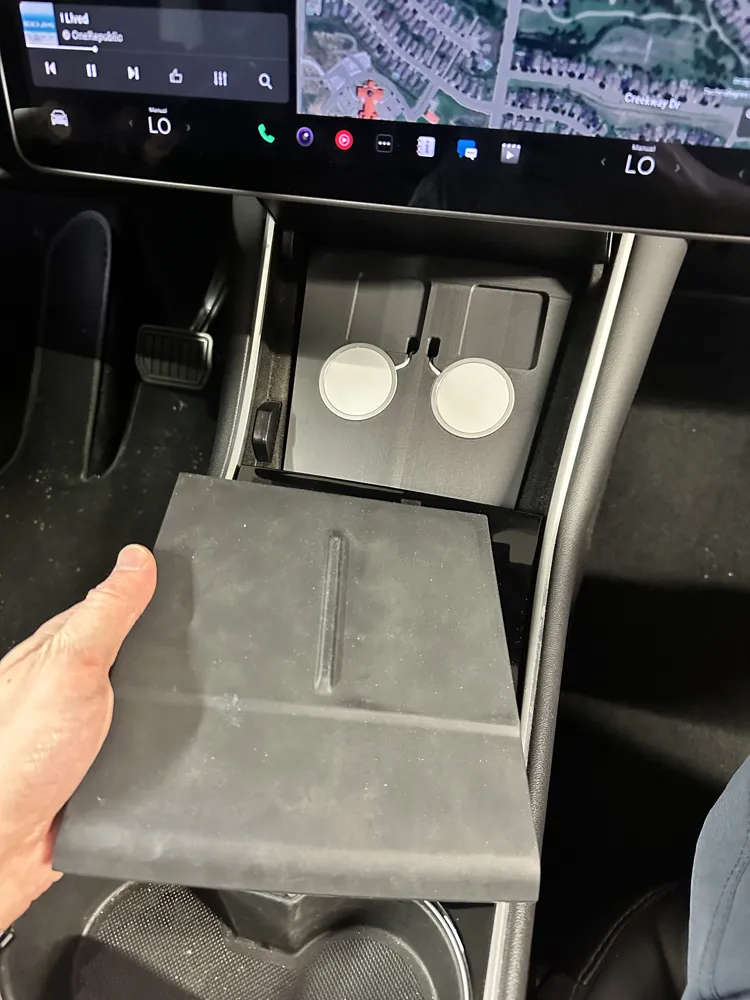
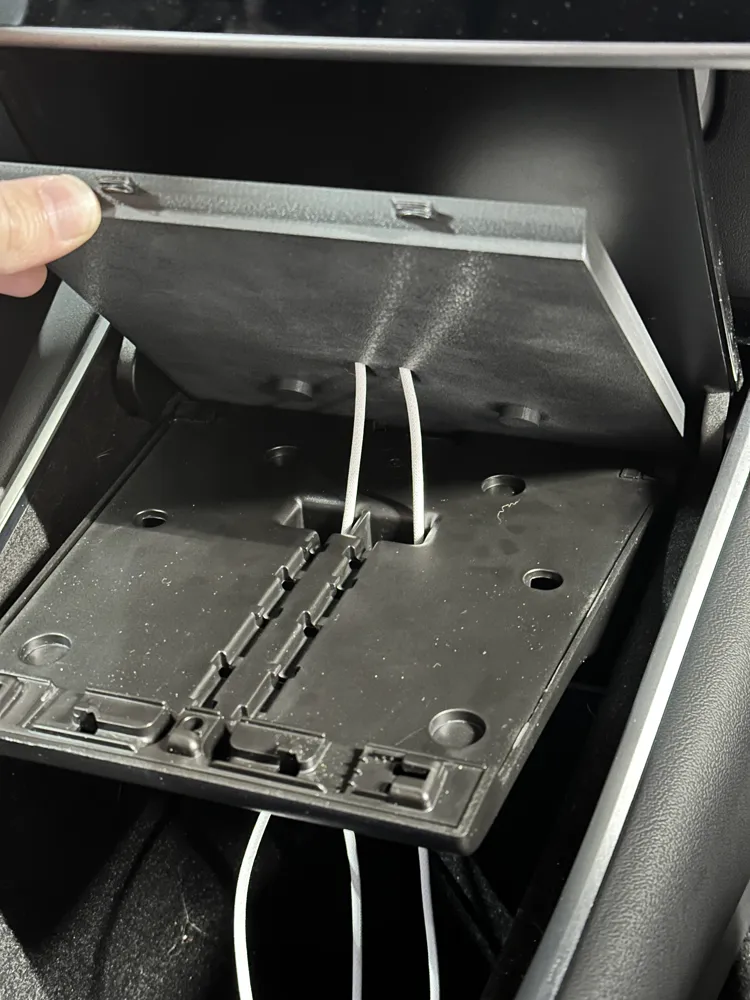
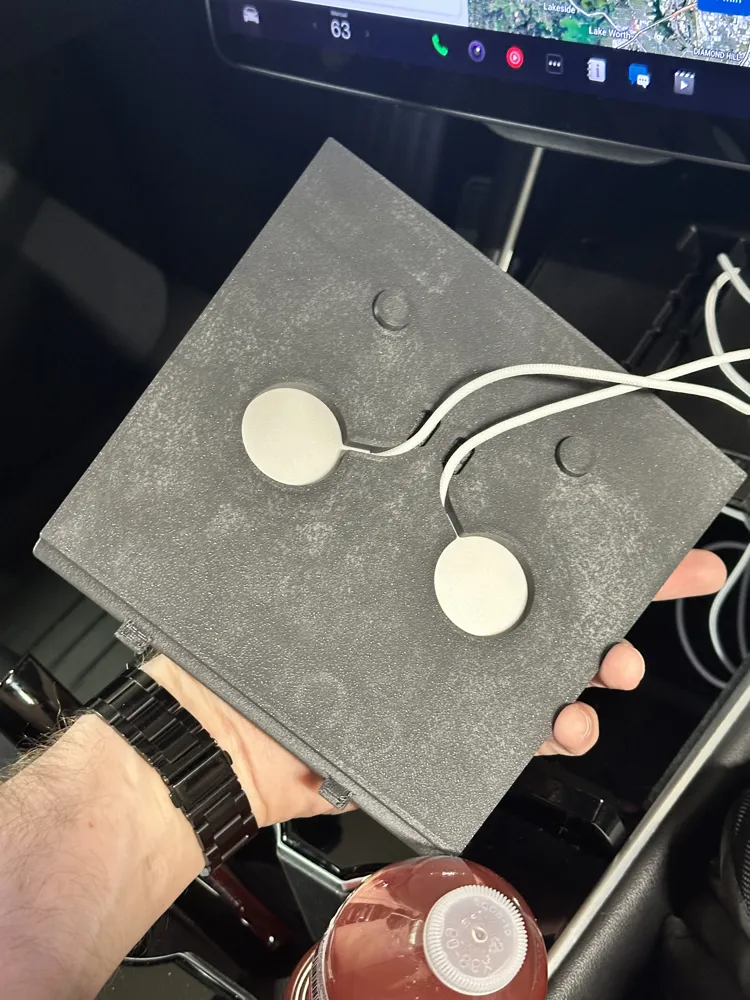
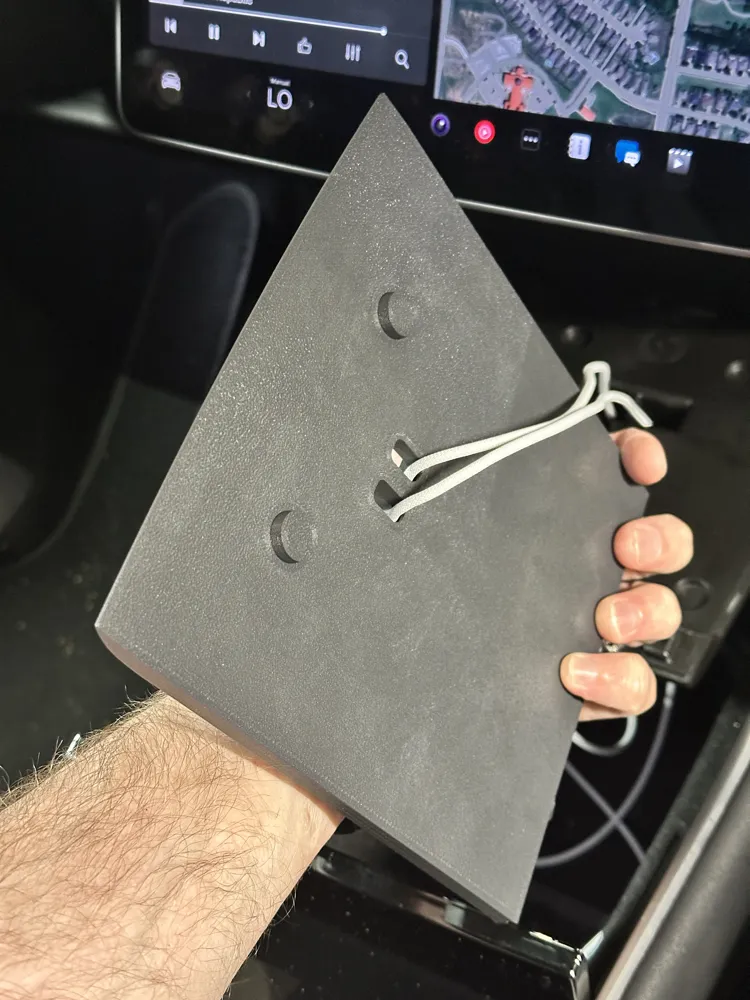
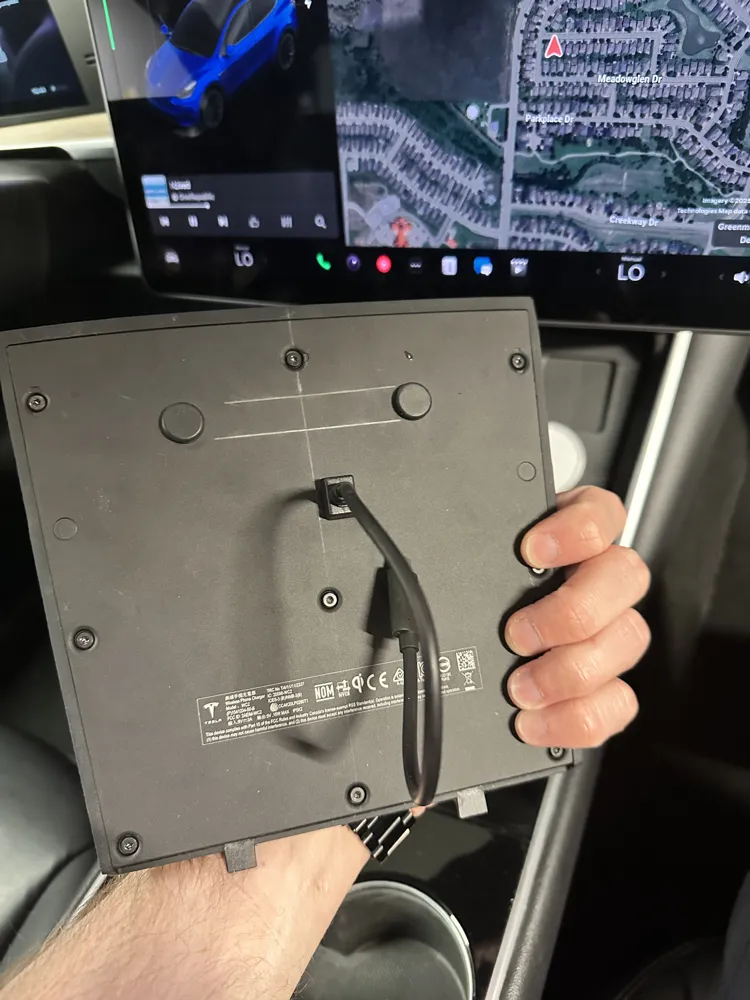
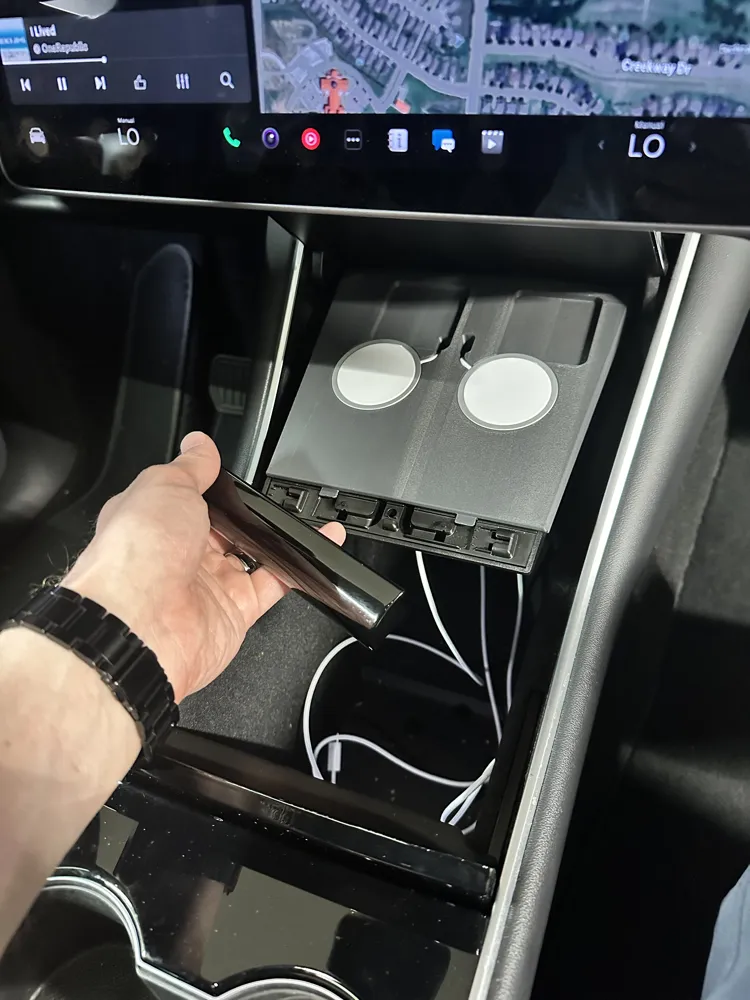
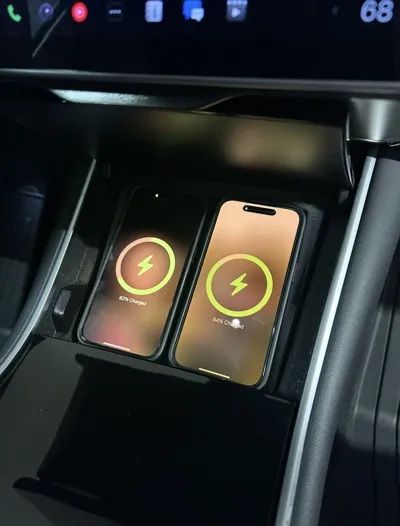
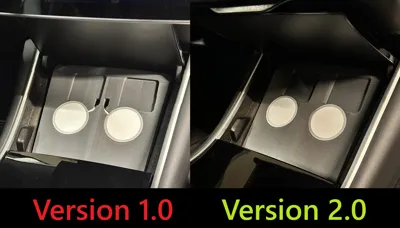
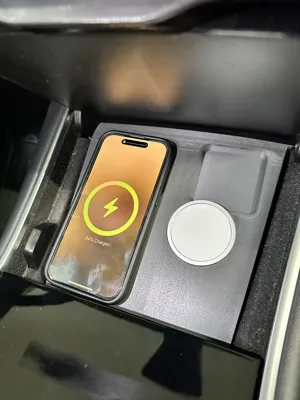
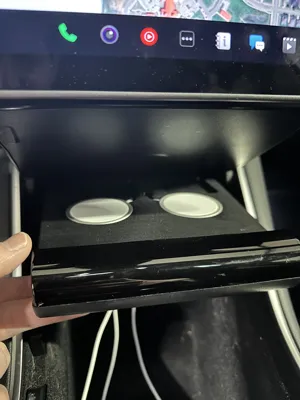
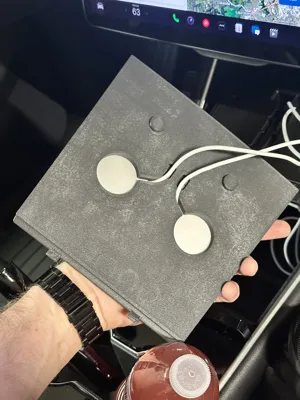
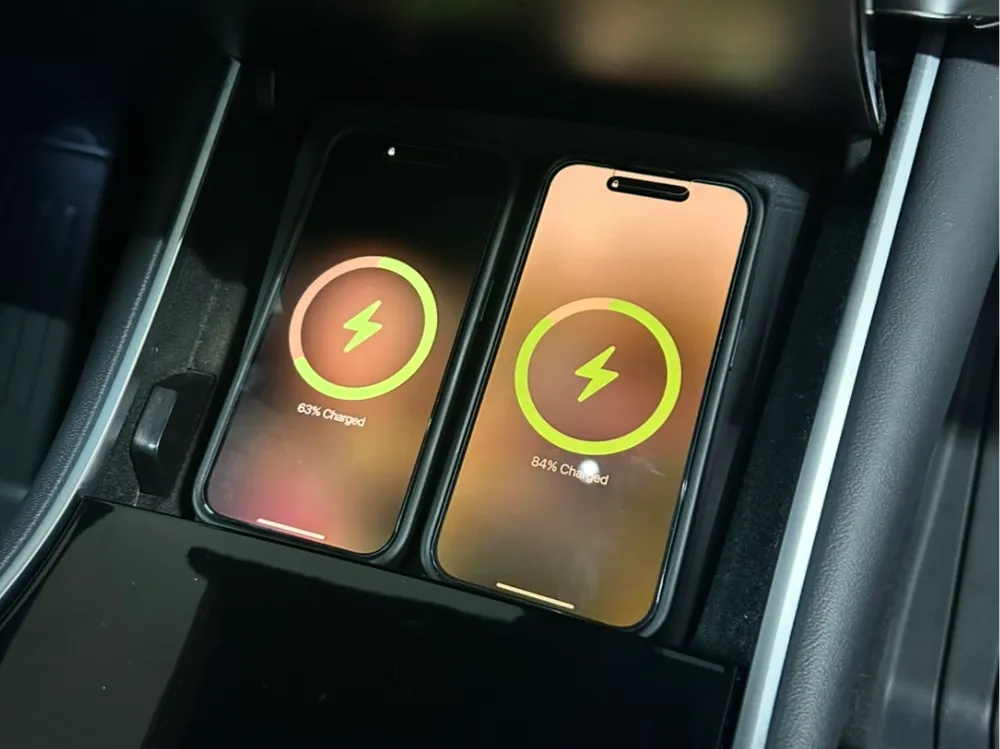
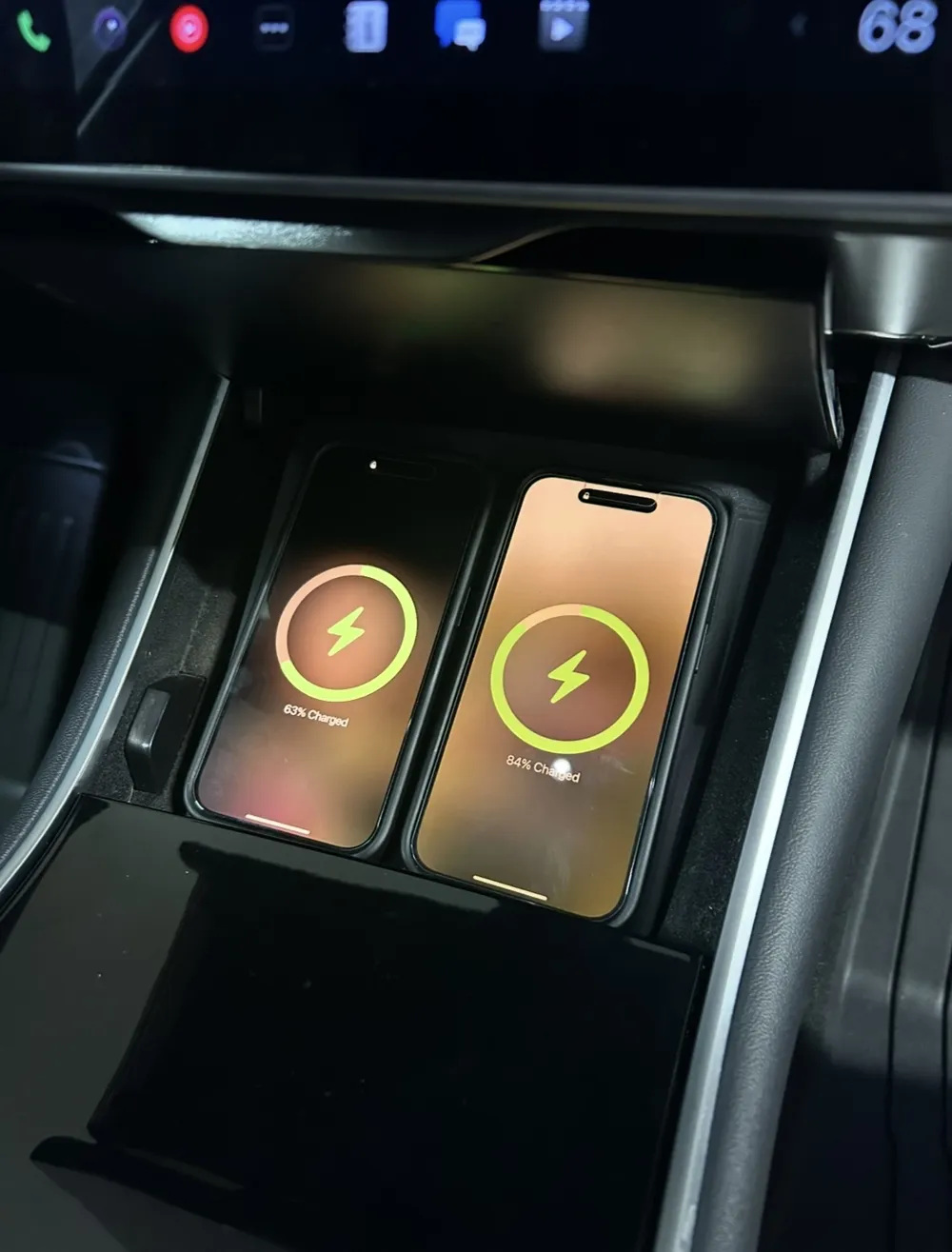
Upgrade your Tesla Model 3 or Model Y charging experience with this custom-designed MagSafe Charging Station, engineered to replace the underwhelming OEM wireless charging pad. Compatible with older models (see photos to compare your console compatibility) this drop-in solution allows you to install two genuine Apple MagSafe chargers into a form-fitting unit that integrates cleanly with the center console.

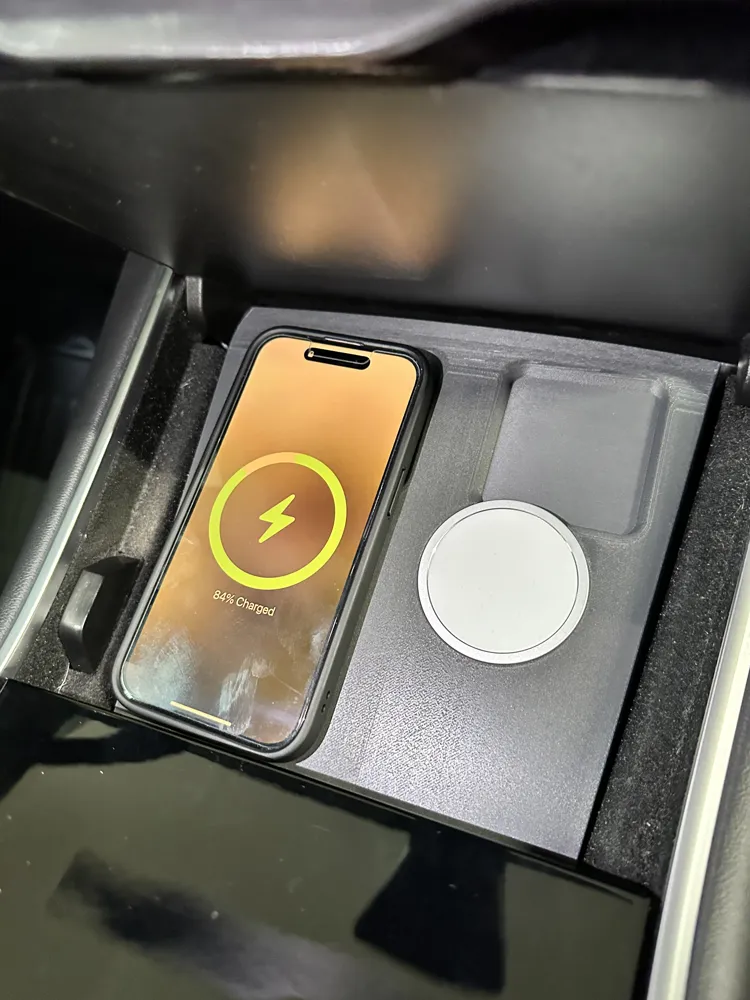
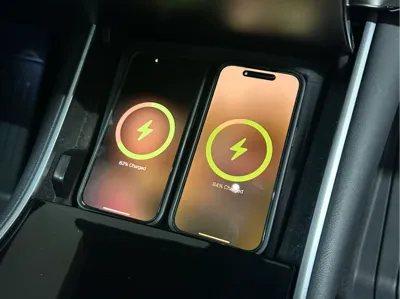
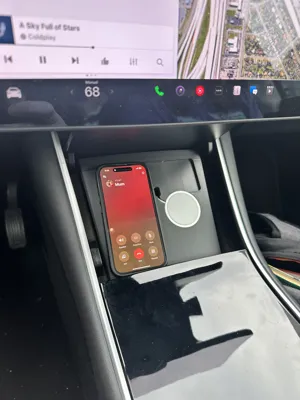
Unlike the factory charging pad, which often struggles to align or hold phones in place—especially during spirited driving—this design offers a stable, reliable connection every time. With true MagSafe capability, your iPhone or Air Pods will snap into place and stay put, even under aggressive acceleration or cornering.

Compatible MagSafe Model: MX6X3LL/A (Compatible with original print profiles & STL files - Ø55.5mm charging bay (4.5mm bay depth)


Key Features:

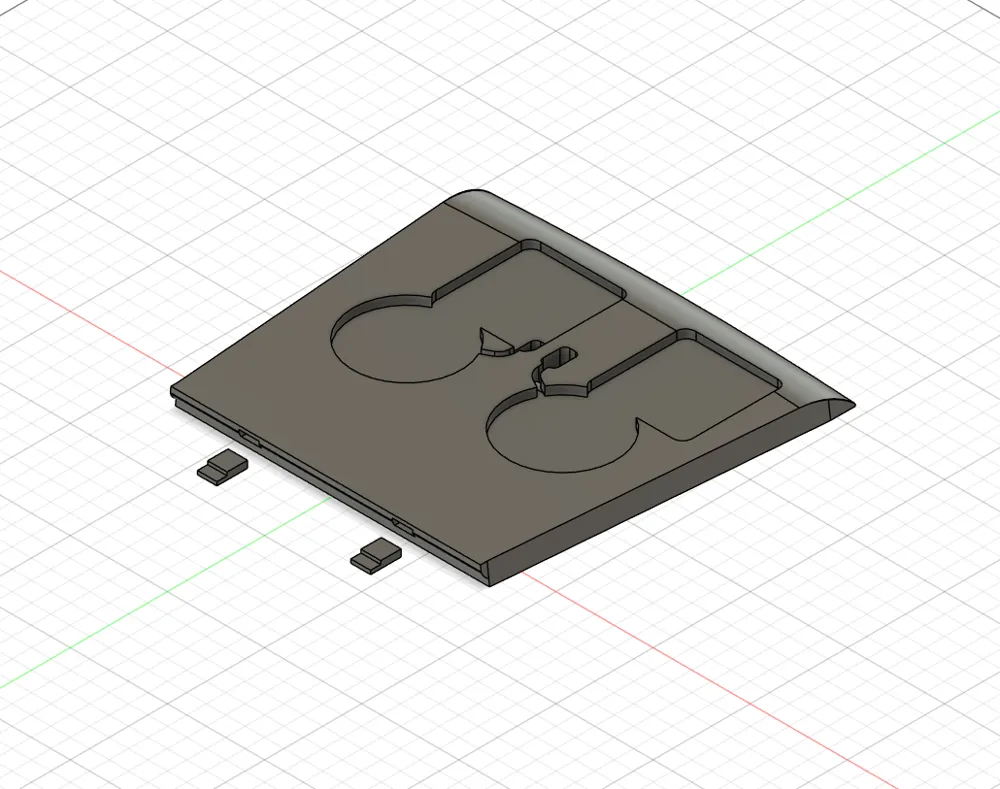
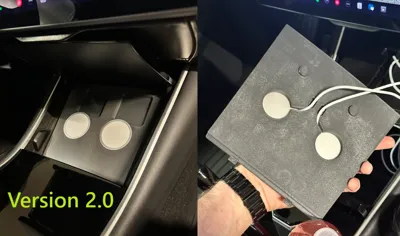
  • Flush MagSafe Integration: Designed to house two official Apple MagSafe chargers seamlessly. Chargers sit perfectly flush within the unit face for a sleek, OEM look.
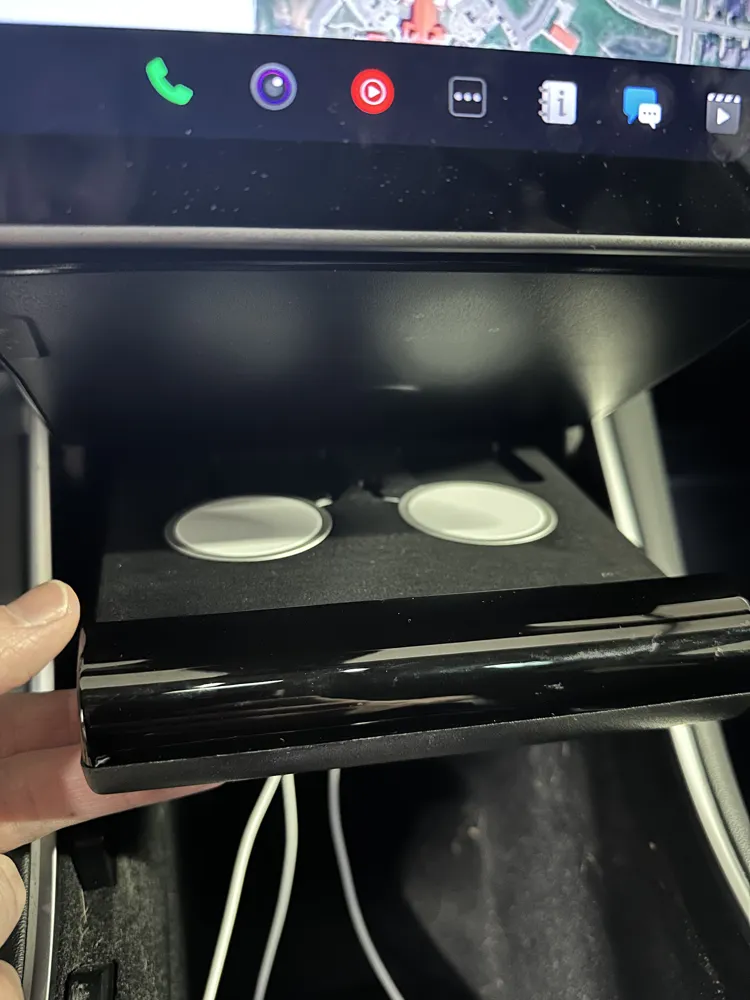
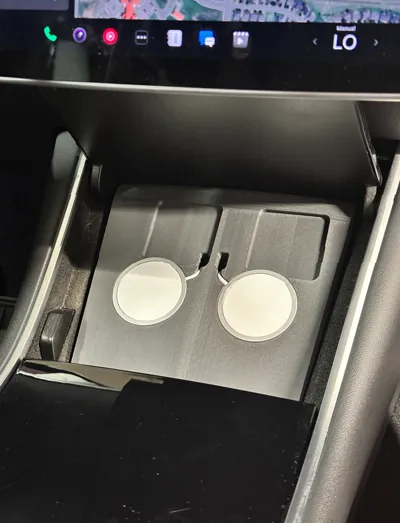
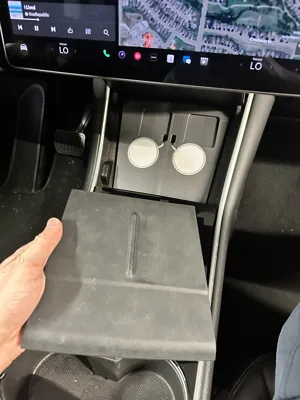
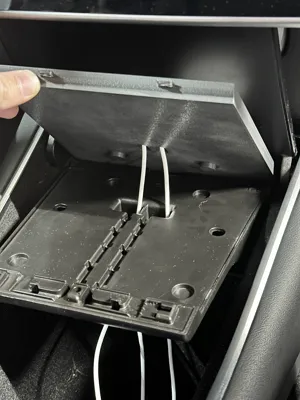
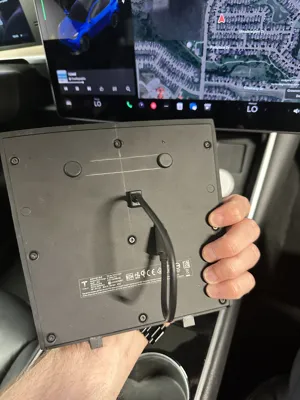
  • Concealed Wiring: Cables quickly pass through the unit, providing a clean appearance and maintains full function of the console compartment. The lid can fully open and close as designed.
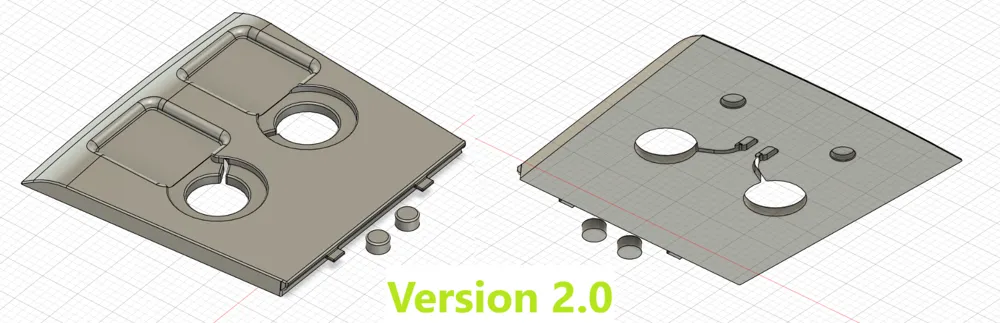
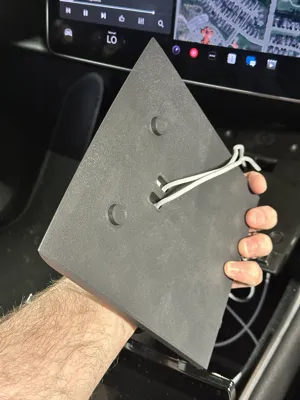
  • Secure Fitment: The preferred version includes integrated flanges and dowels that precisely align with OEM pocket holes in the console. This creates a rock-solid install—no rattling, wobbling, or lifting.
  • Multiple Variants:
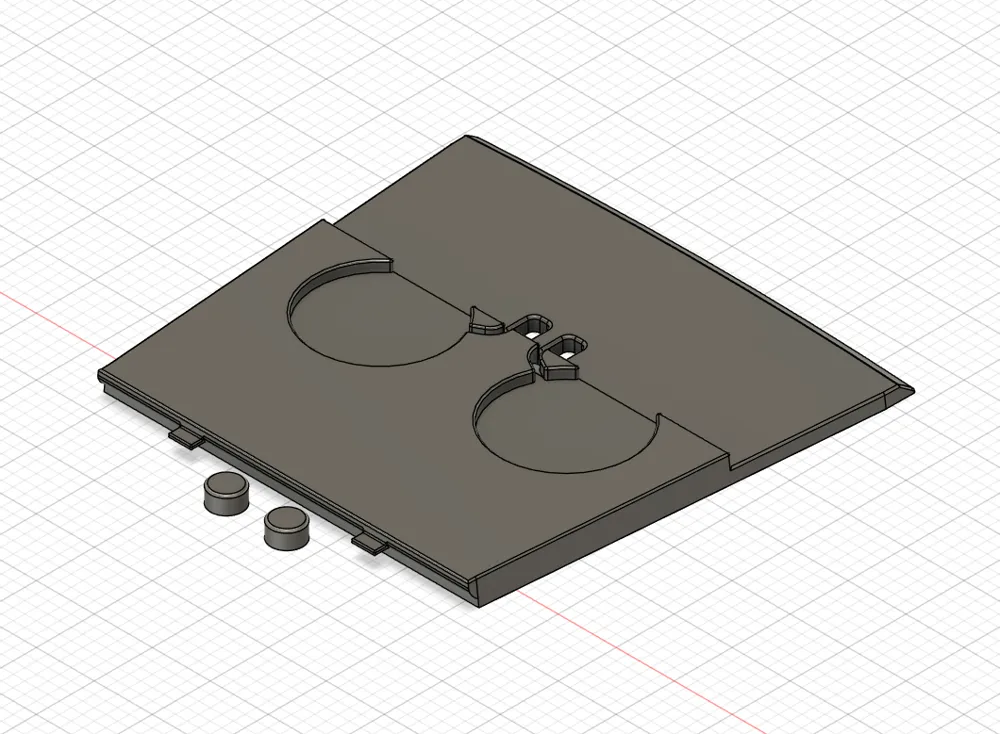
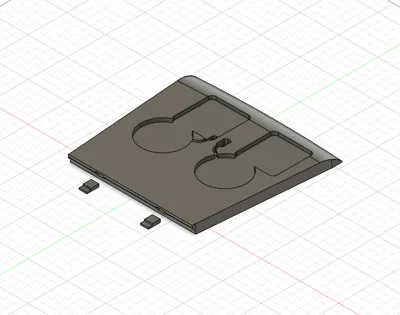
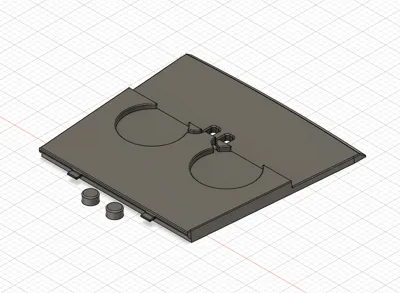
    • Dual Camera Relief Version: Features two recessed areas to accommodate phones with large or protruding camera lenses, allowing the phone to sit flat and charge optimally while maintaining an appealing aesthetic.
    • Fully Recessed Version: The entire top portion of the face is lowered to maximize compatibility with a wider range of phones, including those with thicker cases or unconventional lens layouts.
  • Mod-Friendly: While this station is optimized for iPhone Pro models, Pro Max users may find their phones slightly oversized for ideal placement. Feel free to remix and adjust the model to suit your specific device or personal preferences.
Comment & Rating (38)

(0/1000)

Boosted
Hi @McAuley502 I printed the V2 and it printed great! thank you! unfortunately, the MagSafes I have are the previous version, and the diameter of the charger is 55.8mm instead of 55.3, so unfortunately I cannot use the print :( I have tried to edit with the STL but it’s my first time using this type of software and I’m unable to make the hole any bigger. Any chance you’d be able to modify the model please 🙏 The cable is also a bit thicker than the braided cable of the new version. it’s 3.7mm according to my caliper.
The designer has replied
designer
1
Reply
Hey @polpuigf - Thanks for the boost! I’m glad you like the model, and I’m sorry to hear it’s not a perfect fit for your model of charger. I can absolutely make some changes for you. I have a bit of a hectic schedule with two young kids, but give me a day or two and I’ll knock it out for you. I’ll shoot you another message once I’ve uploaded the modified model.
1
Reply
Boosted
Replying to @McAuley502 :
Thank you so much! Looking forward to it! Of course I understand you’re busy, take your time 😊
designer
1
Reply
Boosted
Replying to @McAuley502 :
@McAuley502 I think perhaps my MagSafes are also a bit thicker. I’ll let you know the thickness here as well just in case: 5.3mm
designer
1
Reply
Hey, loved your design and idea to update our older teslas. Trying to get into 3d pinting but not idea how to remix files yet. Wondering if you willing to have same design but change the demensions for magsafe. Mine is 58.6mm, with 6.3mm depth as im andriod user. thanks in advance.
The designer has replied
designer
1
Reply
Hey @user_276956743 - Thanks for your interest in my design. Those changes won't be a problem at all. My schedule's a little hectic at the moment, give me a few days and I'll knock it out for you.
1
Reply
Hey @user_276956743 - I just uploaded two new STL files: Android Version - Features Ø58.6mm charging bays at 6.3mm deep Android Version 2 - Features Ø58.8mm charging bays, at 6.3mm deep For reference, my own charger is Ø55.3 mm and I use Ø55.5 mm bays, which gives a very snug fit that requires pushing from the back to remove. Some users report that running with essentially no extra tolerance also works well for them, but fit will vary by charger and printer calibration. Good luck! Let me know if you run into any issues, and thanks again for your interest in the model, and the Boost!
0
Reply
really appreciate your hard work. will try printing before this weekend and let you know how it goes. 🙏
0
Reply
Boosted
Hi, Just by looking the design, could that wire hole be re-designed so that on front there wouldn't be holes at all? Would look a lot smoother if there was no holes. My thinking on this would be that the holes for pushing throug the usb c plug would be under those discs close to edge where routing starts. And wire routing channels would be under that surface hidden. Unfortunately I'm such n00b with design softwares that I can't remix it at the moment. But maybe you can? :)
The designer has replied
designer
1
Reply
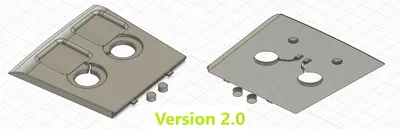
Hey @Flashgor - I just uploaded a revised 2.0 design, great idea, much cleaner than my original model. Thanks for the tip! I initially had a similar thought, though my thinking involved the charger bring installed through the base with a top lip of a few mm's - I was concerned this would reduce magnetic connectivity, I was right.. I tried that model last night and didn't care for it. A little more thought and the obvious dawned on me to add a large hole to fish the head of the cable through before installing the charger from the top side. I wouldn't have put any additional thought into this as the 1.0 version served my purpose, this however is much better and has replaced the unit in my ride. Thanks again for jumpstarting the creativity! I hope that you, and many others enjoy the new 2.0 design you inspired!
0
Reply
Boosted
Replying to @McAuley502 :
@McAuley502 that looks awesome and clean. I just need to find my PETG roll from the hiding. What software are you using for modeling? I would need ”for dummies” software, but more cabaple than tinkercad that I’ve been using for simple things.
0
Reply
Replying to @Flashgor :
@Flashgor - My comment exceeds the character limit, I'll break it up into two. Fusion360 is my go to for non commercial modeling, it's a fairly robust cloud based software/program by Autodesk (free for non commercial use). There's a YouTube channel called "Product Design Online" (https://www.youtube.com/@ProductDesignOnline) that contains a set of tutorials called "Learn Autodesk Fusion 360 in 30 Days for Complete Beginners!", that is a great resource for getting started. From there, there's countless videos on YouTube that you can utilize to overcome any hurdles you might come across while modeling. I think my best advice for someone starting out in Fusion (or any other parametric CAD software for that matter) would be to properly constrain your sketches - constraints will make your life considerably easier in the event you want to make changes to your model after you're further down the parametric timeline.
(Edited)
0
Reply
Print Profile
0.2mm layer, 4 walls, 30% infill
profile
1
Reply
Will this work on a 2023 MY that already has wireless charging? Do you just remove the OEM charging pad to install this new one?
The designer has replied
designer
1
Reply
Apologies for the delay! Yes, this will be compatible with your 2023 MY with the OEM charging pad. Mine already had the wireless charging pad. The connectivity was hit or miss, which ultimately inspired this model. Just slide off the front rail, and the OEM charging pad lifts out, unplug and then you're good to install the MagSafe Charging Station. I hoe you enjoy!
0
Reply
Boosted
have to boost even i haven't try it yet
The designer has replied
designer
1
Reply
Thanks so much! I appreciate it!
0
Reply
Print Profile
0.2mm layer, 4 walls, 25% infill
Nice print, fit nicely in the car! Do you have the STEP file? Because my chargers are a bit larger in diameter and I can't fit the USB cable through the hole.
The profile uploader has replied
profile
1
Reply
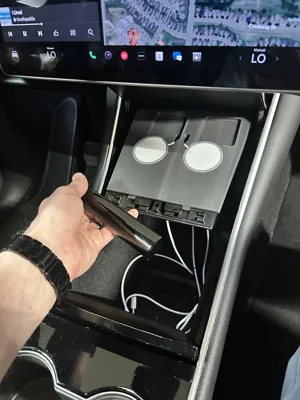
Hi @ricawww - thank you, and thanks for the 5 star rating! There's actually a print profile available that will resolve this issue. It features pass-throughs that are 35mm in diameter. The cables are also completely hidden from the top view once the chargers are installed. I've attached a photo for reference. Thanks again, and enjoy the improved model!
0
Reply
Does it work on the model 3 highland or the model y juniper ?
(Edited)
The designer has replied
0
Reply
Hi @vomglol, I don’t think this will fit either. unfortunately it’s designed for the older style center consoles that don’t have sliding compartment covers.
0
Reply
Boosted
Print Profile
0.2mm layer, 4 walls, 25% infill
The profile uploader has replied
profile
1
Reply
Thanks for the rating!
0
Reply
Print Profile
0.2mm layer, 4 walls, 25% infill
The profile uploader has replied
0
Reply
Thank you for the rating! I hope you enjoy the model!
0
Reply

License

If you want to use this model commercially, please join my membership.
Join Now
This user content is licensed under a Standard Digital File License.

You shall not share, sub-license, sell, rent, host, transfer, or distribute in any way the digital or 3D printed versions of this object, nor any other derivative work of this object in its digital or physical format (including - but not limited to - remixes of this object, and hosting on other digital platforms). The objects may not be used without permission in any way whatsoever in which you charge money, or collect fees.