Search models, users, collections, and posts

Kingroon KP3S Pro -- Adjustable led bar Neopixel
IP Report


Print Profile(2)

0.2mm layer, 3 walls, 20% infill
Designer
1 h
1 plate

0.2mm layer, 2 walls, 15% infill

45 min
1 plate
Open in Bambu Studio
Boost
12
11
5
0
24
4
Released
Description
Adjustable led bar neopixel for KP3s Pro, in this case it is a 5v rgb bar but you could put a different type of led strip
I share the link to the led strip used. Its control is done by klipper
You can buy me a coffee with a donation. Me puedes invitar a un café haciendo una donación Click to danate
Bill of materials:
- LED RGB ws2812b IP30 60leds
- 2 units T- Nuts 20 M3
- 3 units -- Self-Locking Cable Ties 2,5x100 mm
- 2 units - Screw ISO 7380 M3x8
Print parts
- 1 unit - Led_Pro.stl
Assembly instructions
1. Assembly the t-nut and screws
- 2 units - Screw ISO 7380 M3x8
- 2 units T- Nuts 20 M3
- 1 unit - Led_Pro.stl
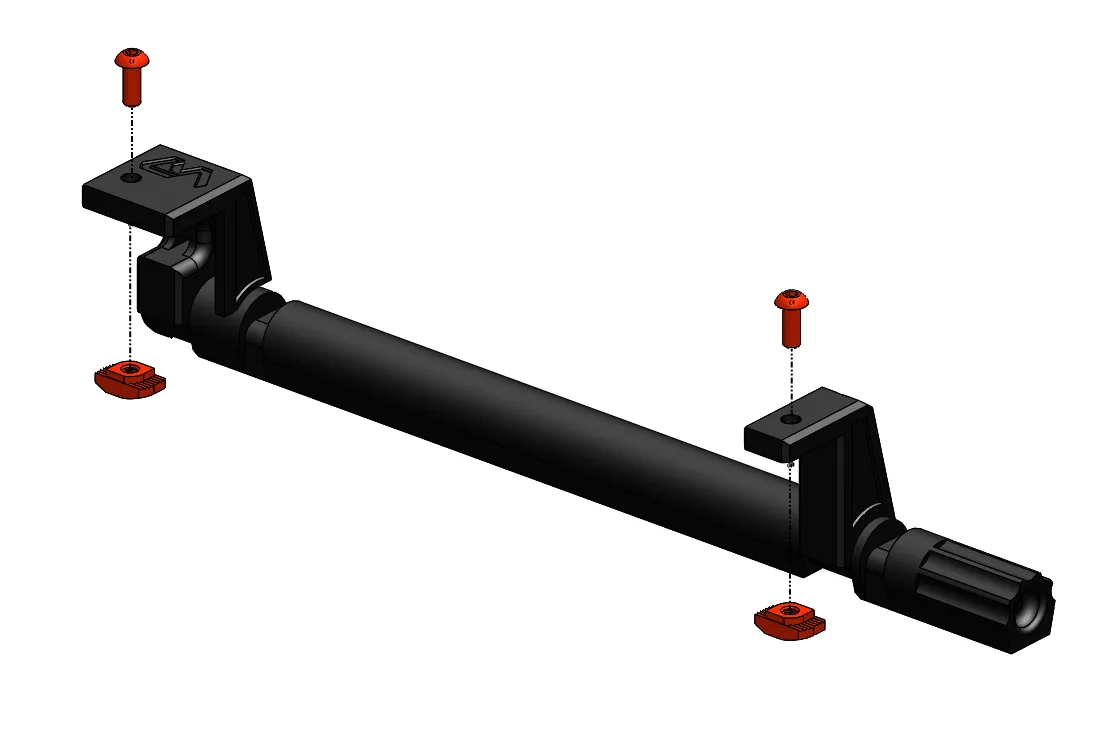
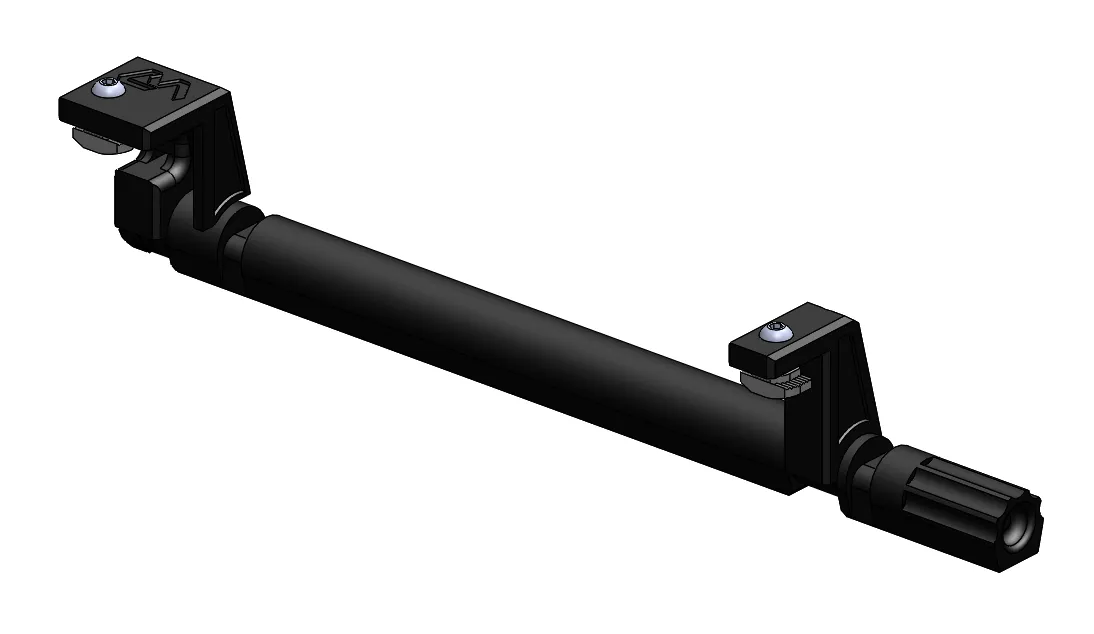
2. Stick the led strip to the support
- LED RGB ws2812b IP30 60leds (10 leds - 160mm)
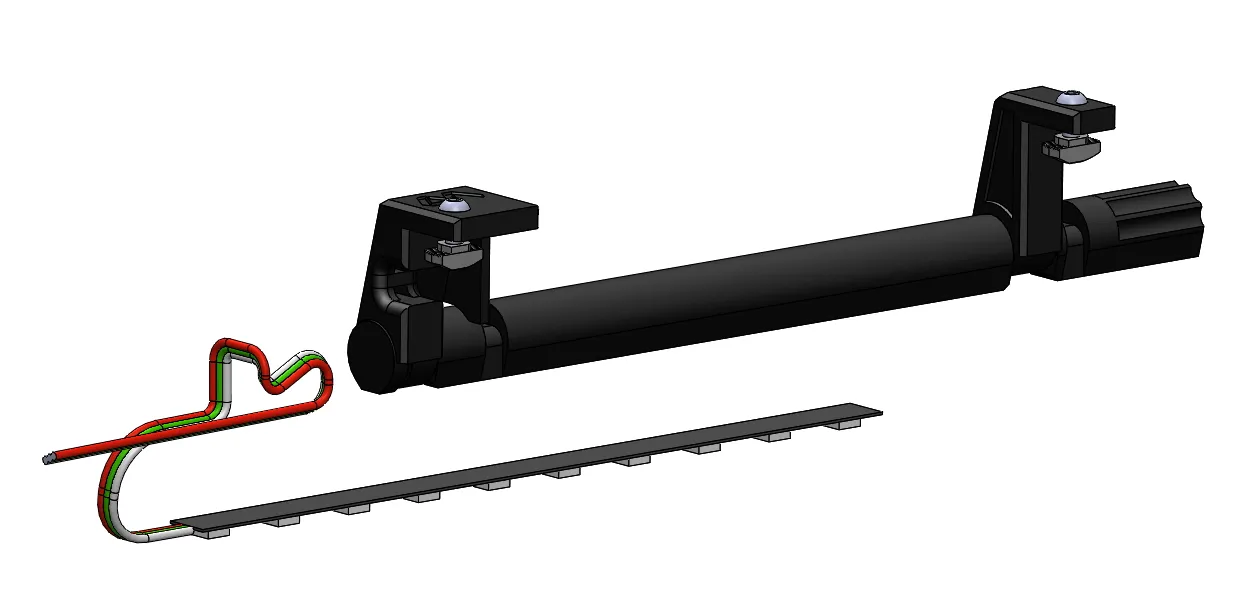
3. Fit the self-locking cable ties
- 1 unit -- Self-Locking Cable Ties 2,5x100 mm
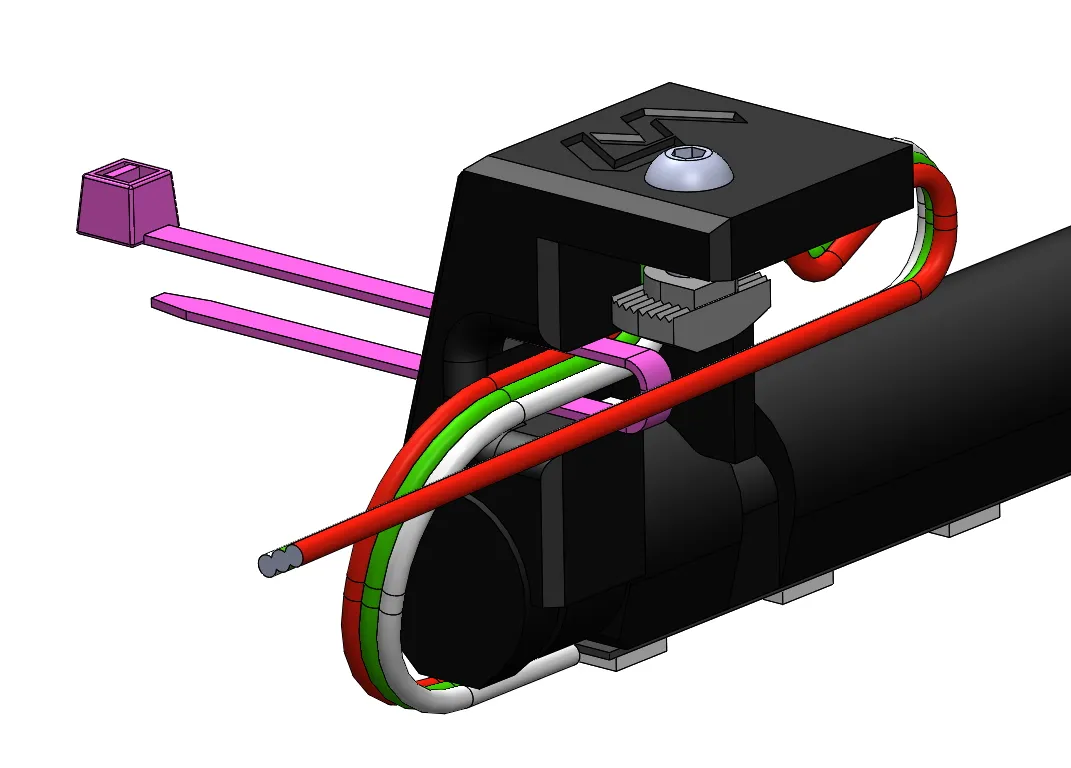
4. Fit the self-locking cable ties on led strip (optional)
- 2 units -- Self-Locking Cable Ties 2,5x100 mm
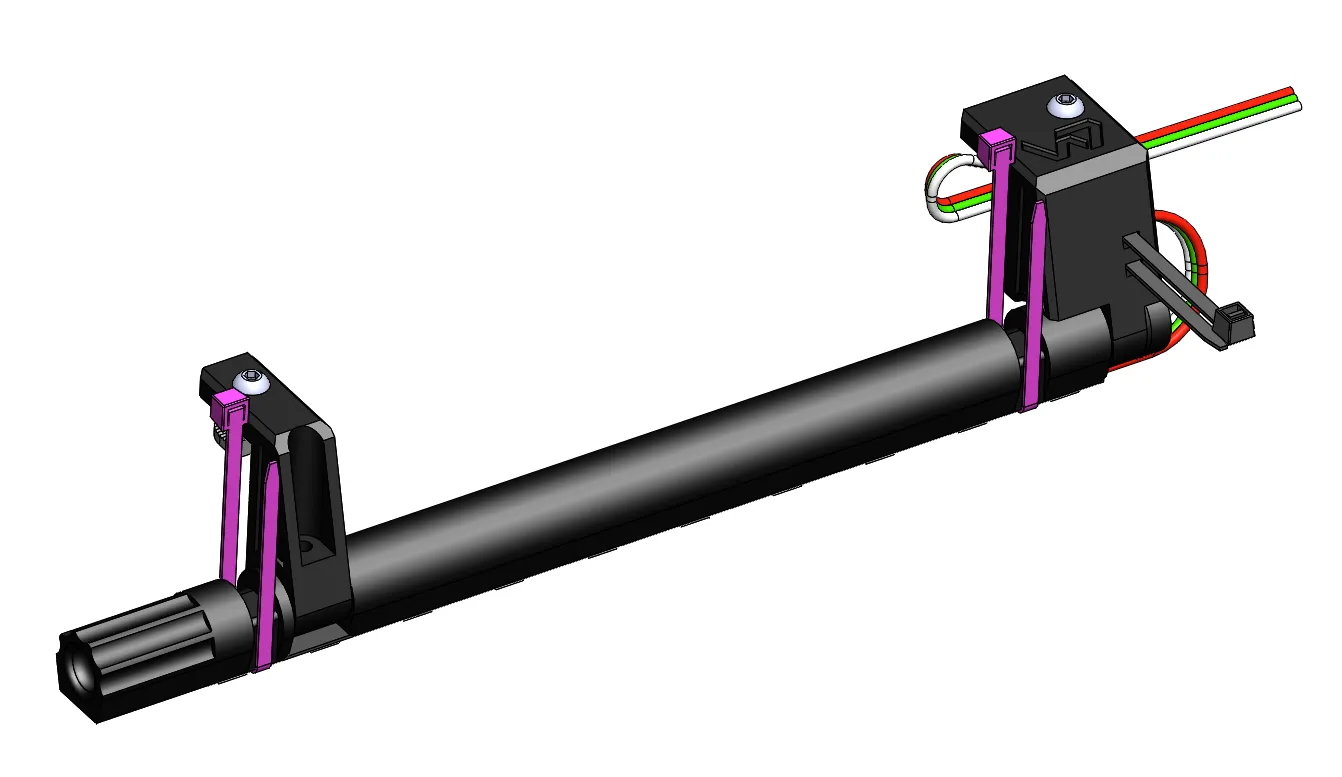
5. Place the wiring in the indicated position (under the t-nut)

6. Put the assembly on the printer profile and fix it with the screws

7. Pull the end of the cable to place it
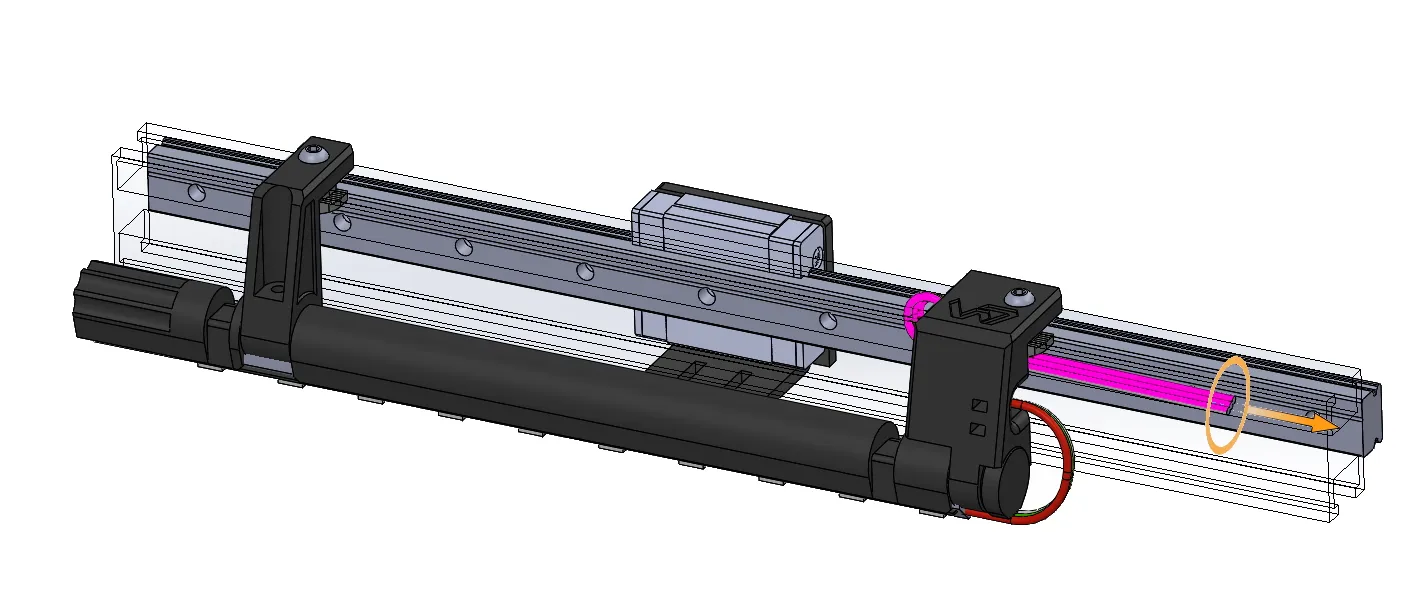
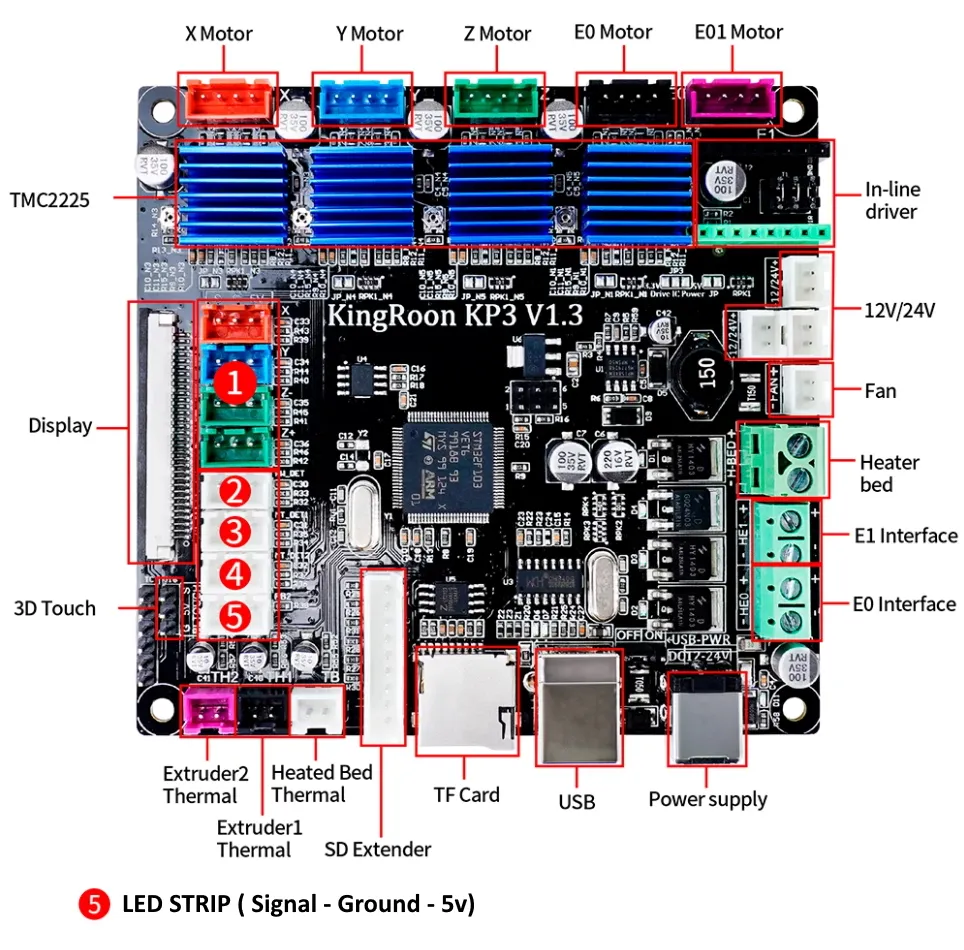
8. Connect the led strip to the board, pin PB2
9. Set up your klipper
############### LEDS ########[neopixel Disco]pin: PB2# The pin connected to the neopixel. This parameter must be# provided.chain_count: 10# The number of Neopixel chips that are "daisy chained" to the# provided pin. The default is 1 (which indicates only a single# Neopixel is connected to the pin).##color_order: GRB# Set the pixel order required by the LED hardware. Options are GRB,# RGB, GRBW, or RGBW. The default is GRB. SET_LED LED=Disco RED=0.093 GREEN=0.051 BLUE=0.093initial_RED: 0.25initial_GREEN: 0.25initial_BLUE: 0.25# Sets the initial LED color of the Neopixel. Each value should be# between 0.0 and 1.0. The WHITE option is only available on RGBW# LEDs. The default for each color is 0
10. Enjoy
License

This user content is licensed under a
Creative Commons Attribution-Noncommercial-Share Alike


Comment & Rating (5)