Search models, users, collections, and posts

Nadal-on-Court-Plaque

IP Report

Print Profile(1)

All
P1S
P1P
X1E
X1 Carbon
H2D
A1
X1
H2D Pro
H2S
P2S
H2C
X2D
A2L

0.08mm layer, 1 walls, 100% infill
Designer
7.5 h
1 plate
5.0(7)

Open in Bambu Studio
Boost
42
64
18
4
94
35
Released 

Description

If you like my models and want to support me, you can drop a one-time tip on PayPal, or you can purchase filaments through my links. Every bit of support keeps me motivated to make more awesome stuff. Thanks a lot! 

https://www.paypal.com/ncp/payment/7WU9PZ7AA2TTA


Demon Slayer series: Demon Slayer Hueforge | Collection - MakerWorld: Download Free 3D Models


One Piece series: OnePiece_Hueforge | Collection - MakerWorld: Download Free 3D Models


Dan Da Dan series: https://makerworld.com/en/collections/7165703-dandadan_hueforge


Marvel series: Marvel_Hueforge | Collection - MakerWorld: Download Free 3D Models


Animal series: Animal_Hueforge | Collection - MakerWorld: Download Free 3D Models


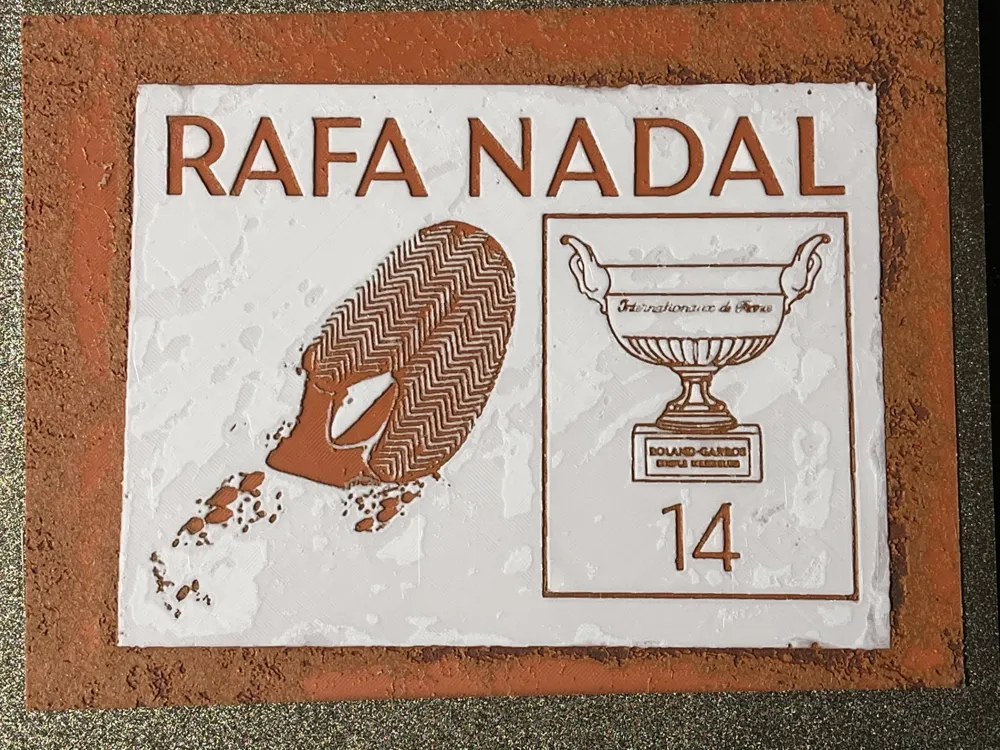
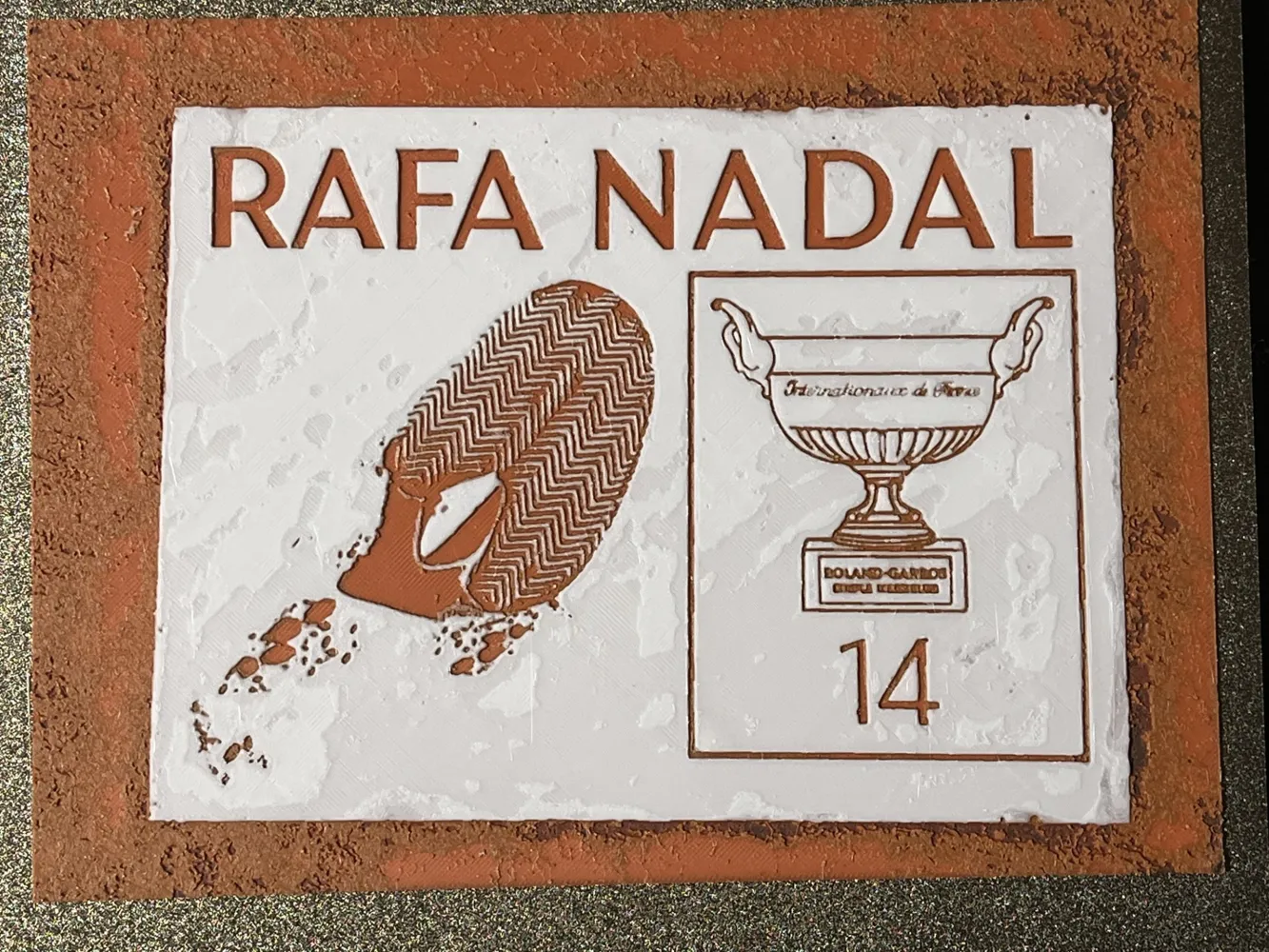
Since 2005, I have been watching Nadal playing tennis. His appearance, playing style and fighting spirit have inspired me in many aspects. Watching his rivalry show vs Roger, Djokovic and Murry have been the best memories and help me go through a lot of tough time in my life. Thanks to the French Open for making this permanent plaque on the Roland-Garros stadium. Thank you, Rafa!


Print Instruction:
Print at 100% infill with a layer height of 0.08mm with a base layer of 0.16mm

The Model is 240x179mm in size
You may print at higher layer heights below the Base Thickness of 0.48mm
The Max allowed Thickness is 2.16mm and the Actual Thickness is 2.08mm


Filaments Used:
    #061919 PLA  Black  Transmission Distance: 0.2
    #cd382e PLA Red  Transmission Distance: 4.2
    #814100 PLA Brown  Transmission Distance: 2.9
    #ffffff PLA White  Transmission Distance: 6.2
This print uses 4 unique filaments


Swap Instructions:
    Start with Black
    At layer #7 (0.64mm) swap to Red
    At layer #13 (1.12mm) swap to Brown
    At layer #19 (1.6mm) swap to White for the rest.


******************************************************************************************

Boost Me (for free)

Not just 3D prints—each piece is a layered illusion of color, depth, and passion. Thanks for your visits, any feedback will be appreciated!


******************************************************************************************

Comment & Rating (18)

(0/1000)

Boosted
Print Profile
0.08mm layer, 1 walls, 100% infill
brutal!!!
The profile uploader has replied
0
Reply
thanks! glad you like it!
0
Reply
Hello, how did you do it please? I tried to print it 10 times and 10 failures.. the black prints well and as soon as it's the red's turn, the nozzle scrapes the bed and ends up clogging… I decreased the flow ratio to 0.94, I printed slowly at 50%.. I tried everything, calibration, restart… 10 failures in a row.. However, I printed several color objects afterwards and had no problem, I'm going crazy
Show original
0
Reply
Print Profile
0.08mm layer, 1 walls, 100% infill
Perfect, thx !
The profile uploader has replied
0
Reply
Thank you for the rate! and the frame looks a perfect fit for that!
0
Reply
Replying to @FantasyZ :
Yes, the frame is nice, added a remix ;)
(Edited)
0
Reply
Print Profile
0.08mm layer, 1 walls, 100% infill
Very lovely tribute
Show original
0
Reply
Hello, how did you do it please? I tried to print it 10 times and 10 failures.. the black prints well and as soon as it's the red's turn, the nozzle scrapes the bed and ends up clogging… I decreased the flow ratio to 0.94, I printed slowly at 50%.. I tried everything, calibration, restart… 10 failures in a row.. However, I printed several color objects afterwards and had no problem, I'm going crazy
Show original
0
Reply
Print Profile
0.08mm layer, 1 walls, 100% infill
Very cool plaque I scaled it down and made a keychain for my friend who is a Nadal fan thank you for sharing
Show original
profile
1
Reply
I've tried printing it 10 times and failed 10 times.. the black prints well and as soon as it's the red's turn, the nozzle scrapes the bed and ends up clogging... I decreased the flow rate to 0.94, I printed slowly at 50%.. I tried everything, calibration, rebooting... 10 failures in a row.. yet I printed several objects in color afterwards and had no problems, I'm going crazy
Show original
1
Reply
What shade of brown is that?? How might one ascertain the precise brown
The designer has replied
Show original
0
Reply
it’s shown in the introduction. #814100 is the color code. however as long as you used a brown with similar TD as mine , it should work. I have tested the filaments from Bambu, Sunlu and Kingaroon, all works similarly good
0
Reply
Very nice, congrat !
The designer has replied
0
Reply
Thank you very much!
0
Reply
Hello, any help on how to color
Show original
0
Reply
Print Profile
0.08mm layer, 1 walls, 100% infill
Superb My brother who is a fan will go crazy
Show original
0
Reply
Print Profile
0.08mm layer, 1 walls, 100% infill
0
Reply