
Mini Stream Deck DIY
Print Profile(4)


Bill of Materials


Description
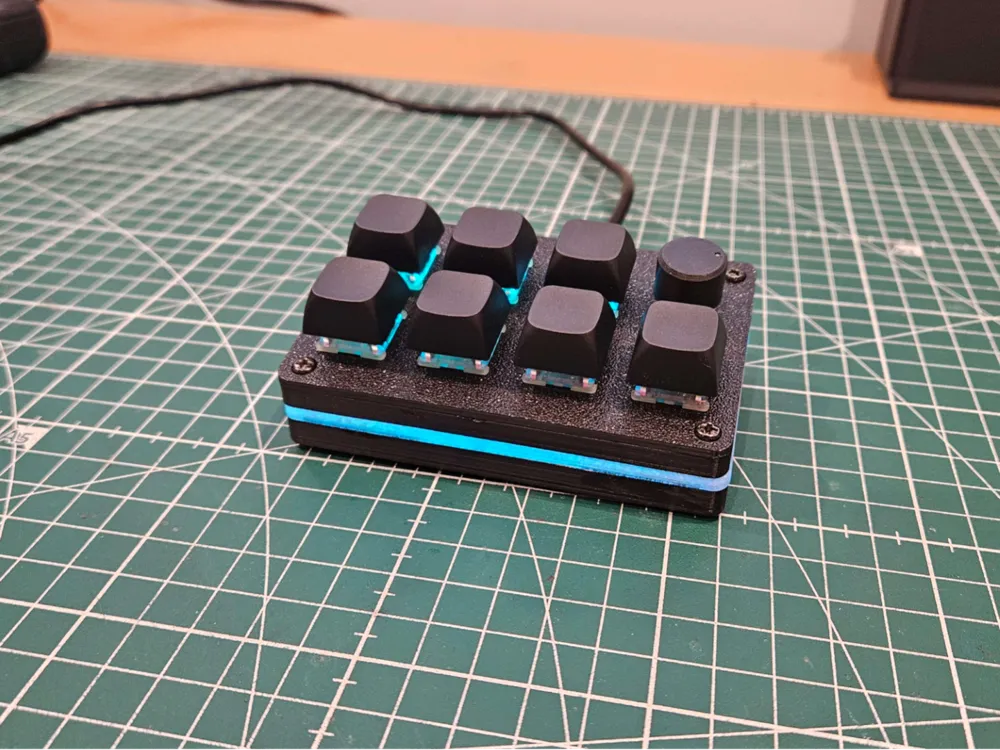
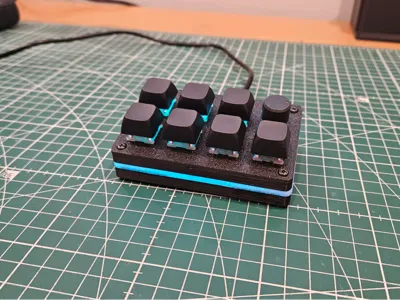
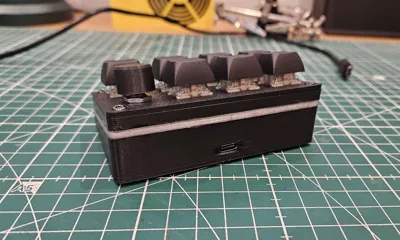
Mini Stream Deck DIY – Compact, illuminated and affordable!
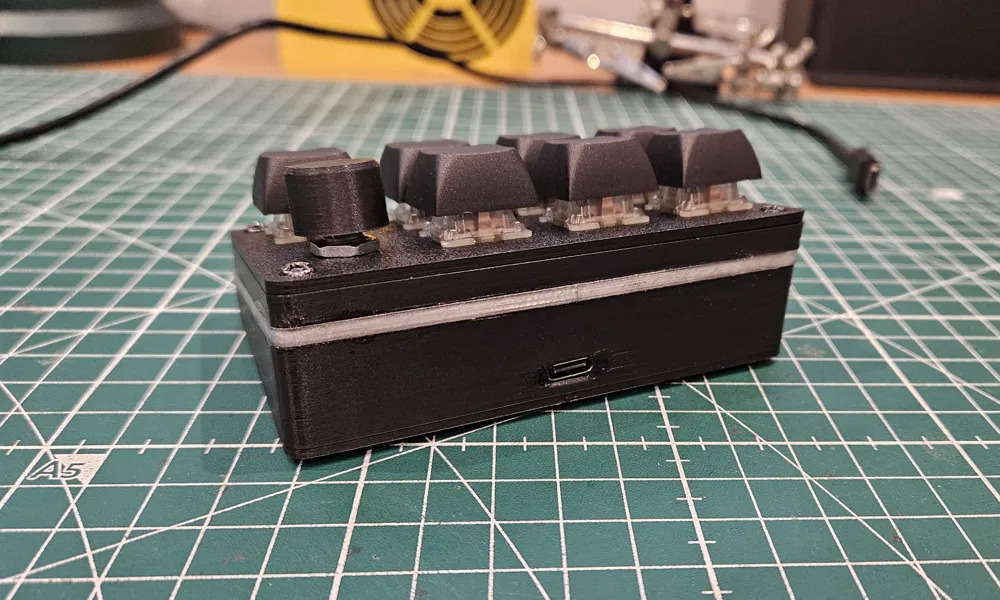
This project is a **fully customizable mini stream deck for less than €12**, designed to control your favorite software using 7 shortcut keys, while adding an illuminated touch thanks to a strip of **addressable WS2812B LEDs**. Ideal for streamers, creators, or makers looking for a useful and stylish project!
Affiliate Aliexpress links for necessary components:
- 11x WS2812B LEDs (addressable LED strip) : https://s.click.aliexpress.com/e/_c4EzACgv
- 7x keycaps for mechanical keyboard : https://s.click.aliexpress.com/e/_c4nhwT3b
- 7x Cherry MX switches : https://s.click.aliexpress.com/e/_c2xxyJlX
- 1x WH148 potentiometer (optional for volume or other use) : https://s.click.aliexpress.com/e/_c2J5FyMv
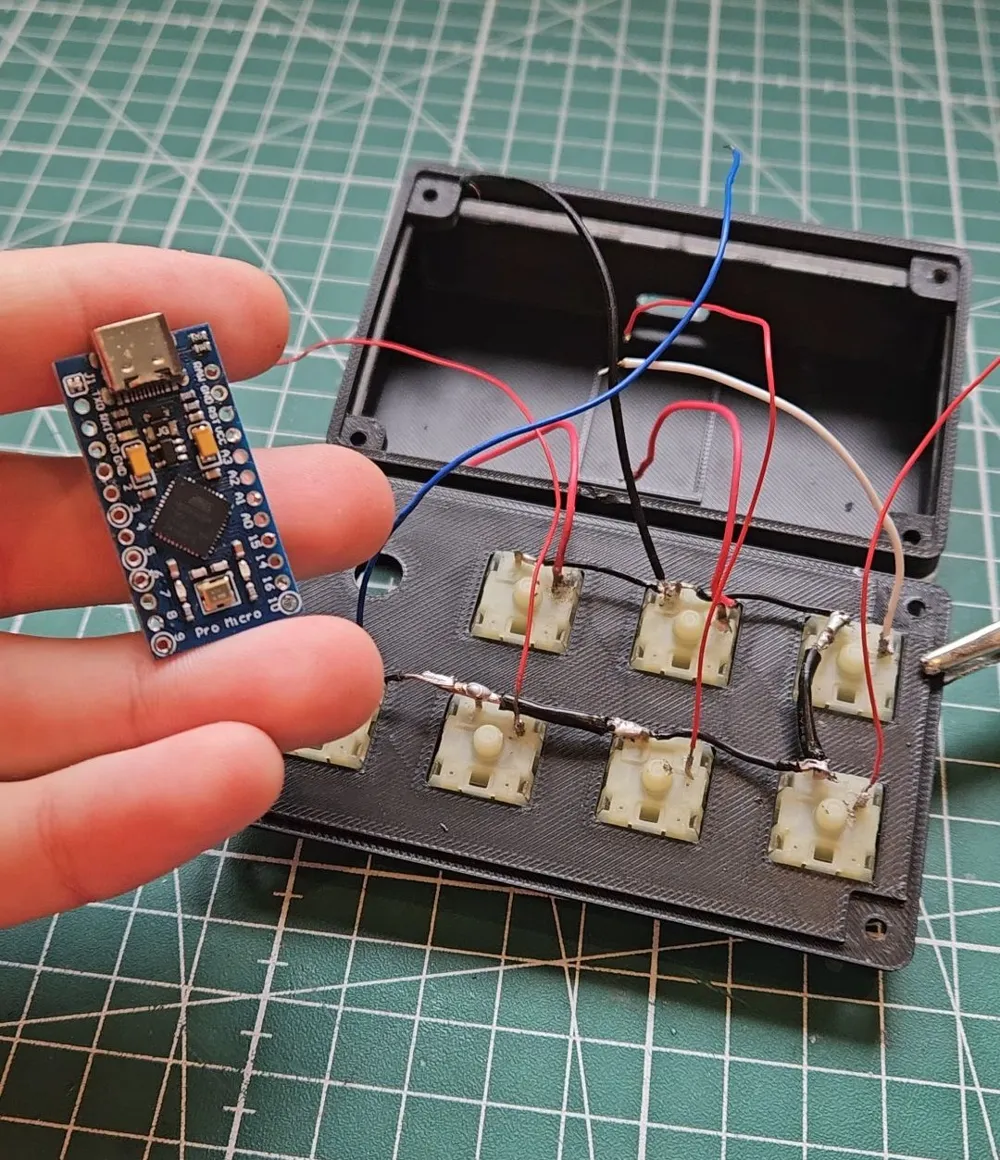
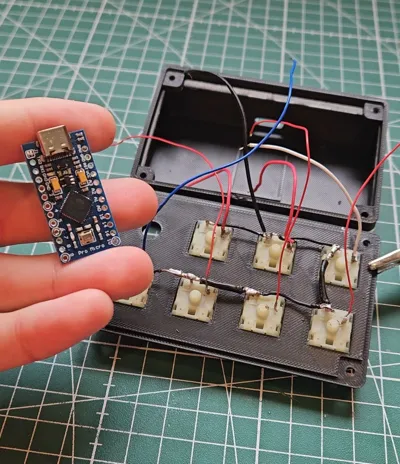
- 1x Pro Micro Type-C board (ATmega32U4) : https://s.click.aliexpress.com/e/_c3eM8H77
- Electrical wires : https://s.click.aliexpress.com/e/_c4Eih7j7
Strong glue + 4 small 3mm screws : https://s.click.aliexpress.com/e/_c3vVNdFb
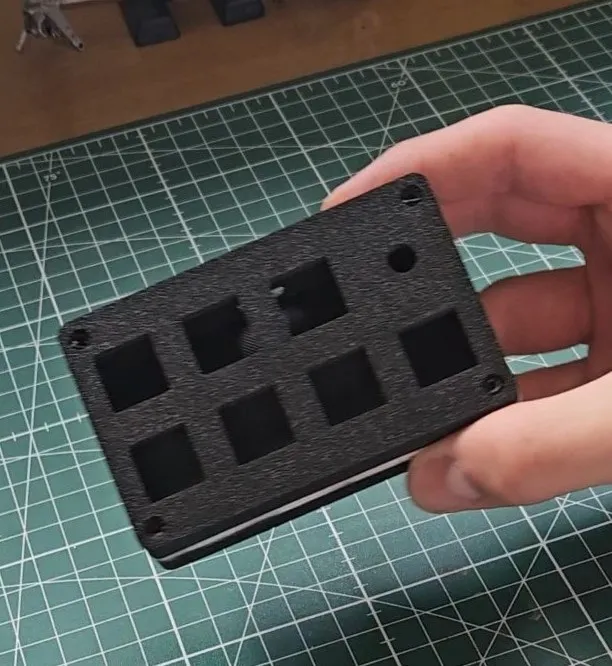
3D printed parts included:
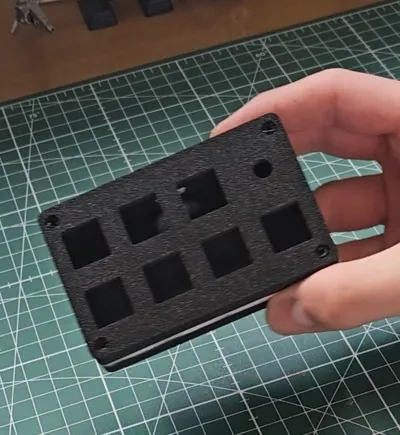
- Main case (black PLA)
- Lid (black PLA)
- Stand (black PLA)
- Light diffuser (transparent PETG)
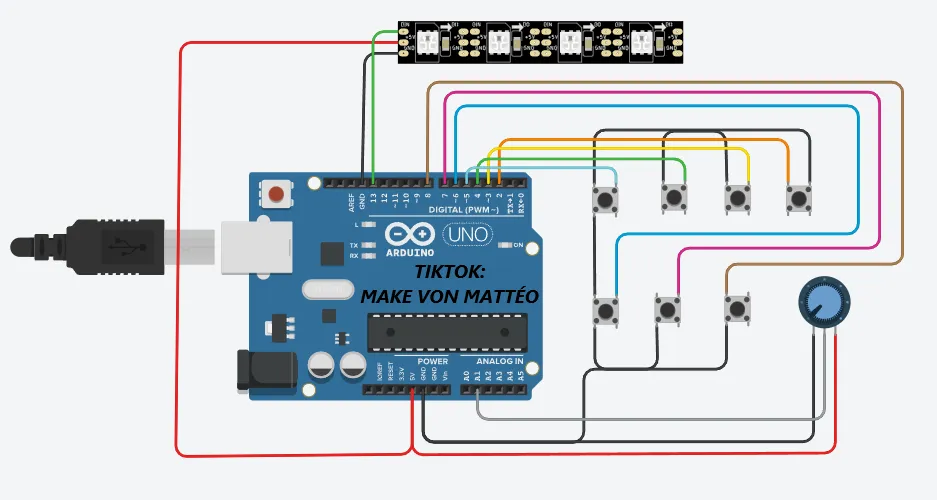
Wiring diagram:
Code :
The volume part with the potentiometer is not included in the program as it's not yet utilized.
// Subscribe to MakeVonMatteo on tiktok :)
// Key definitions
#define BUTTON_KEY1 KEY_F13
#define BUTTON_KEY2 KEY_F14
#define BUTTON_KEY3 KEY_F15
#define BUTTON_KEY4 KEY_F16
#define BUTTON_KEY5 KEY_F17
#define BUTTON_KEY6 KEY_F18
#define BUTTON_KEY7 KEY_F19
#define BUTTON_KEY8 KEY_F20
#define BUTTON_KEY9 KEY_F21
#define BUTTON_KEY10 KEY_F22// Pin definitions
#define BUTTON_PIN1 2
#define BUTTON_PIN2 3
#define BUTTON_PIN3 4
#define BUTTON_PIN4 5
#define BUTTON_PIN5 6
#define BUTTON_PIN6 7
#define BUTTON_PIN7 8
#define BUTTON_PIN8 9
#define BUTTON_PIN9 10
#define BUTTON_PIN10 16#define LED_STRIP_PIN 13 // Corresponds to D15 (physical)
#define NUM_LEDS 11#include <Keyboard.h>
#include <Adafruit_NeoPixel.h>Adafruit_NeoPixel strip(NUM_LEDS, LED_STRIP_PIN, NEO_GRB + NEO_KHZ800);
// LED colors
uint32_t normalColor = strip.Color(0, 150, 255); // Light blue
uint32_t pressColor = strip.Color(0, 0, 150); // Dark blueclass button {
public:
const char key;
const uint8_t pin;button(uint8_t k, uint8_t p) : key(k), pin(p) {}
void press(boolean state) {
if (state == pressed || (millis() - lastPressed <= debounceTime)) {
return;
}lastPressed = millis();
state ? Keyboard.press(key) : Keyboard.release(key);
pressed = state;
}void update() {
press(!digitalRead(pin));
}boolean isPressed() {
return pressed;
}private:
const unsigned long debounceTime = 30;
unsigned long lastPressed = 0;
boolean pressed = 0;
};// Button initialization
button buttons[] = {
button(BUTTON_KEY1, BUTTON_PIN1),
button(BUTTON_KEY2, BUTTON_PIN2),
button(BUTTON_KEY3, BUTTON_PIN3),
button(BUTTON_KEY4, BUTTON_PIN4),
button(BUTTON_KEY5, BUTTON_PIN5),
button(BUTTON_KEY6, BUTTON_PIN6),
button(BUTTON_KEY7, BUTTON_PIN7),
button(BUTTON_KEY8, BUTTON_PIN8),
button(BUTTON_KEY9, BUTTON_PIN9),
button(BUTTON_KEY10, BUTTON_PIN10)
};#define NumButtons (sizeof(buttons) / sizeof(buttons[0]))
void setup() {
// LED initialization
strip.begin();
strip.show(); // Make sure the LEDs are off at the start
// Button initialization
for (int i = 0; i < NumButtons; i++) {
pinMode(buttons[i].pin, INPUT_PULLUP); // Set to input mode with pull-up for each button
}// Keyboard initialization
Keyboard.begin();
}void loop() {
boolean anyPressed = false;// Update button states and check if any of them are pressed
for (int i = 0; i < NumButtons; i++) {
buttons[i].update();
if (buttons[i].isPressed()) {
anyPressed = true;
}
}// If a button is pressed, change LED color to dark blue
if (anyPressed) {
setAllLEDs(pressColor);
} else {
setAllLEDs(normalColor);
}
}// Function to change the color of all LEDs
void setAllLEDs(uint32_t color) {
for (int i = 0; i < strip.numPixels(); i++) {
strip.setPixelColor(i, color);
}
strip.show(); // Update the LEDs
}
Boost Me (for free)
Thank you for your support 😊
License

You shall not share, sub-license, sell, rent, host, transfer, or distribute in any way the digital or 3D printed versions of this object, nor any other derivative work of this object in its digital or physical format (including - but not limited to - remixes of this object, and hosting on other digital platforms). The objects may not be used without permission in any way whatsoever in which you charge money, or collect fees.


Comment & Rating (96)