
Print Profile(1)

Description
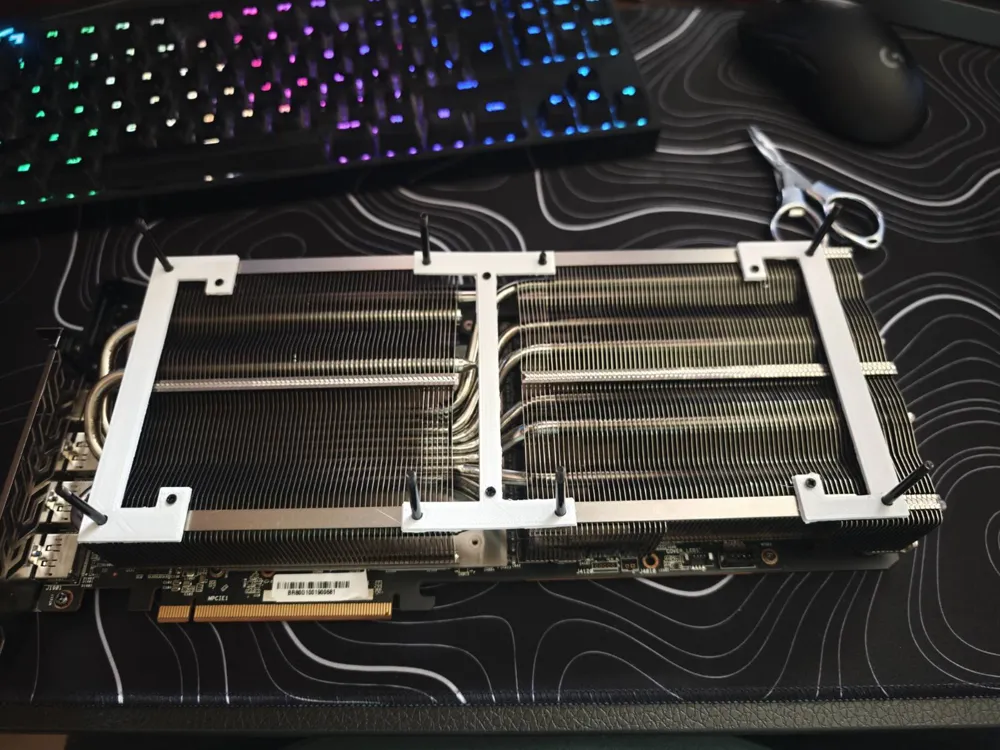
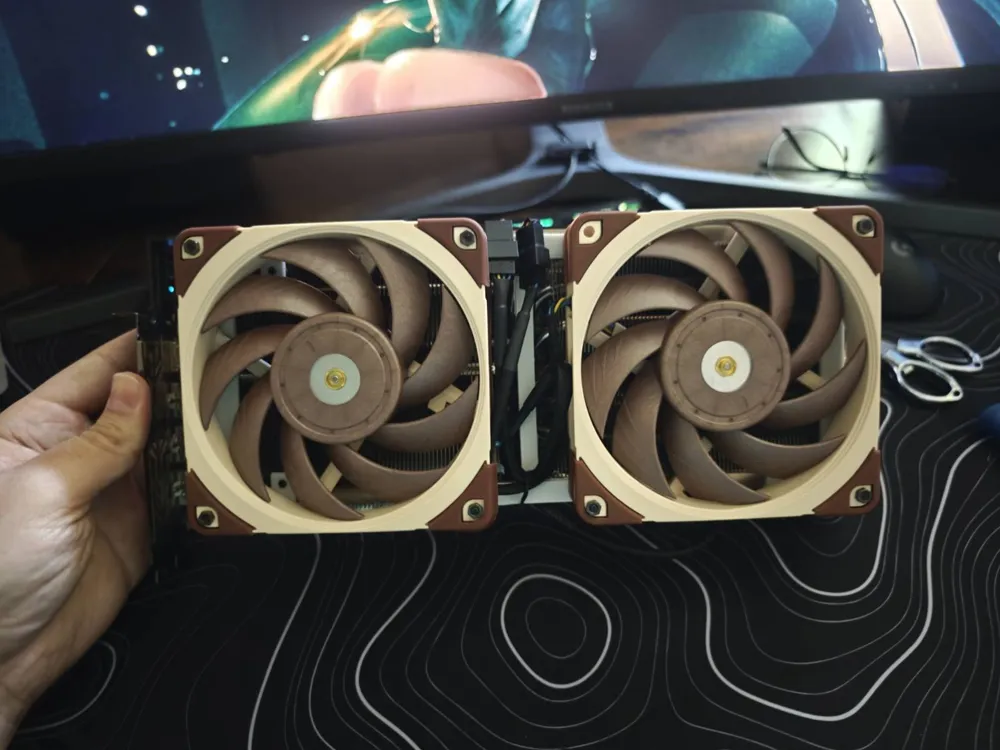
This is a basic but functional 3D-printed bracket designed to mount a 120mm fan onto the ASRock RX 7900 XTX Phantom Gaming graphics card.
My CAD skills are still a work in progress, so it’s not the sleekest design out there—but it fits, works, and helps keep my GPU running cooler.
Perfect for anyone looking to try a simple deshroud mod and boost airflow without a lot of fuss.
Parts Needed:
1x left.stl, 1x center.stl, 1x right.stl
2x 120x? fan (I used NF-A12)
1x EK-Cable PWM Fan Adapter for GPU or similiar KK254 → JST-PH
1x 4-pin fan splitter (Noctua adds these to their fans)
8x M3x30mm bolts (I used leftover radiator screws, should fit 25mm fans as you need 25mm for the fans, 2mm for the bracket, and around 3mm for installing the nut)
8x M3 nuts
6x M2x5mm bolts for mounting the bracket to the radiator
Installation:
Remove the GPU shroud by unscrewing it with the screws hidden behind the fans
Disconnect the RGB and fan cables from the GPU board
When attaching the brackets, put the M3x30 screws so that they “stick out” of the radiator. They will act kind of like wheel studs on a car.
Use the M2x5 bolts to screw in the bracket into the radiator into the holes left by original shroud. Don't tighten the brackets too much (I'm very bad at CAD 😖) so not to snap the bracket.
Put the fans over the M3x30 bolts that are sticking out. They should™ align nicely. Hold the screw with pliers or your finger and screw on the M3 nuts onto them
Connect the cables and cable manage the mess of wires.
License



Comment & Rating (1)