
Retro Perpetual Flip Calendar


Print Profile(3)


Description

For commercial licenses please visit my Patreon
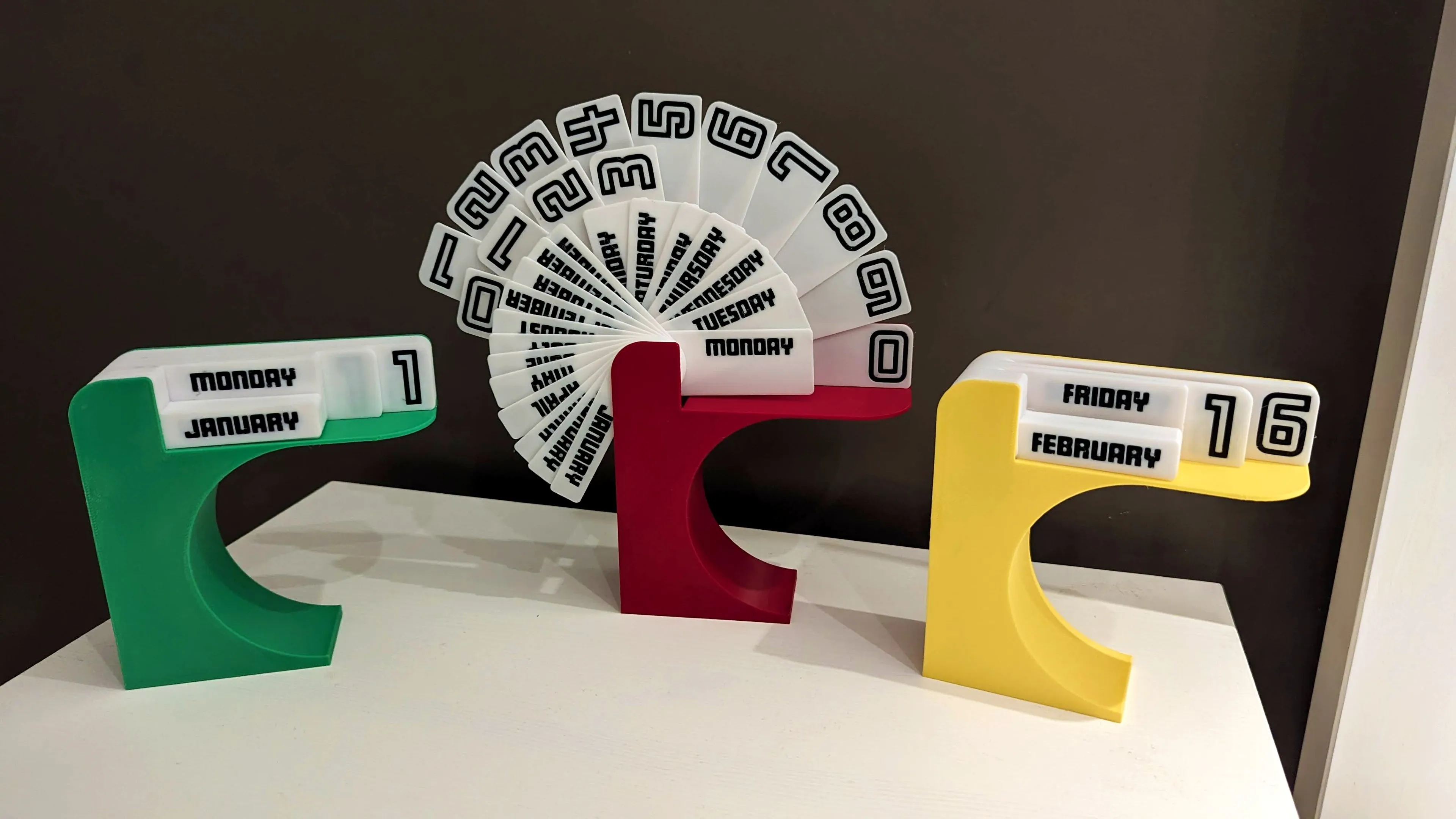
A recreation of the iconic 1960/1970s perpetual flip calendar. Includes rotating day, weekday and month cards.
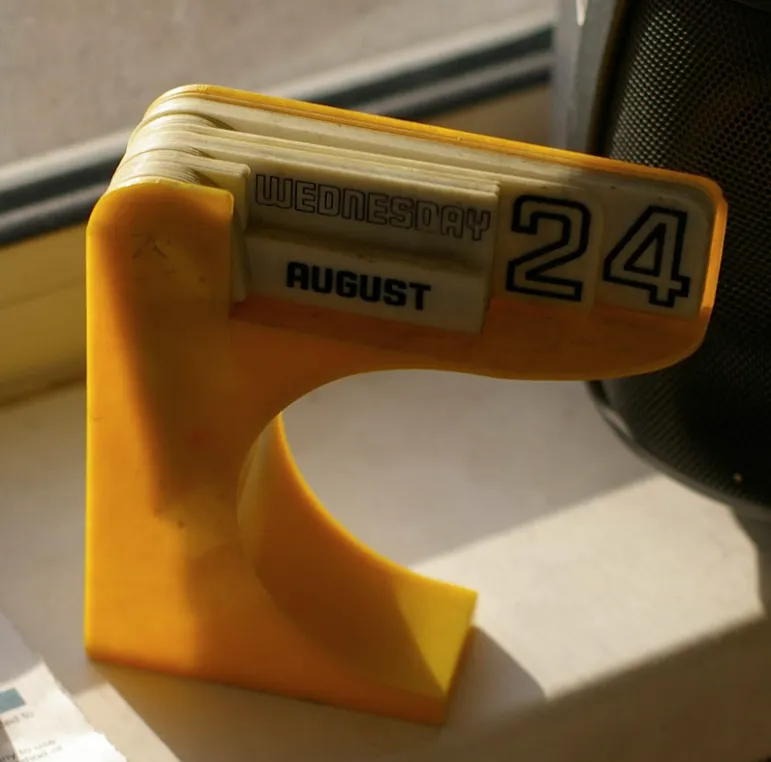
My grandad used to have this calendar and when I visited as a kid I would enjoy playing with it so decided it would be a good first project to model and print on my new A1. I only have one photo of it to go by, but I've tried to keep the design faithful to the original and used similar fonts.
PRINTING
There are various orientations to print the base part, all requiring supports of some kind. I found laying it on it's back with normal grid support works well and is easy to remove. This orientation gives the best appearance to the arch and the only support interface/overhangs are not visible.
But of course feel free to try a different orientation.
ASSEMBLY
Loosen the supports by running a thin blade or business card along the support interfaces. I used the stock Bambu scraper for this.
Then cut away the top part that is supporting the female part of the spindle. You than twist this part to release and remove it. Once that's removed you should be able to remove the entire support block in one piece.
Sort the cards as follows:
- January - December
- Monday - Sunday
- blank card (note: the images show a 0 instead of the blank card)
- 1-3 (smaller cards)
- 1-9 & 0 (larger cards)
Place the cards in this orientation and all the holes in the cards should align themselves.
Then insert the pin/spindle at the back, it should sit flush.
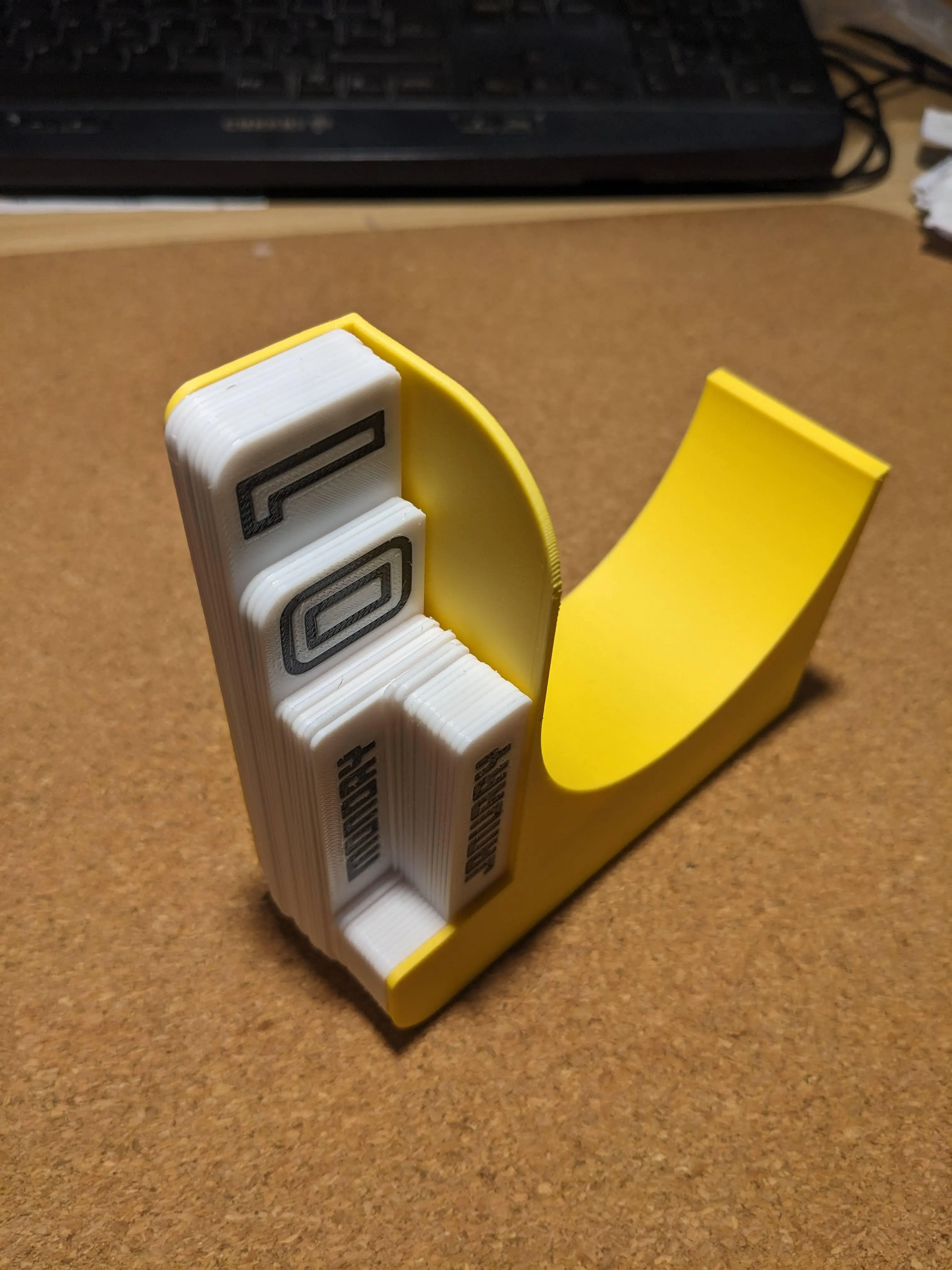
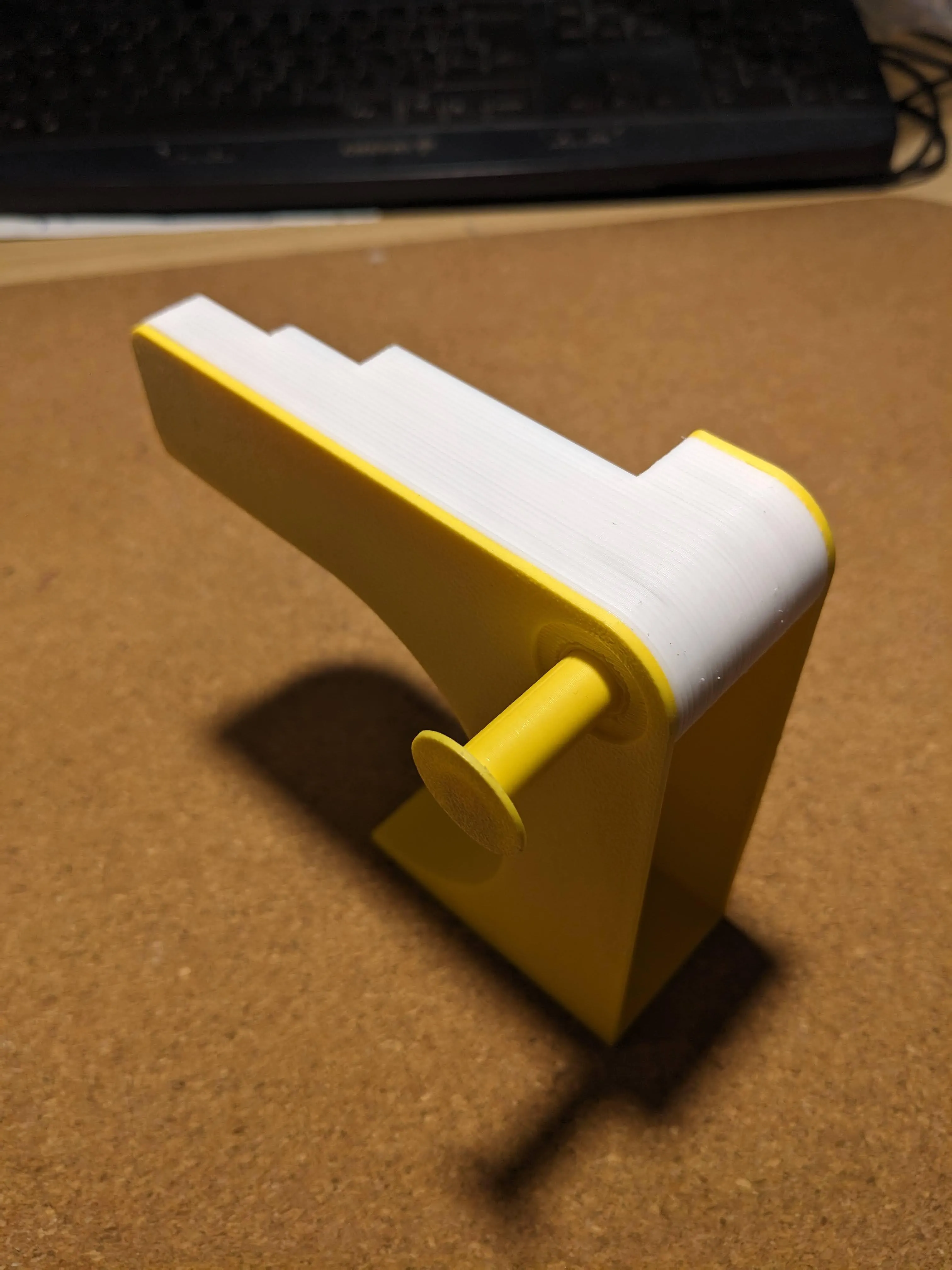
The tolerances should be just right and allow the cards to easily rotate, but depending on your print/material/finish there may be more/less friction. You could remove the blank card to loosen up or print an additional blank card. (the existing cards are 1mm thick)
CHANGE LANGUAGE OR FONT
I've added blank cards as STLs to the raw files so you can customise as needed.
The day of week and month cards are also available on Tinkercad with the font I used.
https://www.tinkercad.com/things/jKML1yXcX3k-calendar-months-shared?sharecode=zPkh2sWzQFHyuoKVBuv8KL-MEBhJnHw0ouG7-u27ocE
For commercial licenses please visit my Patreon
License

You shall not share, sub-license, sell, rent, host, transfer, or distribute in any way the digital or 3D printed versions of this object, nor any other derivative work of this object in its digital or physical format (including - but not limited to - remixes of this object, and hosting on other digital platforms). The objects may not be used without permission in any way whatsoever in which you charge money, or collect fees.


Comment & Rating (28)