
Solid Chain - custom length and support

Print Profile(1)

Description
Hey guys! I wasn't happy with the variety of chains on this platform and just couldn't find one that was easy to print and fully customizable in length.
Everthing I found had some sort of factors that made the chain easy to break or easy to detach.
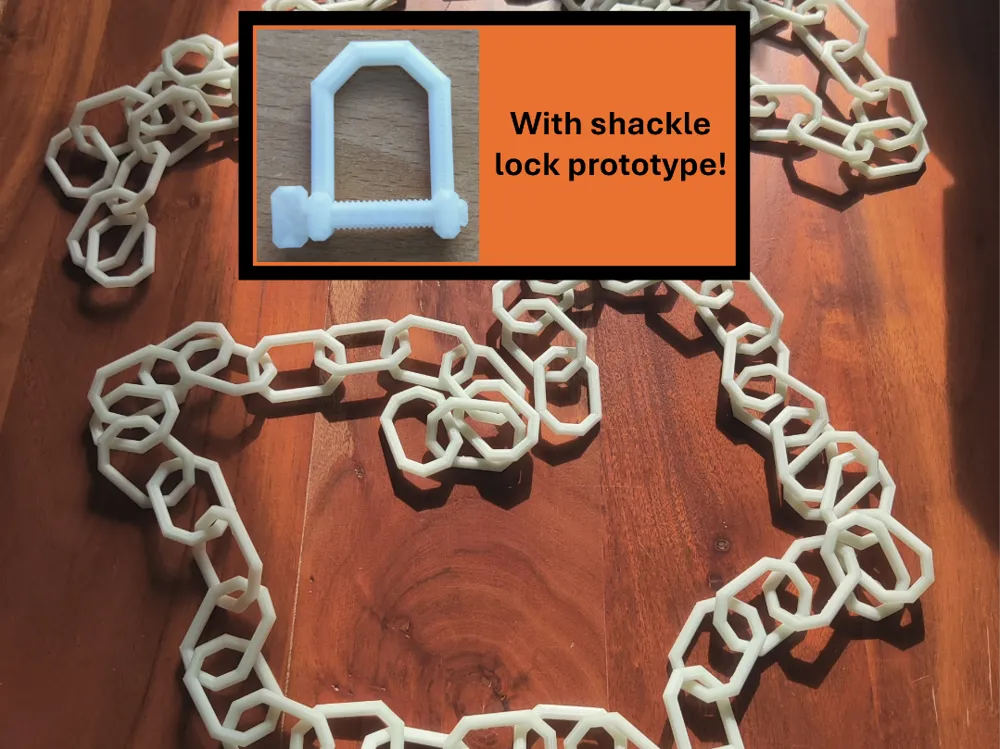
I therefore designed my own solid chain with custom, easy to remove supports and fully adjustable in length.
The max. length of a single chain is about 1.8 meters (about 6 feet, little bit shorter).
But with the same technique you are printing the chain, you can easy attach multiple chains permanently together!
You need:
n x “Chain up right”
(n + 1) x “Chain link flat”
So you need one more “Chain link flat” than “Chain up right ”!
How you print them:
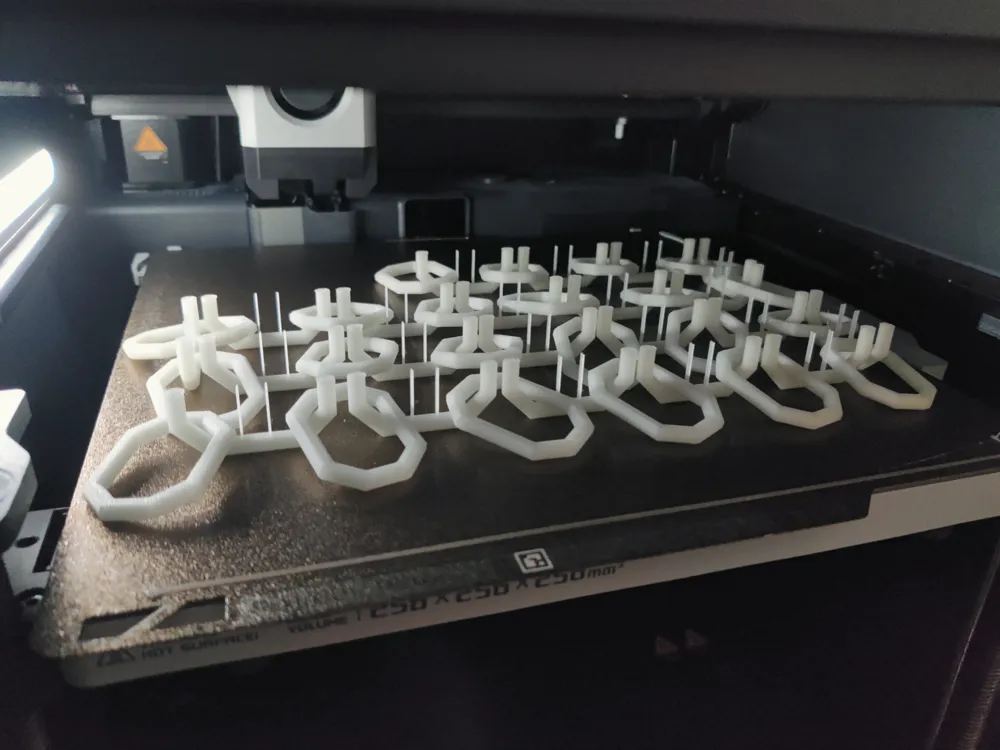
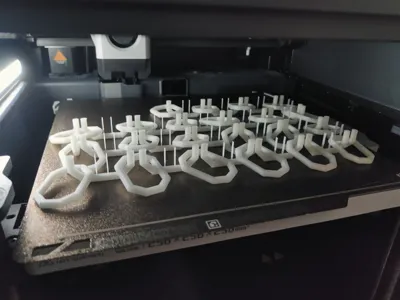
Print the “Chain link flat” first and remove them from the buildplate
Set a “Pause” at the height where the up right chain links would start to close again (see the pictures provided, it's about layer height 116)
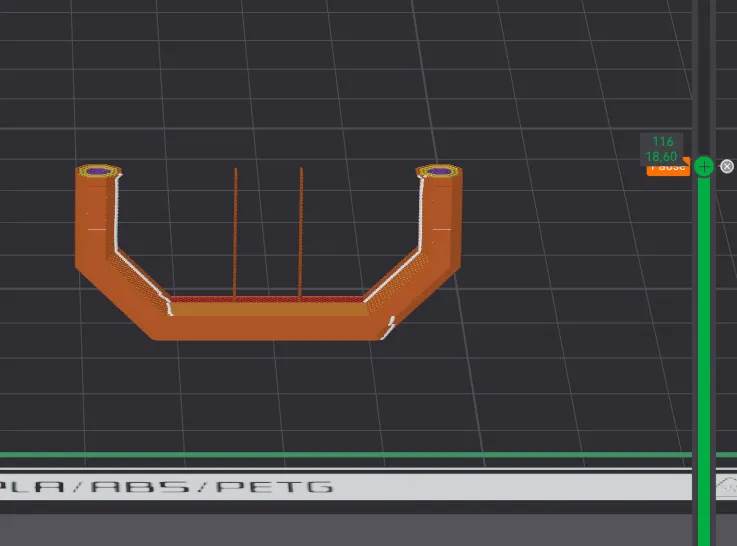
Print the “Chain up right” (use brim if needed; its possible without but is dependend on your adhesion)
The print stops where you told it to
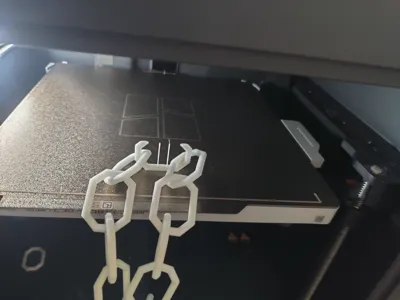
Place the previously printed “Chain link flat” between the “Chain up right” like shown in the pictures to combine 2 “Chain up right” with 1 “Chain link flat”
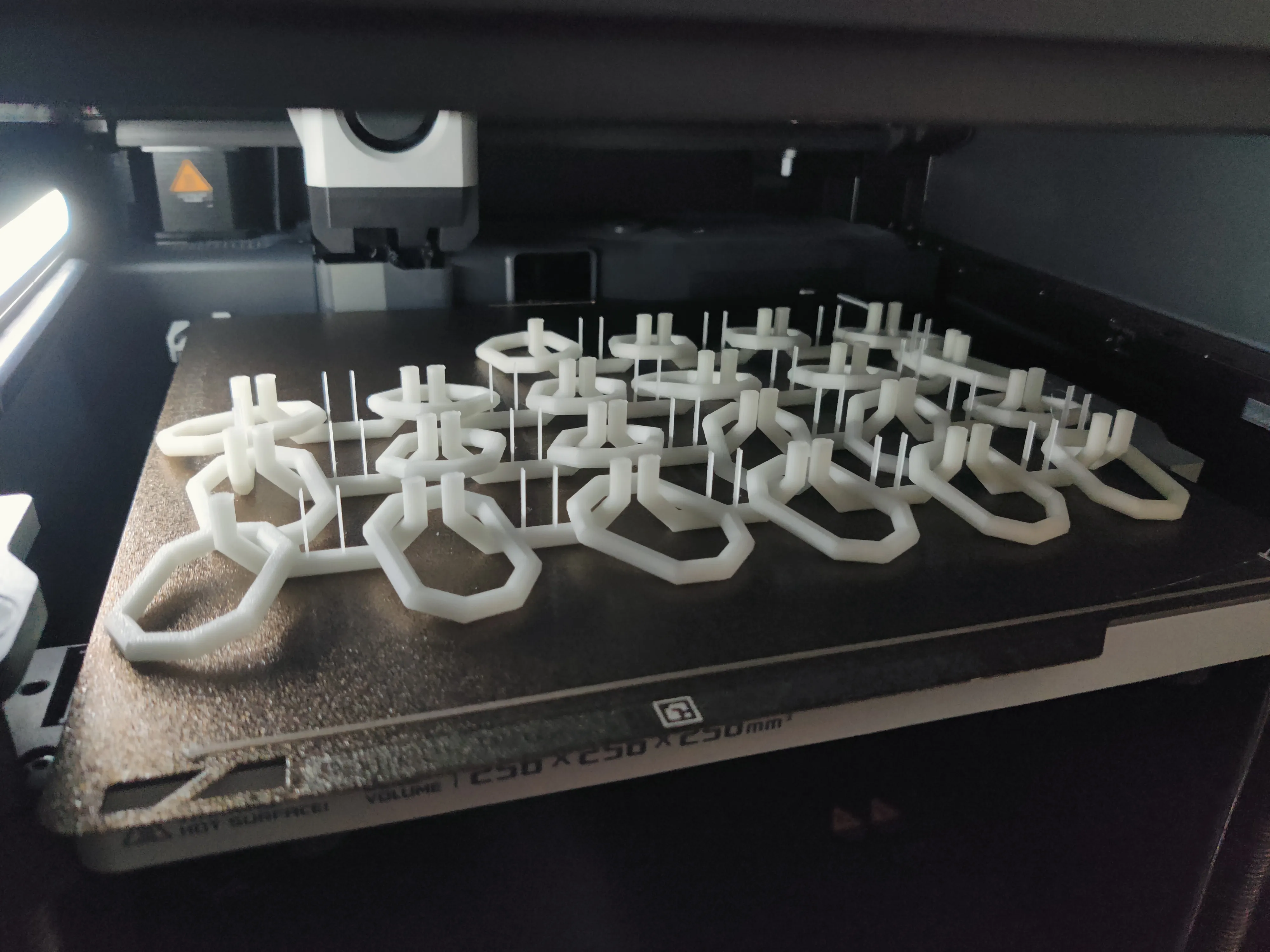
Resume the print
You are finished!
How you combine chains:
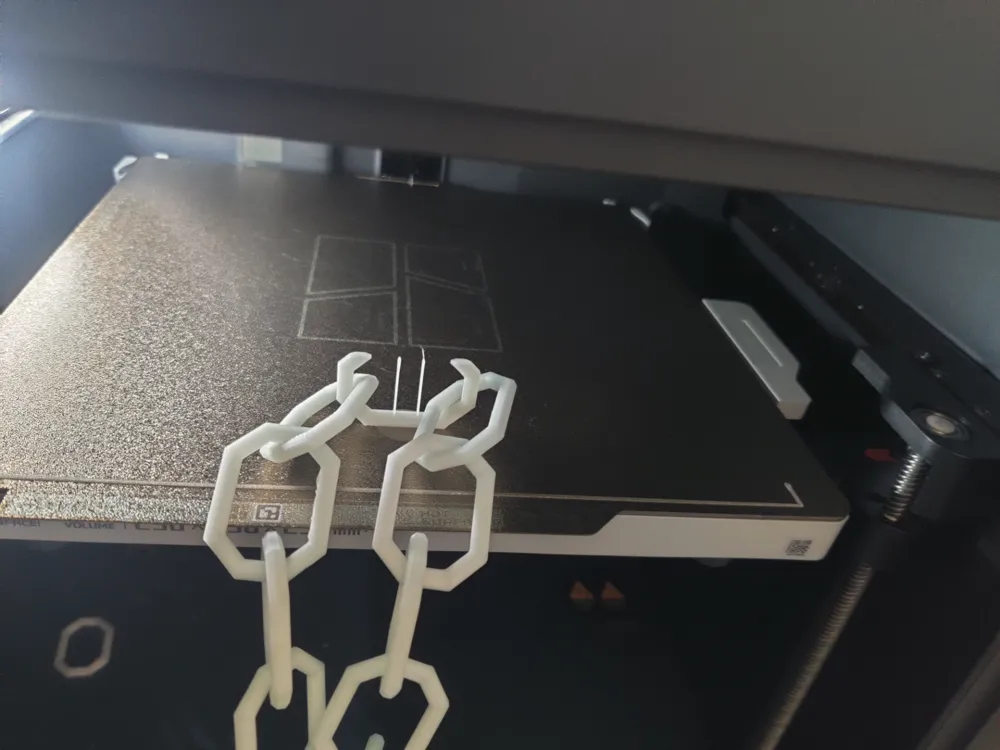
Print one “Chain up right” that pauses before closing the chain link
insert the two chains you want to combine
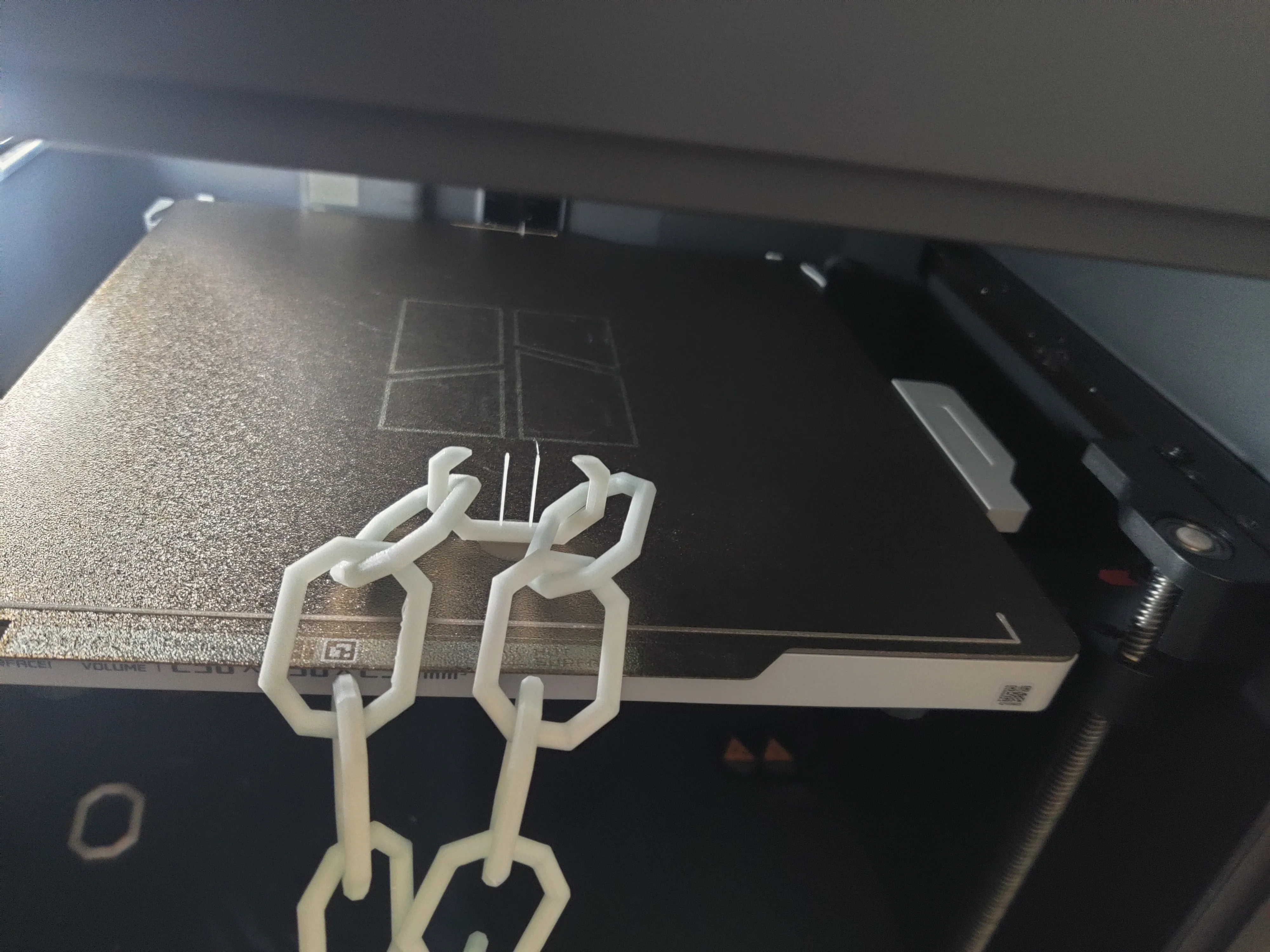
Resume the print (you may need to hold the chains if they are to heavy so that the chain link is not ripped from the print bed before finishing)
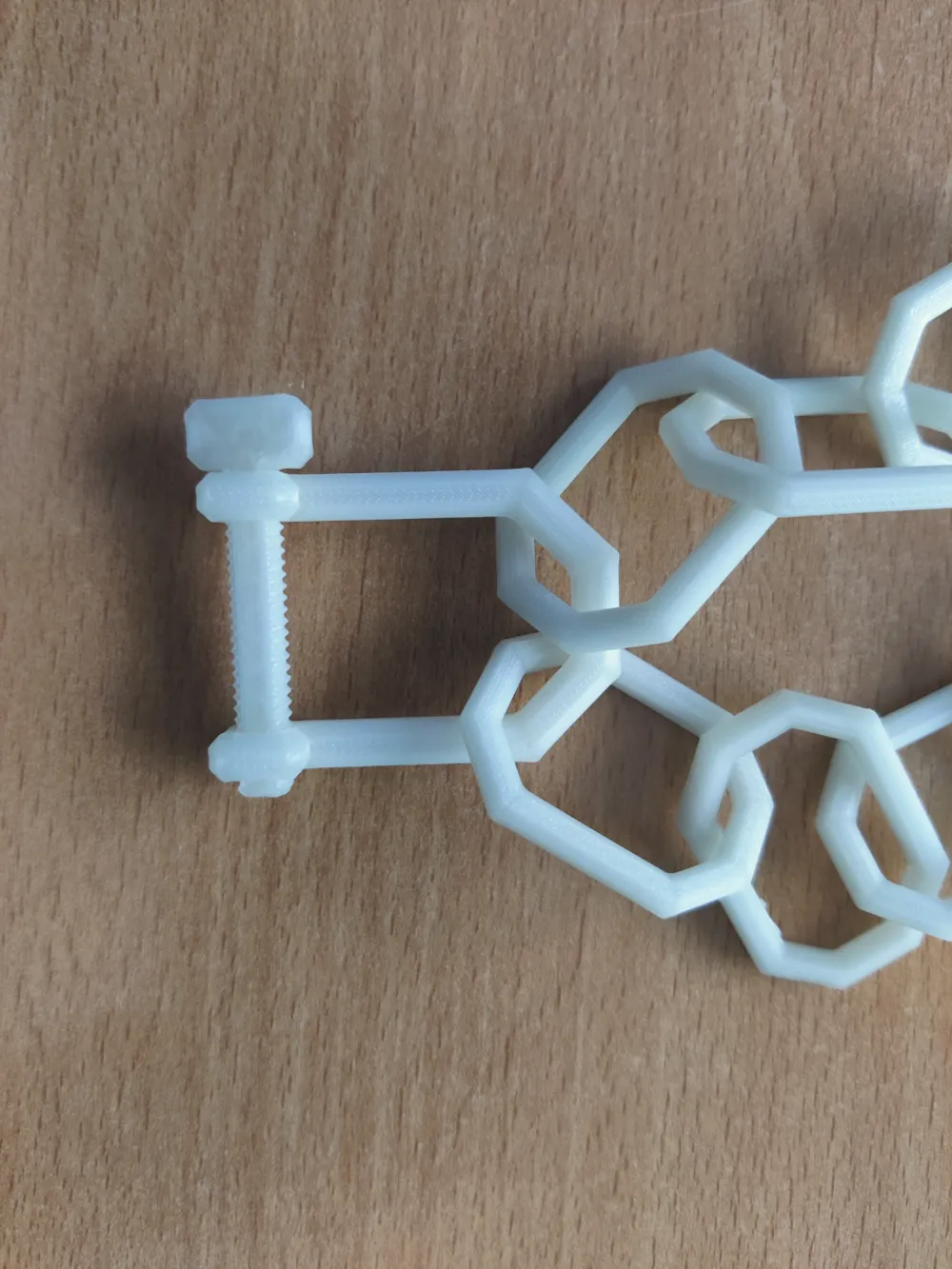
Shackle Lock information:
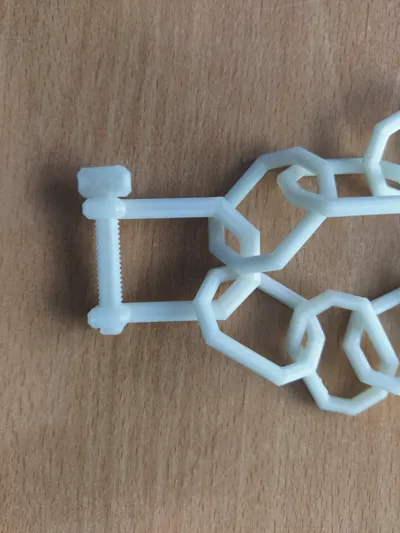
The Shackle Lock is a model I am still currently working on but the prototype is already usable.
Start screwing it in from the left side (where the threads in the shackle lock are)
Could be, that you need to screw it in and out a few times for it to run smoothly (like I said, it's a prototype)
Please provide feedback so I can improve the models! :)
Boost Me (for free)
Feel free to support me if you like my models! :)
License

You shall not share, sub-license, sell, rent, host, transfer, or distribute in any way the digital or 3D printed versions of this object, nor any other derivative work of this object in its digital or physical format (including - but not limited to - remixes of this object, and hosting on other digital platforms). The objects may not be used without permission in any way whatsoever in which you charge money, or collect fees.


Comment & Rating (5)