Search models, users, collections, and posts

Knife sharpening guide parametric
IP Report
Print Profile(1)
PETG adaptive layer height, 1 walls, 10% infill,
Designer
43 min
1 plate
Open in Bambu Studio
Boost
1
1
0
0
1
0
Released
Description
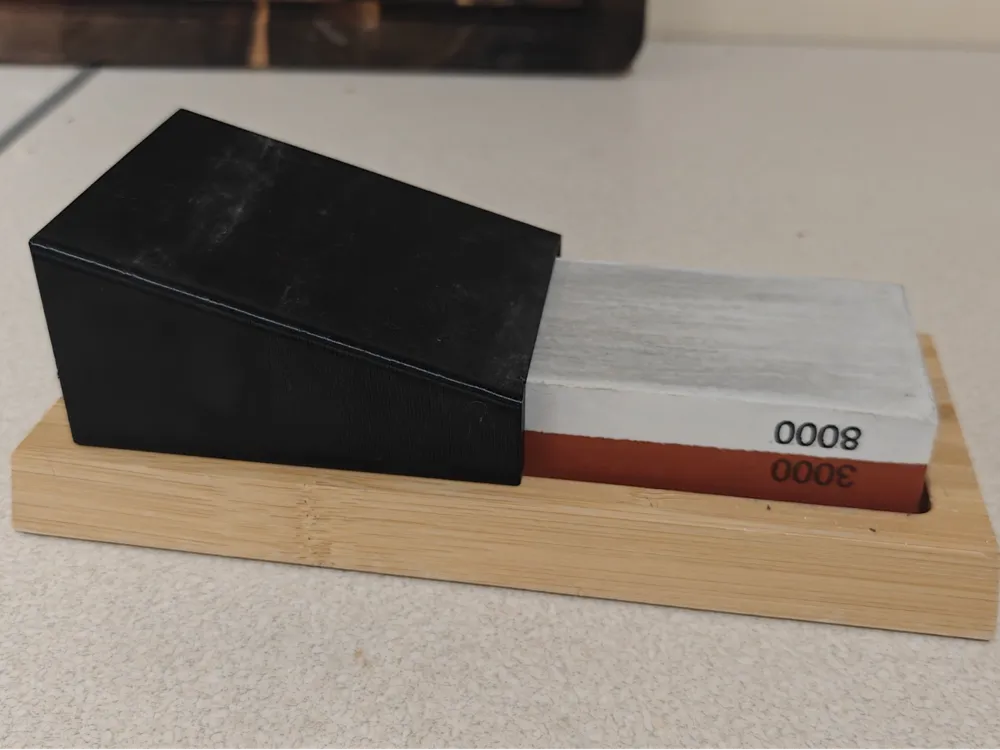
Knife Sharpening Guide (Parametric)
An interactive, fully customizable knife sharpening guide designed specifically to fit popular, budget-friendly whetstones (such as Ernesto from Lidl or various brands from Aliexpress).
Thanks to MakerWorld's integrated Customizer, you do not need any CAD software to customize this model! Simply click the green "Customize" button on this page to adjust all dimensions directly in your browser.
How to Customize Online
This model uses the original Fusion 360 source file (.f3d) parameters. When you click "Customize", you can easily adjust the following parameters to match your specific whetstone and preferences:
- width – Width of your whetstone (Default: 67 mm).
- height – Height of your whetstone (Default: 21.5 mm).
- depth – Depth of the guide slide on the stone (Default: 50 mm).
- wall_thickness – Thickness of the structural support walls (Default: 8 mm).
- top_thickness – Thickness of the top sloped wall (Default: 0.34 mm). For optimal printing, adjust this to match your line/track width configuration (e.g., 0.34 mm for Arachne 0.4 mm nozzle).
- angle – Your preferred sharpening angle (Default: 16 degrees).
- chamfer – Size of the chamfer/edges (Default: 1 mm).
- fillet – Fillet radius for smoother corners (Default: 4 mm).
Once customized, the system will generate a tailored 3D model ready for you to download and print!
Recommended Print Settings
- Material: PETG is highly recommended.
- Wall Loops: 1 wall is more than enough! There is no point in wasting plastic here.
- Top Thickness: Adjust this parameter so it matches your line/track width configuration. For example, using the Arachne generator with a 0.4 mm nozzle, the default minimum wall/track width is set to 0.34 mm, which is also the default in this model.
- Orientation / Overhangs: Place the sloped wall on the side where your printer handles overhangs and cooling best. For the Bambu Lab A1 Mini, it is highly recommended to face the slope to the left side.
Included Files
- .3mf – Ready-to-print file with optimized settings.
- .step – High-quality solid geometry.
- .f3d – Original Fusion 360 parametric source file (automatically parsed by the online customizer).
License

This user content is licensed under a
Creative Commons Attribution-Noncommercial-Share Alike


Comment & Rating (0)