
Parametric Customizable Mesh Strainer Generator
Print Profile(1)
Description
Boost Me (for free)
Press the Customize button to customize!
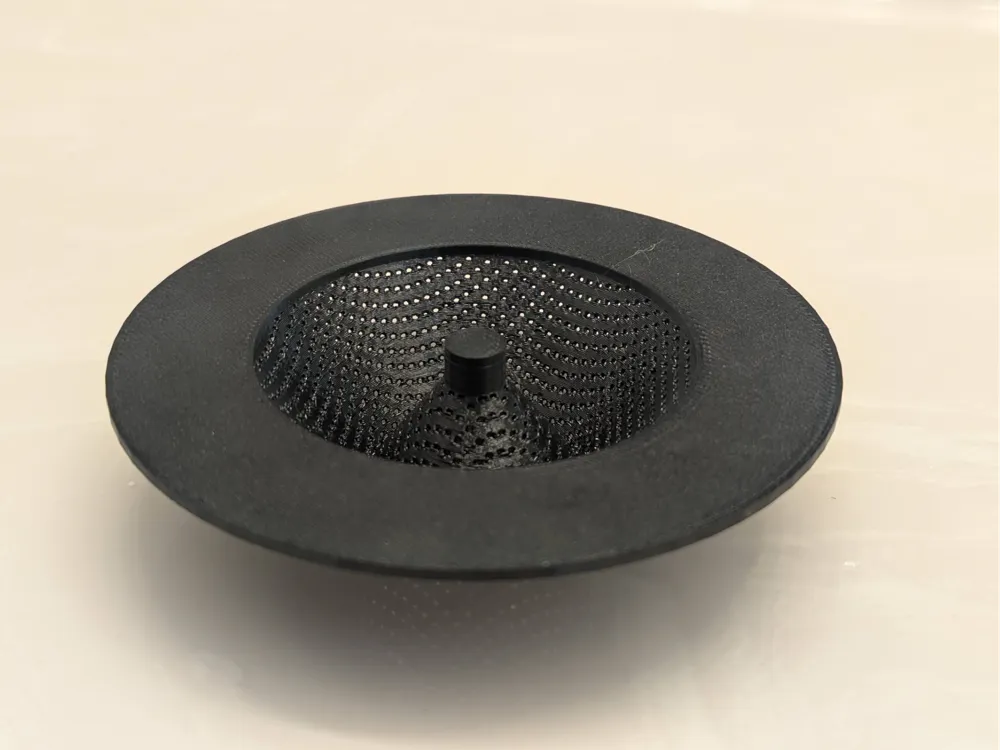
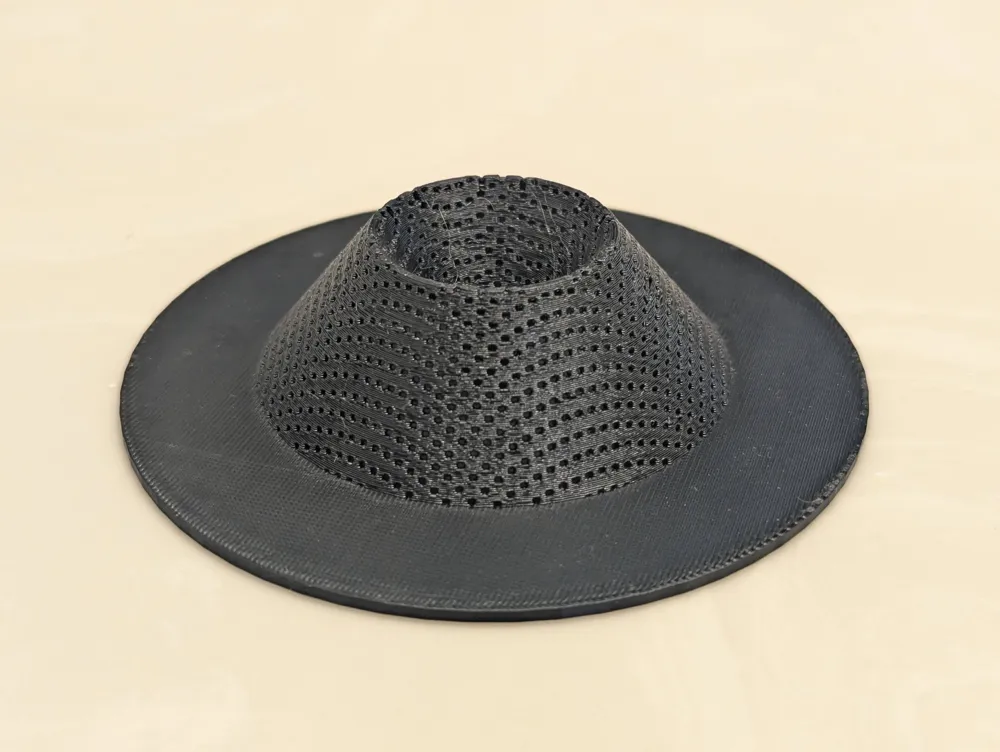
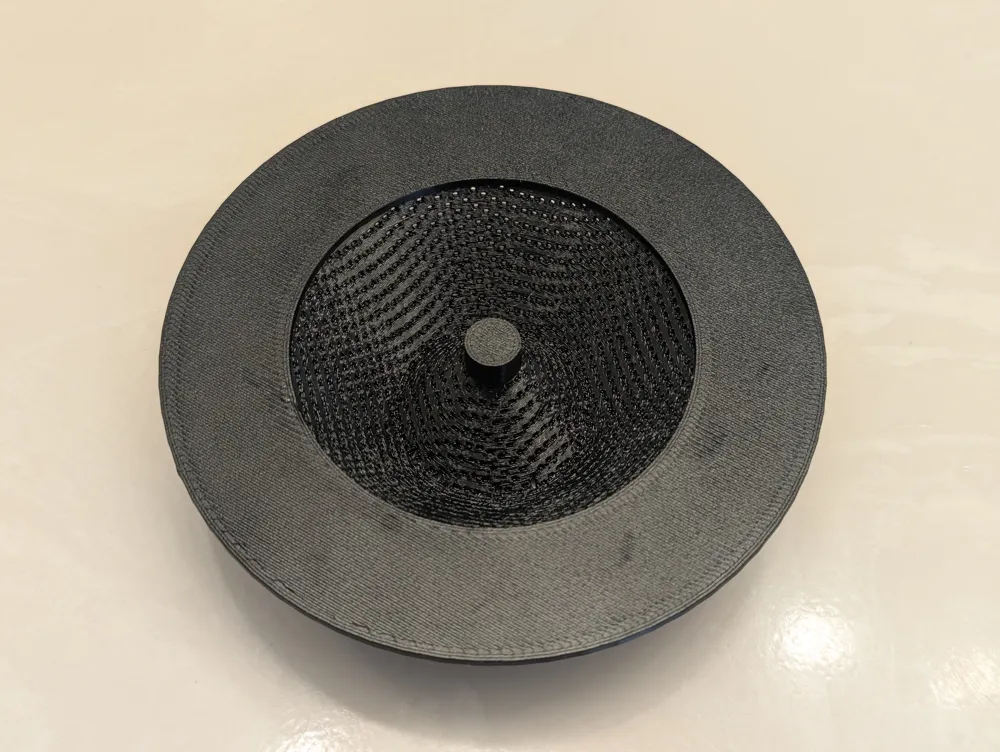
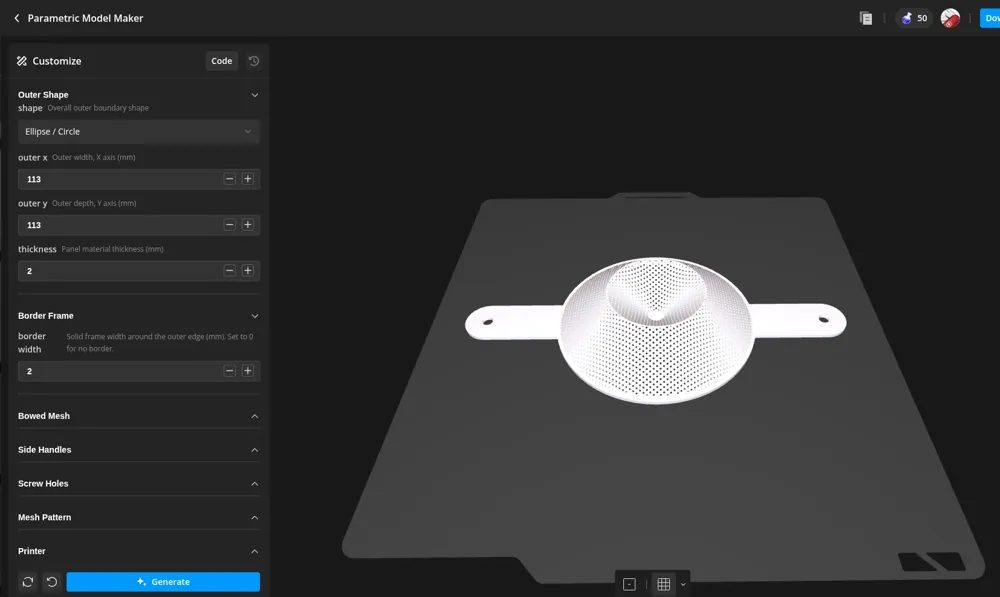
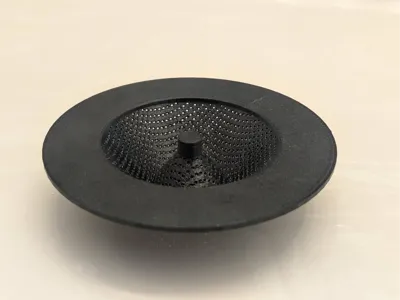
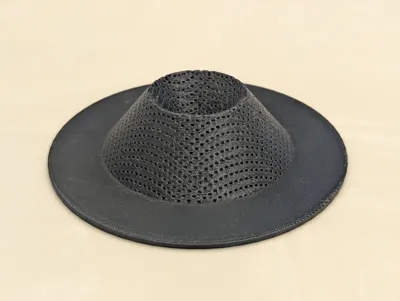
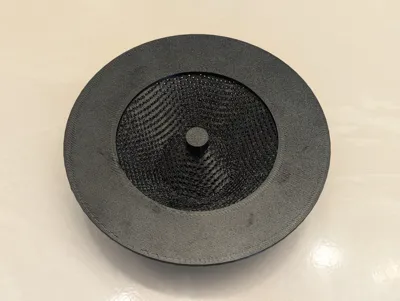
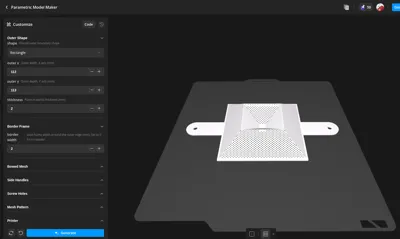
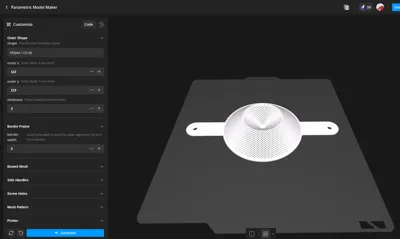
A fully parametric mesh strainer/colander: pick a rectangle or ellipse boundary, a solid border frame, and one of five interior grid patterns, and the interior mesh area bows upward into a dome, a straight-sided cone, or a volcano shape that dips back down to a small solid pad at the print plate. Add optional colander-style ear handles at the rim and mounting screw holes on the border.
Looking for a flat mesh panel or an open-top mesh basket instead? Those are separate listings: Parametric Mesh Panel Generator and Parametric Mesh Basket Generator.
Key Features
- Rectangle or ellipse boundary: set overall width and depth (or diameter, for a circle) directly
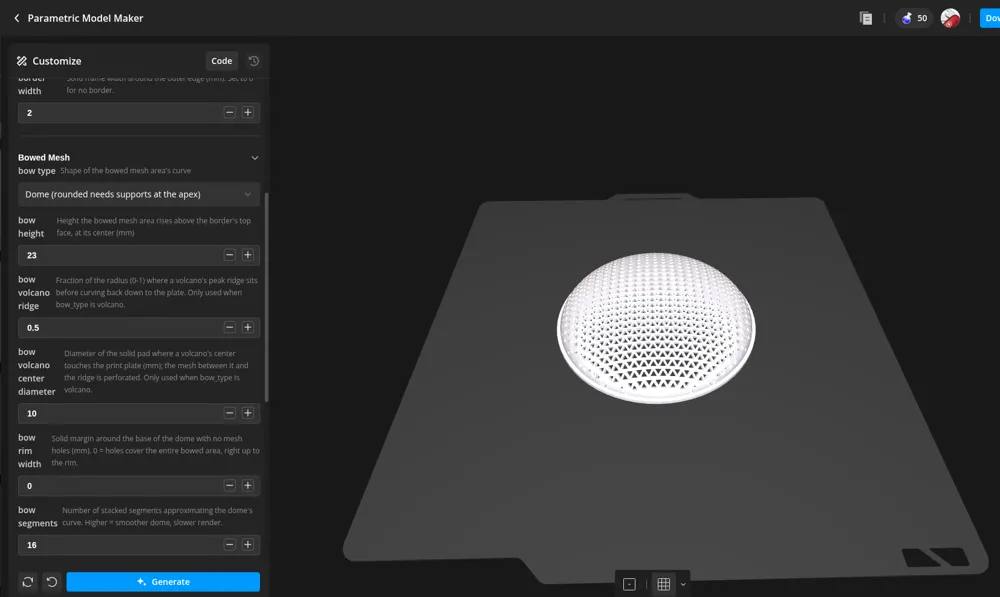
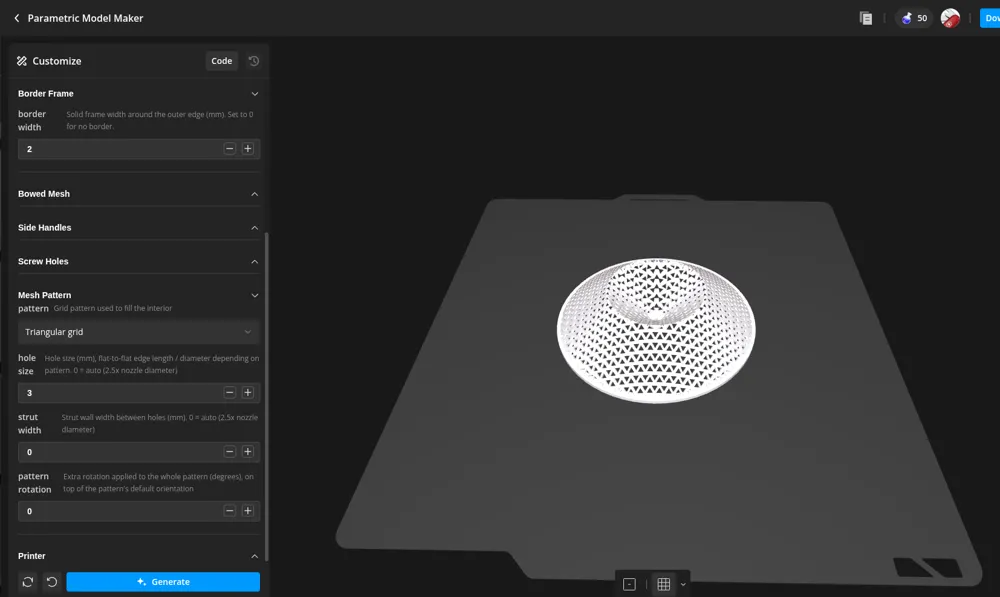
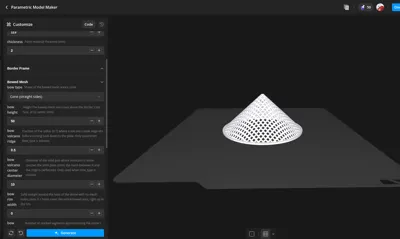
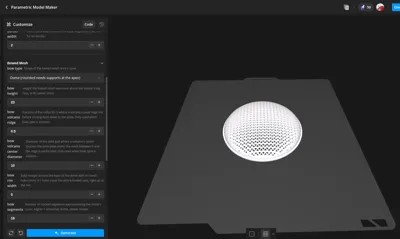
- Three bow shapes: rounded dome, straight-sided cone, or volcano (cone that curves back down to a small solid pad touching the print plate at the center)
- Curve-following holes: every hole is individually tilted to the bowed surface's own local angle at that point, instead of being drilled straight down through a curving wall
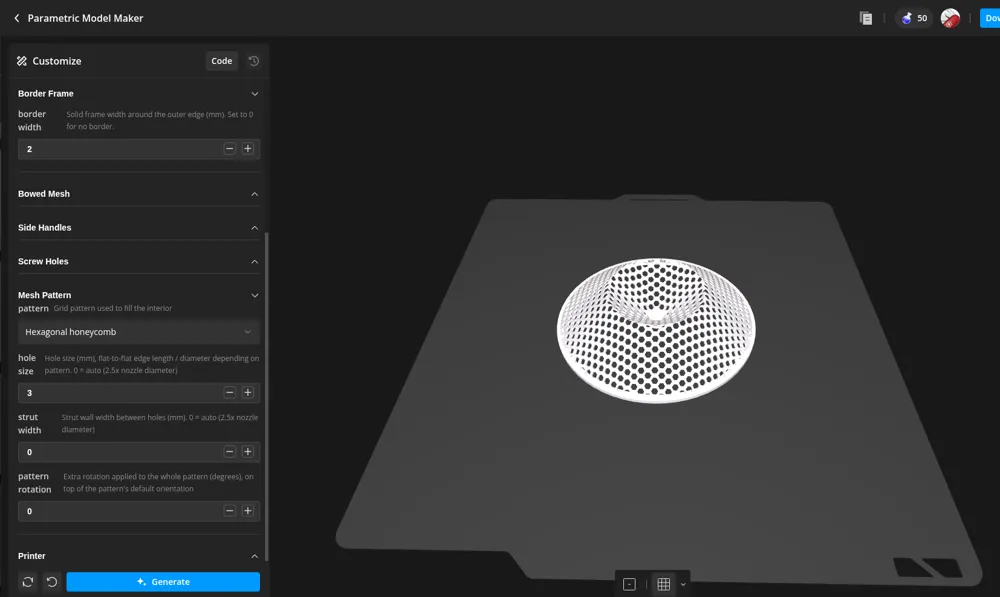
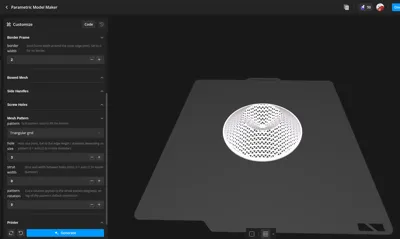
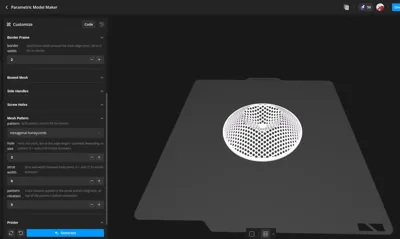
- Five grid patterns: square, diagonal (45 degree square), hexagonal honeycomb, triangular, and staggered circular holes, each with its true shape (not just a round approximation) carried onto the curved surface
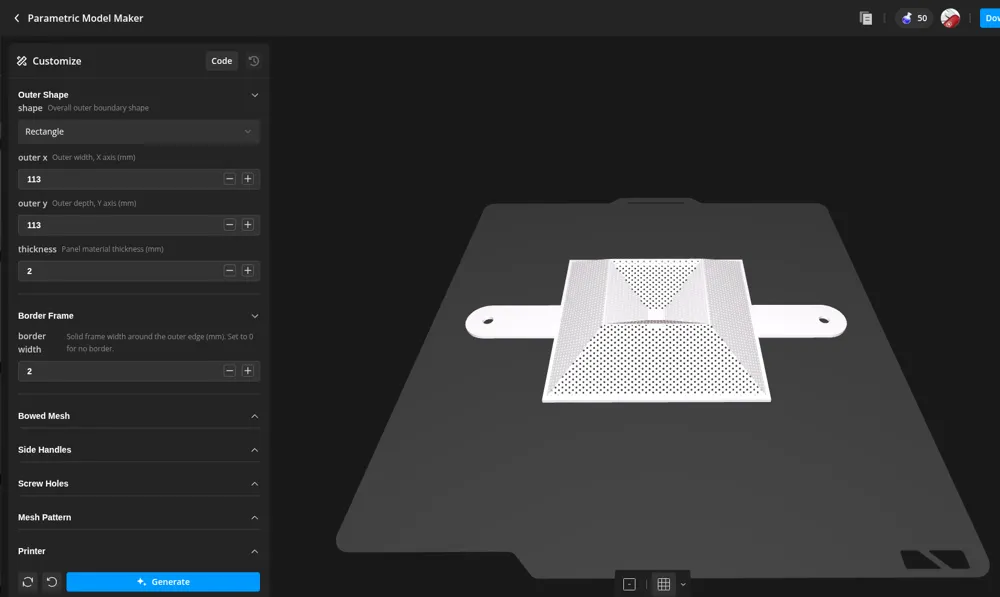
- Colander-style ear handles: optional flat handles sticking out from the rim (1 or more, evenly spaced), each with an optional hanging hole
- Mounting screw holes: optional, placed at the 4 corners for a rectangle or evenly around a bolt circle for an ellipse, with an optional countersink for flat-head screws
- Solid border frame: frame around the outer edge, width set directly
- Auto-sized holes and struts: hole_size and strut_width default to 2.5x your nozzle diameter when left at 0, so a fresh copy prints cleanly without any tuning
- Pattern rotation: rotate the whole grid independently of the panel's default orientation
Print Settings
| Setting | Recommended |
|---|---|
| Orientation | Print exactly as generated - border flat on the bed, bow pointing up |
| Supports | Not required for bow_type = cone or volcano; a rounded dome needs supports right at its apex |
| Perimeters | 2-3 |
| Infill | 15-20% |
| Material | PLA or PETG |
Download the optimized print profile from this page, delete the sample models off the plate, and import your STL into it.
How to Use
- Outer Shape: set shape to rectangle or ellipse, then outer_x, outer_y, and thickness.
- Border: set border_width.
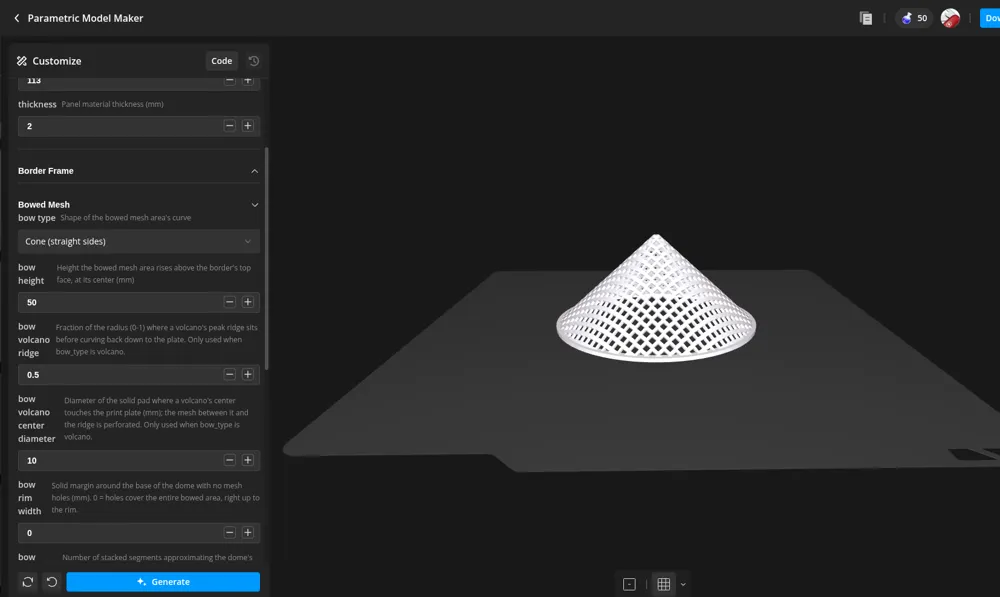
- Bowed Mesh: pick bow_type (dome, cone, or volcano) and set bow_height. For a volcano, also set bow_volcano_ridge and bow_volcano_center_diameter.
- Side handles (optional): turn on side_handle_enable, set side_handle_count, side_handle_length, and side_handle_width. Set side_handle_hole_diameter above 0 for a hanging hole in each tip.
- Screw holes (optional): turn on screw_holes_enable, set screw_hole_count, screw_hole_diameter, and screw_hole_inset.
- Pick a pattern: choose pattern and, if you want a specific look, set hole_size and strut_width; leave both at 0 to auto-size from nozzle_diameter.
- Export the STL, delete the sample models off the plate, and import your STL into it.
Customization
Use the MakerWorld Customizer. All parameters are grouped and annotated.
Outer Shape - shape: rect for a rectangle, ellipse for an ellipse or circle - outer_x: overall width, X axis (mm) - outer_y: overall depth, Y axis (mm) - thickness: panel material thickness (mm)
Border Frame - border_width: solid border frame width (mm)
Bowed Mesh - bow_type: dome (rounded, needs supports at the apex), cone (straight sides), or volcano (cone that dips back down to the plate at center) - bow_height: height the bowed mesh area rises above the border's top face, at its center (mm) - bow_volcano_ridge: fraction of the radius (0-1) where a volcano's peak ridge sits before curving back down to the plate; only used when bow_type is volcano - bow_volcano_center_diameter: diameter of the solid pad where a volcano's center touches the print plate (mm); the mesh between it and the ridge is perforated; only used when bow_type is volcano - bow_rim_width: solid margin around the base of the bow with no mesh holes (mm); 0 = holes cover the entire bowed area, right up to the rim - bow_segments: number of stacked segments approximating the dome's curve; higher = smoother, slower render
Side Handles - side_handle_enable: add flat, colander-style ear handles sticking out from the rim - side_handle_count: number of handles, placed evenly around the rim (2 = opposite each other, colander-style) - side_handle_length: how far each handle extends beyond the outer edge (mm) - side_handle_width: width of each handle (mm) - side_handle_hole_diameter: diameter of an optional hanging hole through each handle's tip; 0 = no hole (mm) - side_handle_angle_offset: rotates the handle placement (degrees); 0 places the first handle along +X
Screw Holes - screw_holes_enable: toggle mounting screw holes on/off - screw_hole_count: 4 places one at each corner (rect) or evenly around a bolt circle (ellipse); other counts are placed evenly around the panel - screw_hole_diameter: screw shaft clearance hole diameter (mm) - screw_hole_inset: distance from each hole's center to the nearest outer edge (mm); ignored when screw_hole_exact_spacing is on - screw_hole_exact_spacing: specify the exact hole-to-hole spacing directly instead of an edge inset - screw_hole_spacing_x: exact distance between opposite hole centers, X axis (mm); used only when screw_hole_exact_spacing is on - screw_hole_spacing_y: exact distance between opposite hole centers, Y axis (mm); used only when screw_hole_exact_spacing is on - screw_hole_angle_offset: rotates which rect corner is first (steps of 90 degrees), or the ellipse bolt-circle start angle (degrees) - screw_countersink_enable: add a conical countersink on the top face for a flat-head screw - screw_countersink_diameter: countersink diameter at the top face (mm); should be larger than screw_hole_diameter - screw_countersink_depth: countersink depth, cut down from the top face (mm)
Mesh Pattern - pattern: square, diagonal, hex, triangle, or circle - hole_size: hole size (mm); flat-to-flat, edge length, or diameter depending on pattern; 0 = auto (2.5x nozzle diameter) - strut_width: wall width between holes (mm); 0 = auto (2.5x nozzle diameter) - pattern_rotation: extra rotation applied to the whole pattern (degrees)
Printer - nozzle_diameter: drives the auto strut/hole sizing and minimum-feature warnings (mm)
Bow Type Notes
The model always prints "upside down" from how it's used: the border sits flat on the bed and the bowed mesh points straight up while printing, and you flip it over afterward so the bow becomes a concave bowl that drains through the mesh. That orientation is what keeps a cone or volcano fully supports-free, since the wall's cross-section only ever shrinks as it rises. A rounded dome is the one exception: it flattens out toward a horizontal cap right at the very apex and will typically still want supports there.
A volcano's ridge and center pad need to stay proportioned so the funnel between them doesn't get steeper than 45 degrees from vertical; if you push bow_height very short relative to a wide bow_volcano_ridge, watch the console for a supports warning and increase bow_height (or reduce bow_volcano_ridge / increase bow_volcano_center_diameter) if it appears.
Pattern Notes
Every hole is individually tilted to match the bowed surface's own local angle at that point, so a hole never comes out as a stretched, off-angle slot the way a straight vertical drill would on a curving wall. Square, hex, and triangle holes keep their true shape on the curve, not just a round stand-in; only their placement follows the chosen pattern's grid. This is more render work than a flat panel, so very small hole_size / strut_width settings will render noticeably slower here.
Side Handle Notes
Handles are flat tabs at the same thickness as the border, flush with the rim, so they need no supports regardless of the bow. With 2 handles (the default) they land directly opposite each other; higher counts space evenly around the rim, and side_handle_angle_offset rotates the whole set. Keep side_handle_hole_diameter comfortably under side_handle_width so the hanging hole doesn't break out the sides.
Screw Hole Notes
The countersink is a cone that tapers from screw_hole_diameter at its base up to screw_countersink_diameter at the top face, so it meets the shaft hole below it with no step. Keep screw_countersink_depth comfortably under thickness so it doesn't cut all the way through.
Sizing Tips
- If holes print closed or clogged, increase hole_size above 2.5x your nozzle diameter.
- If struts look flimsy or go missing, increase strut_width; anything thinner than 2.5x your nozzle diameter will not print as designed.
License

You shall not share, sub-license, sell, rent, host, transfer, or distribute in any way the digital or 3D printed versions of this object, nor any other derivative work of this object in its digital or physical format (including - but not limited to - remixes of this object, and hosting on other digital platforms). The objects may not be used without permission in any way whatsoever in which you charge money, or collect fees.


Comment & Rating (0)