
Parametric Display Stand
Print Profile(1)
Description
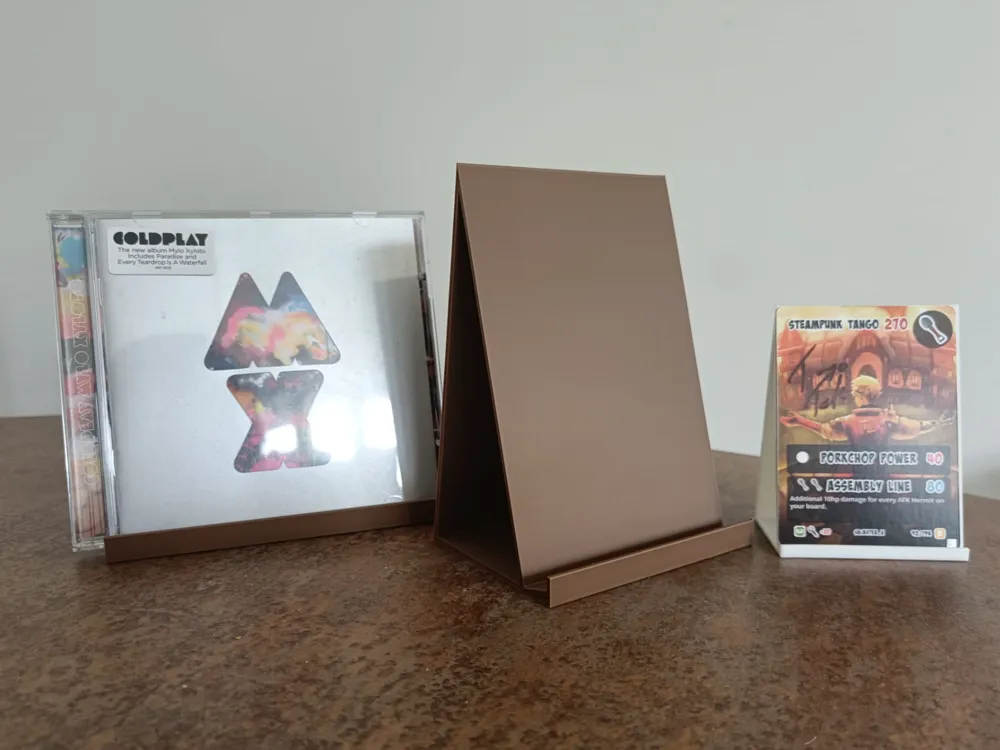
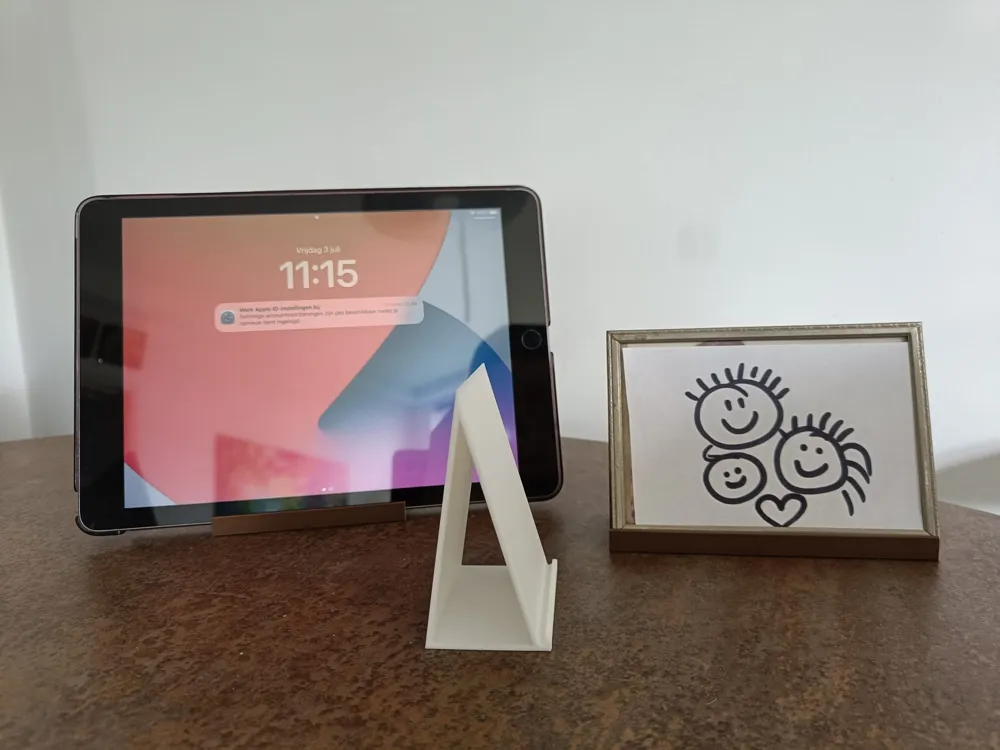
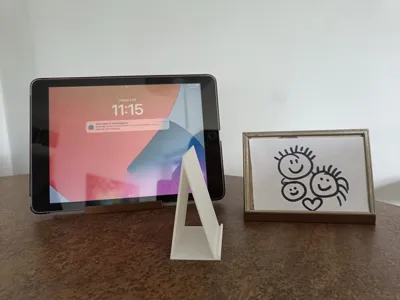
Like many of my models my motivation for this print originated with my mother. She showed up with an old picture frame that no longer stood by itself, she was going to put it back in it's original spot (leaning against something) but I intervened because this was the type of problem 3d printing was invented to solve. So I took some measurement and fought Tinkercad and its grid trying to get the angles right, all while thinking to myself "I should really move on to something more advanced". If you're expecting me to say I stopped struggling and finally learned something else, joke's on you. I finished it, revised some measurements that I got wrong and made a whole second version for a different picture frame.
But as of today the struggle is no more, I've finally made the jump to learning parametric modelling in openSCAD (which, turned out to be quite simple) and I present to you the third version of my picture stand, finally parametric.
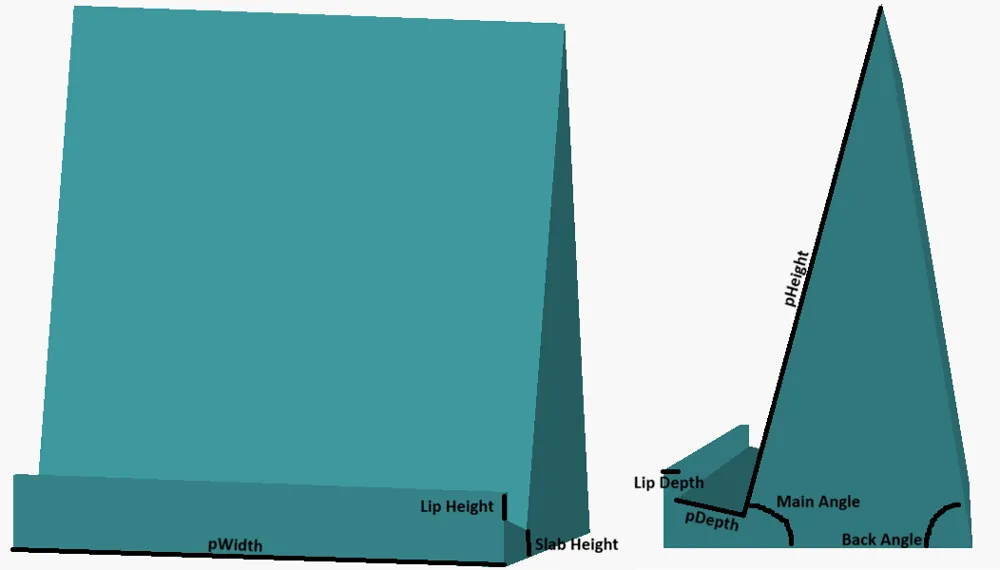
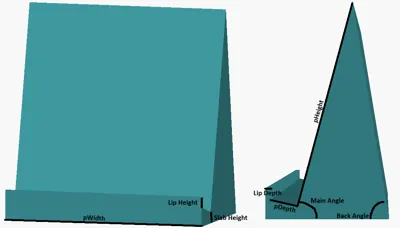
This model allows you to set the dimensions of your item, the angle it will sit at and more (see image for all the parameters). It also doesn't have to be just pictures, my first failed version is currently displaying a cd and to test this specific model I used a trading card.
Model Information:
- I recommend printing the model sideways to avoid staircasing layerlines (it will print fine upright, just aesthics).
- Printing sideways will also allow you to make the model hollow as shown in the pictures. To do this you need to set the Top shell layers, Bottom shell layers and Sparse infill density to 0, you can then adjust the wall loops to set the thickness. (you can use this same trick to get the infill pattern as decoration, in this case you also need to disable Only one wall on top surfaces).
- I recommend using a brim, especially if you're printing the model hollow.
License

You may create derivative works based on this object, provided that all such derivative works are published exclusively on the MakerWorld platform and include proper attribution to the original creator. You may not share, upload, host, distribute, or publish this object—or any derivative work of this object—on any other digital platform, marketplace, or distribution channel. Commercial use of this object and any derivative works is strictly prohibited. This includes, but is not limited to, selling, renting, sublicensing, or using the object in any context in which you receive monetary compensation or other financial benefits.


Comment & Rating (0)