
Father's Day Kit Card and Gift Card Holder
Print Profile(3)




Description

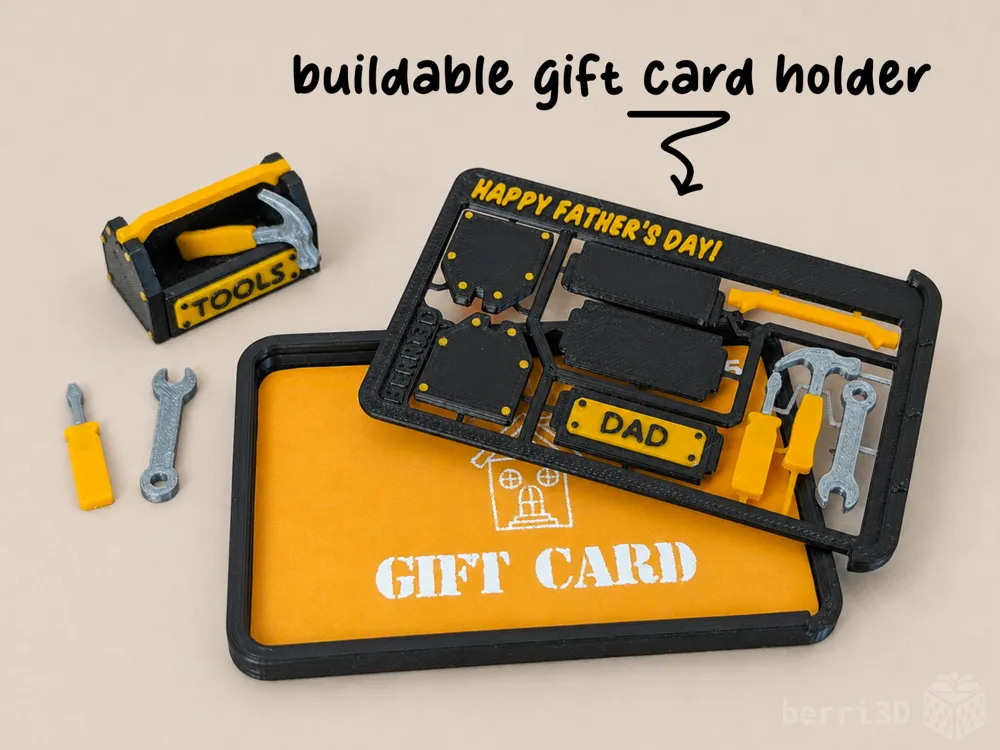
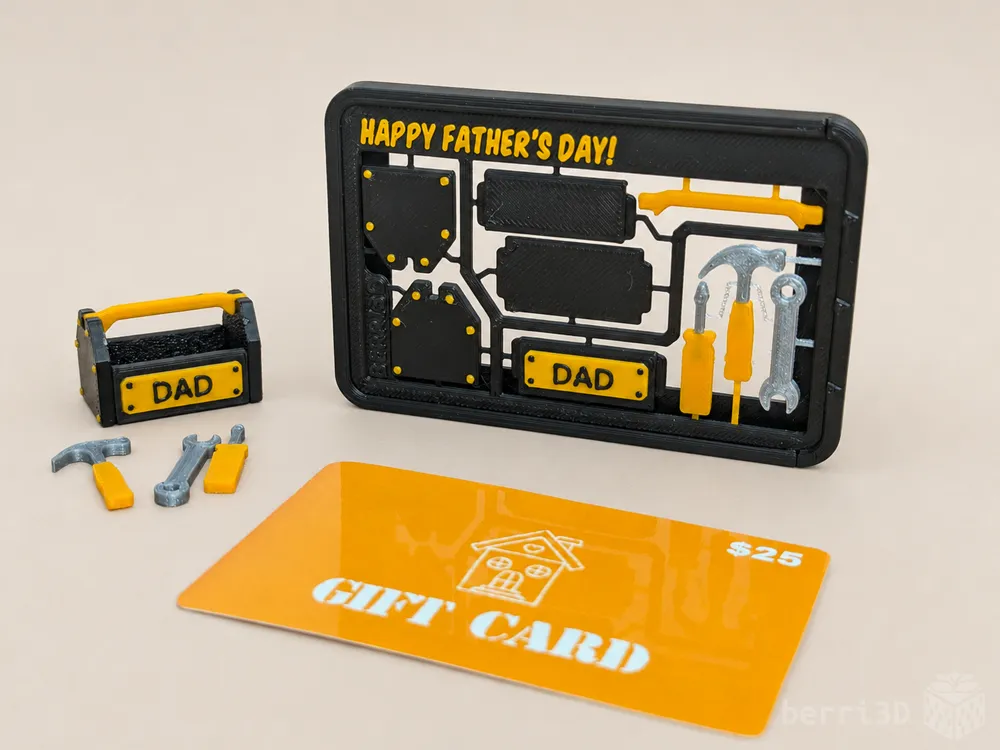
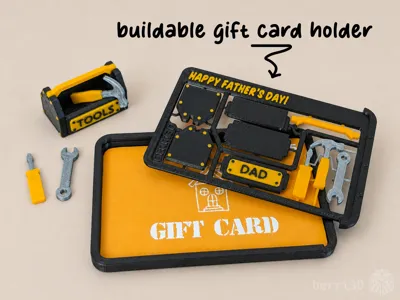
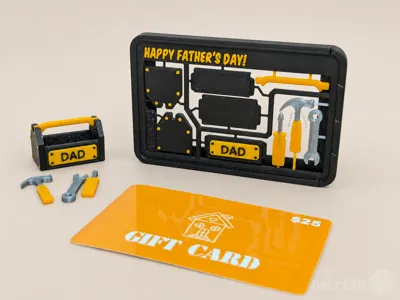
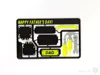
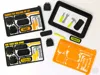
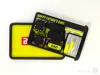
This is the second in my customizable “gift card” kit card series which can be printed two ways: as a gift card holder or a standalone card.
Either version builds into a tiny toolbox with three equally tiny tools. Print in the same colours as your recipient's favourite tool “eco-system” for an extra special touch.
- Customize the title AND the toolbox with your own text (Studio only, see below)
- Holder fits standard gift cards, with a bit of room to spare for notes, receipts. etc.
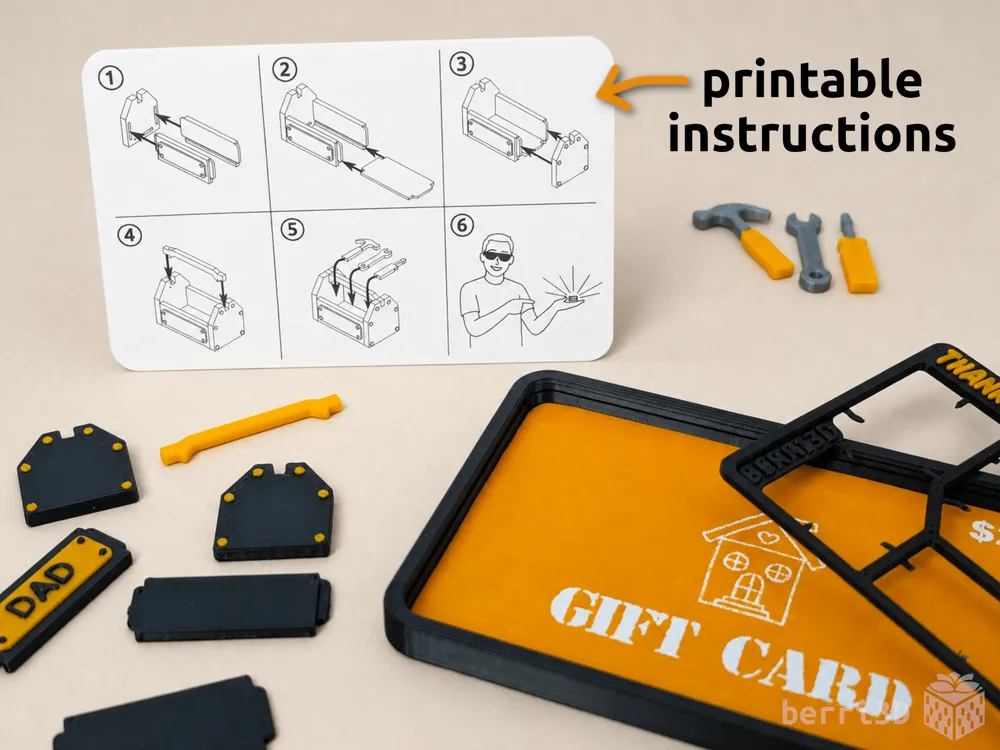
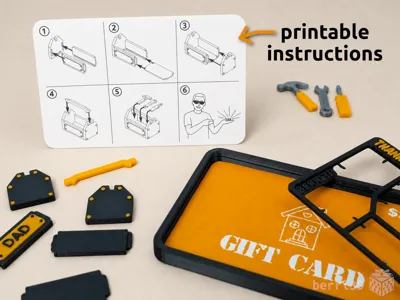
- Bonus instruction cards that fit inside with your gift! (see Documentation section below)
- Perfect for batch printing (can fit up to 10 on a mid-sized printer plate)
⚠️This is a miniature model and as such won't be suitable for all users such as the very young or those with reduced dexterity.

Table of Contents
Most people do not have problems with my models as I rigorously test everything I make. However, I'm a firm believer in more information is better because it means you don't need to wait for me to respond 🤪
If you're already familiar with printing my “gift card” kit cards, you can go straight to Section 4 for the assembly guide.
- Special Considerations (important information please read)
- Card Holder (dimensions and info)
- Text Customization (tips and tricks)
- Assembly Guides (printable and screen)
- Detailed Print Information (in-depth details)
- Filament Recommendations
- Process Settings
- Adjusting Fit of Parts
- About (design inspiration, commercial licensing, etc.)
1. Special Considerations – please read before printing
- ⚠️ Small parts. Choking hazard. Not A Toy. Not suitable for very young children. This is a tiny trophy with tiny parts. Assembly should be done with adult supervision.
- ⚠️ Textured build plate required when printing this particular kit card. It has ultra skinny sprue connectors due to space limitations. This means they may break off from the card (along with the parts they're attached to ) if due care is not taken during removal from the build plate. Textured plates self-release parts when they cool which is why I recommend them for kit cards.
- ⚠️ Clean build plate required. Small details will get dragged if the plate isn't clean. Print profiles contain settings which will help adhesion but cannot perform miracles 😥. Please see this wiki article➚ for correct plate washing procedure.
- Due to the size of the connectors, the easiest way to remove the parts is to snap them out by hand first, then follow up with flush cutters or small pointed scissors (or nail clippers) to remove any residual flashing.
- Gift card holder “lid” is friction fit and may be a bit stiff to start. I find that it loosens up after the first insertion. If for some reason it's very loose, a bit of tape should keep it from sliding completely out. If it's not sliding all the way home, check the inside corner of the card lip.
2. Gift Card Holder Dimensions
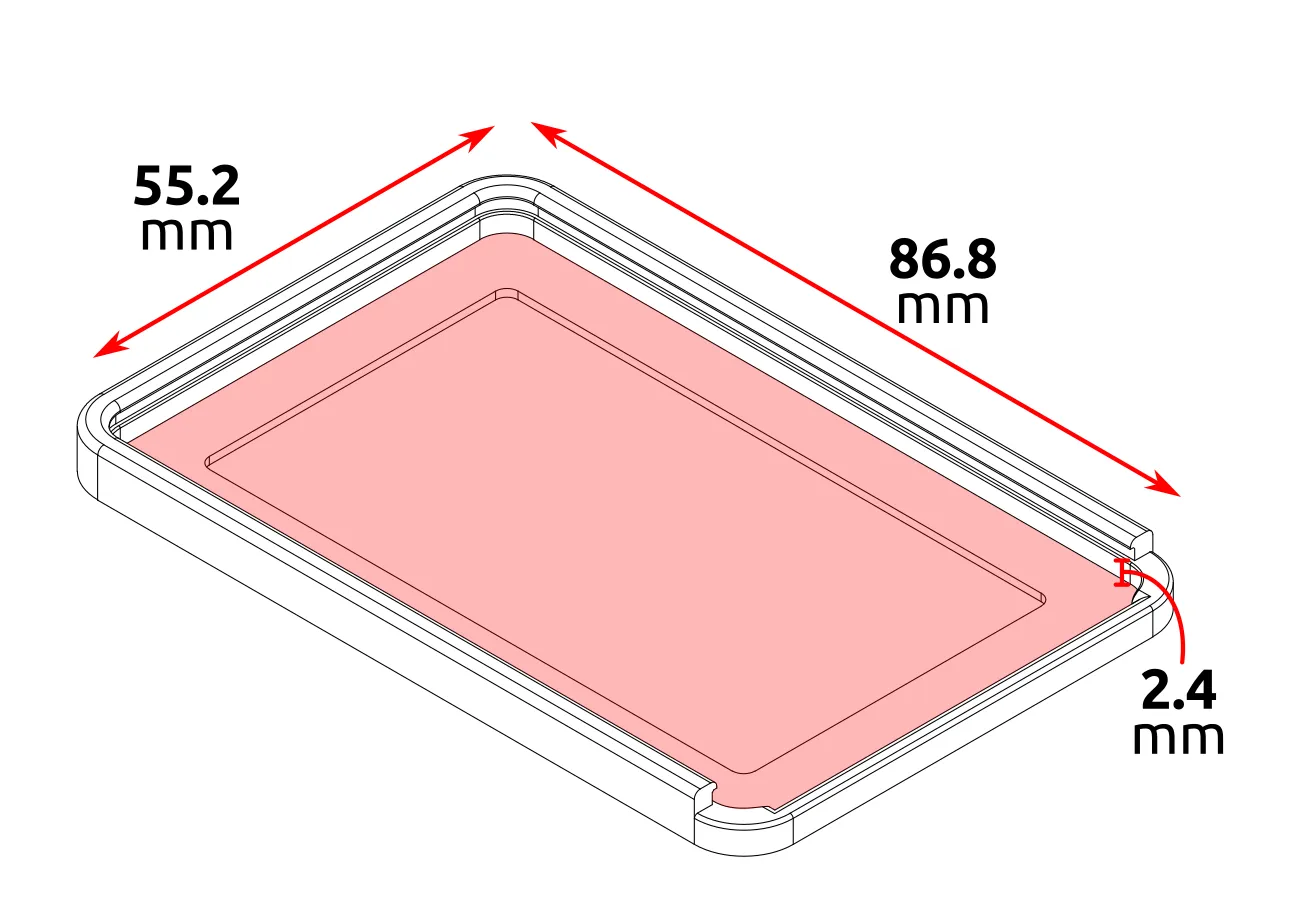
55.2 x 86.8 x 2.4 mm
The inner cavity of the holder is slightly bigger than a standard payment card (as per ISO CR-80 guidelines➚) which should result in a slightly loose fit depending on your printer and the corner radii of the card.
The height from the inside bottom to the underside of the kit card “lid” is 2.4 mm. It is deeper than the card itself so that you can also include a receipt or a small note. I was able to fit the following into one holder:
- a thermal ink receipt folded four times
- a bifold card printed on cardstock
- a gift card
The fit was quite acceptable, if perhaps a little snug.
Note: The back of the card holder has been left open for printability reasons (reduces filament and prevents a particular print defect) and as a sort of frame for any illustrations on the card itself. If for some reason you would prefer a fully enclosed back, please leave a comment below.
3. Text Customization
If you've never customized text before, this video➚ is a good all-round primer on how to do it. The rest of this section will go into recommendations as there's a few things to keep in mind for this particular card.
✏️ Title Text
The font I used for the title text is called Komika Title➚. If you want to use the same font as I did, you will need to download and install it on your own computer. It's available as a free, no-sign-in-required download from dafont.
🏆 Toolbox Name Plate
The plates in my print profiles have been tested and should print well. However, if you would like to change the letters yourself, then please be aware they need a little extra attention to ensure they print okay.
The font I used is called Segoe UI Semibold which comes preinstalled with Windows 10 and 11. If you don't have this font or want to change it to something else, look for a simple sans-serif font with a medium weight (not bold or black) and always double check the Preview screen for printability. In most cases you'll be able to spot problems before you even send it to print.
⚠️ Note: there is a process setting applied to the text object to reduce flow rate slightly. Testing showed that it produced cleaner and crisper text. If you find that the letters are showing up poorly for your particular printer and filament, you may want to adjust this setting further.
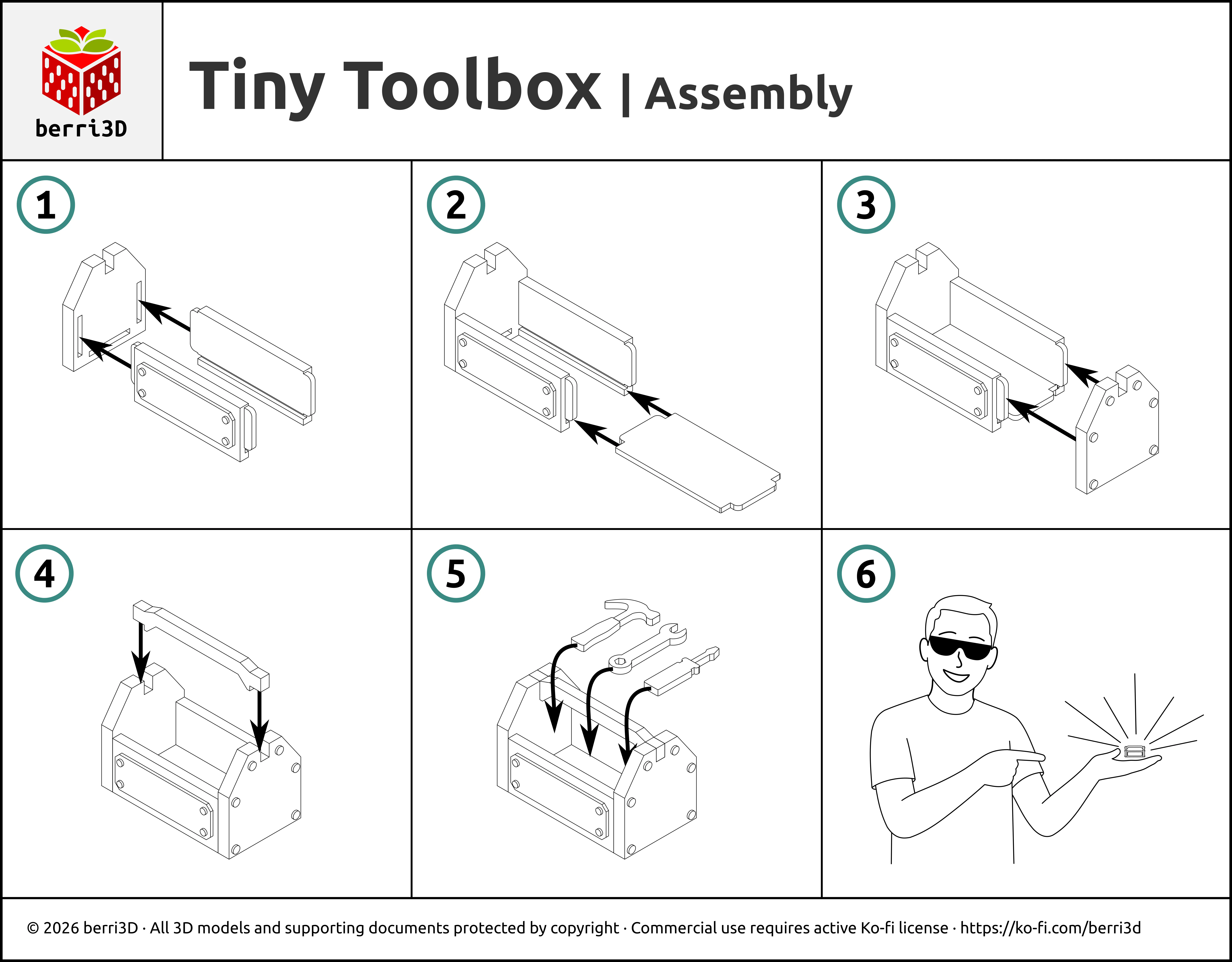
4. Assembly Guides
Printable PDF Cards
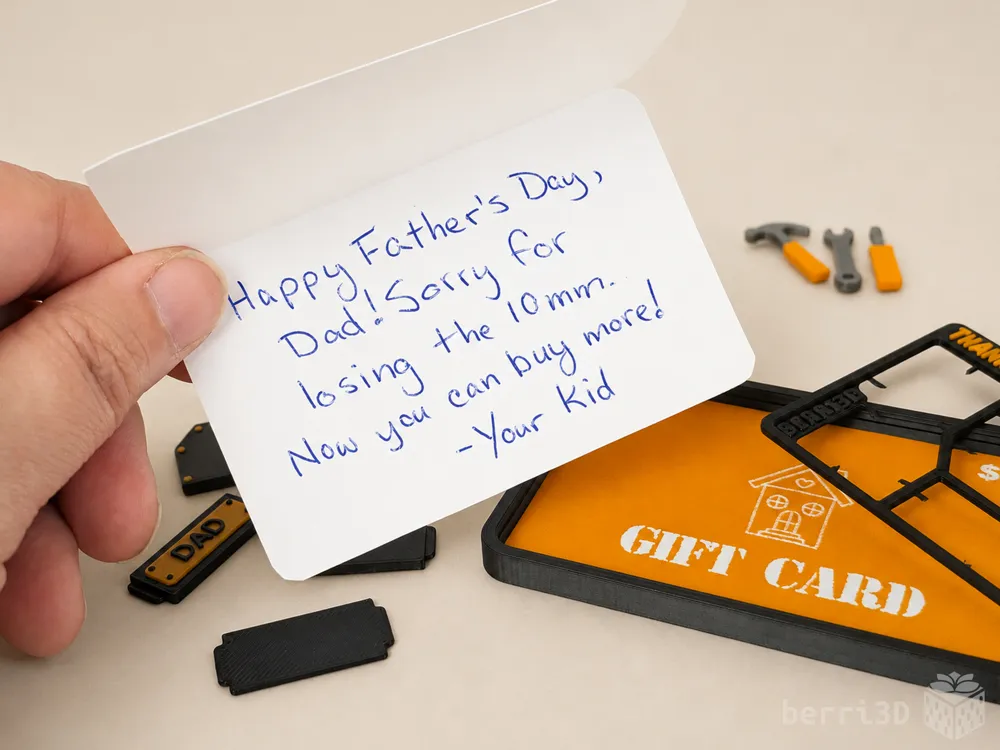
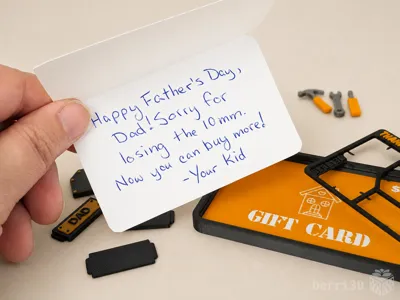
I've created a mini instruction card in two formats: flat or bi-fold. Both fit inside the card holder.
- Flat → good for giving without a gift card, can also be bulk printed (8 to a sheet); write a small note on the back or leave blank.
- Bifold → good for writing a longer personal note, also conceals the back of the gift card in the holder, may be a bit of a tighter fit inside the holder but should still go in.
Find them in the Documentation section below ↓
Image Guide
Want to save paper? Screenshot or download this image instead.
5. Detailed Print Guide
More info than you can shake a stick at. Good for the deep divers; not necessarily necessary for casual printing.
🎨 Suggested Filaments
The majority of the models in the photos were printed with Bambu Basic PLA as per the table below. The “metal” of the tools was printed in Bambu Basic Grey or Sakata3d Magic Silver.
Test prints were made using the following filaments using default profiles on a Bambu X1C and were found to have a good fit between parts. Your results may differ due to filament colour/type/brand, and printer. Always perform a test print before gifting OR batch printing.
| Brand | Type | Colour(s) |
|---|---|---|
| Bambu | PLA Basic |
|
| Sakata3D | PLA 850 | Magic Silver |
🖨️ Print Process Settings
Models were prototyped on a Bambu X1C with a 0.4mm nozzle. These are the process settings I used and which are contained as part of the print profiles. You're welcome to change them to fit your own preferred settings, though please be aware that changing values may result in parts not fitting.
| Setting | Value | Reason |
|---|---|---|
| Layer height | 0.2 | Part fit and decorative features were designed with this value. Changing may result in poor fit or details not printing correctly. |
| Elephant Foot Compensation | 0 (off) | Testing showed that having it on led to increased bed adhesion failures. I've already applied chamfers to the bottom of the box parts to combat this so it's not strictly necessary. |
| Wall generator | Classic | Prototyped with this generator. Changing to Arachne may make parts not fit. |
| Wall order (first layer modifier only) | outer/inner | Printing the outer wall first gives tiny inner walls something to stick to. Only applied to the first layer as it's inadvisable to use for the entire model. |
| Only one wall on top surfaces | Not Applied | Results in a nicer top surface to the parts. |
| Object flow ratio (Toolbox name plate text only) | 0.9 | Reduced flow for these extra tiny letters increases legibility. |
| Sparse infill density/type | 10% / gyroid | As this isn't a weight-bearing model, less infill results in faster printing. |
| Initial layer speed | 20 mm/s | Slower speed allows complicated first layers enough time to cool and adhere. |
| Outer wall speed | 100 mm/s | Slower outer wall speed is better for overhangs and overall surface quality. You can increase this speed but the quality may not be as nice. |
📐 Adjusting Fit of Kit Cards
How well a kit card fits together depends heavily on your machine, filament brand, and filament type/colour. I do my best to make models that assemble smoothly across a range of filaments, but as there are too many variables to account for, tuning by the end user (that's you) may be required.
- Multicolour kit cards → Adjust flow rate➚ up or down.
- Separate parts → two methods depending on which part isn't fitting. If everything is too tight, use contour compensation. If one type of part fits but another doesn't, use either:
- Parts that slide together → change X-Y contour compensation➚ by ± 0.03; OR
- Parts that insert into holes → change X-Y hole compensation➚ of the part with the hole by ± 0.03
Note: these values are guidelines only and may need further tweaking.
5. About
I have a life long love of tools thanks to my mom. She made sure to normalize it being okay for girls to like the same thing as boys (and vice versa!). Indeed, for my “sweet sixteen” she gave to me my very first power drill which is right up there as one of the best gifts I've ever received. So I hope it goes without saying that this card is also for the handy moms, sisters, aunties, and any other DIY peoples in your life 💪
🥰 How to Support me
If you appreciate the work I did to bring this model to you, please consider supporting me on Ko-fi. Even a small tip will help offset the cost of prototyping filaments. Alternatively, a like or a boost is another easy way to say “hey, you don't entirely suck.”

⭐ Licensing
If you wish to sell my models, you may purchase licensing rights through my official Ko-fi page.
This model is shared using my own Personal-Use License which supplements (but does not replace) MakerWorld’s Standard Digital License. My license is fundamentally the same (no public remixes, no file sharing, no selling) but includes specific exceptions and allowances not covered by the Standard Digital License.
Licenses offered through third-party websites (e.g. Cubee3D) are not authorized and are not valid.
Boost Me (for free)
🚀= 💪🐹 👍 = 🦵🐹 My models are created on a smoking hot Compy386 powered by Hunrod the Unusually Swole Hamster™. Every boost and like makes Hunrod stronger.
Documentation (2)
License

You shall not share, sub-license, sell, rent, host, transfer, or distribute in any way the digital or 3D printed versions of this object, nor any other derivative work of this object in its digital or physical format (including - but not limited to - remixes of this object, and hosting on other digital platforms). The objects may not be used without permission in any way whatsoever in which you charge money, or collect fees.


Comment & Rating (5)