
Print Profile(1)
Description
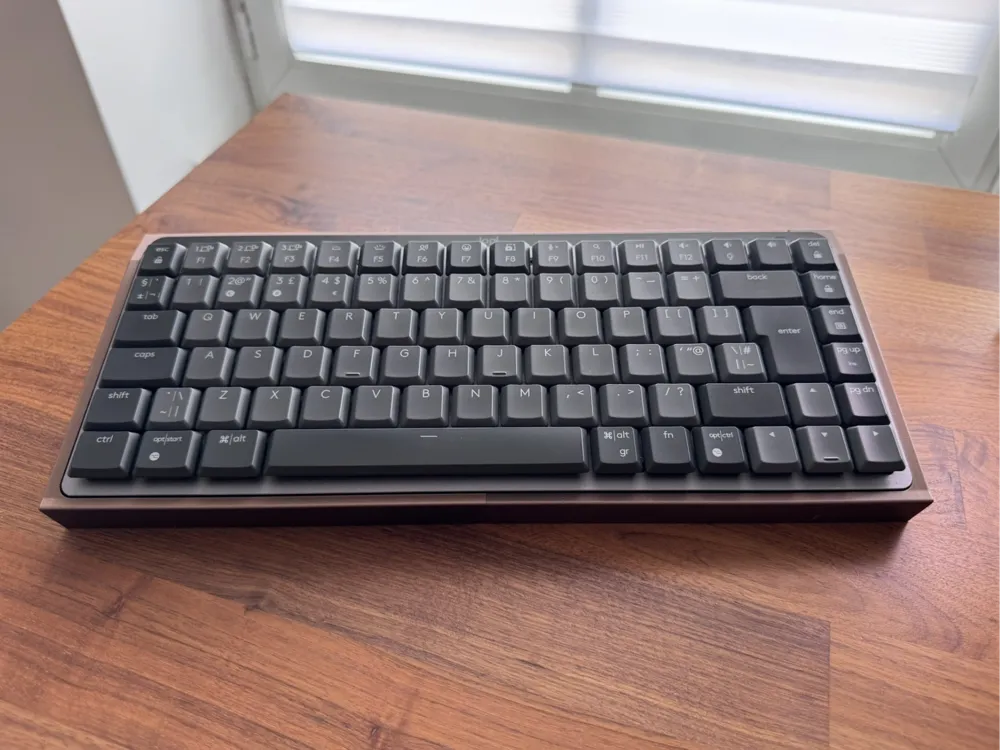
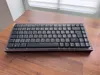
Logitech MX Mechanical Wireless Mini Keyboard Tray with Hidden Storage and Separate Wrist Rest
Short Description
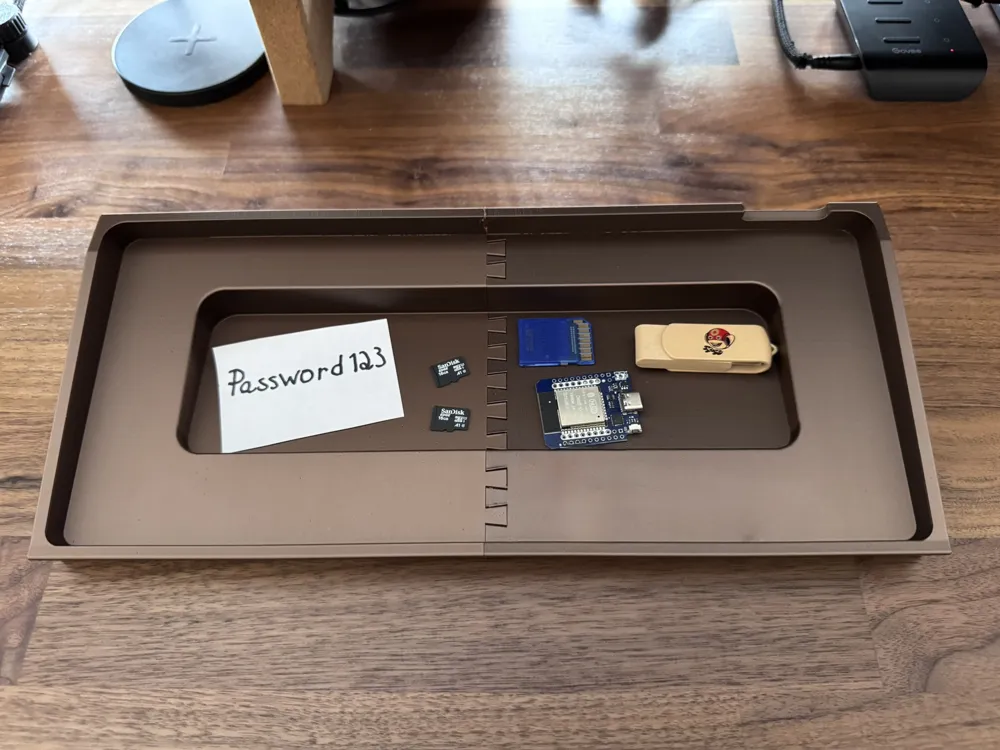
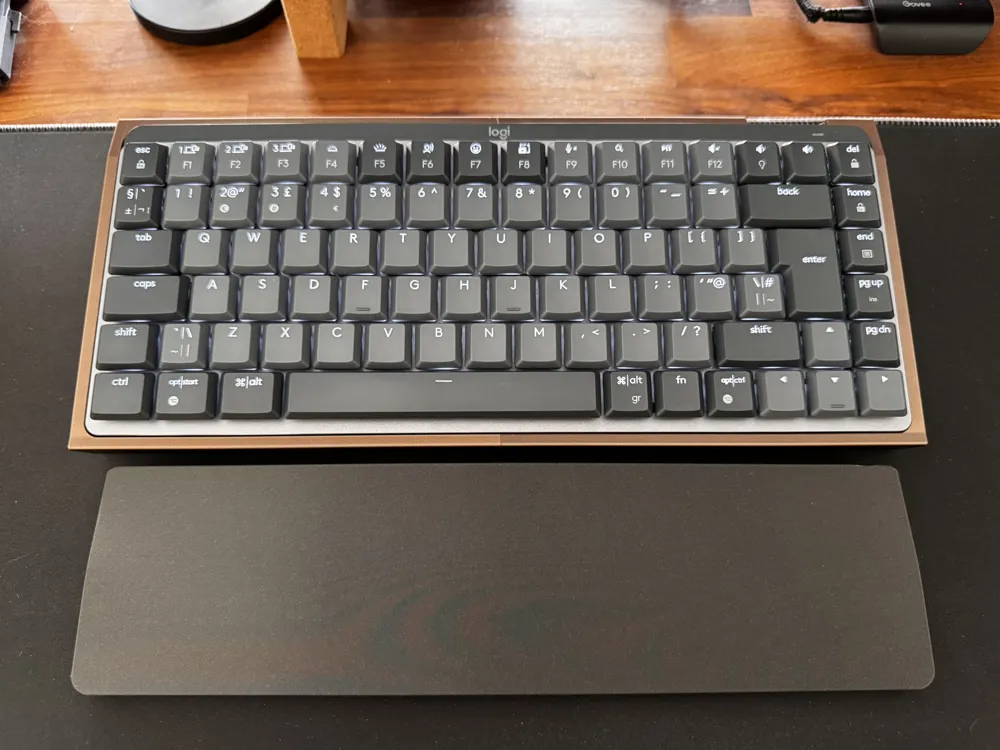
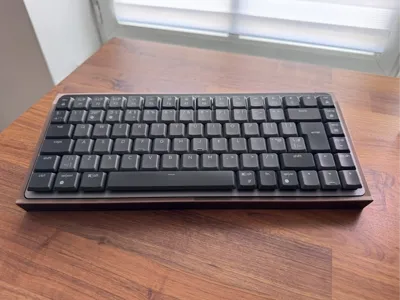
Give your Logitech Keyboard a proper mechanical keyboard presence. This ergonomic keyboard tray features a hidden storage compartment, and the matching wrist rest is a separate piece for a clean, flexible setup.
Full Description
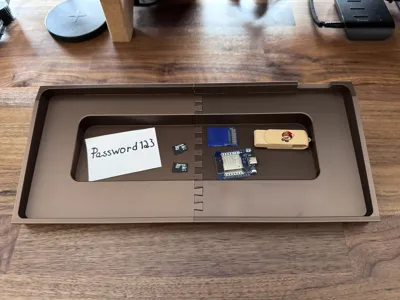
I designed this ergonomic keyboard tray to give my keyboard a more substantial, more “proper mechanical keyboard” presence while also adding a hidden storage compartment underneath. To complete the setup, there is also a separate wrist rest that matches the tray.
The result is a cleaner setup, a more comfortable typing experience, and a keyboard that looks a bit more at home as the centerpiece of the desk.
What’s included
- Ergonomic keyboard tray for the Logitech MX Mechanical Wireless Mini Keyboard
- Built-in hidden storage compartment inside the tray
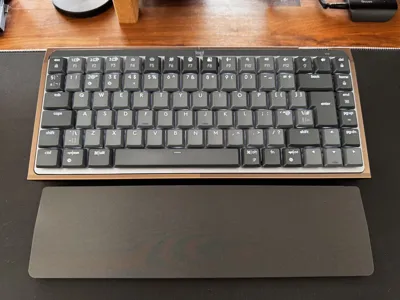
- Matching separate wrist rest
Features
- Designed for the Logitech MX Mechanical Wireless Mini Keyboard
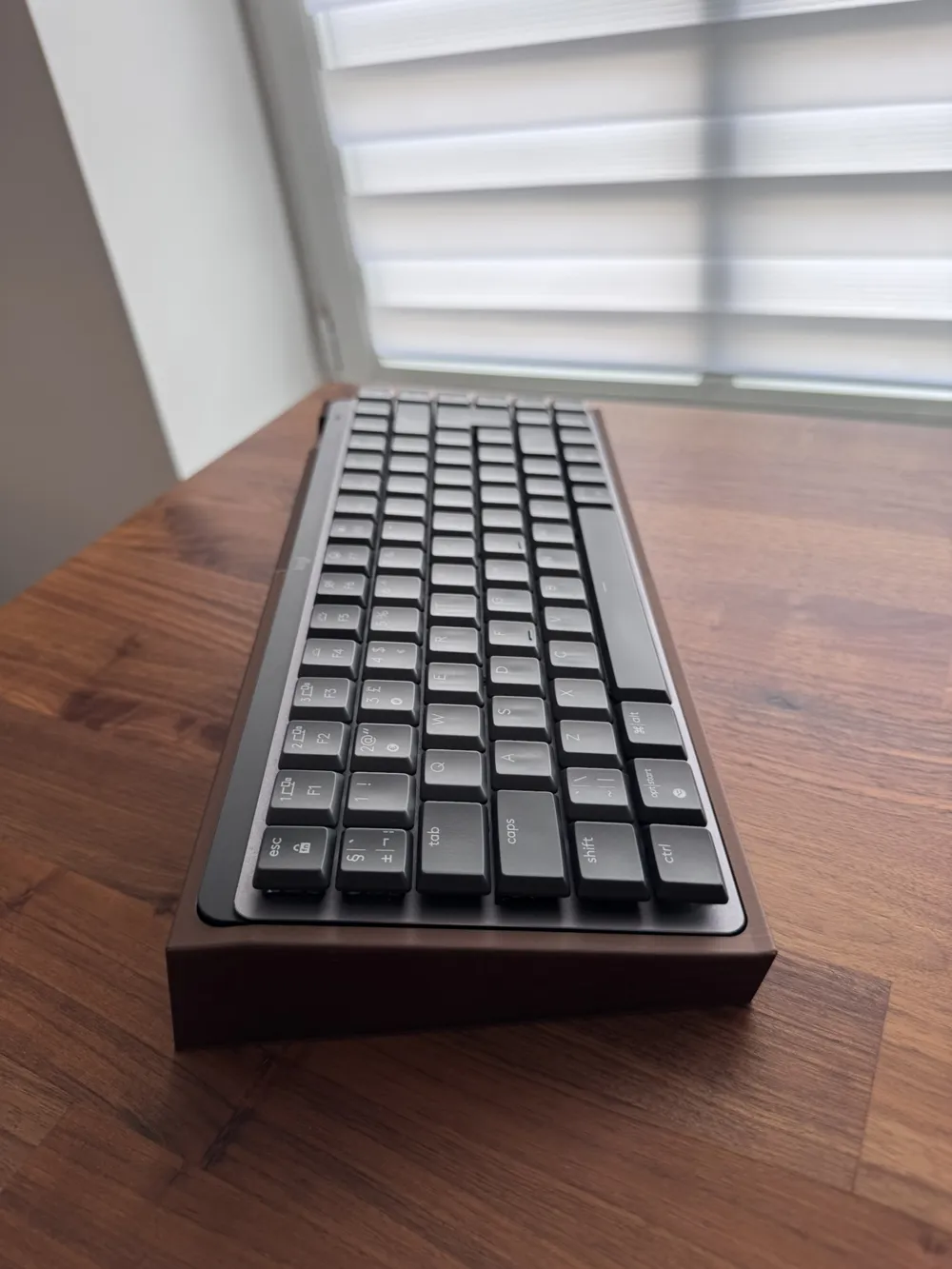
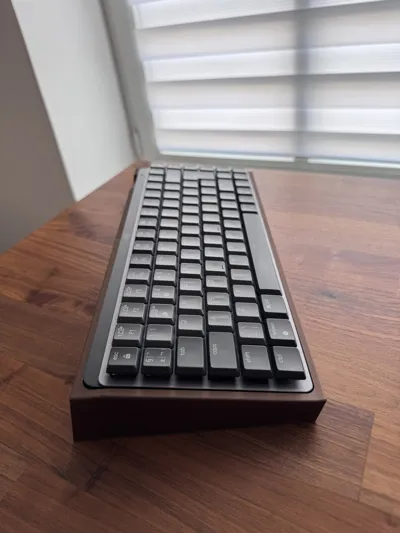
- Ergonomic angle for a more comfortable typing posture
- Built-in hidden compartment for small items like USB dongles, SD cards, microSD cards, adapters, or other tiny desk gremlins
- Includes a separate wrist rest for added comfort
- Gives the keyboard a more proper mechanical keyboard-sized presence on the desk
- Clean, minimal design for a modern workspace
- Prints with minimal support
Print & Assembly Notes
- This model prints with minimal support
- Make sure the joints are cleaned properly before assembly
- Assemble the tray by sliding the two parts together vertically from top to bottom while keeping them straight and aligned
- Do not use force during assembly, as the side walls are quite thin
- The clearance has been tuned so the fit should not be too tight
- For the best final result and a proper fit, gluing the tray parts together is recommended
- There are circular markers on the bottom to help position self-adhesive rubber feet, if desired
Why I made it
I wanted the comfort and visual presence of a larger mechanical keyboard setup without giving up the MX Mechanical Wireless Mini Keyboard. This design makes the keyboard feel a bit more substantial, adds a useful hidden compartment, and keeps the setup clean and practical.
License

You shall not share, sub-license, sell, rent, host, transfer, or distribute in any way the digital or 3D printed versions of this object, nor any other derivative work of this object in its digital or physical format (including - but not limited to - remixes of this object, and hosting on other digital platforms). The objects may not be used without permission in any way whatsoever in which you charge money, or collect fees.


Comment & Rating (0)