
RJ45 dummy Patch-Panel for switch swapping




Print Profile(8)


Bill of Materials





Description
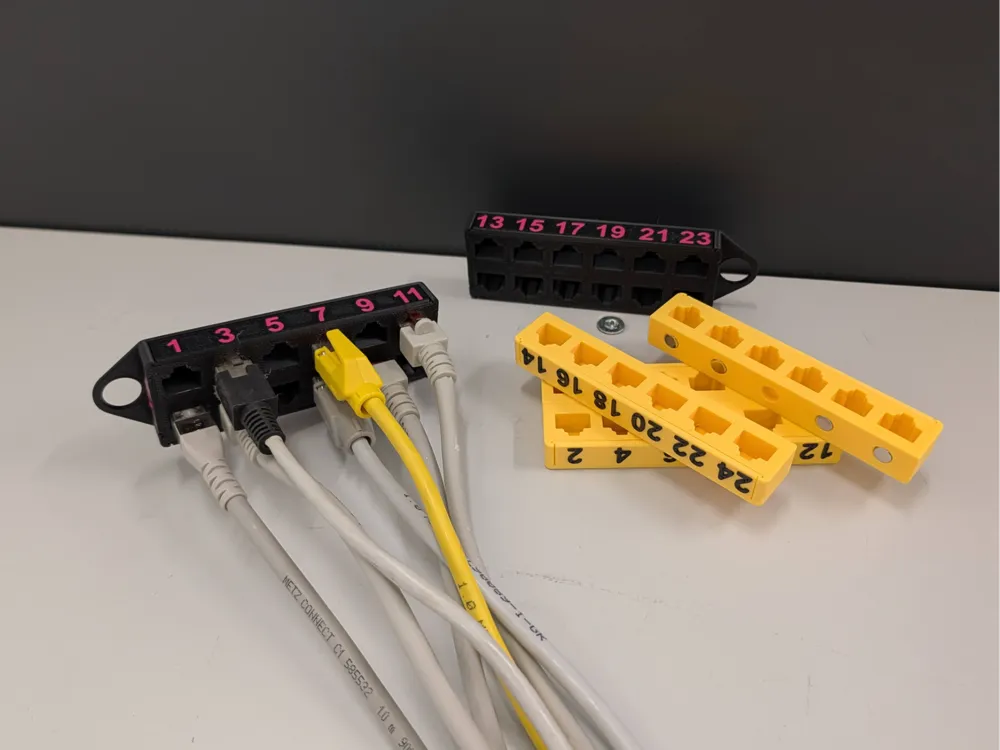
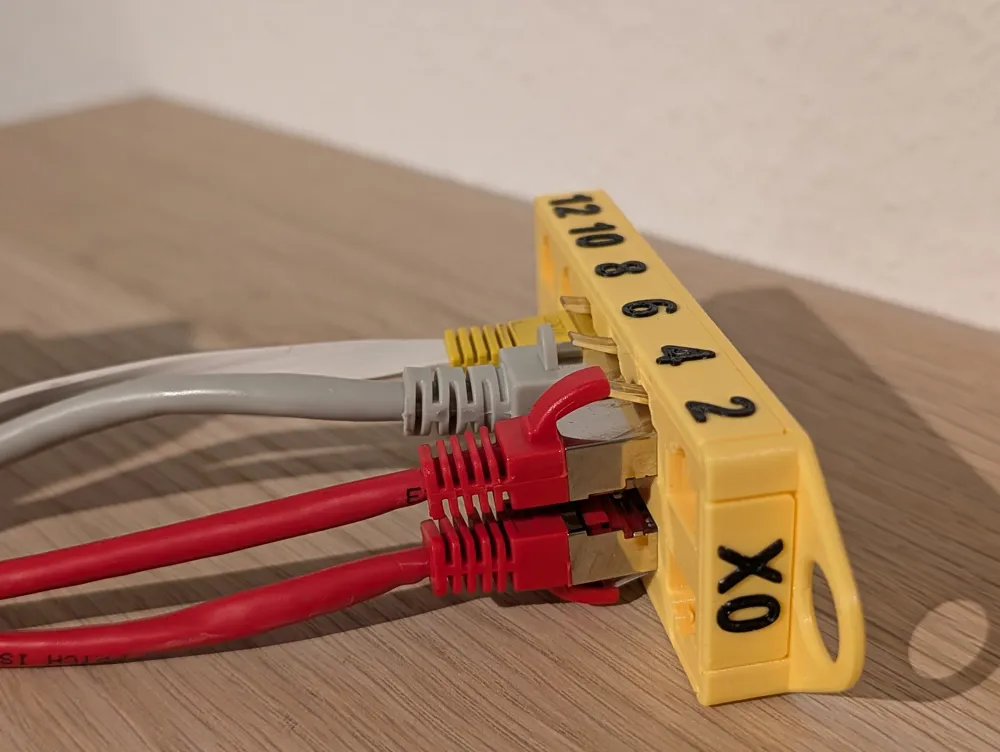
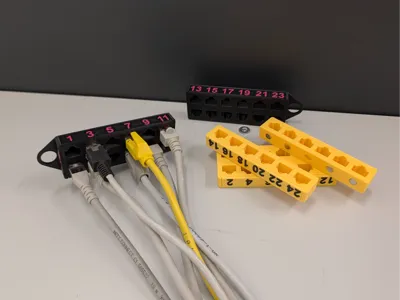
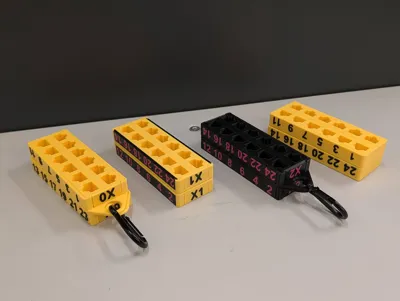
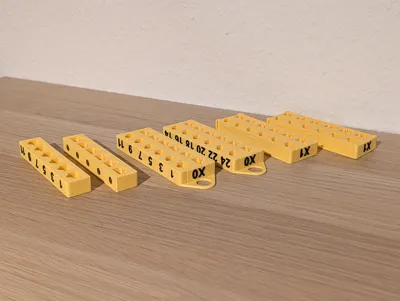
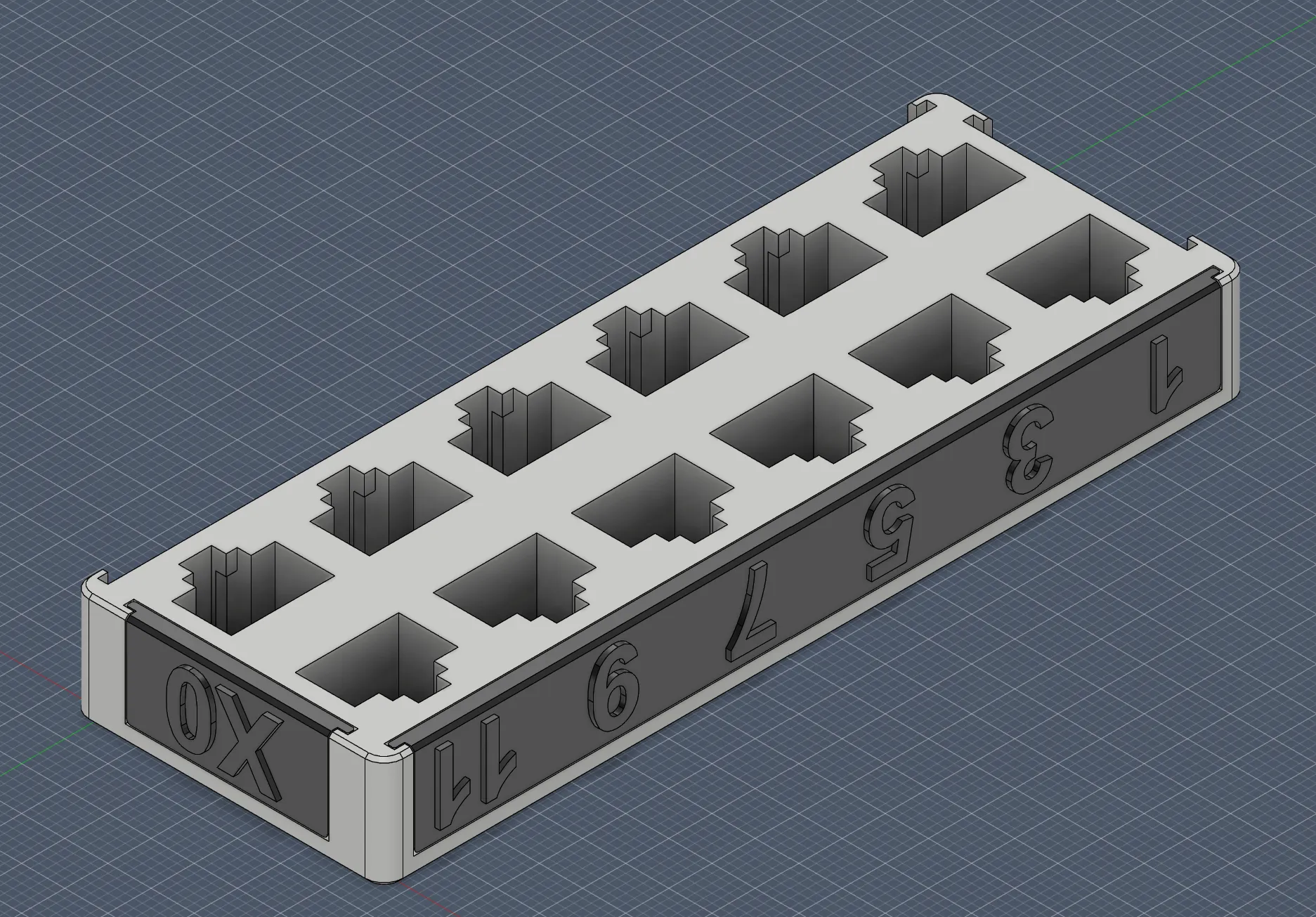
When swapping a fully populated switch it's always a hassle with the cabling.
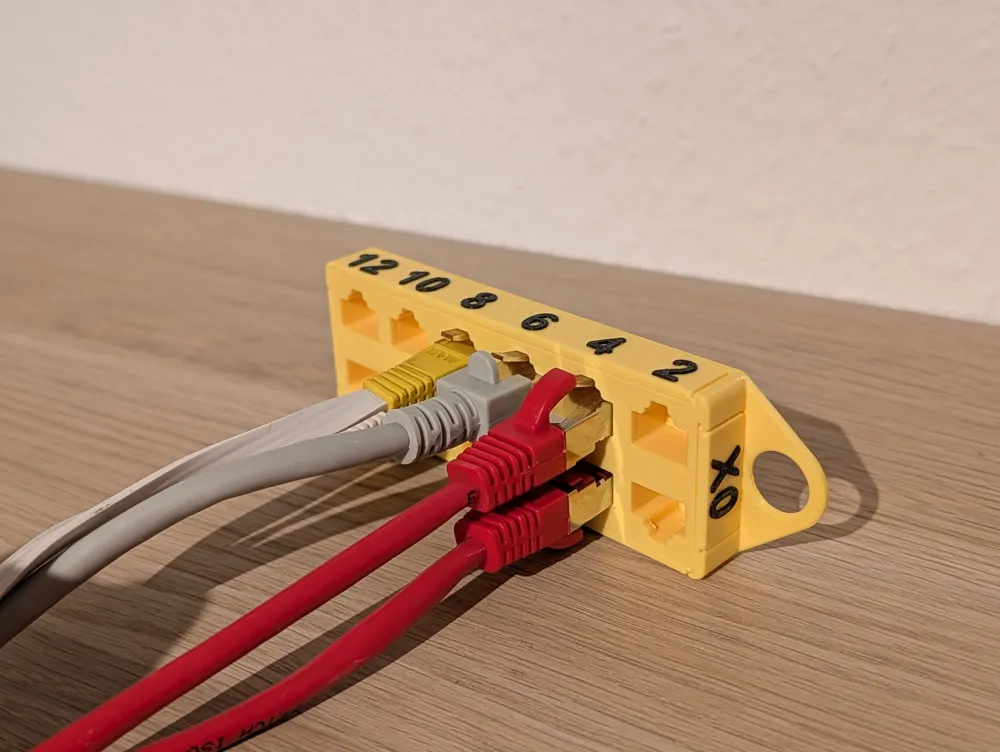
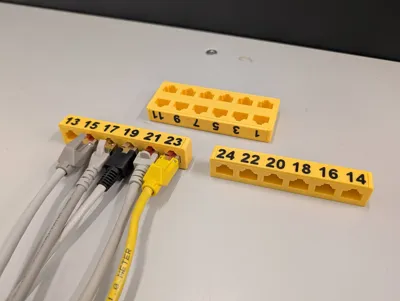
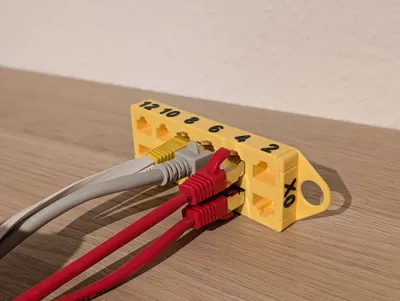
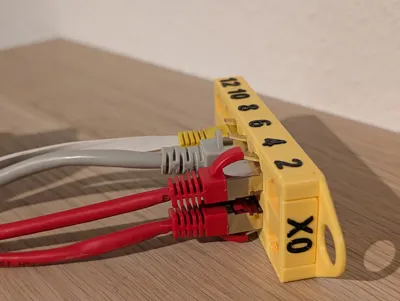
With these fake patch panel you can now easily mark and organize the cables.
NEW Gen3 modular design
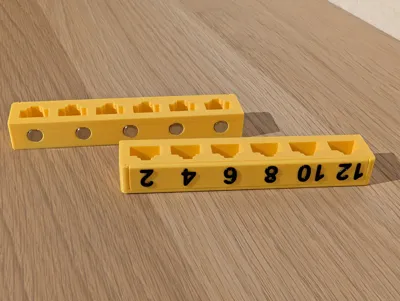
- RJ45 are now easier to unplug, as the levers are now more exposed
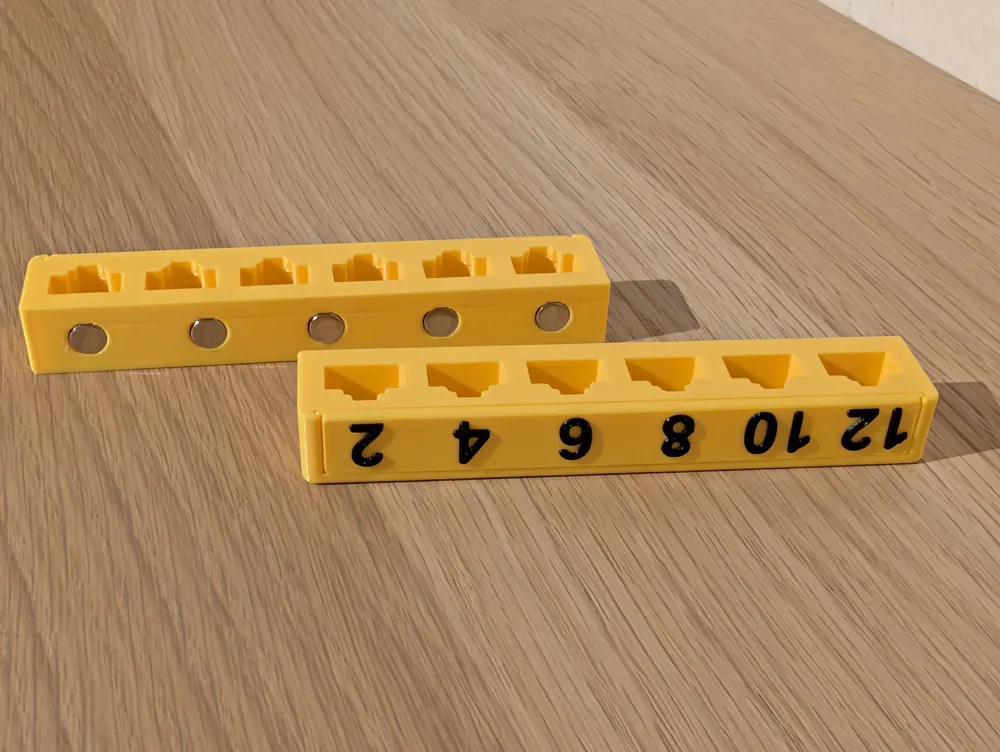
- new row splitted variant for use with 6x3mm magnets (affiliate link)
- user customizable: in case you want to use other magnets, or tolerances aren't working for your printer, you can now use the customize button to tweak the measurements
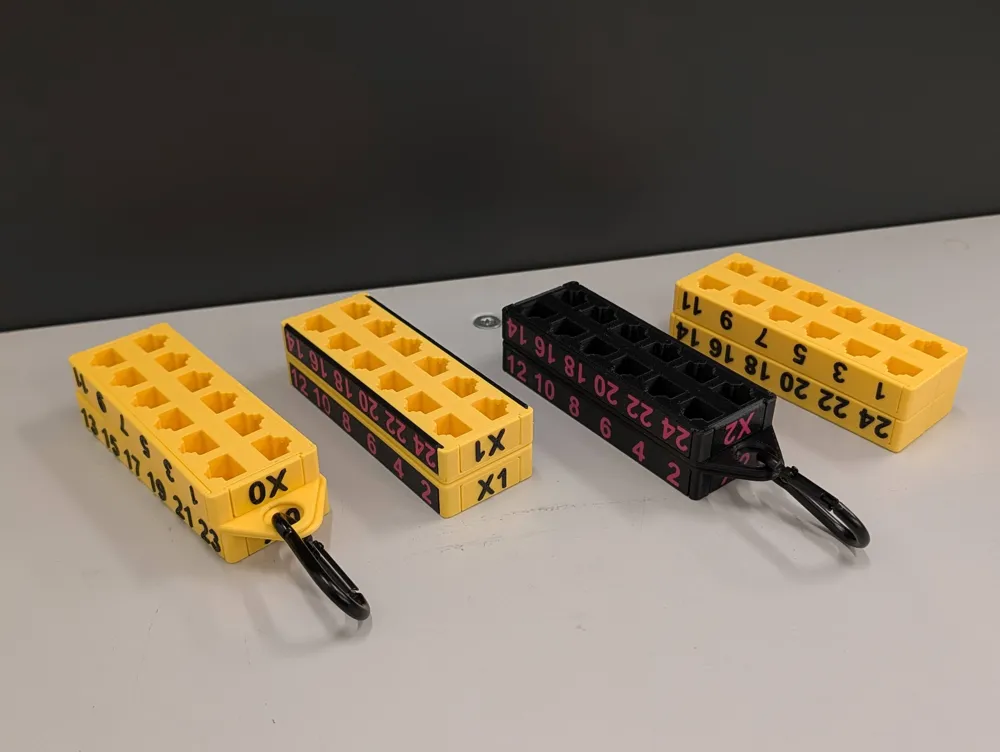
- modular design: choose the base and side panels you need and just click them together, if you want to be extra sure, add a drop of superglue
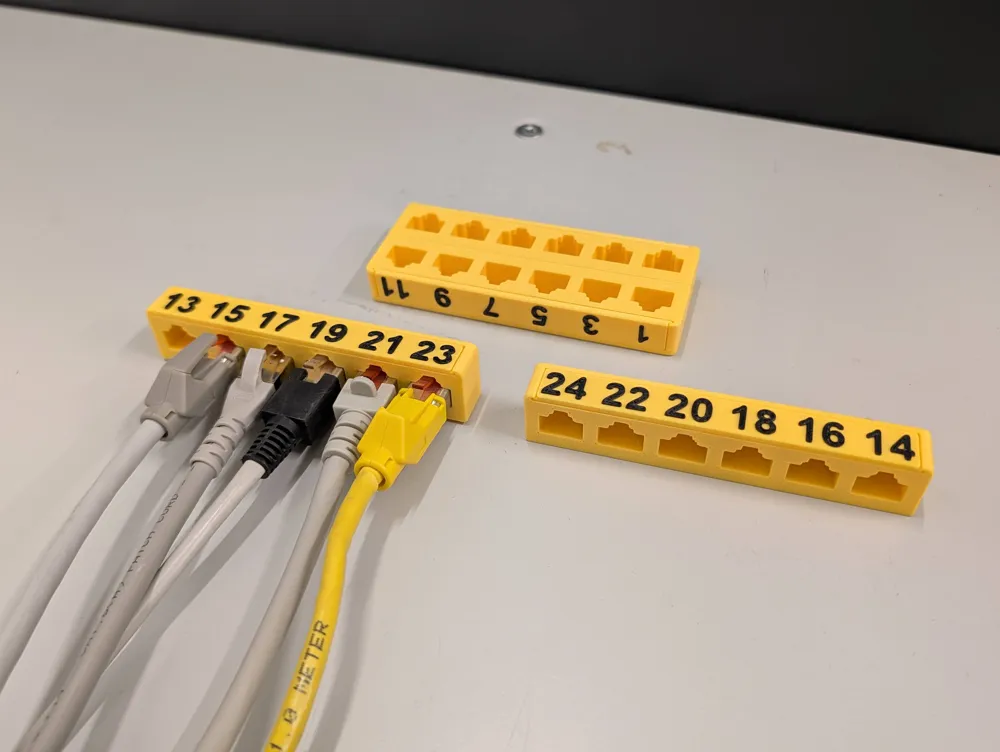
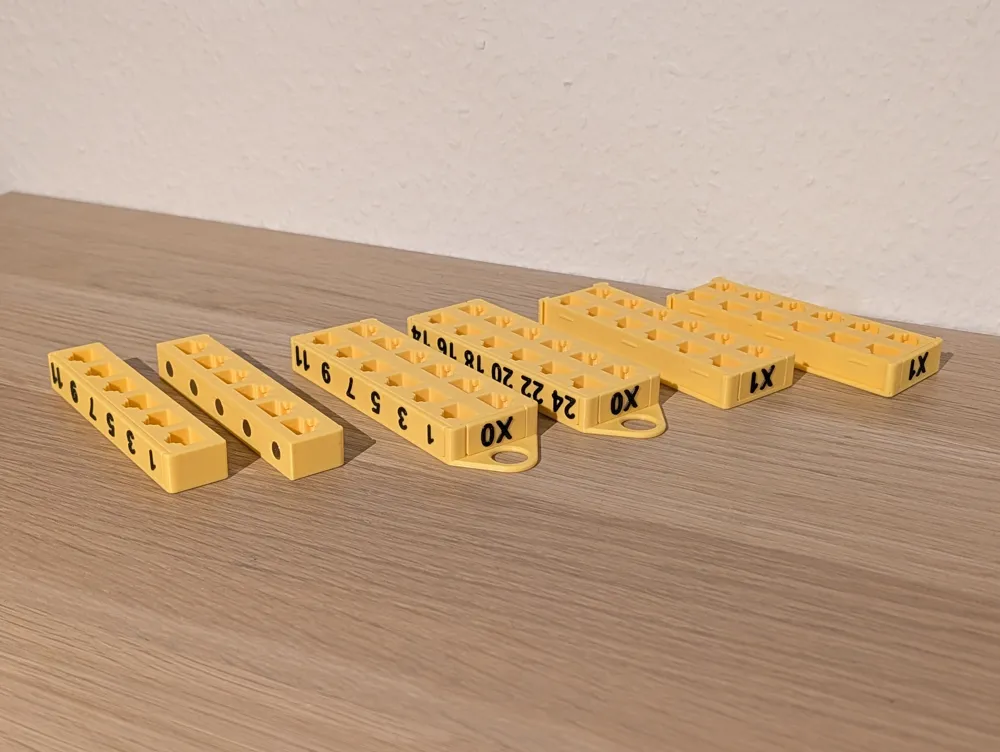
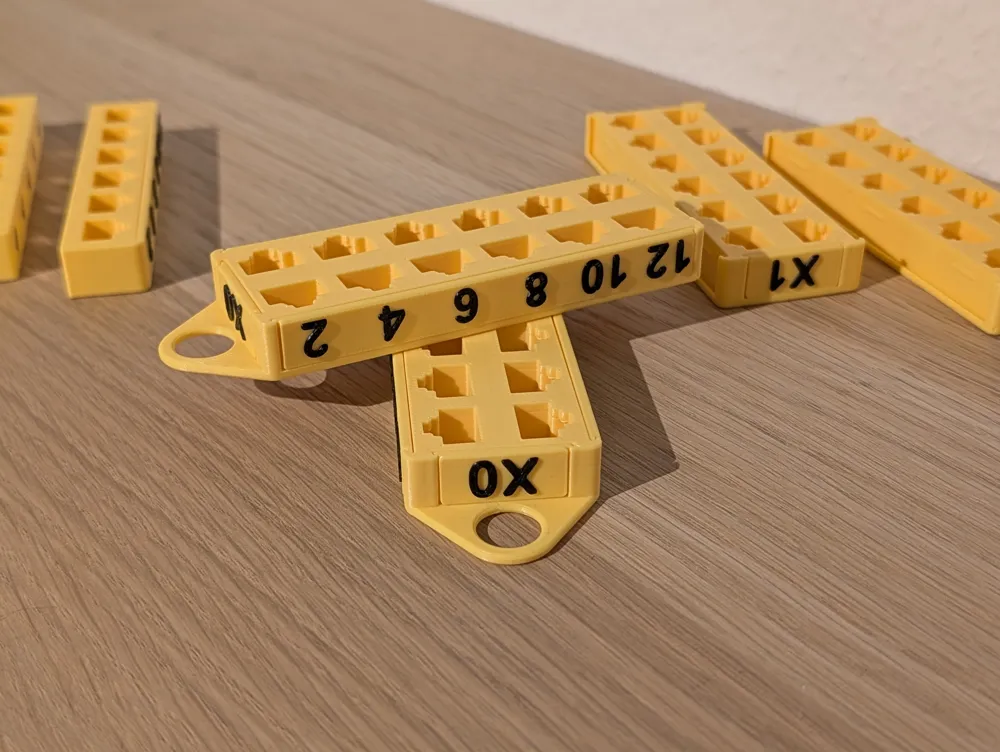
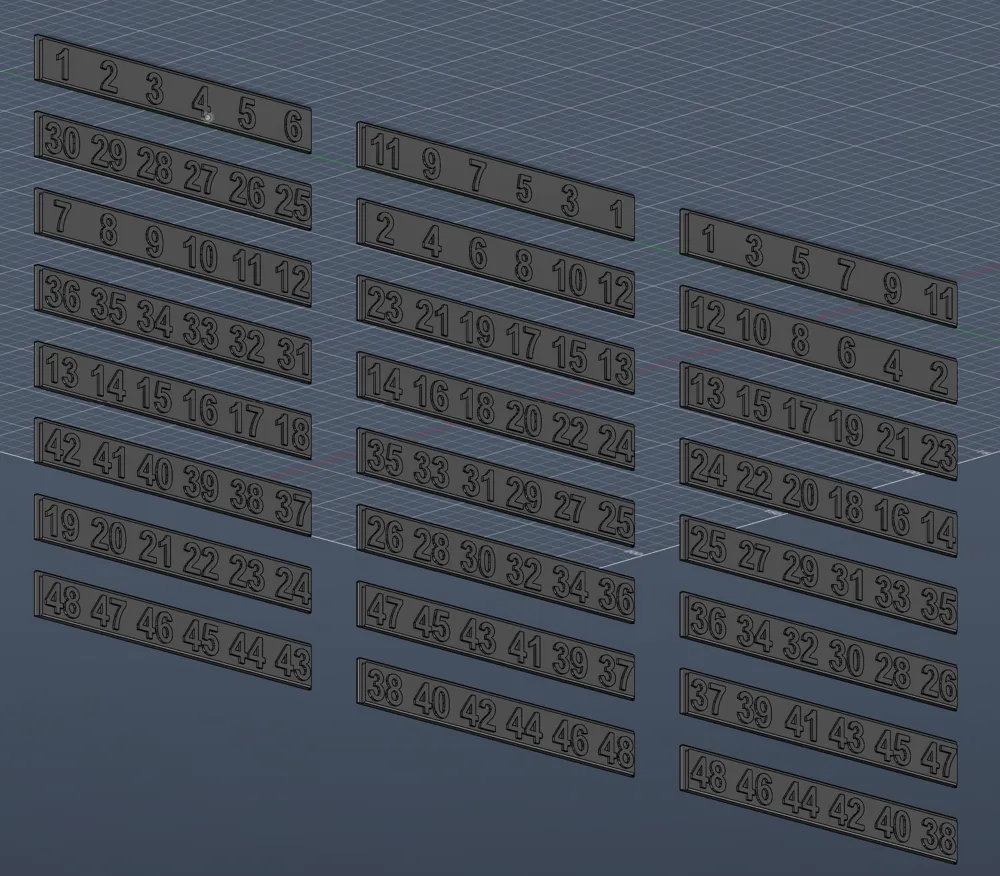
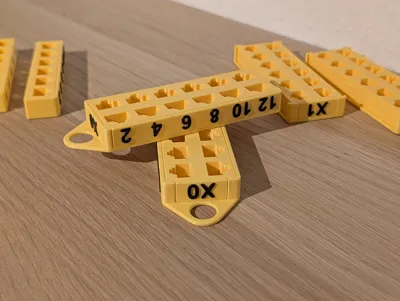
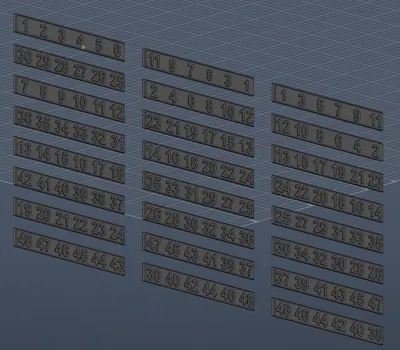
- each base needs two port panels (eg “1 3 5 7 9 11” and “2 4 6 8 10 12”) and two small side panels (blanks for your own design, or X0 to X9 to differentiate switches, splitted base only has port panels)
- panel are available with raised (no AMS needed) and embedded lettering (AMS needed)
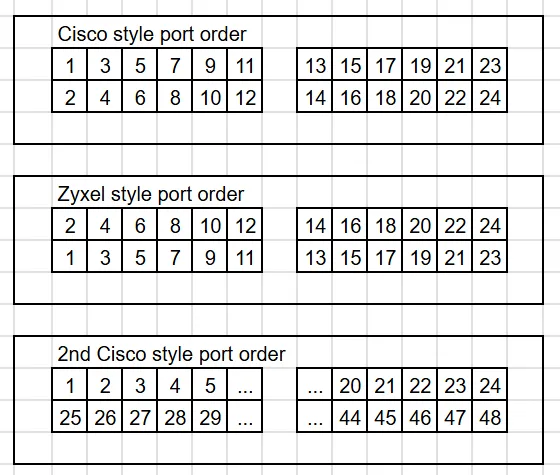
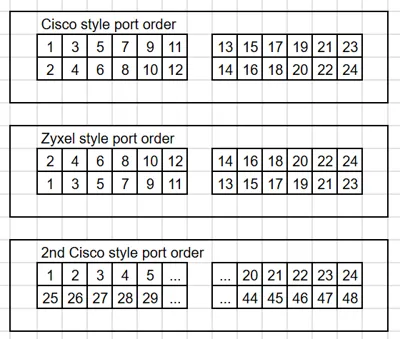
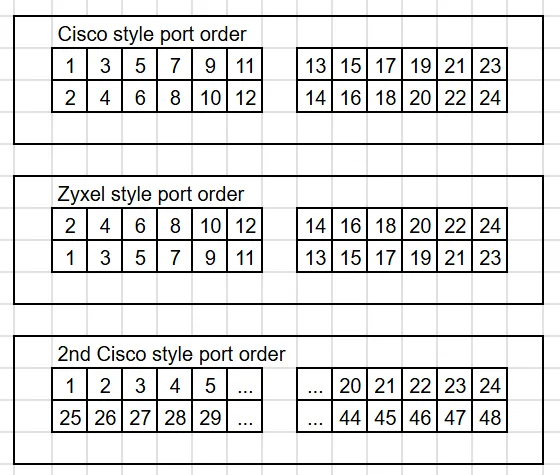
Please pay attention to the port order your switch uses and choose the right variant:
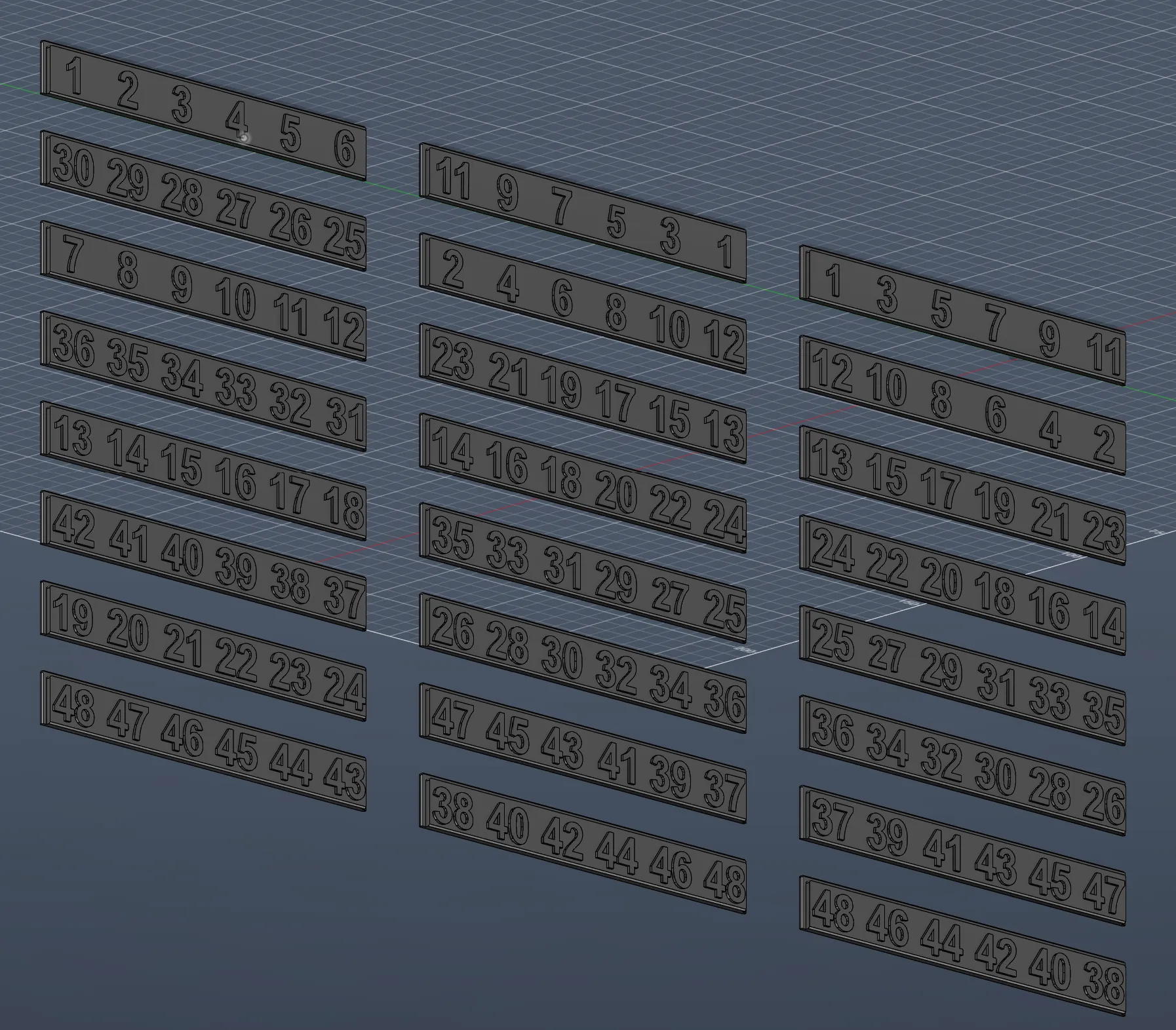
- for a 48 Port switch you will need 8 panels, for a 24 Port Switch you can unselect the 4 unneeded panels.
old Gen2 modular design
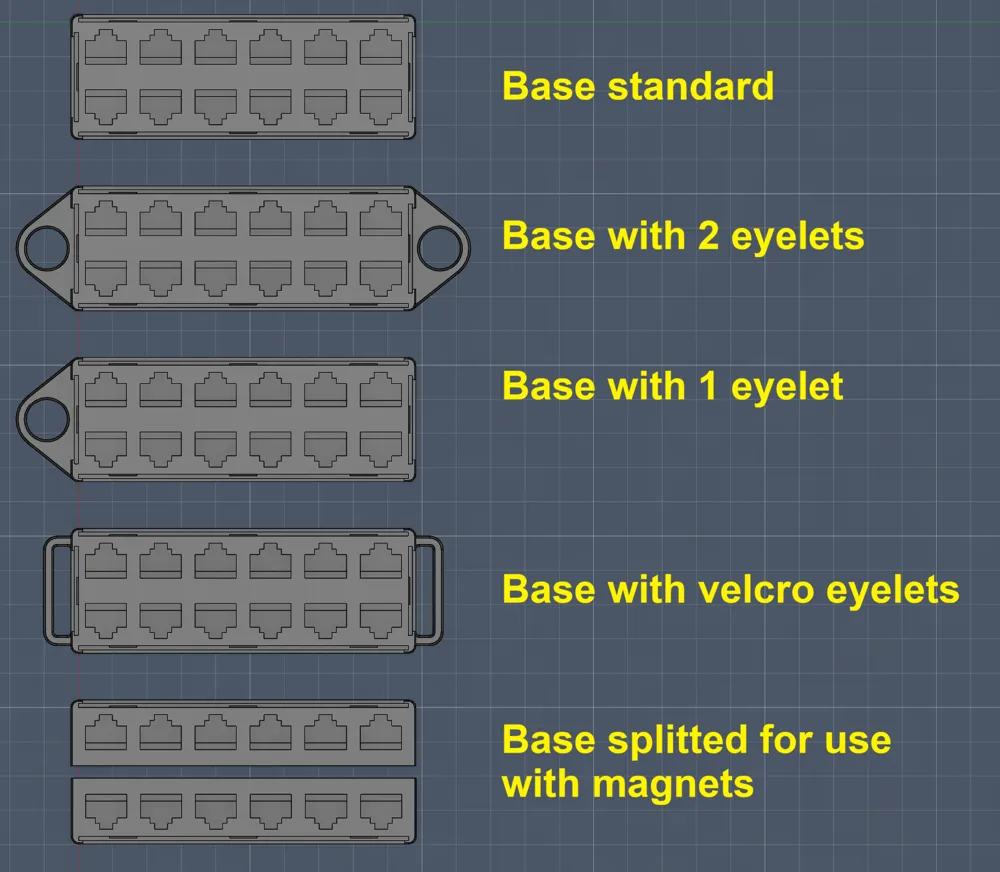
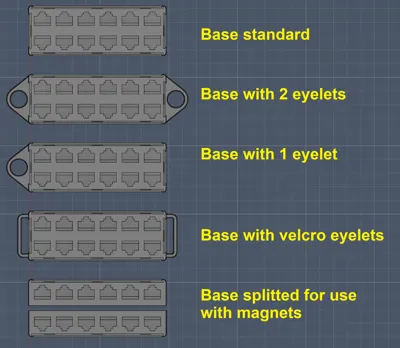
Gen2 is splitted in the base unit and 4 separate side panels with labeling.
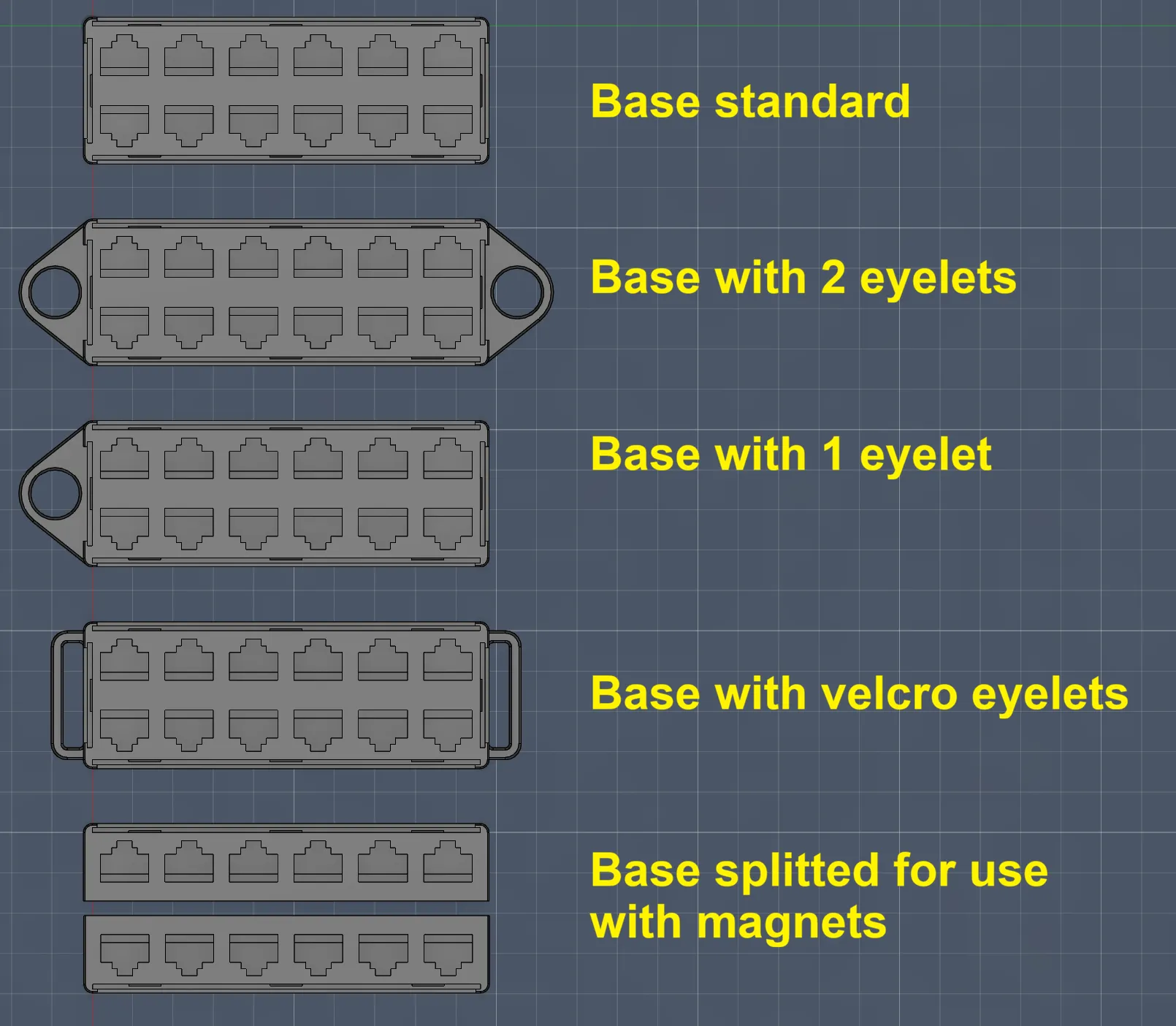
For the base you can choose between 0, 1 or 2 round eyelets or velcro eyelets and with or without magnet holes.
The fitment of the plugs intentionally is a bit on the loose side, to make plugging/unplugging easier.
If you want a tighter fit, use the Gen2 “tighter” variant.
old Gen1 monoblock design
The old version is easier to print and a bit more compact.
Port ordering is Cisco style only.
They are labeled 1 to 12, 13 to 24, 25 to 36 and 37 to 48, so they suit 24 and 48 port switches.
In case you are working on more than one switch, there are 6 sets labeled X1 to X6 on the side.
Let me know, if you need a different variant (eg: ports, labels).
Please note, that this model is under a Standard License.
The objects may not be used without permission in any way whatsoever in which you charge money, or collect fees.
So if you are planning to use them commercially please contact me first.
Also see my other network equipment:
- RJ45 dummy Patch-Panel
- LC fiber dummy Patch-Panel
- SC fiber dummy Patch-Panel
- 19" Rack mount helper
- RJ45 Caps
- 19" Rack Cage Nut Tool
Boost Me (for free)
If you like this model, please consider giving it a boost! Your support helps a lot.
Membership
See memberships options for commercial print licenses (remixes excluded).
License

You shall not share, sub-license, sell, rent, host, transfer, or distribute in any way the digital or 3D printed versions of this object, nor any other derivative work of this object in its digital or physical format (including - but not limited to - remixes of this object, and hosting on other digital platforms). The objects may not be used without permission in any way whatsoever in which you charge money, or collect fees.


Comment & Rating (193)