
Parametric Impossible Passthrough
Print Profile(2)


Description
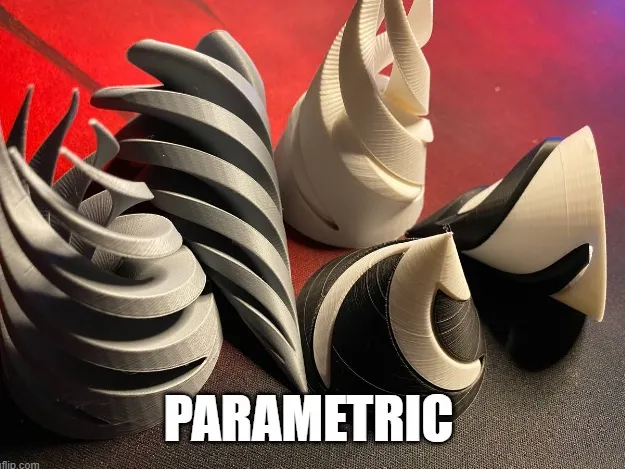
Create your own Impossible Passthrough!
Boost Me (for free)
Send me a boost!
Settings
Resolution: Keep as is usually. This value decides the stepsize taken between each step in the twist. Should be a value between 1 - 5. Might need to tweak it if you have a model especially big or small.
ConeHeight: Height of the model
ConeRadius: Value for the size of the inner object.
WallThickness: Decides how much body the outer object has. A bigger number would make this more sturdy, but a low number looks cooler.
TwistDegrees: Degrees of the twist, 360 for a full turn. You might need to tweak this if you want a smaller model.
Tolerance: Space between inner and outer object. I guess leaving it at 1 is best, if it feels too loose try 0.5.
TwisterWings: Decides how many wings or spines the inner object has.
TwisterCenterCircleRadius: Decides the thickness of the center of the inner object.
TwisterWingCircleRadius: Decides how sharp the wings/spines are. Lower = sharper.
BallMode: Generate a ball instead of a cone.
WARNING: Might need to print with brim or supports. Otherwise the ball might escape the print bed!
Extra
$fn: For a non-round outer cone, set to 6 for a hexagon, 8 for an octogon etc.
License



Comment & Rating (2)