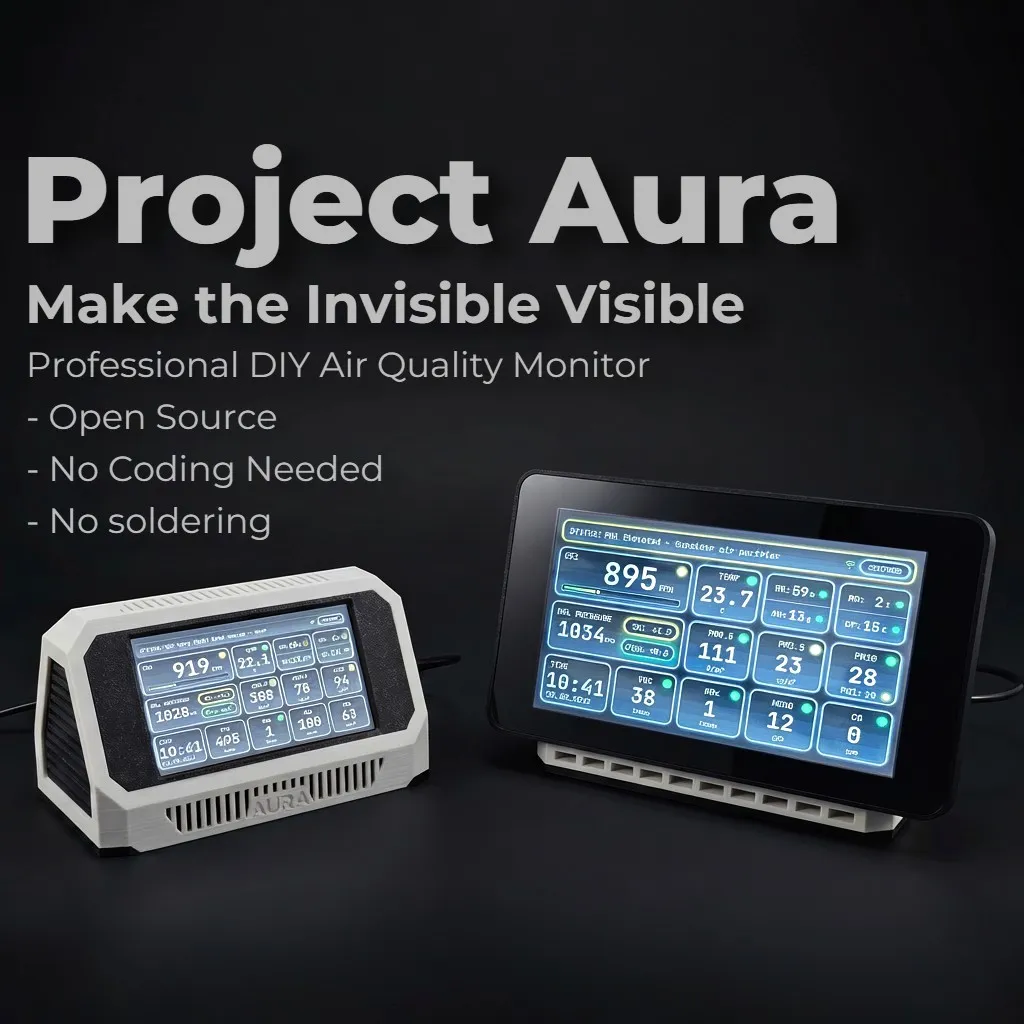



Project Aura AQ is a DIY air quality monitor built to feel like a finished product, not a temporary sensor prototype.
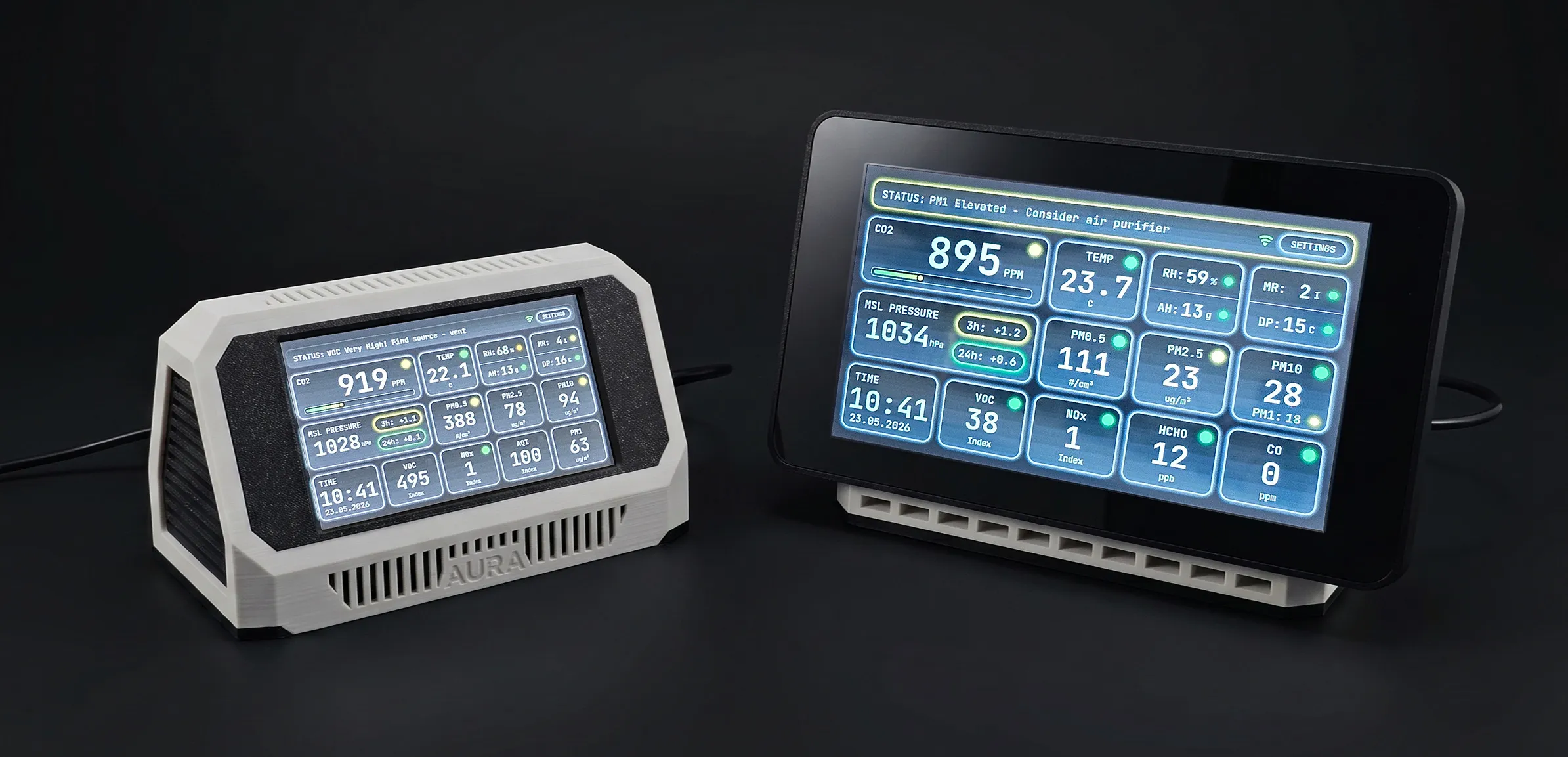
You print the enclosure, install top-tier air quality sensors, flash the firmware from a browser, and get a real touchscreen air-quality station with a local web dashboard, Home Assistant integration, OTA updates, and no cloud dependency.
🛠️ "Can I build this myself?"
Yes. You do not need to be an electronics engineer. If you follow the assembly guide step by step, the recommended Aura build becomes a straightforward plug-together process:
install the printed parts, connect the modules to the correct connectors, close the enclosure, and flash the board from your browser.
And when it powers on, you get the best part of any good maker project: the feeling that
this is a real device, and you built it yourself.
Hundreds of backers are already enjoying their builds — you can read their reviews here.
✅ No coding.
✅ No extra software.
✅ No soldering for the recommended Aura build.
📌 Please read before backing or ordering parts:
If this project looks interesting, please take five minutes to read the full description. It explains what you receive, what you need to buy separately, which display board to choose, and which build path makes sense for you. It will answer most common questions before you spend money on parts, and it helps me spend more time on development, documentation, and real build support.
Project Aura started as a compact ESP32-S3 air monitor, but it has grown into a full maker ecosystem: stable firmware, several enclosure styles, a 7" display version, optional advanced sensors, ventilation control, a local dashboard, Home Assistant integration, and a custom Aura PCB that makes the build much cleaner.
🧩 The biggest change since launch is the custom Aura PCB. | |
hile the original module-based build is still fully supported, the new custom PCB eliminates the main pain points early builders faced—such as hard-to-find breakout boards, cluttered wiring, complex I2C hubs, capacitor soldering, and confusing connector chains. With the Aura PCB, most optional sensors plug directly into the board using the stock cables they ship with. This makes the entire assembly significantly easier to understand, simpler to source, and incredibly clean inside the enclosure (more details can be found in the BOM section). A huge thank you to PCBWay for manufacturing these high-quality boards —their precision and fast turnaround made this clean, professional upgrade possible! | 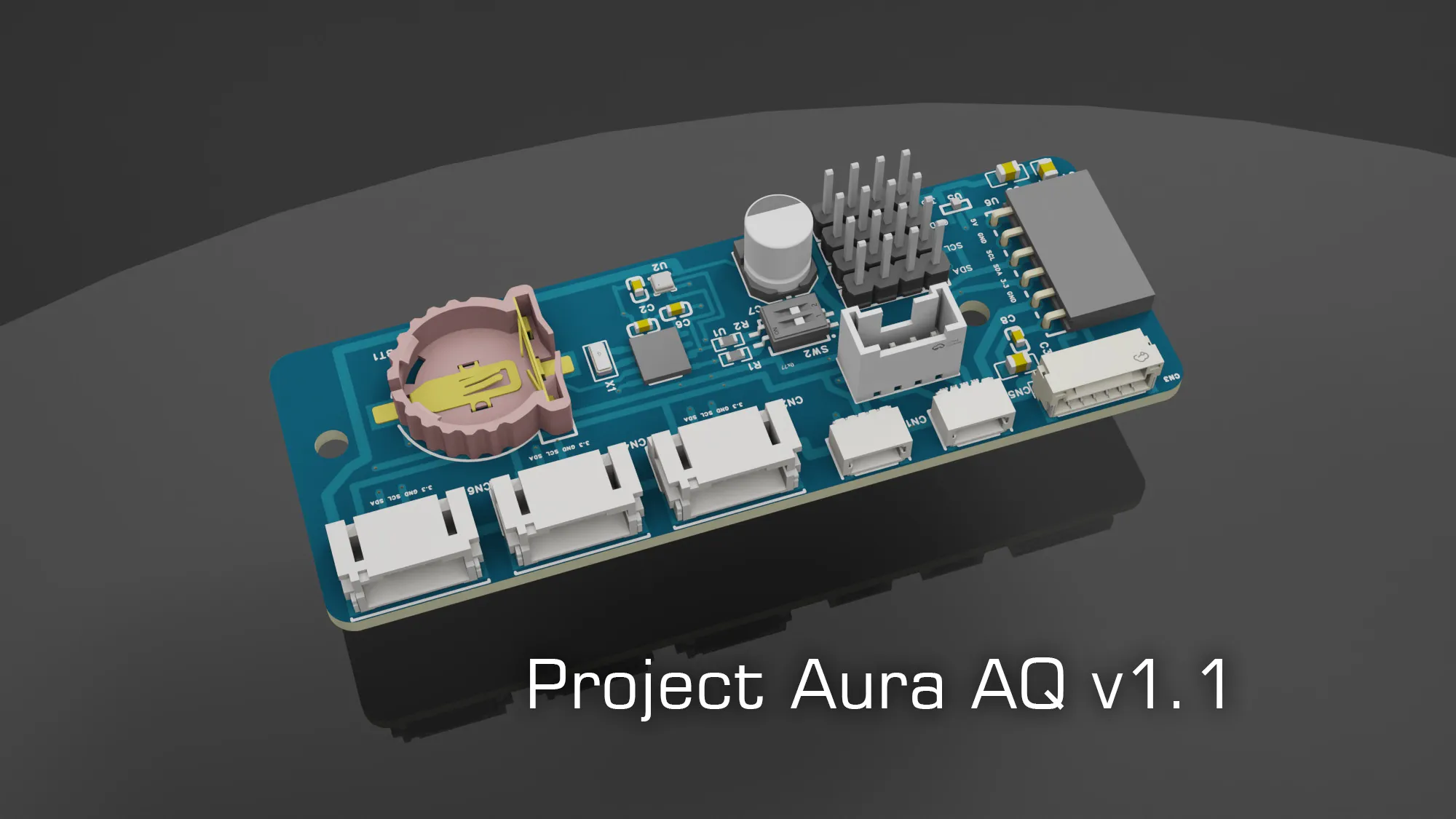 |
🌡️ Depending on the sensors you install, Aura can measure CO2, PM0.5, PM1, PM2.5, PM4, PM10, VOC, NOx, formaldehyde (HCHO), carbon monoxide (CO), temperature, humidity, dew point, mold risk, barometric pressure, and one optional specialized gas sensor such as NH3, SO2, NO2, H2S, or O3.
✅ Current status:
- Stable firmware: v1.1.5
- 4.3" and 7" display builds supported
- Four enclosure styles for the 4.3" board, plus Aura XL for the 7" board
- Recommended Aura PCB path and classic module-based path both supported
- Formaldehyde, CO, specialized gas, and 0-10V ventilation options supported
- Fully local operation, no cloud required
- Touchscreen UI supports 8 languages: English, Deutsch, Espanol, Francais, Italiano, Portugues BR, Nederlands, and Simplified Chinese
In short: Project Aura is for makers who want a serious air quality monitor, but do not want to spend days fighting firmware tools, soldering tiny connectors, or guessing which module goes where.
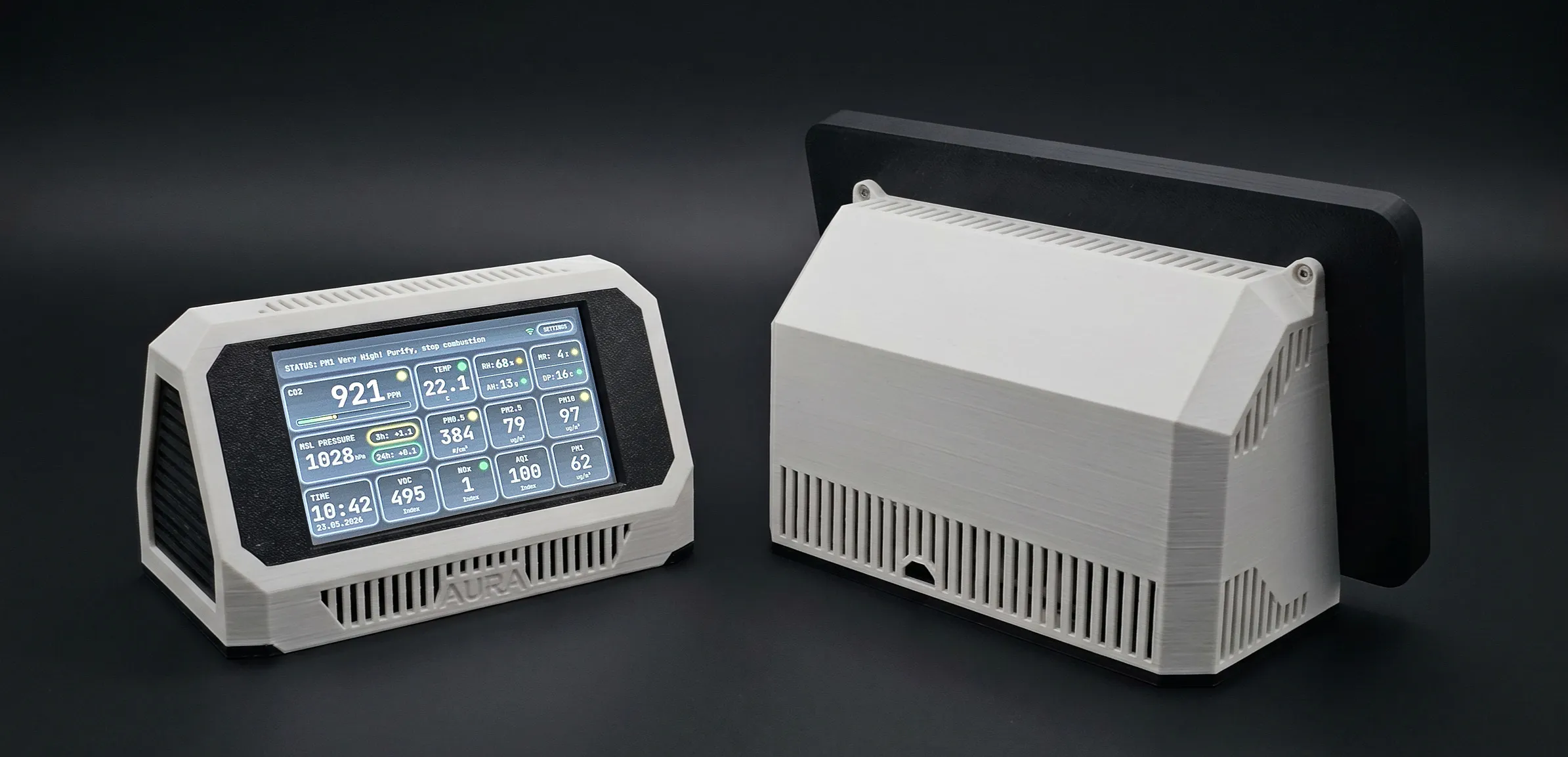
🎥 Watch Project Aura in Action
Before going into the full description, these two videos are the fastest way to
understand what Project Aura is.
Watch the original demo:
Start with the review / walkthrough:
🌬️ Why Indoor Air Matters
At some point I caught myself thinking: we live in amazing times. We track steps, sleep, heart rate, calories, ingredients and water quality.
But the air we breathe all day is still mostly invisible.
An adult takes roughly 20,000 breaths a day. Air is with us in the bedroom, kitchen, office, workshop, nursery, and print room. When something feels off, we usually guess: "Maybe I am tired." "Maybe the room is stuffy." "Maybe I should open a window."
Aura is built to replace that guesswork with real signals:
🧠 CO2: when a closed room starts to feel heavy, Aura shows if it is time to ventilate.
🌫️ PM0.5 / PM2.5 / PM10: cooking, smoke, dust, pollen, traffic, candles, and 3D printing can create particles you cannot see.
🚗 NOx / VOCs: gas stoves, traffic, solvents, cleaners, paints, and everyday materials can change the chemical profile of a room.
🧪 HCHO: new furniture, flooring, glues, renovation materials, and resins can release formaldehyde. Aura can measure it directly with optional SFA sensors.
💧 Humidity, dew point, and mold risk: too dry, too damp, or condensation-prone air becomes easier to understand.
👶 Kids and sensitive spaces: bedrooms, nurseries, offices, and workshops deserve more than "it feels fine".
Aura turns invisible air changes into visible numbers, trends, colors, charts, and actions you can actually use.
📊 What Aura Measures
Aura is not just a temperature and CO2 display. It is designed to show several different types of indoor air problems at the same time.
Particles: PM0.5, PM1, PM2.5, PM4, PM10
Fine and ultrafine particles can come from 3D printing, cooking, candles, smoke, dust, pollen, traffic, and outdoor pollution entering the room. PM0.5 is especially useful for 3D printing and combustion events because tiny particles can spike before normal PM2.5 readings look dramatic.CO2
High CO2 usually means the room needs fresh air. It is one of the easiest ways to see when a bedroom, office, classroom, or workshop is under-ventilated.VOC and NOx index
These readings help track changing chemical air quality from cleaning products, solvents, cooking, furniture, paints, adhesives, printers, outdoor pollution, and other everyday sources.
Formaldehyde (HCHO)
Aura supports Sensirion SFA30 and SFA40 formaldehyde sensors. This is useful around new furniture, renovation materials, flooring, glues, resins, and other materials that can release formaldehyde over time.Carbon monoxide (CO)
With the optional DFRobot SEN0466 electrochemical CO sensor, Aura can monitor real carbon monoxide instead of estimating it indirectly.Optional specialized gas sensor
Aura can also support one optional DFRobot electrochemical gas sensor at a time: NH3, SO2, NO2, H2S, or O3. This is useful for more specific environments such as workshops, labs, agricultural spaces, garages, or locations with known outdoor pollution problems.Comfort and building conditions
Aura also measures temperature, relative humidity, absolute humidity, dew point, mold risk, barometric pressure, and pressure trend. These are useful for comfort, ventilation decisions, condensation risk, mold prevention, and weather-related pressure changes.- Smart fallback
If an optional sensor is not installed, Aura keeps the interface useful instead of showing empty cards. For example, the HCHO card can fall back to AQI, and dashboard space can adapt to the sensors you actually installed.
🏠 Choose Your Enclosure
Project Aura is not locked to one look.
For the 4.3" Waveshare ESP32-S3-Touch-LCD-4.3 board, there are four enclosure options:
Standard Desktop EnclosureClean, compact, and closest to the original Project Aura look. Best for desks, shelves, | 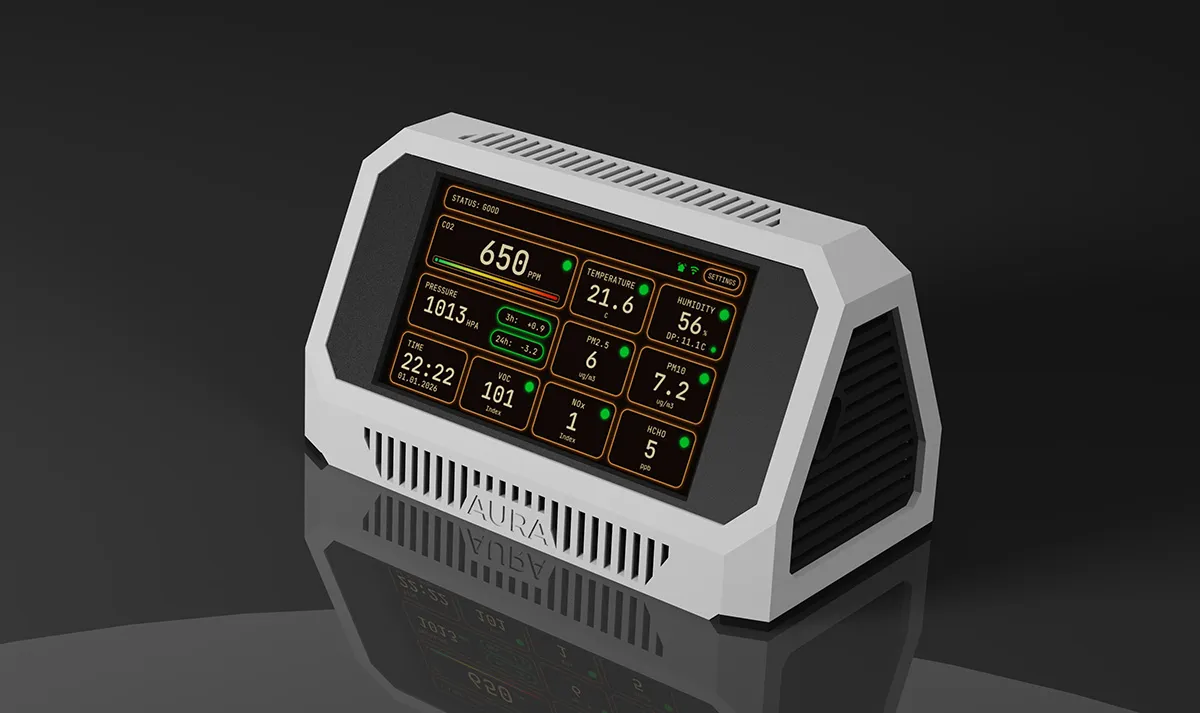 |
Wall-Mount EnclosureDesigned for places where you want Aura visible but out of the way: hallways, workshops, bedrooms, kitchens, and home labs. | 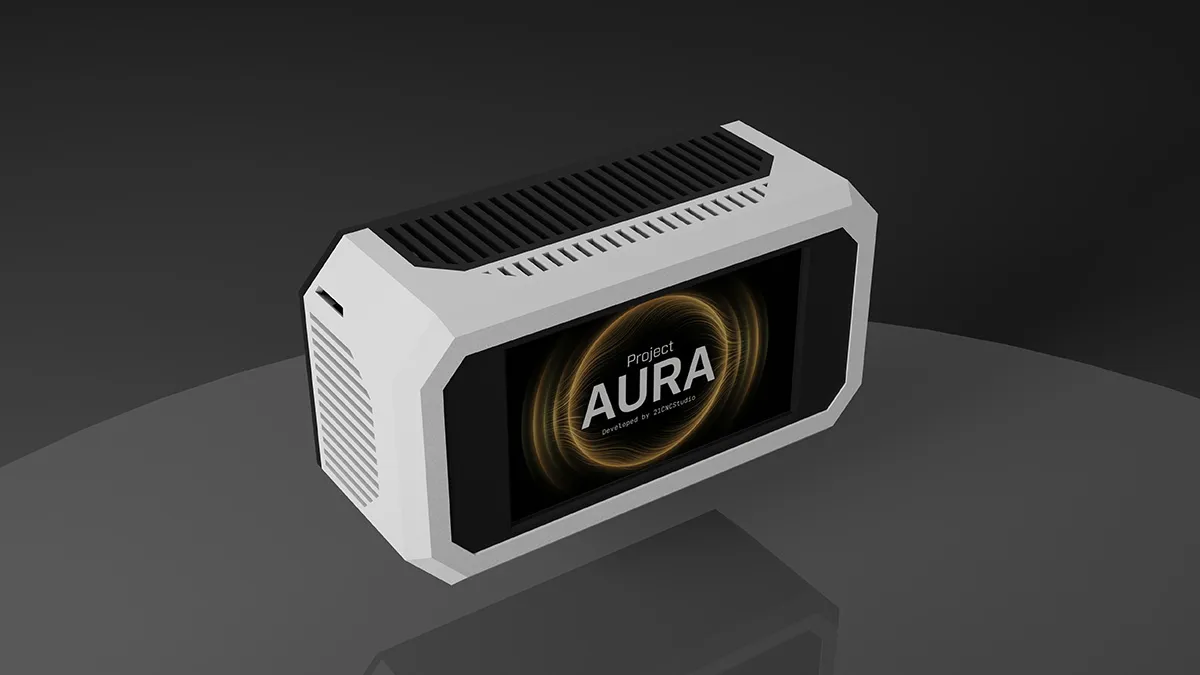 |
Industrial / Bunker EnclosureA more aggressive enclosure style for workshops, labs, garages, print rooms, or anyone | 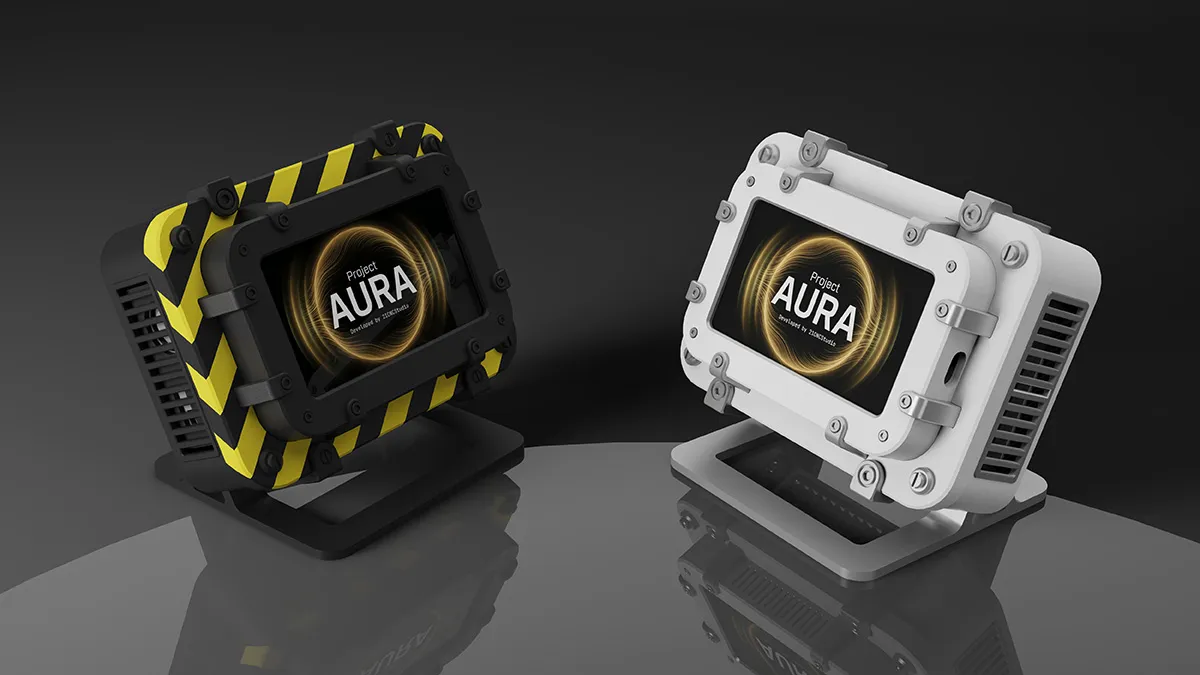 |
Lunar Artifact Enclosure
A more experimental sci-fi enclosure with a strong visual identity. | 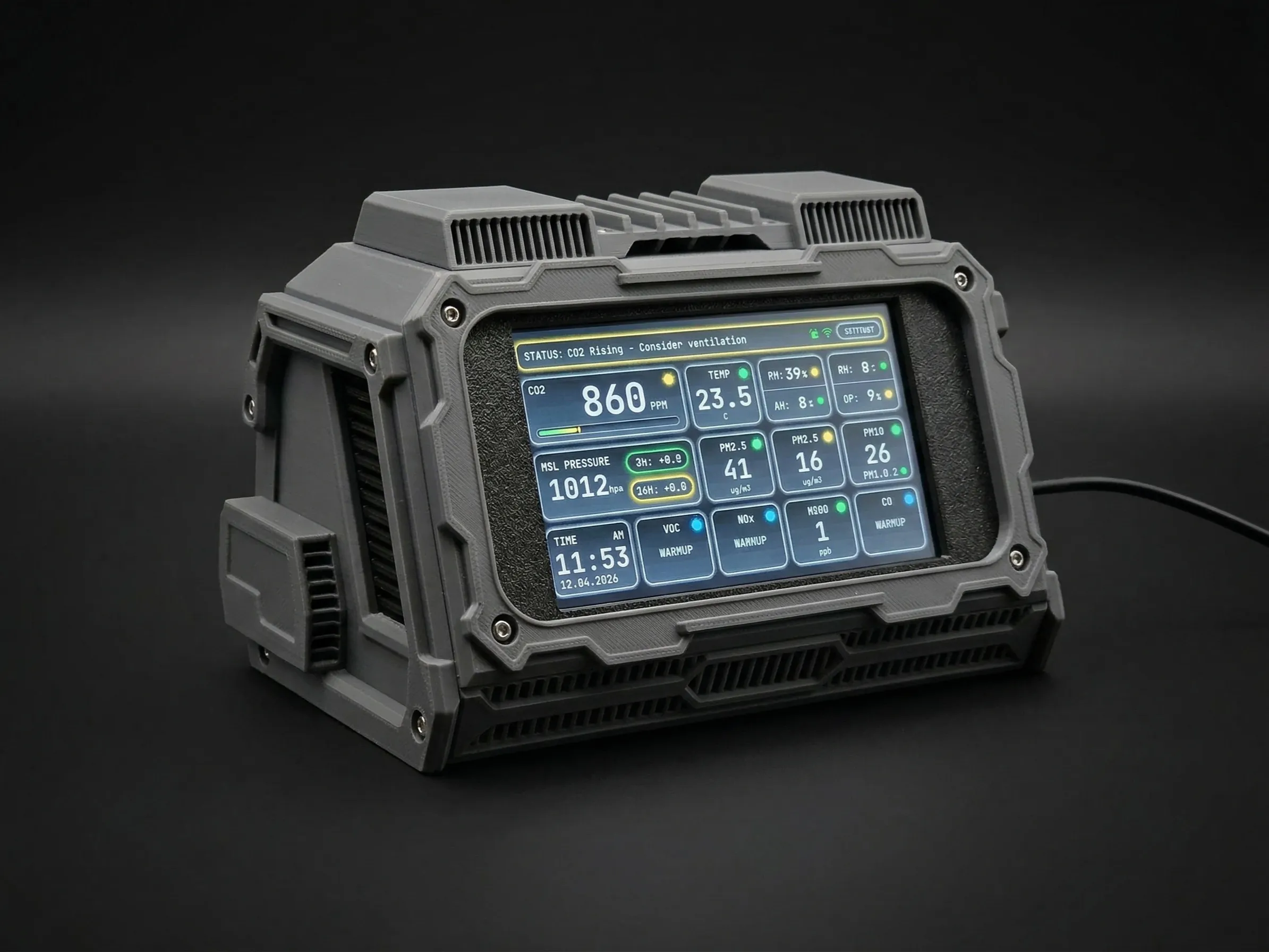 |
There is also a separate 7" version:
7" Display Enclosure
Important: the 7" enclosure is not compatible with the A1 Mini because the screen frame is too wide for the A1 Mini build volume. | 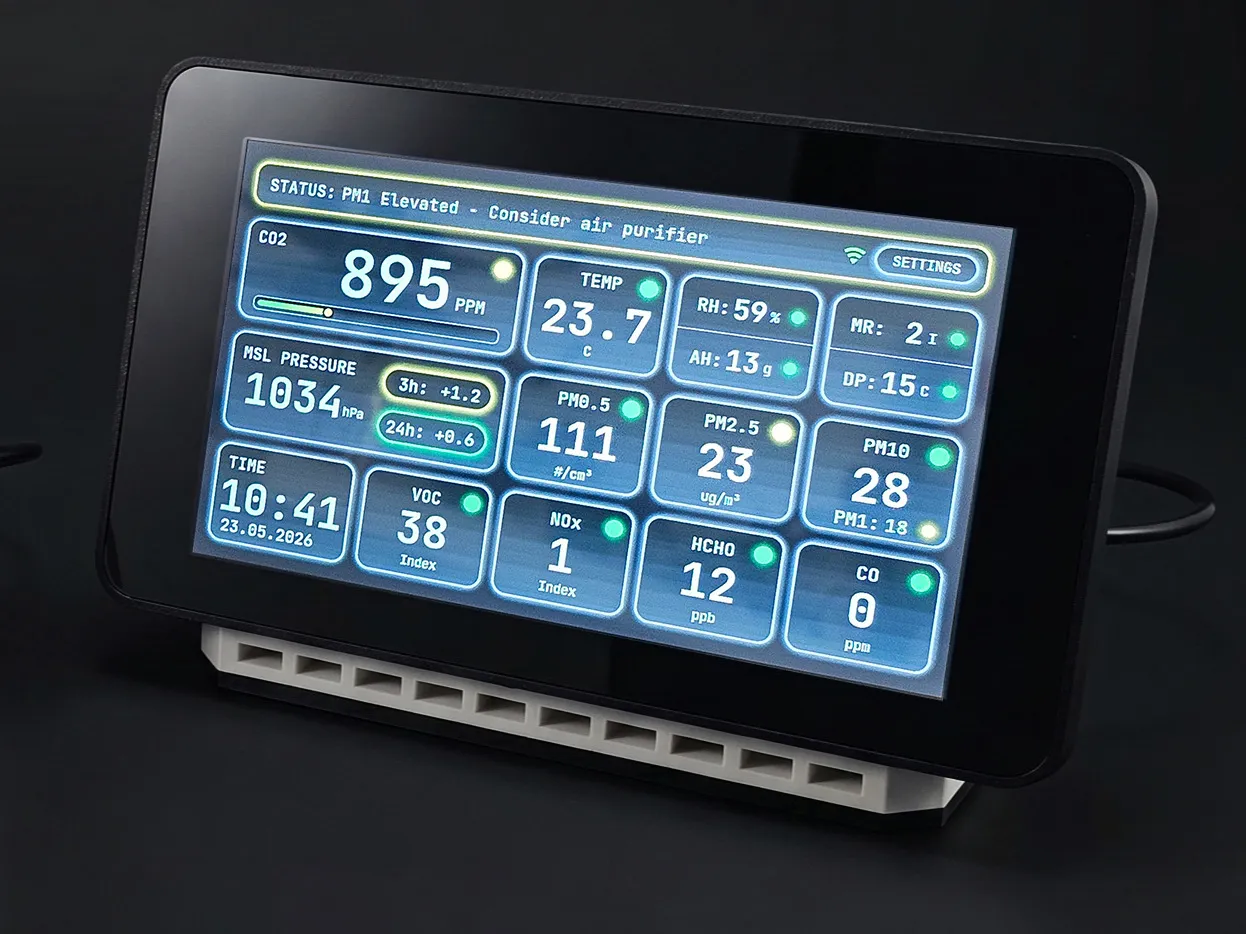 |
⚠️ Important: You Are Building the Device Yourself
Important: this is not a ready-made device.
By backing this project, you receive the digital build ecosystem.
Electronic components are purchased separately. You can build Aura using the classic module-based BOM, or use the newer custom PCB option to simplify the wiring and reduce the number of separate modules.
📦 What You Get
Backers receive:
- 3D-printable enclosure files
- Bambu-ready 3MF build plates
- STL files
- Build guide / assembly instructions
- Firmware releases
- Web firmware installer
- OTA firmware files
- Access to the open-source firmware repository
- Ongoing project updates
🎯 All unlocked stretch goals are included:
- Wall-mount enclosure
- Industrial / bunker-style enclosure
- Lunar Artifact enclosure
- Real CO sensor firmware support
- Direct 0-10V ventilation control support
- Real-time local web dashboard
- Aura XL 7" Edition enclosure
Depending on your reward tier, you may also receive STEP source files or a commercial license.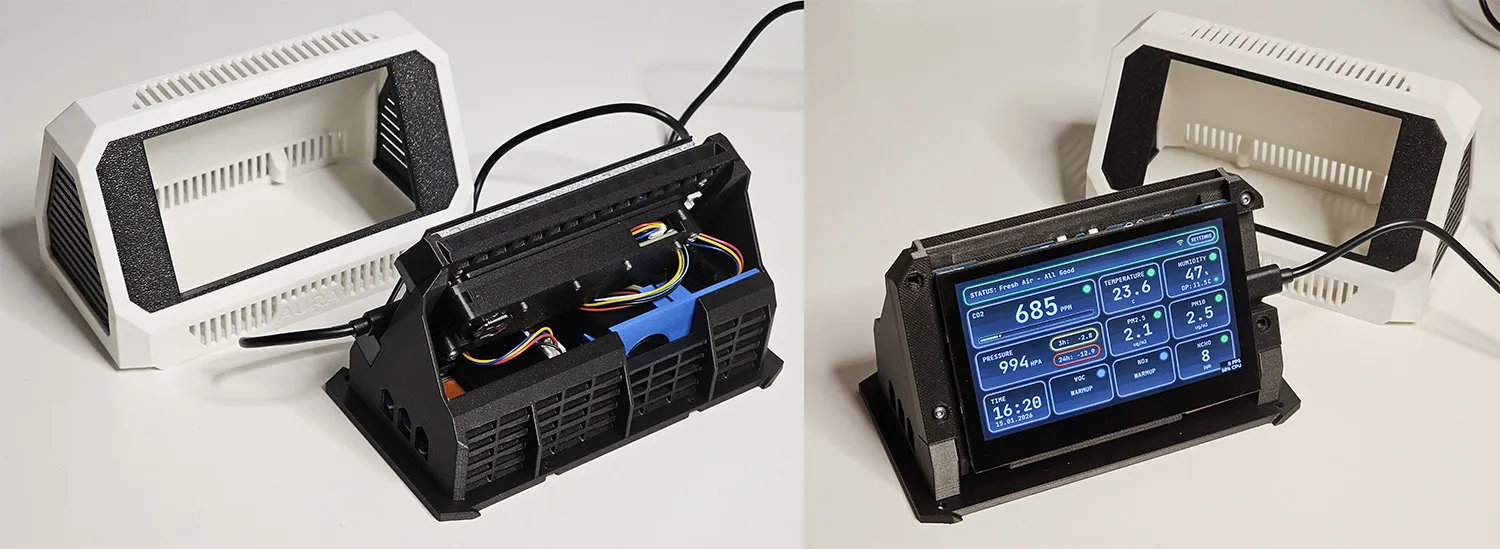
🧰 Build Options and BOM Paths
Project Aura can now be built in more than one way.
Step 1: Choose the display board
| 4.3" build - Uses the Waveshare ESP32-S3-Touch-LCD-4.3 board - Compact size - Four enclosure styles available - Best choice for most builders - 16MB flash is mandatory | 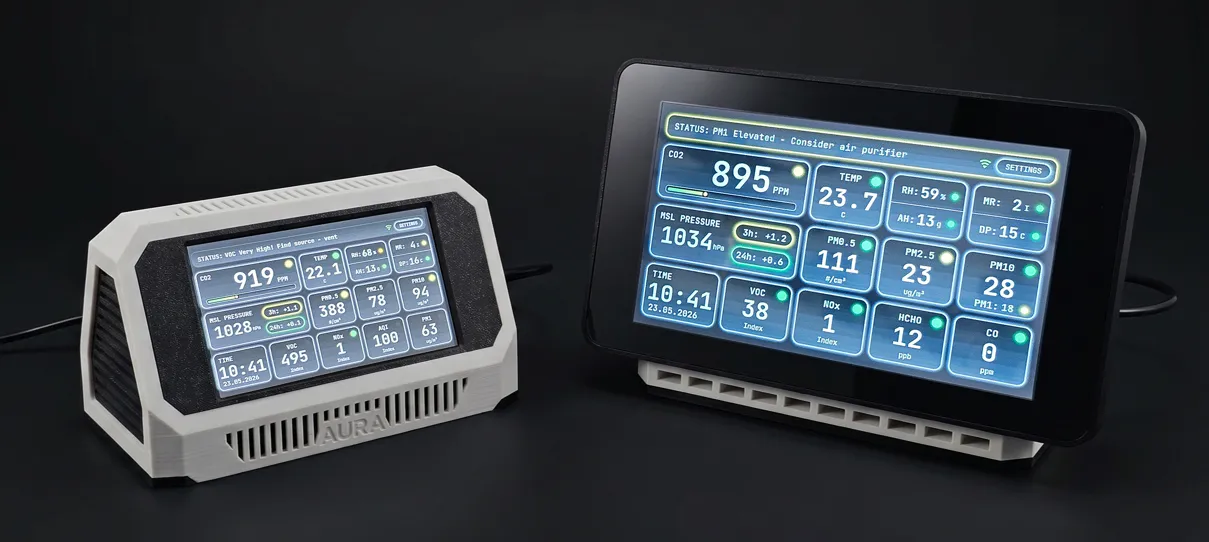 | 7" build / Aura XL - Uses the Waveshare ESP32-S3-Touch-LCD-7.0 board - Larger screen and larger enclosure - Better readability from across the room - 16MB flash is mandatory - Not compatible with A1 Mini due to size |
| ⚠️ Important board warning: - 8MB flash Waveshare boards will not work with Project Aura firmware and filesystem - Buy the correct 16MB flash version and verify the listing before ordering | ||
Step 2: Choose the electronics assembly path
Choose one of these two electronics paths. You do not need both.
1. Recommended path: build with the custom Aura PCB
- Replaces several separate modules and wiring steps with one dedicated board
- Cleaner internal layout
- Easier assembly
- Built-in pressure sensor, RTC, SEN66 connection path, capacitor, and sensor connectors
- Lets most optional sensors connect with the cables included with those sensors
- Best choice for new builders when the PCB is available in your region
- You still need the Waveshare board, SEN66, power supply, USB cable, enclosure, and any optional sensors you choose to install
- You no longer need separate RTC, pressure module, SEN66 breakout, capacitor terminal, STEMMA QT hub, and many short interconnect cables
Aura AQ PCB ~$50 Below are options for where to buy the board. | 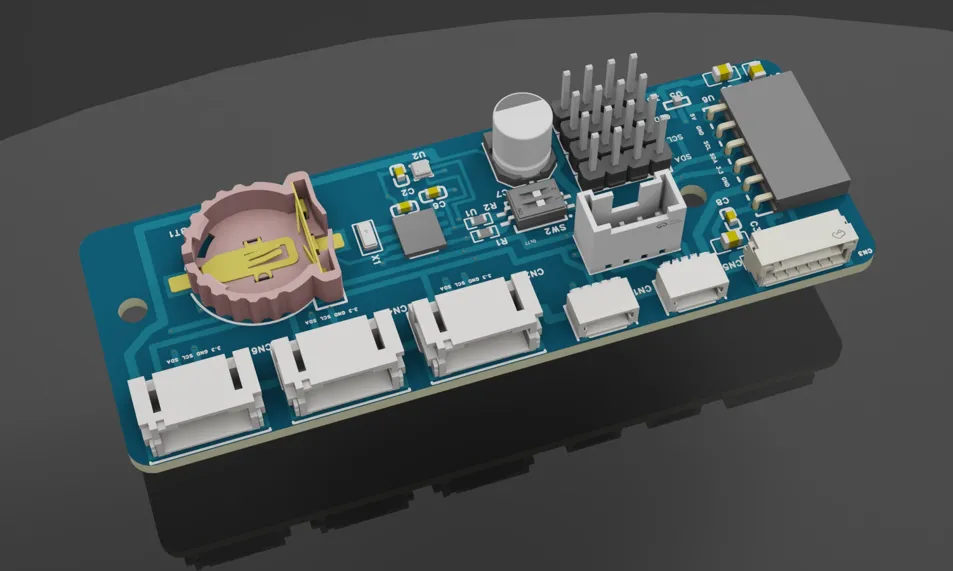 | Main Sensor ~$60
| 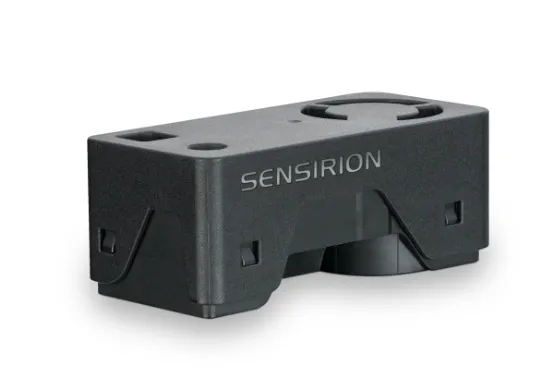 |
| Cable (Type 3) ~$1 JST GH 1.25mm Pitch 6 Pin Cable - 100mm long | 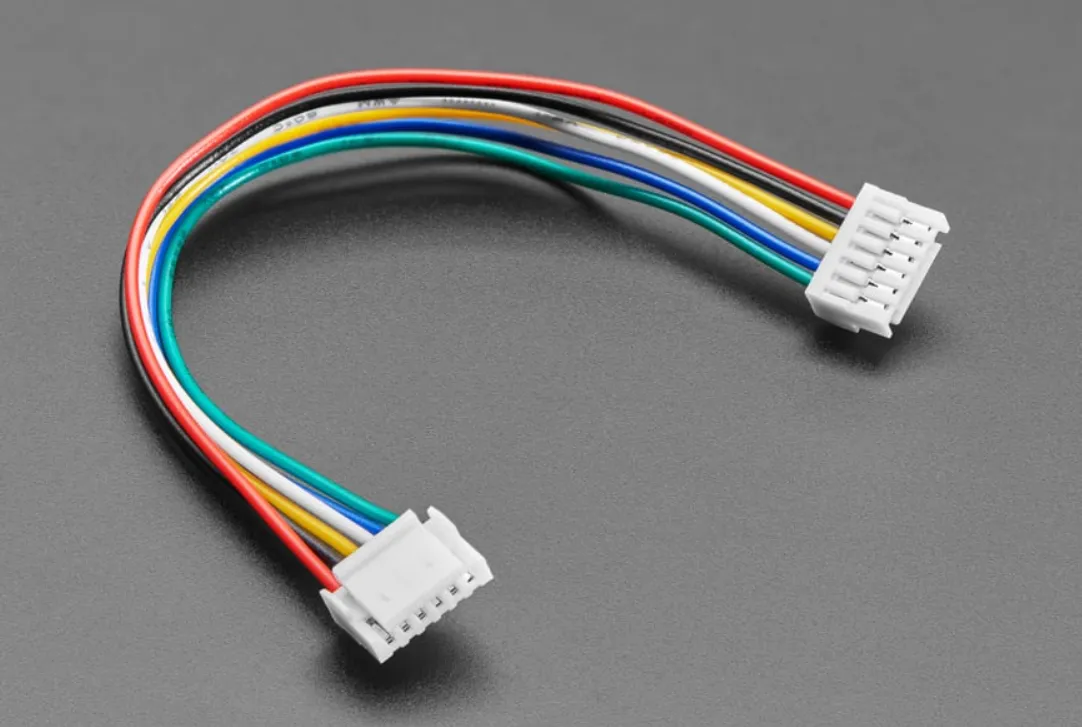 | Battery ~$1
CR1220 3V Lithium Coin Cell (for RTC) | 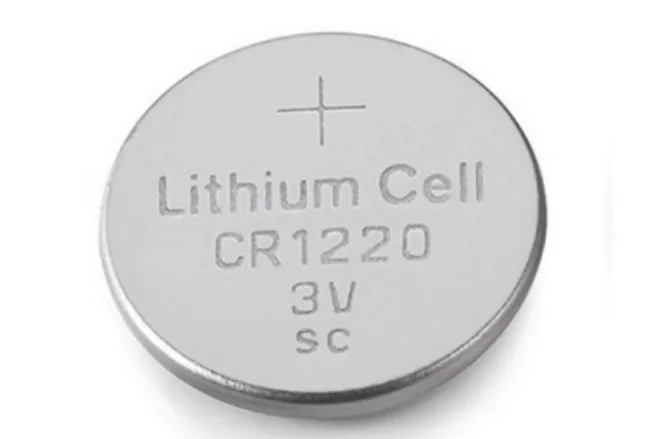 |
Fasteners ~$3
Bolts M2.5x6 BHCS Machine Screw (e.g., Bambu Lab Store) - 40 pcs | 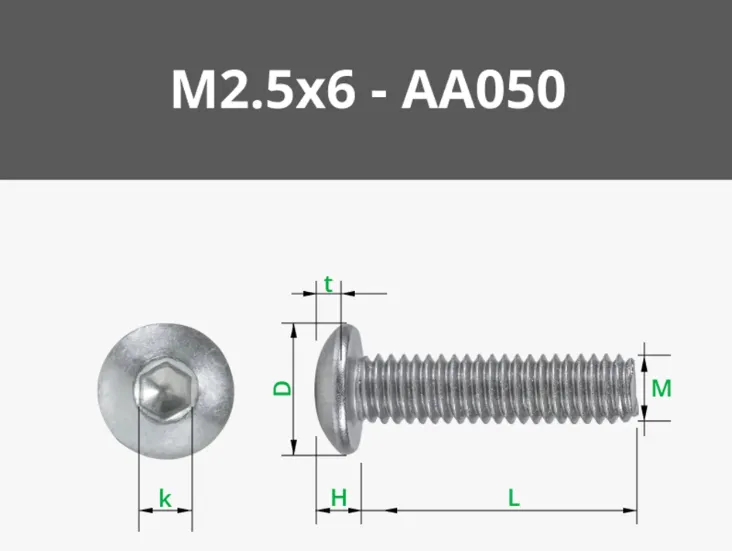 | With the Aura AQ PCB you don't need any additional cables. The main Waveshare board and optional sensors (SFA40, CO, DAC) all connect using the cables that come included with them. The Aura AQ PCB has all the necessary connectors built in. | |
🔌 Where to buy the Aura PCB
I do not sell electronic components directly, but you have two great options to get your hands on the official board depending on what works best for you. Availability, pricing, and shipping options may vary by country.
Option 1: Direct from PCBWay (Best for custom orders & small batches)
You can easily order the board directly from PCBWay. This is a fantastic choice if you want to grab a few boards for your local maker group, build devices together with friends, or just experience the excitement of ordering custom hardware fresh off the factory line.
Since every order is custom-manufactured, fully assembled, and reviewed by their engineers before international shipping, it does take a little time to arrive (usually around 3–4 weeks) — but getting a premium, custom-made piece of hardware is absolutely worth the brief wait!
Option 2: Local Resellers (Fastest & easiest for single boards)
If you just need a single board and want to get building right away, buying from a local reseller (Aura AQ Merchant License Backers) is your best bet.
Please note: These verified resellers stock the exact same high-quality PCBs manufactured by PCBWay. However, because they import them in bulk ahead of time, you get the benefits of faster local delivery, simpler payment options, and zero customs surprises.
- PCBWay direct order: https://www.pcbway.com (check update #37)
- Smartdomo, Germany: https://smartdomo.de/
- Cuzom Shop, Finland: https://cuzom.com/
- SVR 3D Prints, Dutch: https://svr3dprints.nl/
- Savi Dynamics, Chicago IL: https://shop.savidynamics.com
- Manger Made LLC, Union Ohio: https://mangermadellc.com/
- Myndworx Asylum, Australia/New Zealand: https://www.myndworx.com/
- Check current reseller availability before ordering.
📺 See it in Action: PCB vs. Module-Based Build
If you're still deciding which route to take, check out the comprehensive step-by-step video guide below! In this video, you can visually see exactly how to connect everything—both the original module-based setup (without the PCB) and the new Aura XL build (using the custom PCB).
🎥 Watch the Full Assembly Guide Here:
2. Classic path: build with Adafruit / STEMMA QT / Qwiic modules
- Uses the original individual modules and plug-in wiring
- Still fully supported by the firmware and build guide
- Best if you already bought the original BOM components
- Gives the most flexibility for sourcing equivalent pressure, RTC, and hub modules
- Requires more cables and more attention to connector pinouts
- Do not skip the electrolytic capacitor listed in the BOM
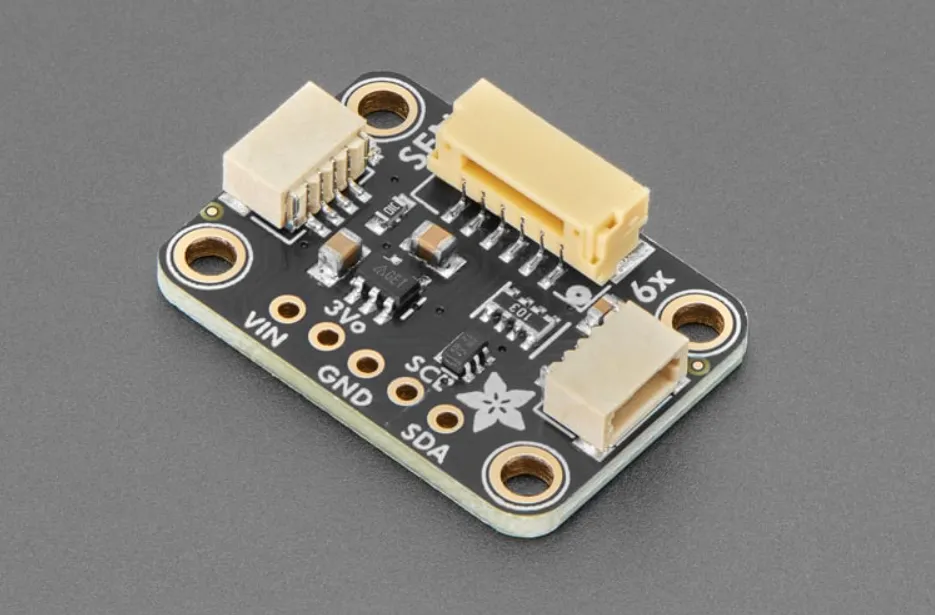
- Adafruit SEN6x breakout is recommended when available, but SEN66 can be connected
directly if you follow the guide
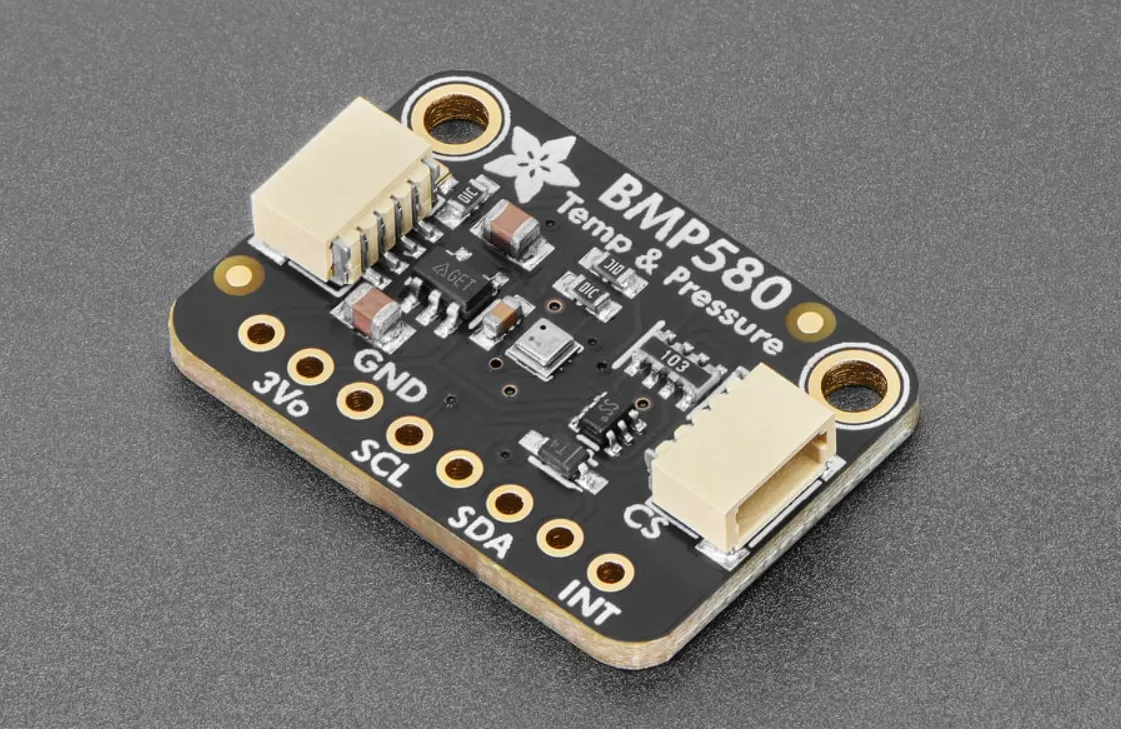
- Supported pressure sensor options include BMP580, BMP581, BMP585, BMP388, BMP390,
and DPS310
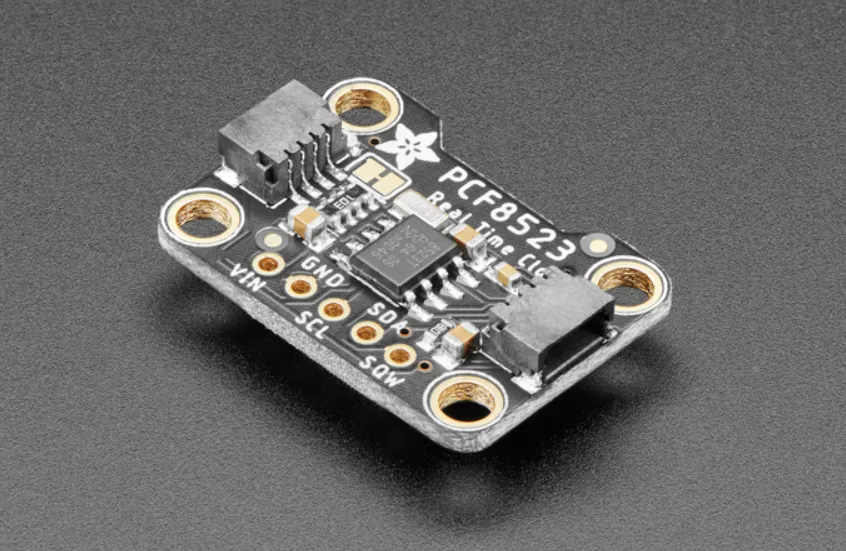
- Supported RTC options include PCF8523 and DS3231
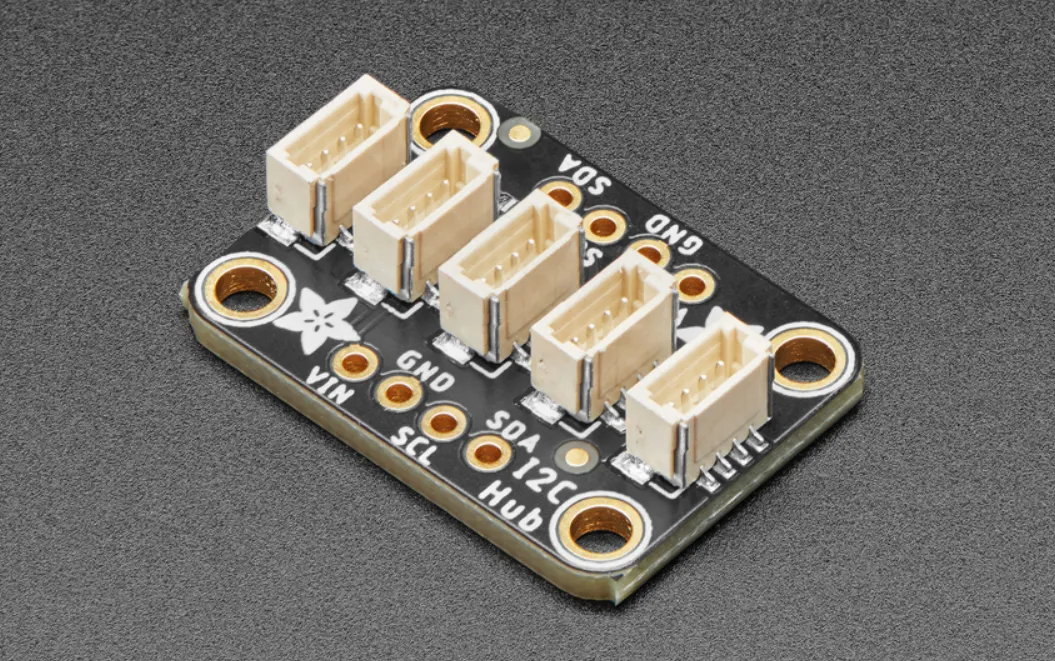
- Any proper STEMMA QT / Qwiic I2C hub should work; Grove hubs can also work with the
correct cables
Adapter for SEN66 ~$6
|  | Main Sensor ~$60
| |
Barometer ~$8
|  | Clock (RTC) ~$7
|  |
I2C Hub ~$6
|  | Capacitor (Power) ~$0.5
Aluminium Electrolytic Capacitor - Radial Leaded 10V 470uF | 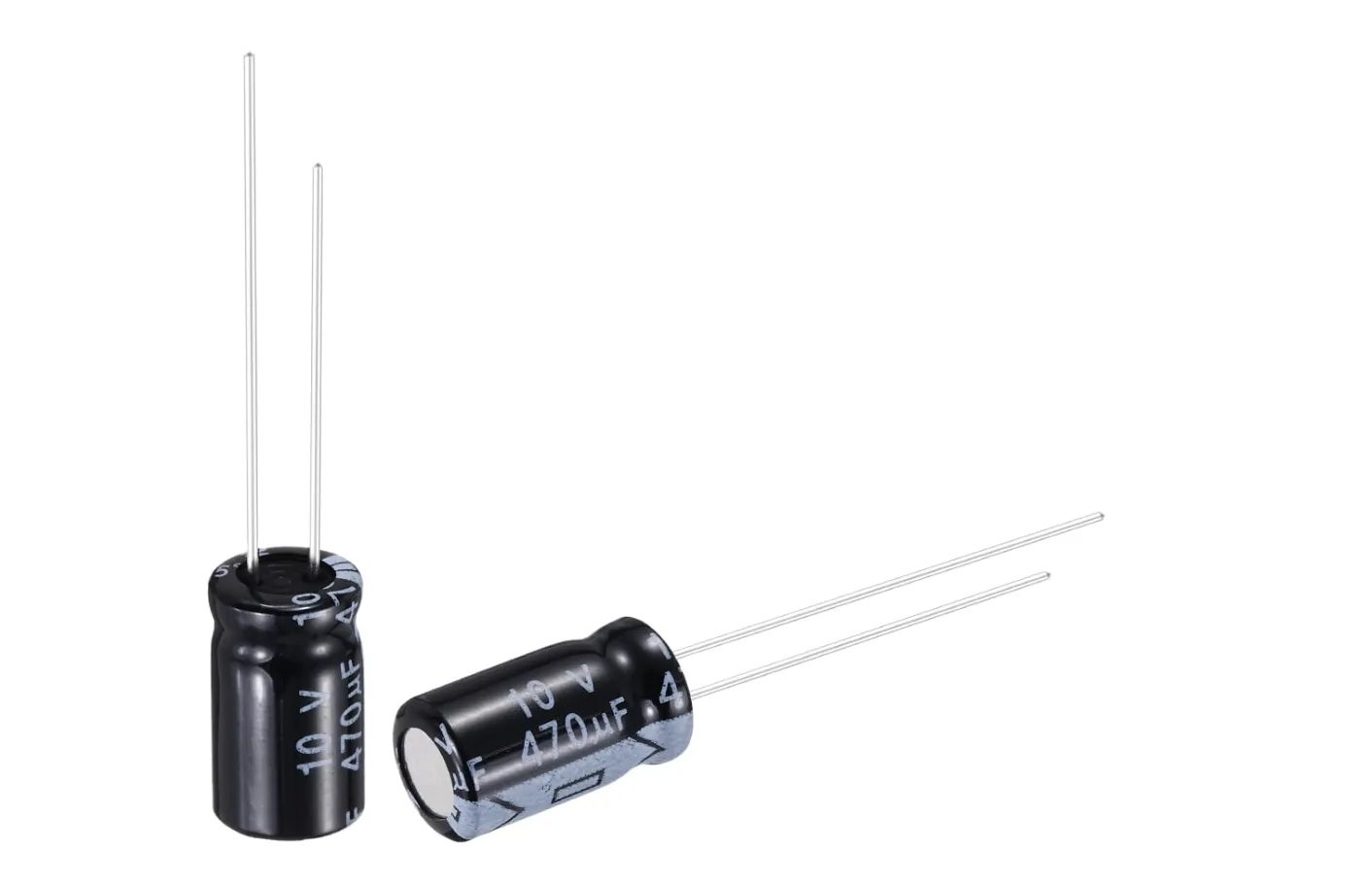 |
Cables (Type 1) ~$4
Grove to STEMMA QT / Qwiic / JST SH Cable - 100mm (3 pcs) | 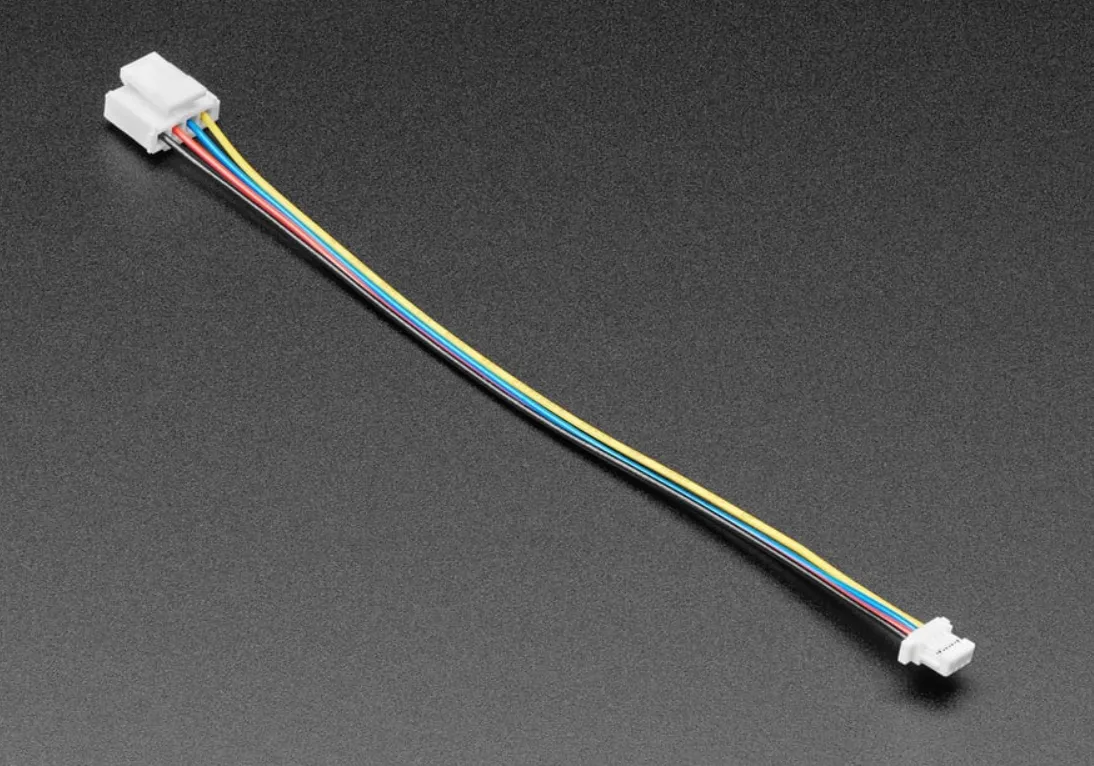 | Cables (Type 2) ~$4
Qwiic/STEMMA QT-Compatible Cable - JST-SH 4-Pin 50mm (3 pcs) | 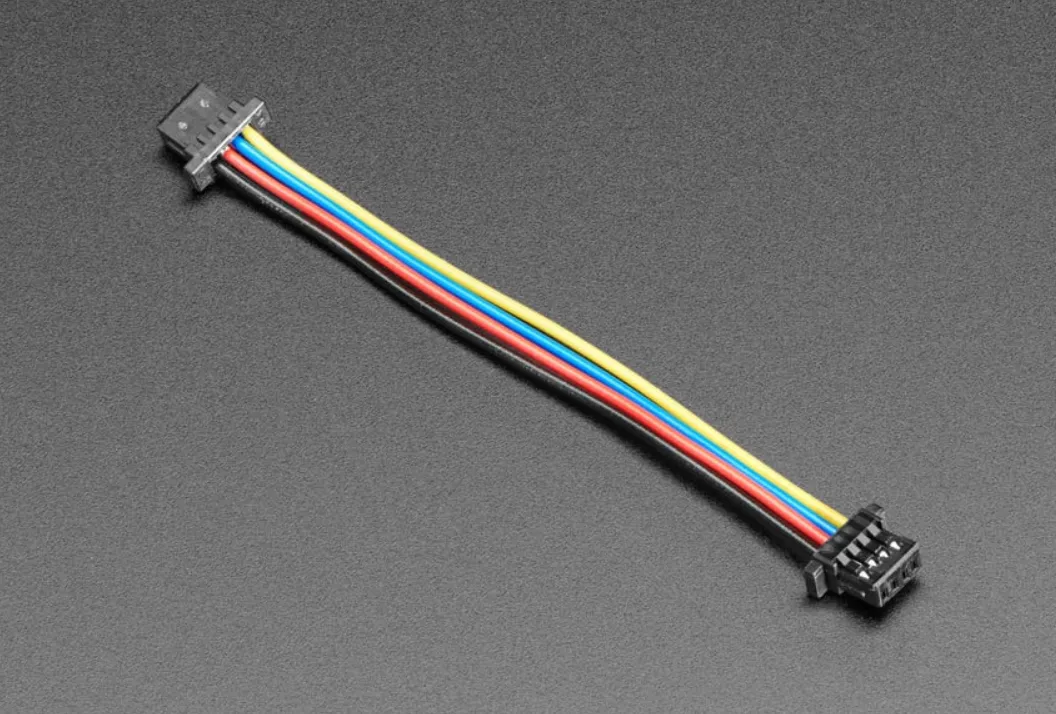 |
| Cable (Type 3) ~$1 JST GH 1.25mm Pitch 6 Pin Cable - 100mm long | | Power Terminal ~$3
| 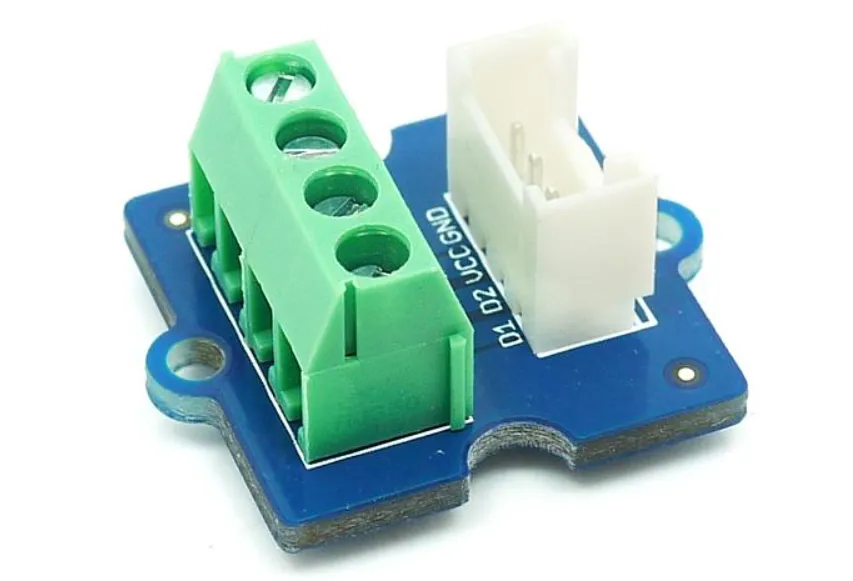 |
Fasteners ~$3
Bolts M2.5x6 BHCS Machine Screw (e.g., Bambu Lab Store) - 40 pcs | | Battery ~$1
CR1220 3V Lithium Coin Cell (for RTC) | |
Well-known distributors and manufacturers include:
- Global / Industrial: Mouser, DigiKey, LCSC
- USA: Adafruit, SparkFun
- Europe: BerryBase, Botland, TinyTronics
- UK: The Pi Hut, Pimoroni, Cool Components
- Manufacturers & maker brands: Sensirion, Adafruit, Seeed Studio, Waveshare
- Maker-oriented retailers: SparkFun, Pimoroni, PiHut, BerryBase, Botland, TinyTronics
Choosing reputable suppliers in your region usually results in better pricing, faster delivery, and easier returns.
Step 3: Choose optional sensors and ventilation control
The SEN66 is the main sensor and is enough for a useful Aura build. Everything below is
optional. Add only the sensors that make sense for your room, workshop, printer setup,
or automation goals.
| Optional formaldehyde (HCHO) - Sensirion SFA30 is supported - Sensirion SFA40 is supported and auto-detected - SFA40 is available as the DFRobot SEN0661 breakout - Useful around new furniture, flooring, renovation materials, glues, resins, and other materials that may release formaldehyde | 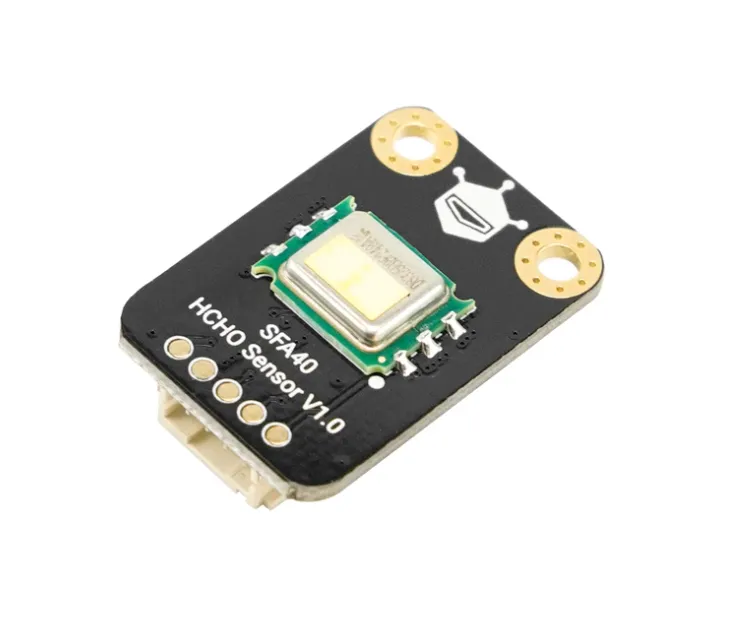 | Optional carbon monoxide (CO) - DFRobot SEN0466 factory-calibrated electrochemical CO sensor is supported - This is a real CO sensor, not an estimated CO value - If the sensor is not installed, Aura keeps working normally and CO is simply marked unavailable |  |
| Optional specialized DFRobot gas slot - Aura supports one additional DFRobot electrochemical gas sensor at a time - Supported options: - SEN0469 NH3 - SEN0470 SO2 - SEN0471 NO2 - SEN0467 H2S - SEN0472 O3 - This slot is for specialized use cases. Most home builders do not need every gas sensor. - The optional gas module must be set to I2C address 0x75. | | Optional 0-10V ventilation control - Aura supports the DFRobot DFR0971 2-channel I2C DAC module - The firmware uses the 0-10V output for ventilation control - Useful if your fan, damper, HVAC input, or ventilation controller accepts a 0-10V control signal - The DAC does not power a fan directly. It only provides a control signal. - Do not connect mains voltage to Aura. Use only the documented low-voltage control wiring for compatible equipment. |  |
With the custom Aura PCB, these optional modules connect much more cleanly because the board already includes the needed sensor connectors. With the classic module-based path, you may need additional cables, hubs, or adapters depending on the exact modules you buy.
| |||
I do not sell electronic components and I cannot take responsibility for product availability, pricing, shipping, warranties, customer support, or any issues related to third-party suppliers.
If you prefer, you are absolutely free to source equivalent components from other vendors or marketplaces on your own.
🖥️ Touchscreen Interface
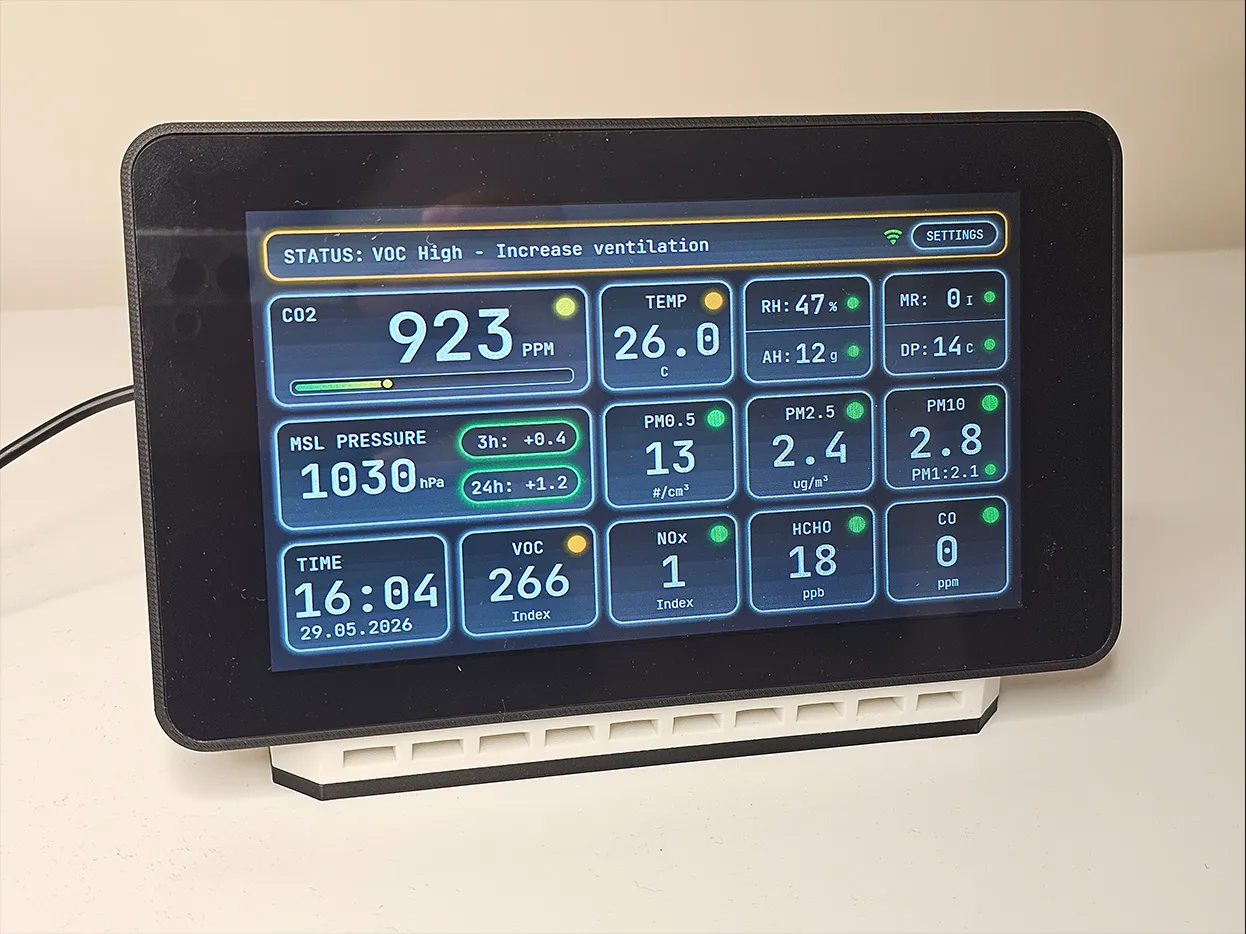
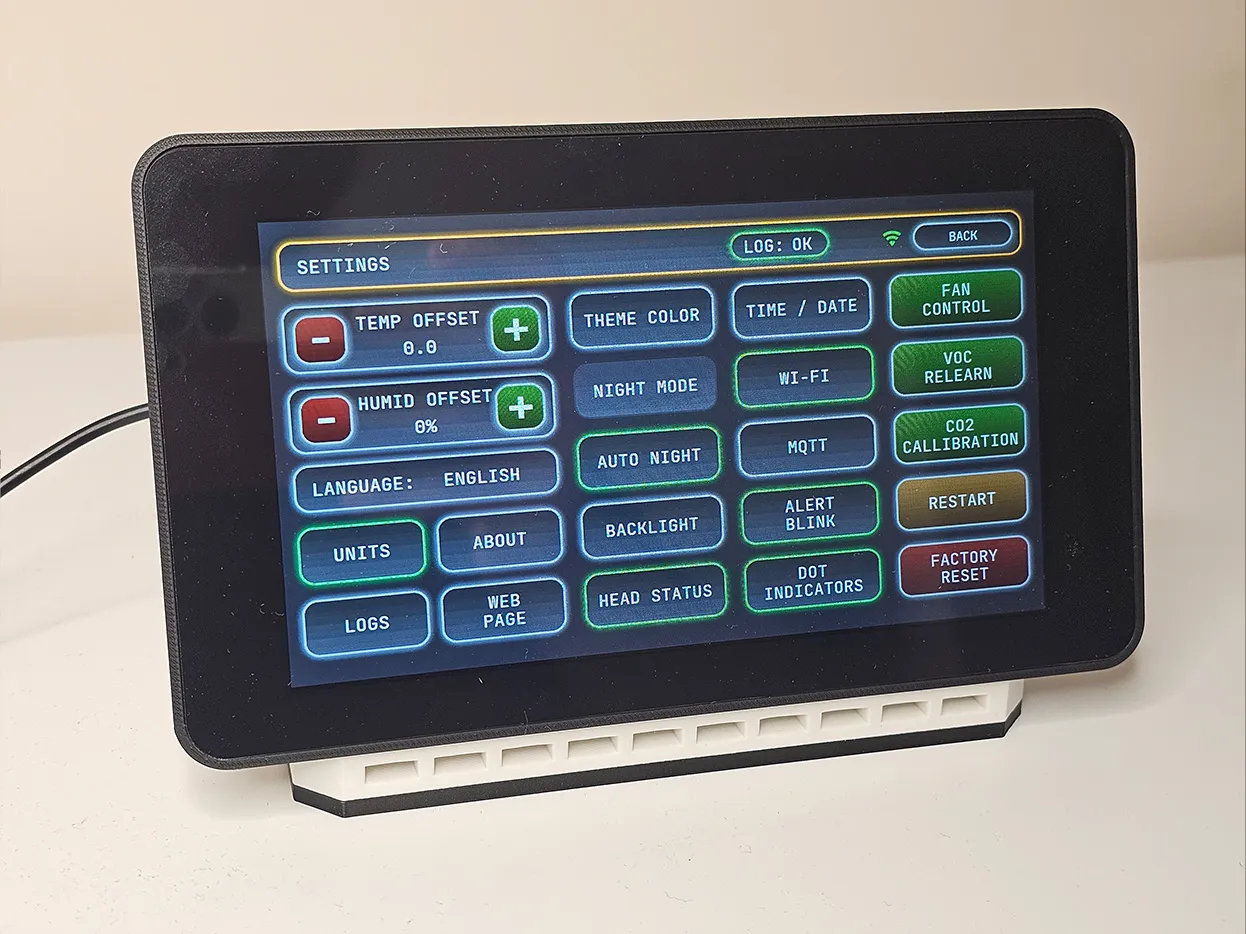
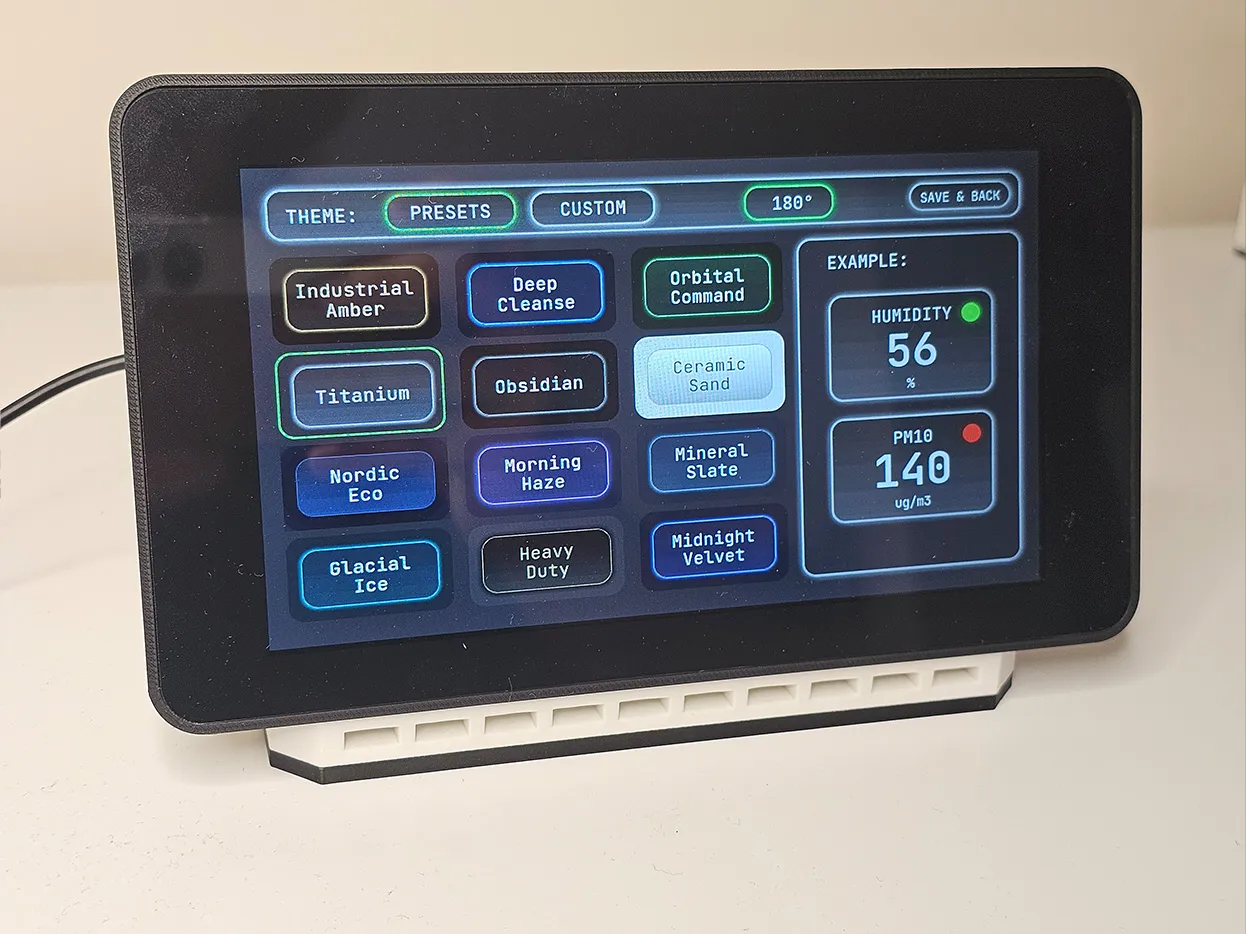
Aura is not just a list of numbers. The device has a touch-friendly LVGL interface with large readable values, color-coded status, smooth screen transitions, gradients, shadows, themes, and settings that can be changed directly on the screen.
Main Dashboard
|  |
Settings Screen
|  |
Themes Screen
|  |
💾 Firmware, Web Dashboard, OTA, and Home Assistant
Aura runs fully locally. Your air quality data stays on your network.
First flash: browser + USB cable
The first firmware installation is done with the web installer. You connect the
Waveshare board with a USB cable, open the installer in a browser, and flash the
firmware from there. The build guide explains this step in detail. No coding, no
Arduino IDE, no PlatformIO, no command line.
Setup: optional Wi-Fi portal
Wi-Fi is optional. Aura can work as a standalone touchscreen device, but if you connect
it to your Wi-Fi network, the local web dashboard, OTA updates, MQTT, and Home Assistant
integration become available. OTA updates can also be done through Aura's own Access
Point mode, so you do not need home Wi-Fi just to update the device.
Daily use: touchscreen + local web dashboard
Aura can be used directly from the touchscreen, but it also serves a full web dashboard
from the device itself. Open it from a phone, tablet, or computer on the same network to
see live readings, charts, event logs, settings, diagnostics, and system information.
Updates: OTA from the dashboard
After the first flash, you do not need to reconnect Aura to a computer for normal
updates. Download the latest OTA firmware file from GitHub, open Aura's local dashboard,
upload the .bin file from your computer or even from your phone, and the device updates
itself. This can be done over your home Wi-Fi network or directly through Aura's Access
Point mode.
Home Assistant and MQTT | |
| Aura supports MQTT and Home Assistant auto-discovery. Connected sensors can appear in Home Assistant automatically, including optional sensors when they are installed. A ready-to-use dashboard example is also provided. | 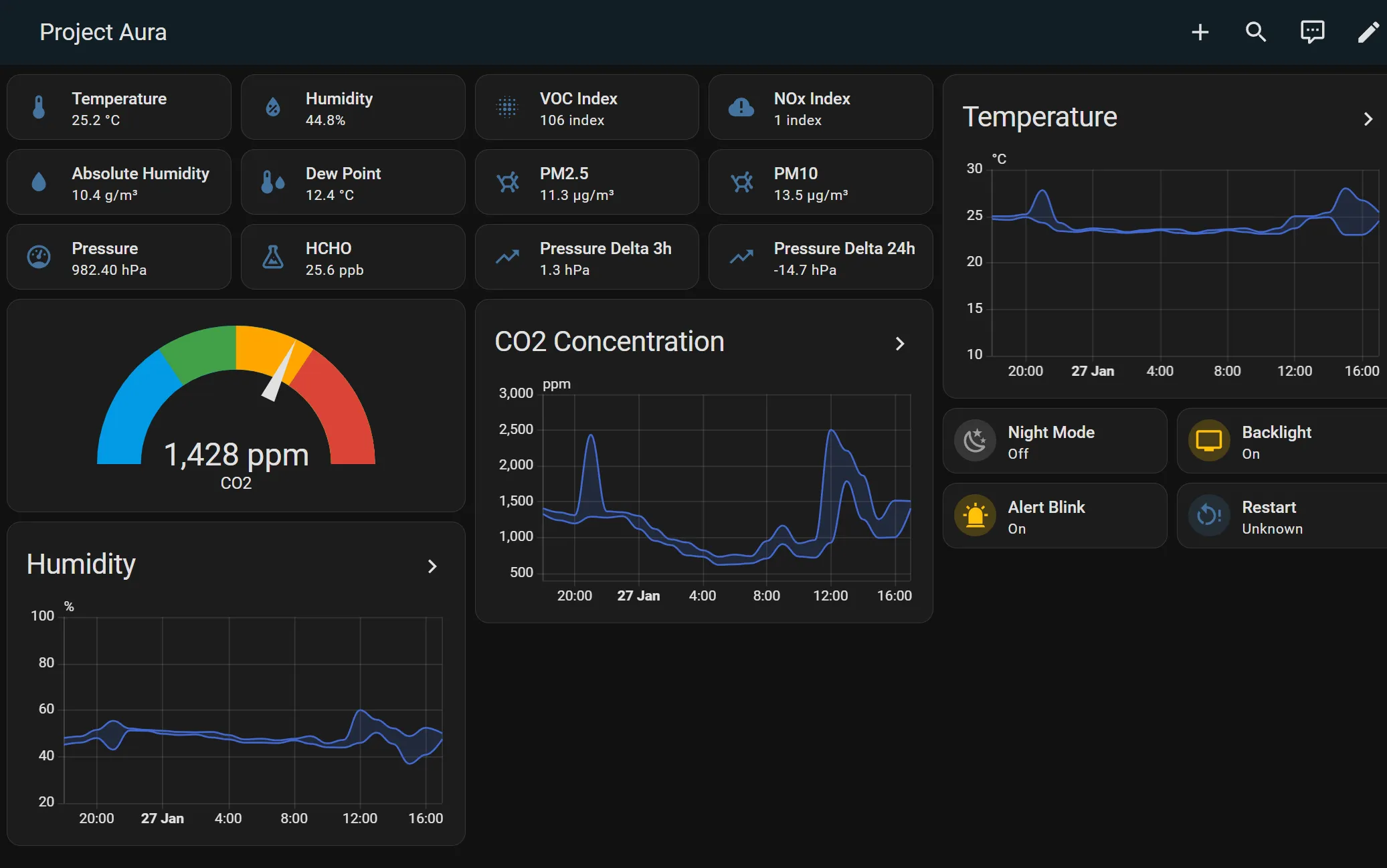 |
Advanced local controls | |
| The web dashboard also includes tools for custom display thresholds, DAC ventilation control, system logs, firmware update status, night mode, display timeout and theme settings. | 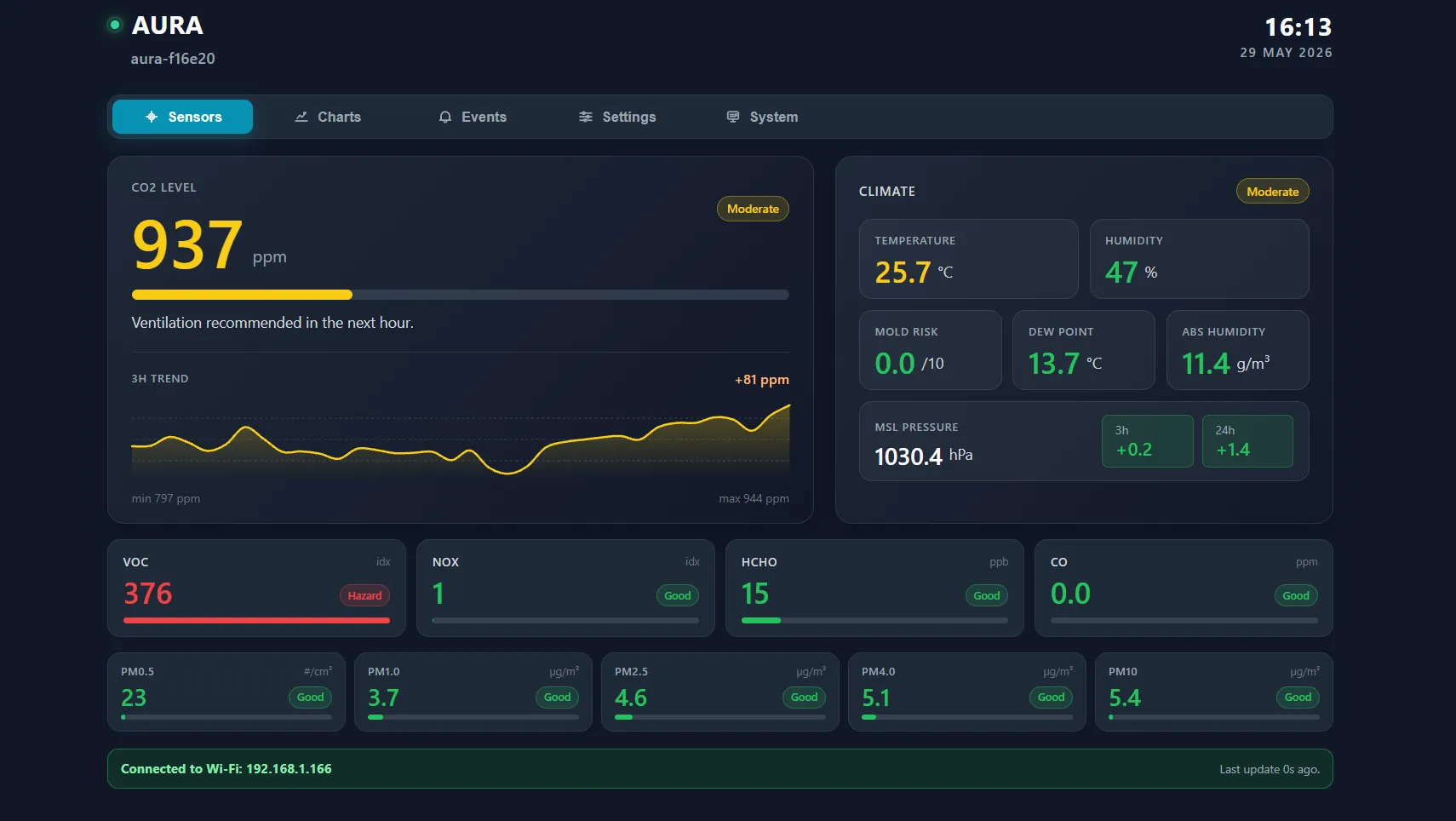 |
🔧 Before You Start Building
Project Aura is designed as a documented maker build, not a loose collection of files.
Please follow the build guide before connecting power.
Important build notes:
- Use only a Waveshare board with 16MB flash. 8MB flash boards will not work.
- Use a good 5V 2A USB power supply and a quality USB cable.
- Check connector pinouts before powering the device.
- Some cables may look standard but still require the correct pin order.
- Optional DFRobot gas modules must be set to I2C address 0x75.
- The custom Aura PCB makes the build cleaner, but the guide still matters.
- If you get stuck, use the community Q&A thread so the answer helps other builders too.
💰 An Honest Talk About Price
I often hear this question:
"Why support this project if the electronic components can cost around $170-200, while
some ready-made air monitors on marketplaces cost much less?"
That is a fair question.
The component cost is not money I receive. It is the approximate market price of the
hardware you buy separately: touchscreen board, SEN66 sensor, PCB or modules, cables,
fasteners, power parts, and any optional sensors you decide to add. The final price can
change depending on your country, shipping, taxes, availability, and which options you
choose.
What you support here is the work behind the project: the enclosure design, firmware
architecture, touchscreen UI, web installer, local dashboard, OTA update flow, Home
Assistant integration, testing, documentation, updates, and support.
Also compare the features honestly. Try to find a ready-made consumer monitor with a
top-tier Sensirion SEN66, a large touch display, optional formaldehyde / CO / gas
sensors, local web dashboard, OTA updates, Home Assistant integration, no cloud
dependency, and open-source firmware.
Cheap closed monitors can be useful, but Project Aura is a different kind of device. It
is for people who want control, transparency, repairability, local integration, and the
feeling of building something real themselves.
🔗 Project Status and Resources
Project Aura is active and already used by a large community of builders.
Resources:
- GitHub firmware repository: https://github.com/21cncstudio/project_aura
- Community Q&A post: https://makerworld.com/en/community/post/1661489
- MakerWorld updates page: https://makerworld.com/en/crowdfunding/159-project-aura-aq-make-the-invisible-visible/update
- MakerWorld models page: https://makerworld.com/en/models/2473515-aura-aq-builder-kit
If you have a question, please use the community Q&A thread instead of DMs. Public questions help other builders find the same answers later.
Enclosure Files (3MF + STL)
Build Guide (PDF)






Enclosure Files (3MF + STL)
Build Guide (PDF)
Enclosure Source Files (STEP)






Enclosure Files (3MF + STL)
Commercial License Certificate (PDF)
Enclosure Source Files (STEP)
Build Guide (PDF)
Build Guide (PDF, No Watermark)





Enclosure Files (3MF + STL)
Build Guide (PDF)






Enclosure Source Files (STEP)
Build Guide (PDF)
Enclosure Files (3MF + STL)






Build Guide (PDF, No Watermark)
Commercial License Certificate (PDF)
Enclosure Source Files (STEP)
Build Guide (PDF)
Enclosure Files (3MF + STL)