Search models, users, collections, and posts
Recommendation
Creator’s Club
Creators & Fans
Show Your Make
Off Topic
Post Details
How to design screw hole for a CyberBrick Project?

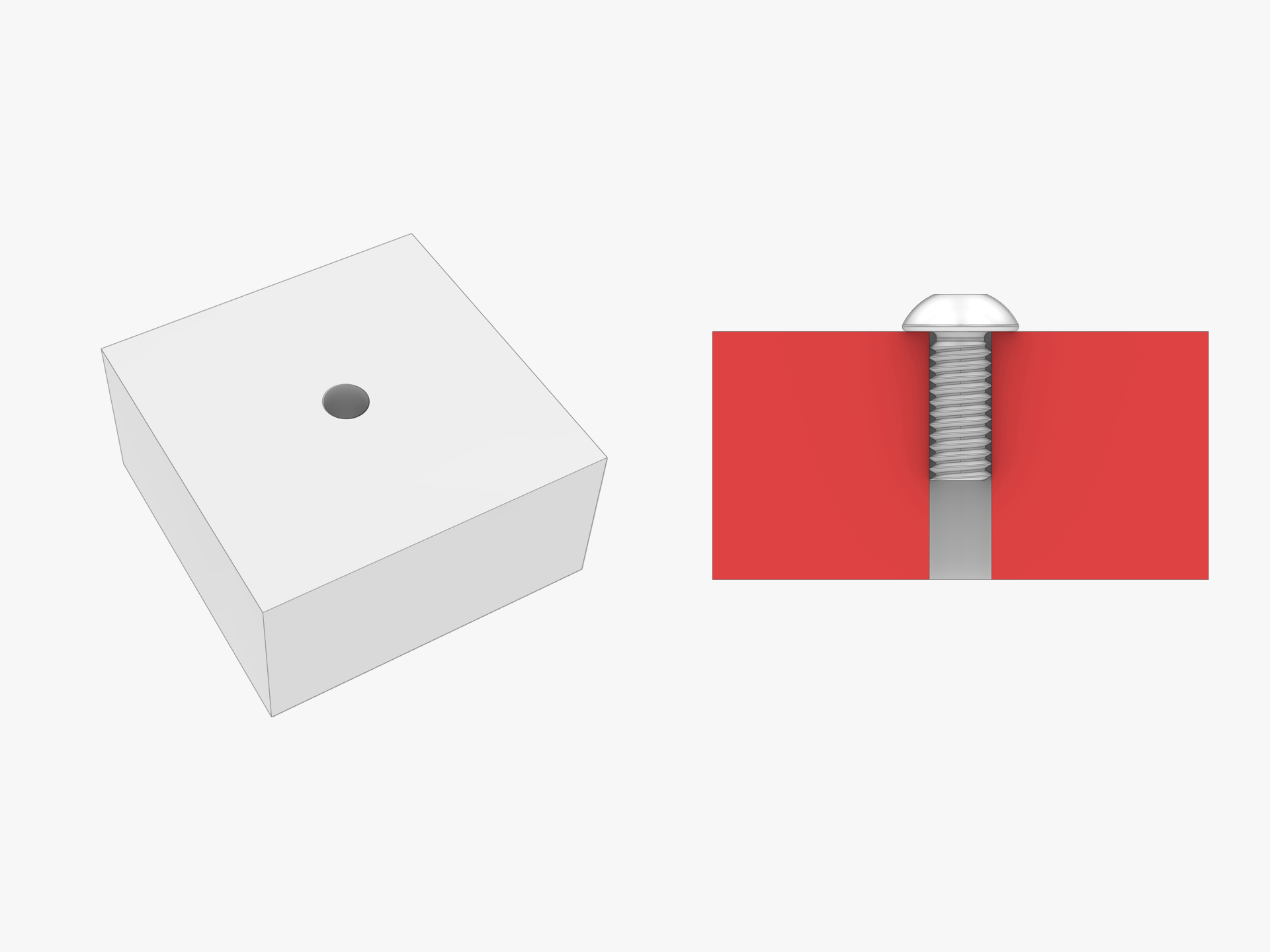
We all know that there are many M2.5x6 BHCS Machine Screws in the CyberBrick kit.  The model designed for the CyberBrick kit always uses these screws for fixing parts.

But the screw hole is very tricky to handle. Usually, we use a round hole close to the diameter of the screw, as the picture below shows.
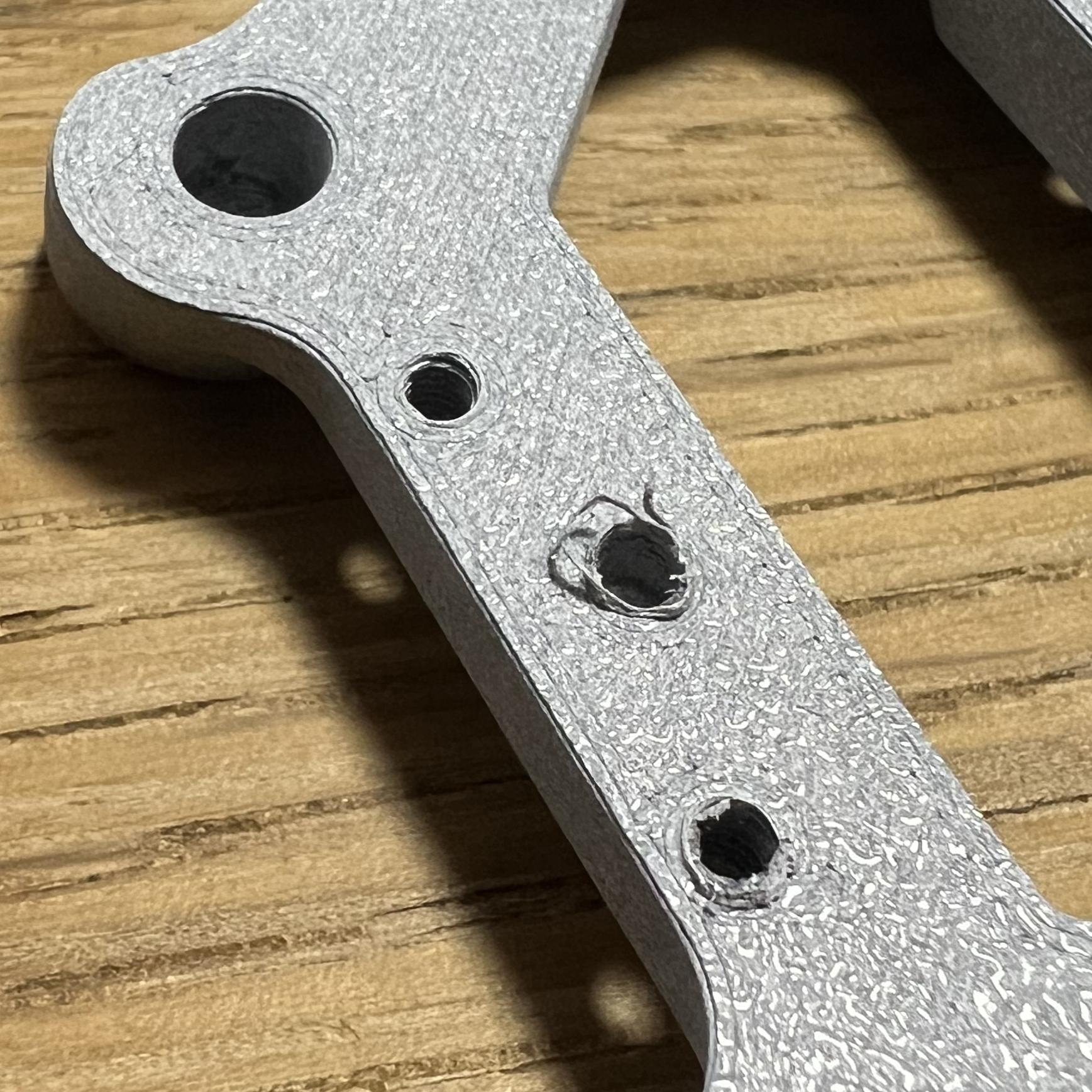
But after printing, the round hole is either too big or too small. If it's too big, the screw can't tighten. If it's too small, it's hard to screw in and always squeezes out scraps, as the picture below shows. Especially when you use an electric screwdriver, the heat generated by the high-speed friction melts the hole and strips the screw easily.
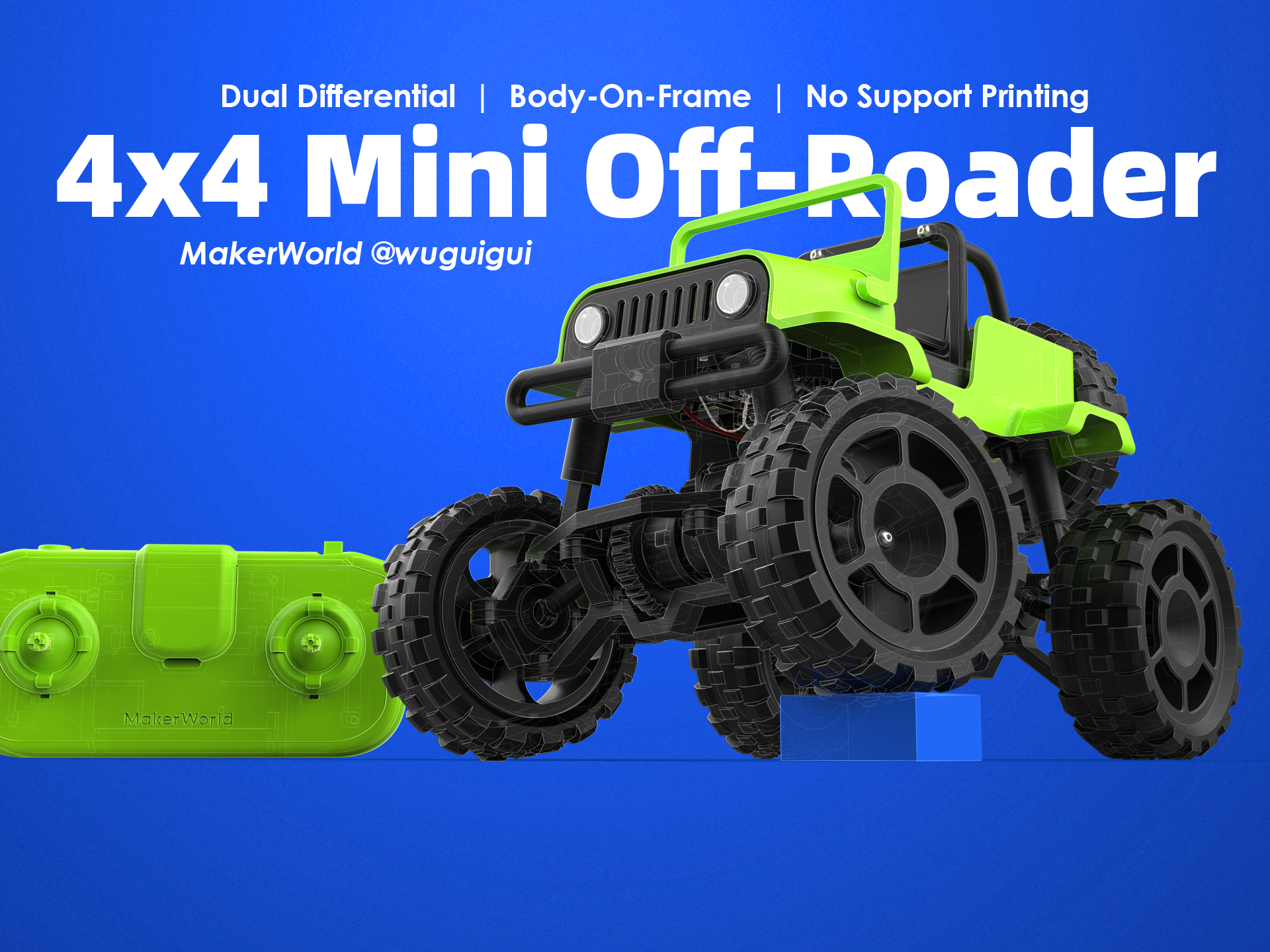
There is a new screw hole structure released with my new CyberBrick project, which can help to solve this problem.
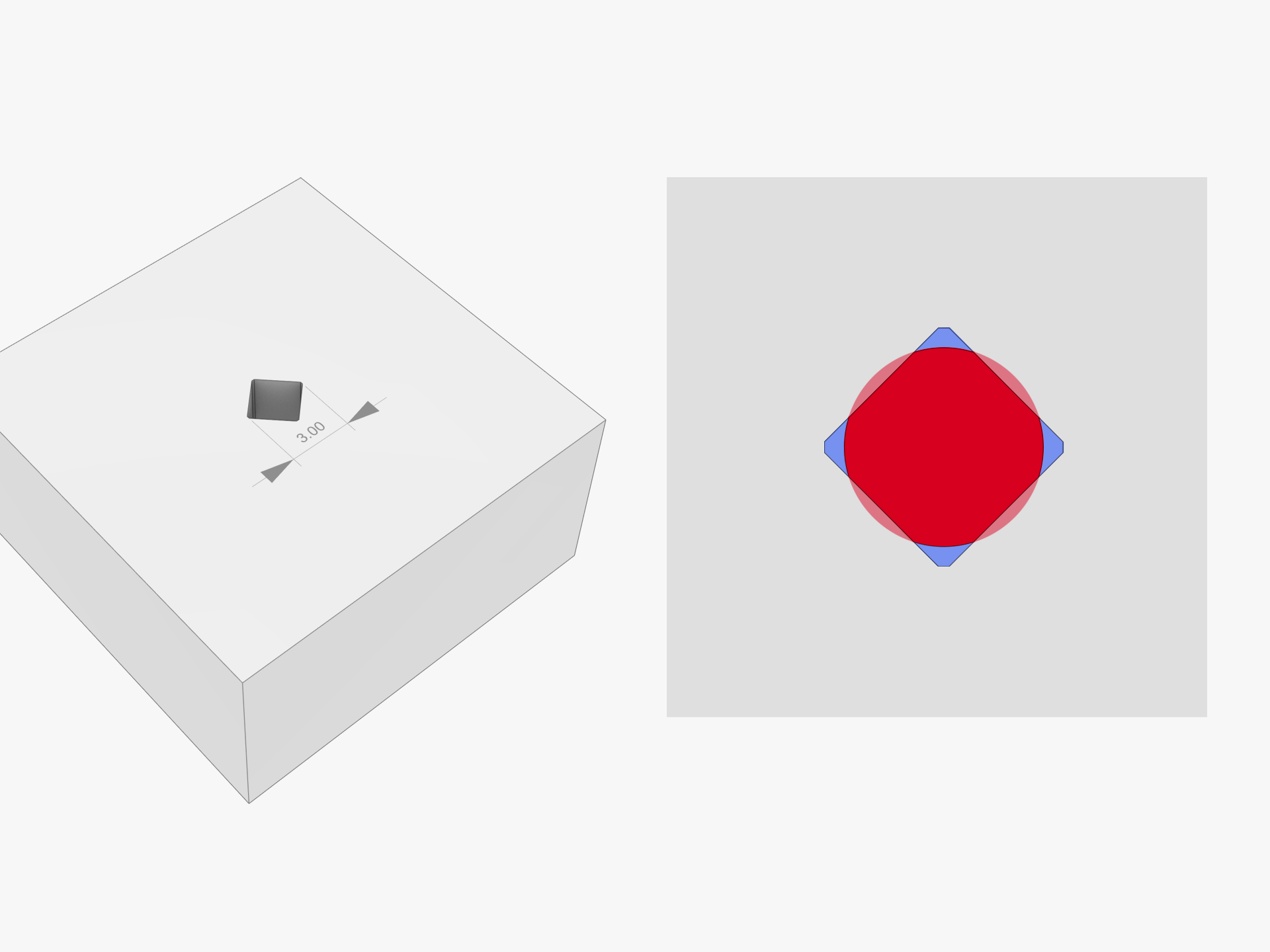
I modified the screw hole from round to a rhombus. For M2.5x6 BHCS Machine Screws, I leave a diagonal 3mm rhombus hole. When the screw is in, the 4 faces of the rhombus overlap with the screw(transparent red area), to keep the screw firmly fixed. The 4 corners of the rhombus are hollow, which can contain the squeezed scraps(Blue area).
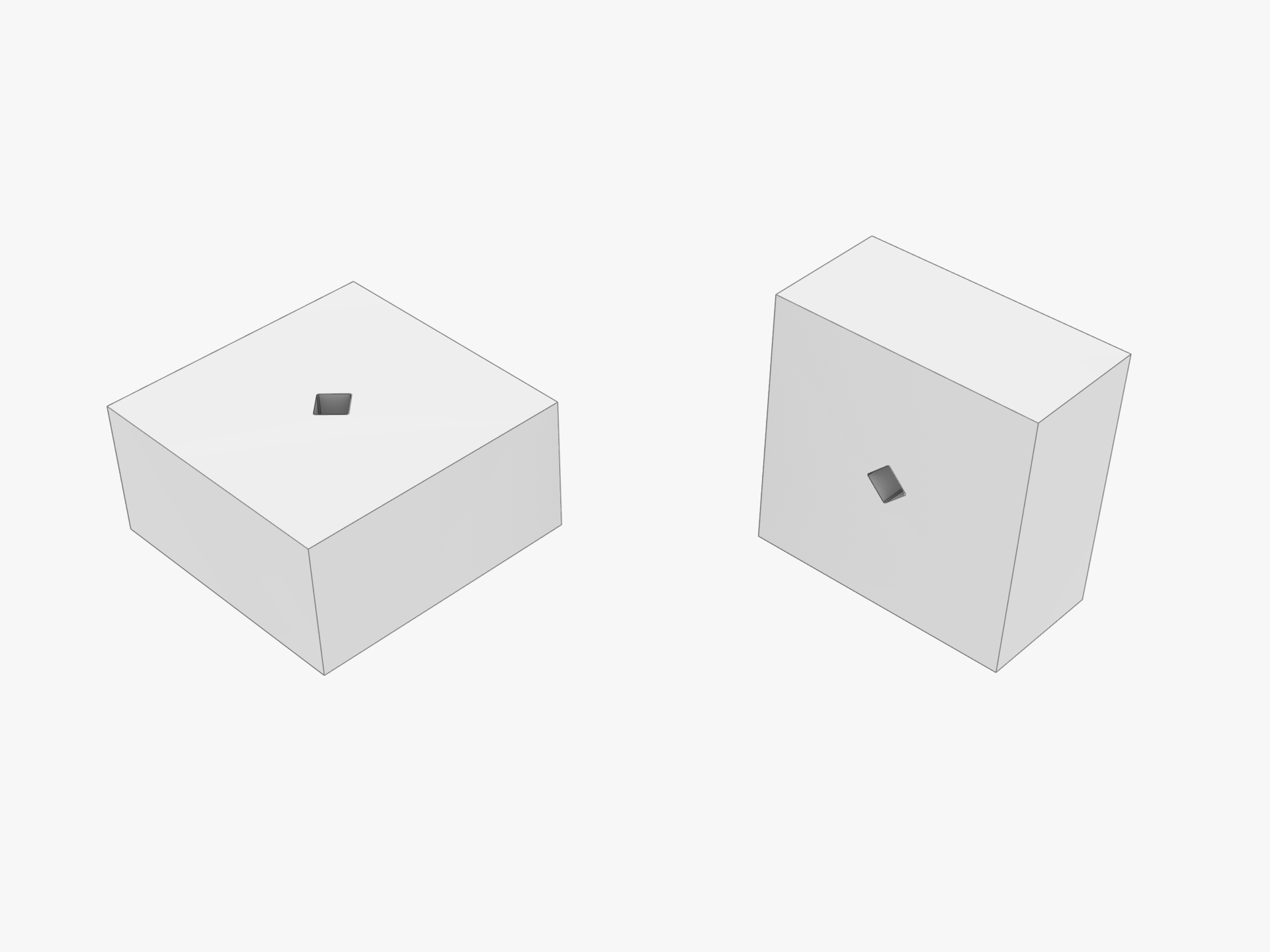
It's also friendly to electric screwdrivers because it has hollows that can cooling. The shape of the rhombus is easy to print, no matter how you arrange the parts horizontally or vertically.
Try it, I'm sure you can improve the assembly experience of your CyberBrick models.


 

(Edited)
Share
102
27
0
Comment (27)
@Scitters I use a shape like this for bolt holes. Gives room for stuff to squish with minimal damage to the structural walls.
The poster has replied
poster
3
Reply
@wuguigui A clever idea!
0
Reply
@alienintruder If I could nominate a post like this for a boost I would! Great design tip - greatly appreciated!!
The poster has replied
poster
2
Reply
@wuguigui Thank you!
0
Reply
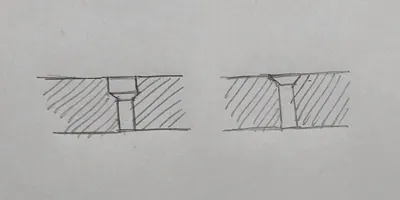
@mauricioduarte Good idea, I'll try it. I usually design my holes this way, see image.
The poster has replied
poster
2
Reply
@wuguigui Yes, this is also a good way to make the screw easy to insert, or to print without support.
0
Reply
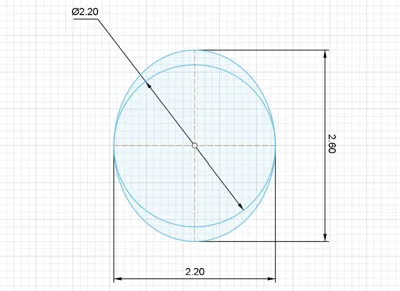
@Officina23 Usually, to get circular holes, I design them wider or, if they're printed horizontally, I design them elliptical (these are for Cyberbrick 2.5x6 screws). You've convinced me to try your method; I'll definitely try it!
The poster has replied
poster
1
Reply
@wuguigui also a nice way
0
Reply
@aoaobear 学到了!感谢
poster
1
Reply
@RobertinCLT What software are you designing in? It is too easy to use the "hole" command in Fusion and it won't make square holes. Got a suggestion?
The poster has replied
0
Reply
@wuguigui Hi, I'm using Rhinoceros to do the modeling. It's easy to make such a square hole by the "Boolean difference" command.
0
Reply
@Quackhead5 I just posted a model using this!
The poster has replied
0
Reply
@wuguigui Great!
0
Reply
@Quackhead5 Already using your method on a model for the halloween contest!
The poster has replied
0
Reply
@Quackhead5 @wuguigui : Thanks!
0
Reply
@wuguigui Good job!
0
Reply
@Quackhead5 Thank you so much! I wish you could boost articles!
The poster has replied
0
Reply
@wuguigui @Quackhead5 : No worries, do what you want to do, let's make the MakerWorld together.
0
Reply
@Quackhead5 @wuguigui : I have boost toekns rn I am sorry, I like to boost small creators, and this results in me never gettung boost tokens. Apparently small creators aren't "boost worthy"...
0
Reply
@3DRIO great idea! I'm thinking of making a cyberbrick boat so that might not be watertight lol 😂
The poster has replied
0
Reply
@3DRIO @LittleGuyModels : This is JOHN CENA!!
0
Reply
@LittleGuyModels 
0
Reply
Trend
PrintClinic
HideAndSeekChallenge
Weekly Roundup
1
the Great Benchy Nations
3.9 k
2
Questions
1.4 k
3
Theprintertribes
1.2 k
4
Newmodel
674
5
Needhelp
553
6
Contests
482
7
Face Reveal
389