
Lead Screw Cleaner For 8x2 z-Axis Screws


Print Profile(5)



Description
Check out my new and improved version that also works with the A1 printer

Check out my lead screw cleaner for the A1 Mini
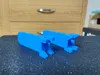
I was looking for a simple, hands-free way to clean the black soot off the lead screws on my X1C, MK3S and Prusa Mini. To use this cleaner, simply stuff some tissue, paper towel or sponge material in the cavity, douse it in IPA and clip it to the lead screw. Move the z-axis up and down. Be careful not to crush the cleaner between the top or bottom.
I've included the Fusion file which has a “snugness” parameter called SNUG. This parameter adjusts the tightness of the fit and is set to .2mm in the .stl. It adjusts the distance between the inner faces of the clip portion. If the clip is too tight, reduce the snugness parameter to .1 or to 0.
I printed it in PLA, .2mm layer height, no supports and no brim.
Update 1 Per request for those without Fusion 360, I've added three new .stls with preconfigured snugness settings. Snugness refers to the distance between the inner faces so that it clips snugly onto the screw 8mm. Snug 0 = 8mm, Snug .2 = 7.8mm and Snug .4 = 7.6mm.
Update 2 I have provided a configurator in OnShape to be able to create a model with your custom snugness setting between 7.4 and 8 mm. OnShape is a CAD program, much like Fusion 360, but you don't need to have a copy, or even an OnShape account. The design will open in a browser window where you can enter the desired value and generate your own model with custom snugness dimension. See “OnShape Lead Screw Customization.pdf” in the documentation section.
Documentation (1)
License

You shall not share, sub-license, sell, rent, host, transfer, or distribute in any way the digital or 3D printed versions of this object, nor any other derivative work of this object in its digital or physical format (including - but not limited to - remixes of this object, and hosting on other digital platforms). The objects may not be used without permission in any way whatsoever in which you charge money, or collect fees.


Comment & Rating (655)