I've been working overtime on this kit card set. It was so much fun to create that my biggest trouble was having too many ideas and not enough time! Now that it's finally posted (get it here: https://makerworld.com/en/models/2592154), I thought it'd be fun to go behind the scenes of my design process.
Inspiration
I began the project with an idea of recreating a typical early Easter Sunday morning when I'd be out helping the Easter Bunny hide eggs in the garden. For some reason, he really liked the vegetable patch. It perhaps was because I liked being out there with a cup of coffee, wondering what I should plant that year, then having to remind myself that I had a job to do.
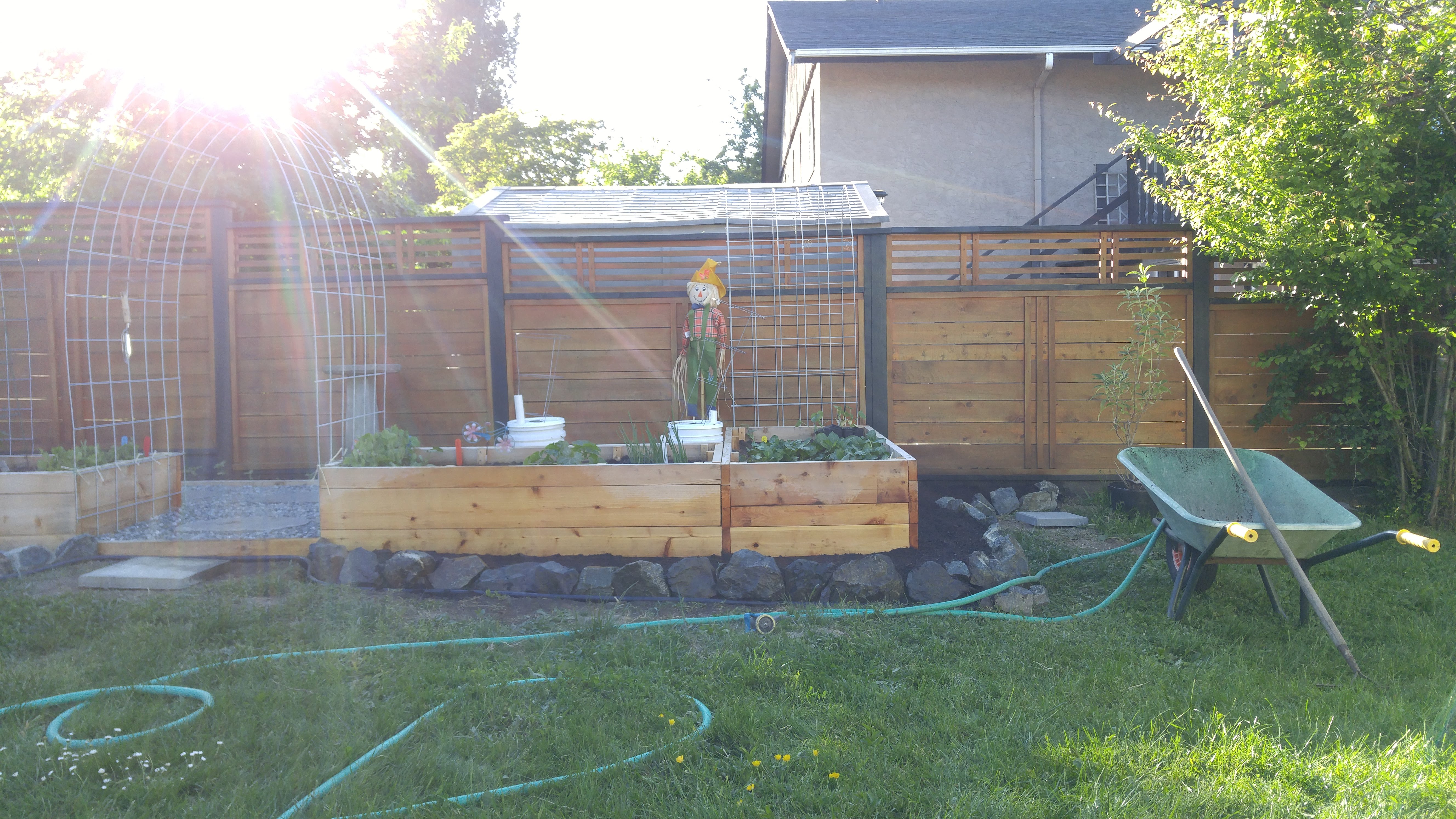
With this in mind, I wanted to create a mini take-along garden that could be planted and replanted. And of course I wanted to make sure that the Easter Bunny and his large extended family could come visit, have a nibble, and perhaps leave behind some treats!
Concept
All my designs start with a pencil sketch. It helps me get the idea on paper so I scribble and scratch my way around the concept, forming the rough “edges” in my head.
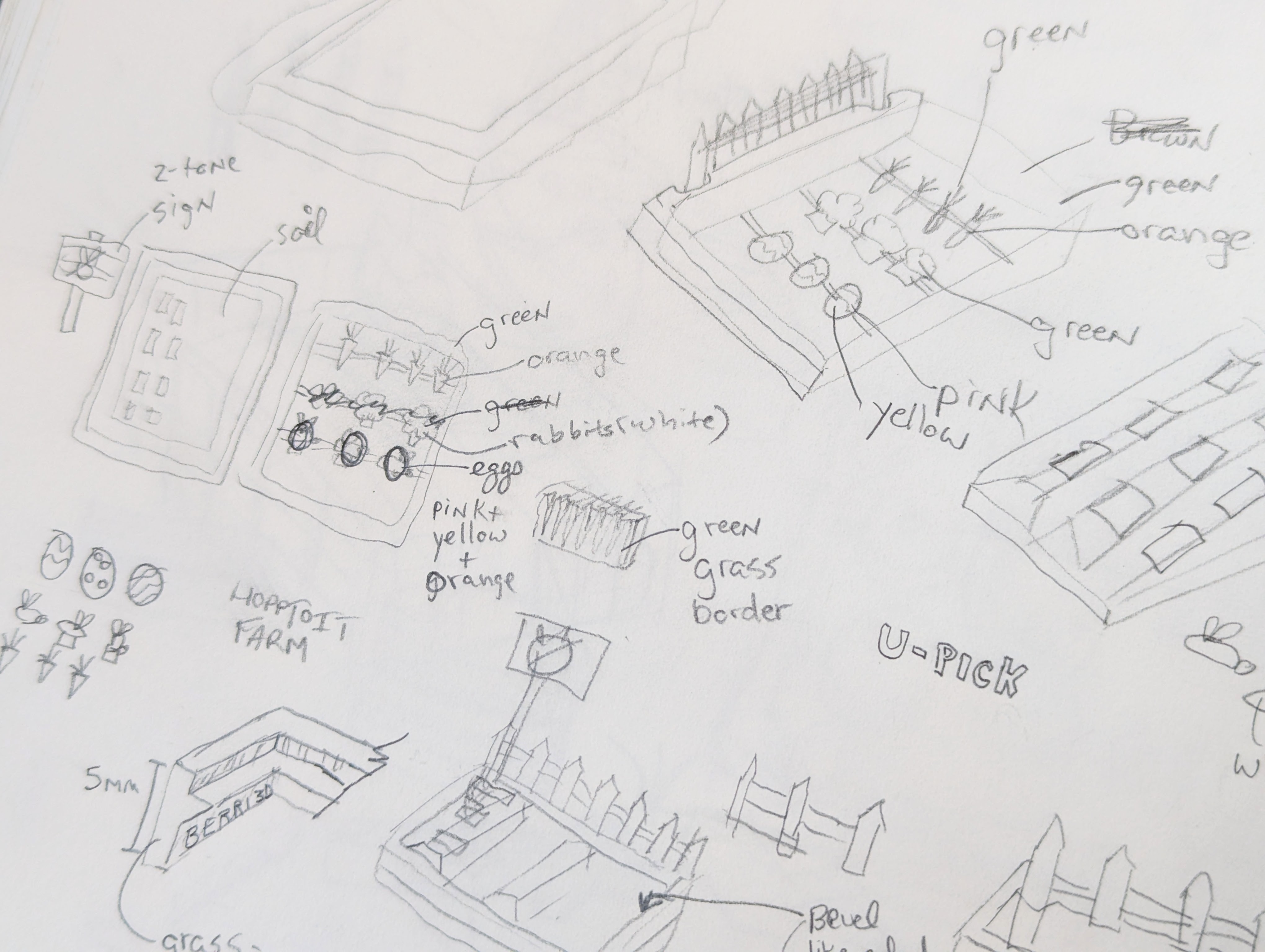
I'm certainly not an artist, ha! But it helps me work through an idea and come up with solutions to the “how” of design.
Refining the Idea
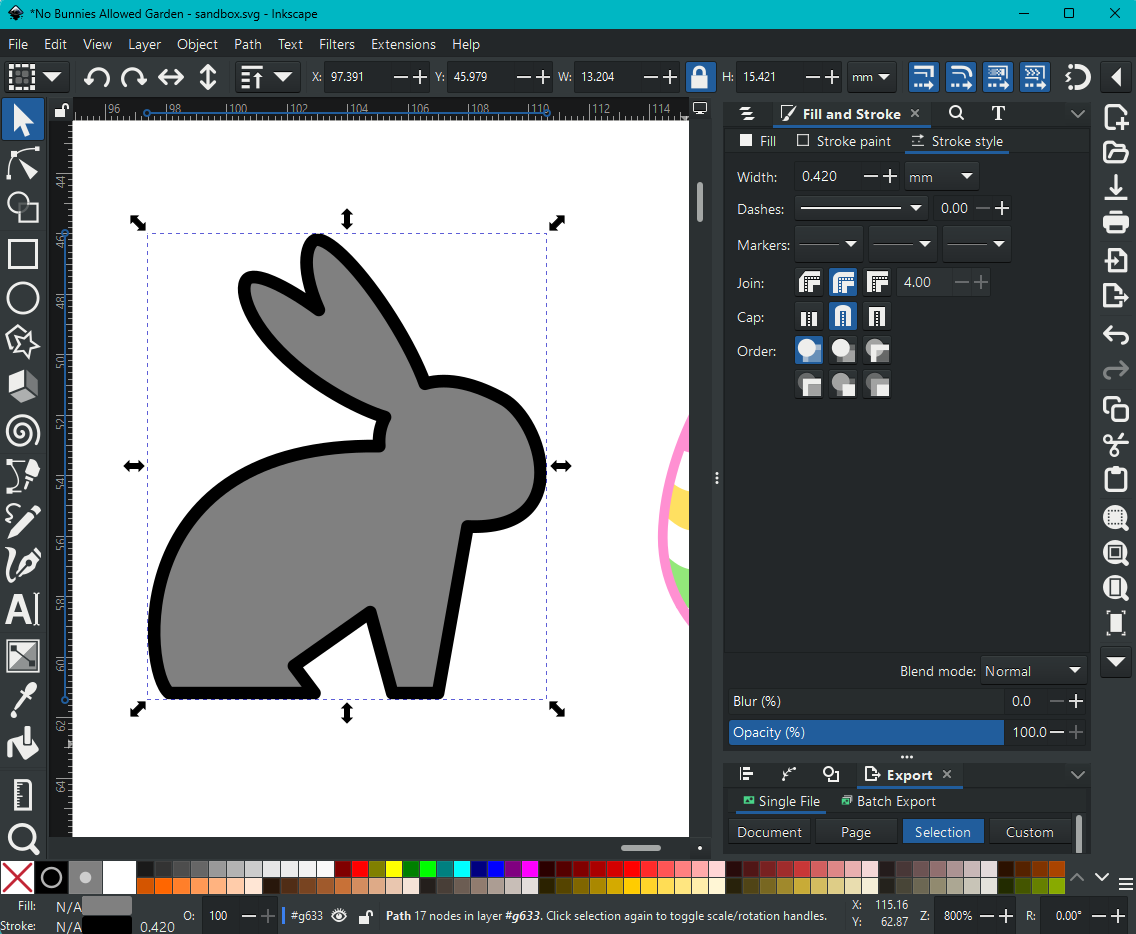
After I have the rough direction I want to go in, I start playing around in Inkscape which is an open source vector-editing software. This is usually where I get a ballpark of scale. Since I usually create miniatures with fine details, I use a stroke width of 0.42mm on shapes to gauge the printability. Why 0.42? Because that's the default line width in Studio of a 0.4mm nozzle. This was one of the first bunny sketches I made. I saw I could make it even smaller thanks to the stroke width.
3D Modelling Begins
I use Fusion 360 to create my models. Like me, this program also begins with sketches. Sometimes I draw directly in Fusion. Sometimes I import vectors from Inkscape. And sometimes I do a bit of both like this sketch for the baby bunny. Green lines are what I imported from Inkscape, blue is redrawn using fit point splines.
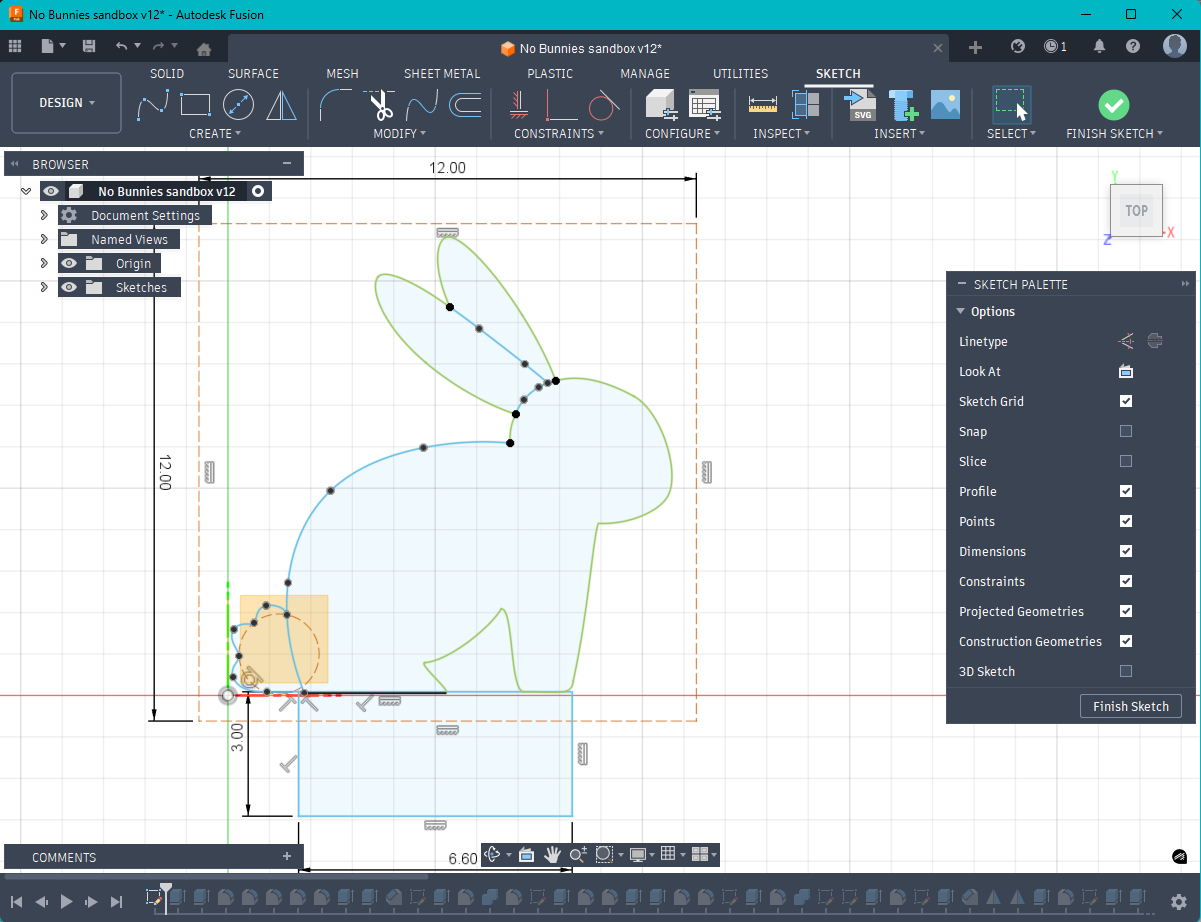
Notice the file names? At the time I created this sketch, I was still in what I call “sandbox” mode where I just play around and don't worry about fully defining it.
After I have a sketch ready to become three dimensional, I extrude the profile and add filleting to create a more organic shape.
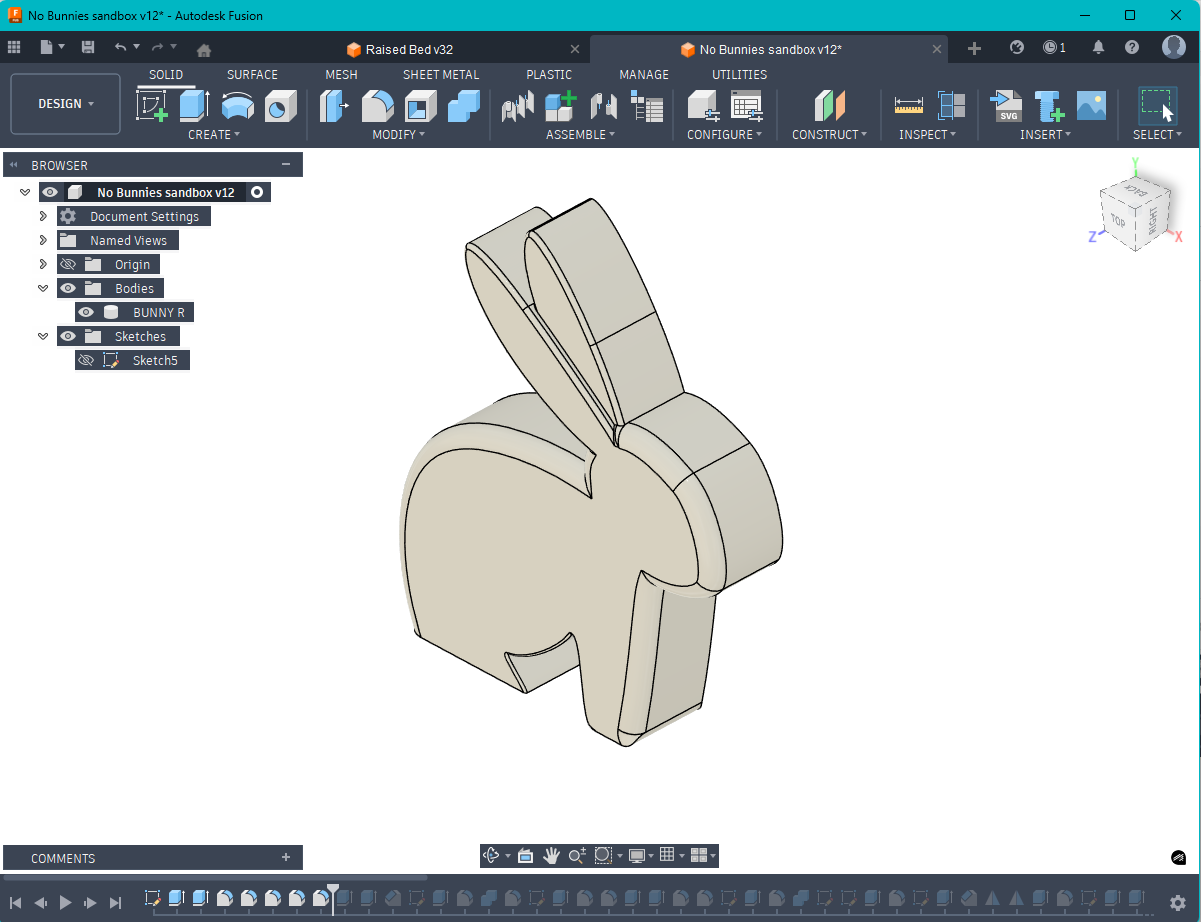
Fillets hide a lot of design crime. I also have to be careful not to go too heavy on them because they can create meshes that are too small for Studio to properly display (and thus print). Normally not a big concern, but this little baby bunny is barely 11mm tall!
Prototyping aka the Goldilocks Phase
At this point you may be wondering when I get around to actually printing something. This is where that happens. It's where I take what I've created in Fusion and see if it matches what I want the model to look and feel like “in the hand.” Scale is a hard thing for me to master as of yet and I hardly ever nail it on my first try.
Too small….
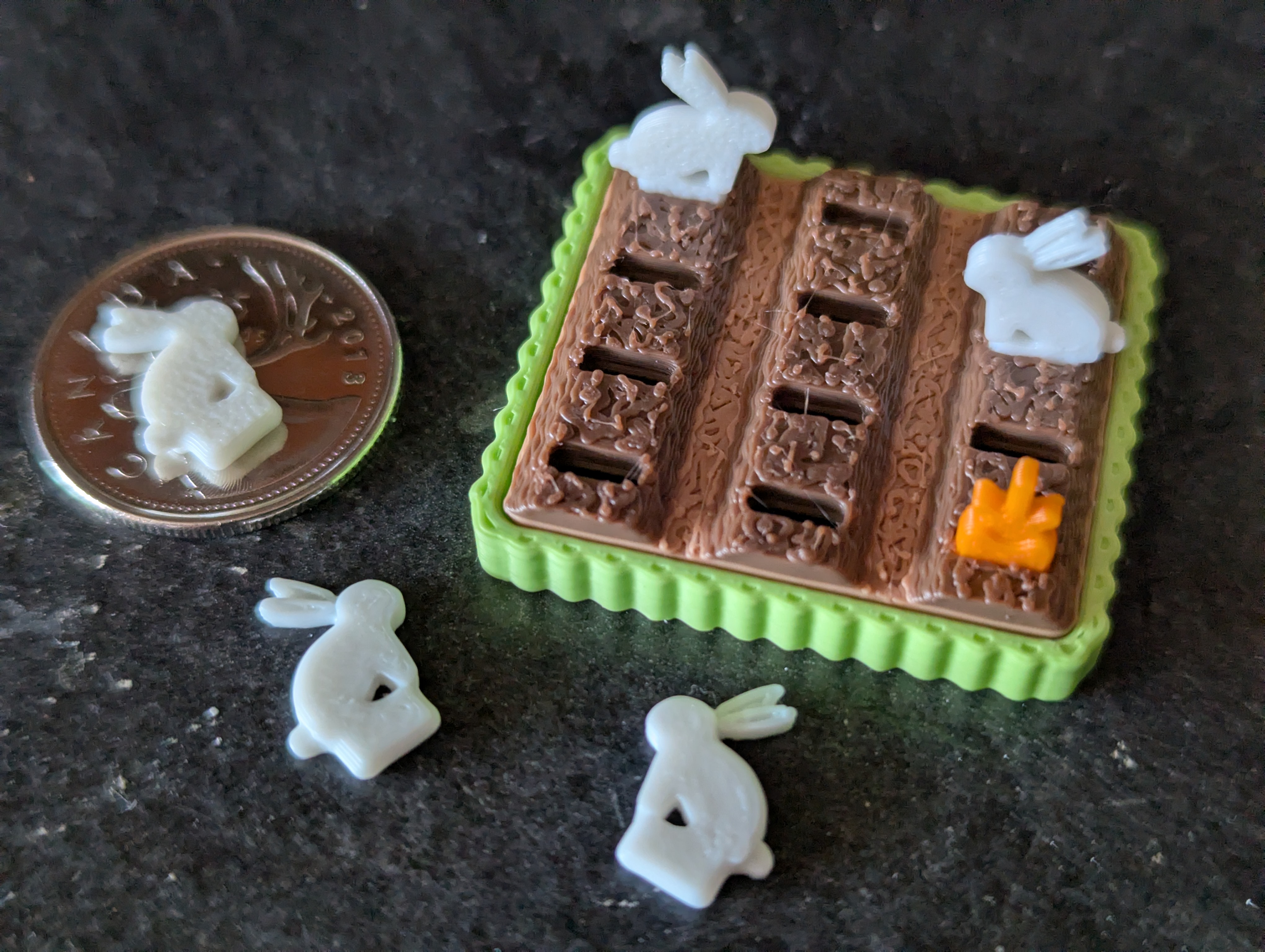
Too big!
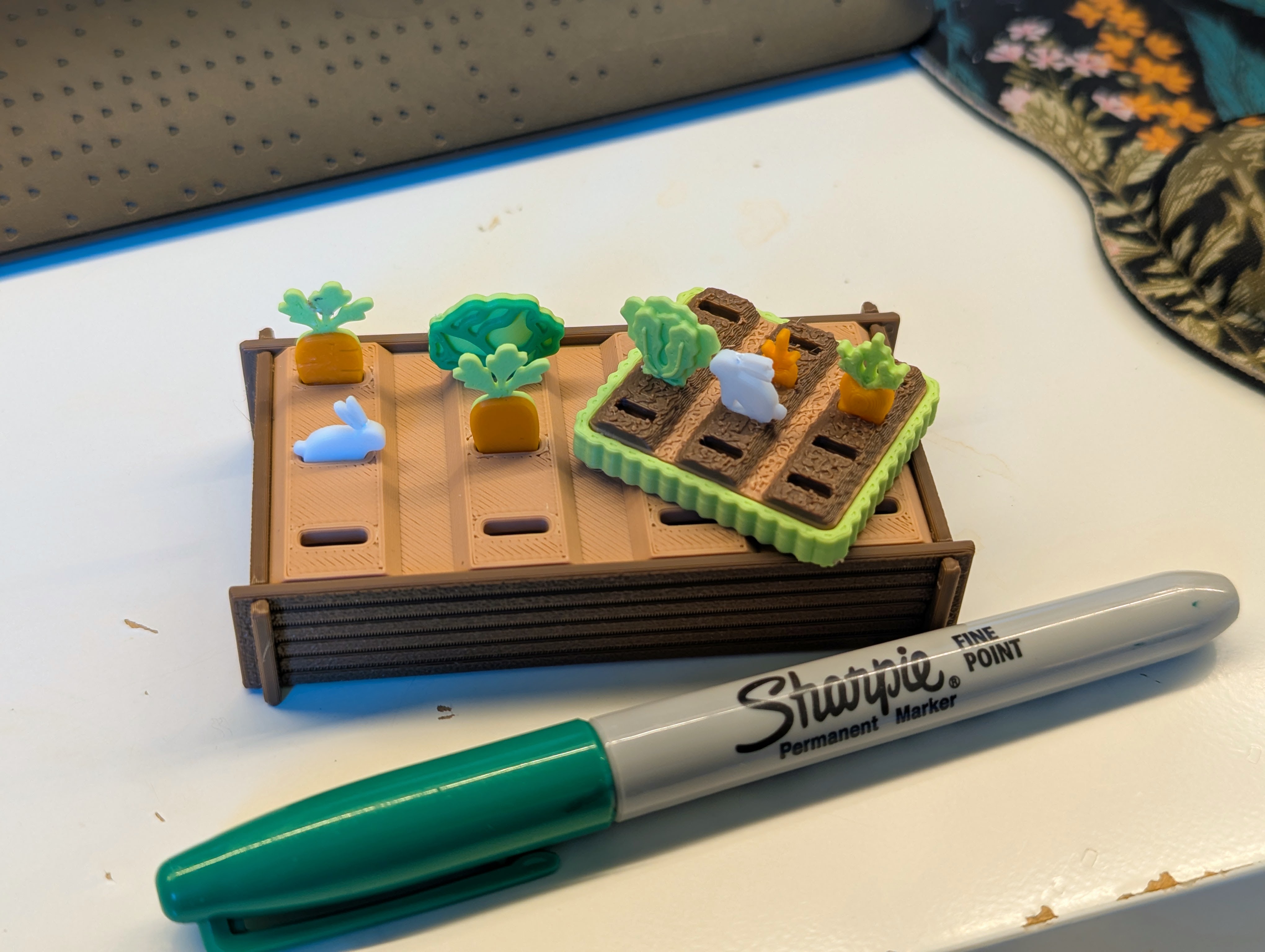
Just right!
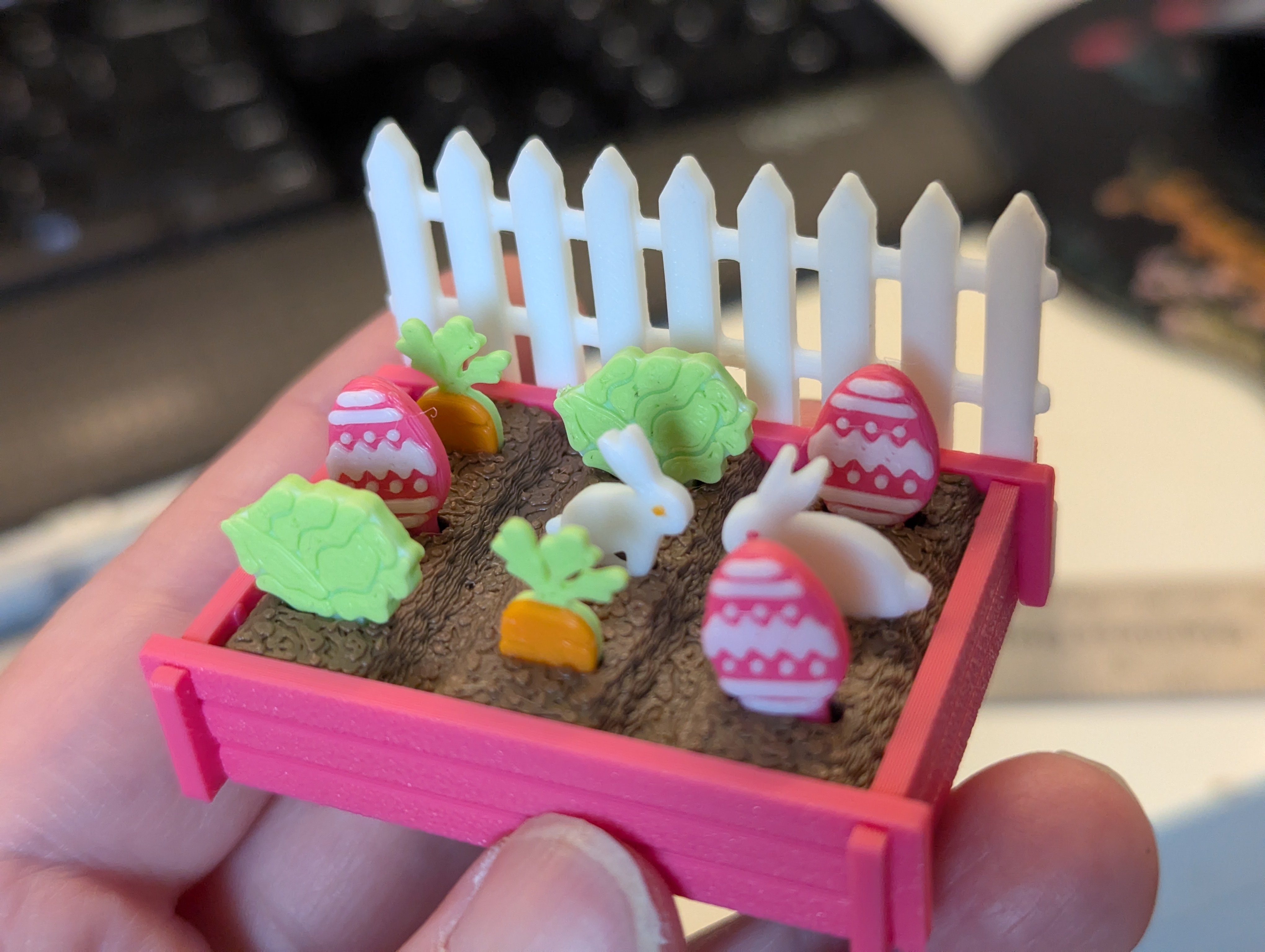
I often go back and forth between elements. While a prototype is printing, I'm modelling the decorations. Once the prototype is off the printer, I can see what needs to be changed. It's a big soup of a process and there's no clear path through it especially because I change my mind a lot! Fortunately, Fusion allows me to change dimensions easily if I've set them up as parameters.
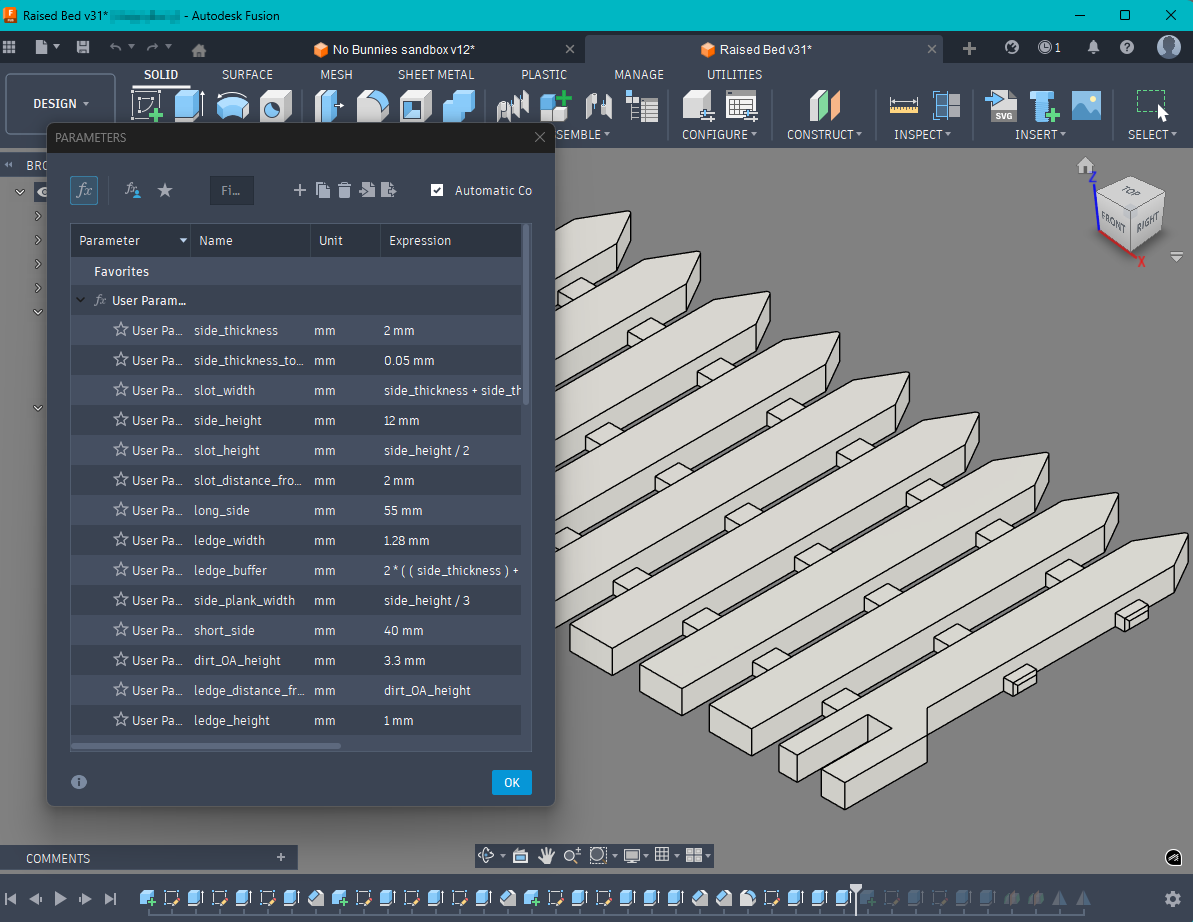
It's especially useful for when testing tolerances. While my kit cards may look simple, there's a lot that goes into ensuring all the pieces fit together well and print consistently. Parameters really help me dial in the fit.
Sprue Design
I've come a long way since my first kit card created with Tinkercad back in 2023. Sprue design has always been a headache but once I realized that I could make them look fun, it became less of a chore. I use a combination of parameters and some “tricks” to create strong tips that are also easy to remove and don't break while taking them off the build plate.
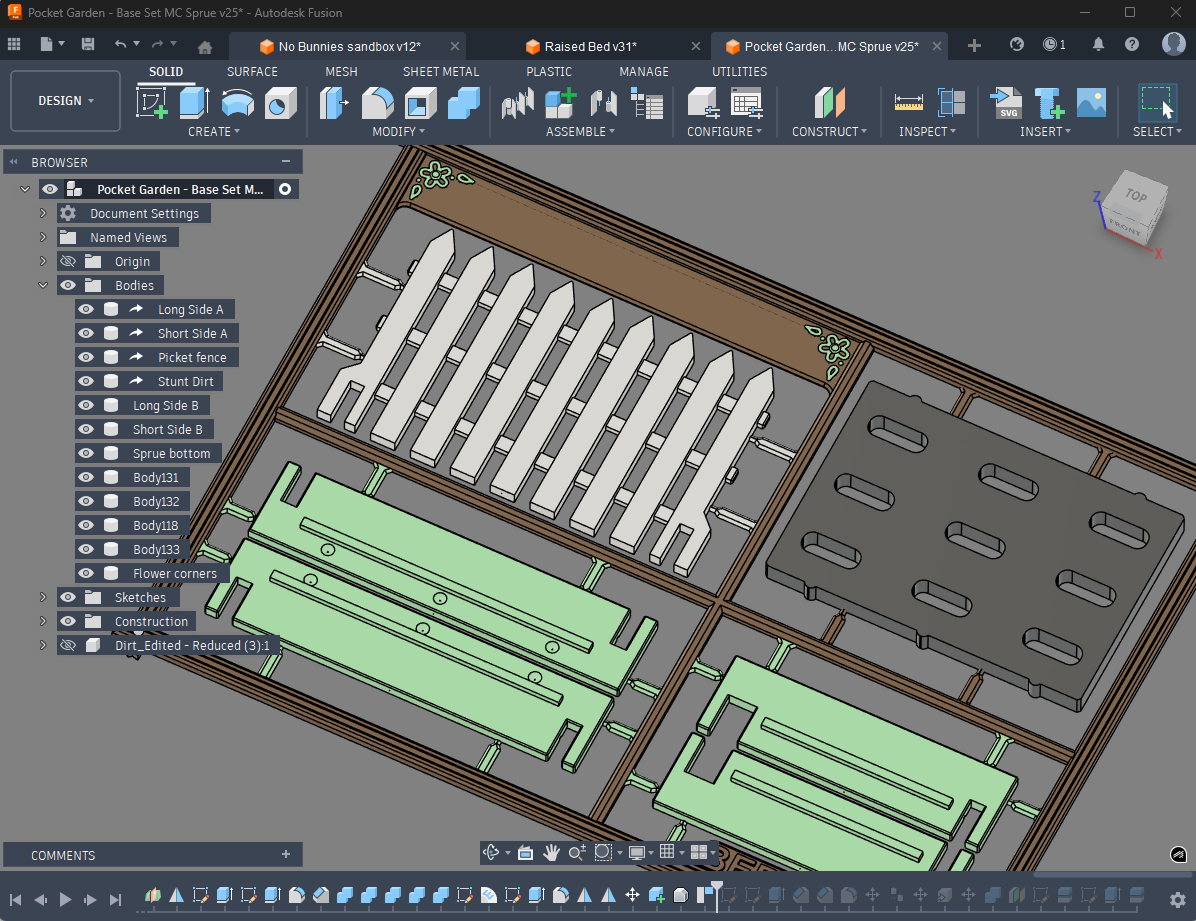
If you're curious about Stunt Dirt, he's the stand-in model for Real Dirt. Real Dirt is a diva with hundreds of thousands of mesh triangles that bog everything down. After it crashed Fusion for the 16th time, I made Stunt Dirt do the (pardon the pun) dirty work until the final export.
Bambu Studio
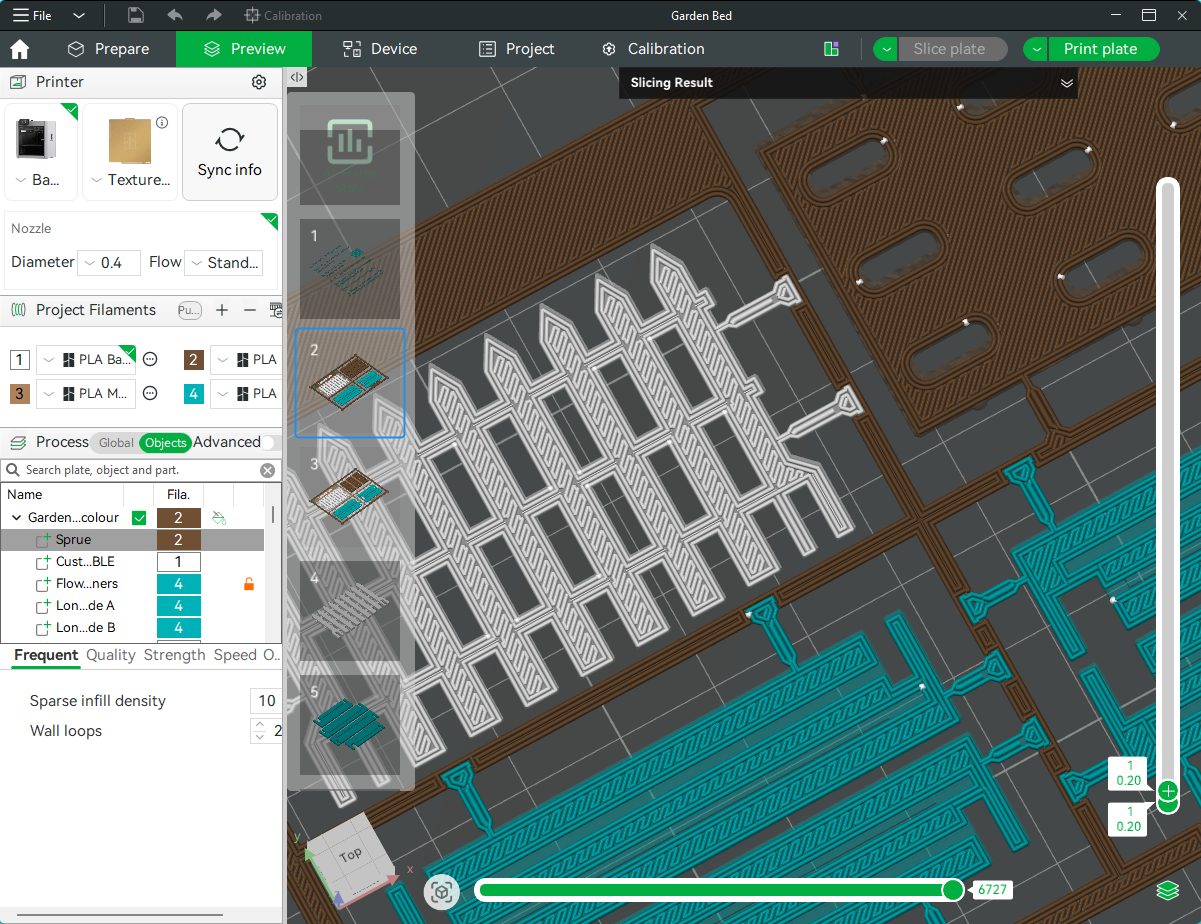
At this point you're thinking surely it's done by now, right?? Not yet. I often go between Fusion and Studio and check to see how the model looks when it's sliced. If it doesn't look how I think it should, I can make changes before I even hit print. I also choose settings and take advantage of slicer behaviour so that I can make sure that colours print where they should. For example, by ordering the sprue at the top of the assembly in the Objects tab, my own special “beam interlocker” sprue tips will print properly.
Finishing Steps
At this point, there's still more work that I do. From testing with other filaments, to writing model descriptions, to creating assembly documents, to photography, I do it all and I do it by myself. I may not be a fast creator, but I am a thorough one!
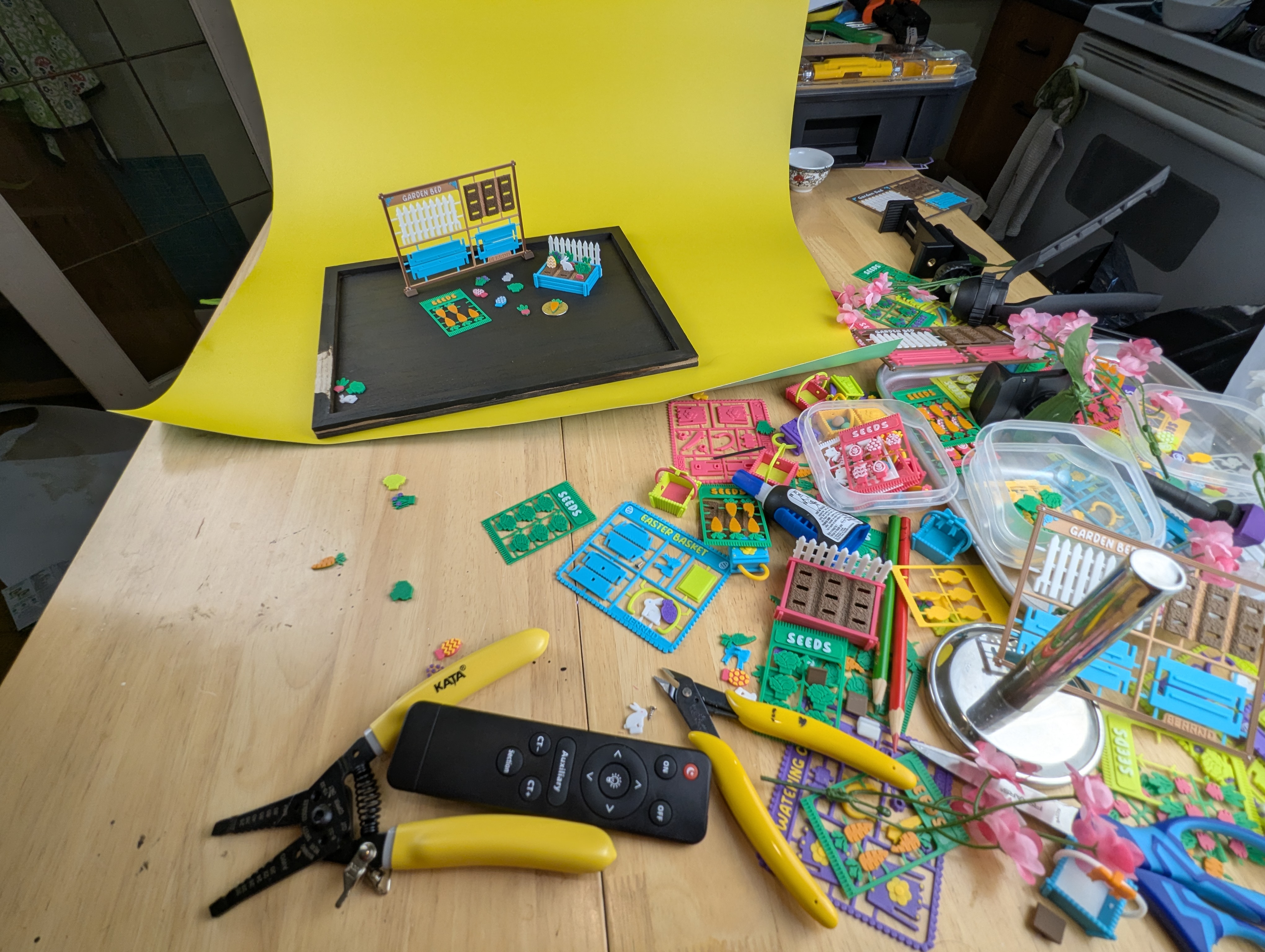
What my photography “studio” looks like. A chaotic mess. Yes, that's a whole lot of plastic. It was organized before I started, I swear! Also, all those parts will be given as Easter basket gifts to friends and family. Maybe their homes will also experience a bunny infestation uh…colony.
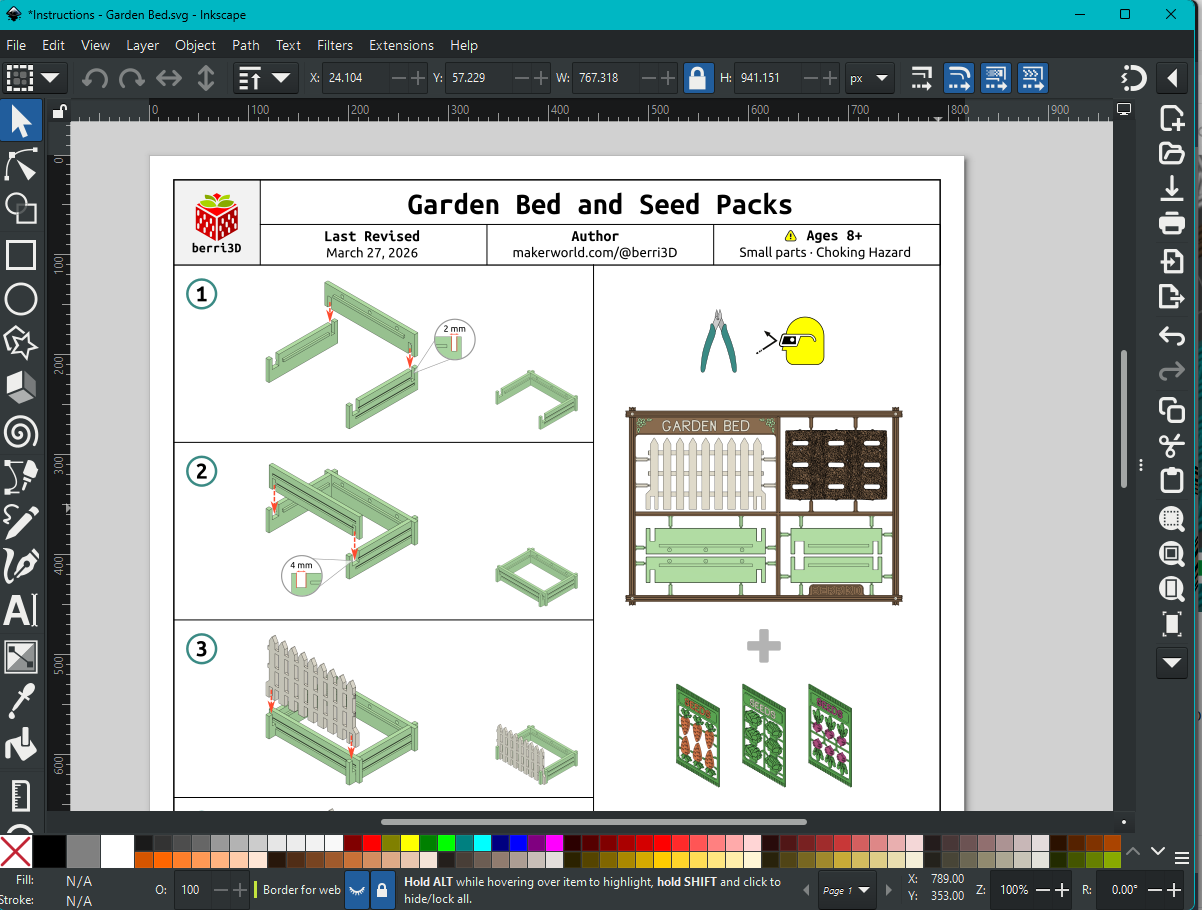
Then there's the instructions. I create them in Inkscape using images captured within Fusion360. I used to be an instructional designer back in the day so I have a bit of a leg up in creating diagrams. They still take time to create. One day I'll learn the animation tab in Fusion but today is not that day.
The Result
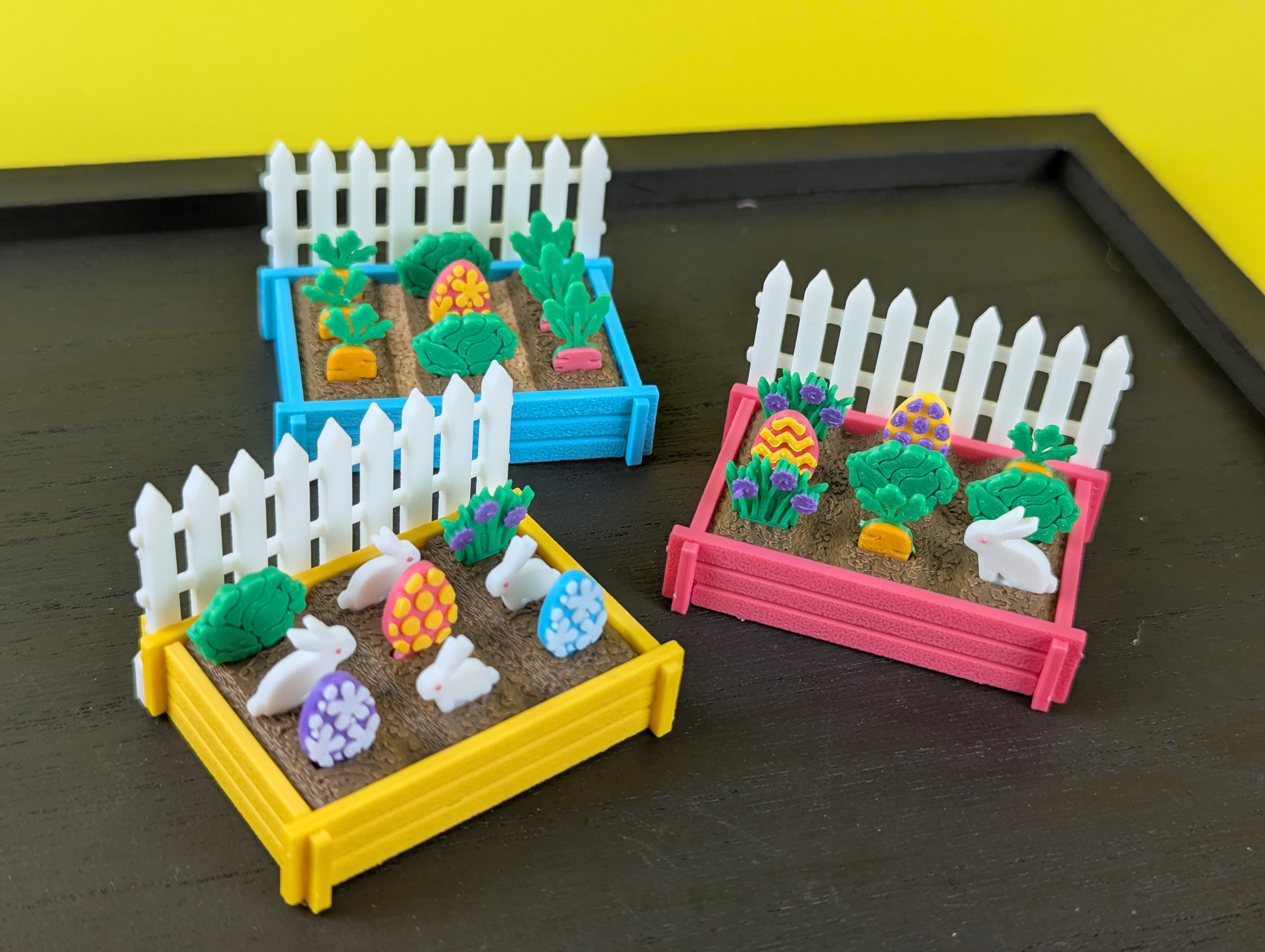
This was a solid 3 weeks of work for me. But it was worth it. It's so gosh darned cute. I love planting and replanting all the seeds. The bunnies keep finding ways to escape and wind up in weird places like the one that went through the laundry along with a wayward carrot.
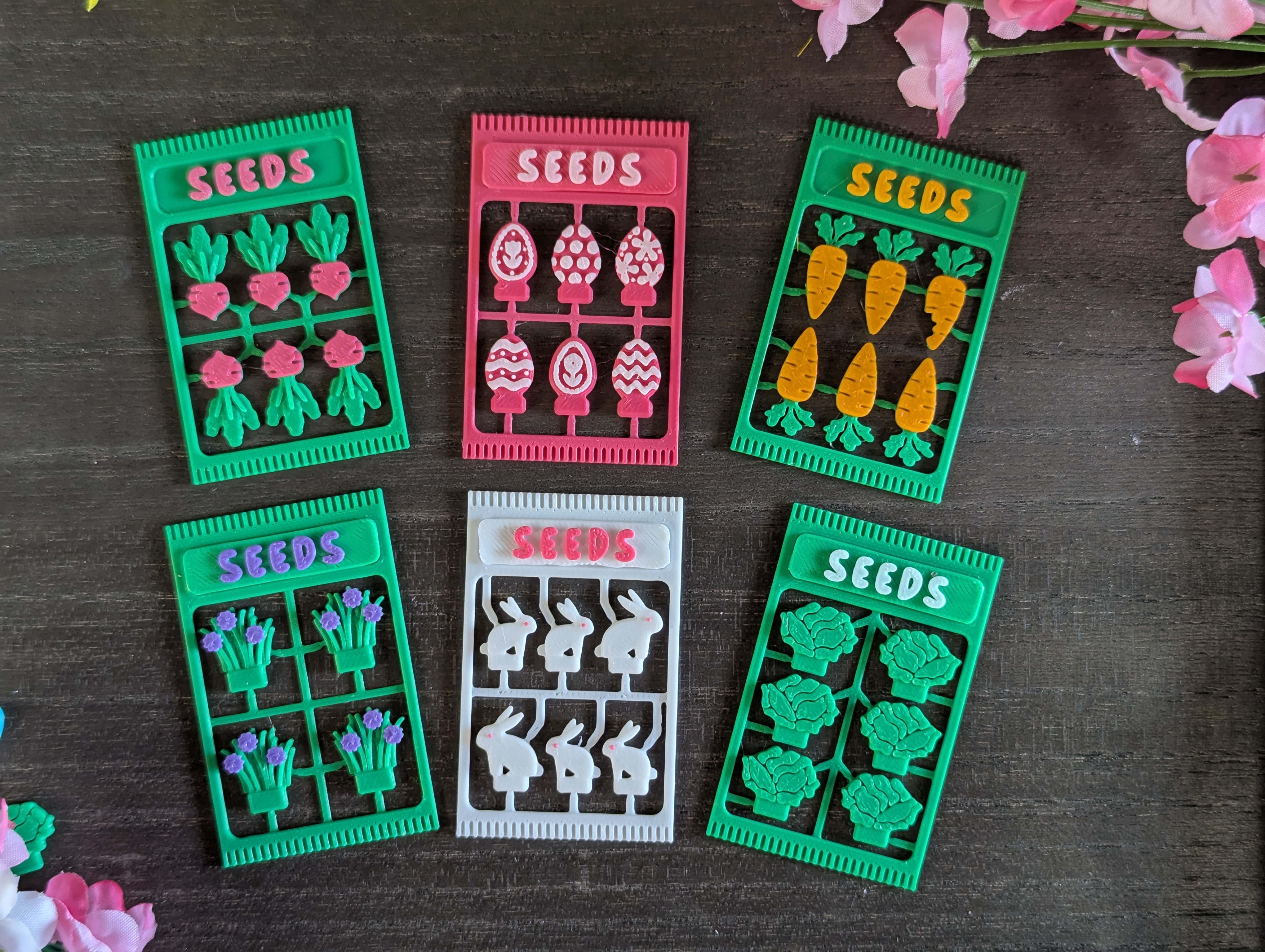
The seed packs were born from me pretending to shake out a sprue over an early prototype as if I was actually seeding the garden. Also, yes, some of these “seeds” aren't really seeds. But I'm using my imagination here 😅
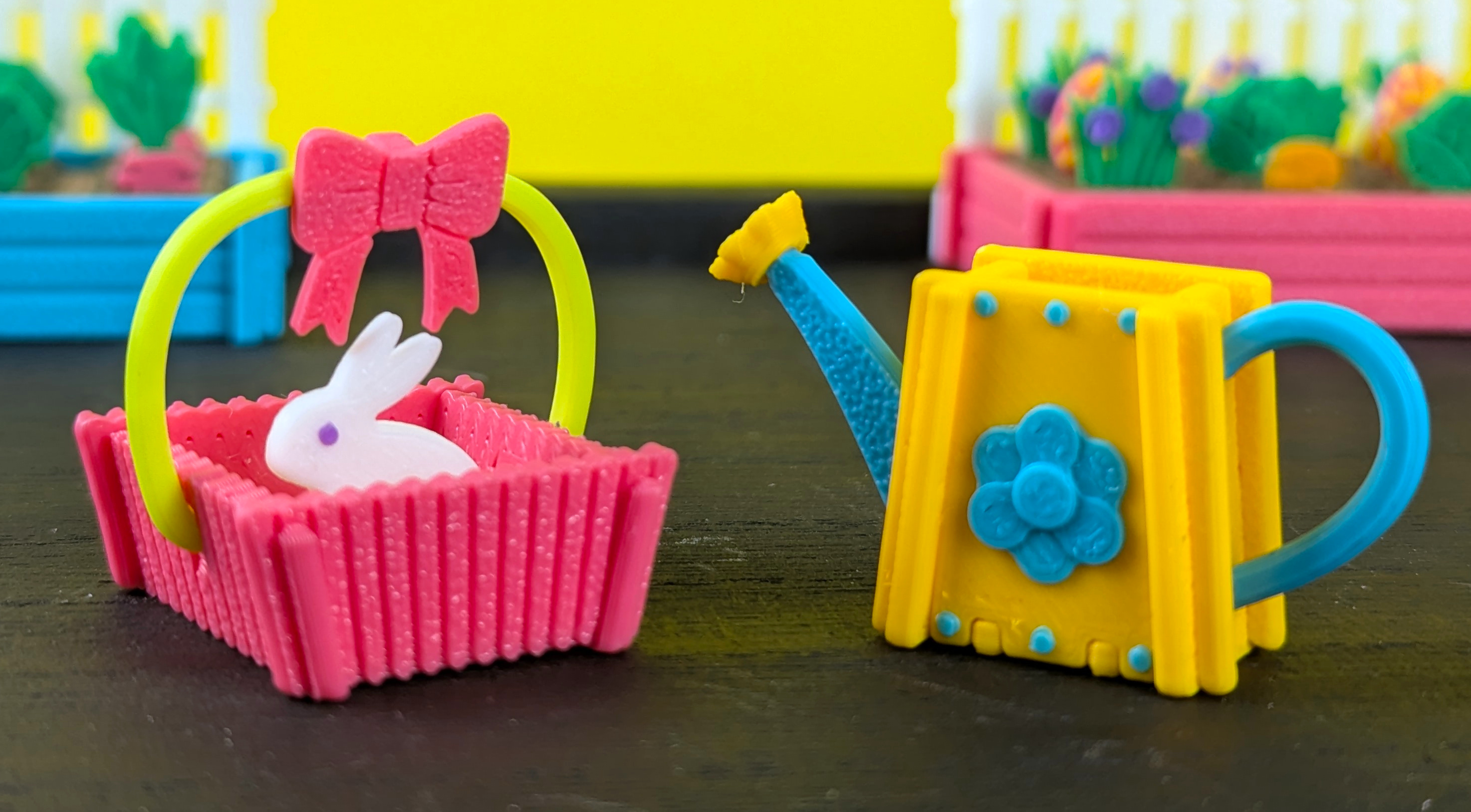
I also created a tiny watering can and Easter basket to go along with, but they weren't ready for publication yet. Here's a sneak peak because they're adorable, too! I was sad I couldn't release them at the same time but it'll be worth it, I promise!
Closing Thoughts
I hope you enjoyed a look at my process and found it informative! If you have any questions or thoughts, I'd love to hear them.
In the meantime, I wish you and your family the best, hoppiest, and most veggie-full Easter yet!
Naomi aka berri3D 🥰
Edit: I wrote this after only a few hours of sleep and realized I missed a step and made some typos. Fixed now 😅