
"Manta" mouse - Bambu Lab Mouse Kit Compatible


Print Profile(4)



Bill of Materials

Description
Boost Me (for free)
I usually don’t ask for this, but I’ve noticed that many creators actively encourage it on other platforms—and it makes sense, as it helps increase visibility. So, if you can follow me, it would make difference. It’s a great way to support my work and show appreciation. For more insight subscribe my blog at: https://designrepcom.com/ This design is freely available for the community, but if you enjoy my work and would like to show your support, you can boost this project. Thanks!
Please consider following me if you download and print my work. It’s a simple way to support my activity and stay connected with me in the future. Your interest helps me understand the value of my work to the community. Thank you!
Introduction
Disclaimer: This model is part of the Creator Program, when you purchase the Wireless Mouse
Components Kit-002 through the links below, creators may earn an affiliate commission as a reward of their
work.
Hardware Kit: Wireless Mouse Components Kit 002
Recommended filaments: Matte PLA or if you prefer Basic PLA, that said, you can use any filament you like as long is not TPU ;)
Characteristics
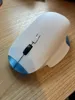
- With anthropometric dimensions between medium and large, it should be good for anyone with hands within this percentile;
- It is oriented towards right-handed people;
- In addition, to the usual rest area for the thumb, I also provided a rest area for the little finger, something that unfortunately the mouse I usually use does not have (MX Master 3);
- 4 button: Left, right and middle (on the scroll wheel) and a top middle button.

You can find a monocolor and a multicolor version on the print profile. I advise you to test print the monocolor and see if it is ok for you, it is a fast print more or less 2 hours in total.
Note
- The mouse needs to be functional and tolerances are not the same has an injection mold part, so some zones have to be adjusted to better fit the 3D print process, on of does zones is the gap between the buttons and the rest of the shell.
- The mouse needs to be 3D printed with the least amount of supports, and none or almost none supporting the external shell, this to limits the design
- Last, this fits on bambu lab kit (version 002), I've opted not to change their internal chassis, this way you can change tops easily :)
Change Log
- 08-11-2023 - Added a version without logo to the 3MF profile file.

- 26-05-2024 - A new mouse was released, the “Ergo Mouse”. You can find it here: Ergo Mouse I1

Curious About My Tools? Check This Out!
For those of you who often ask about the tools I use to bring ideas to life, this article, The Journey From Idea To Object (Part I), offers some insights into the initial stages. It highlights the use of various tools, including software like Autodesk Fusion for CAD design, Blender for render and Bambu Studio for 3D printing preparation, and other... So, if you're curious about the software and hardware too, that I've incorporate in my workflow, take a look at the link for more details!" – Visit https://designrepcom.com/ for much more.
License

You shall not share, sub-license, sell, rent, host, transfer, or distribute in any way the digital or 3D printed versions of this object, nor any other derivative work of this object in its digital or physical format (including - but not limited to - remixes of this object, and hosting on other digital platforms). The objects may not be used without permission in any way whatsoever in which you charge money, or collect fees.


Comment & Rating (358)