
Moonrollers Inserts
Print Profile(1)

Description
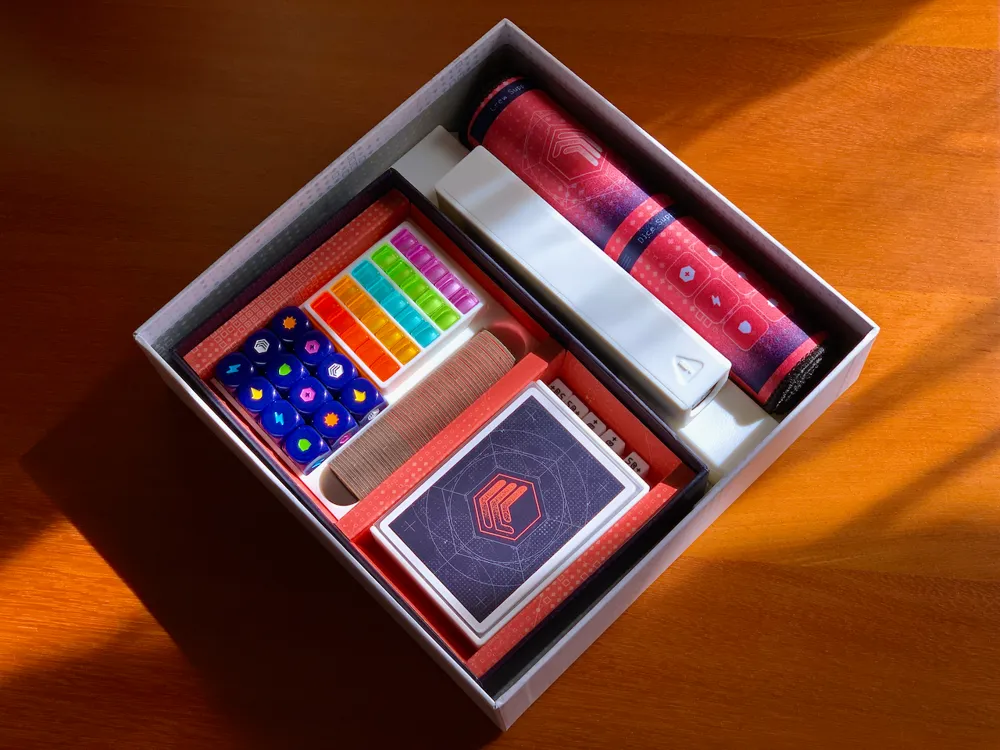
Moonrollers is a great game by IV Studio!
Though, the provided inserts are a bit on the simple side, considering attention given to all the other games by the studio. So, I decided to make my own custom inserts for this game.
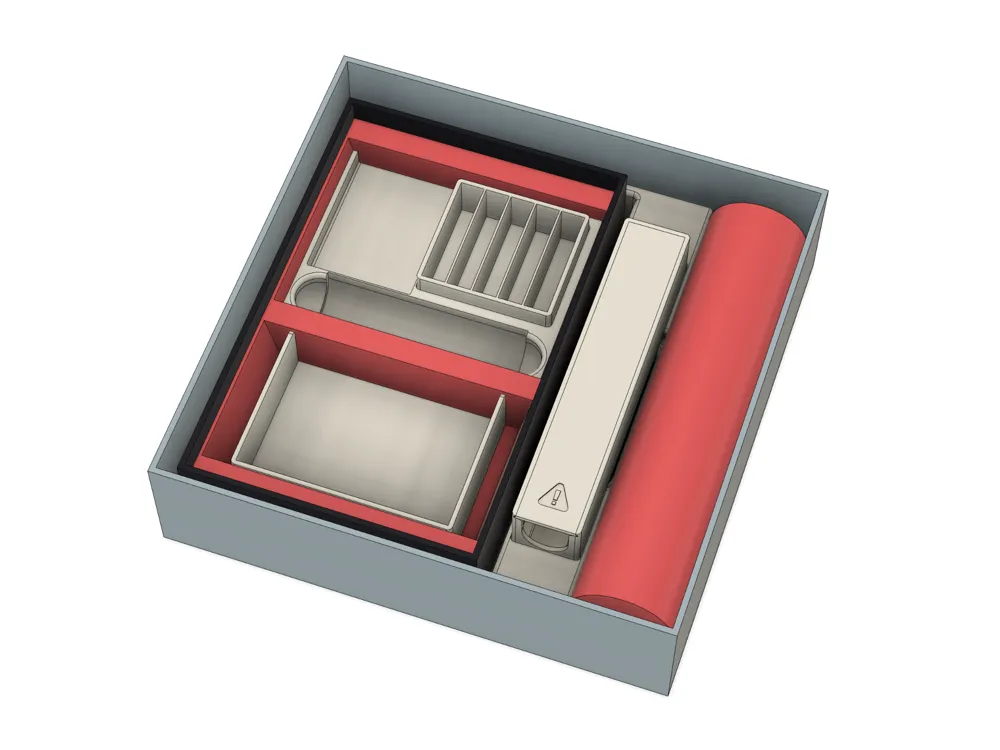
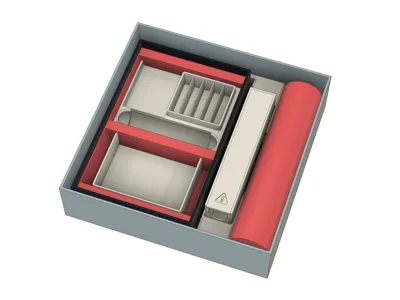
The goal was to keep everything that comes in the Atlas box, including the game box, the cardboard insert, and the cardboard hazard tokens (in case you also have the metal hazard tokens).
And yes, it also includes keeping the mysterious IV token. 😜
Boost Me (for free)
I enjoy making custom board game inserts and other cool upgrades, but this takes time and money. A little boost would help me cover the costs for filament and other printer consumables needed to test the prints thoroughly. Thank you!
Contents
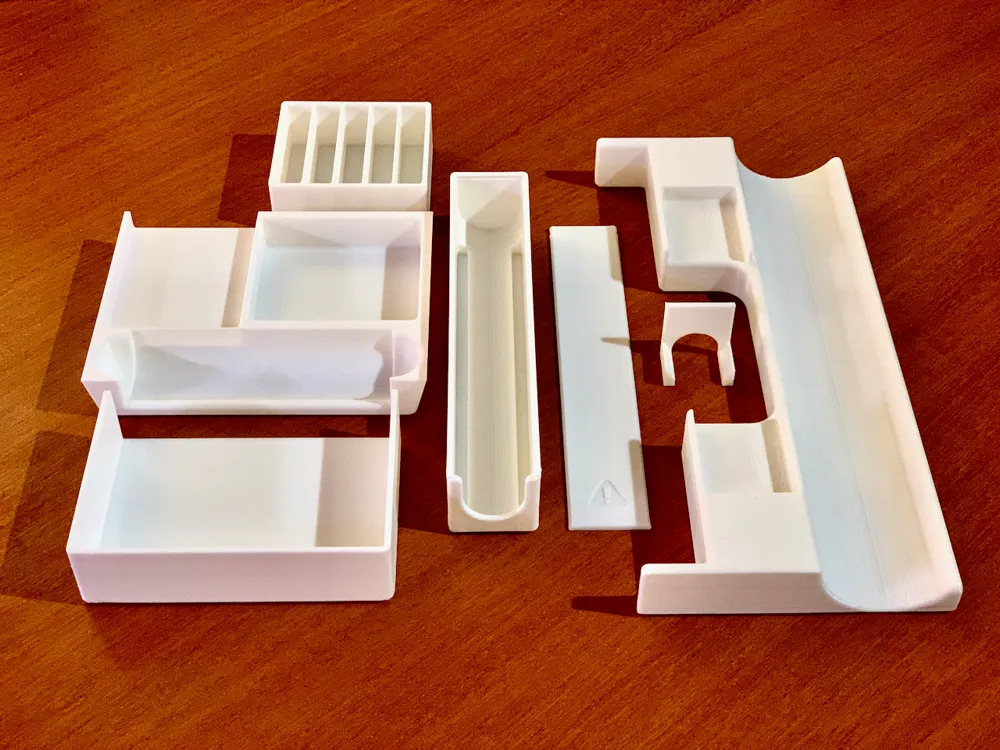
For the game box:
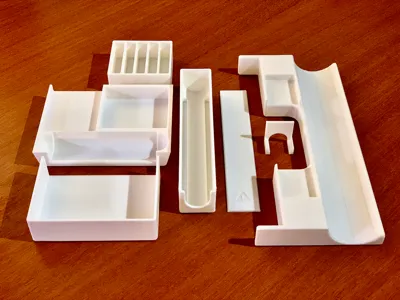
- the card tray, which fits sleeved cards;
- the components tray;
- the player tokens tray.
For the Atlas box:
- the base tray, which also holds the game box in place;
- the metal hazard tokens tray, including:
- the lid;
- the nook, to keep the tokens flushed to the front, allowing you to keep the tokens in the tray during the game.
Printing considerations
All the inserts fit in a single 256 × 256 plate.
The Atlas base tray has a different infill to minimize infill creep on the curve where the playmat sits.
The metal hazard tokens tray nook prints at half the speed to avoid the printer to yank it when printing on the overhangs.
For a better finish, you can decrease the layer height to 0.12 or even 0.8mm, at the cost of printing time. Another option is to add an ironing finish to the print, and I did that myself, but since these settings are a hit-or-miss, I decided to not include in the print profile. I you want it, I advise you to do an ironing test first and see which settings produce the best results with your printer and filament combination and then add them yourself in the slicer.
50+ Cubes?
“What about those 50+ cubes I see on the image?” They're right here. 😉
Thanks! Enjoy!
Boost Me (for free)
I enjoy making custom board game inserts and other cool upgrades, but this takes time and money. A little boost would help me cover the costs for filament and other printer consumables needed to test the prints thoroughly. Thank you!
License

You shall not share, sub-license, sell, rent, host, transfer, or distribute in any way the digital or 3D printed versions of this object, nor any other derivative work of this object in its digital or physical format (including - but not limited to - remixes of this object, and hosting on other digital platforms). The objects may not be used without permission in any way whatsoever in which you charge money, or collect fees.


Comment & Rating (0)