Search models, users, collections, and posts

Post-processing script test file -- Completely disable layer 3 head-wrap detection (layer3_skippable2.py)
IP Report
GIF
Print Profile(1)
0.2mm layer, 2 walls, 15% infill
Designer
17 min
1 plate
Open in Bambu Studio
Boost
0
0
0
0
0
0
Released
Description
Content has been automatically translated.

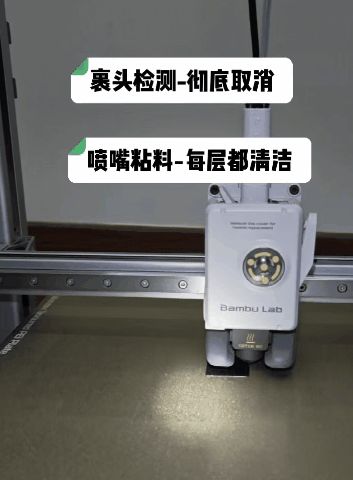
🔥 How to use post-processing scripts? | How to completely disable layer 3 wrap detection?
🛠️ A solution for long stringing during travel on layer 3
- Use a post-processing script: Completely disable layer 3 wrap detection to directly eliminate long stringing during travel
✅ Feature Description
- Check for the comment ;layer3_skippabl_shut_down
- If not present, perform the following operations:
- Find the first (; SKIPPABLE_START) on layer 3
- Comment out everything from (; SKIPPABLE_START) to (; SKIPPABLE_END)
- Insert G90 and M83 after (; SKIPPABLE_END)
- Insert the comment ;layer3_skippabl_shut_down
- If present, do nothing
📌 How to use
- Download and install the latest version of Python, and record the path to python.exe (in this example, D:\Python\Python314\python.exe)
- Copy the script (rename layer3_skippable2.py.txt to layer3_skippable2.py) to the specified directory (in this example, D:\178trae\trae-gcode\py1)
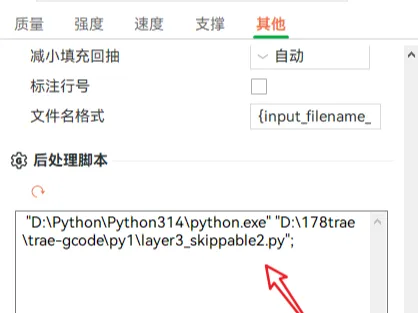
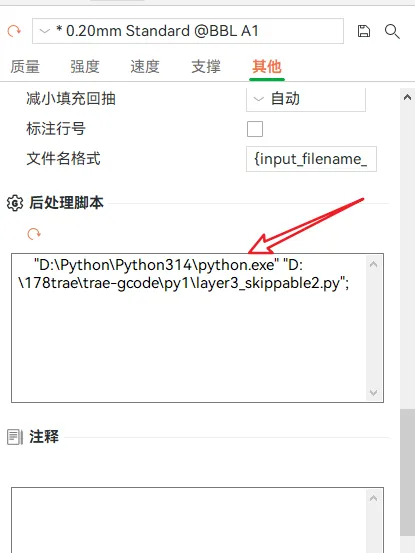
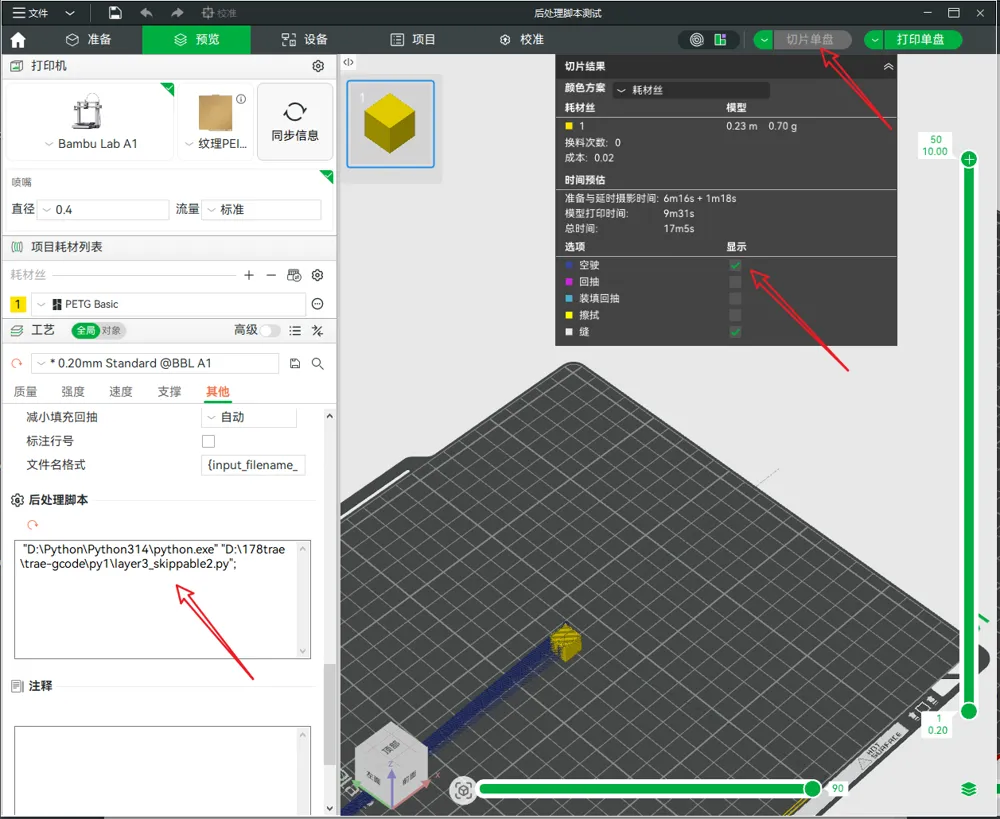
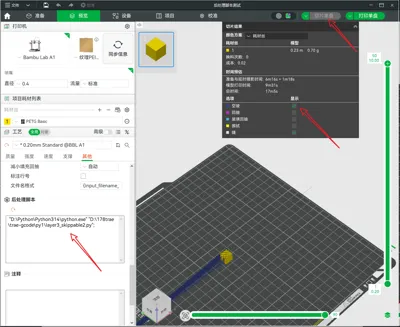
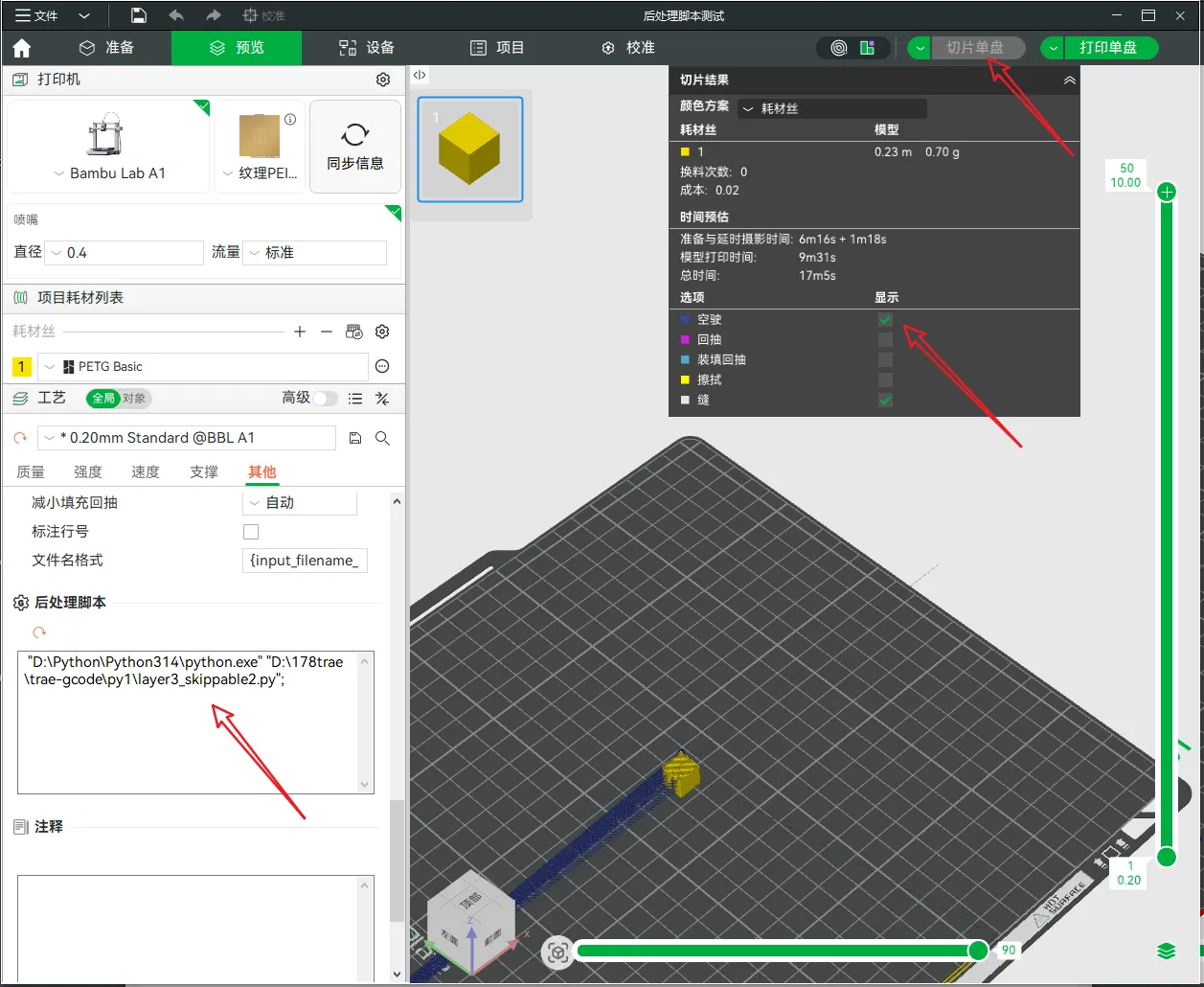
- Add the post-processing script and click the slice button
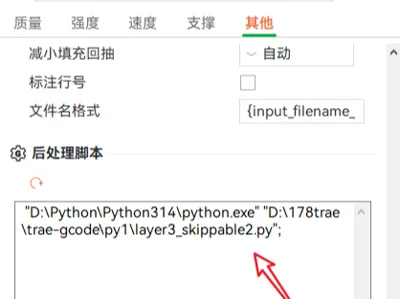
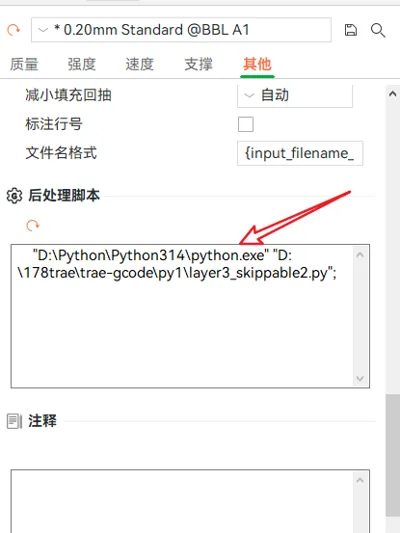
- Bambu Studio for Windows → Process → Others → Post-processing scripts: Add
- Format: "python path" "script path";
- Example: "D:\Python\Python314\python.exe" "D:\178trae\trae-gcode\py1\layer3_skippable2.py";
In Bambu Studio slicing results, check travel to confirm the effect
⚠️ Important Note
- After slicing in Bambu Studio, check travel to confirm the effect
🚨 Important Warning (Must Read)
- The post-processing script layer3_skippable2.py will directly modify the G-code file, please verify the script content to prevent any damage to the machine!
- After adding the post-processing script, please do not save the modified model file, as this may lead to errors.
- This script is only adapted for Bambu Lab A1, do not blindly apply it to unverified printer models.
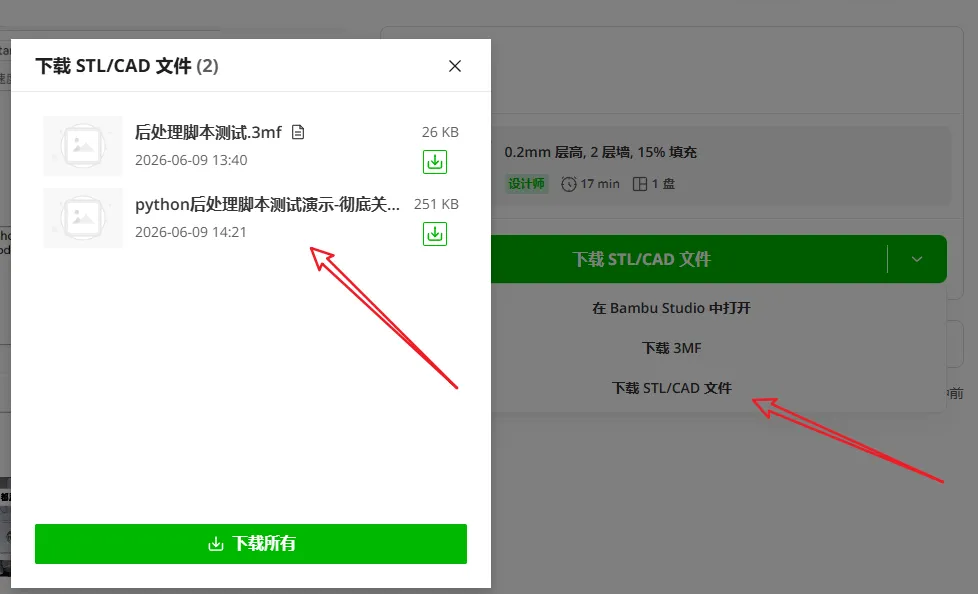
📋 File Download & Reference Settings & Effect Confirmation
License

This user content is licensed under a
Creative Commons Attribution

Comment & Rating (0)