
Office desktop module


Print Profile(1)

Description
Boost Me (for free)
I usually don’t ask for this, but I’ve noticed that many creators actively encourage it on other platforms—and it makes sense, as it helps increase visibility. So, if you can follow me, it would make difference. It’s a great way to support my work and show appreciation. For more insight subscribe my blog at: https://designrepcom.com/ This design is freely available for the community, but if you enjoy my work and would like to show your support, you can boost this project. Thanks!
Introduction
This organizer is composed of two large blocks that are connected in a seamless way.
- The different modules can be used however you want. With several recesses, it allows you to store small things without them falling and be quickly accessed.
- I added an Apple phone charger, but it can easily be adapter for other models. the module above it, are for USB-A & C cables and pens.
- Other modules are movable to facilitate their cleaning, namely those where I place the pencils. And the 3 front left pockets, I've made them for post-its
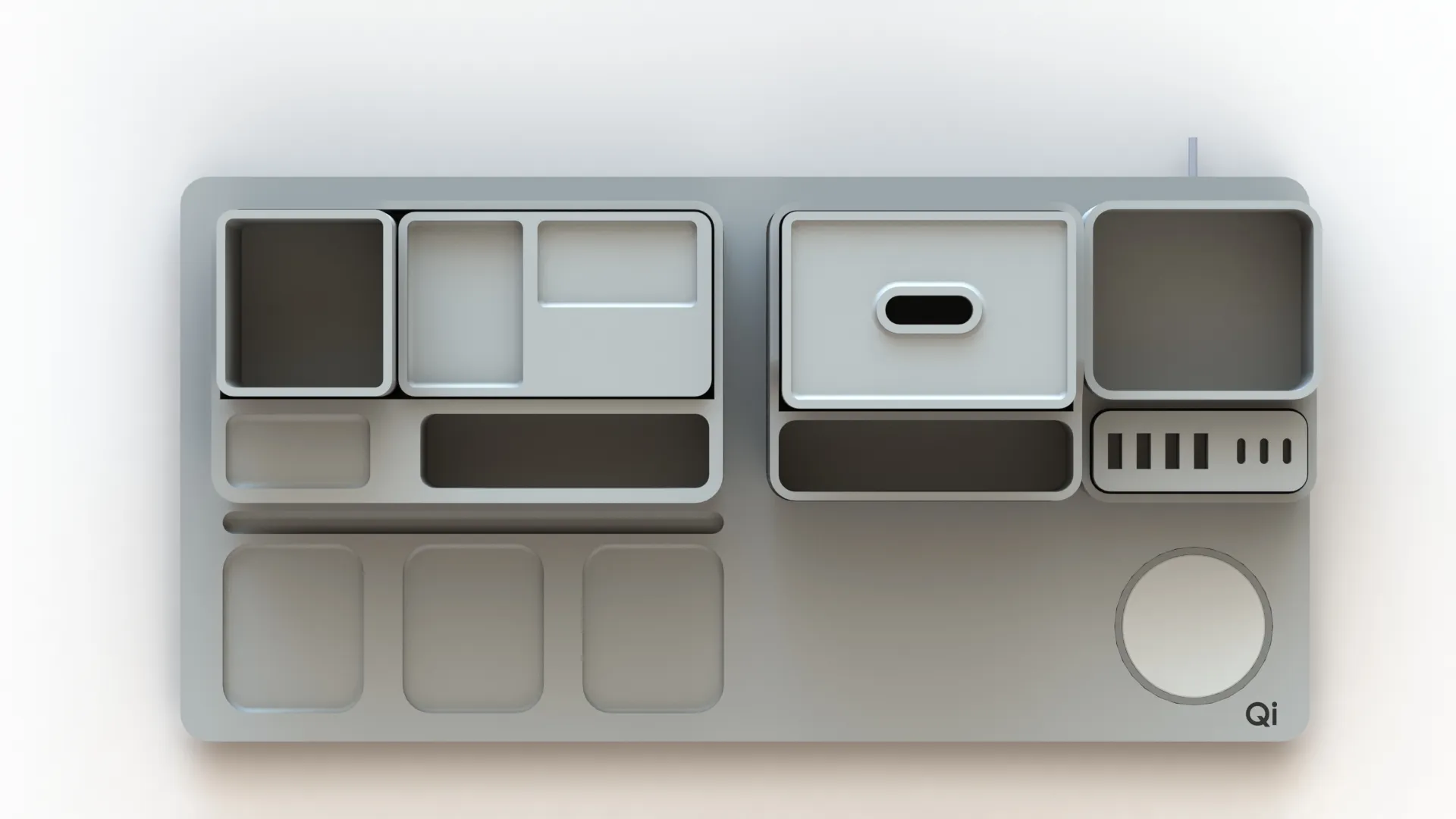
The assembly is very simple, just fit the two bases that will be connected with the notches.
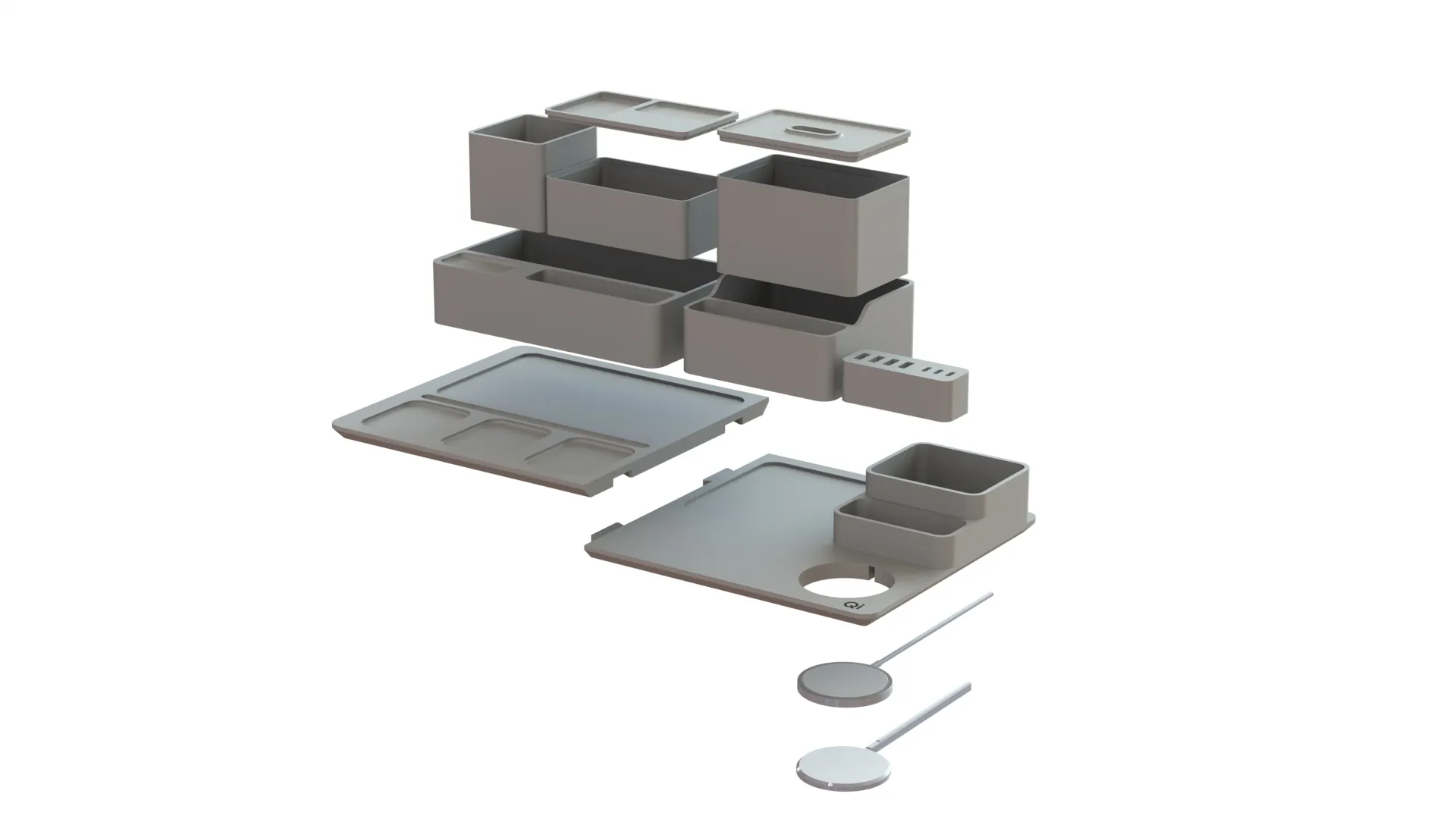
Print instructions.
And again, the design is simples, and the printing is simple. the lids will need supports on the external contour lip.
Notes:
I'm printing it at this exact moment. The parts at the momento ar all excelent (they are NOT complicated, so I don't expect any print problems)
Support the designer:
This design is free for the benefit of the community, but If you like my designs and want to contribute, you can make a donation to buymeacoffee or paypal, that will be greatly appreciated.
Curious About My Tools? Check This Out!
For those of you who often ask about the tools I use to bring ideas to life, this article, The Journey From Idea To Object (Part I), offers some insights into the initial stages. It highlights the use of various tools, including software like Autodesk Fusion for CAD design, Blender for render and Bambu Studio for 3D printing preparation, and other... So, if you're curious about the software and hardware too, that I've incorporate in my workflow, take a look at the link for more details!" – Visit https://designrepcom.com/ for much more.
License



Comment & Rating (34)