This is a short guide on how to print TPU 85a
Note: This may also work for 90A but i have not tested ;)
Tpu 85a is a very soft and stretchy filament,
which leads to the extruder feeding part slipping and not grabbing well, leading to gaps inconsistencies and other issues. If you like me and don't feel like adjusting the gap in the extruder part and just want an easy adjustment to get a fair quality print then you came to the right place!
To solve this problem follow these simple steps below!
- Remove the ptfe tube from the print head
- Get the external spool holder and mount it on top of the printer like so, then put the spool on and let the filament hang down like so. Its important to monitor and make sure that it doesn't pull tight or the printing will be bad (I would recommend the longer rout for long prints like cloudberry's shoes)
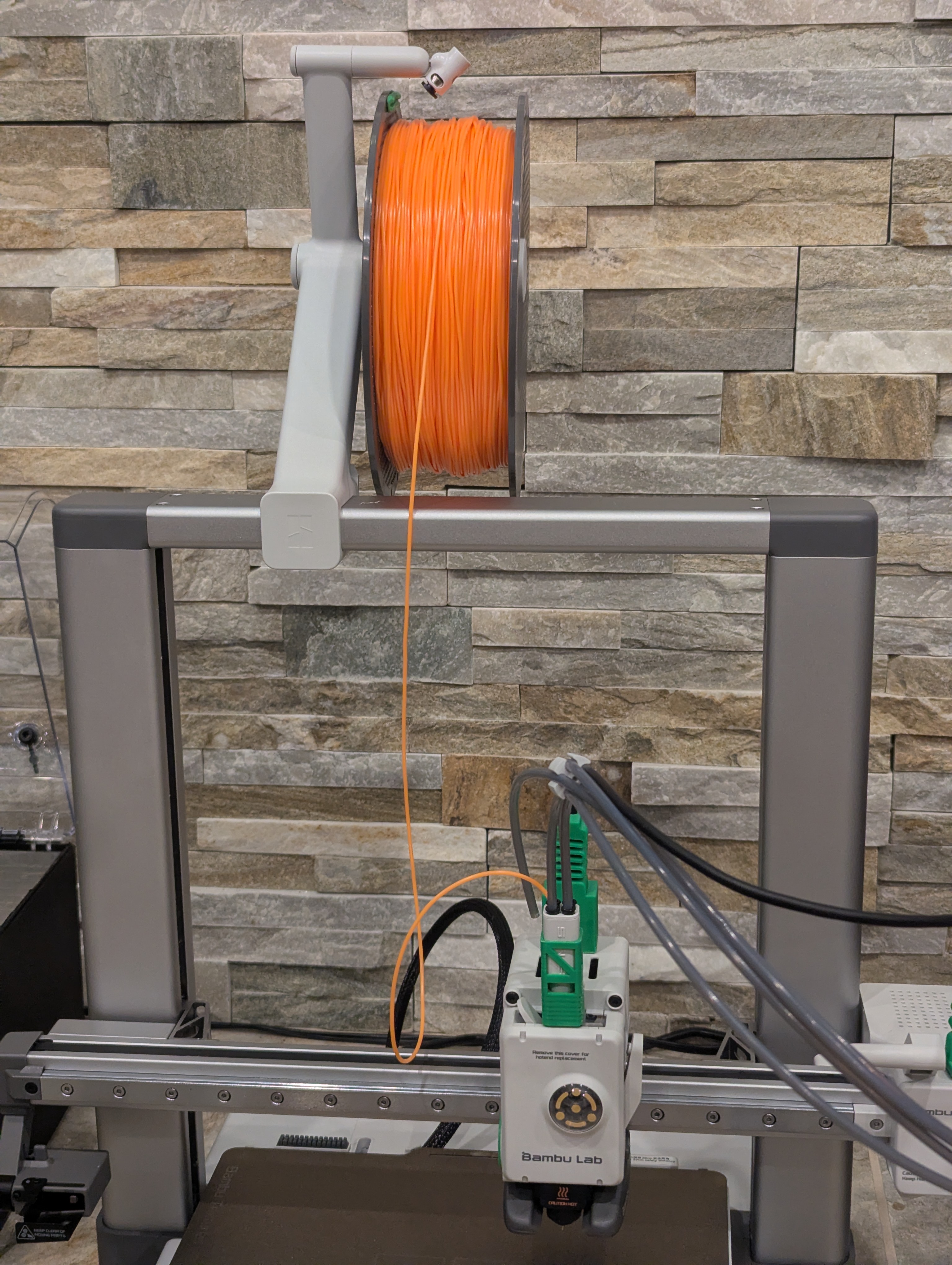
3. Change the temperature from 225C to 240C, It will drastically changed the print quality and strength. The pre-loaded temp is not correct because you have to use the 90a profile. You will have to set that temp as its laying the line in from of the bed, otherwise the printer
will not accept the new temp.
4. Lastly you will need to set the print speed at 50%
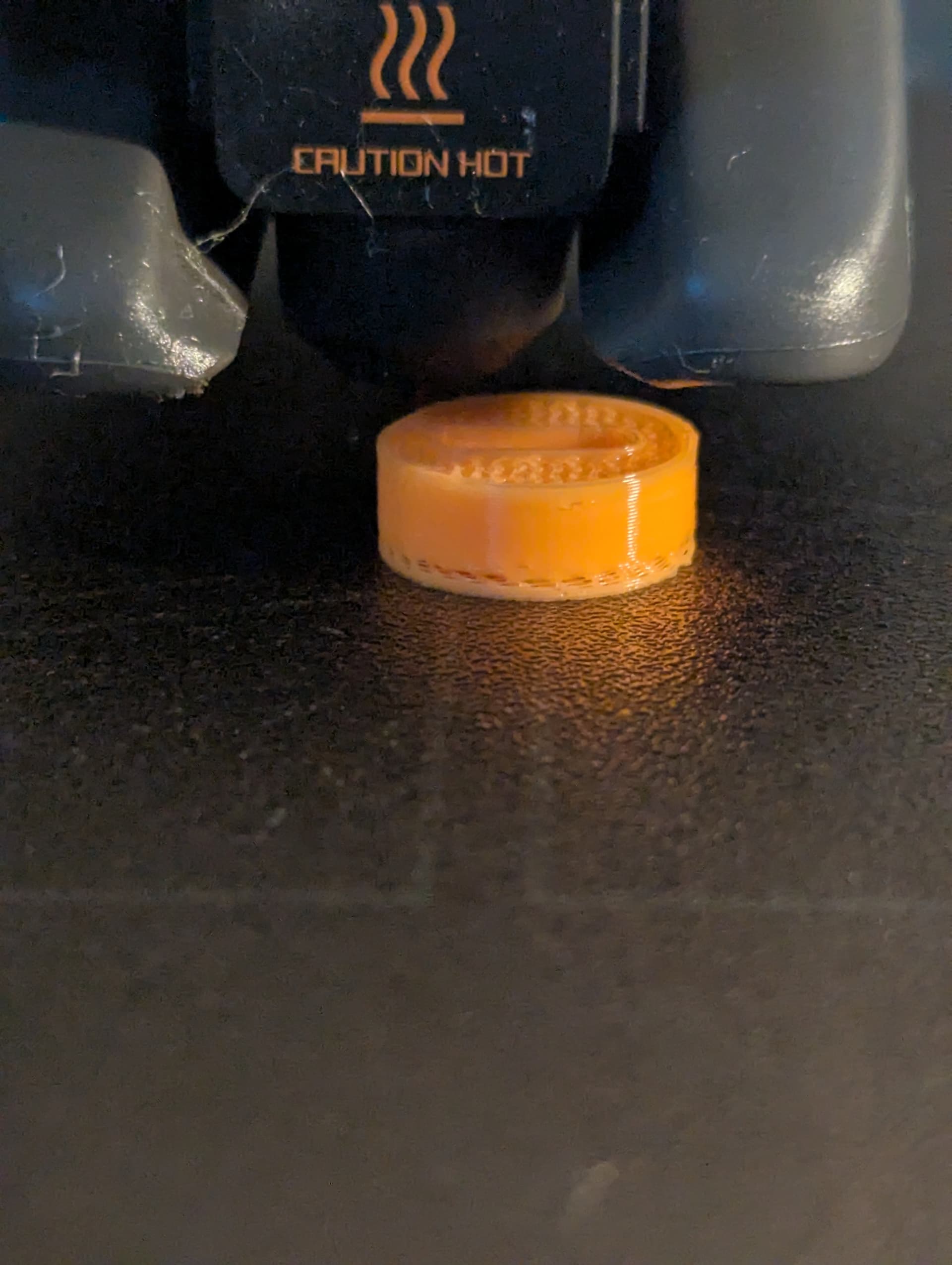
A picture of the printing, the bad looking part was run at 225C and the rest at 240C
I hope that you enjoyed this article and learned how to print TPU 85A, good luck in your printing experience! And please share your results and questions!
Boosts appreciated- Some weirdo…
--@3DRIO