
the cat wrangler

Print Profile(3)


Description
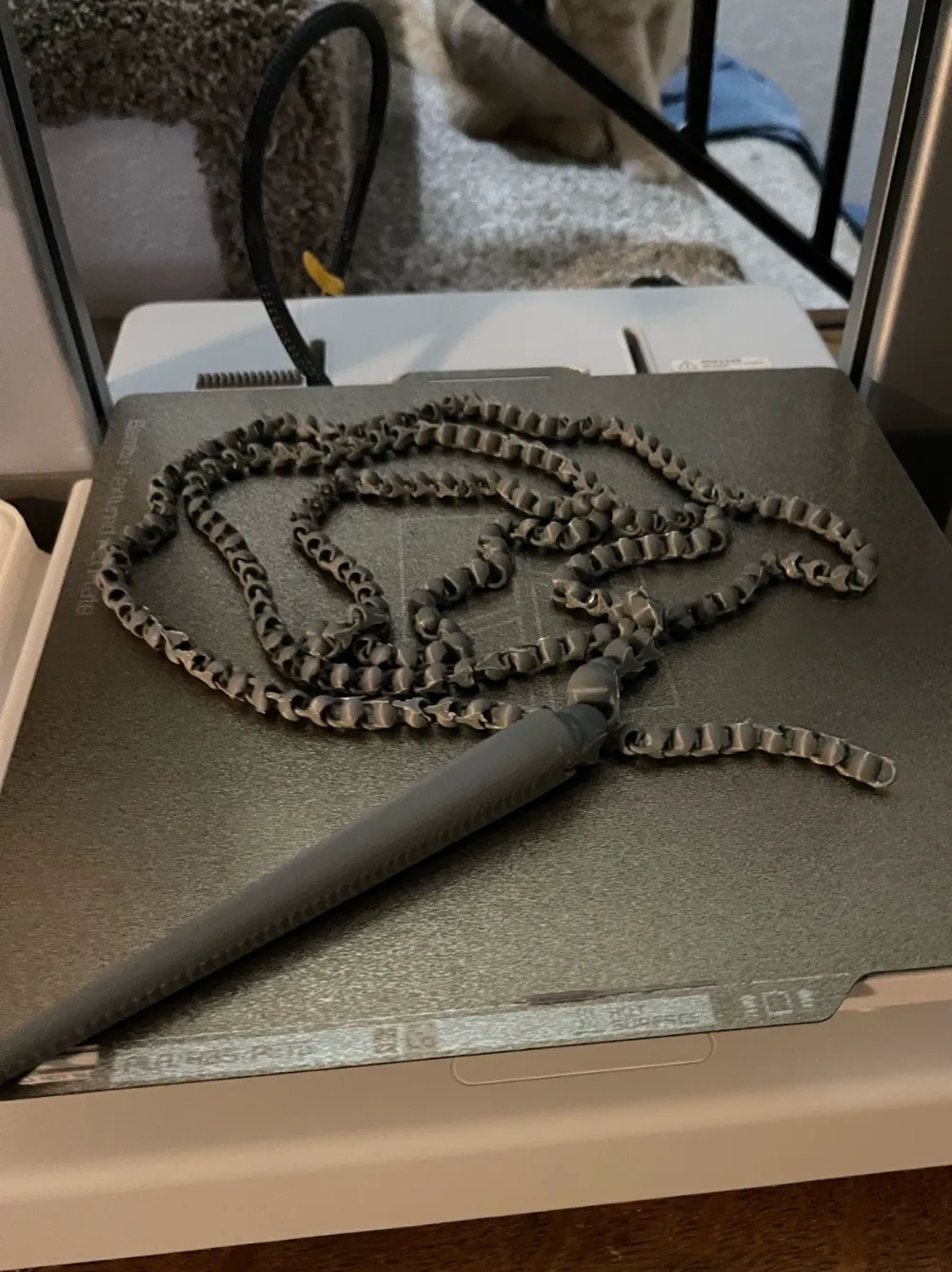
Over 4 feet long, this thing will entertain both of you for hours!
Check your prints! make sure everything is tip top before you let the rascals anywhere near it.
updated brim for possible better removal. soaking it in water can help
Changed back to the OG name for Makerworld reasons
Use at own risk! :)
Boost Me (for free)
Thank you :)
New model out, The Octo Wrangler!
https://makerworld.com/en/models/1358794-the-octo-wrangler#profileId-1403009
A1 MINI EDITION can be found here
I have redone the whip to fit the mini with the same strength as the original.
https://makerworld.com/en/models/1029700#profileId-1012230
Any quality filament will do, this was done in ANYCUBIC Gray
Print speeds 100 or below for best quality and adhesion
Provided print profile is brimmed for successful prints from the handy app, it can and has been printed without! STLs provided
Just pop the larger end into the handles tip and you are good to go
Make sure to check your prints. Connections take a considerable amount of force for me (6'3) to pull apart when printed correctly with mid grade filament
Due to the nature of the print and small contact points, the print profile is included with a brim to ensure proper printing.
Brim tip! soak the print in warm water for a bit after printing and the brim should come off a little easier and cleaner
Warning: This product is intended for supervised play. While the item is designed for safe interaction, it may pose risks if used improperly or without supervision. Always monitor while using this toy, and inspect it regularly for any signs of damage or wear. If the toy shows any signs of wear, or if parts become loose or damaged, discontinue use immediately.
Oh no, Prepare Yourselves!
- Clean your Plate!
- Wash your plate thoroughly with soap and warm water. make sure to dry with a lint free clean cloth!
- Isopropyl isn't always necessary but it definitely helps for a quick clean between prints. (Bambu needs to sell pack of disposable wipes!)
- Avoid touching your plate after cleaning, the smallest fingerprint placed right at a contact point can trash the whole print (brim can save the day here!)
- Make it flat!
- Having a level bed is just as important as having a fresh clean surface to print on, run auto calibration once a month or any time you move your printer to another spot.
- Run the pre-print calibration at least every few prints, to make sure everything is up to par.
- Keep an eye on that first layer!
- This is the time to take a look and make sure everything is set to your liking
- check for any under or over extrusions, looking for a smooth surface no warping or peeling.
- Skirts are great to start with, they help to doublecheck settings prior to laying down much filament. (for the adhesive lovers! skirt it, pause the print, and apply to the outlined print area)
License

You shall not share, sub-license, sell, rent, host, transfer, or distribute in any way the digital or 3D printed versions of this object, nor any other derivative work of this object in its digital or physical format (including - but not limited to - remixes of this object, and hosting on other digital platforms). The objects may not be used without permission in any way whatsoever in which you charge money, or collect fees.


Comment & Rating (413)