Search models, users, collections, and posts

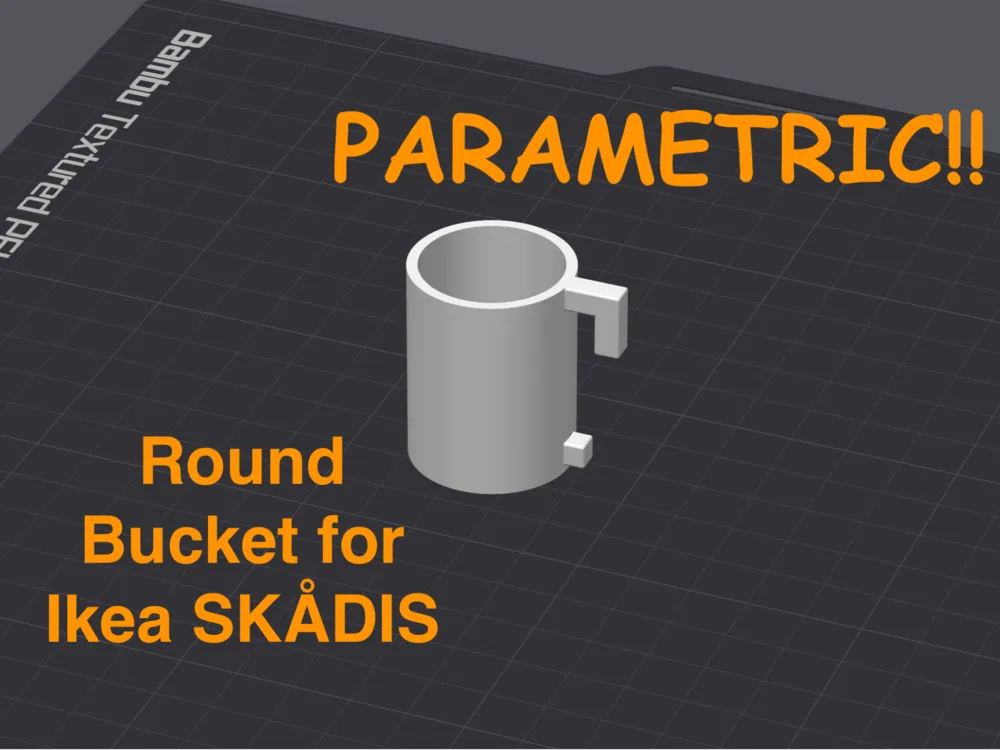
Ikea SKADIS Round Parametric Bucket
IP Report
Print Profile(1)

0.2mm layer, 2 walls, 20% infill
Designer
30 min
1 plate
Open in Bambu Studio
Boost
50
180
9
9
314
196
Released
Description
Ikea SKÅDIS Round Parametric Bucket
Overview
This OpenSCAD script enables you to create customizable round buckets for the Ikea SKÅDIS Pegboard. Whether you need a sealed bottom for a functional container or open-bottom rings for holding tools, this script provides a versatile design tailored to your needs. Inspired by the IKEA SKADIS Add-Ons: Parametric Bins and Shelves from JuanG (Model No. 799571), this model brings the same level of customization to circular shapes.
Features
- Customizable Dimensions: Adjust bucket height, diameter, and wall thickness to suit your specific requirements.
- Optional Bottom Closure: Toggle the "Close Bottom" parameter to switch between buckets or open rings.
- Multi-Purpose Functionality: Use as storage buckets, mini plant pots or holder rings.
Parameters
Dimensions:
- bucket_diameter: Set the overall diameter of the bucket.
- bucket_height: Define the height of the bucket.
- wall_thickness: Specify wall thickness for durability.
Base Options:
- close_bottom: Boolean parameter to toggle a closed or open base:
- true: Closed bottom for a functional bucket.
- false: Open bottom, turning the model into a ring.
- close_bottom: Boolean parameter to toggle a closed or open base:
How to Use
Modify Parameters:
- Open the script in MakerWorld with the customize function or OpenSCAD.
- Adjust parameters like: bucket_diameter, bucket_height, bottom_thickness and wall_thickness to match your desired design.
- The default Hook Parameters for the dimensions are tweaked for the painted (white) version of the Skadis Board. If you are printing for the brown non-painted SKÅDIS Board consider tweaking these for a better fit. (I couldn't test if the default values work with the unpainted version since I don't own one).
- Toggle close_bottom for a bucket or a ring.
Save and Render:
- Save your changes in OpenSCAD.
- Generate the 3D model by rendering the script.
3D Print:
- Export the STL file and load it into your slicer.
- Important: Enable Tree supports.
Recommendations
- Print Strength: Use 100% Infill on the Hook area.
- Supports: Enable tree supports for hook and extra support overhangs.
License

This user content is licensed under a
Creative Commons Attribution-Noncommercial-NoDerivatives


Comment & Rating (9)