Search models, users, collections, and posts

Open-Closed Creative Door Sign
GIF

Print Profile(1)

All
X1 Carbon
P1S
P1P
X1
X1E
A1
H2D
H2D Pro
H2S
P2S
H2C
X2D
A2L

0.2mm layer, 6 walls, 25% infill
Designer
14.2 h
5 plates
2.7(6)

Open in Bambu Studio
Boost
451
910
43
6
549
131
Released 

Description

Content has been automatically translated.
Show original


This is a creative door sign that transitions from open to closed, suitable for rooms, shops, and other settings to create a unique display.

Glue is required for installation; supports are not needed. If rotation is not smooth, this may be due to installation or accuracy issues. A recommended gear accuracy is 0.16-0.18.

Plastic gear lubricant may be applied, but it is not required.

Thank you for downloading and your interest. Future versions with improvements will be released promptly.


This is a creative door sign; it transforms from open to closed. It can be used in rooms, shops, and other scenarios for a creative display.

Installation requires glue; the model requires no supports. If it rotates poorly, there may be an installation or accuracy issue. The recommended gear accuracy is 0.16-0.18.

You can optionally apply plastic gear lubricant.

Thank you for downloading and liking it. Future improved versions will be updated in a timely manner.

Comment & Rating (43)

(0/1000)

Pinned by Designer
1
1
Reply
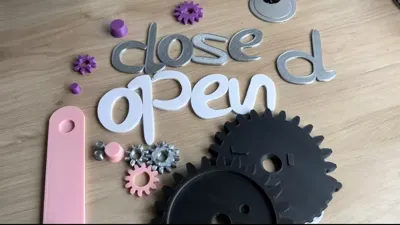
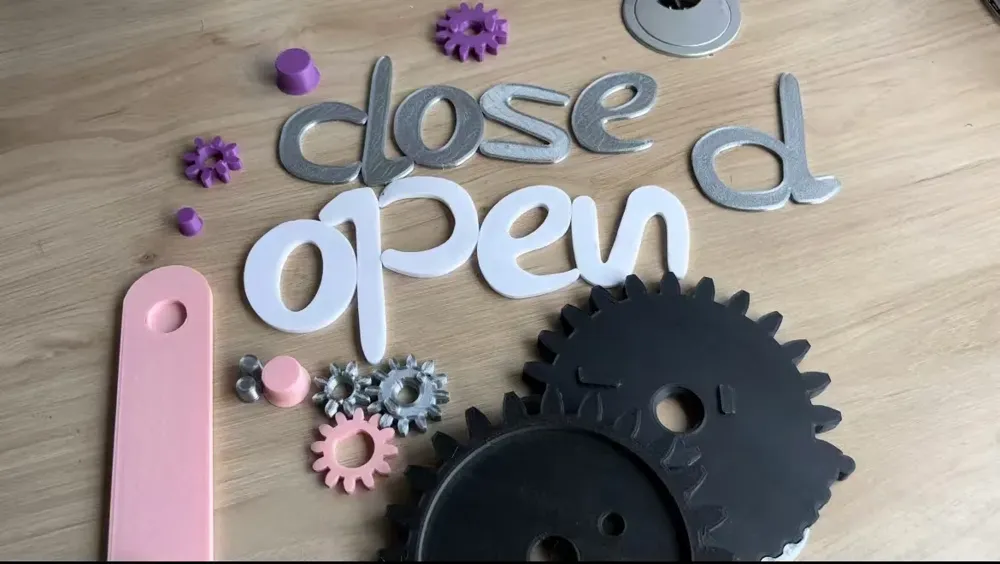
the model is a mess. lots of spare parts, lots of parts missing. no instructions made it a little morning brain teaser, but doable. tricky part was the left wheel, which broke on insert. overall, fine print. hope these help for the assembly.
5
Reply
all the unnessesery parts:
1
Reply
How did you overcome the clash between the S and E? A bit annoyed that I see all the comments after I already printed all the parts
0
Reply
Replying to @user_3519140717 :
just flip the S i guess, mine still works, even tho the “p/d” doesnt overlap correctly
0
Reply
You need to prepare glue and plastic lubricant (optional); it is recommended to set the print quality to 0.16.
1
Reply
Do not print this! Missing parts, tolerances are WAY off random parts that aren't needed. It's a hot mess.
The designer has replied
2
Reply
We sincerely apologize. Due to a duplicate file name uploaded earlier, the handle was missing. It has now been added. The 'Crank_-_optional' is for friends who have already printed it. I checked and there are no extra parts, thank you. The duplicates are the parts where the letters on both sides overlap, not extra parts. Installation is a bit difficult, I recommend printing at 0.16 quality and applying a little plastic lubricant. The handle part has been re-added.
0
Reply
where is the crank model? 🤷🏻‍♂️
0
Reply
would you please elaborate your plates ? looks like too many parts and some are missing
The designer has replied
0
Reply
this
0
Reply
We sincerely apologize. Due to a duplicate file name uploaded earlier, the handle was missing. It has now been added. The 'Crank_-_optional' is for friends who have already printed it.
0
Reply
At first, I thought people were just being mean to this guy and didn't like a little challenge with no clear instruction. But, after downloading the files I can understand people's frustration. 🙃 ⚠ At a minimum ⚠ I think you need to comment (or update your description would be best❕) and communicate the exact files (by name ✅) that must be printed, and which are optional. There are 42 files total. 📂 Great work and effort my friend. I think you could really improve the amount of downloads and positive feedback if you at the very least do what I described above in your description. 👍 (also this file cannot be loaded and may need to be reuploaded: open_close_sign_parts_-_s_axle_pin_1)
(Edited)
2
Reply
this model is very difficult to print, and model owner doesn't respond to questions
The designer has replied
0
Reply
Sorry, please check the photos in the comments, I'm not good at uploading files
Show original
0
Reply
Replying to @user_1183514195 :
you need to figure it out then. it doesn't show the handle in the files, and no clear instructions on assembly
0
Reply
Print Profile
0.2mm layer, 6 walls, 25% infill
no assembly instructions. handle is shown in images for movement and not available?
Missing Model Parts:missing handle from images
Other Issues:no assembly instructions
2
Reply
Parts are missing Unfortunately this was only noticed too late All printed parts had to be discarded
The designer has replied
Show original
0
Reply
We sincerely apologize. Due to a duplicate file name uploaded earlier, the handle was missing. It has now been added. The 'Crank_-_optional' is for friends who have already printed it.
0
Reply
The ones printed before are all usable, you just need to add a handle.
0
Reply
Very cool model! 😎
designer
2
Reply
this is honestly a really smart idea. haven't printed it yet, so I can't really leave a review.
1
Reply