
Thrustmaster TCA Quadrant Trim Wheel Extension




Print Profile(1)

Description
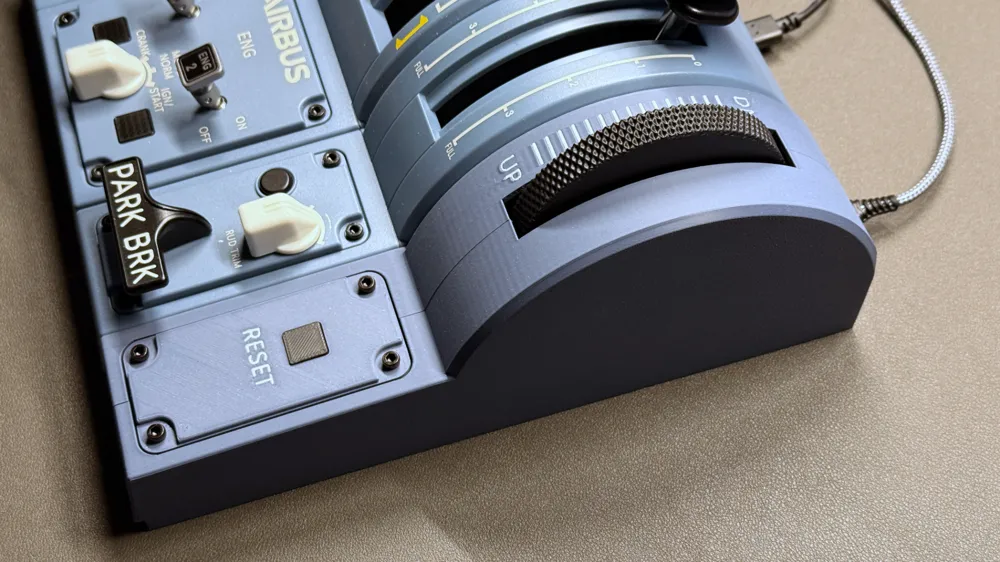
Trim Wheel Extension for Thrustmaster TCA Quadrant (Version 2.0)
Boost Me (for free)
Support me by giving a boost for this model. Thank you!
Membership
Become a member to use my 3D designs for commercial purposes!
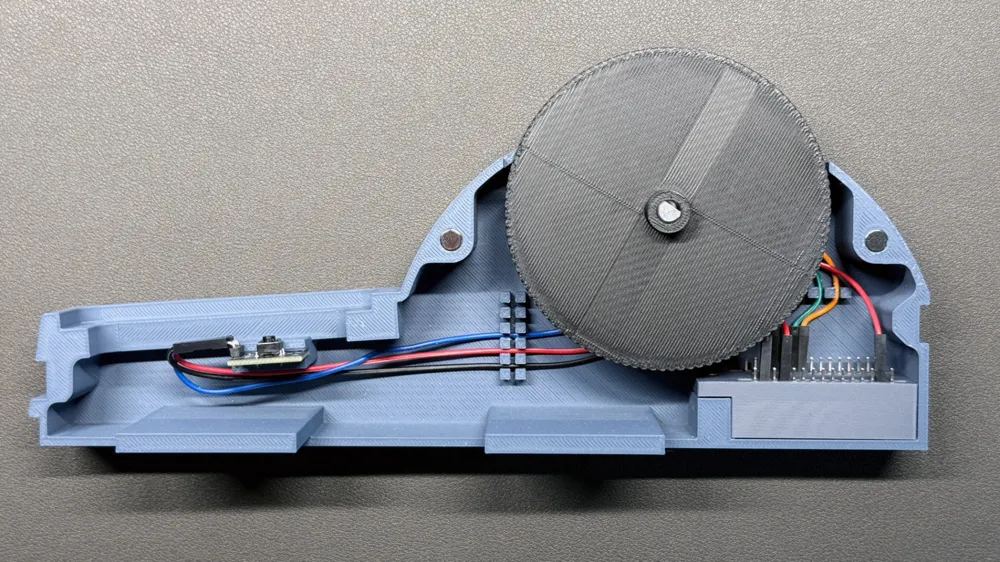
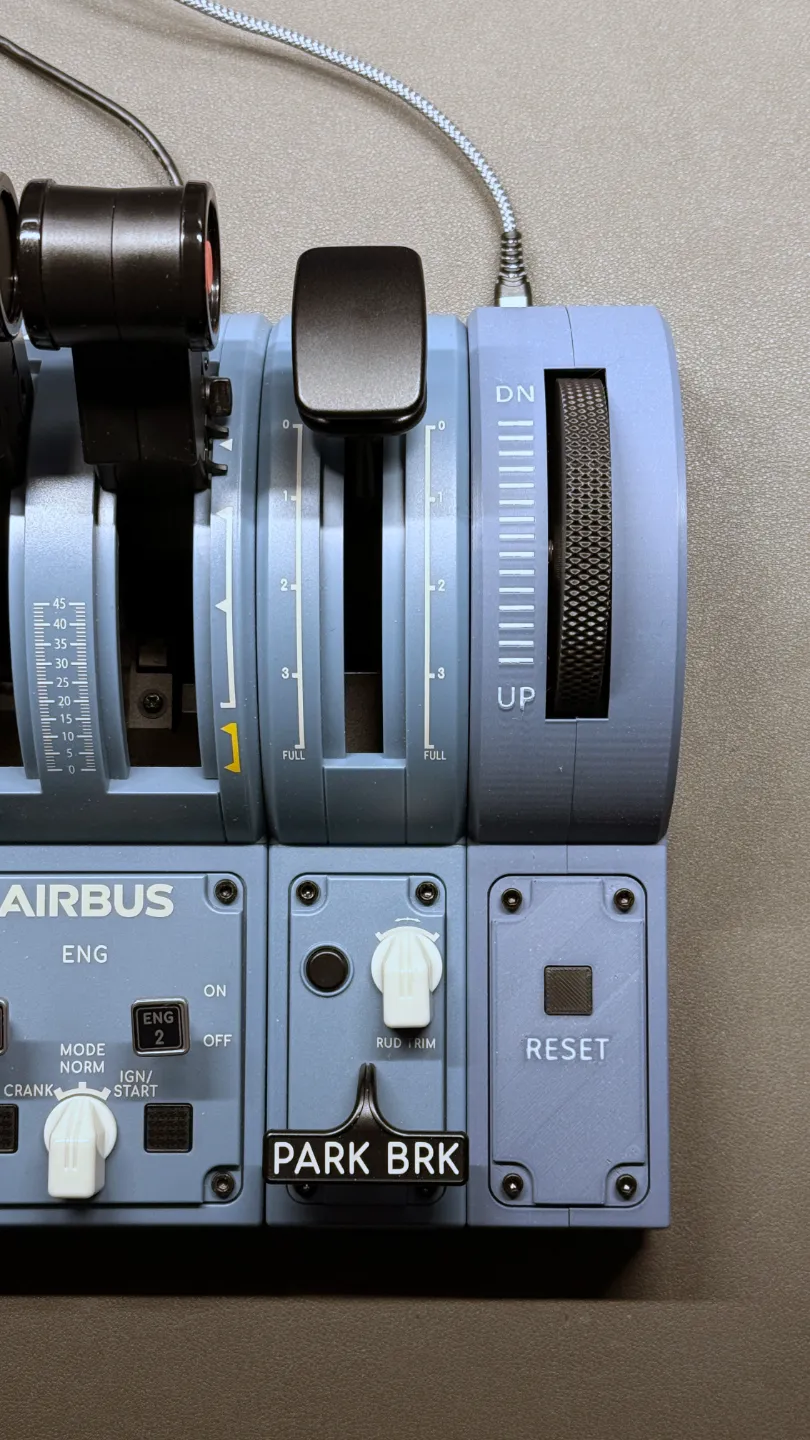
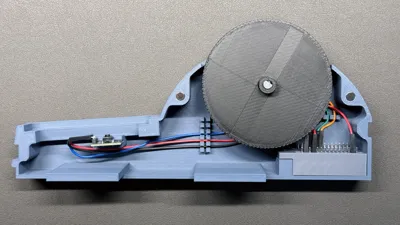
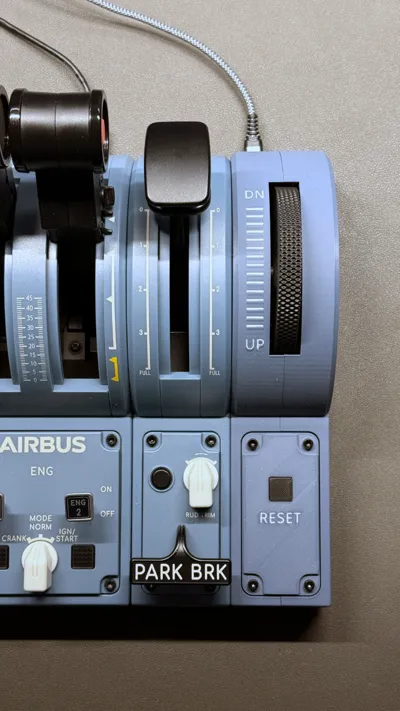
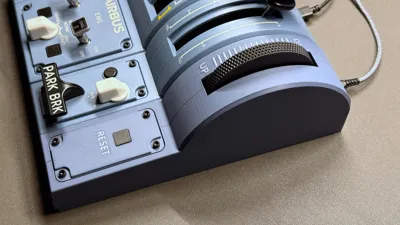
This is a trim wheel extension for the Thrustmaster TCA Quadrant. Having a trim wheel is helpful when flying planes where you want to manually set the trimming. I have added a button to the design which allows you to reset the trim setting to zero, but you can assign any other function to it via the Mobiflight app.
Version 2.0 has an improved design vs. 1.0 with a better look and improved cable guidance. No Y-Cables are required.
Required parts:
- Arduino Nano or compatible device (with pins) - Link
- Arduino button module (AZDelivery KY-004) - Link
- Arduino rotary encoder (GIAK KY-040) - Link
- Jumper wire cables (female / female)
- Countersunk head screws M3x6 (7)
- Hexagon socket head screws M3x6 (4)
- M3 threaded inserts (11)
- Round magnets, 6mm width x 3mm height (4)
- Heat shrink tubings
Required software:
- Mobflight (free) - Link
Instructions:
1) Print all parts using the provided profile
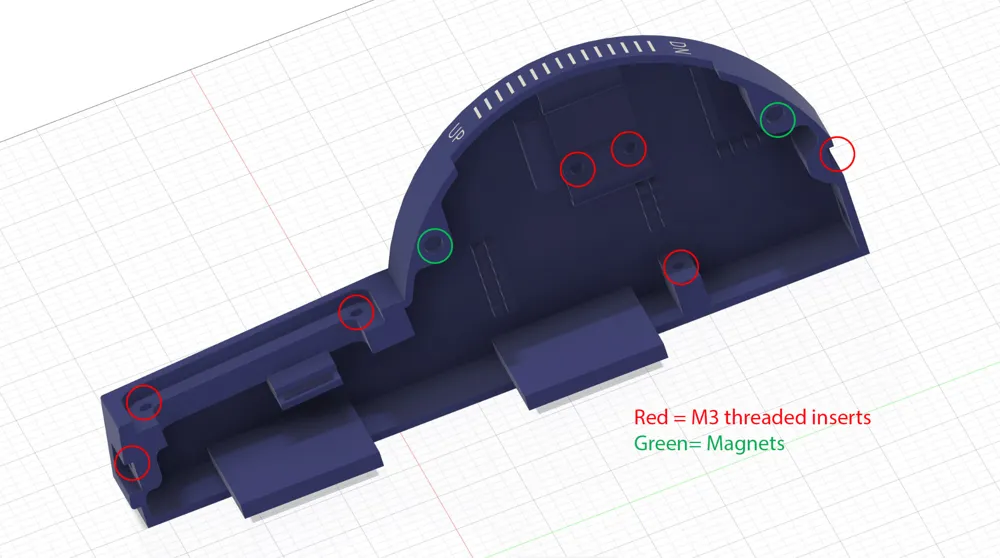
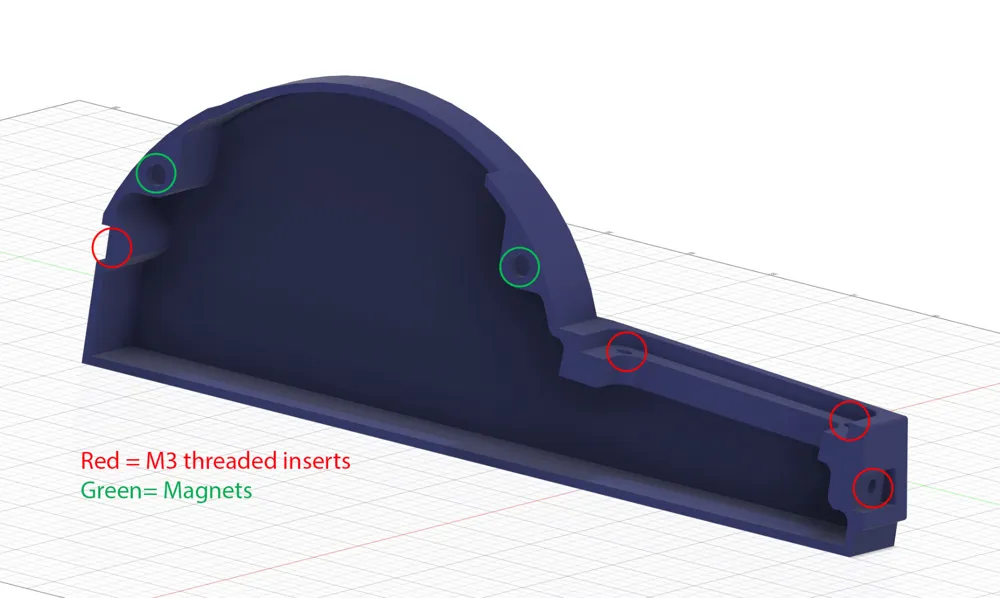
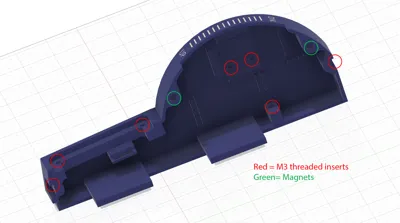
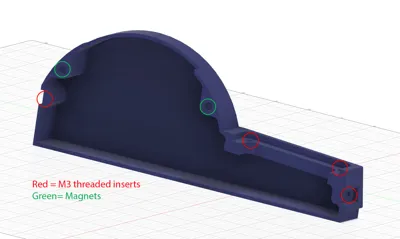
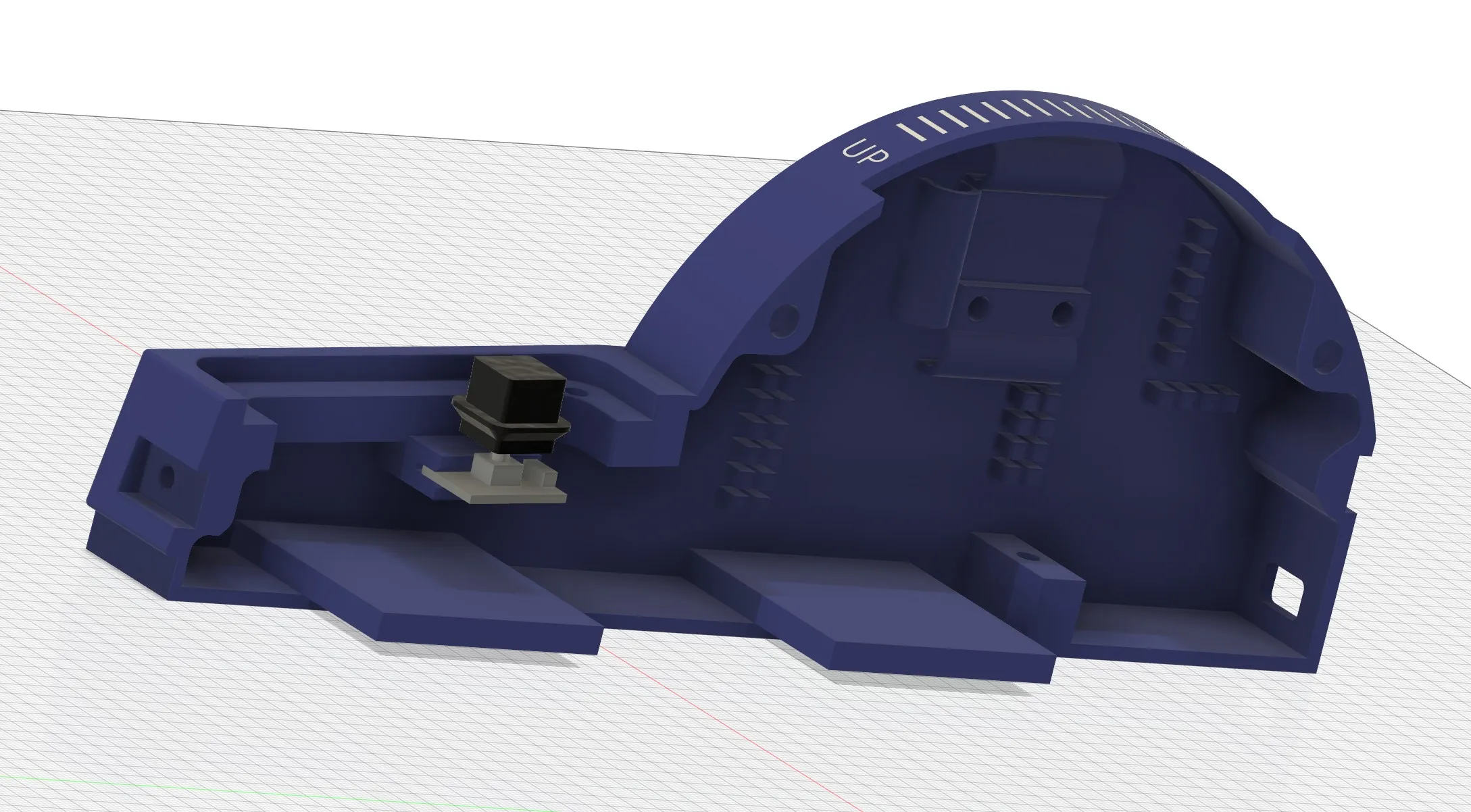
2) Add the M3 threaded inserts (use soldering iron) and magnets to the printed body as per the below images:
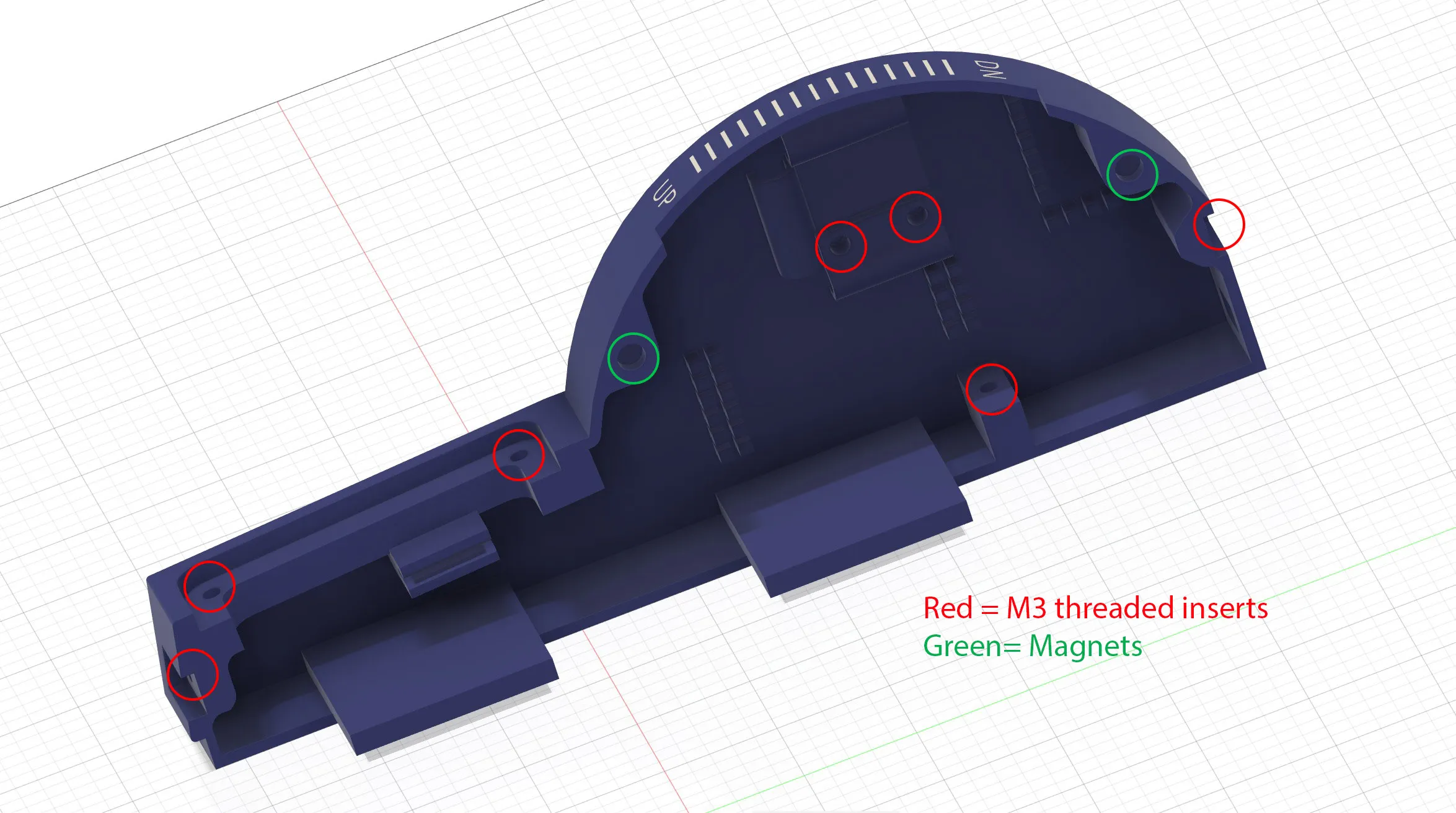
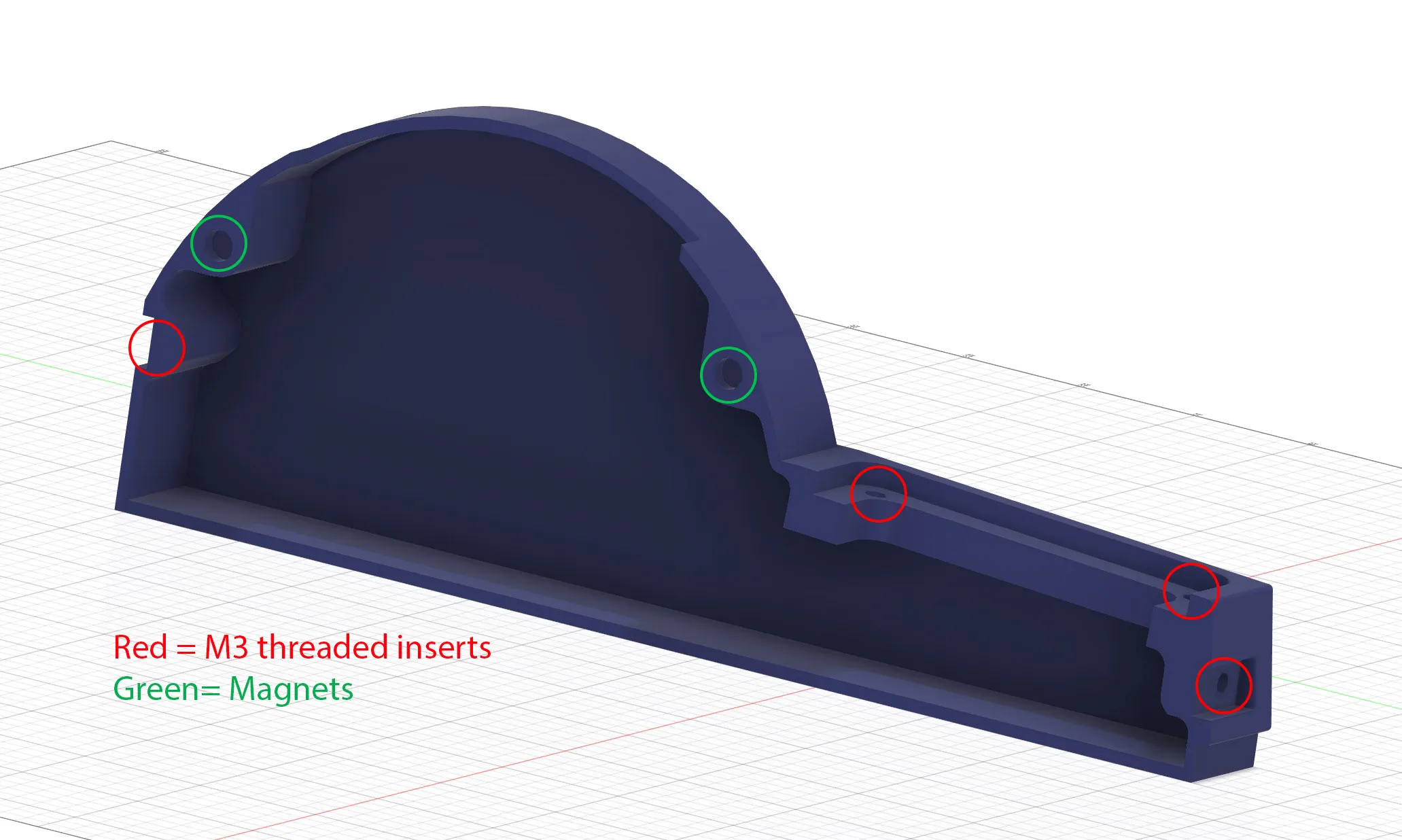
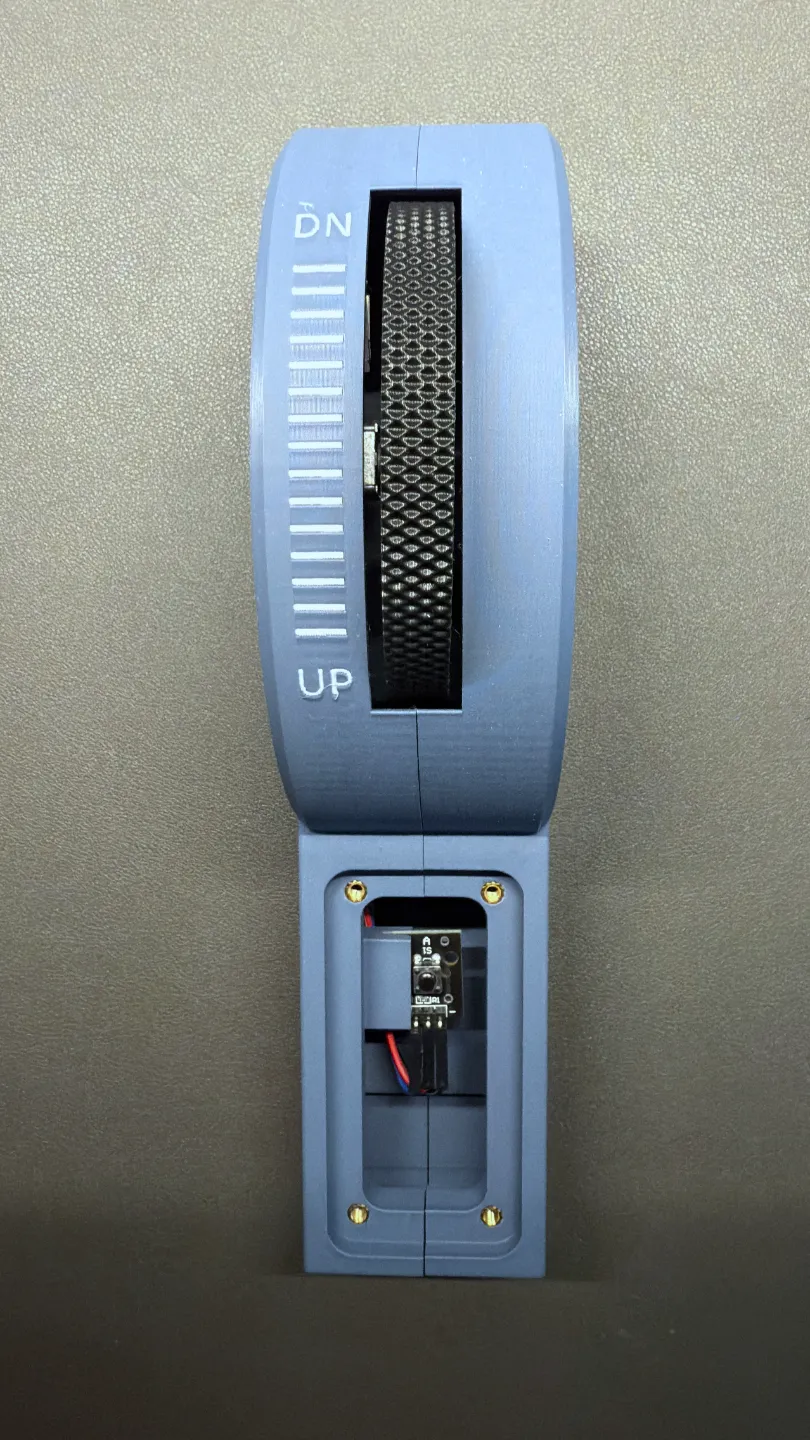
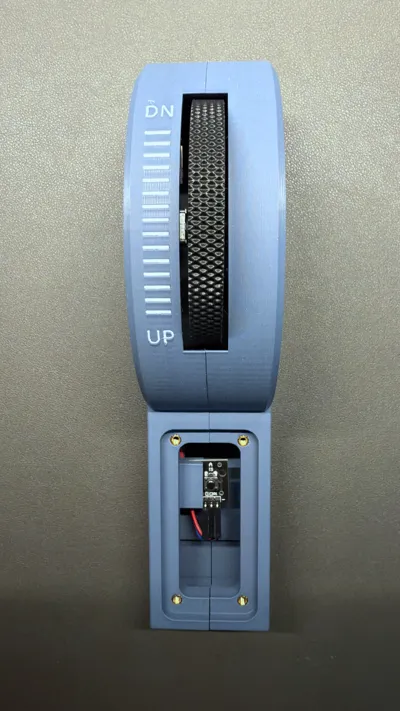
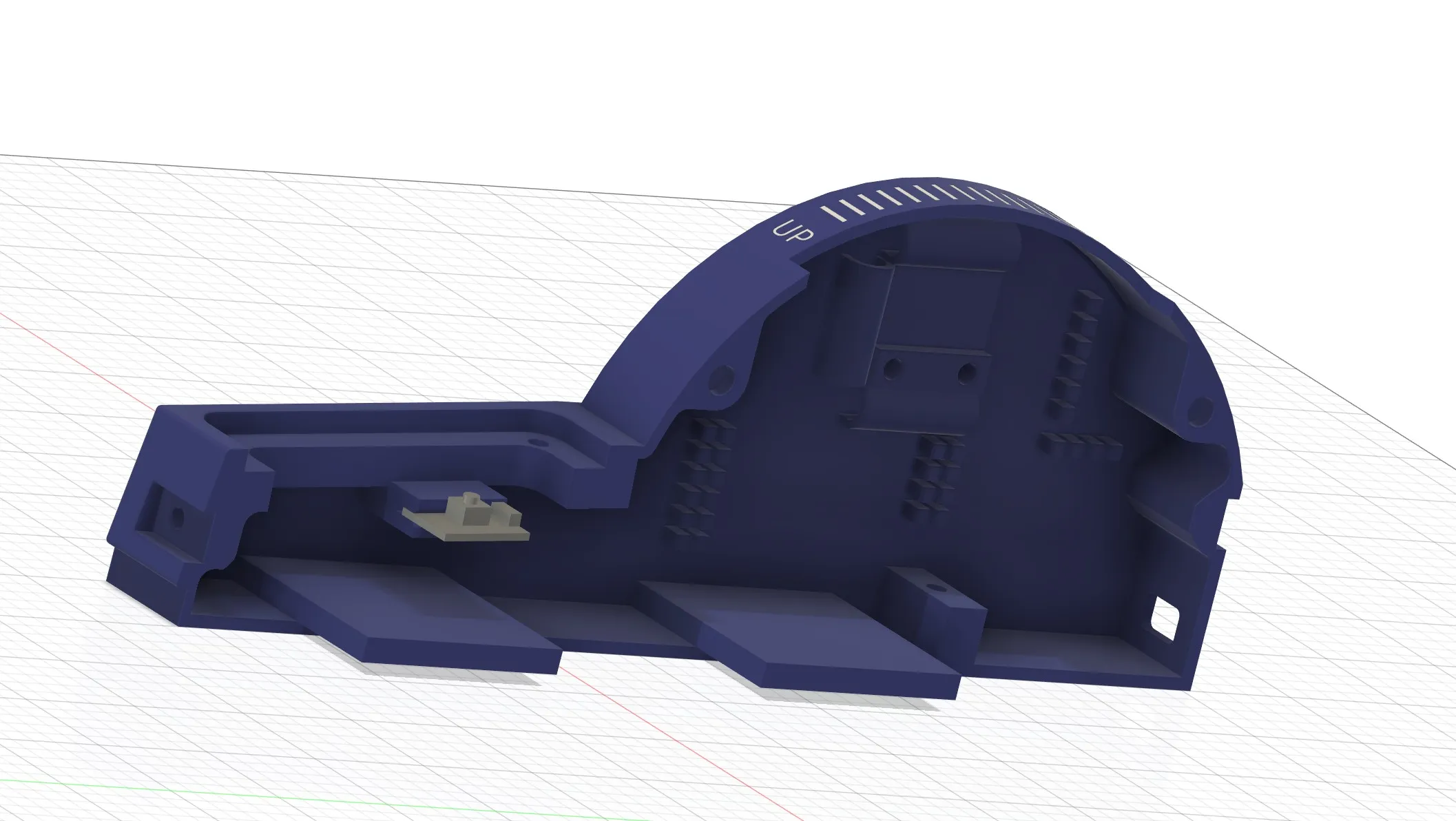
3) Add the button module to the left body parts as per the below image. Be gentle, do not use force:
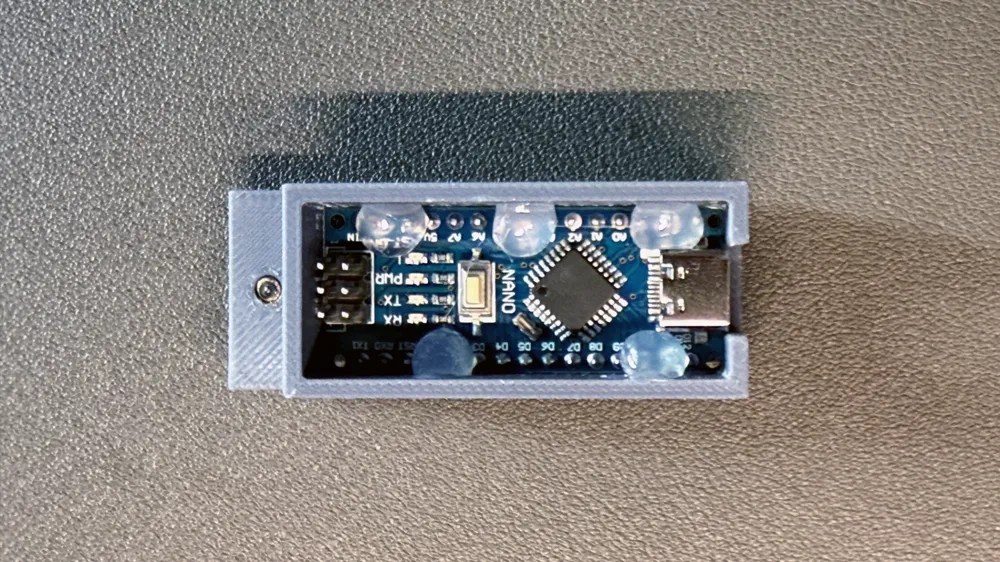
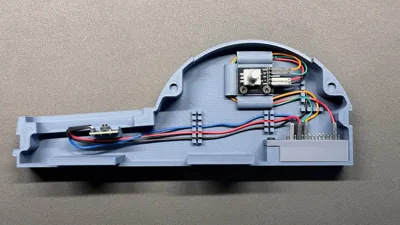
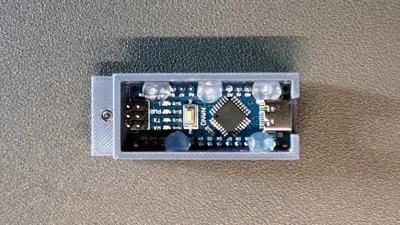
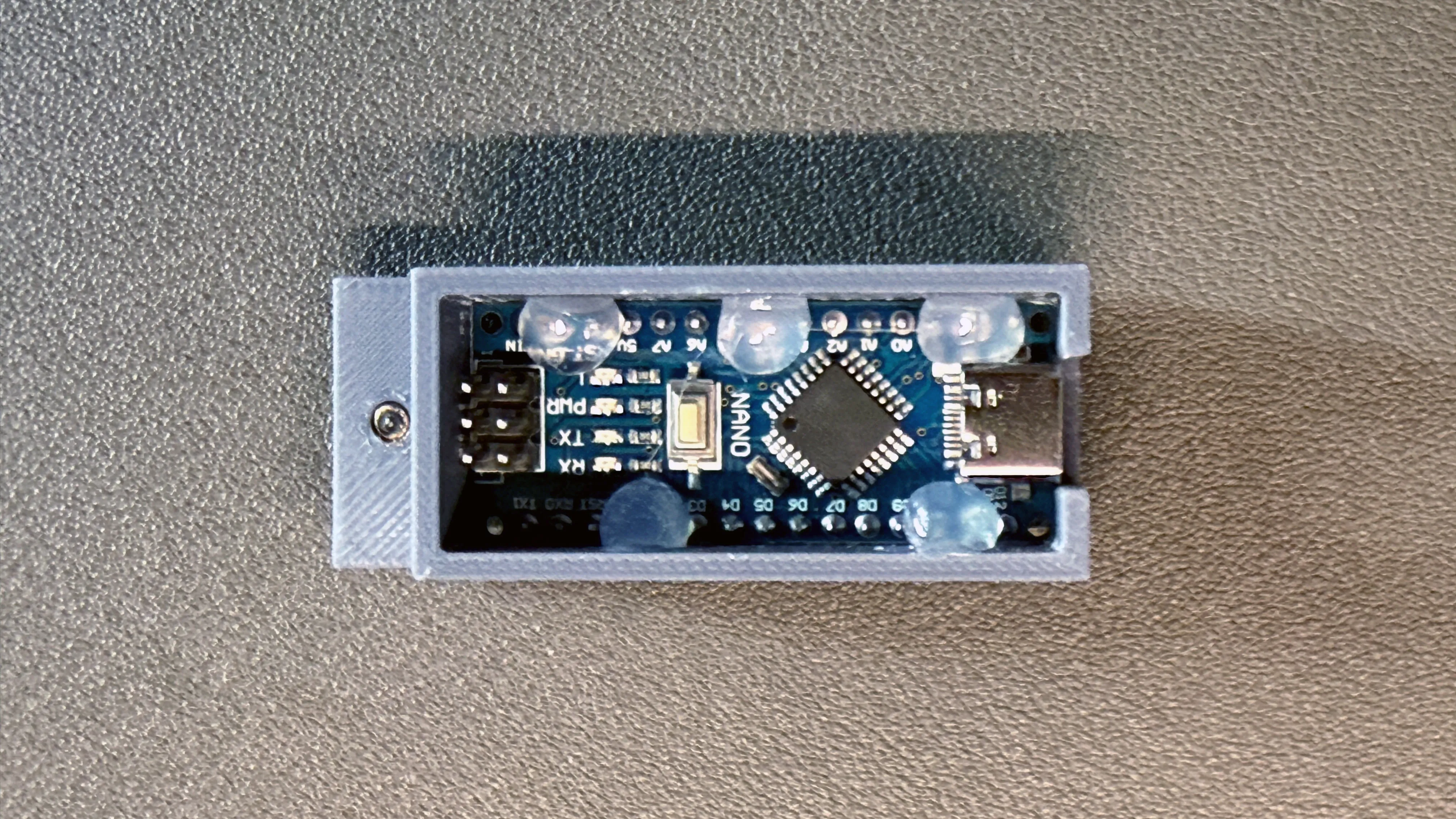
4) Place the Arduino Nano into the Arduino Holder as per the below image. Use hot glue to keep the Arduino Nano in place if need be:
5) Add the Arduino Nano with its enclosure to the print and fixate it with a screw.
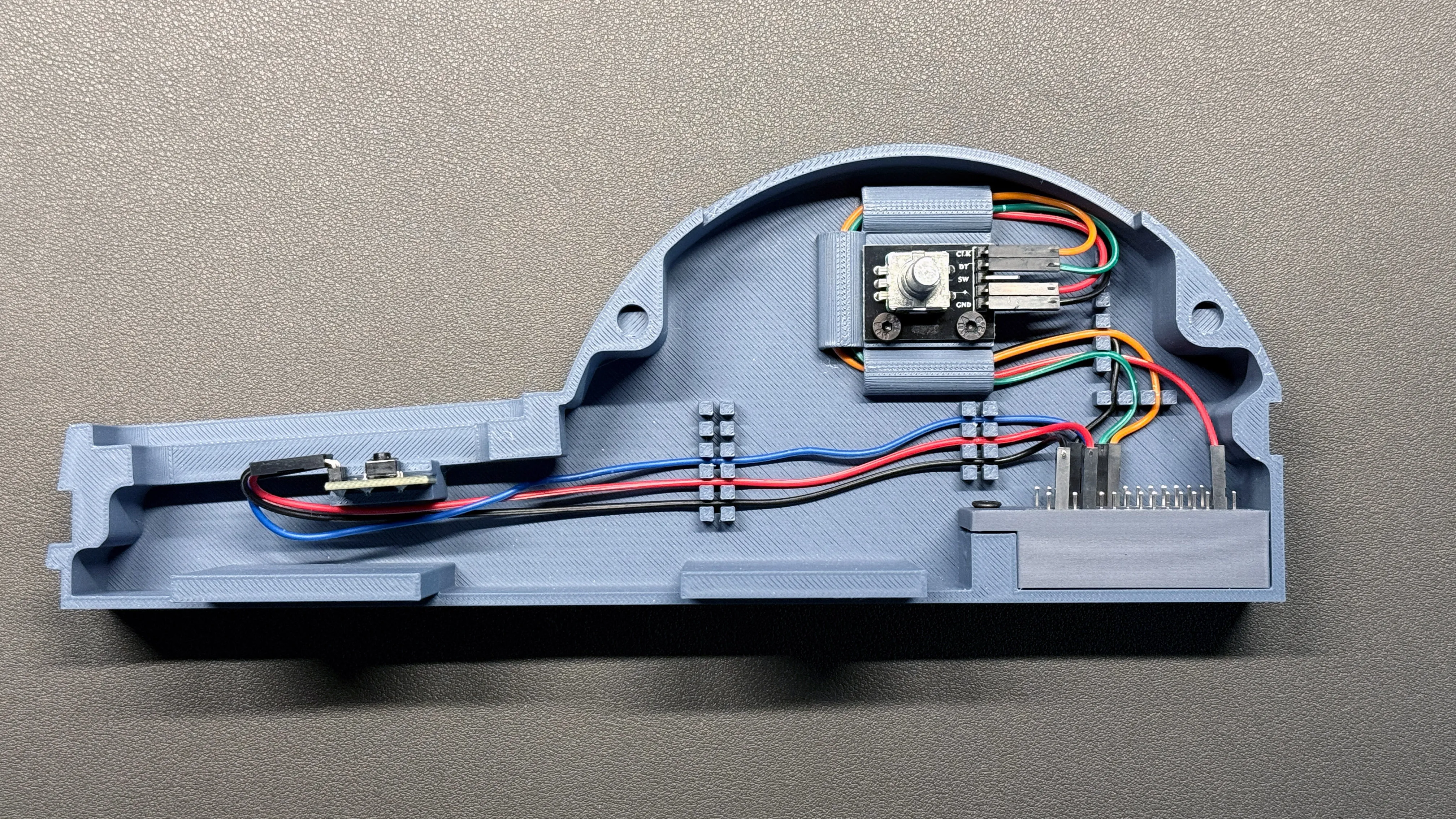
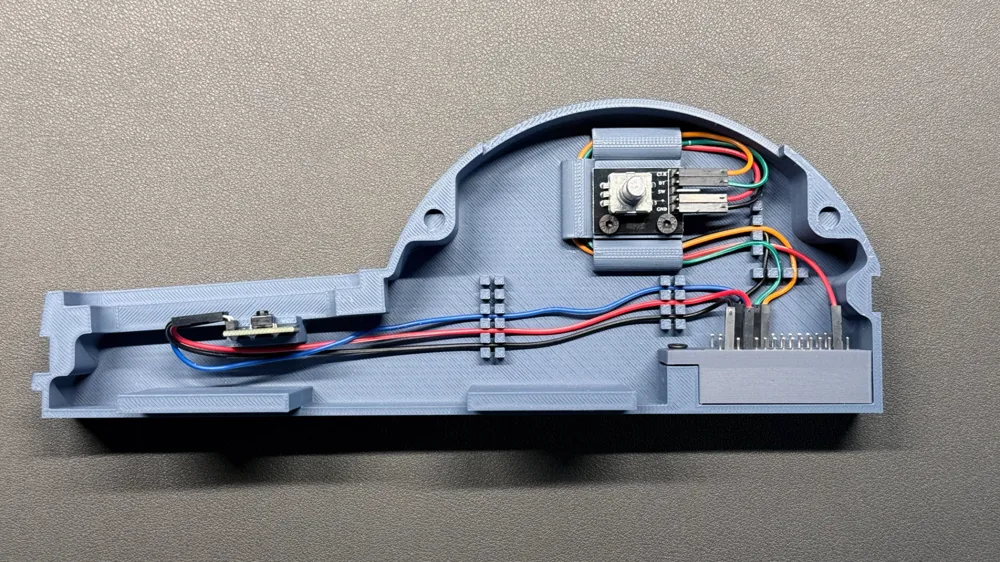
6) Connect the wires from the button module and the rotary encoder to the Arduino Nano:
- Ground wires to the GND pins being pin #4 to the right of D0 and D1 pins and pin #2 on the opposite side
- Voltage wires to the 3V and 5V pins of the Arduino Nano
- Button module signal wire to D2 pin
- Rotary encoder DT wire to D3 pin
- Rotary encoder CLK wire to D4 pin
- Add voltage and ground wires to the button module and the rotary encoder
Example:
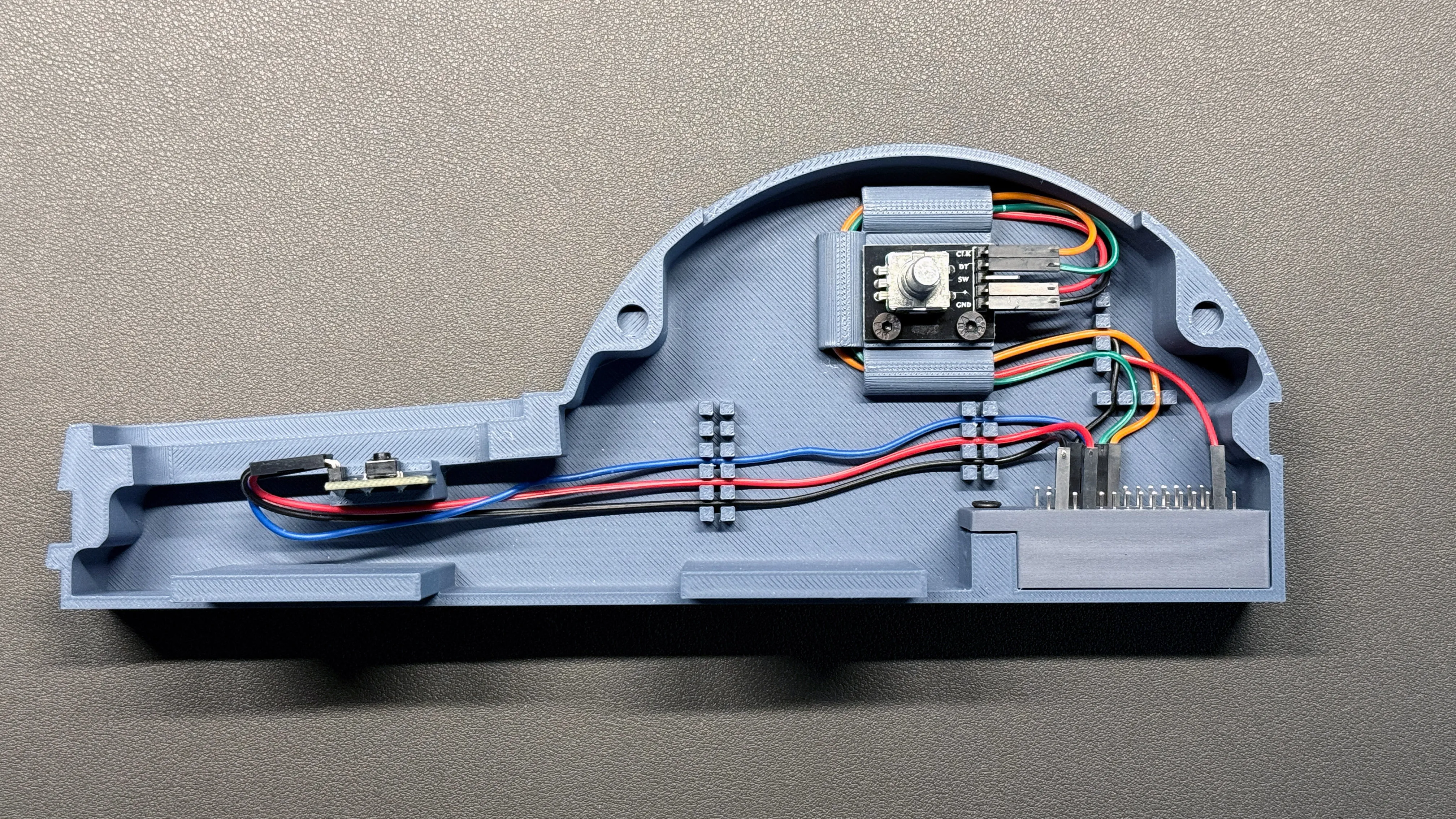
7) Add the printed button and trim wheel, Make sure that the nose on the trim wheel is facing away from the rotary encoder. Push the wheel all the way down.
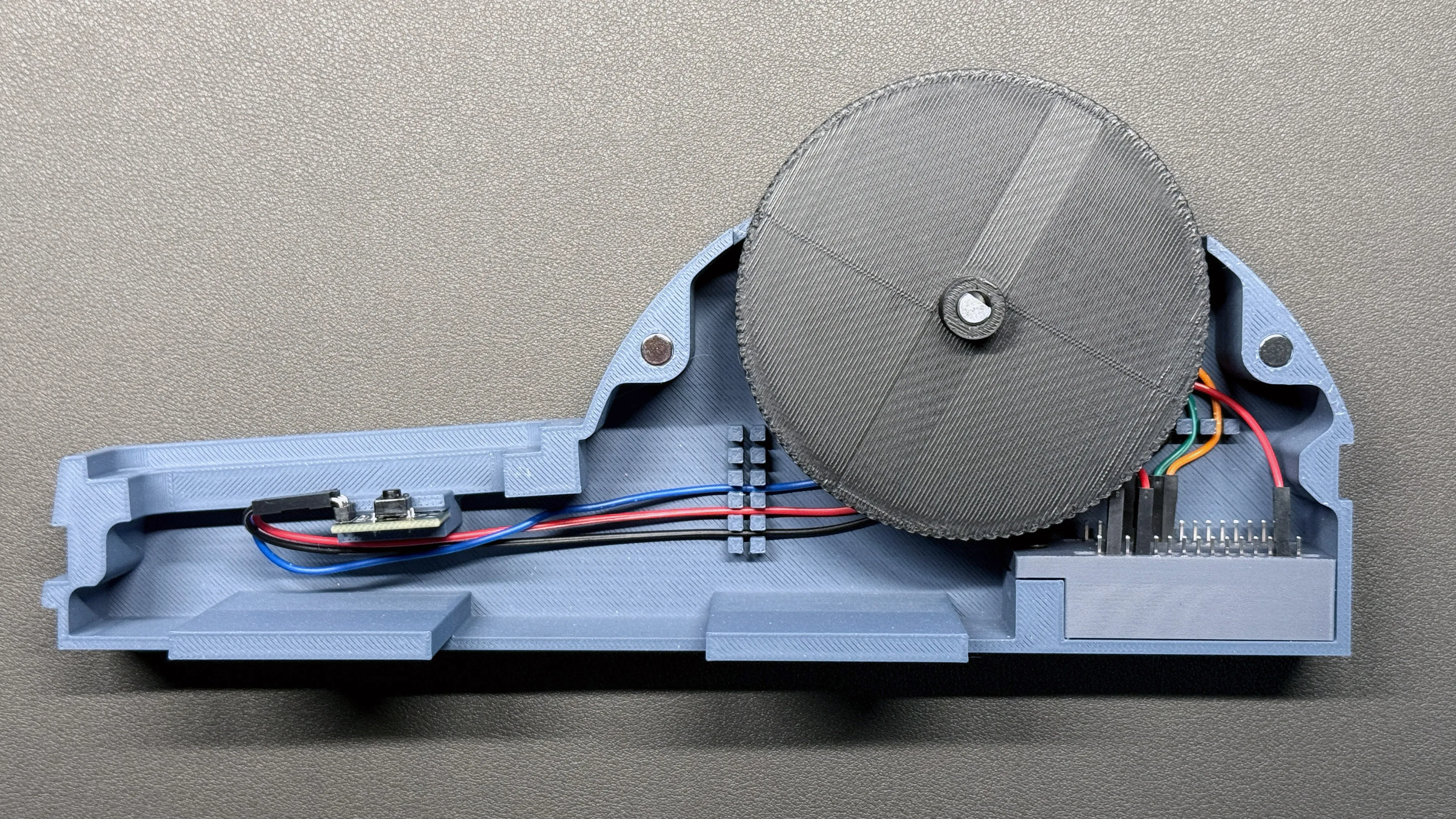
8) Close the casing and fixate with screws at the front an the back.
9) Connect the trim wheel to you computer, run Mobiflight and flash your Arduino Nano if required. Load my Mobiflight script to the Arduino Nano. I made this script for MS Flight Simulator, but you can change it as you like.
10) Program the button and the encoder in MobiFlight as per the following images (Input Configuration Wizard) and using the provided preset code below the images:
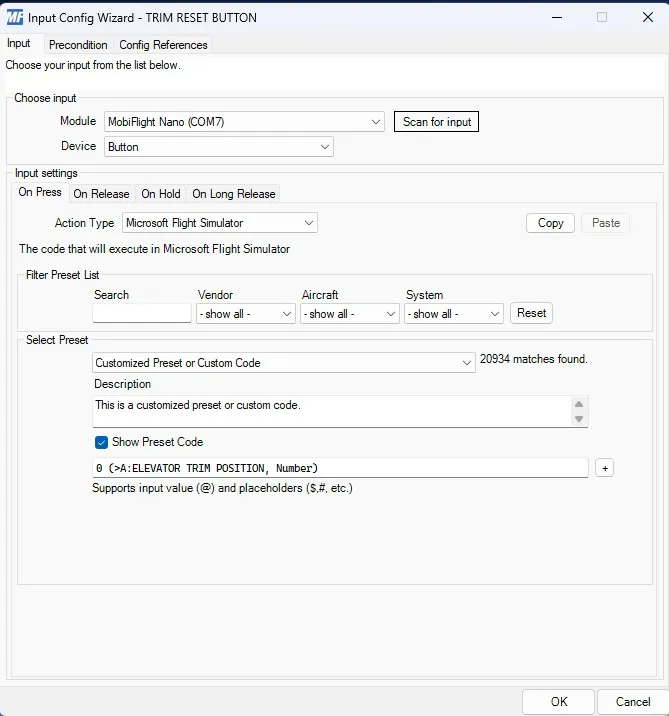
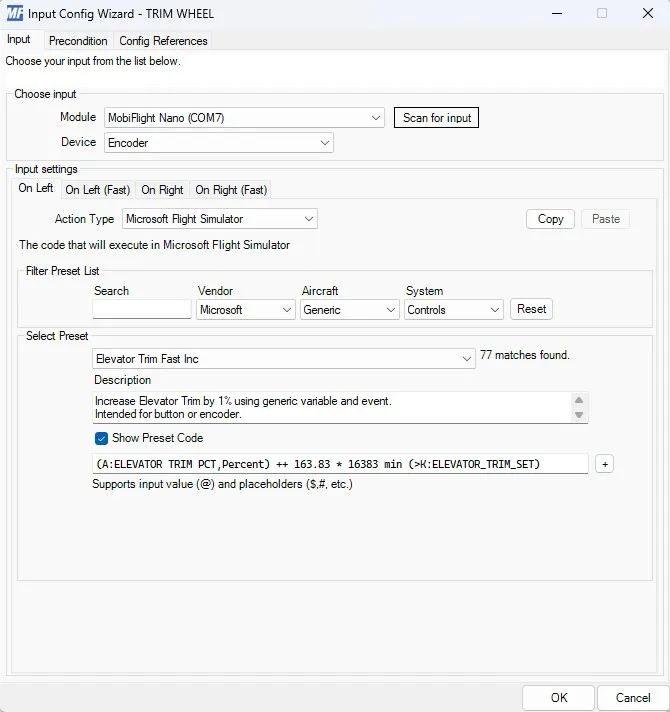
Preset Code: (A:ELEVATOR TRIM PCT,Percent) ++ 163.83 * 16383 min (>K:ELEVATOR_TRIM_SET)
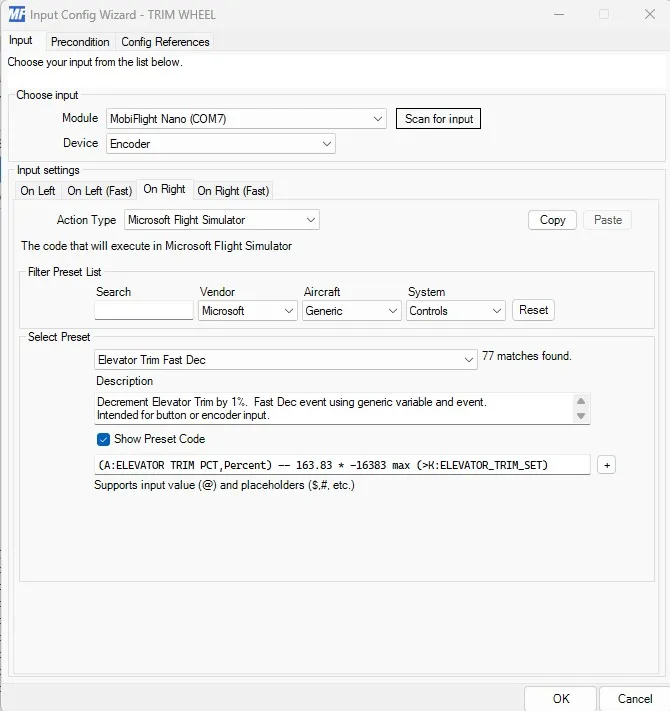
Preset Code: (A:ELEVATOR TRIM PCT,Percent) -- 163.83 * -16383 max (>K:ELEVATOR_TRIM_SET)
11) Done - have fun and let me know what you think!
Version history:
- v2.0 published 01.01.2025
v1.0 published 29.12.2024
Documentation (2)
License

You shall not share, sub-license, sell, rent, host, transfer, or distribute in any way the digital or 3D printed versions of this object, nor any other derivative work of this object in its digital or physical format (including - but not limited to - remixes of this object, and hosting on other digital platforms). The objects may not be used without permission in any way whatsoever in which you charge money, or collect fees.


Comment & Rating (72)