Search models, users, collections, and posts

Travel cribbage board with Color
Print Profile(4)

All
P1S
P1P
X1
X1 Carbon
X1E

Classic
Classic
Designer
18.8 h
6 plates
4.8(32)

5x3 mm Magnets - loose
Designer
11.2 h
4 plates
5.0(4)

5x3 magnets - tight
5x3 magnets - tight
Designer
11.2 h
4 plates
5.0(4)

6x3 magnets - loose
6x3 magnets - loose
Designer
11.4 h
4 plates
5.0(1)

Open in Bambu Studio
Boost
197
682
102
87
575
269
Released 

Bill of Materials

Maker's Supply Kits and Parts
Select all
D5x3 mm Round Magnet (20PCS) - CA006
Bambu Filaments
Select all
Rosewood (13204) / Filament with spool / 1 kg
White Oak (13106) / Filament with spool / 1 kg
Black Walnut (13107) / Filament with spool / 1 kg
Red (10200) / Refill / 1kg
Light Gray (10104) / Refill / 1kg
Bambu Green (10501) / Refill / 1kg

Description

Summary

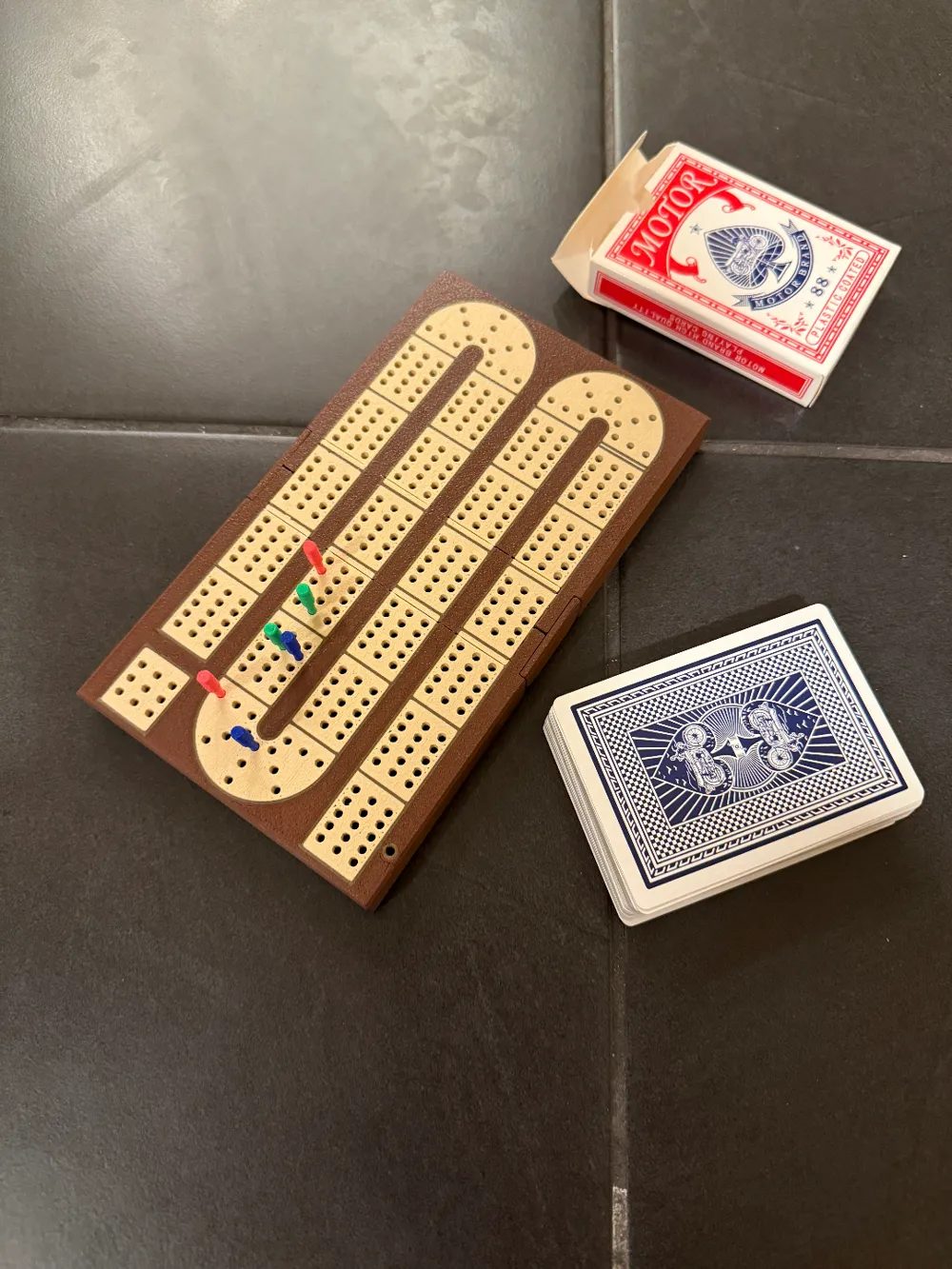
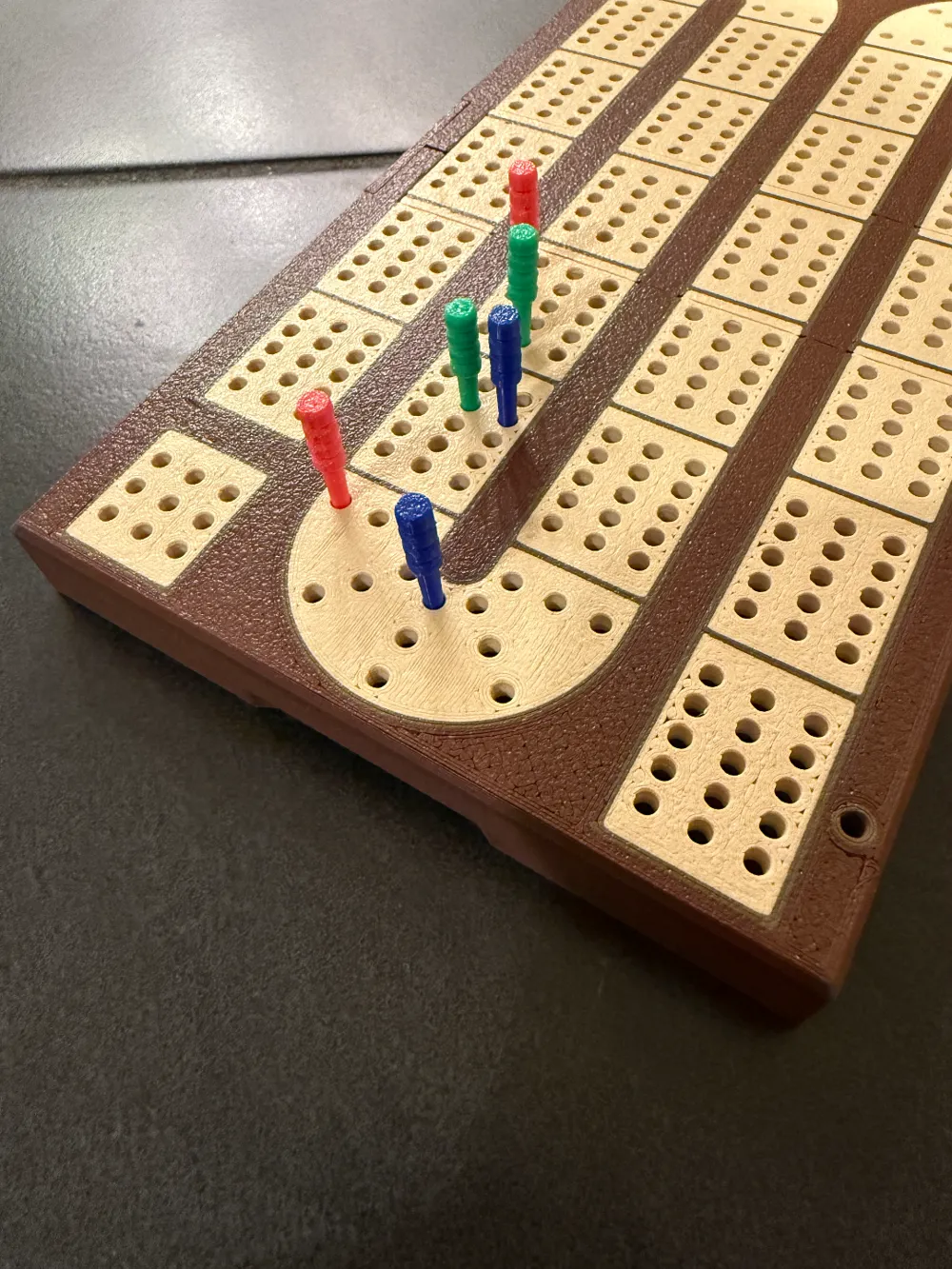
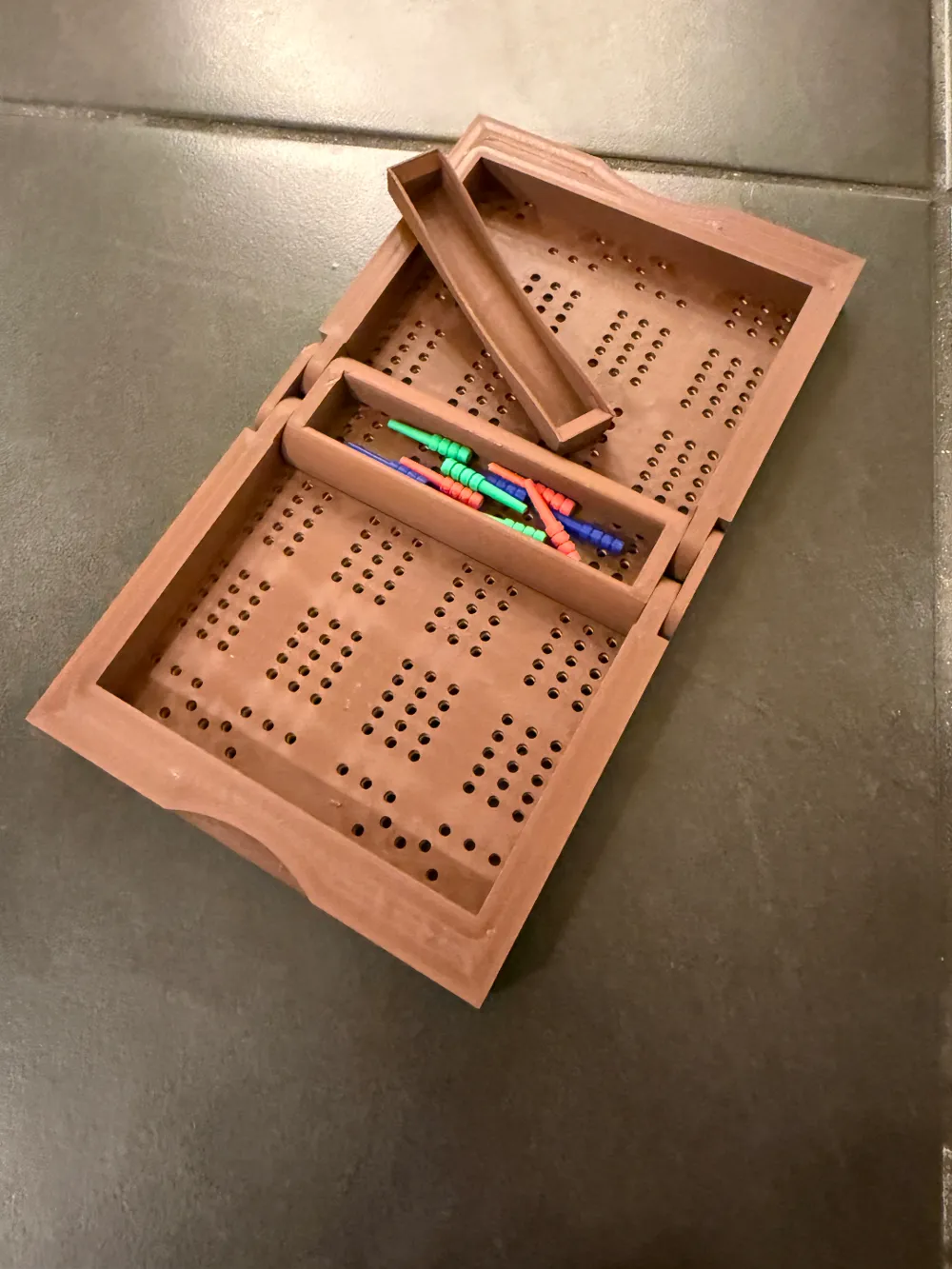
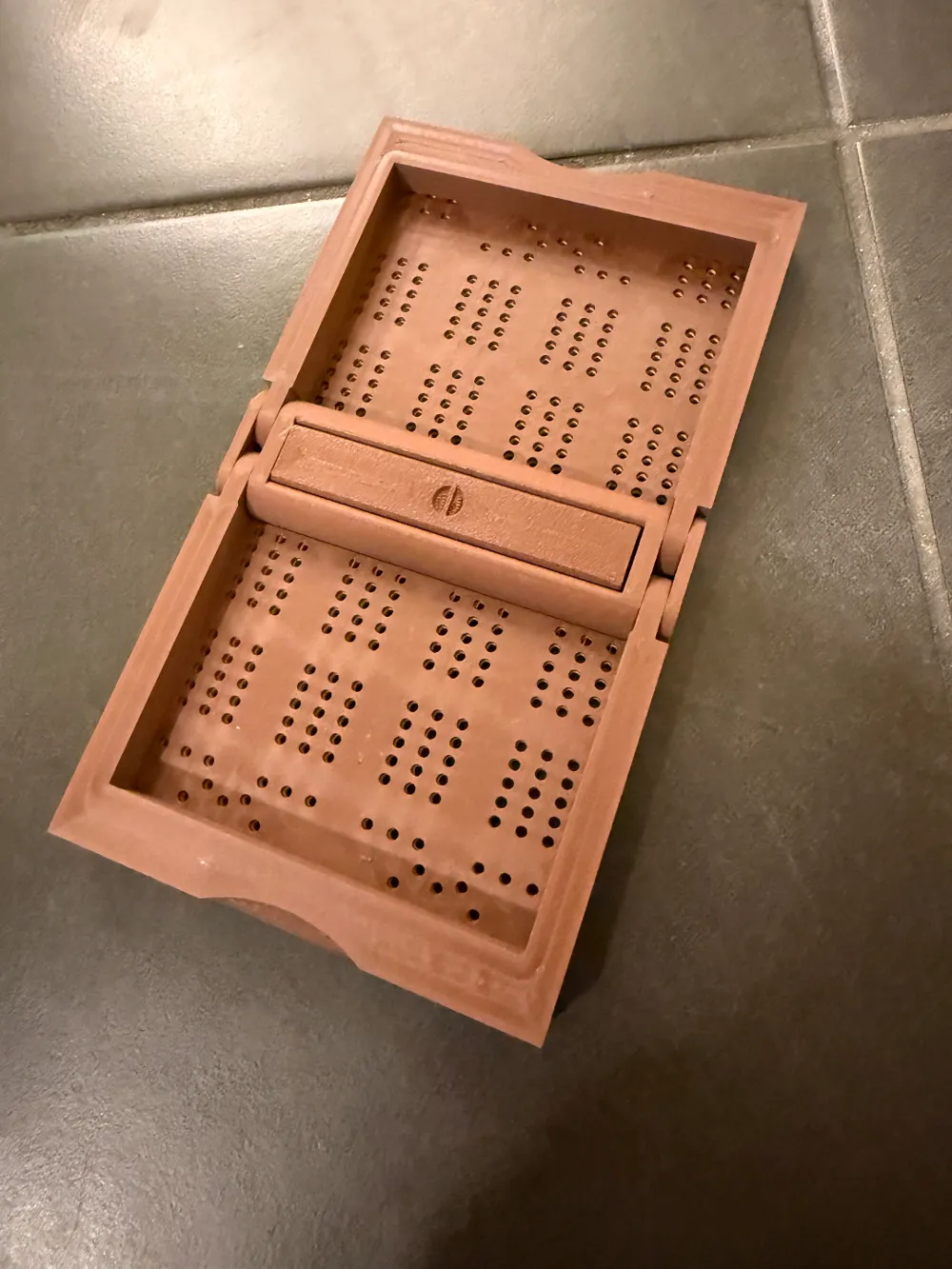
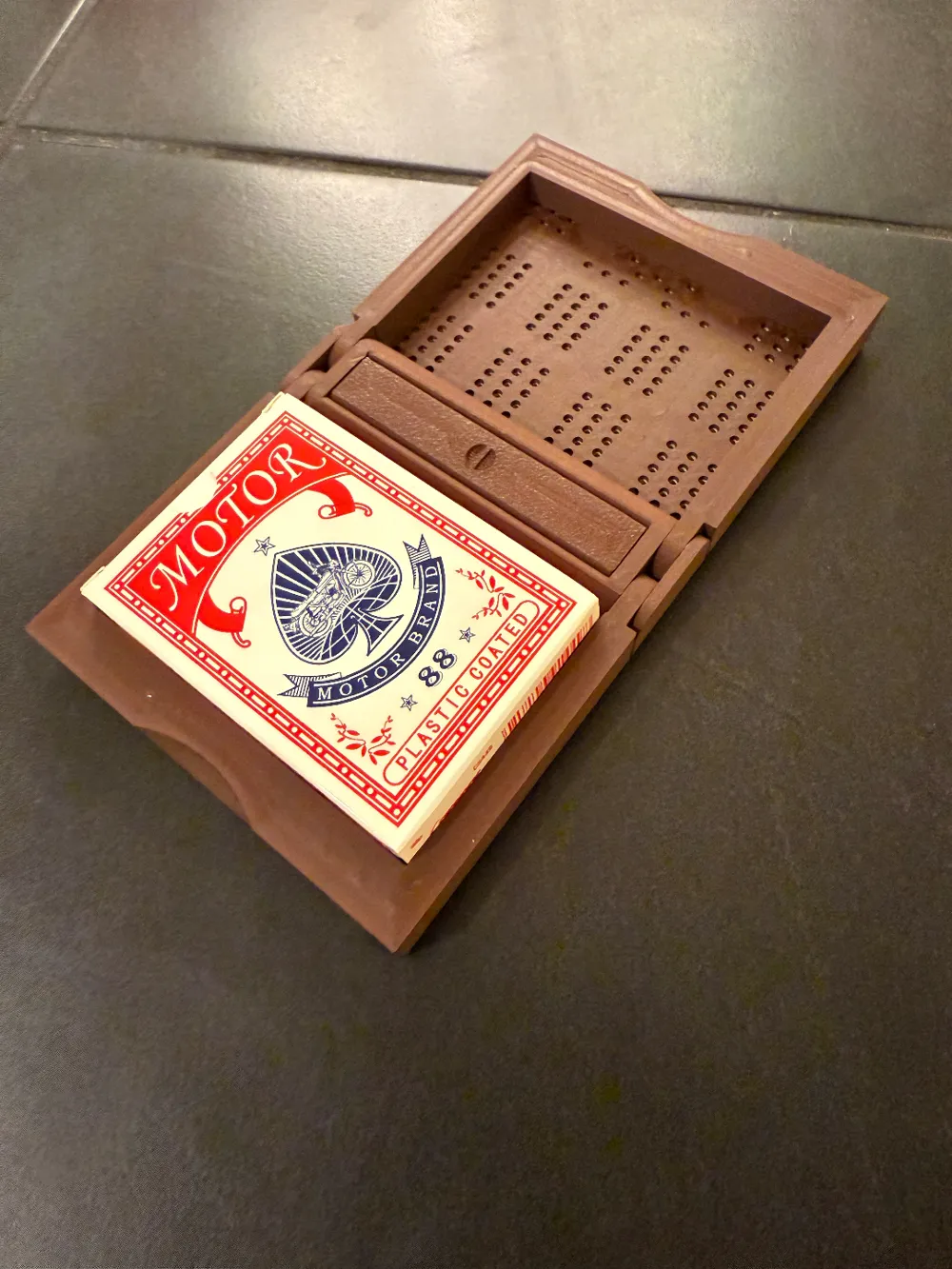
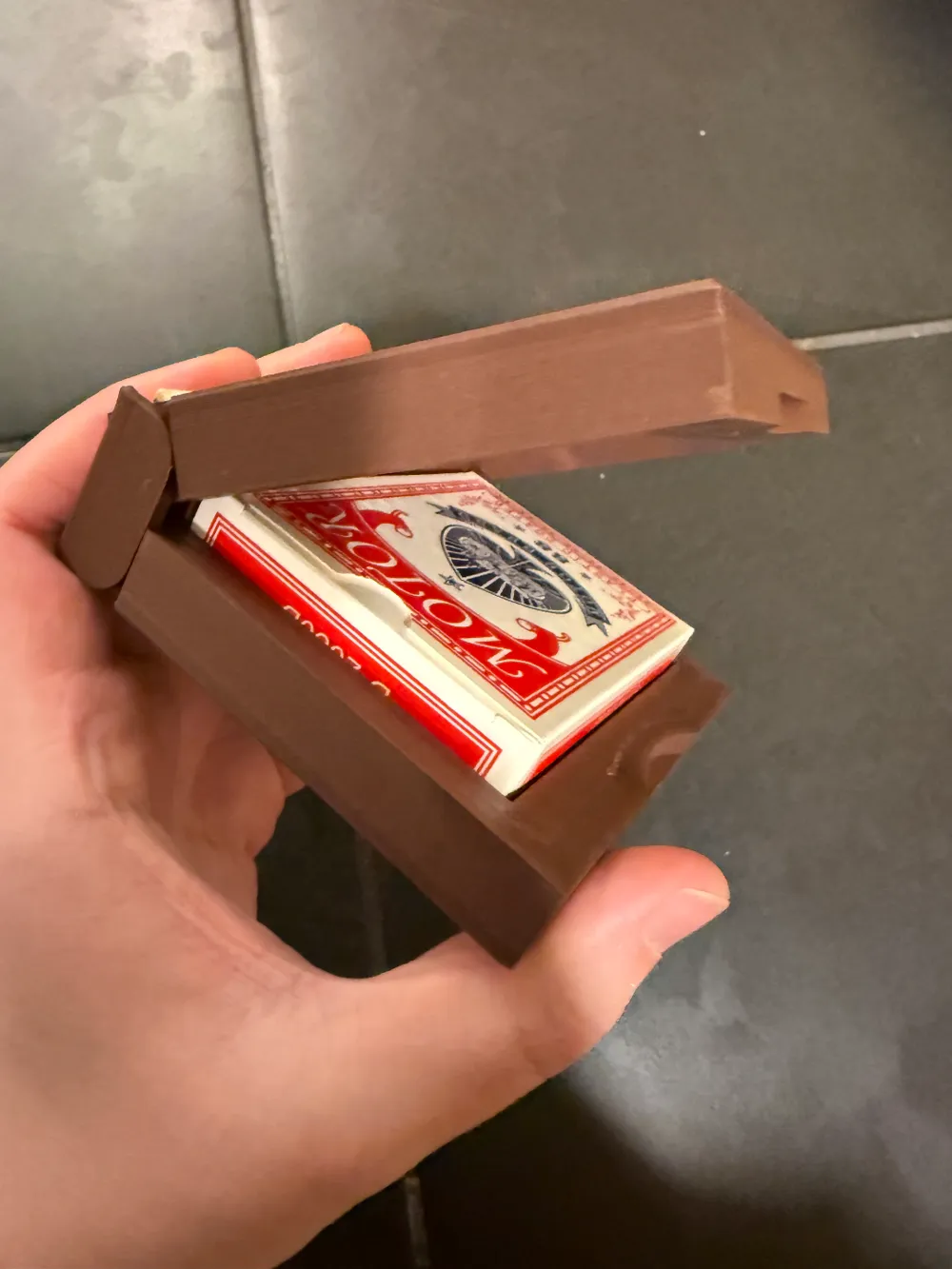
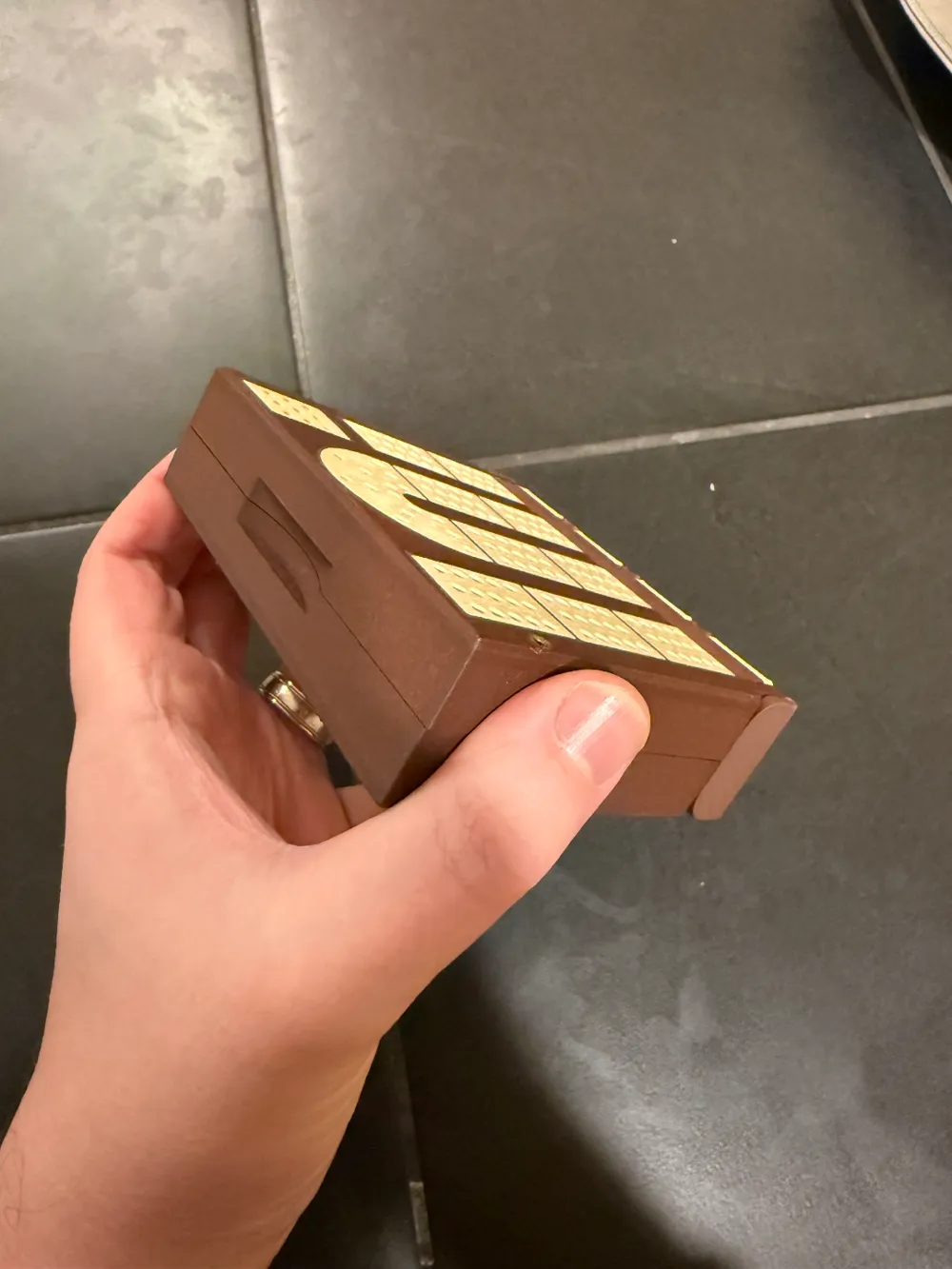
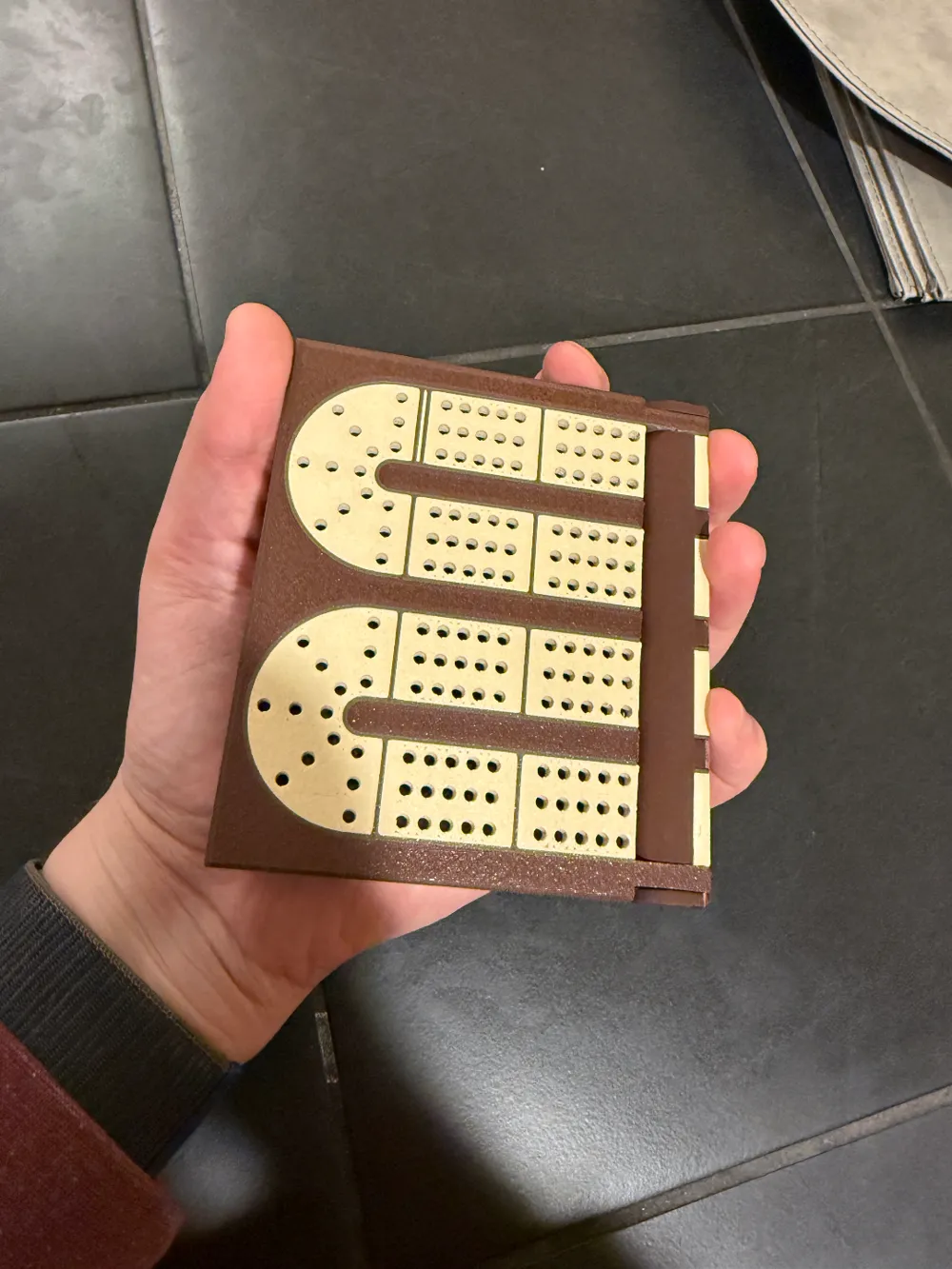
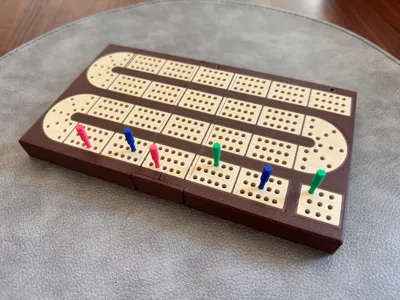
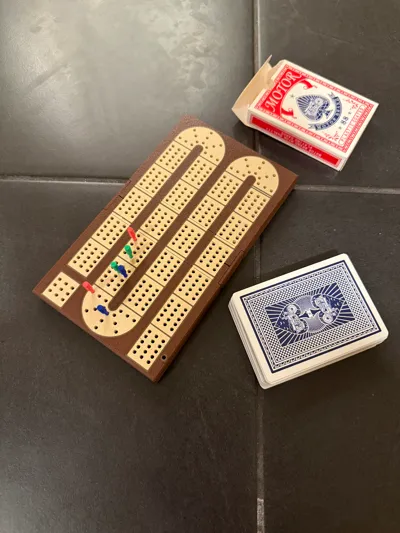
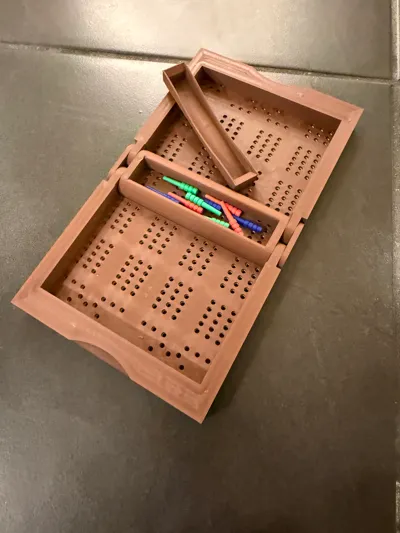
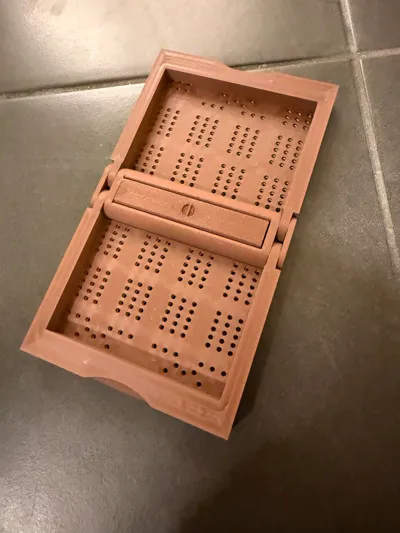
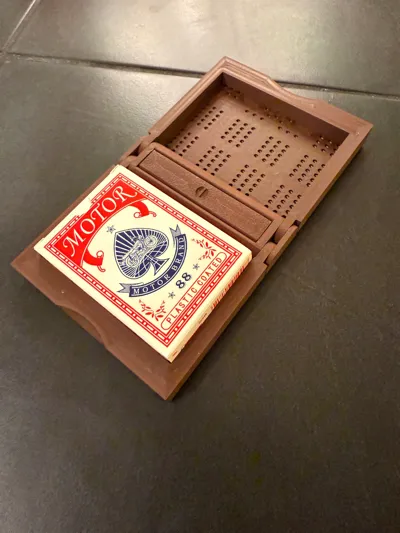
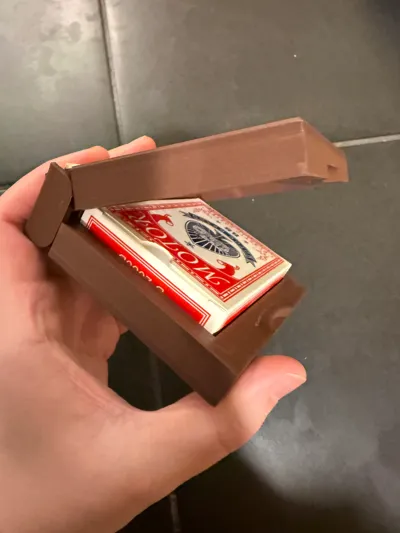
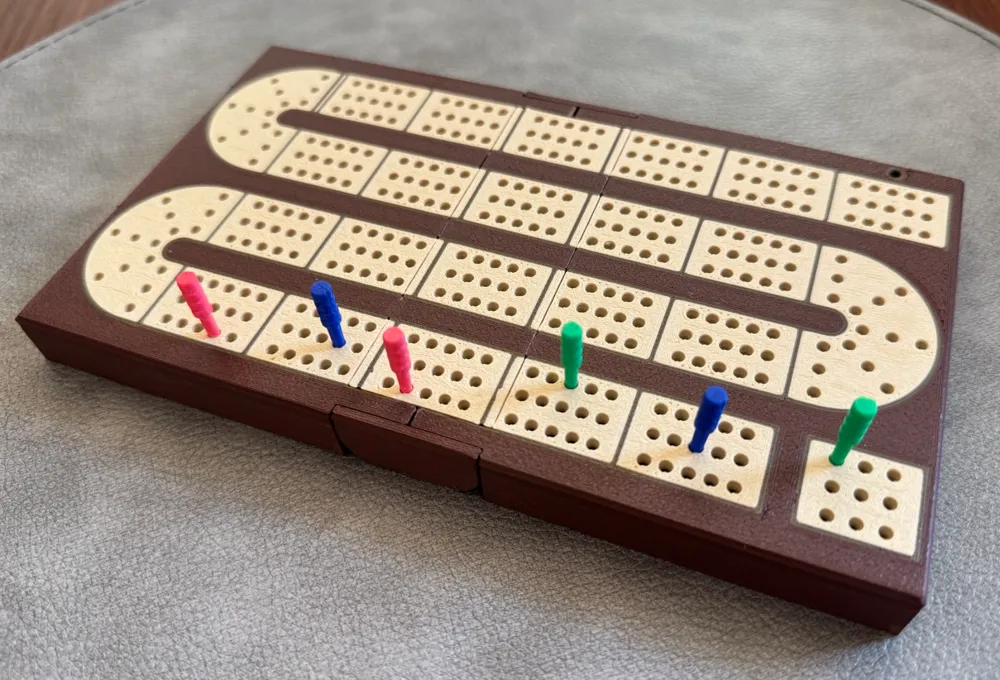
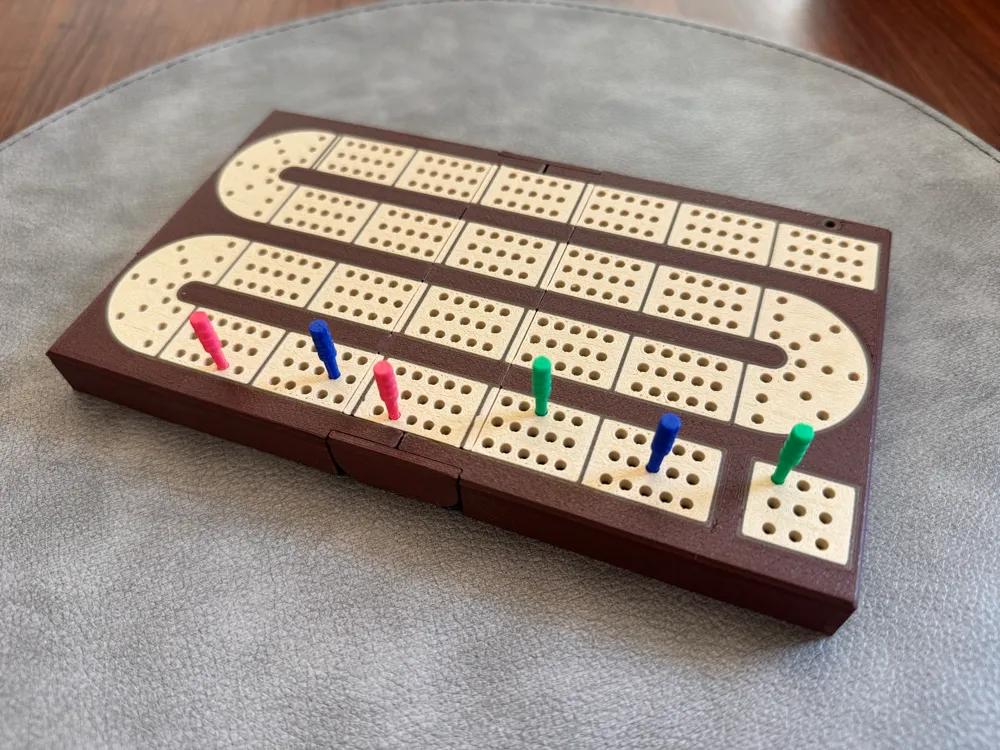
This is my ideal travel cribbage board. It has 3 clear lanes, a nice color aesthetic, reliable peg storage (even when in a bumpy environment) and stores a deck of cards within the board to make for a single convenient package.


Boost Me (for free)

If this model is to your liking, please consider boosting! Boosting is free to you and means a whole lot to me!


Description

My family has always been big cribbage players but have always lamented the lack of a quality travel 3-lane board. After getting a 3d printer I realized I could print one so I searched but didn't find any to my liking since all the ones currently on maker sites use a single color print and are too crammed together. I decided to take what I liked about those and build my own model which was done just in time for Christmas 2024 (and it was a huge hit with the family).


Hardware Requirements

This model uses 16 5x3mm magnets. 12 of them hold the board closed and 2 hold the peg insert in place. They can be skipped if you don't have them and/or don't care about the board reliably staying shut.


Printing Process

During printing of the main board, there will be 2 pauses.

  • The first pause is for the peg cover insert. This will require two magnets inserted in the proper holes top and bottom of the middle section of the board. These magnets should have the same polarity facing inwards so that the middle insert piece can be placed in either direction.
  • The second pause is for the magnets around the edge. There are 12, 3 in each corner. Make sure that magnets on opposite sides of the board attract. If printing the tight tolerance version, the fit can be very tight. Apply firm pressure and make sure you are perpendicular to the hole as the magnet won't go in if angled. I use a hard plastic piece to apply force directly onto the magnet to get it all the way down. If you are unable to insert a magnet, you may try shaving the hole with a knife to be a bit larger or forgo the one troublesome magnet all together. I've found that even with only 4 of the 6 manget pairs in place, the board holds together nicely.

Post-Print Processing

There are a lot of peg holes in this model, I recommend looking them over and using a sharp hobby knife to remove intrusions into the hole. On the pegs themselves, using a hobby knife to shave along the seam line can help a lot with the fit of the peg.

Filaments

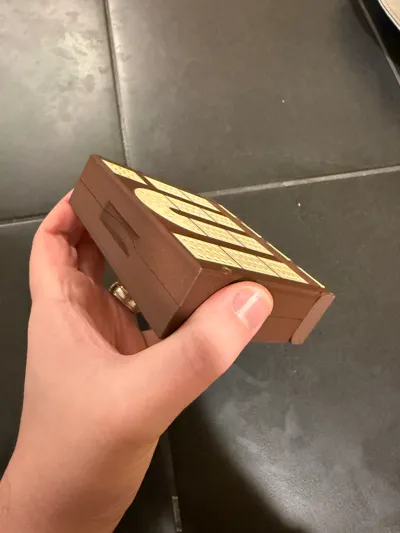
I've printed this board with Bambu Wood PLA and I've loved the result (texture, color, etc.). I had great results with standard PLA when I was working on the V1 of this project so use that if you'd like (just remember to change material profiles in the slicer).

Attribution

I took inspiration from this model for the hinge mechanism. I tried out a few hinges but settled on that one being pretty good for the purpose.


Change log

2025/08/09

Updated a ton of stuff for just a better quality print.

  • In the default print profile, the magnet tolerance is very tight to prevent pop out with hardened steel hot end.
  • Magnet sockets now are polygons to remove some of the impact of circular hole inaccuracies.
  • Added a loose magnets profile for people who don't want to push too hard to insert their magnets.
  • Hinge no longer needs extreme breaking instructions, haven't had bad merging in a while!
  • Increased size of inner card pocket to accommodate slightly larger decks of cards.


This will probably be the last update for a long while unless the profile starts breaking for people. I'm quite happy with how constant this is coming off my print bed and how everything functions. Contemplating a new version entirely but this one seems to be a completed project!


2025/01/05

Updated the spacing on the tracks ever so slightly to reduce infill gaps on the first layer.

Updated the .3mf file to have a slightly lower variable layer height which greatly reduces the effort required to snap the hinge open.


2024/12/31

I've updated the files to my newer model. It has better spacing all around, thicker lines, fewer color swaps, and was made with a far more parametric file to allow for easier future editing. For example, if anyone needs a magnet size change, I can help in a hurry, just comment!

Comment & Rating (102)

(0/1000)

Boosted
Print Profile
Classic
I used the Bambu Wood PLA, but substituted gold iridium metallic PLA for the inlay to give it a bit more contrast. Also, I printed on the SuperTack plate for a smoother finish. I ran into one problem while printing. The rear center magnet kept attaching itself to the print head and being deposited on the build plate (I have an X1C). I finally used a drop of super glue. It would be nice if those pocket magnets were as tight as they are in the middle insert (which seemed much tighter).
The profile uploader has replied
profile
1
Reply
My original iterations had the pocket magnets super tight but I was finding that I sometimes I had to use an uncomfortable amount of force to get them below the layer level. I decided to just make it loose since the nozzle (read: my nozzle) wasn't ferromagnetic so it would just print over top no problem. If there are nozzles out there that are attracting the magnets out, then that's a real problem and a real pain. I'll put effort into calibrating the tolerances more carefully when I print a board again in a week or so. Thank you for the feedback!
(Edited)
1
Reply
Also, I love the more matte finish the SuperTack plate gave, I'll definitely pick one up to try!
(Edited)
1
Reply
Boosted
Replying to @samrjack :
FYI, I don't think it was the nozzle itself that was grabbing the magnets. Something in the head behind the nozzle as the head would move over it would grab it and then it would somehow get knocked onto the plate. I let it repeat this issue a number of times to make sure it wasn't a one-time fluke. At least I was watching the camera and noticed a magnet on the plate. That was a surprise. Caught it in time though.
(Edited)
profile
1
Reply
Printed beautifully, and folded up right off the print bed! Fantastic model!
The designer has replied
designer
2
Reply
❤️ This is the first one I've seen come off someone else's print bed! It looks amazing and I love the peg colors! How difficult was it to get the hinge moving for you? I tried improving it with a few iterations since I originally posted this model so feedback is super welcome. Also, if you get a chance, rate and boost to help others stumble across this too!
0
Reply
Replying to @samrjack :
The hinge works flawlessly! I saw the note about the hinge not working, but it worked perfectly for me. It didn't even need to get broken in like a lot of print in place hinges. It seems your iterations have definitely improved it!
designer
1
Reply
Replying to @user_3835948469 :
I can't tell you how happy that makes me 😊 Thank you for sharing your print; go enjoy some '15-for-2's.
0
Reply
Let me just start out by saying I've printed several of these before for myself and to give to friends and family, everyone loves them, it's a great design. I've never had an issue with getting the hinges moving and sometimes they move without any cracking or knife work at all. However today I was printing one for my father using the latest revision of the file, and I encountered several issues. The magnet pockets were waaaaay too tight, I had to carve them wider using a deburring tool to even get them in at all (I understand that you have a loose fit profile and will use it in the future. I'm just trying to provide feedback) The main problem was that the hinges were seized completely and while trying to break them free, the board actually snapped in half at the hinge, this was extremely disappointing. I may have to see if I have an older revision of the file on my PC somewhere because I'm hesitant to print the new one again.
The designer has replied
0
Reply
Wow, I've never had hinge problems like that before, that is very odd. Can you see what on them connected or caused such a break? As for the tight magnet holes, it's for the large number of people who were saying the holes were too loose when using a hardened steel nozel. After loads of testing, this was the tolerance I found to work on my machine. If they were too tight, you may want to try the loose version which should be far more forgiving. You can test out the magnet tolerances with the included test print. When I have time away from work today, I'll go start up a board and see if I can reproduce any of these issues here.
1
Reply
Replying to @samrjack :
Thanks for the reply, the sides of the hinges appear to be completely fused, even after spending several more minutes sawing away on the non-broken side with a hobby knife. I am unable to free them. There is always the chance that this was an issue with me or my printer, but I haven't been having any problems recently, and the print was otherwise flawless.
(Edited)
0
Reply
Replying to @user_3021673615 :
I haven't had time to get my printer moving but what I did find is an old version of my 3mf file from April. I've uploaded that and renamed the profile to be "classic" and added the "tight" profile as a separate item. I'll re-print that tight profile when I finally can to double check it but for now that should give you and others a safe profile to fall back on. I'm so sorry to have made your printing experience worse but I really appreciate that you brought it up promptly. Hopefully the classic profile gives you the reliability you need!
1
Reply
Boosted
printed great, I used Bambu wood PLA and added a grain effect. one recommendation is changing the cover for the pegs to a teeter totter type of shape so you can remove it just by pushing one side. a bit tedious to remove it with the current design
2
Reply
Could you upload your model as a remix with the wood grain?
0
Reply
Boosted
Replying to @3dPrintinExists :
I don't have the 3mf anymore unfortunately but I used the following to do it. Pretty easy and yields great results. https://makerworld.com/en/models/868884-add-wood-grain-effects-to-your-models-using-a-smal?from=search#profileId-820403
0
Reply
This came out perfect, thank you for sharing the design! I used Bambu Wood PLA for the base and regular PLA (beige and brown) for the tracks. The only magnets I had were 2mm instead of 3mm but it works just fine for holding everything in place. I had some metal pegs but they wanted to stick to the sides because of the magnets so I used your peg design as well!
designer
1
Reply
What size metal pegs did you have? I really like the feel/look of metal pegs and want to avoid 3D printed pegs if I can.
0
Reply
Replying to @Spankey99 :
These are the ones I got from Amazon https://a.co/d/eDm6Ai9
0
Reply
Boosted
Really fantastic design. I love the fact that it folds up with a deck of cards inside. UPDATE: Okay, I finally got a flawless print with no nozzle clogs! A huge thank you to the designer who gave me a bunch of tips for getting it to work. This was my first print with PLA wood and it took a lot of work to get the setting right. Here's what finally worked for me: 1. Slow all of the print speed settings down to 50mm/sec. This was almost certainly the biggest problem. The first 20-30 layers are very sensitive. The higher speeds were catching on the strings and bit left by the PLA wood and were ripping the small pieces off the bed in the first few layers. There is not just one print speed, but several of them, as I learned. 2. Use eSUN PLA Wood filament setting. I used OVV3D PLA Wood (30% wood) and the manufacturer's nozzle temp, speed, and bed temp recommendations were a disaster. The temp settings were too low and caused more nozzle clogs than I could count. 3. Place a brim around the outside. I think this helped keep the small hinge pieces in place for the first 20-30 layers. 4. Switch back to stainless steel nozzle from hardened steel. This probably wasn't part of the problem, and is just a coincidence that I switched on this last try. Anyway, I'm delighted that this has finally printed properly after so many failures. It looks great and I'm looking forward to using it it! --- Unfortunately, as cool as this design is, I had to give up trying to print it. I wanted to print three of them for family members, but after 3 days and at least a dozen attempts, I was only able to get ONE complete print out of this model. I had all kinds of problems with it, but the most common problem is that the very thin outside hinge pieces always seem to peel off the bed or get ripped off by the print head early in the process, ruining the whole print. I've tried changing filaments (regular vs. wood), cleaning the print bed, using glue, changing the bed temp, slowing the print head... all to no avail. The one print that did work had a heavy layer of glue on the bed but honestly, I think it was just a fluke that I got it to print. Also, while this isn't the designer's fault, trying to print this with PLA wood (30%) was a nightmare. It was clog after clog after clog for three days on end no matter what settings I used.
(Edited)
designer
1
Reply
Boosted
Get the new SuperTack plate. Everything sticks to it. I changed the first layer to 0.2 mm, instead of the default 0.24 mm. I've found 0.2 mm works best on all large flat items. Add Brim Ears to the hinge area on PEI. That should solve your problem.
(Edited)
0
Reply
Print Profile
5x3 mm Magnets - loose
thanks much! great print 😁
profile
1
Reply
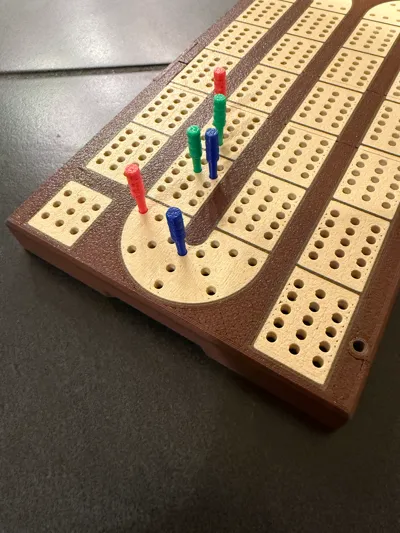
what size are the holes? Will standard 1/8” cribbage pins fit? I love the feel of the board overall and was an easy print! one of my magnets contacted the extruder but hasn’t seemed to have caused any issues. polymaker matte pla brown, polymaker pla pro black and white.
The designer has replied
0
Reply
The holes are not set for a standard peg since I found making them that big both didn’t look good and didn’t print well in my test models. I’m not sure off hand what size the pegs are but the ones in the project should fit it perfectly or near to it.
1
Reply
Print Profile
Classic
Great design, as compact as can be. I had a little trouble with some extrusion that has a couple of defects but that is not a model issue. I used yarn on the cover and it makes removal super simple.
The profile uploader has replied
0
Reply
I LOVE the yarn on the peg insert! what a great idea! As for the extrusion issues, the first layer is really sensitive to defects (which mostly comes from the fine details it's dealing with) so I appreciate you're understanding and patience with it. I hope you enjoy many games with your board!
0
Reply
I chose to print in PLA because of magnet issues. Use of PLA Wood requires a hardened STEEL nozzle which can rip magnets out of their position whereas STAINLESS steel is not ferromagnetic. An additional issue is with getting the magnetic polarity correct. If you print the board first, you can place your magnets in the center section (see photo) to have them self-align, then carefully position them with that orientation as the central section has paused during its print. If you choose to print with the hardened nozzle, judicious use of superglue and waiting about 15 minutes before it sets up will keep the magnets in their proper positions.
The designer has replied
0
Reply
Came out looking great! As a former Wisconsinite, I LOVE the green and gold! I will say that the wood PLA actually doesn't require the hardened steel nozzle (at least not according to the bambu store page). I printed all mine in stainless steel without issue or noticeable wear. Though, if I had used hardened steel I would have known about the magnet problems sooner 😆. I'm working on testing the tolerances for the magnets right now after a long hiatus to give a reliable press fit.
0
Reply