
Flower diagram board for botany

Print Profile(1)

Description
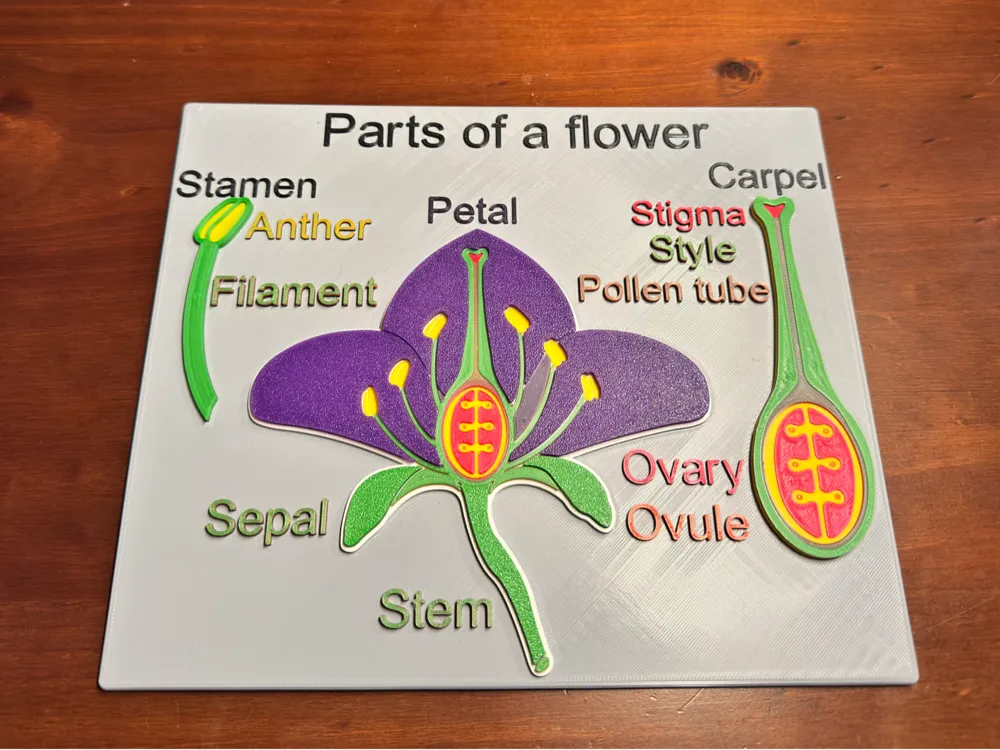
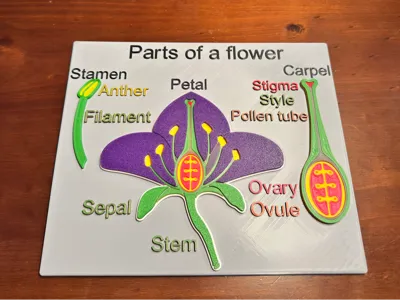
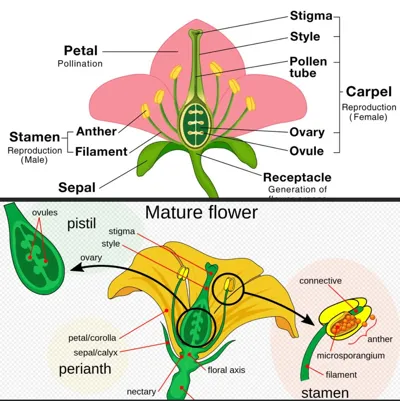
Bring botany to life with this interactive 3D-printed flower diagram! Designed to engage elementary school students, this unique educational tool allows hands-on exploration of flower anatomy. Let’s dive into the colorful world of 3D printing and learning! By creating this 3D-printed flower diagram, you’re not just making a teaching aid – you’re showcasing the educational potential of 3D printing beyond toys and fidgets. Inspire the next generation of makers and botanists with this hands-on learning experience. Happy printing and happy teaching!
This is an original print I designed when I realized that there were no 3D printable botany trainers out there for kids.
Print Specifications
This design is optimized for single-material printers, using height-based color changes to create a vibrant, multi-colored result. No AMS or multi-material unit is required!
Components and Color Heights
1. Base
• First layer (before letters): 4mm
• “Parts of a flower, Stamen, Carpel”: 4.7mm
• “Petal”: 5mm
• “Anther”: 5.3mm
• “Stigma, Ovary”: 5.6mm
• “Ovule”: 5.9mm
• “Pollen tube”: 6.2mm
• “Style, Filament, Sepal, Stem”: 6.4mm
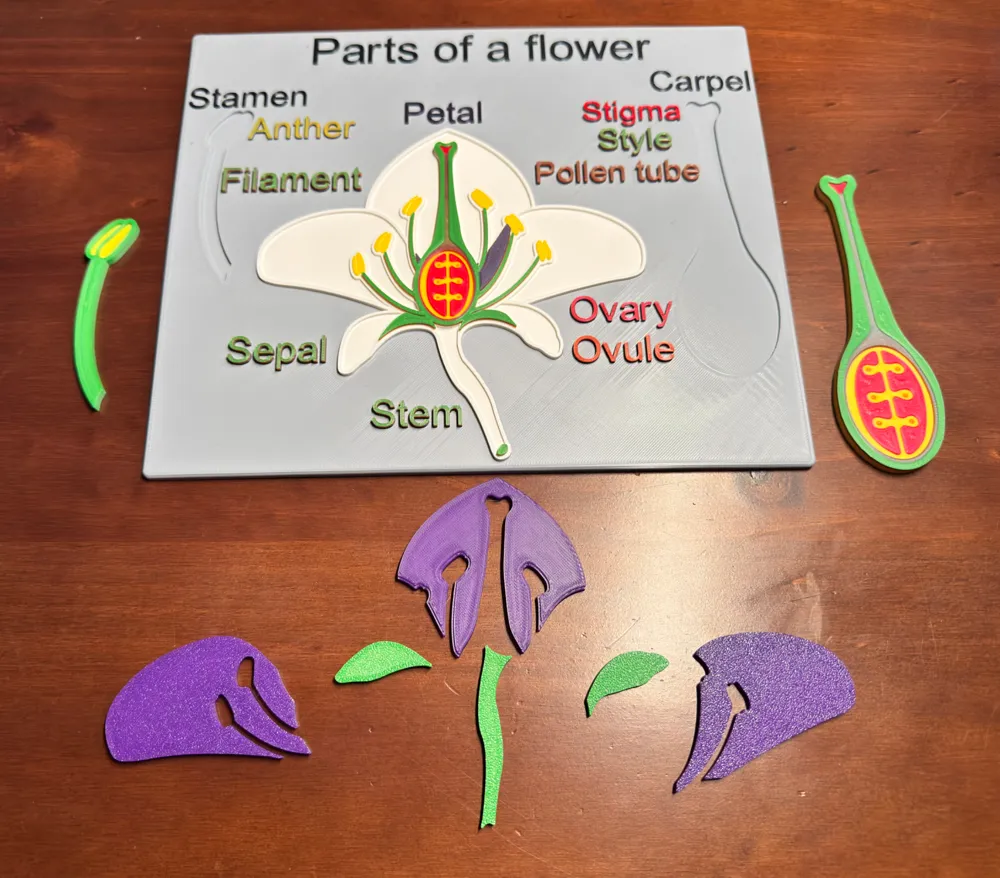
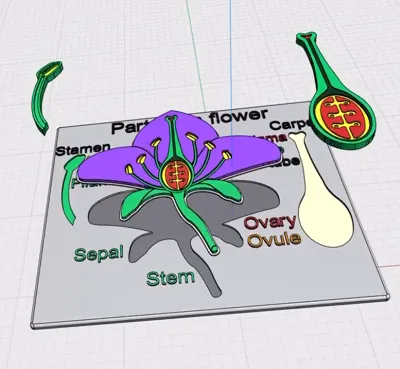
2. Large Stamen
• Yellow pods: 3mm
• Green filament and outline: 4mm and 5mm
3. Large Carpel
• Orange ovules: 3mm
• Yellow outer ovary shell: 3.5mm
• Red ovary: 4mm
• Dark green pollen tube: 4.5mm
• Style: 5mm
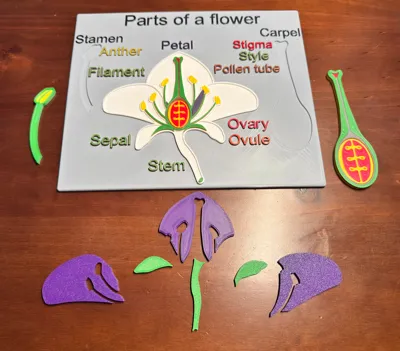
4. Petals
• Print upside down for a textured, removable finish
• For a smooth face, use a smooth sheet or support material when printing face up
5. Left & Right Sepals and Stem
• Stem: No supports needed
• Sepals: May require supports
• Slight outline cut-out underneath for fitment
6. Large Flower
• White: 1.5mm base with 3mm tall outline
• Orange ovules: 2.6mm (between white layers)
• Yellow: 3.3mm
• Red: 3.7mm
• Dark green: 3.9mm
• Green: 4.3mm
• Purple (or preferred petal color): 4.8mm
These instructions are related to 3D printing with multiple colors using a specific file setup.
File Setup and Color Swaps
Please refer to the file post about layer heights and color swaps. This 3D model is divided into different layers, each corresponding to a specific color.
Printing Options
1. Without AMS: You can print this multi-color model without an AMS (Automated Material System) unit. This will involve manually changing filaments at specific layer heights, so add pauses for you to switch out filament colors.
2. With AMS: If you have an AMS unit, you need to understand the layer swap timing and how to load multiple colors into a single AMS slot.
Color Layer Example
The instructions provide an example of a print requiring a different color every millimeter in height, with the following color order:
1. Red (1mm)
2. Orange (2mm)
3. Green (3mm)
4. Purple (4mm)
5. Blue (5mm)
6. Yellow (6mm)
7. White (7mm)
AMS Slot Configuration
For the given example, the AMS slots should be loaded as follows:
Slot 1: Red (1mm), blue (5mm)
Slot 2: Orange (2mm), Yellow (6mm)
Slot 3: Green (3mm), White (7mm)
Slot 4: Purple (4mm)
Printing Process:
The printer begins with red, printing up to the 1mm layer height.
When it switches to orange (2mm layer), the red filament is no longer needed and retracts.
At this point, you can swap out the red filament in Slot 1 for blue.
Continuing the Process:
As the printer moves to green (3mm layer), orange is no longer needed.
You can now replace the orange filament in Slot 2 with yellow.
When the printer starts using purple (4mm layer), green is finished.
Replace the green filament in Slot 3 with white.
Final Configuration: By the time the printer reaches the blue layer (5mm), your AMS slots will be:
• Slot 1: Blue (ready for 5mm layer)
• Slot 2: Yellow (ready for 6mm layer)
• Slot 3: White (ready for 7mm layer)
• Slot 4: Purple (currently in use)
This method allows you to print seven different colors using only four AMS slots, by strategically swapping filaments as the print progresses through different layer heights.
License

You shall not share, sub-license, sell, rent, host, transfer, or distribute in any way the digital or 3D printed versions of this object, nor any other derivative work of this object in its digital or physical format (including - but not limited to - remixes of this object, and hosting on other digital platforms). The objects may not be used without permission in any way whatsoever in which you charge money, or collect fees.


Comment & Rating (7)