Search models, users, collections, and posts

Fully Expandable DND Tile System (With Walls)
Print Profile(4)

All
A1 mini
P1S
P1P
X1
X1 Carbon
X1E
A1
H2D
H2D Pro
H2S
P2S
H2C
X2D
A2L

4x4 Tile for A1 mini
Designer
13.6 h
4 plates
5.0(25)

0.2mm layer, 2 walls, 15% infill
Designer
36.2 h
5 plates
4.4(5)

1x1 tiles *read description before printing*
Designer
2.1 h
2 plates
5.0(2)

2x2 Tile
2x2 Tile
Designer
14.2 h
5 plates
5.0(1)

Open in Bambu Studio
Boost
410
1302
86
49
863
402
Released 

Description

NOW COMPATABLE WITH THE A1 MINI (use the 4x4 print profile)

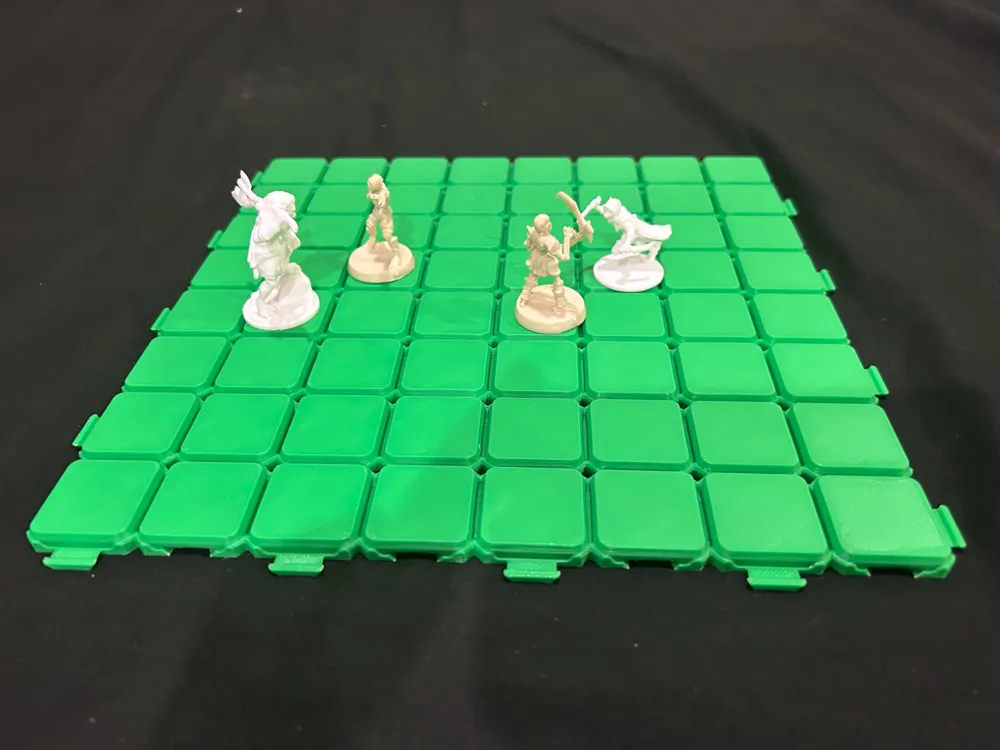
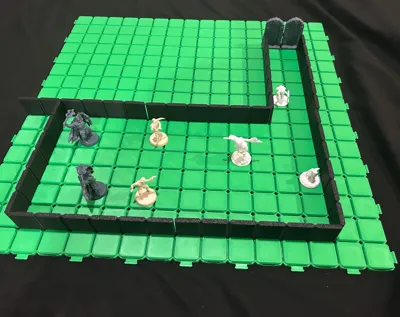
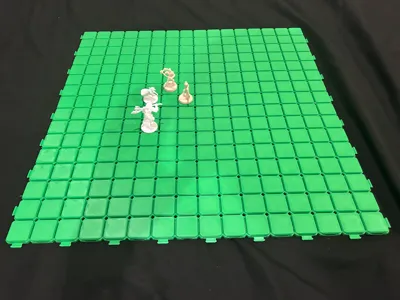
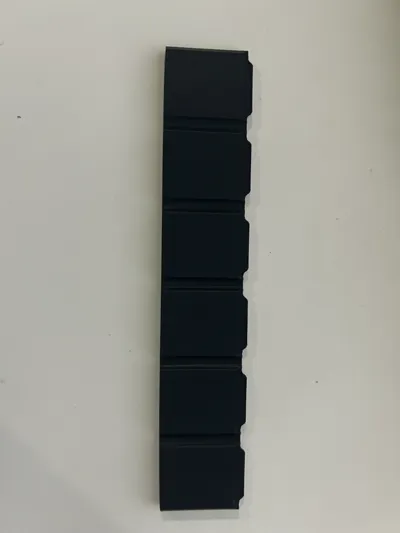
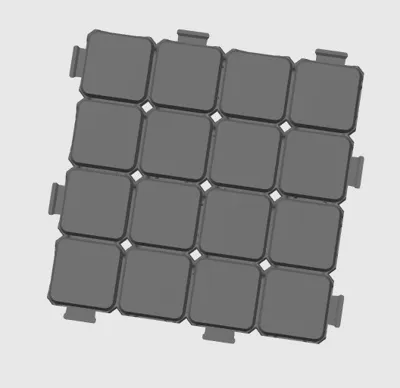
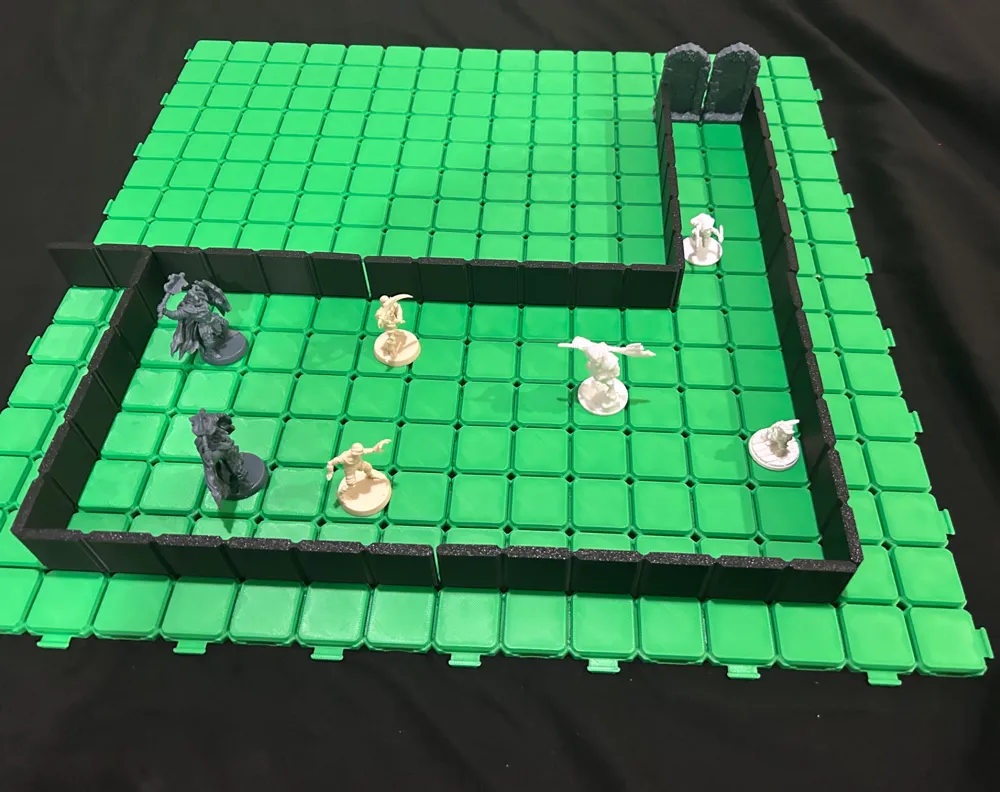
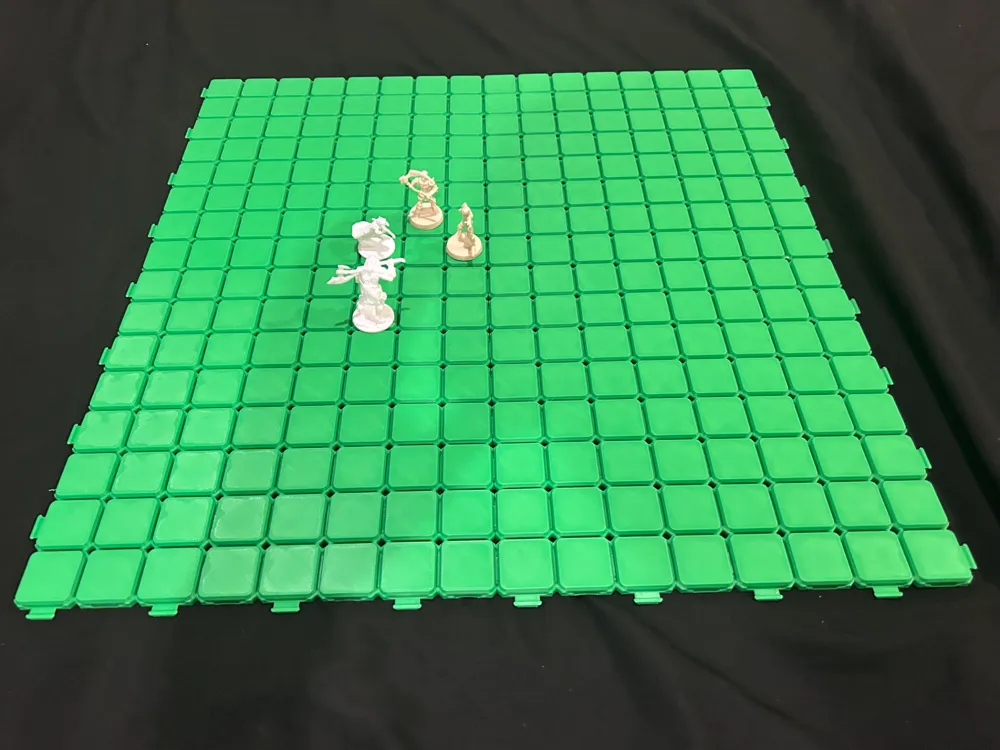
This is a Fully Expandable DND Tile System that just clicks into place, and has walls that just slot right into the tiles. the top surface of the squares are exactly 1"x1" which means you can have a standard medium size mini on the tiles with two walls directly next to them, this allows for 1 wide hallways and better utilization of the corners of rooms.


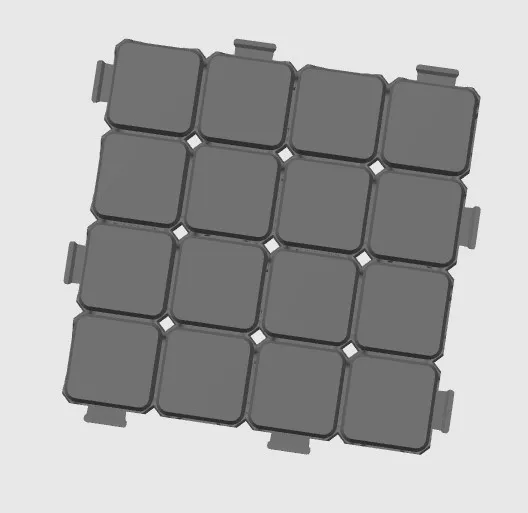
NOTE: on the negative connection for the tiles, there is a small strip that is printed connecting the two sides of the hole, this is to keep the sides from warping and can be either removed by hand or cut off.
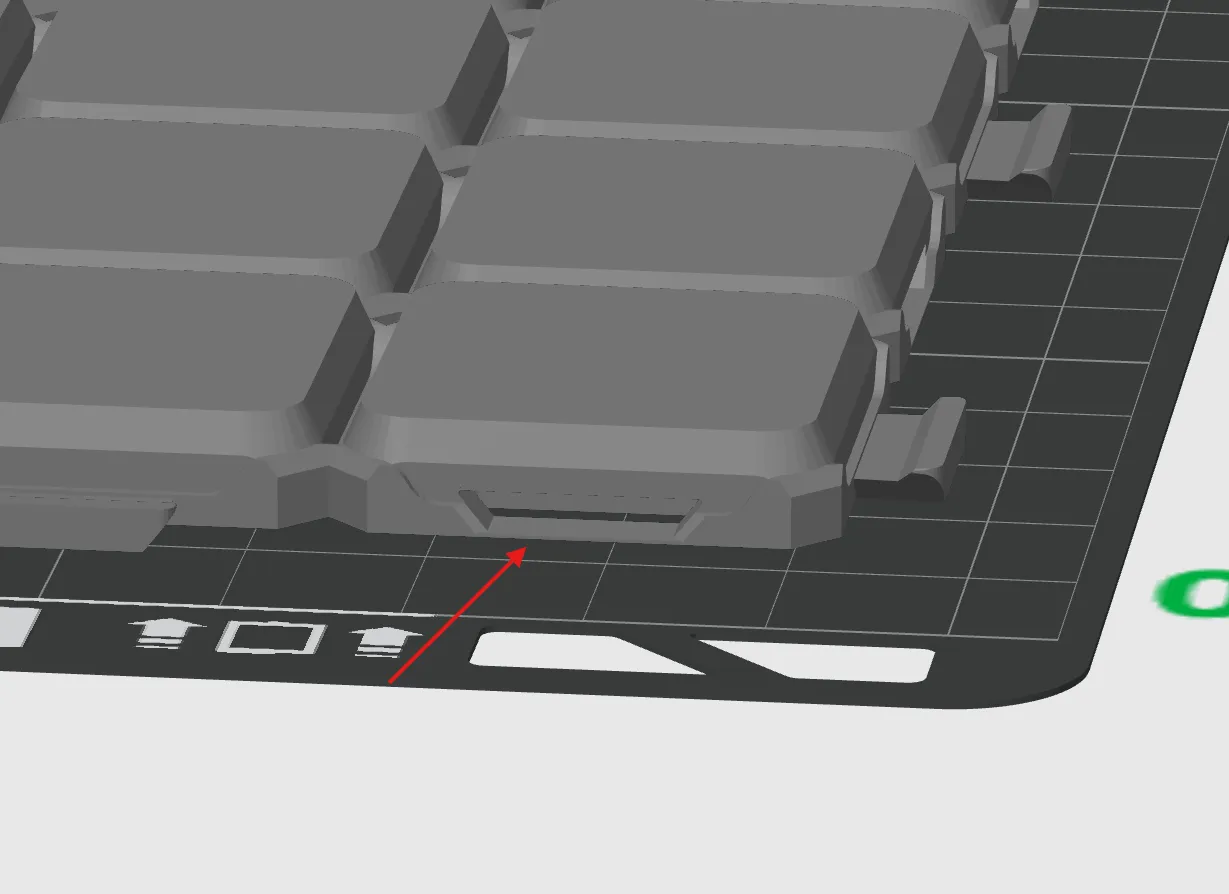
 

You should remove these small tabs of plastic


the tiles are a little difficult to put together once you go above a 3x3 (24x24 squares) so you may cut one of the middle tabs off of the large tiles to make it easier to connect larger sections together
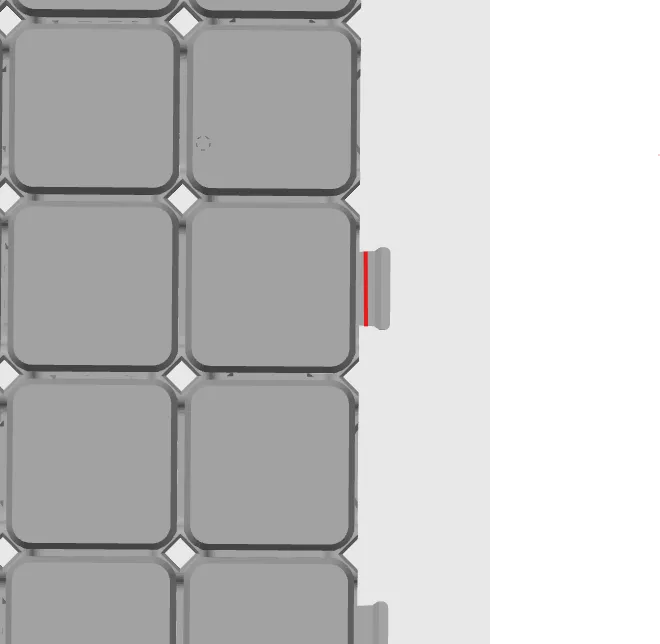
Cutting at the red line will help if you are having a hard time connecting large groups of tiles together


Thank you @PolyFrog_365505 on printables for the base of the connection system


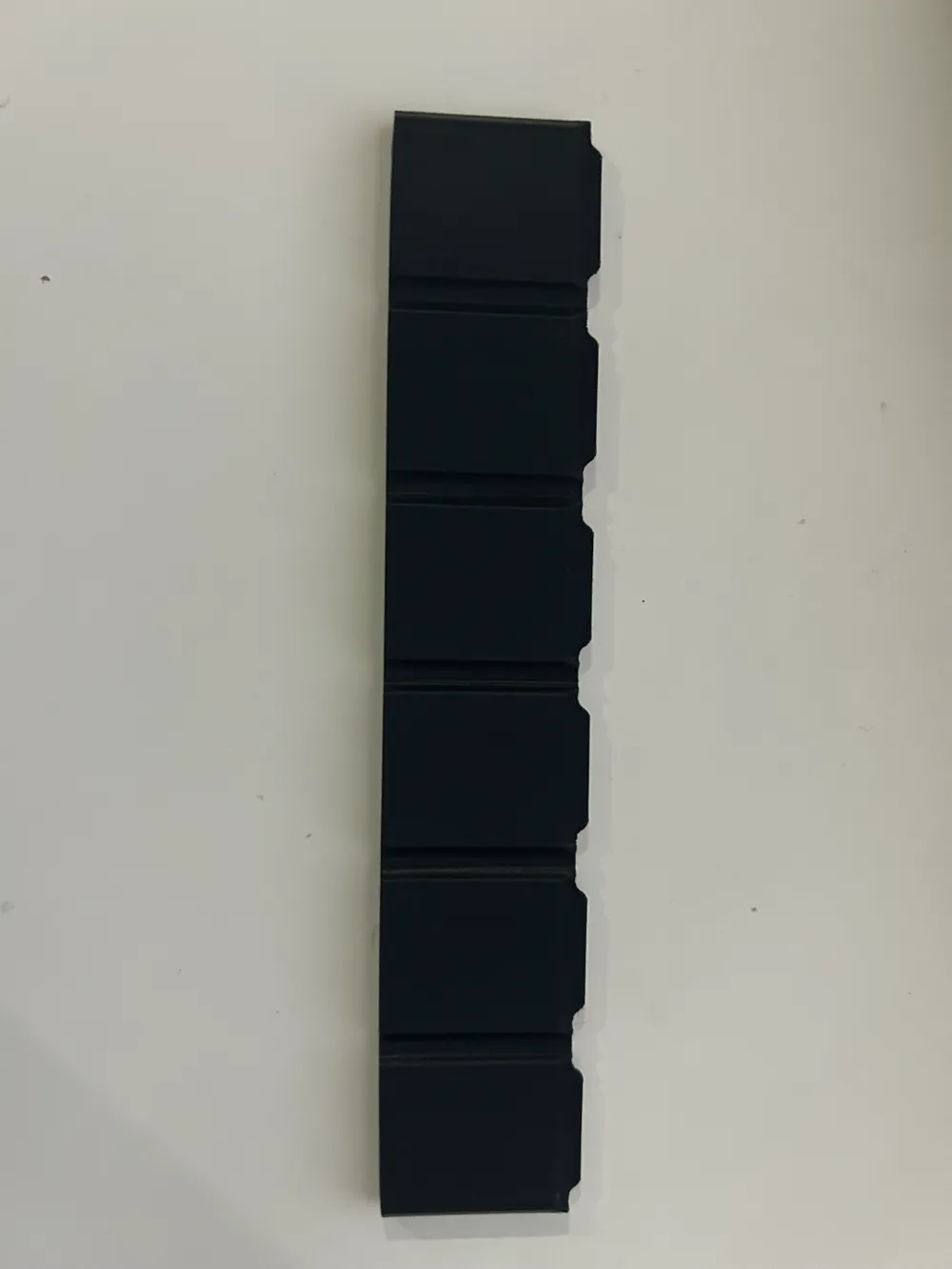
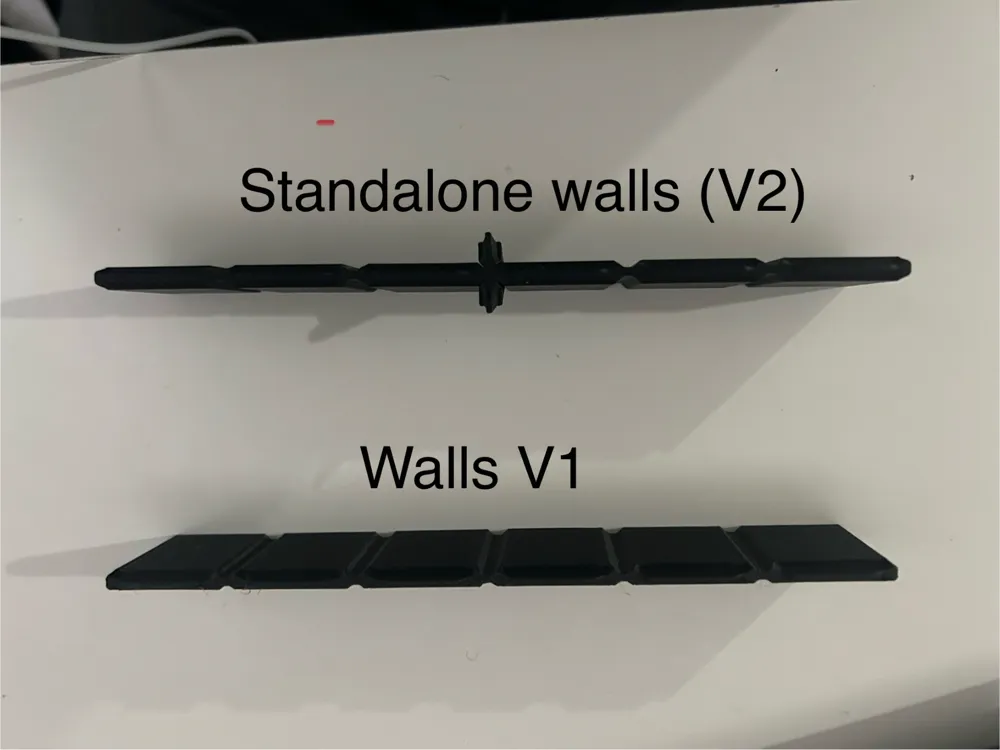
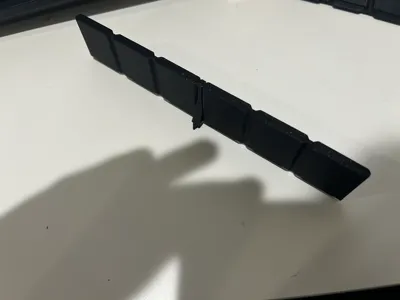
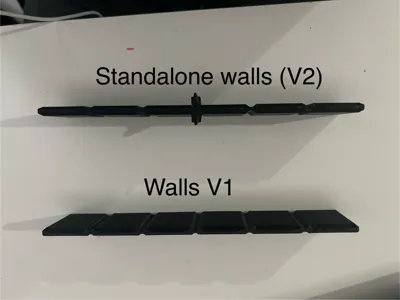
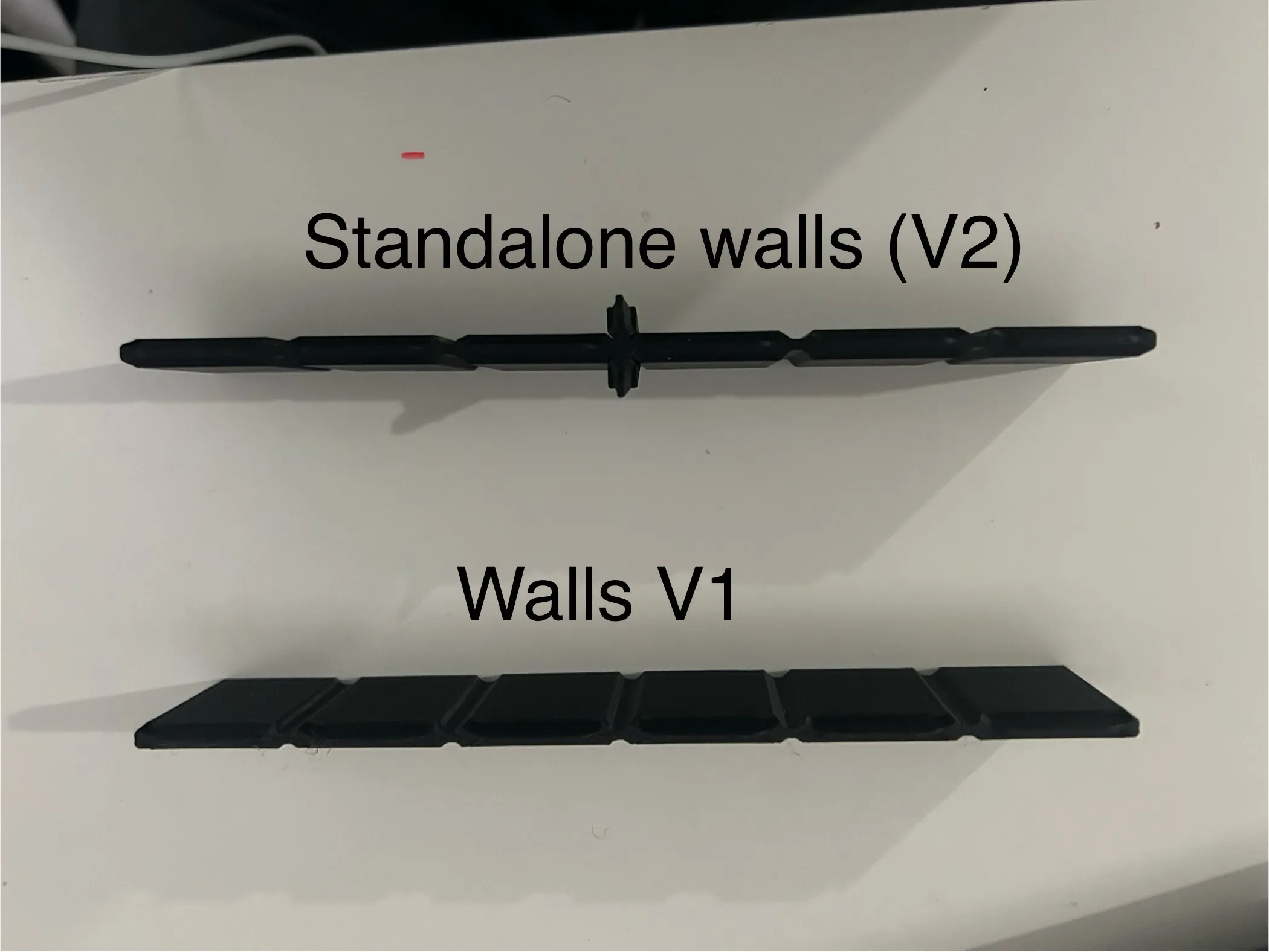
edit: walls were having a hard time standing up especially on their own or when the supporting wall fell down so i remodeled the long walls to have a support structure and i would suggest printing these walls (2 long standalone walls are now added too)


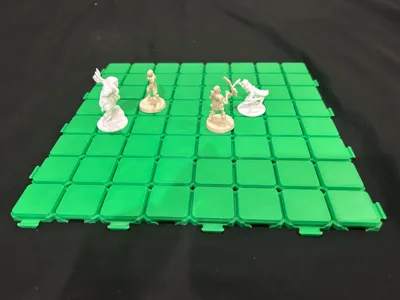
The 2 different 1x1 tiles explained:

 because of the way these tiles work, there are only two different ways to make a 1x1 shown below
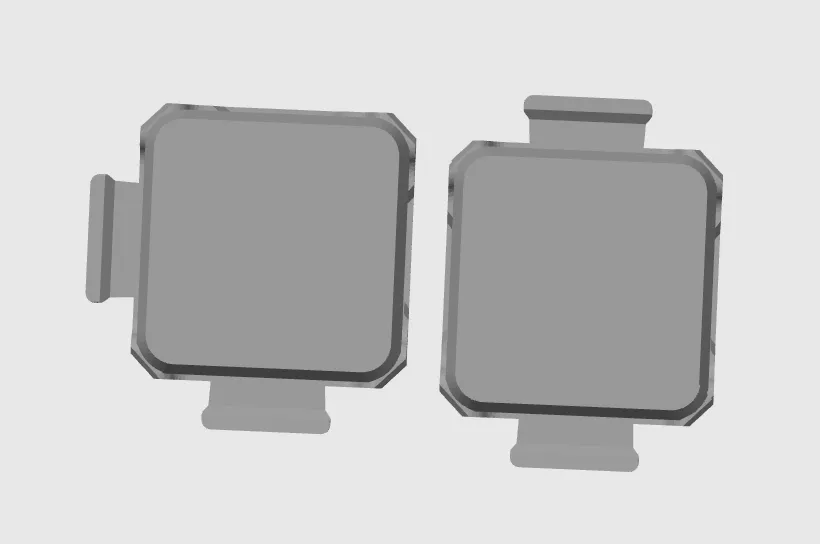
 

they both have different pros and cons and so i decided to release both of them, i have named them 1x1 normal (the one on the left) and 1x1 offset (the one on the right).

with a perfect square of 1x1s with side lengths that are even, both can be used to make an exact copy of the respective tile (eg. a 2x2 of both 1x1 tiles, if rotated properly, are practically indistinguishable from a normal 4x4) however, when used in odd amounts, the 1x1 normal will keep all the tiles aligned whereas the 1x1 offset will offset the tiles connected to it by 1 as shown below.
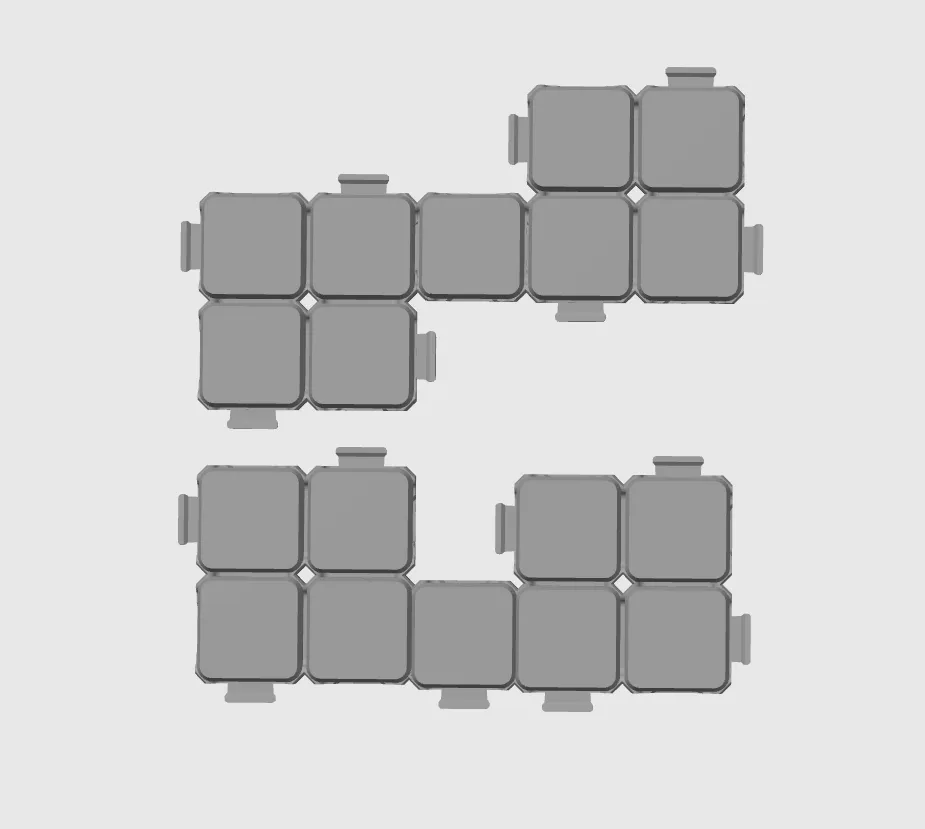
TL;DR: the two tiles are basically the same if you use an even number of them, but are useful for different things if an odd number are used.

Comment & Rating (86)

(0/1000)

Boosted
Print Profile
4x4 Tile for A1 mini
Pretty nice. Printed 12 panels and the full set of walls, took a while but that seems like a nice amount of everything. Also printed the doors, and made some quick furniture models to liven up the place. Can’t wait to test them out for real in my group’s next session!
The profile uploader has replied
profile
4
Reply
wow I love that setup you’ve got there, did you find that furniture on here or did you make it yourself?
(Edited)
1
Reply
Boosted
Replying to @Xevinf :
thanks! I modeled them while I waited for the panels and walls to print. they’re very basic, but I could upload them if you’re interested in printing some!
0
Reply
Replying to @Printorok :
that would be awesome, let me know when you do
(Edited)
1
Reply
Print Profile
0.2mm layer, 2 walls, 15% infill
After cutting off the supporting material in the female connector, I could build up the board well. Thanks a lot for the model!
(Edited)
The profile uploader has replied
profile
1
Reply
did you take off the support tabs on the underside of the female connector? if you are still having issues with putting them together you can try cutting off one of the tabs on each side
(Edited)
1
Reply
Replying to @Xevinf :
I will give this a try, thank you.
0
Reply
Replying to @Xevinf :
That worked well, thank you. Review updated to reflect.
0
Reply
Would it be possible to release a 2x2 version as well?
The designer has replied
0
Reply
@user_1456729920 yes, any specific reason?
0
Reply
Replying to @Xevinf :
I am playing the Metal Gear Solid Board Game, and am going to use these tiles to build out VR Mission maps. The 2x2 would enable me to make hallways and whatnot. For a better idea of what these maps look like, do a google image search for "VR mission maps" and you oughta see some examples of what I'm trying to achieve.
0
Reply
Replying to @user_1456729920 :
Just uploaded the 2x2 tile
0
Reply
Print Profile
0.2mm layer, 2 walls, 15% infill
Great model and perfect print! I printed some tiles and walls for testing, and I'll definitely print more, as well as investing in some furniture. Thanks a lot!
profile
1
Reply
Print Profile
4x4 Tile for A1 mini
The 4x4 tile printed perfectly several times. The walls got knocked off the plate somehow shortly before finishing. Next time I'll manually enable the brim. Could be salvaged though by printing the missing part and glueing the parts together.
profile
1
Reply
Print Profile
4x4 Tile for A1 mini
Great print
profile
1
Reply
Print Profile
4x4 Tile for A1 mini
awesome print. son loved it. connecting the tiles were a little tight but it may have been my settings.
0
Reply
Boosted
Absolutely brilliant print. The tiles and walls fit together beautifully. Excellent job. Can't wait to print more for my dungeons.
0
Reply
I just recently purchased a Bambu X1, can print basically 10x10x10.... can your grids be made bigger, like 8x8 pieces vs your 4x4? This is all new to me, so I'm just learning how to make things. Any and all help with recommendations is much appreciated. Thanks
(Edited)
The designer has replied
0
Reply
Yes! The original grid is actually 8x8. While your printer can technically handle 10x10x10 in, the way the tiles connect means the grid needs to be an even number of squares, and they poke out a bit so a 10x10 would be larger than 10”x10”. So 8x8 is the largest that fits within the build area. Hope that helps!
0
Reply
I have an idea, but don't know if it will work, am I able to take your grid and modify it somehow? As I stated before, I just got my machine and no clue what programs to use where to go to create my own things. Did kind of jump blind into the 3D printing world, but seen a lot of cool 😎 things and was like, I wanna learn to do that!
0
Reply
Replying to @GhostRider79 :
feel free to take it and modify it, that’s the fun part of 3d printing
0
Reply
These are great! What are the doors you used in the photo?
The designer has replied
designer
1
Reply
i got a couple hero quest games secondhand for the minis, and they came with doors. i have a door modeled up that i am about to be posting if you are looking for doors.
0
Reply