Search models, users, collections, and posts

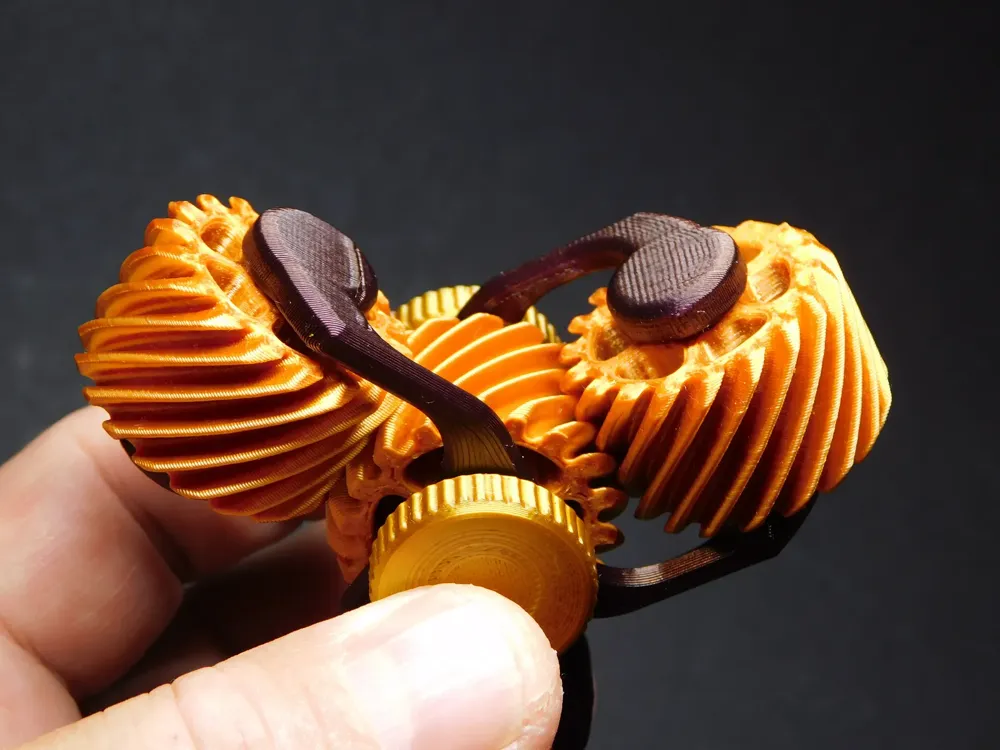
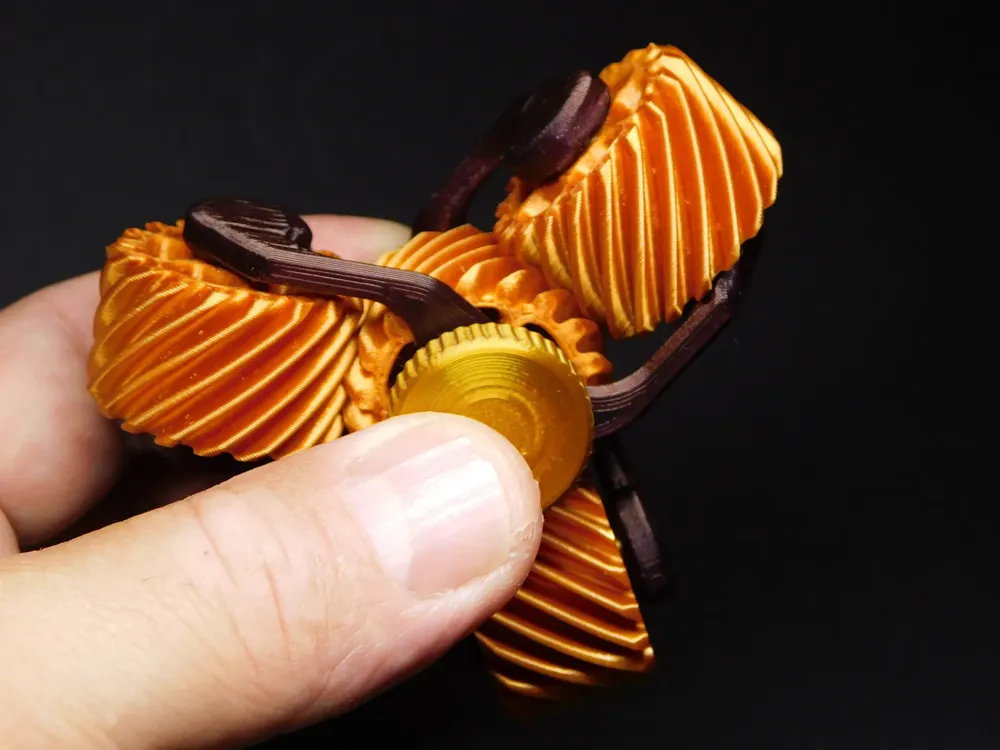
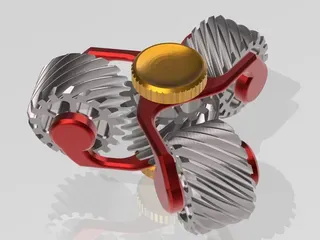
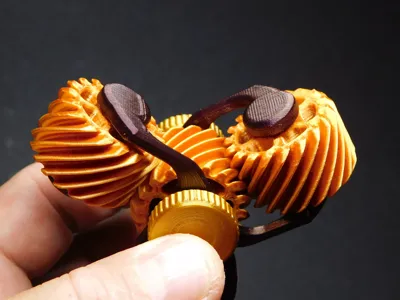
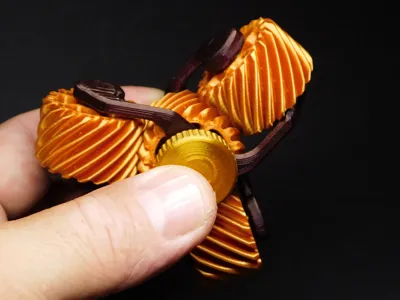
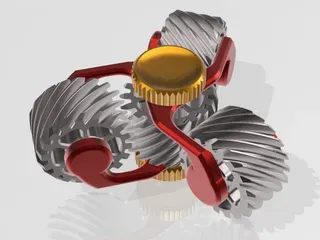
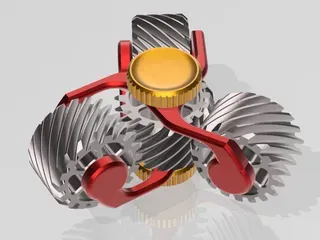
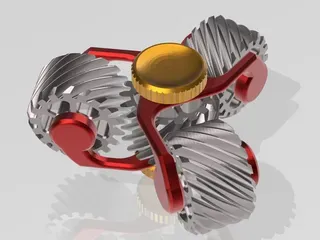
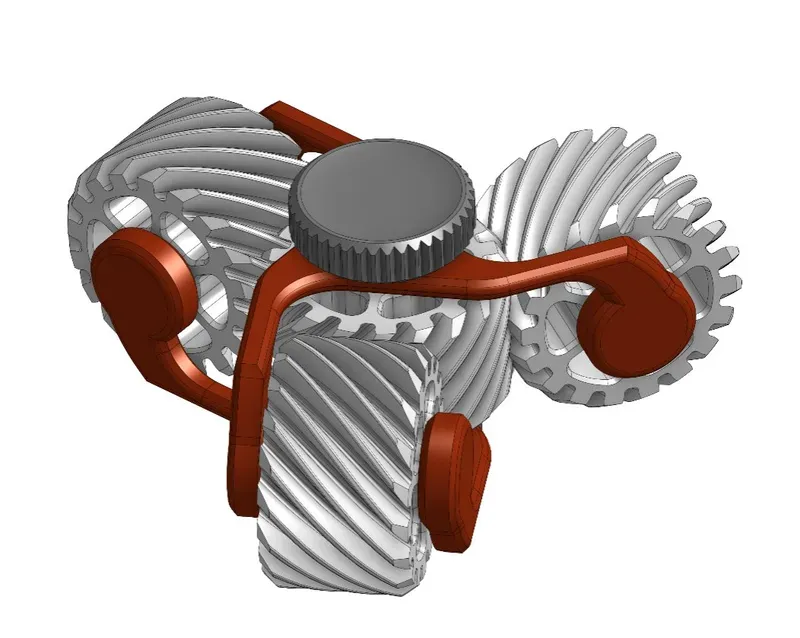
Triple helix gear spinner

Print Profile(8)

All
A1
P1S
P1P
X1 Carbon
X1
H2D
H2D Pro
H2S
P2S
H2C
X2D
A2L
X1E
A1 mini

125% Scale - Crosshatch infill
4.9 h
2 plates
4.8(568)

100% P1S AMS single plate! 0.2mm layer, 2 walls, 15% inf
2.9 h
1 plate
4.7(299)

A1Mini - No AMS - 2Color - 0.2mm layer, 2 walls, 15% infill
3.2 h
2 plates
4.7(20)

A1-Mini - Two-Color Optimized
3.2 h
1 plate
4.4(170)
Click to see more

Open in Bambu Studio
Boost
6850
16663
1614
1 k
20.2 k
12.5 k
Released 

Description

Triple gear helix spinner

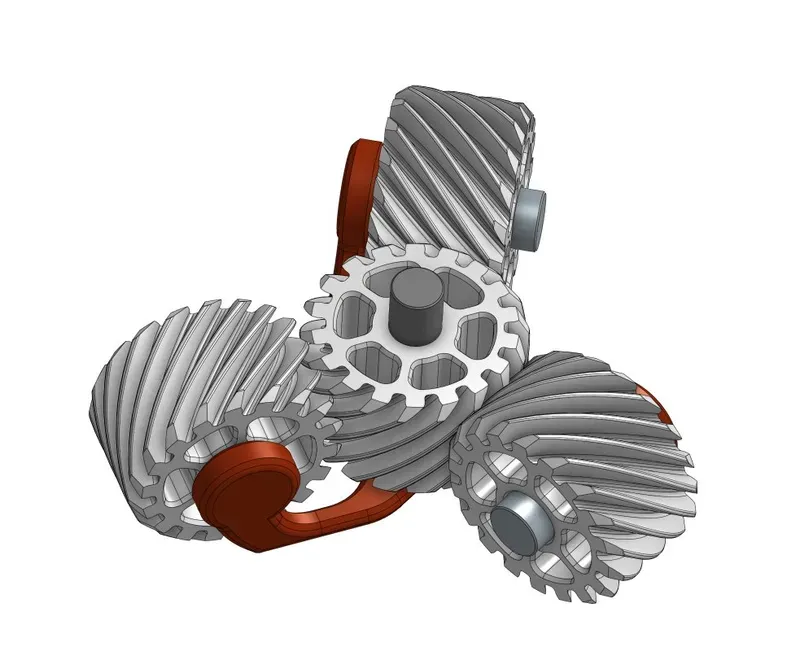
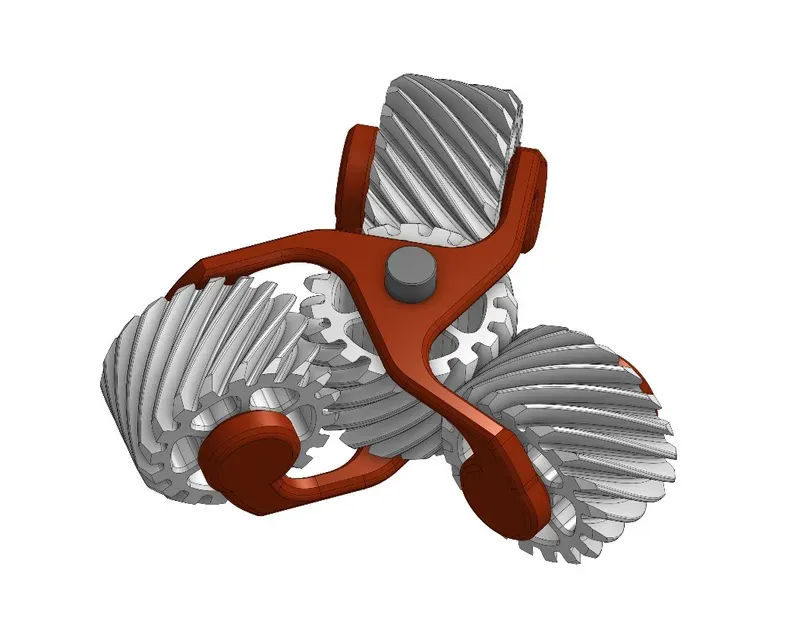
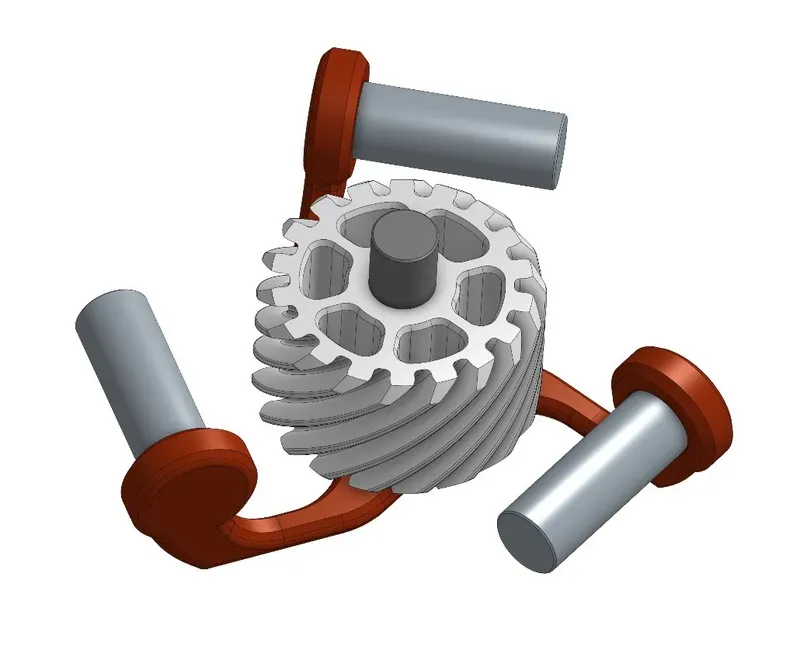
First, print the cage, insert the axles of the rear gears
insert the gears, insert the axles into the middle gear and add the second cage. Finally add the knobs


You can find other spinner models in this collection:
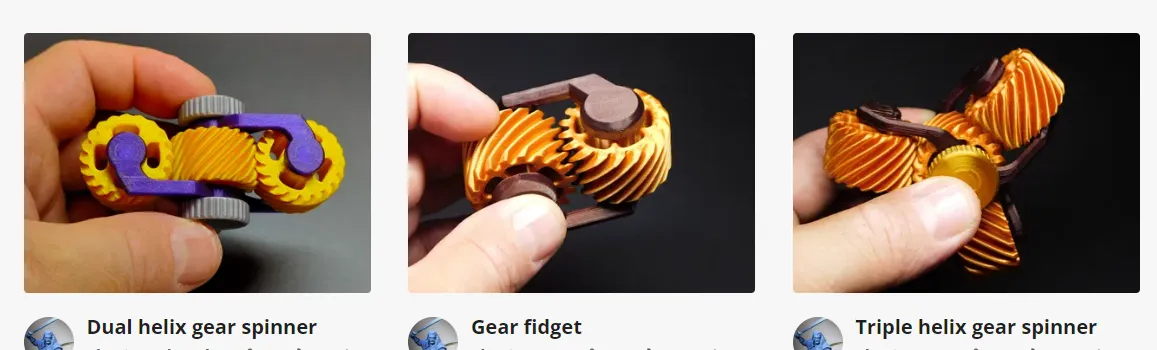
 

https://makerworld.com/en/collections/3668901


Comment & Rating (1614)

(0/1000)

Print Profile
75%, 1 plate, 0.2mm layer, 2 walls, 15% infill, by object
The overall design was great and printed very smoothly with minimal filament waste even with the colour changes. However, even after greasing it and reassembling it multiple times, I couldn't get it to perform like the one shown in the video in the description. I don't know if this was because of the accuracy of my printer or if I was pressing the parts to tightly, but didn't get the outcome I expected. However the design is still great and the problem is probably with my end. Might be filament.
52
Reply
it’s cause the profile ur using is 75% size and the clearances are not adjusted accordingly
(Edited)
4
Reply
The print profile is no longer public
Worked really great just spend a little slow. Do you have any idea how to fix that and then spin for long
1
Reply
Me again or is it just a wear and tear part that gets better when you use
(Edited)
1
Reply
I uploaded a new cage file, enlarged to 101%, the wheels spin more freely, try the new cage
0
Reply
Replying to @Premolar1975 :
thank you
0
Reply
Print Profile
125% Scale - Crosshatch infill
So easy to print and put together. Perfectly smooth immediately. I can’t look at it without wanting to play with it for a moment. Thank you!!! Bambu PLA Sparkle Black and Generic color changing PLA.
8
Reply
cool
0
Reply
Print Profile
125% Scale - Dual Color, Single Plate, 1 Color Change
At first it was too tight even despite my efforts to turn it a lot to try to get it a bit smoother, but then I read in the comments about printing the cage parts at 101% size and that extra space was all that was needed to get this to turn smoothly! Thanks
The profile uploader has replied
profile
6
Reply
Ahh, hadn't run into that myself, but glad that fixed it! I do remember it took some "breaking in" to get it to be smooth.
0
Reply
thanks for the tip
0
Reply
Print Profile
125% Scale - Crosshatch infill
It’s nice. Thank you 👍🏼
The profile uploader has replied
profile
6
Reply
Boosted
Great colors!
(Edited)
1
Reply
where can i get that green? looks amazing!
0
Reply
Print Profile
125% Scale - Crosshatch infill
Where the seams were on the pins I had small peaks . Once I took these off with a file then it all ran lovely.
The profile uploader has replied
profile
3
Reply
Boosted
Interesting. This was not at all the experience I had. Could be something specific to the material though. What did you print each color/part in? We should perhaps note this here for posterity.
0
Reply
Replying to @Ridokilos :
Hi both colours were printed in PLA . Bambu sparkle for the gears and Bambu basic for the cage.
0
Reply
Replying to @Ridokilos :
@Ridokilos another point it was the 125% version. I have just tried the 75% version and it locks up on the gears . I think the gears don’t respond well to scaling down but benifit from scaling up … which would make sense.
(Edited)
profile
1
Reply
Print Profile
200% Size
Amazing I have used Silk yellow and Silk black
The profile uploader has replied
profile
1
Reply
WOW, that looks incredible, thanks for sharing!
(Edited)
1
Reply
why’s it so small
0
Reply
Replying to @user_2527234706 :
🤣
0
Reply
It uh, looks pretty? I printed in black PETG and green PLA with your first print profile on an X1C with a nearly new nozzle, the gears are completely bound up and nothing moves freely at all. The shafts seem to be a bit thick for the three ring gears, so they don't want to spin.
(Edited)
The designer has replied
0
Reply
Try changing the scale of the cage in the slicer to 101% in all axes, this should free up the parts
0
Reply
Did you use an A1 mini
0
Reply
Replying to @HenFam :
Says X1C right there in my original comment
0
Reply
Superb model! very impressive. Printed at 125% in PLA Silk for the gears and PETG for the frame. The different parts were glued with superglue and I added a spray of Silicone Lubricant to facilitate the rotation of the parts
Show original
0
Reply
did you print the frame and gears on 2 separate plates? if you used one, what nozzle did you use? my PETG has been giving me issues. thanks.
0
Reply
Replying to @halojumper70 :
petg and pla on separates plates with a 0.4 nozzle. no problem ! 😉
0
Reply
Replying to @Krio77 :
thank you
0
Reply
really loved this file, no waste and someone who comes from a engineering background love the simple form factor that makes a great tool. Need to reprint the thumb screws as I don't like the white, but that was not the maker fault but my own.
The designer has replied
1
Reply
Nice!
1
Reply
what baseplate is that?
0
Reply

License

This user content is licensed under a Standard Digital File License.

You shall not share, sub-license, sell, rent, host, transfer, or distribute in any way the digital or 3D printed versions of this object, nor any other derivative work of this object in its digital or physical format (including - but not limited to - remixes of this object, and hosting on other digital platforms). The objects may not be used without permission in any way whatsoever in which you charge money, or collect fees.