
Blackstar FLY 3 Mini Amp Battery Filler
Print Profile(1)

Description
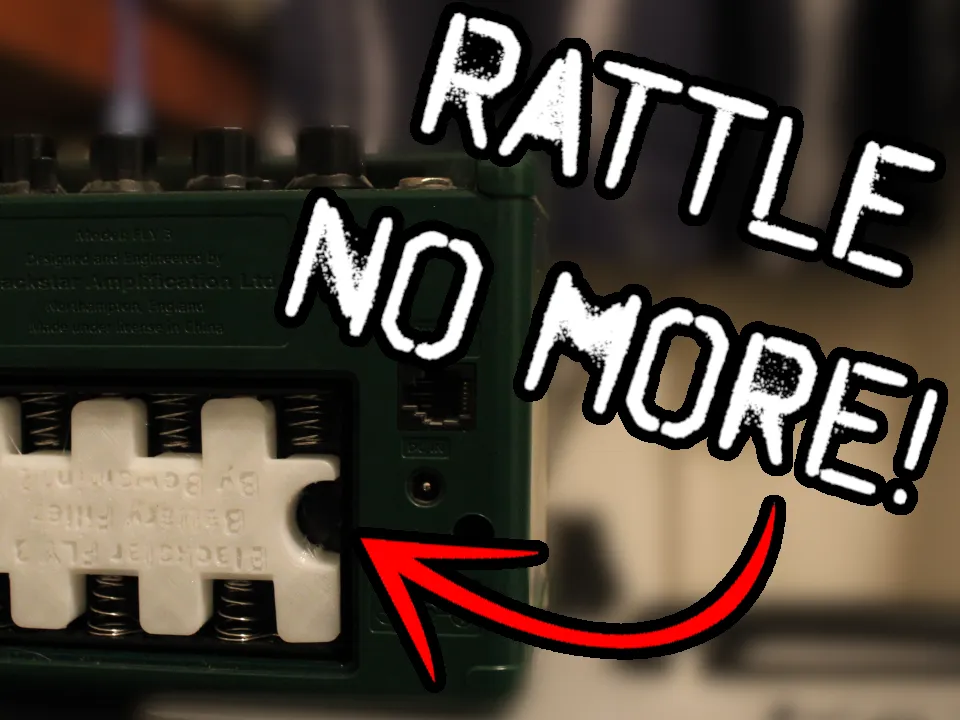
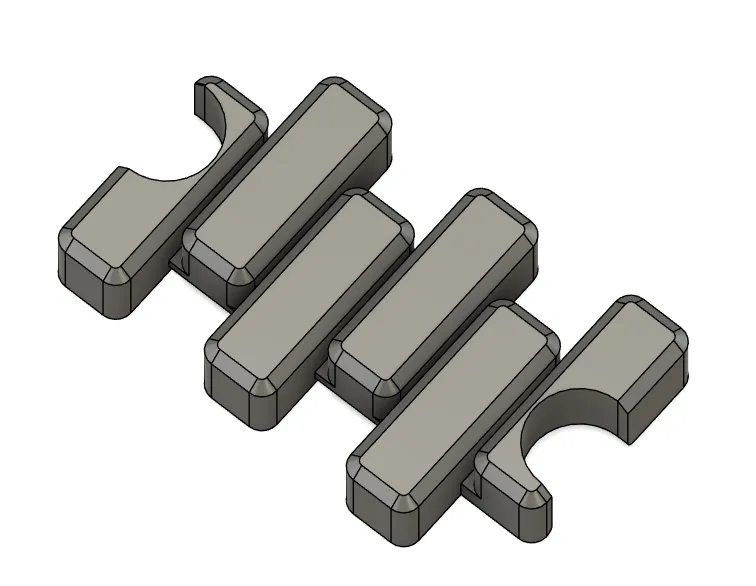
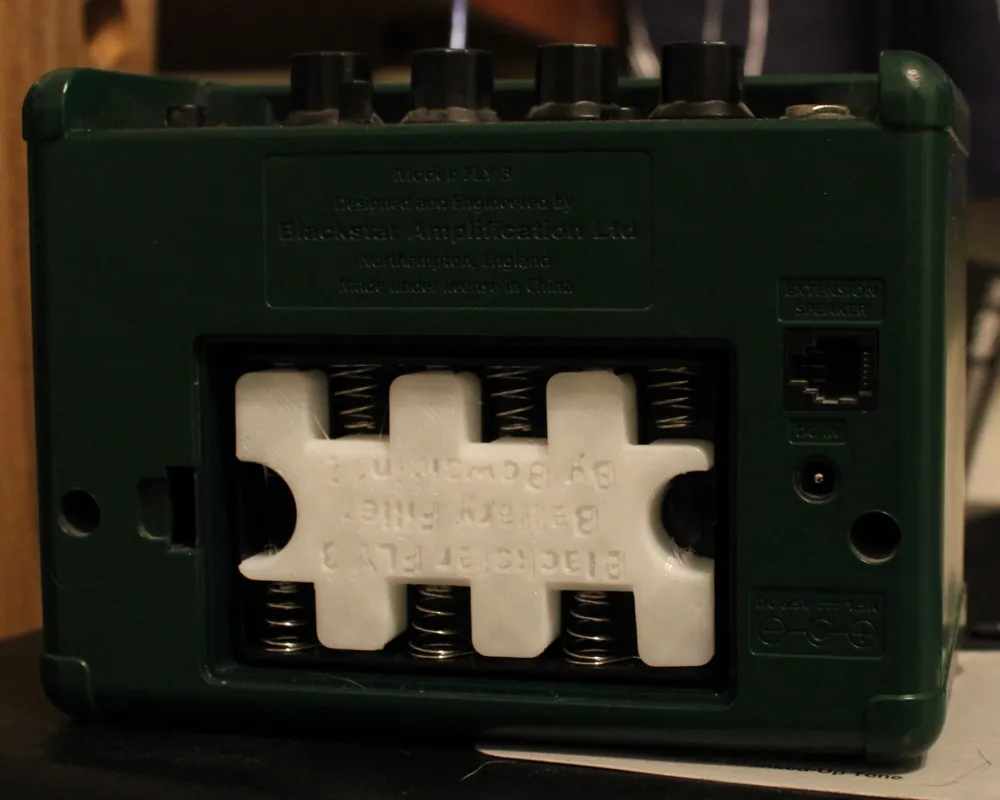
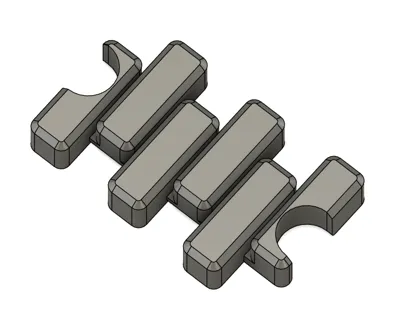
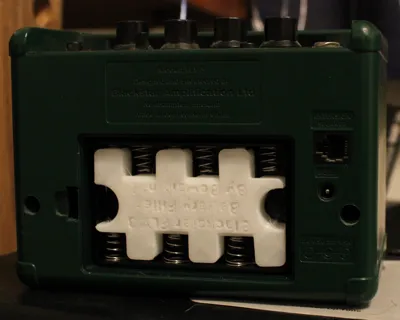
This is a simple model to fill the battery compartment of your Blackstar FLY 3 Mini amp's battery area when using the DC power supply. My mini amp unit has significant chassis rattle when not using batteries, especially with more resonant settings like darker tones and / or with the delay set more ambiently. I made this model to dampen some of that rattle, and in my case, it was a huge success. There is still minor vibrational sound, but nothing near as bad as it was. I believe that this is caused by both / either the battery springs rattling, and the battery door rattling when not dampened by something filling the compartment.
I attempted to design my model to work with rigid and soft plastics, however it mainly only works with softer, bendier stuff. I used Ziro TPU. If you want to use PLA or some other more average plastic, you will have to shave off a couple mm from the ends of the filler nubs. There are little support nubs in the mini amp that are meant to support the nub end of the battery that interfere with the 3D printed model when made from rigid plastic. However when using TPU or some other flexible material, it makes a cozy fit that makes for great dampening.
Boost Me (for free)
If this model helps you in any way, please consider boosting me!
Another warning is that I am not very experienced with TPU. So my print profile is far from perfect, at least for this model. On my final model I printed, I had various strings, some minor blobbing in between the battery slot segments, and at least one spot that seemed under extruded a little. Despite all this, mine works great functionally, even if it's not super pretty. You can probably do better with your profile, but feel free to leave suggestions on profile changes so I can learn and hopefully make it better for future users and downloaders. Another small issue is that the text on the model can leave little dots and dribblets on your build plate. They were easy to remove for me, but let me know if they become a serious issue.
- Please rate the model fairly based on the knowledge I've given you of the model and situation.
- Please remember to clean your bed and / or use adhesion additives (like glue stick or hairspray) if you experience adhesion issues. Another thing may be the temp settings and characteristics of the filament you are using.
- So remember to be fair since I can't appeal bad reviews unless the user changes them.
- Thank you
If you want to learn how I designed this model and want minor tips on CAD design, I have a video up on my Youtube channel. Toward the end of the video, I get a little peeved though, because Fusion 360 was having some annoying errors, but it's a decent watch if you can handle long form content. I try to throw in entertainment where I can.
License



Comment & Rating (0)