Search models, users, collections, and posts

Creality K1 Max Wyze Cam v3 Top Mount
Remixed by
IP Report


Print Profile(1)

0.2mm layer, 2 walls, 15% infill
Designer
52 min
1 plate
Open in Bambu Studio
Boost
26
46
1
1
91
13
Released
Description
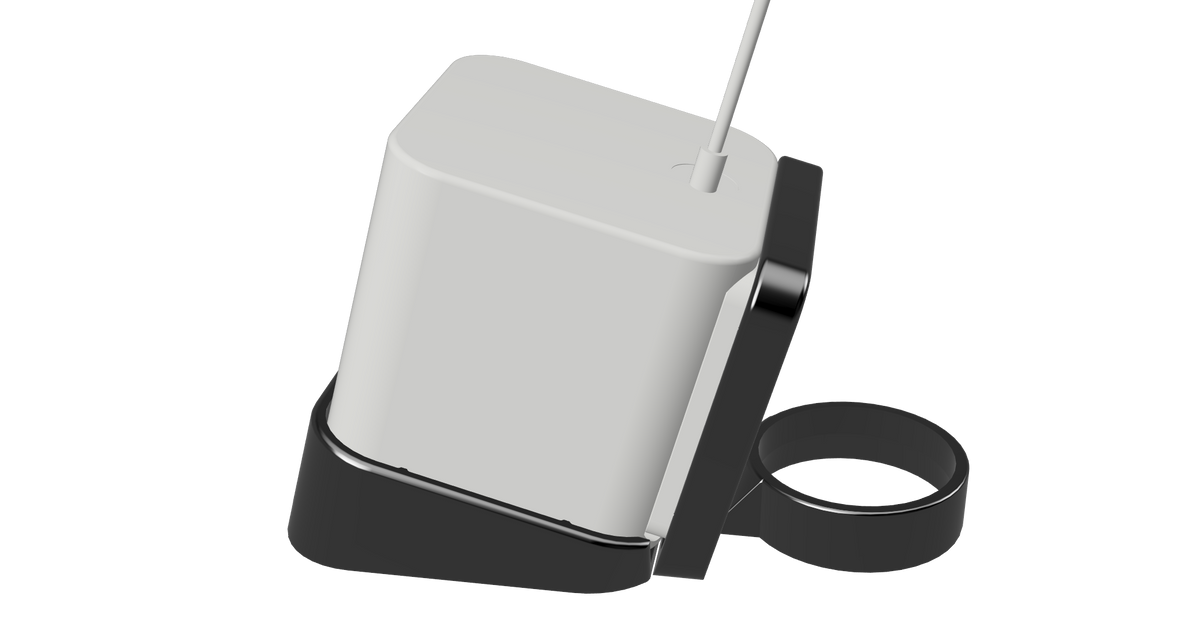
A simple, yet very effective, Wyze Cam v3 mount for the Creality K1 Max.
Installation is simple:
- Remove the top from the printer, being careful not to drop it, of course.
- Using a 2mm hex remove the 2 screws holding the handle on.
- Slide the handle through the Wyze Cam v3 mount. It's a snug fit to reduce any noise that may come from vibrations.
- Line up the holes in the handle to the glass top and reinstall the screws. Be sure not to over tighten the screws, just snugged up is good.
- Place the top glass back on the printer.
- Slide the hood over the camera in the same orientation that it was printed, with the notch facing up.
- Slide the base of the Wyze Cam v3 into the mount as seen in the picture.
- Adjust as needed.
This remix is based on
License

This user content is licensed under a
Creative Commons Attribution-Noncommercial


Comment & Rating (1)