Search models, users, collections, and posts

Christmas Tree with Decorations
GIF
GIF
GIF
GIF
GIF
GIF

Print Profile(5)

All
X1 Carbon
P1S
P1P
X1
X1E
A1
A1 mini
H2D
H2D Pro
H2S
P2S
H2C
X2D
A2L

0.2mm layer, 2 walls, 15% infill
Designer
6.1 h
1 plate
4.9(59)

0.12mm layer, 3 walls, 15% infill
Designer
4.7 h
3 plates
5.0(58)

0.12mm layer, 2 walls, 15% infill
Designer
2.5 h
3 plates
5.0(55)

0.16mm layer, 3 walls, 15% infill
Designer
34 min
1 plate
4.9(36)
Click to see more

Open in Bambu Studio
Boost
618
1378
310
138
1.6 k
777
Released 

Description

Christmas Tree with Decorations



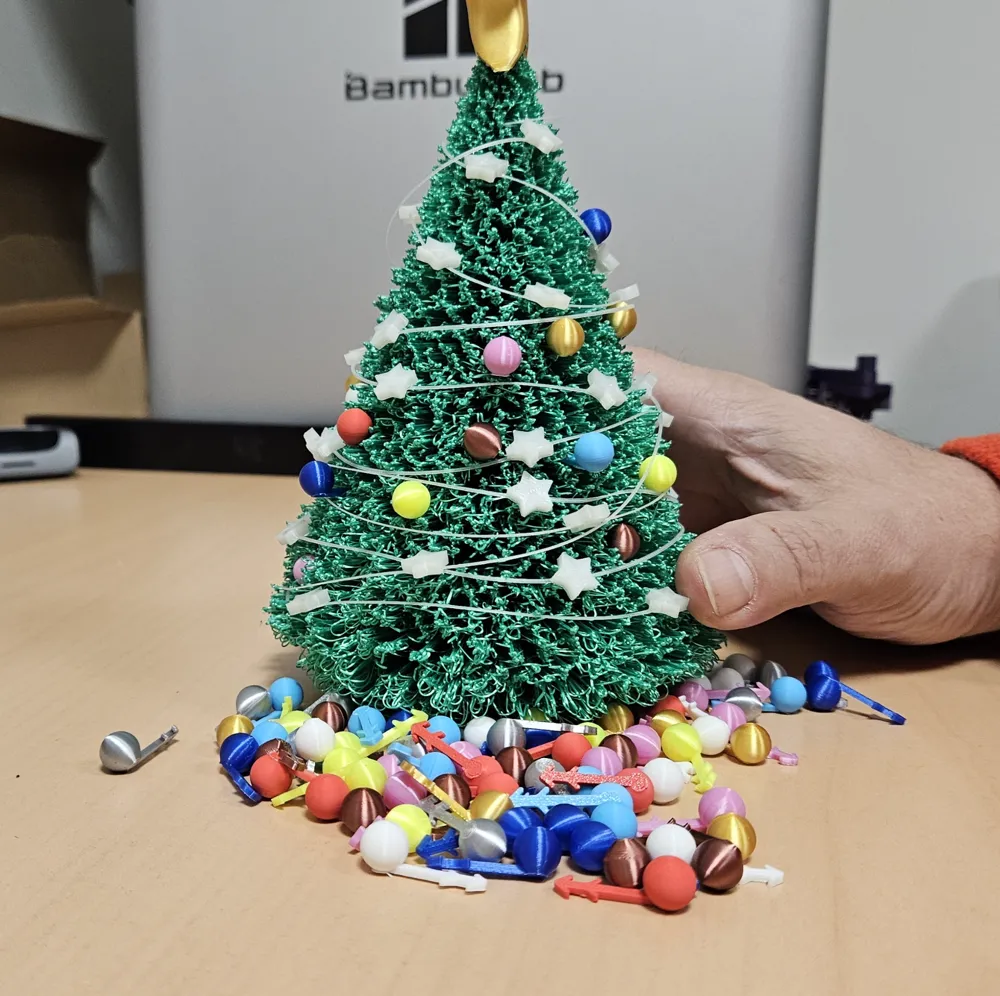
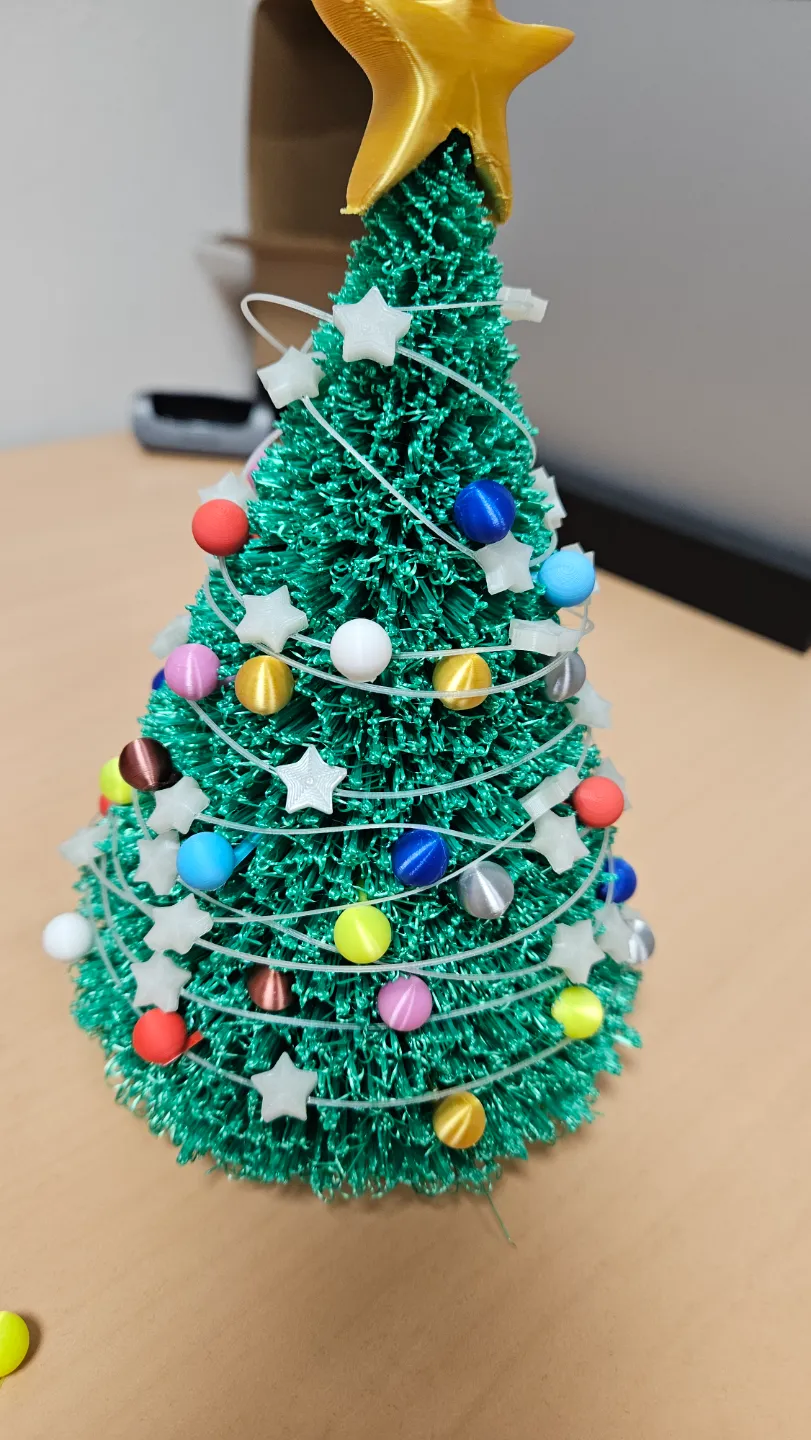
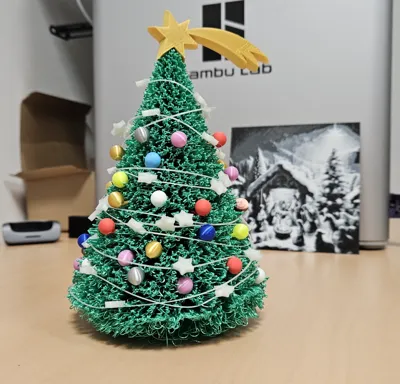
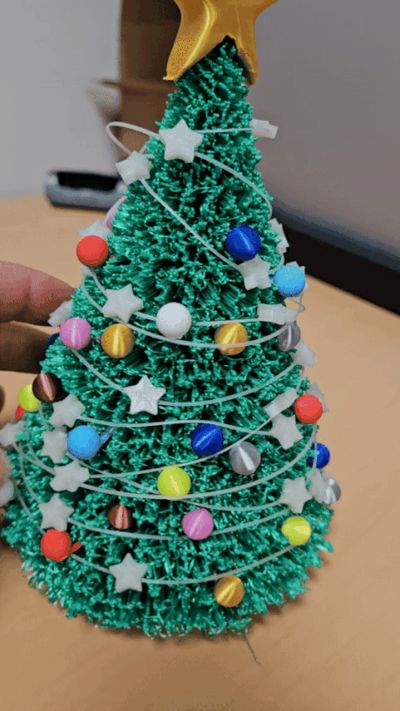
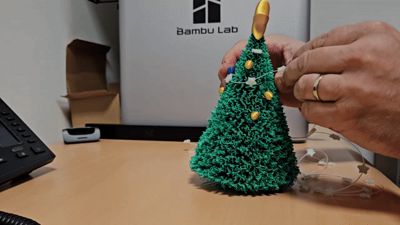
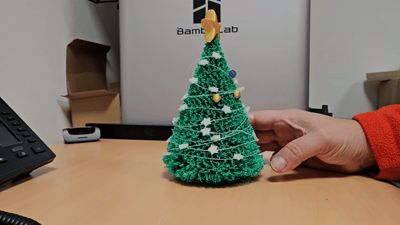
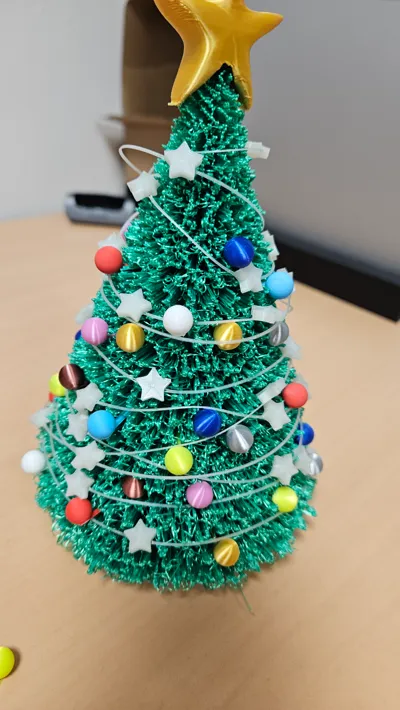

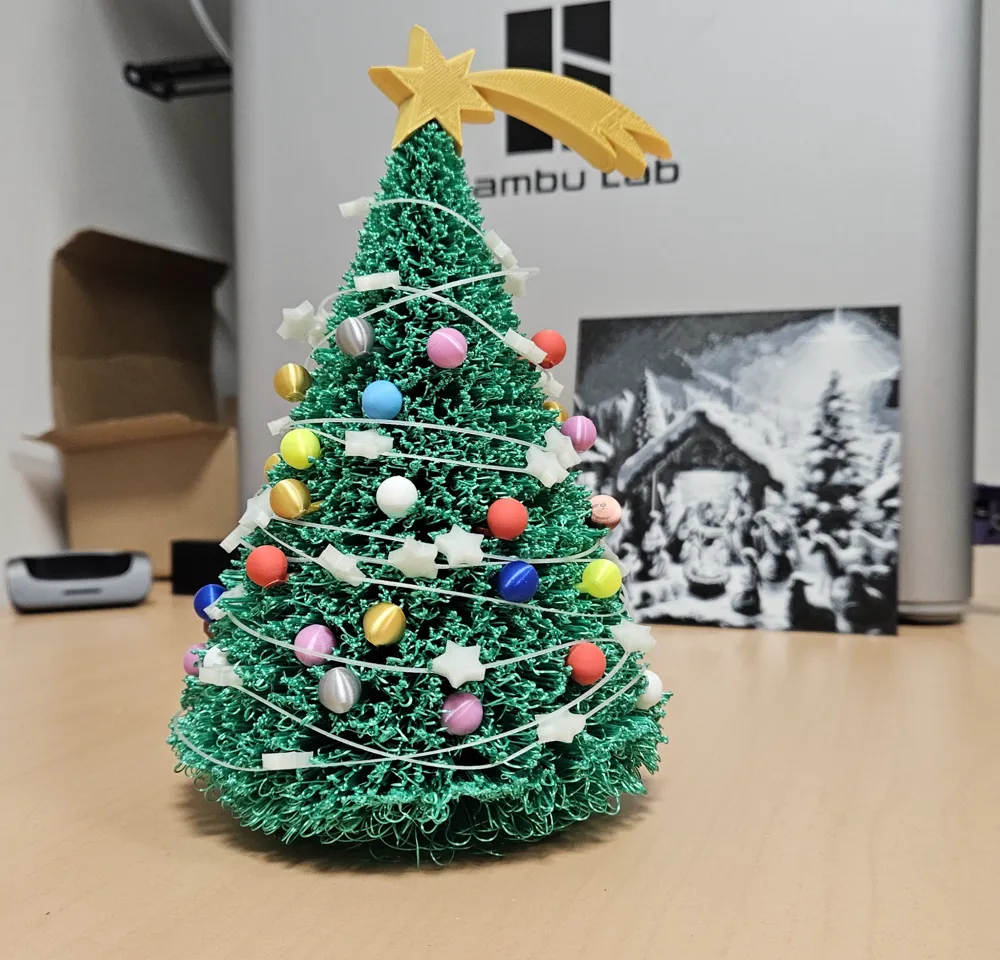
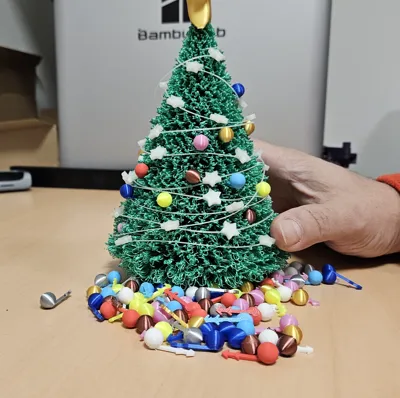
I made this beautiful Desk Christmas Tree, but to make it not similar to many others, I added all the decorations of a "Typical Christmas Tree".
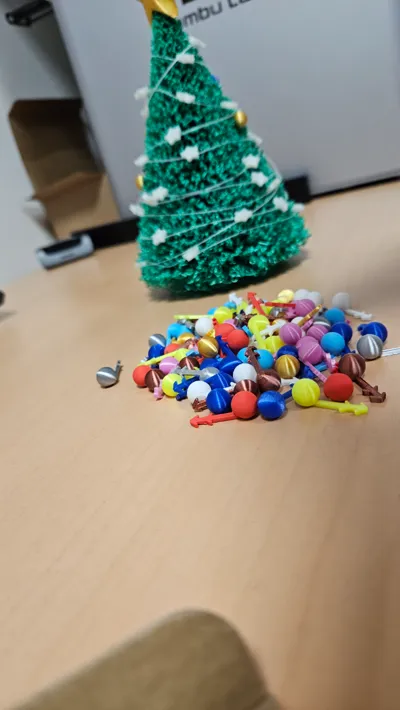

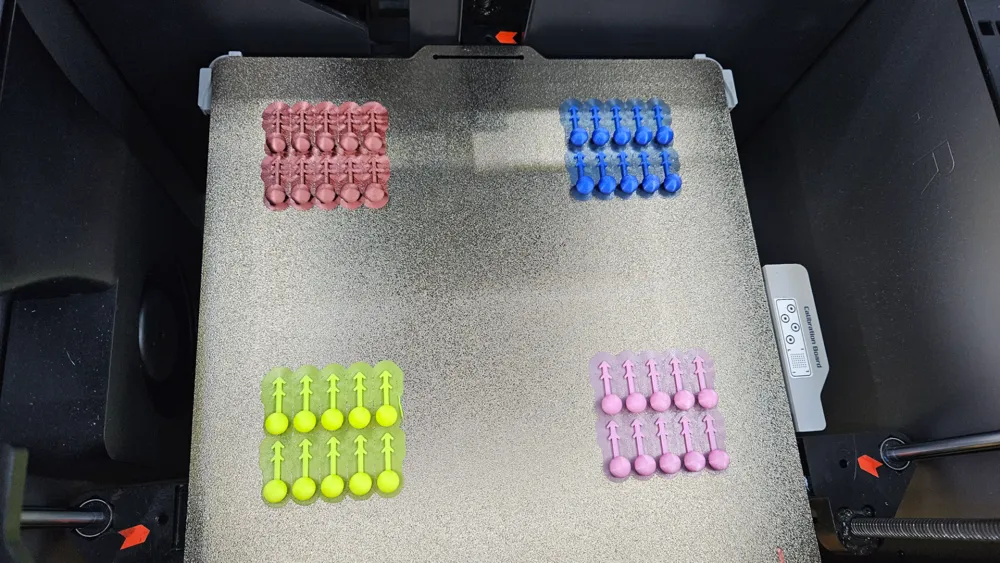
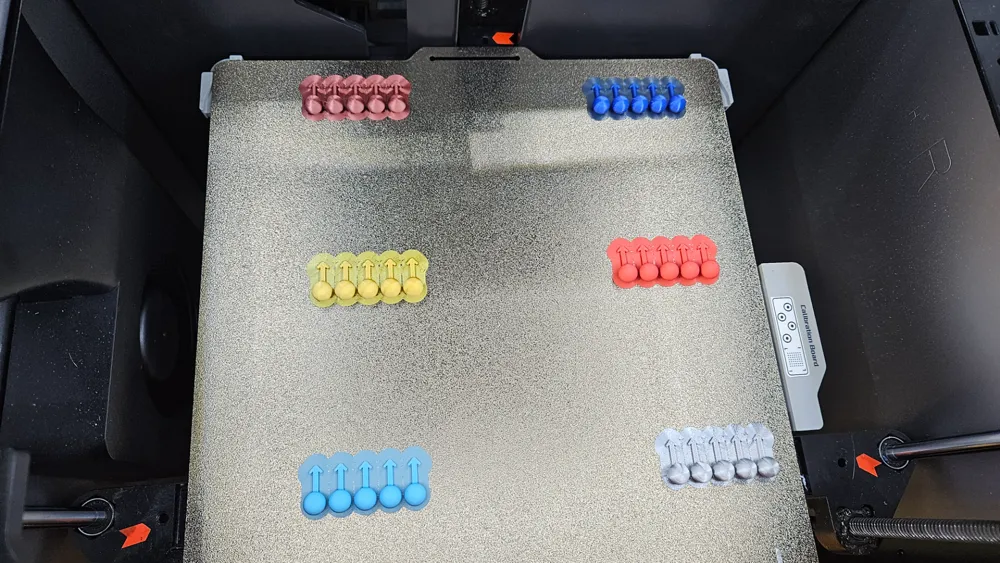
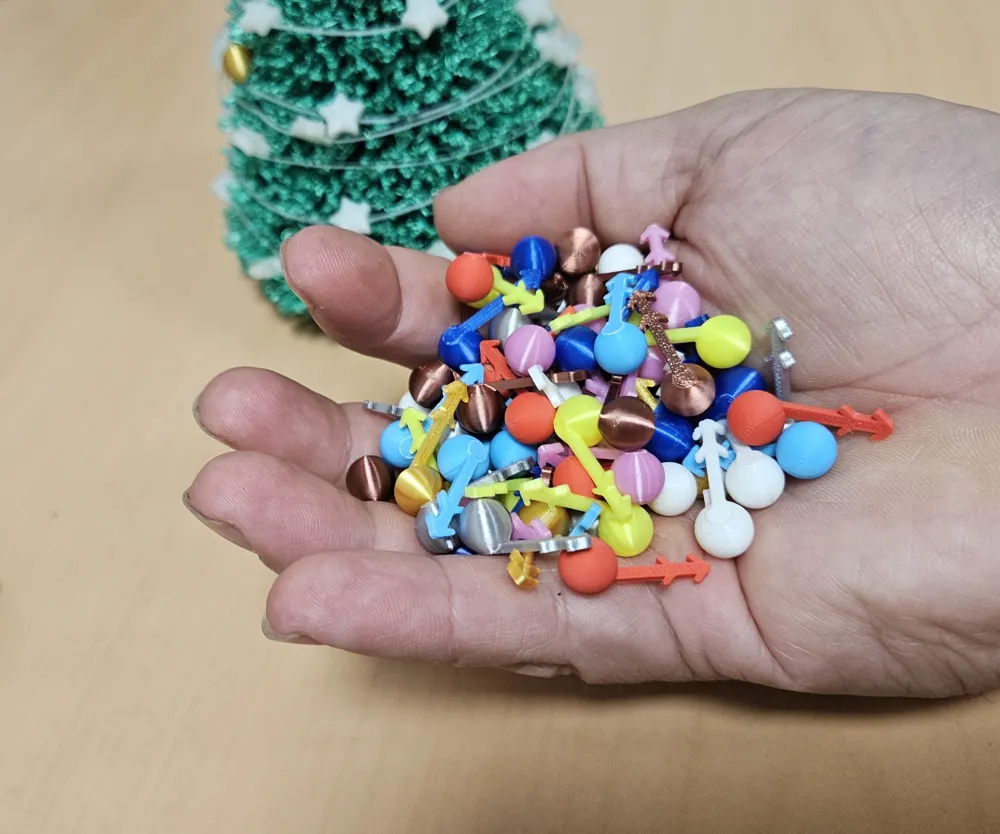
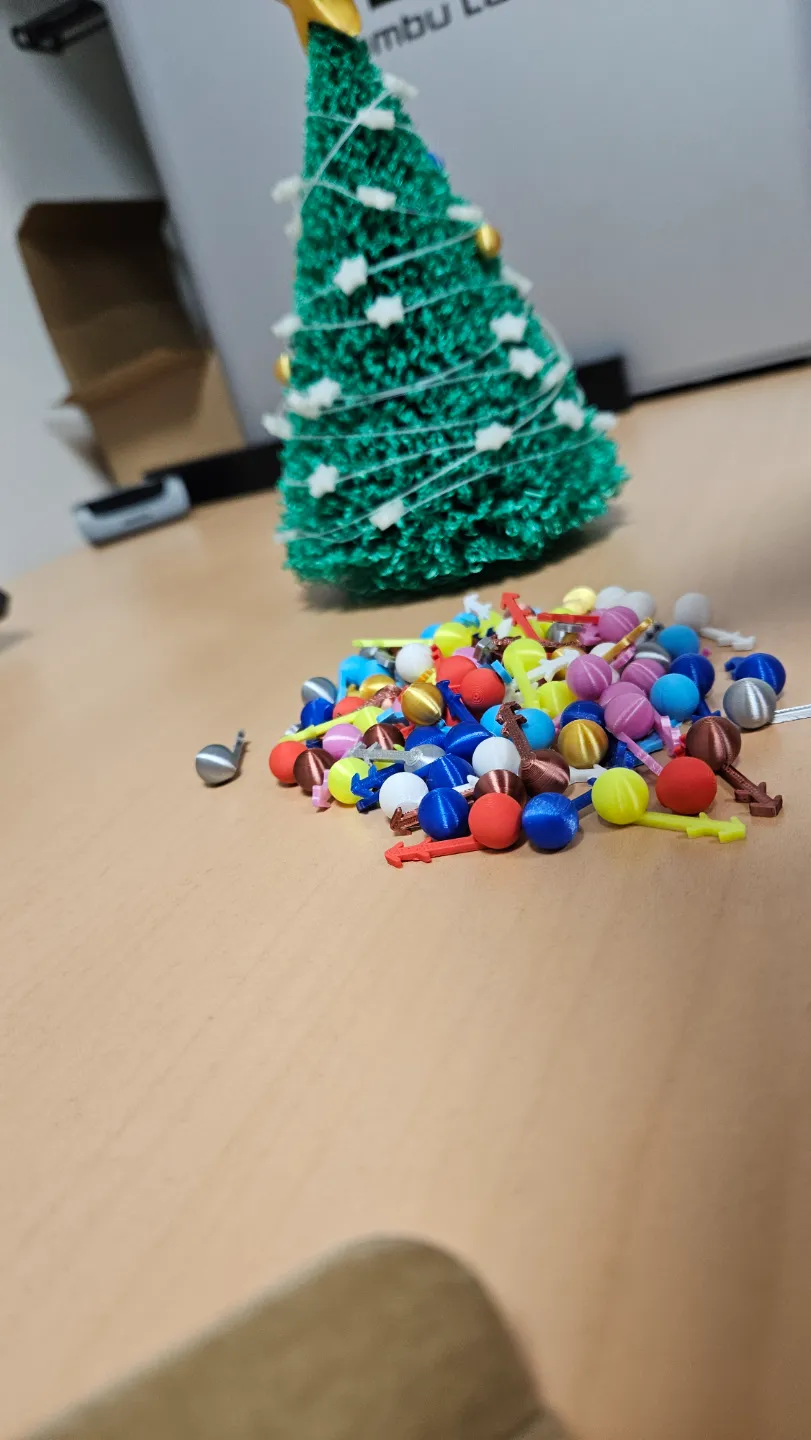
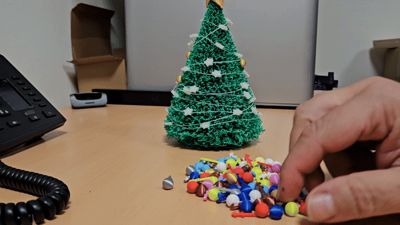
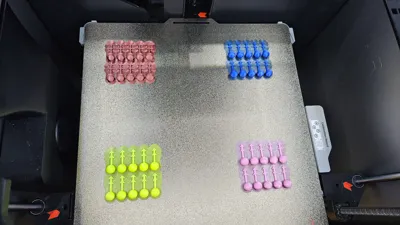
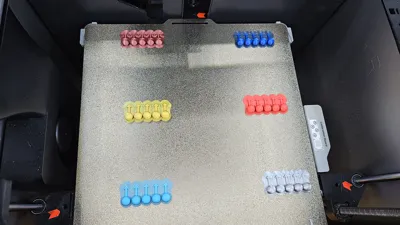
I put all the colored balls (there are many in the printing plates, you can choose the colors and how many to make, there are 2 sizes of "Hooks" to adapt to the lower part or the upper part of the Tree), so you can have fun decorating it like a real tree (maybe with your children)!!

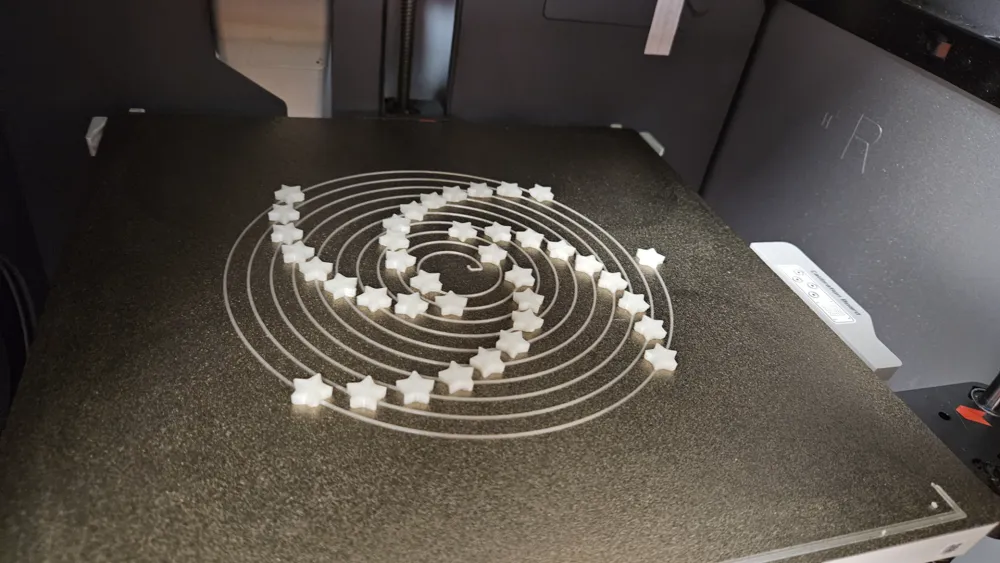
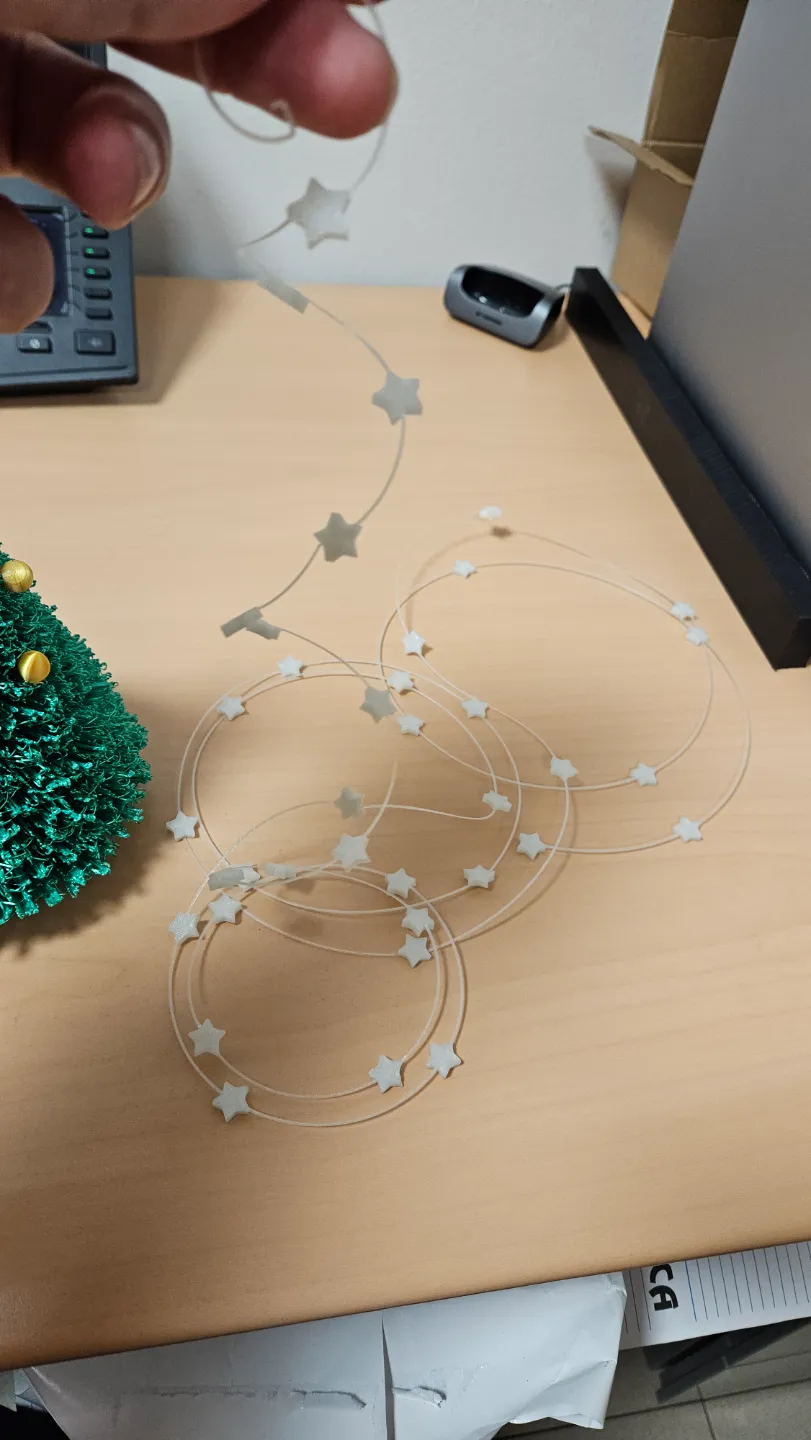
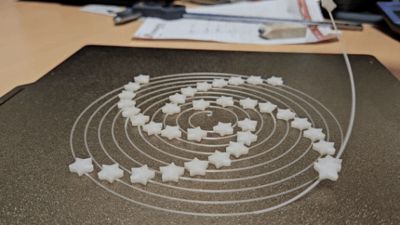
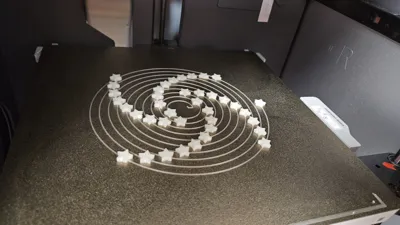
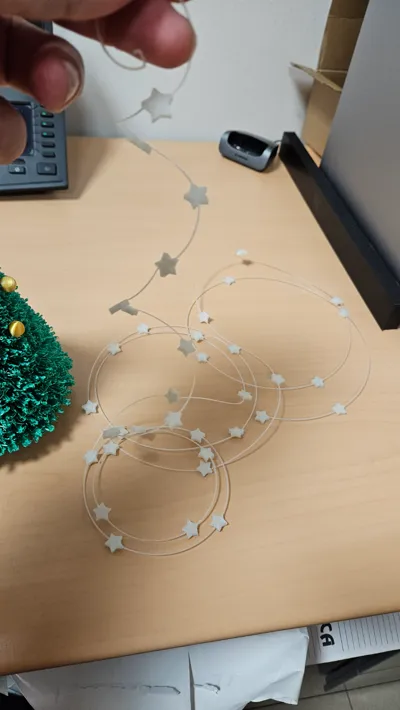
I also made the "Cable with the Stars" to make it go around and in this case I used a "Glow in the dark" PLA, to give that beautiful effect when the lights go out!!
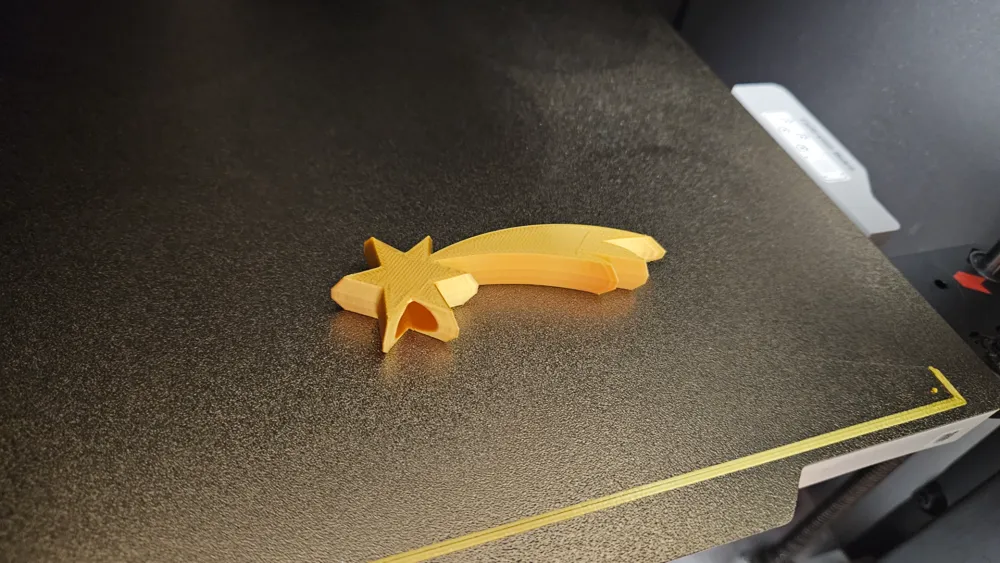
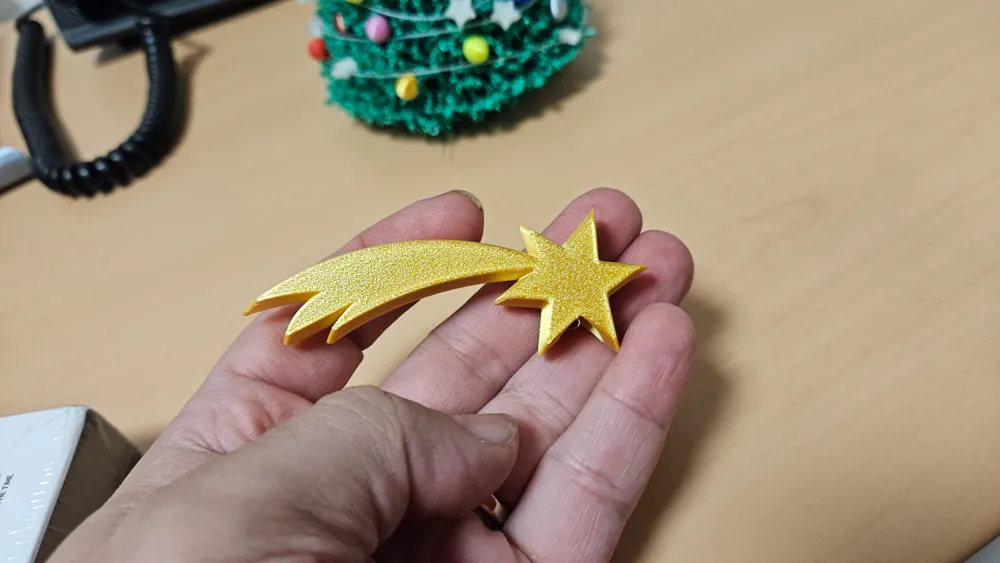
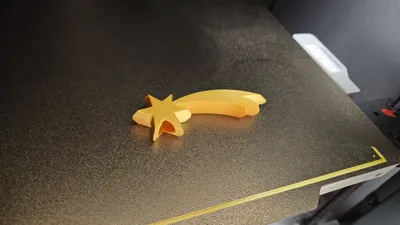
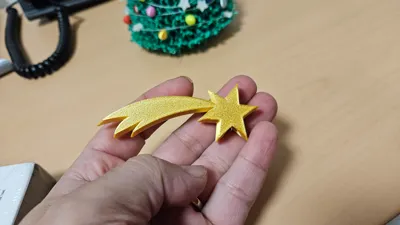
And finally the "Comet Star" could not be missing above to complete all the Christmas decorations!!
I divided it into 3 printing proofs, being different profiles and to facilitate printing.
On the first one I put the Christmas Tree
On the second one the "Christmas Balls" and the "Cable with Stars"
On the third one "The Comet Star"

I hope you can also have fun decorating your "Desktop Christmas Tree"!!


Note: absolutely keep the side cooling fan turned off during printing!!!


Attention: most of the balls fit together well, but some don't stay attached very firmly!
This depends a lot on how all the branches of the tree went during printing, if they joined together or if they remained "fluffy", it is not very controllable because it depends a lot on the filament to the filament!
If you see that they don't stay attached well, just a drop of glue and you will no longer be afraid that they will fall if you have to move it and move it!


ATTENTION!!!!
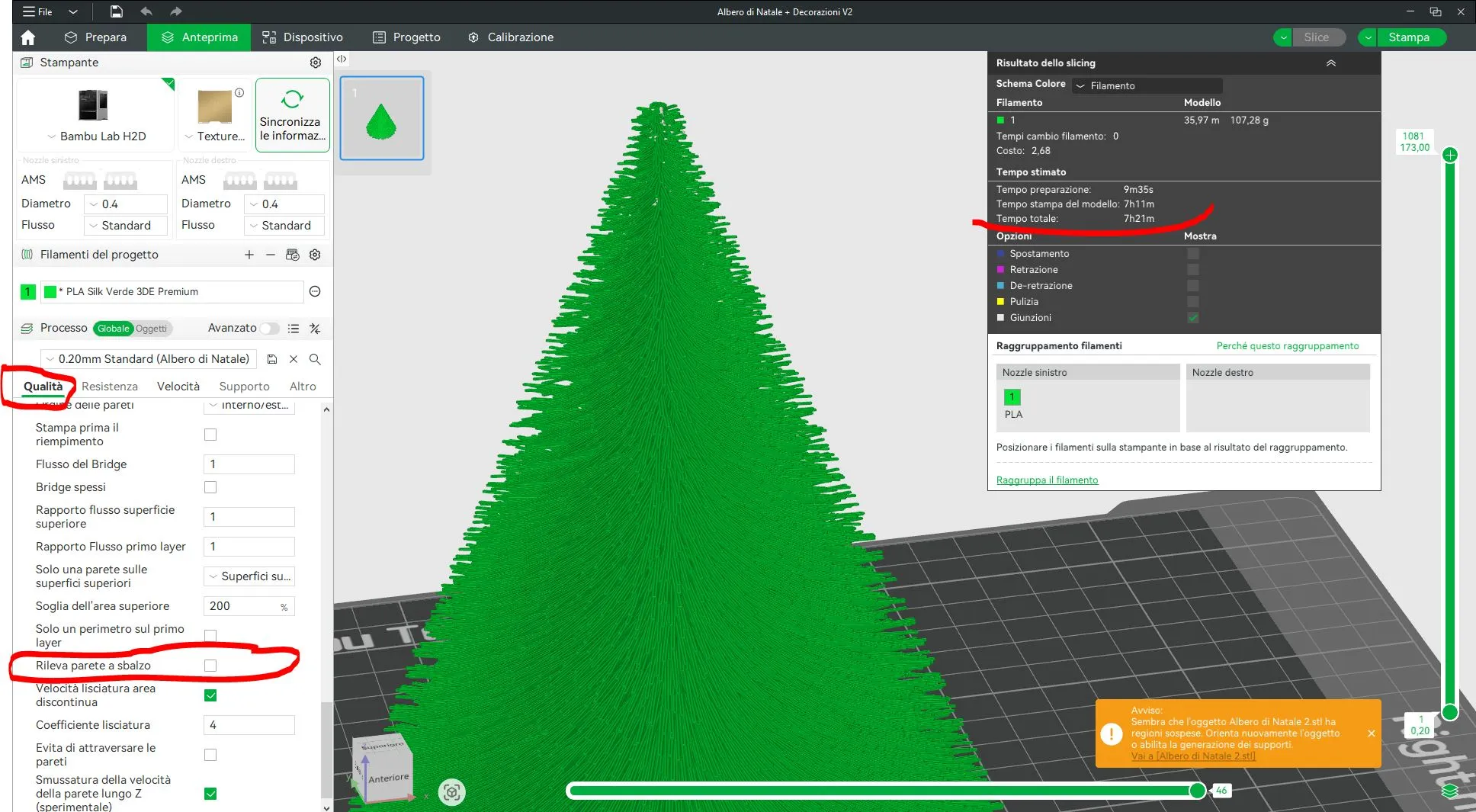
Thanks to some users who pointed this out to me, with the various updates to BambuStudio (since I printed it in 2024), the "Detect Overhanging Wall" feature is activated, as shown in the image below (even though it's in Italian, it's just to help you understand where to find it in the various menus)!
You must "DEACTIVATE" it!!
Otherwise, the print time goes from about 6-7 hours as displayed in the print profile (depending on your filament) to as much as 17-18 hours!!!
Thanks again to the users who pointed this out to me.


MERRY CHRISTMAS TO ALL

Comment & Rating (310)

(0/1000)

Congratulations on the project, it came out very well. Even though it took 18.7 hours to complete the printing, instead of 6.1 hours informed, I gave it 5 stars! It took a while but it worth it! Tks for sharing 👍
(Edited)
The designer has replied
1
Reply
Thanks so much for your review. You're not the only one who pointed this out to me! I have no idea why 6h is displayed on the page! Also, it's not something I can change, but it's automatically added when you upload the file!
1
Reply
Thanks so much for your review. You're not the only one who pointed this out to me! With the various updates to BambuStudio (since I printed it in 2024), the "Detect Overhanging Wall" feature is activated, as in the image I just posted in the model description (even though it's in Italian, but it's just there to help you understand where to find it in the various menus)! You must "DEACTIVATE" it!! Otherwise, the print time goes from about 6-7 hours as displayed in the print profile (depending on your filament) to as much as 17-18 hours!!! Thanks again to the users (like you) who pointed this out to me!!
0
Reply
Replying to @Shinjy01 :
Great, I will print another one deactivating it and will let you know. Thank you so much!
0
Reply
it’s really nice. I added some lights to it and it’s awesome that way.
The designer has replied
2
Reply
Bellissimo
0
Reply
Where can I buy these lights from?
0
Reply
Does the "Detect Overhanging Wall" setting still exist? I can't seem to find it. Is it called exactly this? I've used the search tool to find "detect" or "overhang" and can't see it.
(Edited)
The designer has replied
0
Reply
Never mind, found another post that stated you have to enable developer mode in the settings.
0
Reply
Replying to @user_4073217173 :
I ended up printing the long way (with detect on) and the short way (detect off). The long way produces a significantly bigger tree and It's the actual same size (diameter) as shown in Bambu.
0
Reply
You need to go to the "Preferences" drop-down menu, scroll to the bottom of the page and enable "Developer Mode"
0
Reply
So beautiful, thank you!
The designer has replied
1
Reply
Grazie mille
0
Reply
Where can I buy those lights from?
0
Reply
Print Profile
0.12mm layer, 2 walls, 15% infill
The decorations are exquisite
The profile uploader has replied
Show original
2
Reply
A thousand thanks
0
Reply
Print Profile
0.12mm layer, 2 walls, 15% infill
I was so scared to print this because I thought it looked too delicate to be real... but it printed with zero problems and is the first thing I have even felt the need to take a picture of on the print plate because it looked so pretty when it was done. I may have held my breath the entire time I was removing it from the plate, but no issues there either. This is spectacular and I love it! Thank you so much for sharing.
The profile uploader has replied
profile
1
Reply
Thank you very much for the great rating I'm glad it went well and you liked it
(Edited)
Show original
1
Reply
Print Profile
0.2mm layer, 2 walls, 15% infill
very nice print but it took over 17 hours and not the 6 it said :)
The profile uploader has replied
0
Reply
Thanks so much for your review. You're not the only one who pointed this out to me! With the various updates to BambuStudio (since I printed it in 2024), the "Detect Overhanging Wall" feature is activated, as in the image I just posted in the model description (even though it's in Italian, but it's just there to help you understand where to find it in the various menus)! You must "DEACTIVATE" it!! Otherwise, the print time goes from about 6-7 hours as displayed in the print profile (depending on your filament) to as much as 17-18 hours!!! Thanks again to the users (like you) who pointed this out to me!!
0
Reply
Replying to @Shinjy01 :
Thanks for responding! I will try this print again with the tips you shared . I do love the design :)
0
Reply
Print Profile
0.12mm layer, 3 walls, 15% infill
WOW! The balls and garland look great in my village!!!
The profile uploader has replied
1
Reply
Wow, a breathtaking village
Show original
0
Reply
Boosted
Print Profile
0.16mm layer, 3 walls, 15% infill
top
The profile uploader has replied
1
Reply
Grazie
0
Reply
Boosted
Print Profile
0.2mm layer, 2 walls, 15% infill
Perfect!
The profile uploader has replied
1
Reply
good result
0
Reply

License

This user content is licensed under a Standard Digital File License.

You shall not share, sub-license, sell, rent, host, transfer, or distribute in any way the digital or 3D printed versions of this object, nor any other derivative work of this object in its digital or physical format (including - but not limited to - remixes of this object, and hosting on other digital platforms). The objects may not be used without permission in any way whatsoever in which you charge money, or collect fees.