
Functional Cabinet Business Card Holder
Print Profile(1)

Description
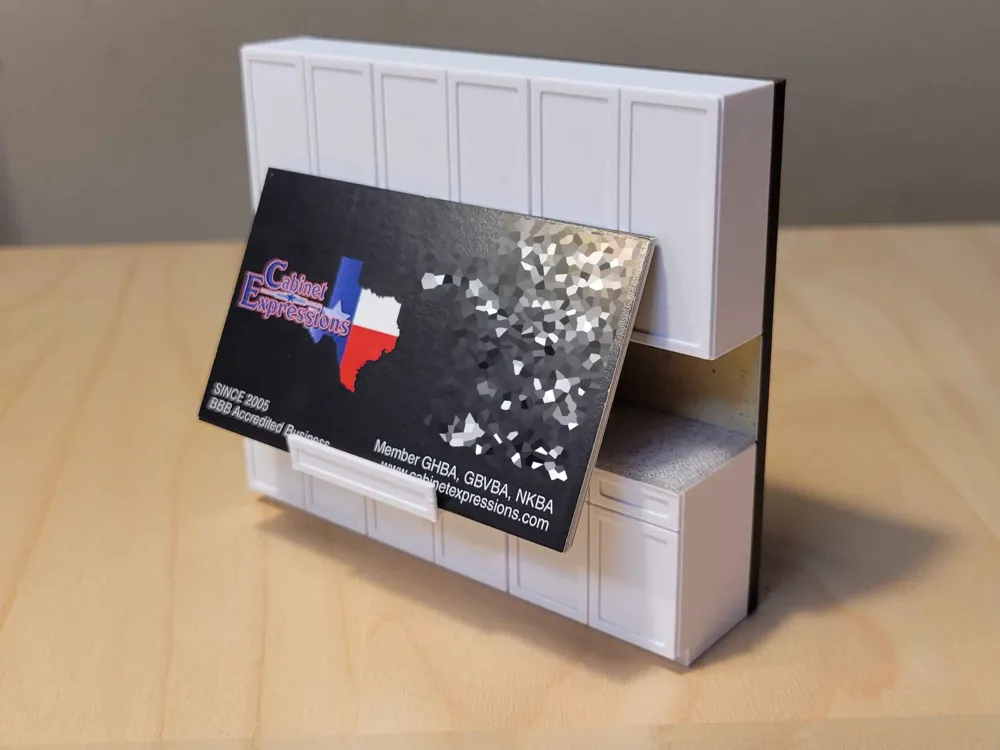
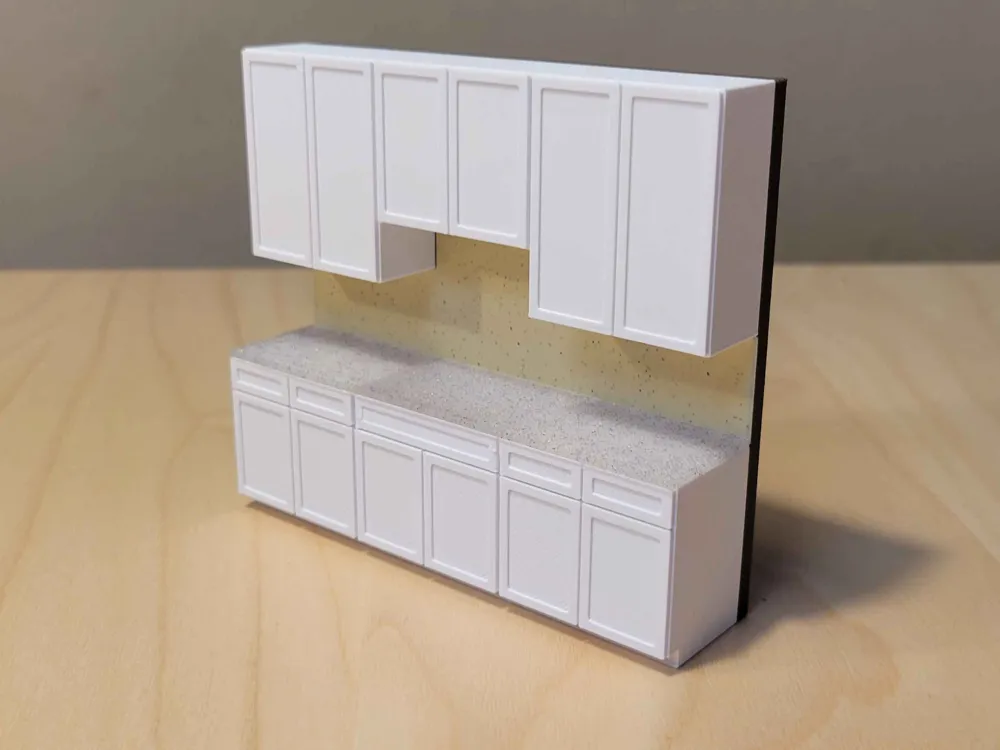
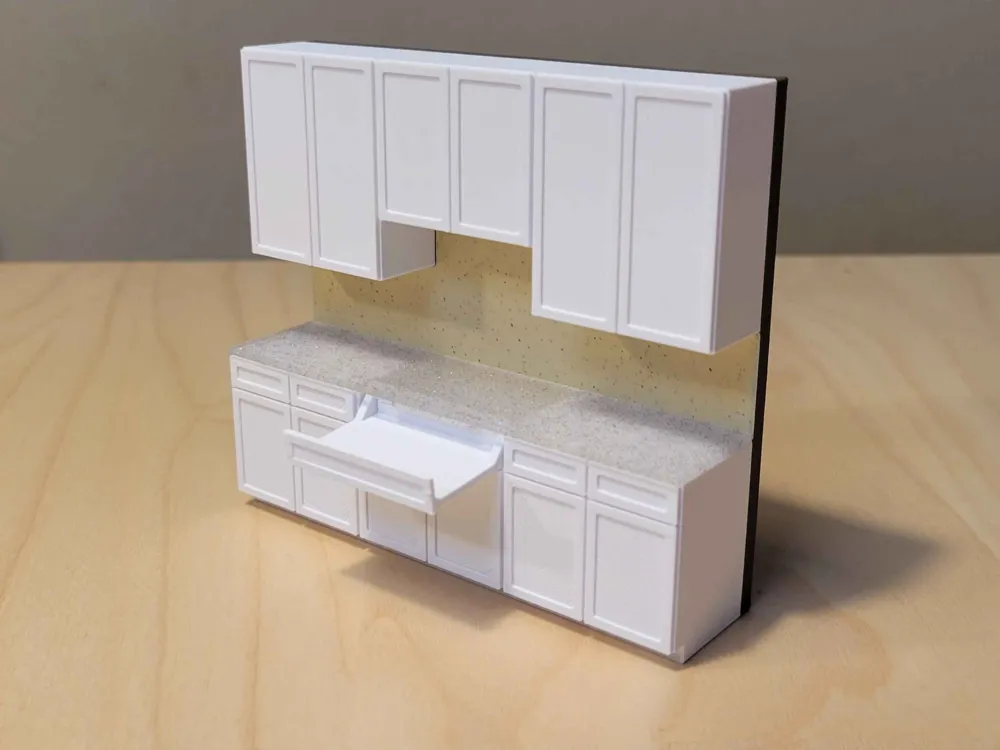
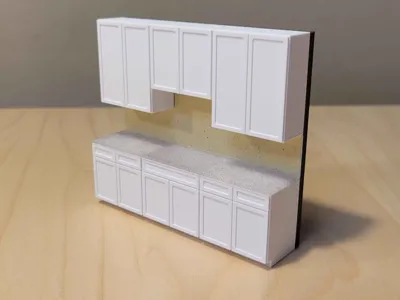
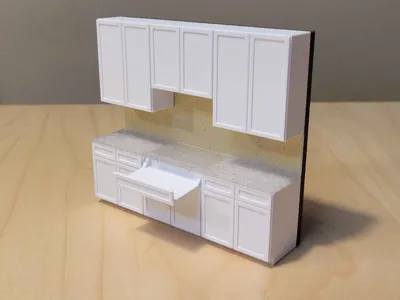
My wife is a kitchen and storage specialist who deals in cabinets, and for her upcoming company Christmas party I wanted to make a fun little thing to give to her coworkers. I drew up a 1:25.4 (in:mm) scale model of a to-spec common shaker cabinet setup and made it so the middle drawer can be slid out to hold business cards.

The print comes out in three pieces. Put the drawer in it's place and then using a smear of adhesive (gel CA or E6000 recommended), glue the countertop in to place by putting some glue on top of the side cabinets. A pair of clamps to hold the countertop down can help out a lot here. The little nubbin on the bottom of the countertop is there to keep the drawer from falling out, make sure it's installed in the front! You don't need much glue and you don't want to get any on the drawer tray.
In slicing, this is a four-material print. I used some wood PLA for the “wall” that everything prints on. For this test print I had used some Polymaker Sandstone for the backsplash and my wife asked me to use the Cookiecad Funfetti for the countertop. I do not recommend using a “natural” style material for the countertop as it's thin and will likely look clear. The material mappings and my suggestions are as follows:
MATERIAL | PART | SUGGESTION |
|---|---|---|
1 | Wall | Wood / Tan |
2 | Countertop | Marble or Slate Gray Sparkle |
3 | Backsplash | Marble or Matte White |
4 | Cabinets | Cold White (BBL Jade White) |
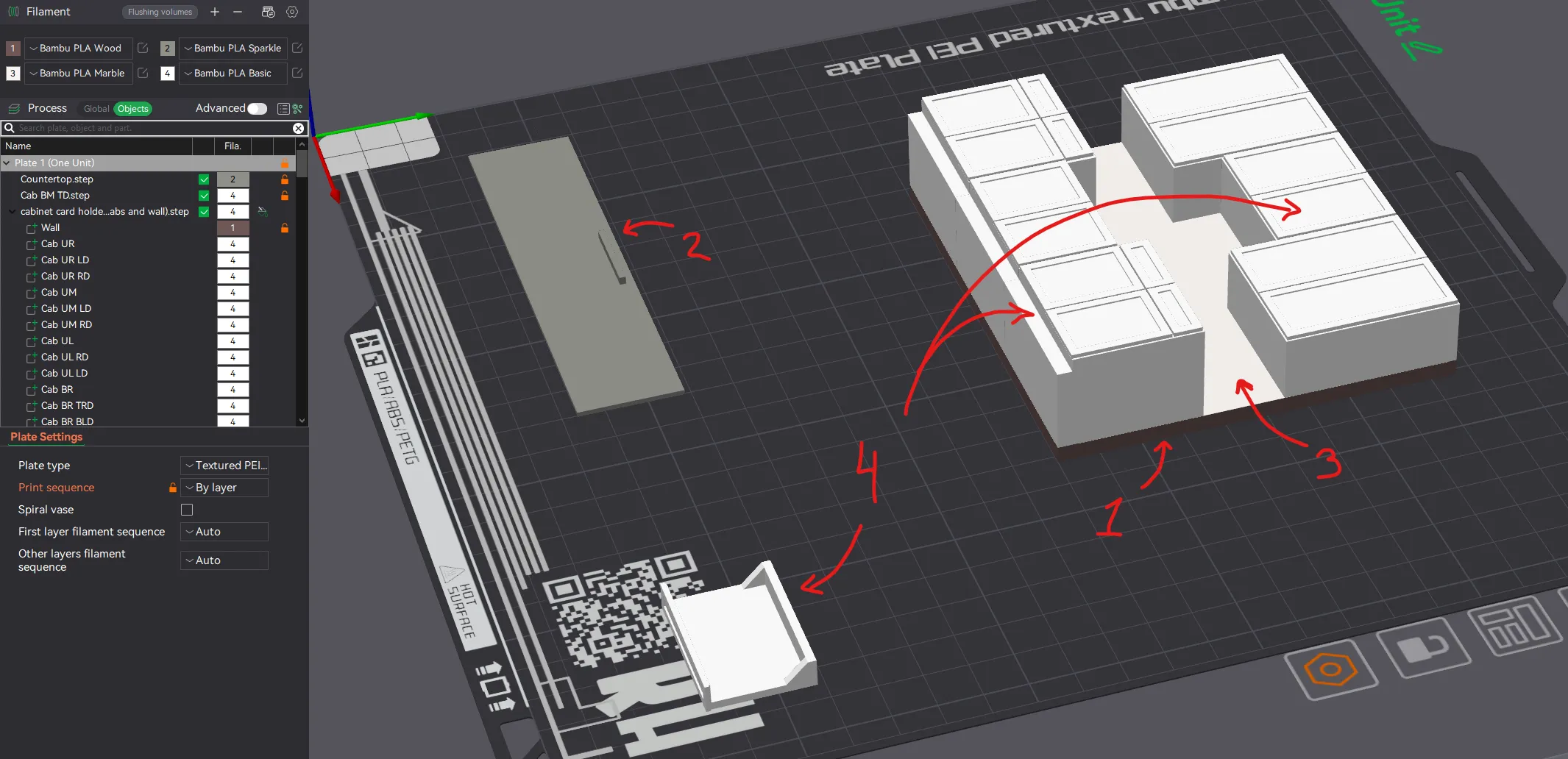
Of course these are just suggestions, feel free to change them and paint them however you'd like! To make that easier, the cabinets and their doors are all individually addressable in the Objects list so you could make them a different color than the cabinets if you'd like, or you could paint the trim… the list goes on 😁
By using print-by-object I've got the entire print to only eight filament swaps. Less if you use common colors (like the wall and cabinets the same, etc).
This cabinet will fit on an A1 Mini, but you'll need to print each cabinet separate. The drawer and countertop could be printed on a separate plate by-object.
OF NOTE:
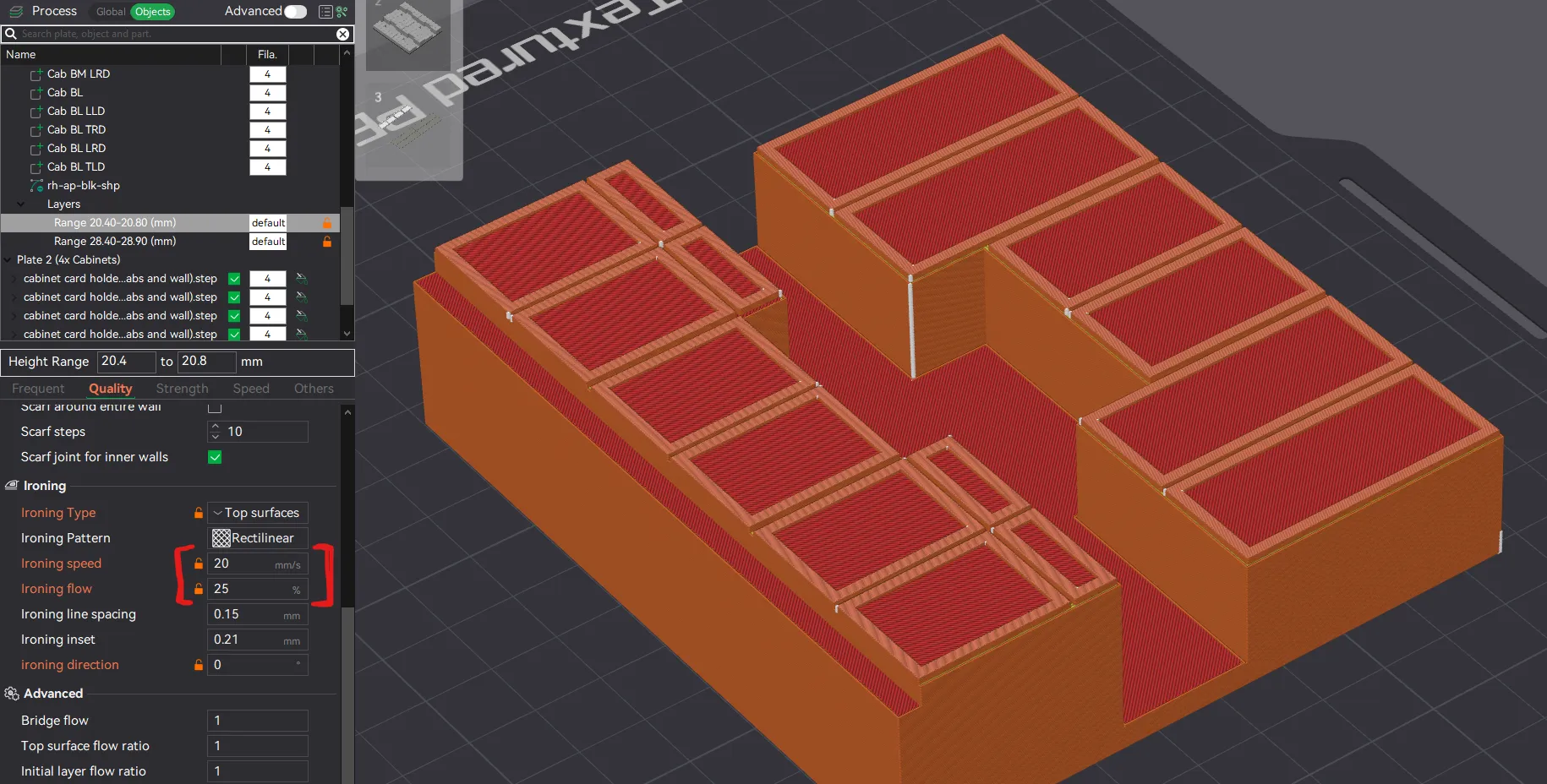
I have tuned my settings for my filament for ironing and enabled two height-range modifiers that apply ironing only to the trim of the cabinet doors. I suggest you run your own tuning for the cleanest results (or just disable it by removing the HRMs if you don't want to spend the time on it). If you do change your settings, make sure you update them for each of the HRMs involved.
License

You shall not share, sub-license, sell, rent, host, transfer, or distribute in any way the digital or 3D printed versions of this object, nor any other derivative work of this object in its digital or physical format (including - but not limited to - remixes of this object, and hosting on other digital platforms). The objects may not be used without permission in any way whatsoever in which you charge money, or collect fees.


Comment & Rating (14)