Search models, users, collections, and posts

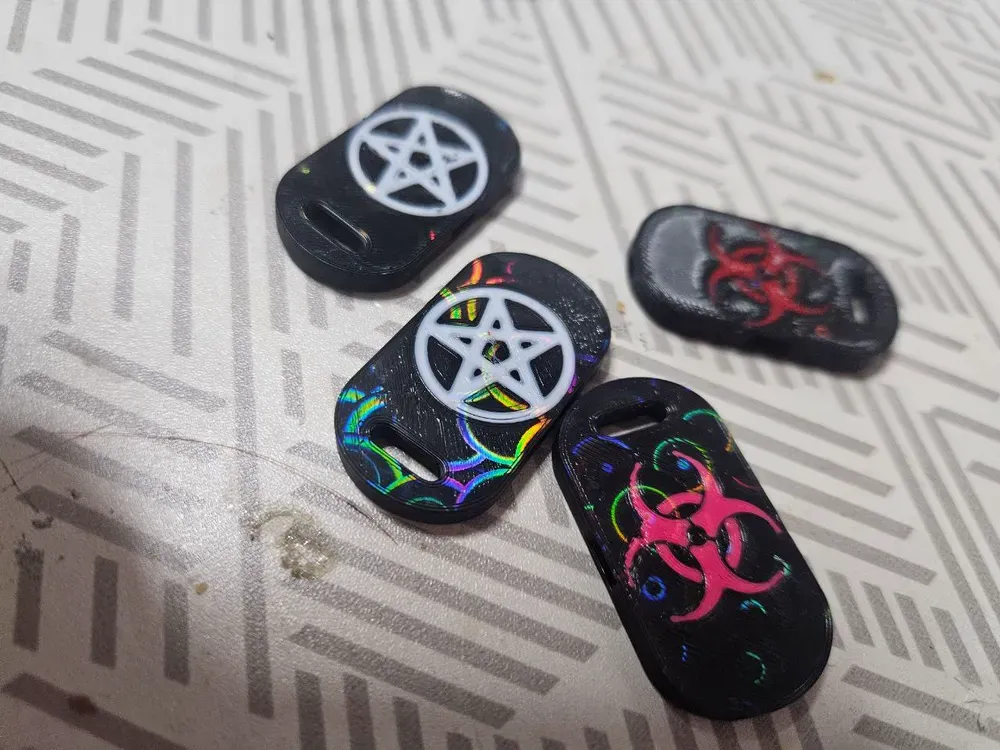
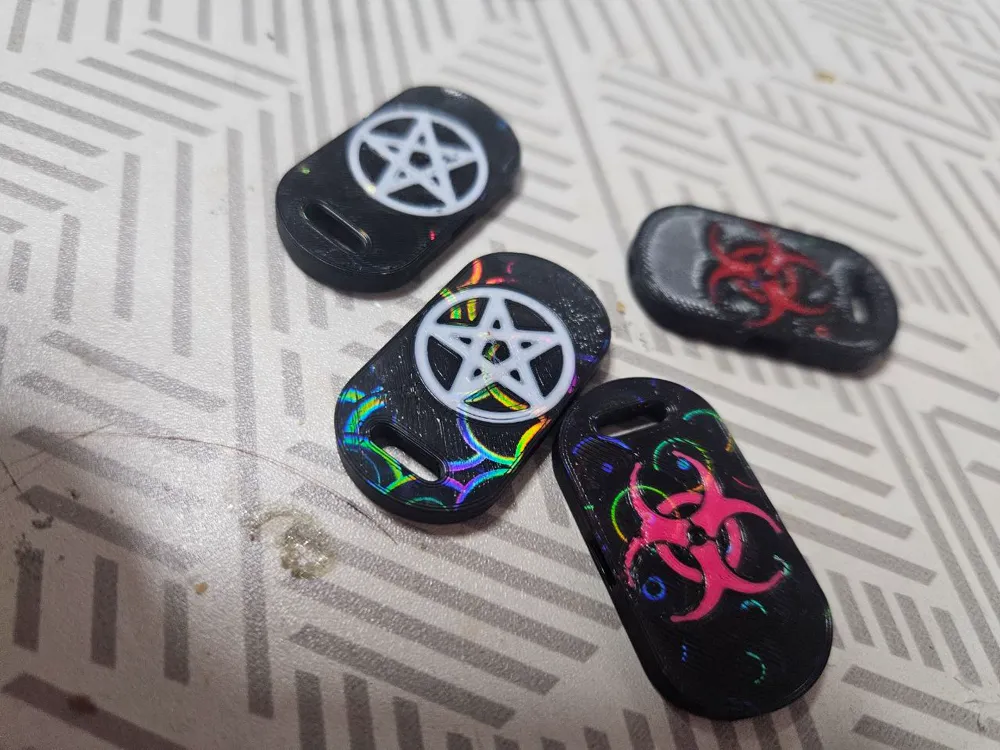
Customizable Loud Whistle Pendant

Print Profile(1)

Standard Profile 0,4 Nozzle
Designer
4.9 h
10 plates
Open in Bambu Studio
Boost
29
90
6
3
76
31
Released
Description
Hello! this is a Loud whistle model you can customize as you want with custom logos!
how it works:
- This is an Already ready to print profile so use it as a base for your creations
- For custom logos you need to create(or find) a simple black and white logo (without shades)
- put the image in a vector app like Inkscape(strongly suggested, and its free!)
- convert the image to a trace (in inkscape track→vectorize bitmap, save to SVG)
- open this profile in bambustudio, in the Object view right-click on the “Custom Logo” object and click “Replace with STL” and open the SVG file you created
- your logo appears (by default must be rotated by 180° otherwise when you print the result will be a mirrored image), now its time to adjust the size the X syze must be 21mm+-, the Y size must follow the uniform scale, the Z size must be 0,44mm (you can uncheck uniform scale after you change the X size and then set the Z)
- now you need to left-click on the logo and “Center”, then you need to right-click “assembly-assemblaggio” and split in objects, then right-click again on both objects (logo and whistle) and choose "Merge" this will put everything in the correct height on the plate
- now move the logo on the whistle as you wish or leave centered
- slice and see if the logo appears in the preview and print!
note: the plates are setted to print the Black color first and then the white for better definition, if you choose to change colors always use Filament1 as Logo and filament2 as Whistle
License

This user content is licensed under a
Creative Commons Attribution-Noncommercial-Share Alike


Comment & Rating (6)