Search models, users, collections, and posts

3D 2D Art Penny Wise IT Inspired Frame

IP Report

Print Profile(3)

All
A1
P1S
P1P
X1 Carbon
X1E
X1
H2D
H2D Pro
H2S
P2S
H2C
X2D
A2L
A1 mini

0.08mm layer, 2 walls, 100% infill
Designer
8 h
3 plates
4.9(57)

A1 Mini Profile Scaled Down
Designer
4.7 h
3 plates
5.0(7)

0.08mm layer, 2 walls, 100% infill
10 h
3 plates
5.0(1)

Open in Bambu Studio
Boost
450
909
154
61
655
388
Released 

Description

Penny Wise IT 3D Printable Design

Boost Me (for free)

I'm new here, and to designing, but would love to continue to make more 2D/3D prints. A boost would be super appreciative!

Description

UPDATE: I have added a new profile that should work for the A1 Mini. I just resized to 75% (But left Z Height of the image to ensure accurate shading). If there's any issues please let me know.  Thanks to @user_731999159 for confirming it worked for them, thanks!


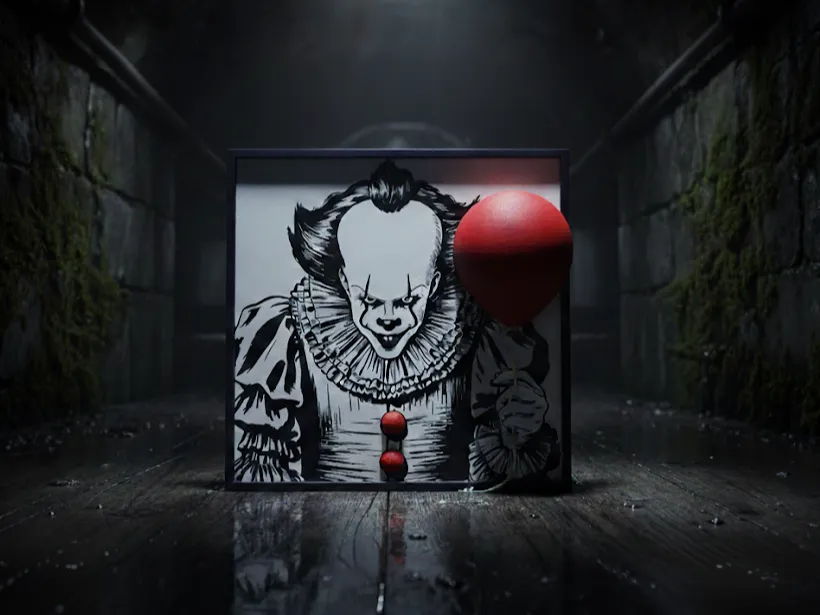
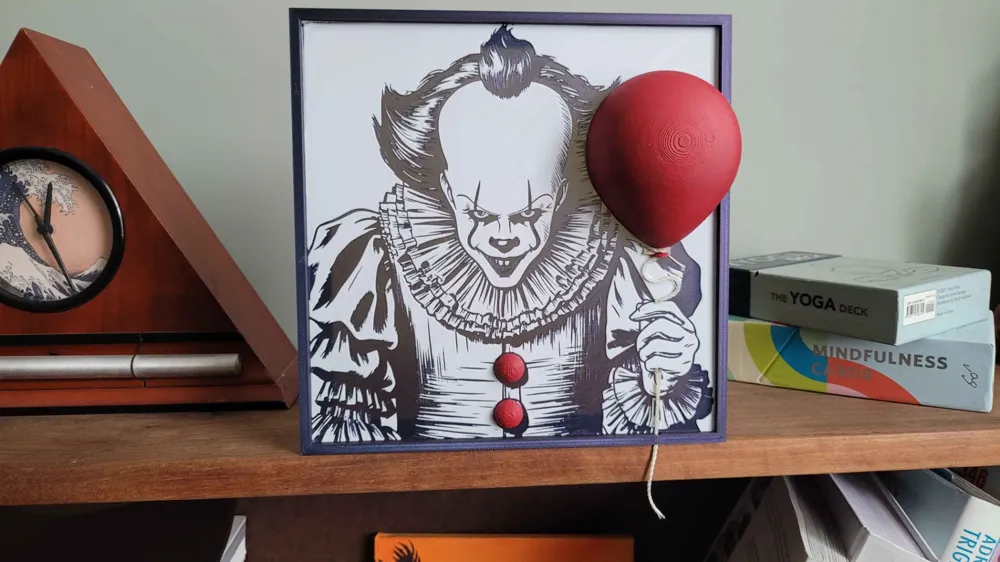
This Penny Wise IT 3D printable design combines a 2D image with 3D printed elements to create. This is my first design and upload here. I hope I did everything right with nearly the best settings, but if I can improve please leave me some feedback. I don't own red or black filament so I used a Blue/Purple for the background/frame and just (horribly) painted grey filament to red. It would look a lot better if you used the correct colors unlike me!

Key Features

  • 2D Pennywise image
  • 3D printed balloon, and buttons in red
  • Fuzzy skin texture on buttons (can be disabled)
  • Hole in frame to thread string through

Assembly

To assemble this project, you'll need:

  • 3D printed components
  • Super glue
  • String

After printing, simply glue the 3D elements (balloon, buttons) to the 2D image frame and thread the string through the hole. Then glue the image inside the frame.


Something I wish I did after: drilling small holes through the top of the hand and bottom so I can run the string through to give a better effect.

Print Settings for the image

  • Base Layer Height: 0.16mm
  • Layer Height: 0.08mm
  • Filament Transition: Black to White at Layer 9

If you have any other suggestions for future designs, I'm happy to discuss them. Let me know how I can improve this project further.

Comment & Rating (154)

(0/1000)

Scaled down to 75%. Printed without issues. I still need to attach the cord. Thanks for sharing
The designer has replied
Show original
3
Reply
I actually love that red border, I didn't think of that! Glad scaling it down worked, also! And a major thanks for the boost!! Looks amazing!
0
Reply
Replying to @IDMU :
At first I printed the frame in black, but thought it would also look good in red. And I think it's a success.Maybe you can add the 2 holes for the cord by hand, not everyone has such a small drill at their disposal.
0
Reply
is this tuff what else should I add all of it is 3D printed
(Edited)
The designer has replied
1
Reply
I think they look great so far! I do have a couple others posted on my profile, if you're interested in some more!
0
Reply
ok bet
0
Reply
Print Profile
A1 Mini Profile Scaled Down
Love the design I had a hole in my bedroom door, so this was perfect to fill it. I did the top few layers of white in Glow in the Dark and all the red in the Black - Pink from Hobby Lobby. (Glowing Pictures not the best)
The profile uploader has replied
profile
1
Reply
Glow is the dark is an awesome idea, I have some I might try. Thanks for the rating!
0
Reply
Replying to @IDMU :
I only did like the top 2 or 3 layers with the glow in the dark. And you are welcome.
0
Reply
Print Profile
0.08mm layer, 2 walls, 100% infill
perfect 🤩
The profile uploader has replied
profile
2
Reply
That looks amazing!! Thanks for the great rating!! I like how your balloon turned out, very reflective and smooth!!
0
Reply
nice design ! printed great … looks grey but it was white. maybe it needed another layer but I still love it. nice work !
The designer has replied
2
Reply
Interesting it came out so gray, but it does still look great! Nice work! Thanks for the positive review!!
1
Reply
Very cool (thread to come!)
The designer has replied
Show original
1
Reply
Turned out very nice, love the red frame! Thanks a lot for the boost!!
0
Reply
Replying to @IDMU :
Red stuff was made with Yajo PLA+ in Cherry Red. Love that Filament^^ U deserve that boost! Great picture.
0
Reply
Printed on my X2D and P2S for the wife. She loves it. 😁
The designer has replied
designer
1
Reply
Glad she enjoyed it! Thanks for sharing!!
0
Reply
Turned out great.
The designer has replied
1
Reply
Thanks for the feedback, and turned out nice!!
0
Reply
very good
The designer has replied
1
Reply
Thanks for the feedback, and print looks great! I like the red frame too!
0
Reply
Great model, added some red layers so the red face paint of Pennywise jumps out a bit more. Uploaded my print profile too.
(Edited)
The designer has replied
1
Reply
I like the added red, really gave it some personality, thanks for sharing that!! And thanks for contributing a profile!
0
Reply

License

This user content is licensed under a Standard Digital File License.

You shall not share, sub-license, sell, rent, host, transfer, or distribute in any way the digital or 3D printed versions of this object, nor any other derivative work of this object in its digital or physical format (including - but not limited to - remixes of this object, and hosting on other digital platforms). The objects may not be used without permission in any way whatsoever in which you charge money, or collect fees.
