
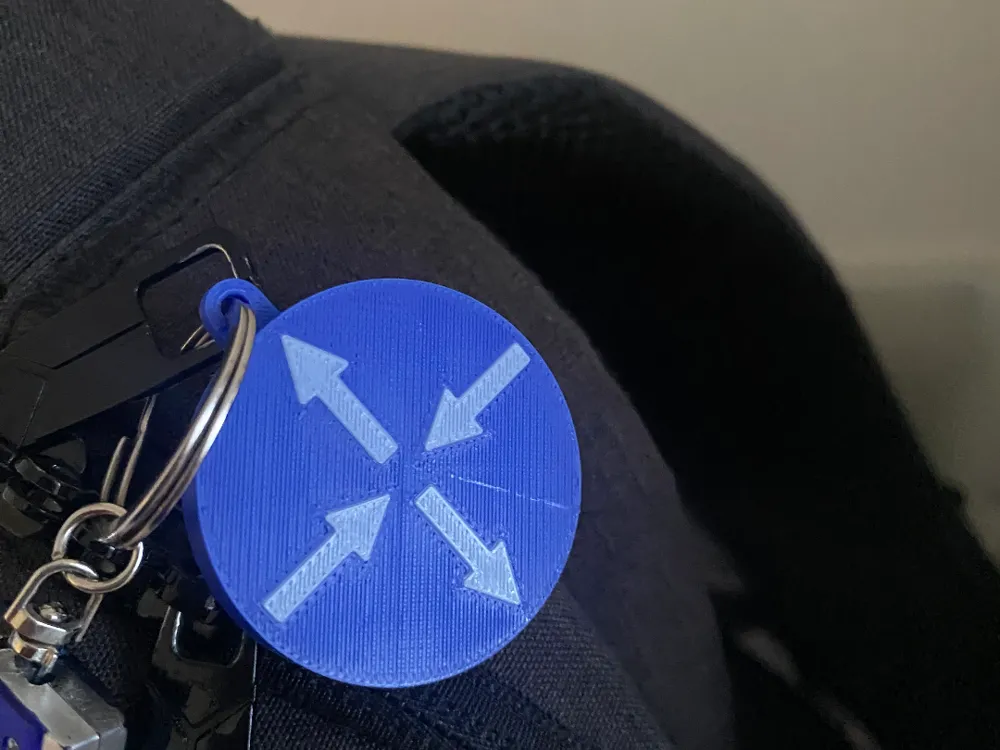
Router Symbol Keychain
Print Profile(1)

Description
A great additional nerdy Computer Networking accessory to add to your key chain.
I tried out Bambu's Makerworld “Make My Sign” tool. There are slight modifications on top of the Cisco Router keychain to make it taller and more distinct.
If you want to print this in multi-color, but don't have an AMS/AMS Lite, then have a look at this video. However, in my case, instead of manually removing the filament I wanted to change out through Bambu's control settings, I simply went and clicked the Unload, then load button in the Filament section of my A1 mini to load new filament. All suggestions and feedback are appreciated.
Boost Me (for free)
Thank you so much! I appreciate your support extensively. This will help motivate me to continue learning more about 3D modeling and 3D printing and create more models in the future.
Powered by MakerWorld-Make My Sign (https://makerworld.com/makerlab/makeMySign)
License



Comment & Rating (5)