Search models, users, collections, and posts

Articulated Minecraft Creeper: Print-In-Place
IP Report


Print Profile(7)

0.2mm layer, Higher Tolerance, Support Version
Designer
1.2 h
2 plates

AMS (No Support Material) 0.2mm layer, 2 walls, 15% infill

1.6 h
1 plate

0.12mm layer, 2 walls, 15% infill

1 h
2 plates

No assembly, AMS version (with Support Material)

1.6 h
1 plate
Click to see more
Open in Bambu Studio
Boost
4016
9403
1587
558
19.8 k
14.3 k
Released
Description
Articulated Minecraft Creeper: Print-In-Place
- From the best-selling video game Minecraft!
- Print-In-Place and fully articulated.
- Optional face pieces included.
- Designed in Fusion 360.
- UPDATE 3/28/2024:
- Fixed model orientation.
- Made Head stronger.
- Default Head rotation +90 deg for single extruder filament swap for new extruded face option (FACE_EXT ver).
- Modified how built-in supports work, this should allow for easier removal (NO_SUP ver).
- Added a version that needs support for a better overhang on the upper legs (SUP ver).
- UPDATE 5/27/2024:
- New version with a standard .3mm tolerance between joints. When I received my A1 and used out-of-the-box settings, I noticed joints were hard to move, so I've added a new version with a .3mm gap to help with breaking apart the joints.
Printing:
- NOTE: This model was designed with a .4mm nozzle in mind, other sized nozzles may not work. Scale at your own risk.
- Printed at .2mm layer height with 20% gyroid infill and 3 walls.
- Use the default orientation.
- FOR Creeper_NO_SUP and Creeper_NO_SUP_FACE_EXT
- Supports are not required, this version will have worse overhangs.
- DO NOT repair the model; doing so will remove the custom supports, causing the legs to print fully in mid-air.
- Turn off Detect Overhang Walls.
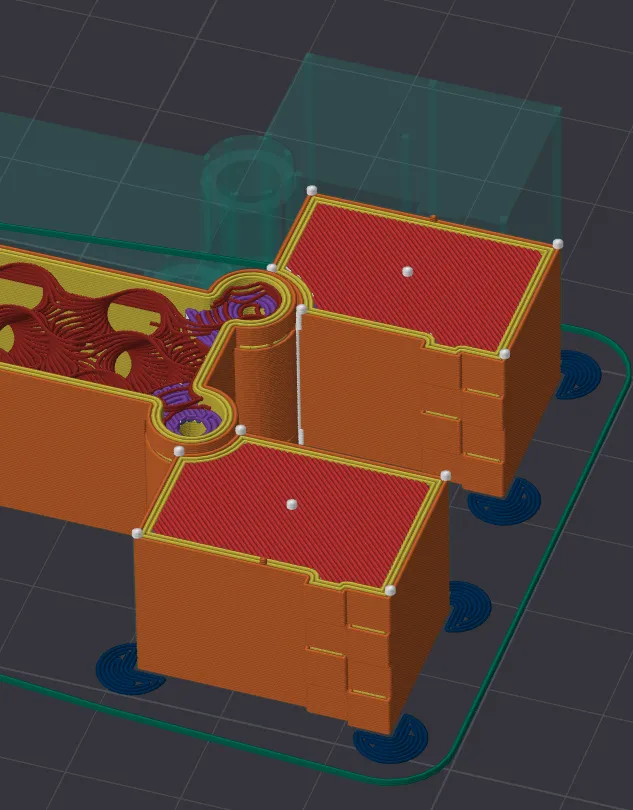
- FOR Creeper_SUP and Creeper_SUP_FACE_EXT
- Print using supports.
- Only needed under floating legs, paint-fill overhang.
- Tree and Snug work well.
- Print using supports.
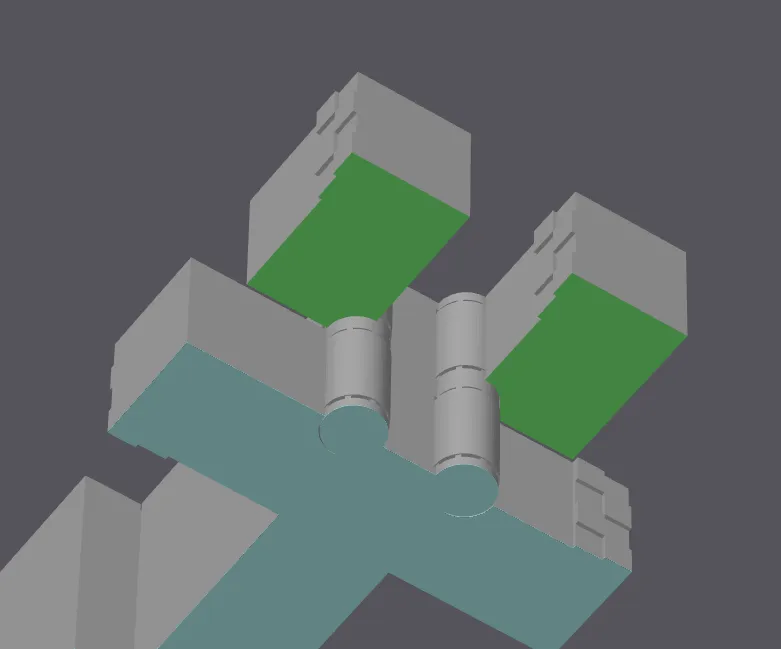
Clean Up:
- After printing, the head and legs should snap apart, allowing them to rotate freely.
- Be careful not to apply too much pressure when releasing the joints.
- You can also print the optional Creeper face and use super glue to adhere the pieces (for Creeper_NO_SUP and Creeper_SUP).
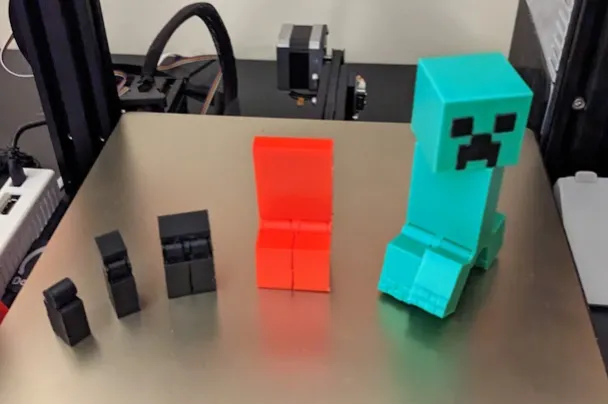
Design Iterations
Boost Me (for free)
Thanks for the support!!
License

This user content is licensed under a
Creative Commons Attribution-Noncommercial-NoDerivatives


Comment & Rating (1587)