
Traffic Light (Ampel) for Arduino / ESP32 & Co.


Print Profile(0)
Bill of Materials
- Neopixelstick x 1: https://www.roboter-bausatz.de/p/8bit-rgb-led-leiste-aehnl.-neopixel
- JumperWire x 1: https://www.roboter-bausatz.de/p/40-pin-dupont-jumper-kabel-buchse-stecker-40-cm
Description
Traffic Light (Ampel)
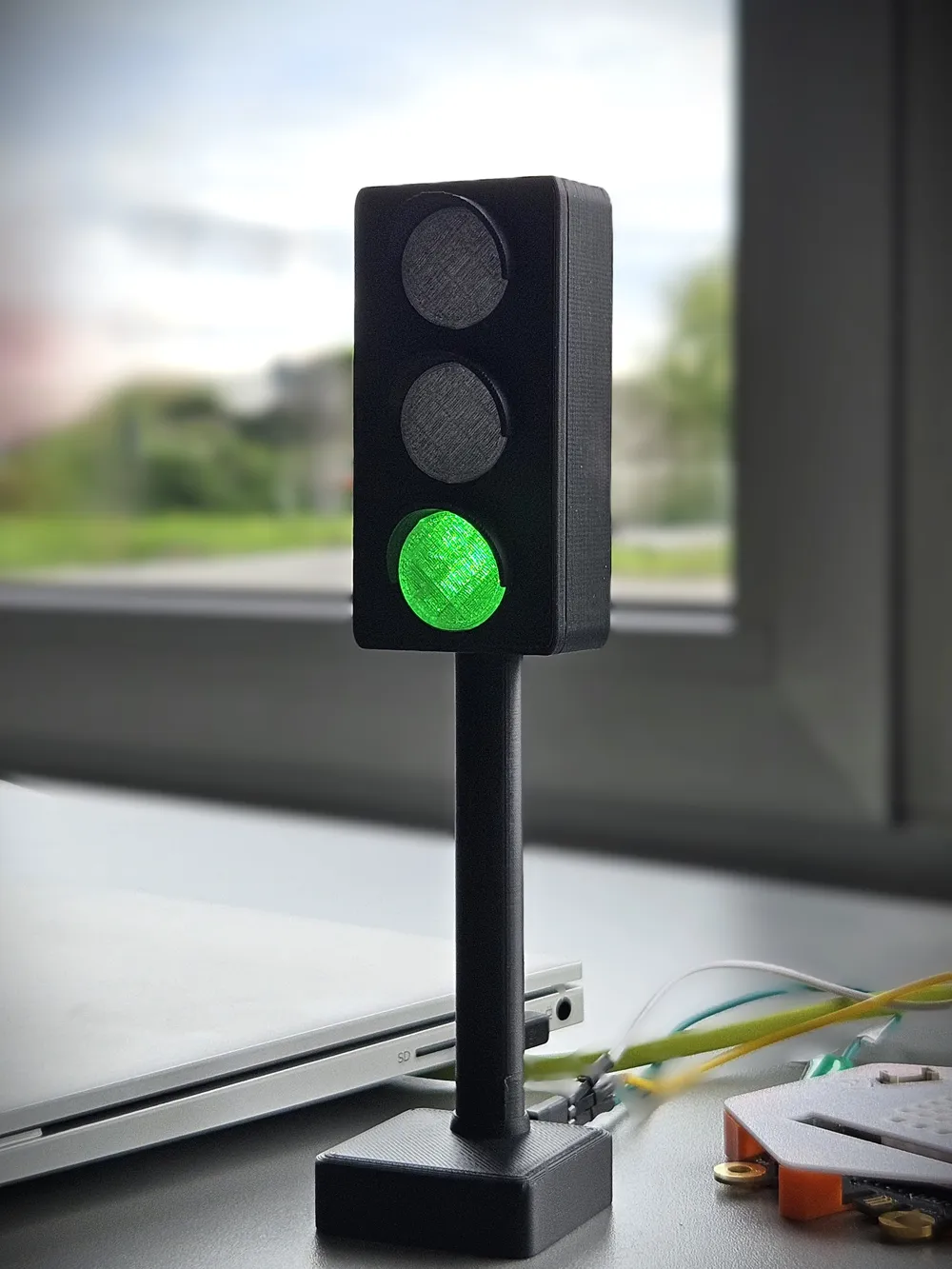
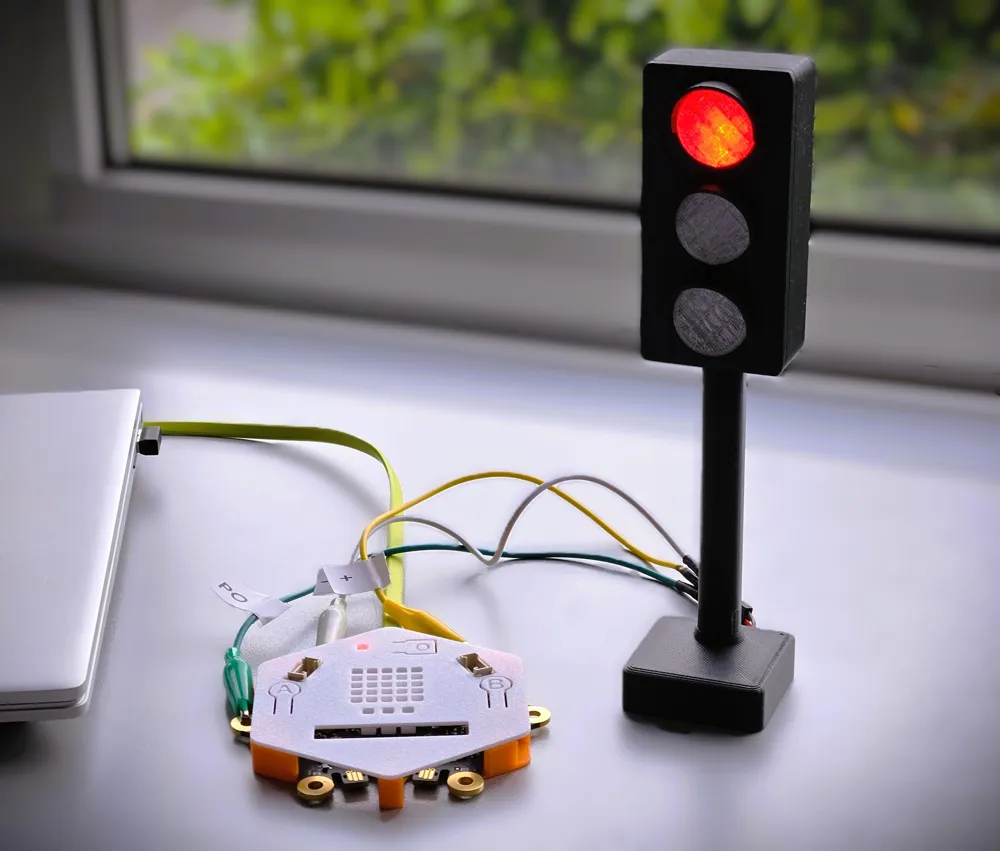
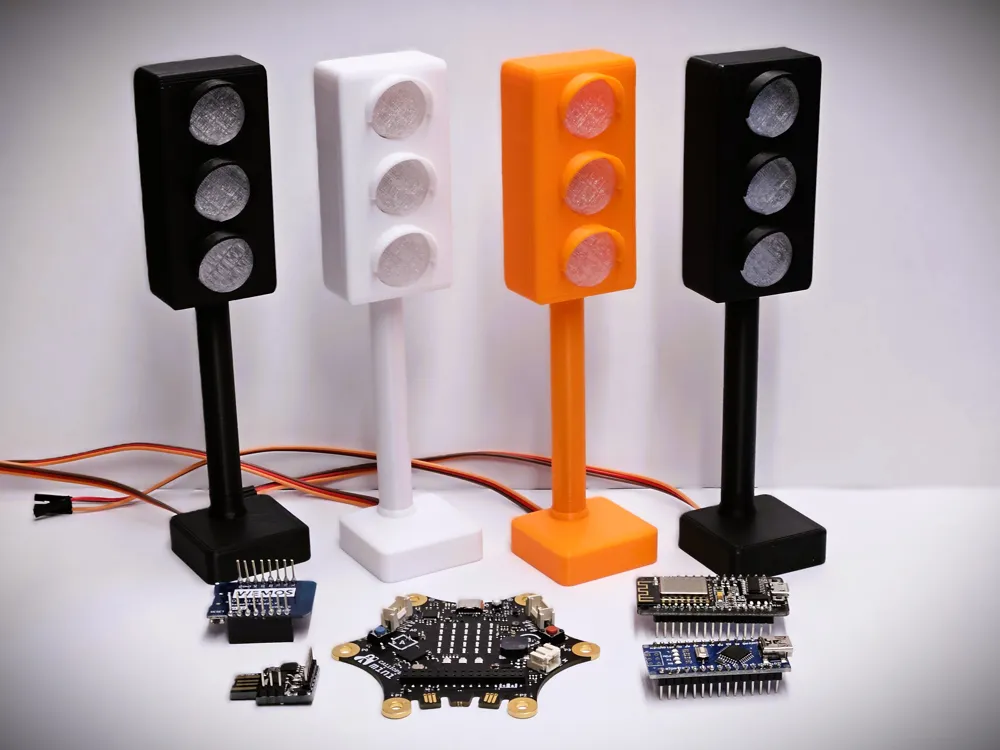
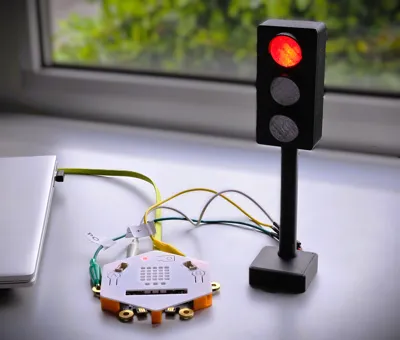
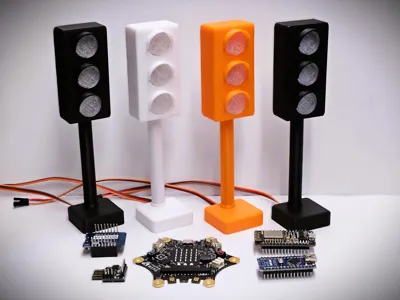
A Neopixel Stick traffic light, quick and easy to build, usable with e.g. Arduino, ESP32, Raspberry, Microbit, Calliope, &c
Parts Needed
- Microcontroller of your choice (e.g. Arduino, ESP32, Raspberry, ESP8266, Microbit, or Calliope; code examples see below)
- Neopixel Stick (or similar, e.g. https://www.roboter-bausatz.de/p/8bit-rgb-led-leiste-aehnl.-neopixel)
- Jumper cable ≥ 20cm (e.g. https://www.roboter-bausatz.de/p/40-pin-dupont-jumper-kabel-buchse-stecker-40-cm)
- No support
- Orientation on the print bed as in the files
- Infill 15%
- Material: PLA
- Clear filament 4g / Black (matte) filament 42g
Dimensions (assembled): height 17.5cm, width 4cm, depth 4cm
Solder
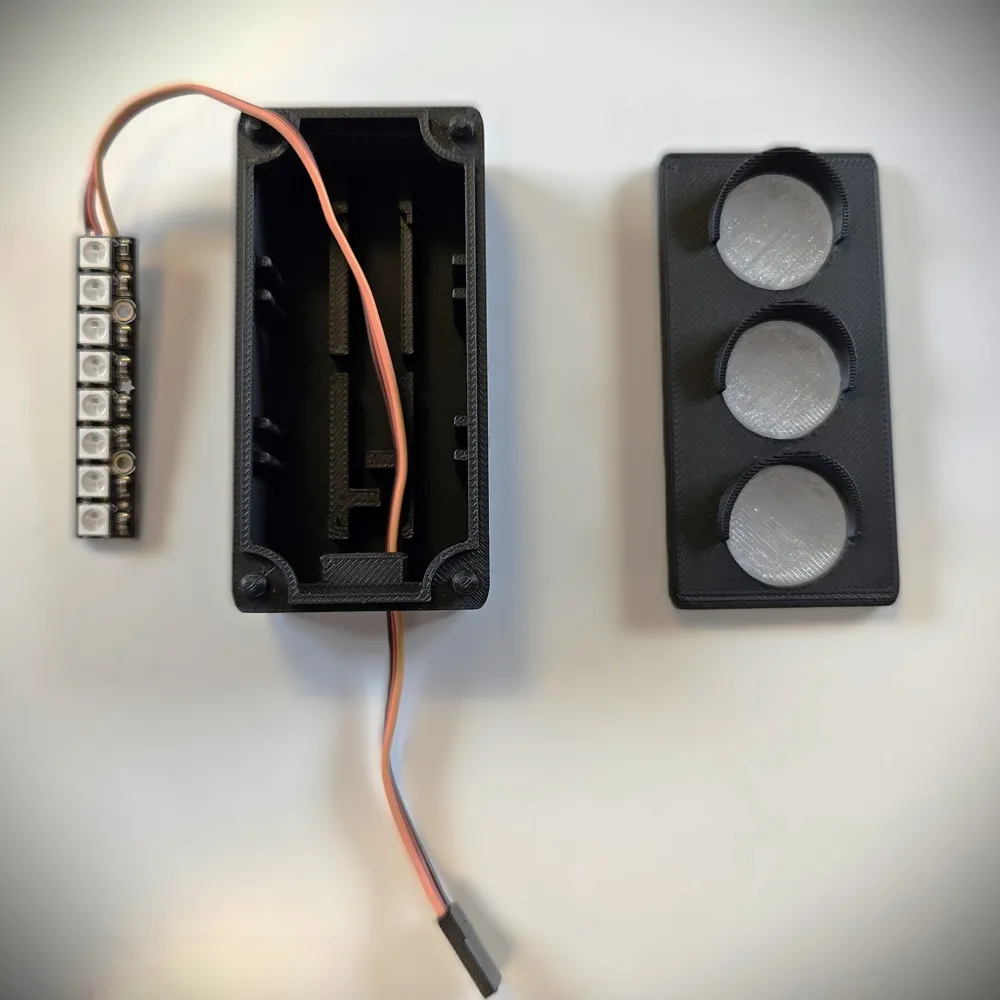
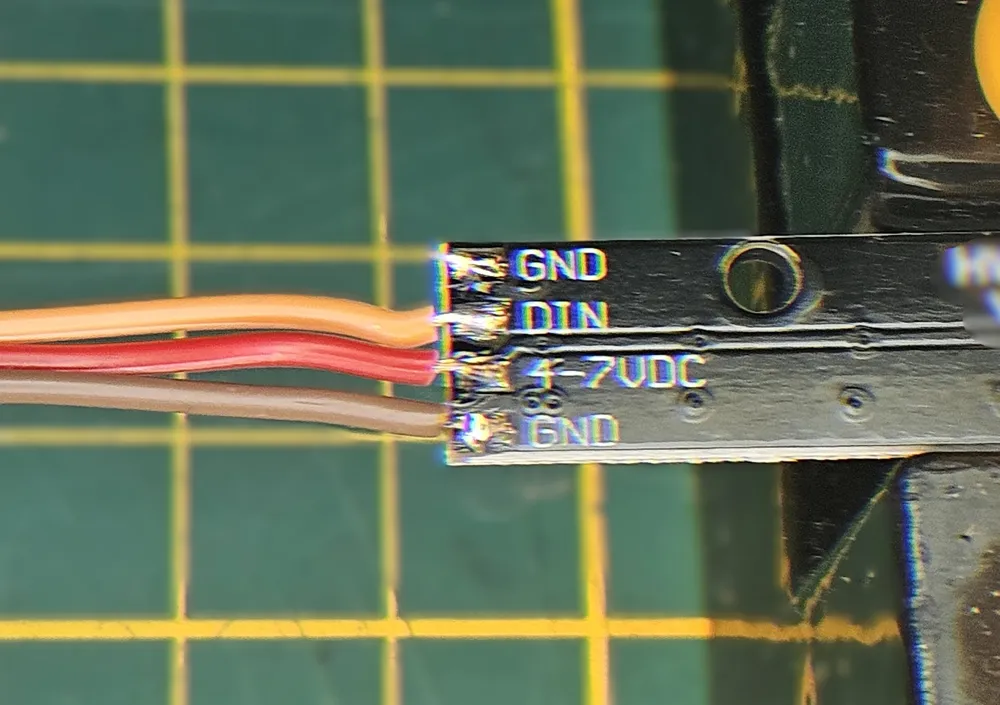
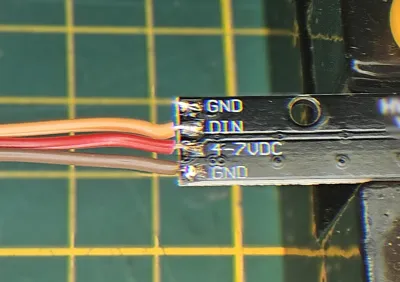
Cut the jumper cable behind the connector and solder it to the LED Stick (GND, 5V, DIN)
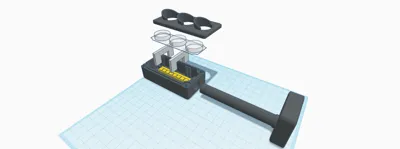
Assemble
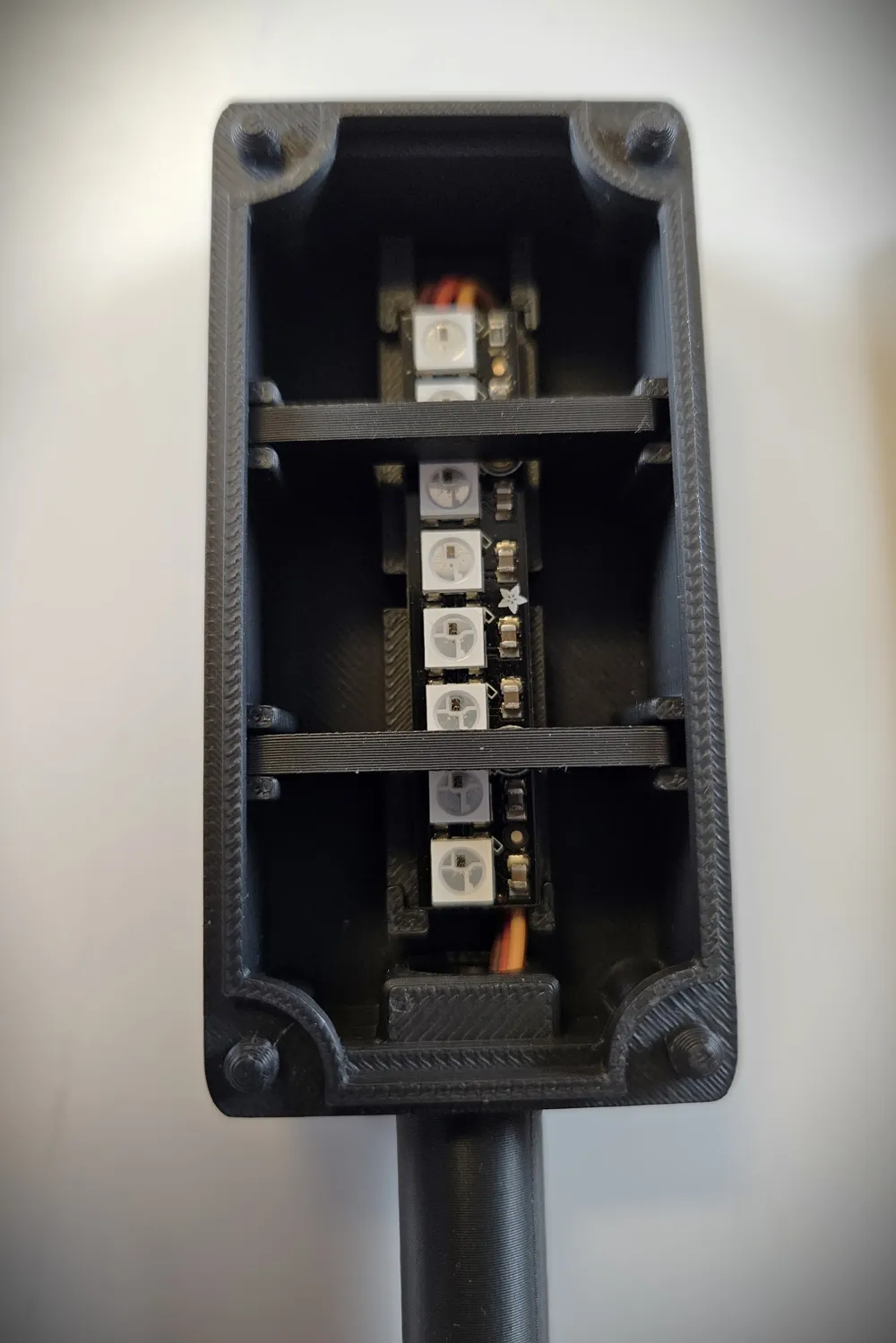
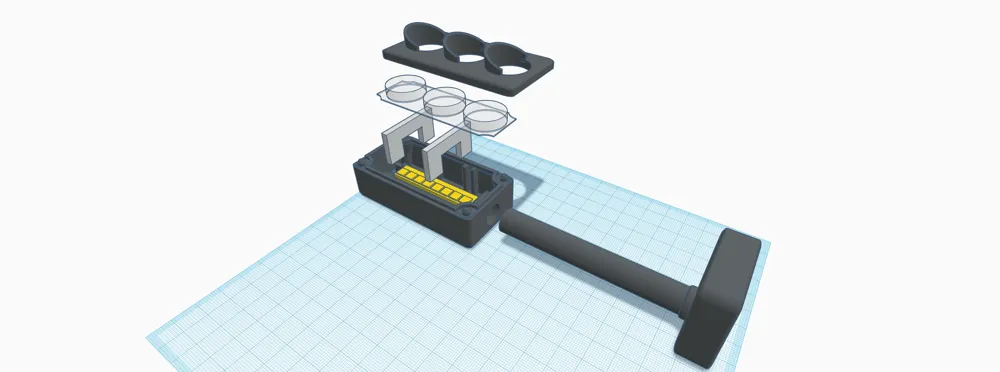
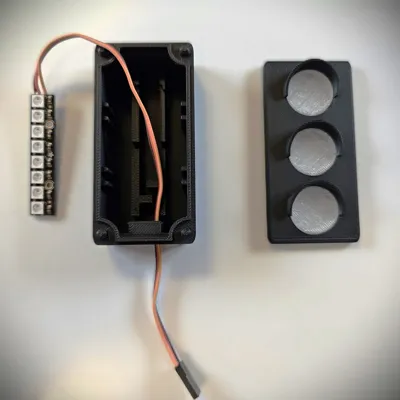
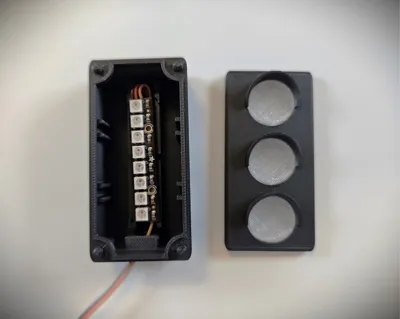
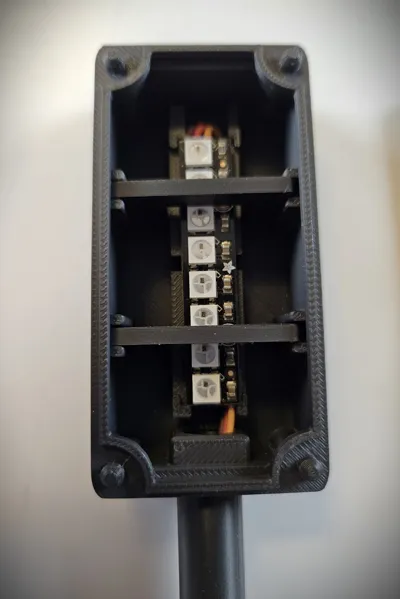
- Insert the stick as shown in the pictures (note the direction)
- Fix the stick with double-sided adhesive tape
- Push the cable with connector through the standpipe
- Insert the standpipe into the housing
Connect & Code
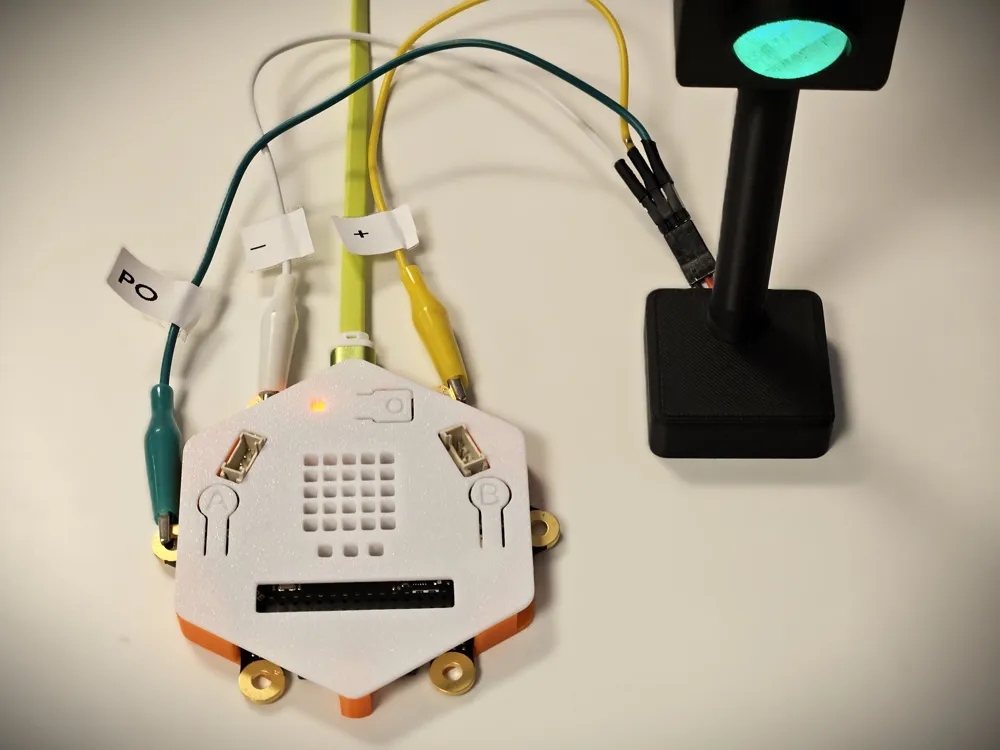
Please note that the WS2812 (Neopixel) stick is connected directly to the controller. It does NOT need its own power source.
Just connect the controller.
This is possible by using only a few LEDs. The controller can deliver enough current. Whether the voltage is 3.3V or 5V does not matter in this case.
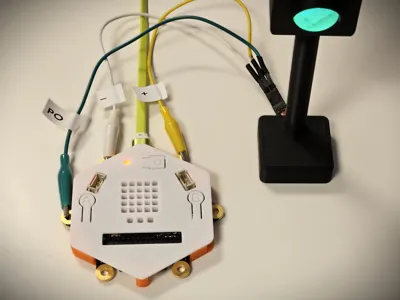
Calliope:
LED Stick 5V → Calliope +
LED Stick GND → Calliope -
LED Stick DIN → Calliope P0
Code example: https://makecode.calliope.cc/_WiR00fh3FWwr
Arduino:
LED Stick 5V → Arduino 5V
LED Stick GND → Arduino GND
LED Stick DIN → Arduino D6
Code example: https://wokwi.com/projects/397144578284602369
ESP32:
LED Stick 5V → ESP32 3.3V
LED Stick GND → ESP32 GND
LED Stick DIN → ESP32 D16
Code example: https://wokwi.com/projects/397147458586094593
LEDs are named 0-7 (from top to bottom) visible are: red (0,1) yellow (3,4) green (6,7) covered by spacers (2,5)
######################################################
More information about Neopixel, code examples, connections and warnings at: https://learn.adafruit.com/adafruit-neopixel-uberguide/the-magic-of-neopixels.
The sample code has been tested with original Adafruit Neopixel sticks and may require adaptation when using other sticks.
Disclaimer
This is a hobby project. Please check the documentation of your microcontroller before connecting. I do not assume any liability for damages or injuries. Build and use at your own risk. The linked products and pages are for reference only. I do not receive any compensation from the site owners
#######################################################
License



Comment & Rating (2)