Search models, users, collections, and posts

Printhead Plug Misalignments protection P/X1E
Print Profile(2)

All
X1E
P1S
P1P
X1
H2D
H2D Pro
H2S
P2S
H2C
X2D
A2L
A1 mini
X1 Carbon
A1

0.16mm layer, 2 walls, 15% infill
Designer
13 min
1 plate
4.9(214)

0.16mm layer, 2 walls, 15% infill ABS
12 min
1 plate
5.0(34)

Open in Bambu Studio
Boost
679
1949
320
188
1.7 k
1.3 k
Released 

Description

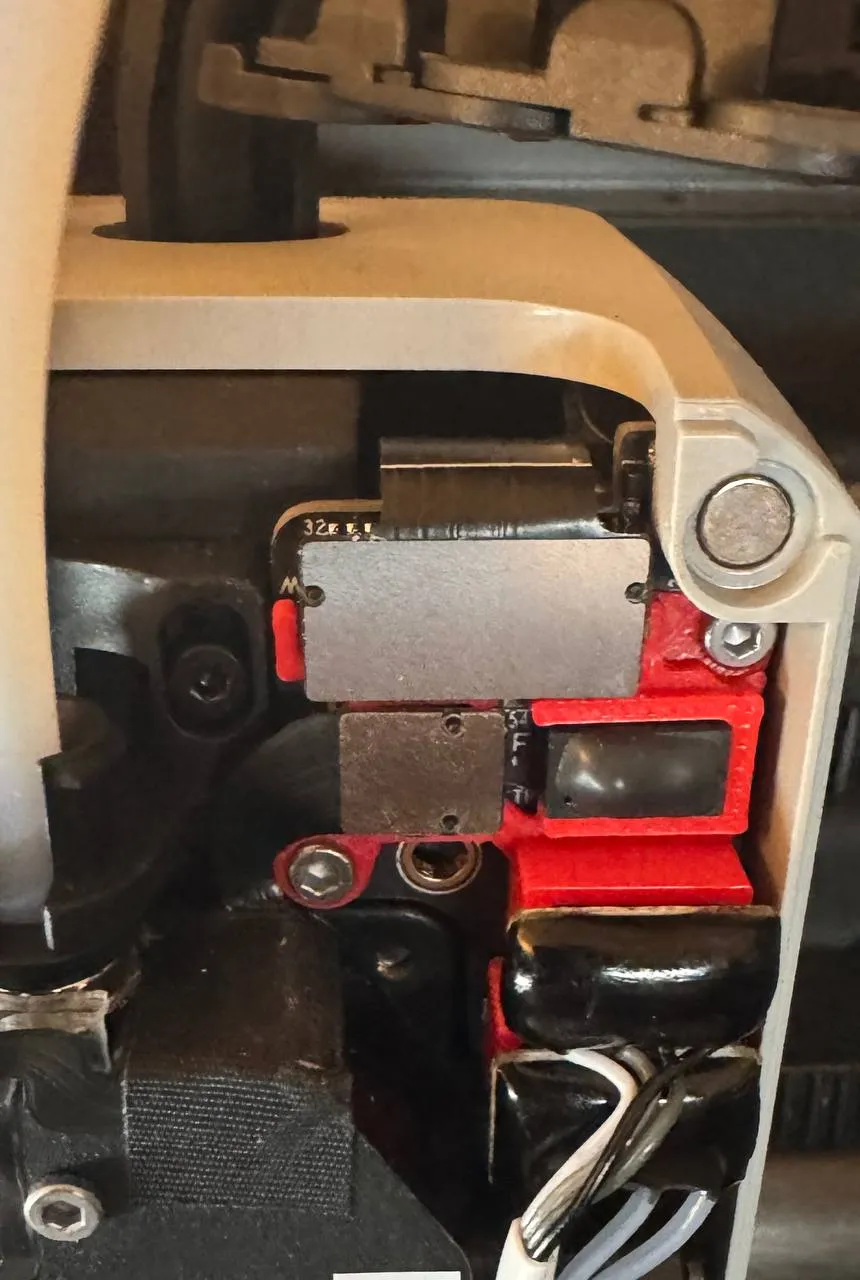
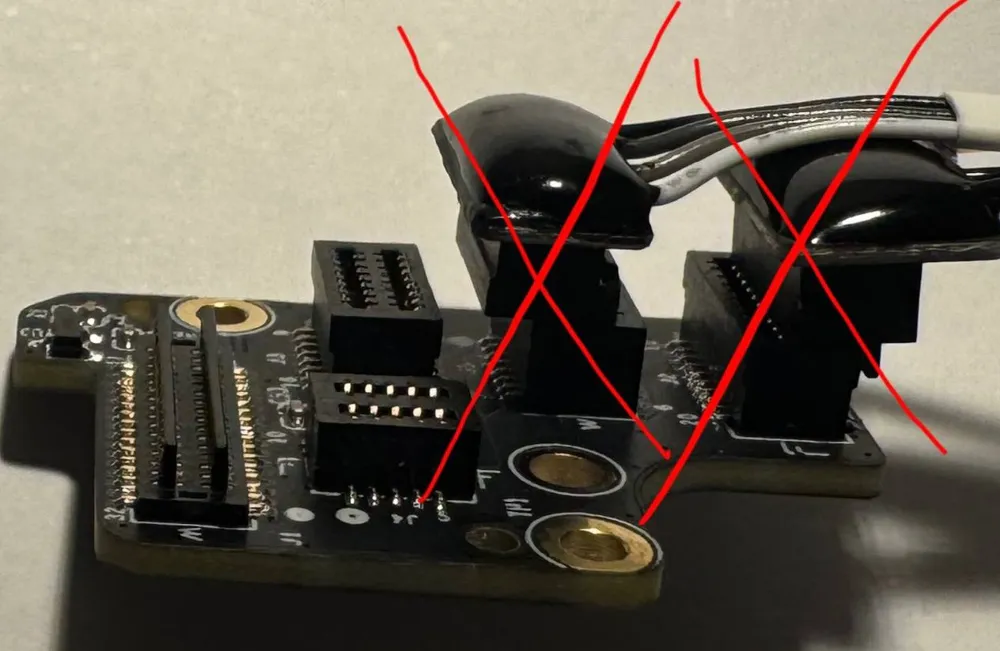
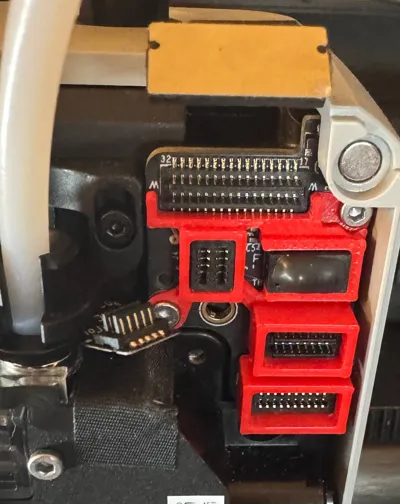
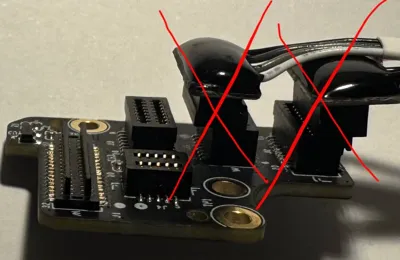
I think many Bambu Lab P1P, P1S, and X1E users have encountered situations where, when replacing or clearing hotend clogs, they accidentally misaligned one of the plugs due to haste or inattention, which caused the printer to break or damaged the plug itself.
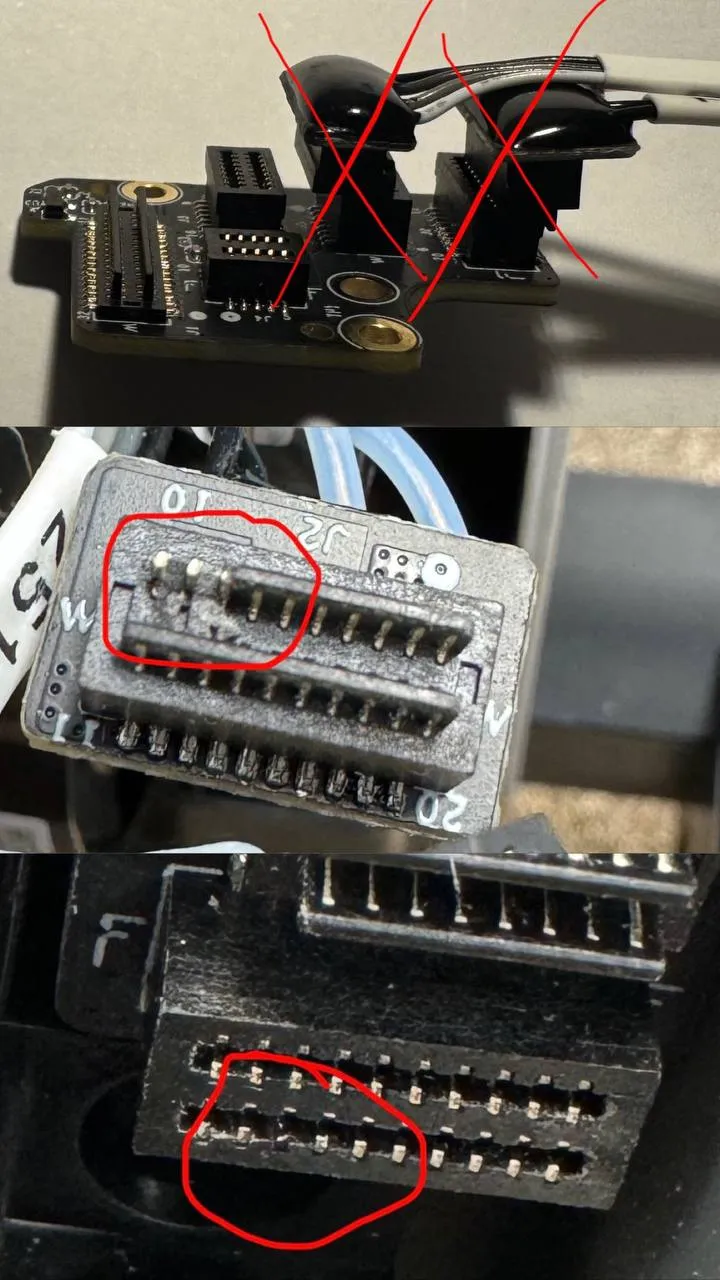
 

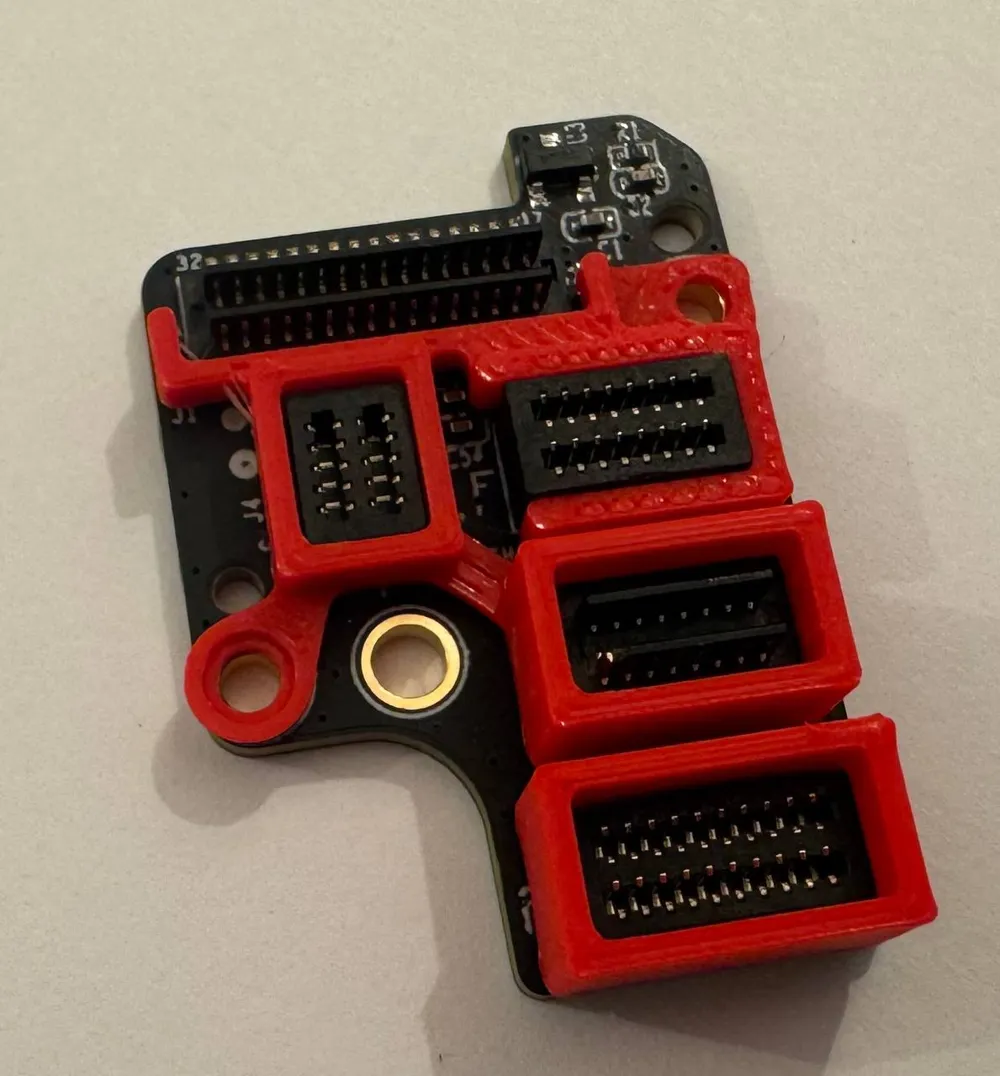
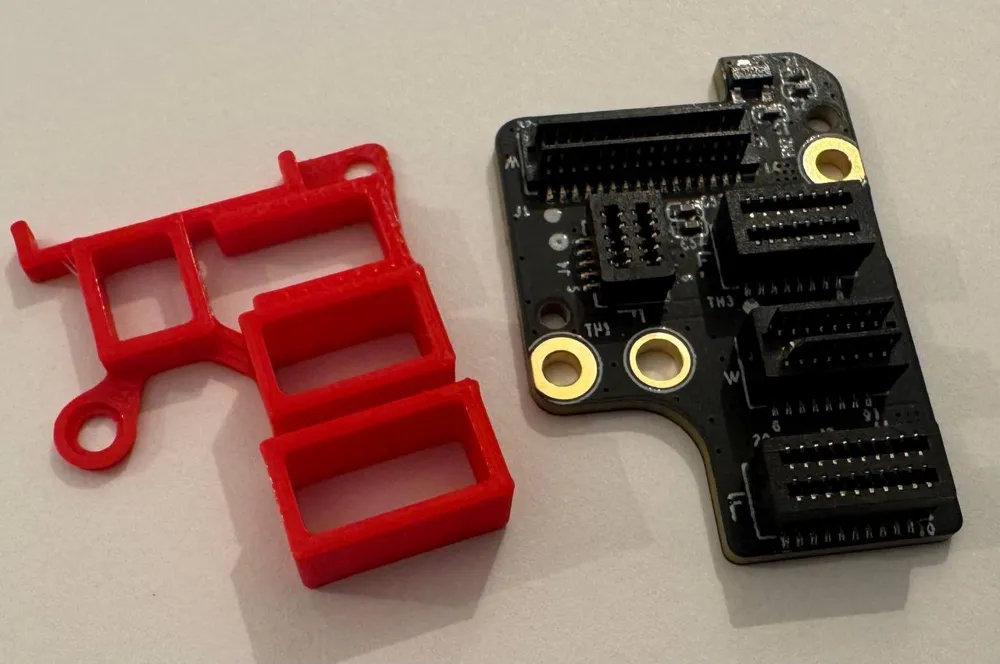
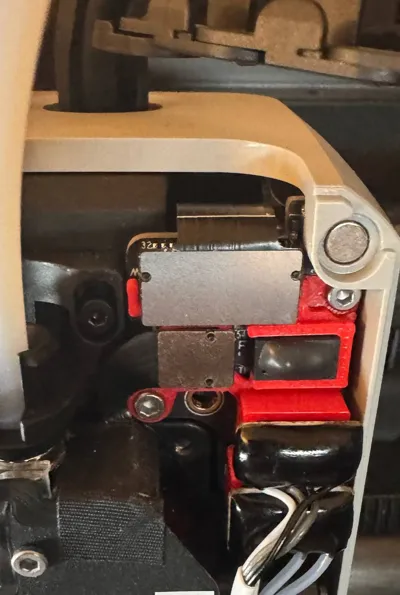
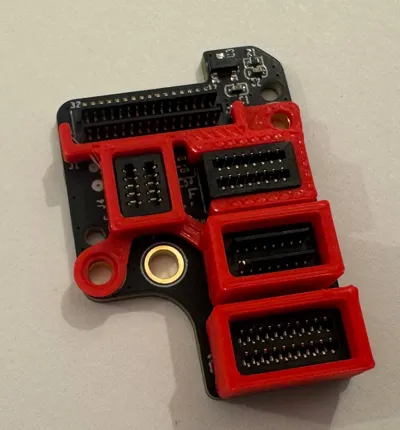
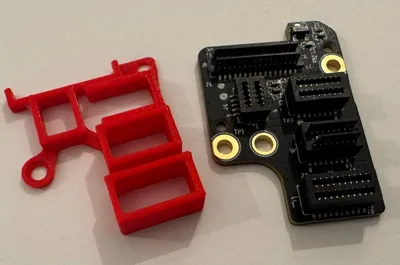
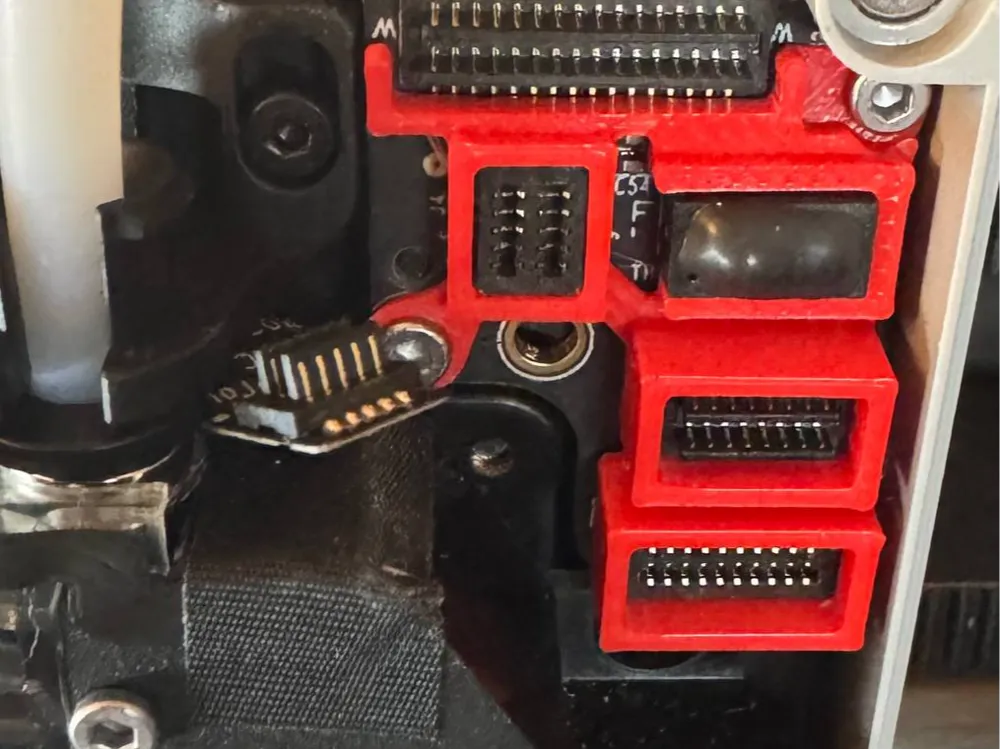
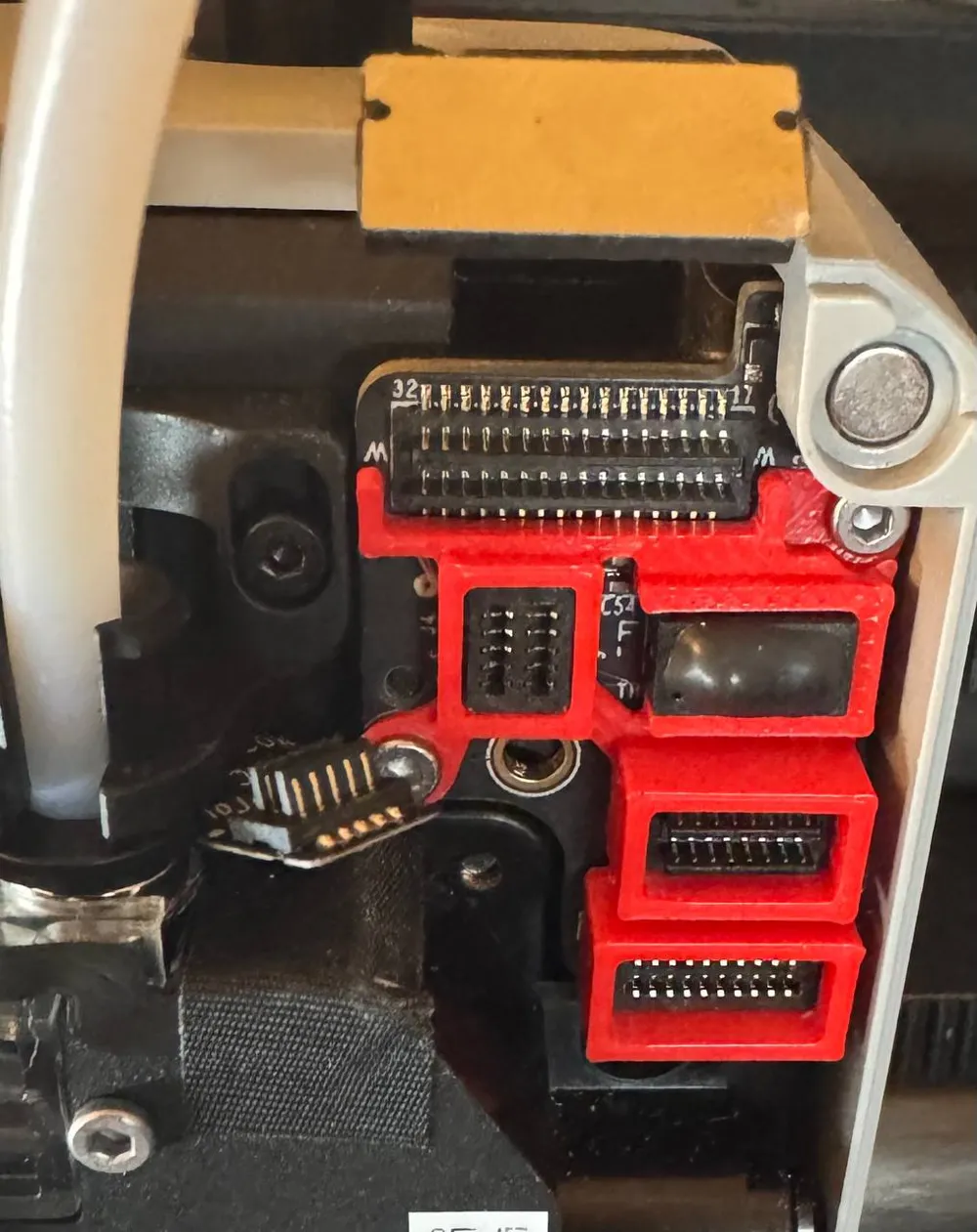
The Printhead Plug Misalignment Protection is a simple improvement that helps prevent this issue. The upgrade is installed on the Extruder Interface Board and is secured with the original bolts. For installation, it's best to follow the replacement instructions for the Extruder Interface Board. When working with the printer, be sure to follow the Safety Warnings. It's crucial to power off the printer before performing any maintenance work on the printer and its electronics, including tool head wires, because leaving the printer on while conducting such tasks can cause a short circuit, which can lead to additional electronic damage and safety hazards.


P1P/P1S https://wiki.bambulab.com/en/p1/maintenance/pcb-boards-on-toolhead

X1E https://wiki.bambulab.com/en/x1/maintenance/x1e-toolhead


The model has been tested on P1P, P1S, and X1E printers, and in all cases, it fit perfectly without any modifications needed.


I hope my improvement will be useful for you and will help protect your printer from breakdowns and costly repairs.


Boost Me (for free)

If you like my work and want to support me and this design - please BOOST this design (click on the small Rocket 🚀 or „BOOST“ button) 🙏👍 Thank you in advance!🙏

or

buymeacoffee.com/dshandcreations  

Comment & Rating (320)

(0/1000)

Print Profile
0.16mm layer, 2 walls, 15% infill
horrible, do not print unless you want your printer to be dysfunctional. printer kept making the case fan run because the plug for temperature was not all the way plugged in, and yes, the printed piece was a perfect fit. the part where the screw goes is a tad up but that would go down by the screw. everything else fit perfectly but printer did not like this print when installed.
The profile uploader has replied
0
Reply
More than 1,000 people have installed this upgrade and everything is working fine for all of them. Maybe the problem lies with someone who isn’t capable of adopting it?
(Edited)
2
Reply
Replying to @Desover :
people are saying they are having issues too...
(Edited)
1
Reply
Replying to @JesusIsaProphet :
Everything points to the problem being either with the material, which may be shrinking or is wet, or with the print settings — but definitely not with the model. Before posting negative comments, it would be wise to study the basics of 3D printing.
(Edited)
3
Reply
Boosted
Print Profile
0.16mm layer, 2 walls, 15% infill
Perfekt fit, great improvement!
0
Reply
what extruder is this? is it better than stock in your opinion?
(Edited)
1
Reply
Yes what is that?
0
Reply
Replying to @Bobness :
I believe its Panda extruder with panda claw.
0
Reply
This is a gem! Bye "part fan not working" error
3
Reply
Print Profile
0.16mm layer, 2 walls, 15% infill ABS
Top. One less worry
Show original
0
Reply
It looks like your printer also has 2 metal plates over the top left plugs like mine. Did you trim off some of the guide to let it fit around them?
0
Reply
Replying to @otis.viles :
Hello, No. The metal plates are also plugs. I disconnected them and then reconnected them. The component fitted without any adjustments.
0
Reply
Replying to @colonel302 :
Ah! I didn’t try removing them, I assumed wrongly that they were permanently applied to the board. Thank you!
0
Reply
Print Profile
0.16mm layer, 2 walls, 15% infill
I don’t know if it’s actually any easier to insert the cables, but it feels like it should be. Anyway, printed perfectly in ASA. Nice snug fit.
1
Reply
Boosted
Print Profile
0.16mm layer, 2 walls, 15% infill
OMG so thankful I came across this in a reddit post. you're a life saver! have a boost too.
(Edited)
1
Reply
A good thing I had previously used the quick-change system Unfortunately it frequently broke snapped So I found this one Small tip When reassembling pay attention to the filament sensor cable's position I intentionally posted the picture to show how easily you can screw a hole into it Now I have to wait for a new sensor Shit happens I printed it in ABS
(Edited)
Show original
1
Reply
Fantastic! This is how it shouldn't been designed to begin with. I printed in ABS using tom007's profile (which has some additional frame for the top plug) and it's a perfect fit. I still believe the connectors Bambu designed are a horrible choice for something designed to be regularly reinserted, but after adding this I'm significantly less frustrated. These make it practically impossible to short a connector by inserting it at a slight angle.* They also just make the connections generally feel more robust. As a surprise bonus, my rather loose-fitting part cooling fan connector no longer loses contact from thermal expansion when I pre-heat the chamber! I can recommend this upgrade with zero reservations. *Yeah, one should always turn it off before messing with the connectors, but people ignore the advice at times or just forget. This makes it much much safer.
1
Reply
Print Profile
0.16mm layer, 2 walls, 15% infill
came out great
0
Reply
Print Profile
0.16mm layer, 2 walls, 15% infill
The Printhead Plug Misalignment Protection fits perfectly on my P1S and makes reconnecting the plugs far less nerve-racking when changing the hotend. Fits snugly and exactly as it should. Printed in PETG.
0
Reply

License

This user content is licensed under a Standard Digital File License.

You shall not share, sub-license, sell, rent, host, transfer, or distribute in any way the digital or 3D printed versions of this object, nor any other derivative work of this object in its digital or physical format (including - but not limited to - remixes of this object, and hosting on other digital platforms). The objects may not be used without permission in any way whatsoever in which you charge money, or collect fees.