Search models, users, collections, and posts

Straight Track Tool for OO/HO Model Railways
IP Report




Print Profile(1)

0.12mm layer, 2 walls, 15% infill
Designer
30 min
1 plate
Open in Bambu Studio
Boost
37
84
11
4
110
63
Released
Description
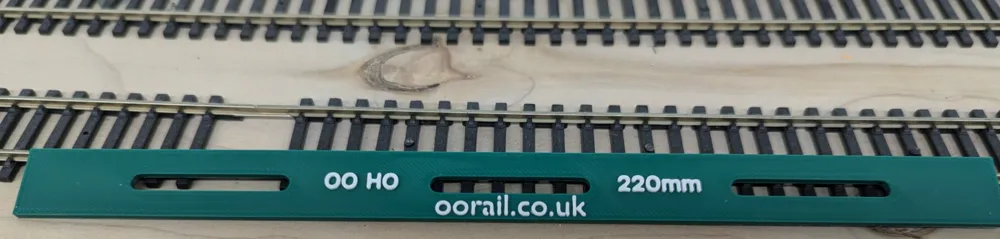
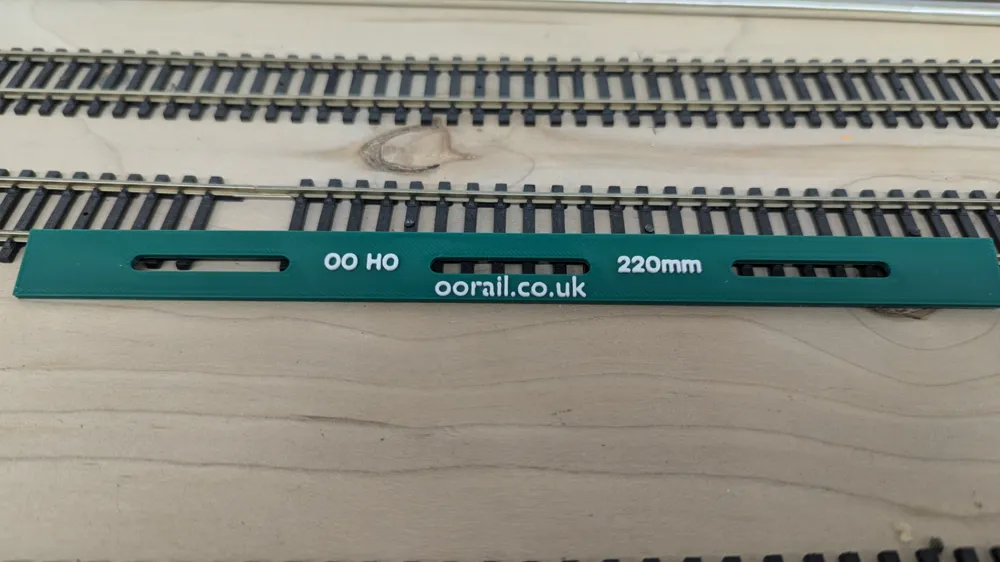
This model prints a Straight Track Tool for Flexible Model Railway Track. The tool helps you to install perfectly straight track when using flexible OO/HO scale track.
How to use:
- Place your new flexible track on your layout
- Insert the Straight Track Tool between the rails (you can work either left to right or right to left)
- Use the gaps in the tool to drill small holes into the sleepers (ties)
- Insert track pins / nails into the holes with a tack hammer
- Slide the Straight Track Tool down and repeat
This tool has been tested on the following types of track:
- PECO Flexitrack (Code 75, 83, 100)
- Hornby Flexible Track (Code 100)
- Graham Farish Formaway Track (Code 100+)
- Micro Engineering Flex Track (Code 100)
- Atlas Super-Flex Track (Code 100)
- Walthers Flex Track (Code 100)
How I printed it:
- Bambu Labs A1 with AMS-Lite
- Tool is one colour
- Text is a second colour
- Should be just 2 colour changes
If you find this useful, please consider subscribing to the oorail YouTube channel at https://youtube.com/oorail
License

This user content is licensed under a
Creative Commons Attribution-Noncommercial-Share Alike


Comment & Rating (11)