
Custom Monster Truck Cake Topper
Print Profile(1)

Description
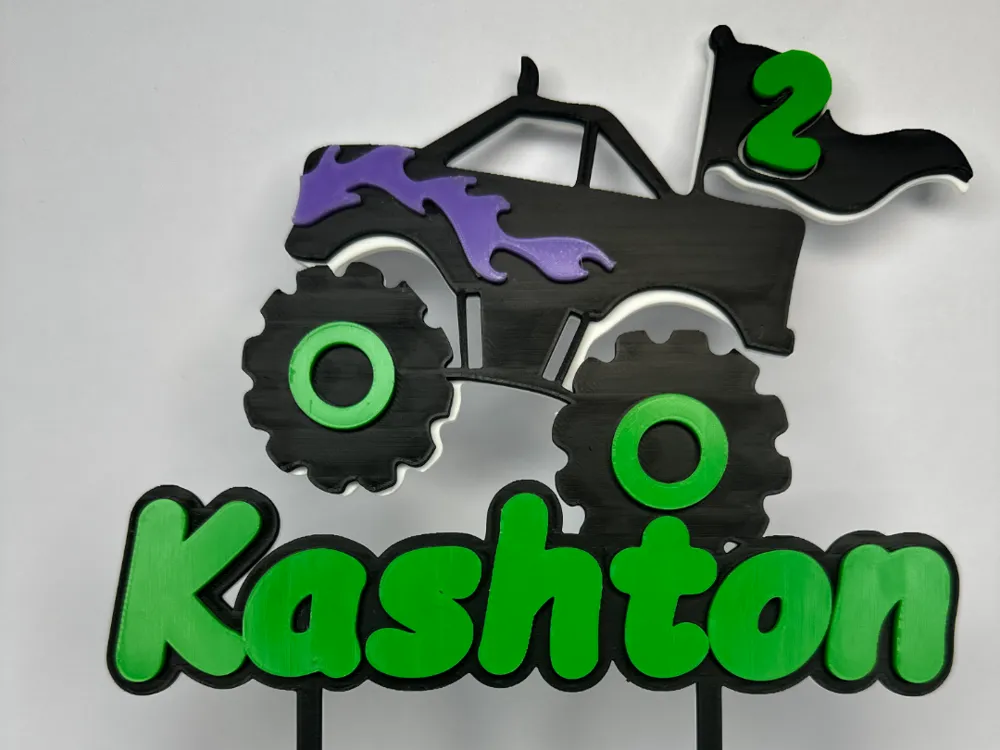
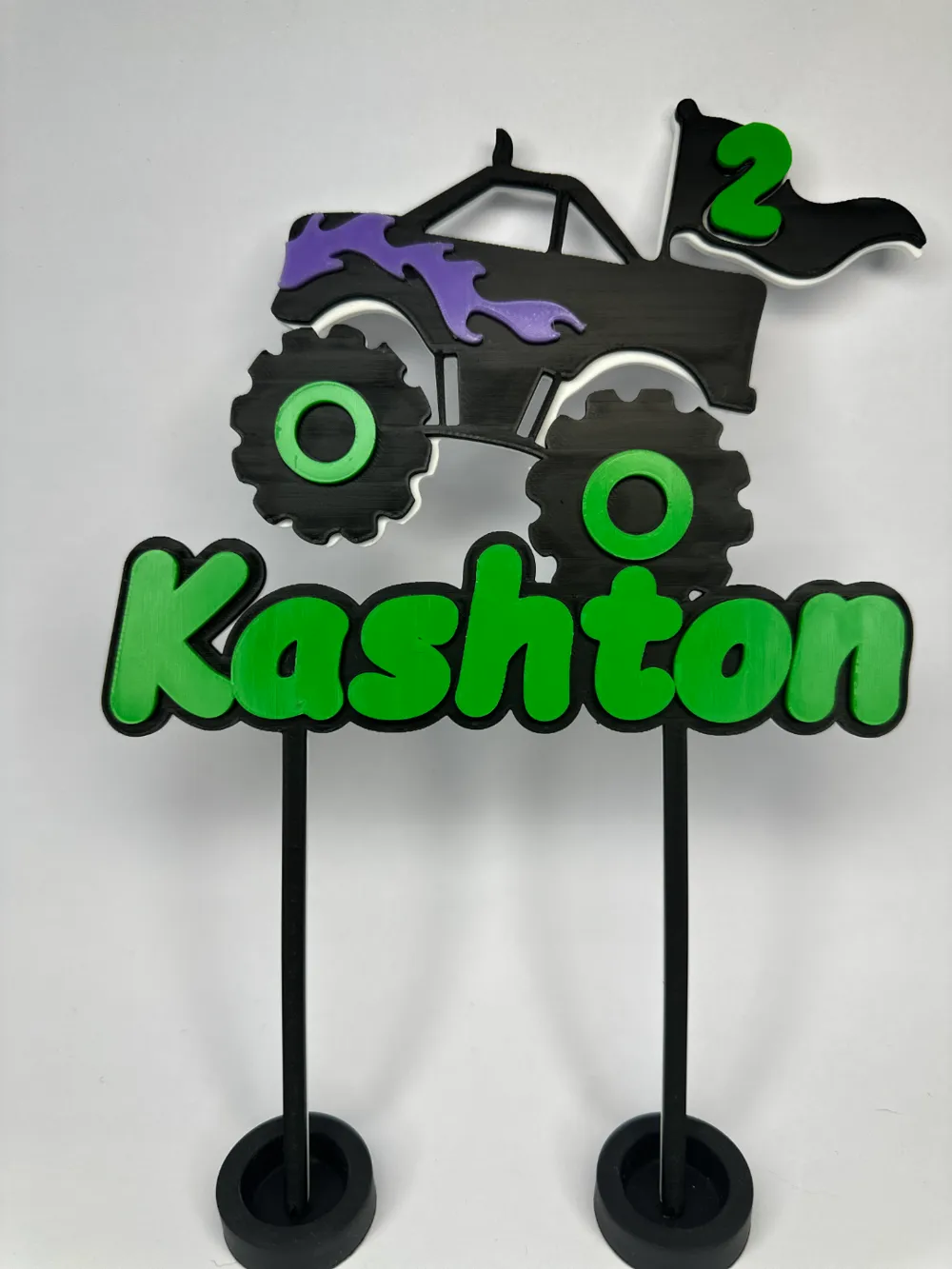
This is a CUSTOM cake topper I designed. Its a very cool monster truck with, flames, rims, age, and name.
I only have numbers 1-9 on the print profile, if you need any other numbers or modifications message me through Makerworld* and I can get that done quickly for you, or if you have any major modifications, BOOST me, message me, then I can send you the fusion360 file) :D
You will need to download the cake topper part by itself and follow picture instructions below.
I designed the monster truck, but the name I did not. The person I give full credit to for that is ccc's Cake topper Generator on Makerworld whos code created the name that I used.
Boost Me (for free)
Would be helpful if you would like to support! :D
I appreciate any download or boost on my designs! 🤝
For the same font and on how to customize it for your needs follow this guide on how to use ccc's Cake topper Generator.
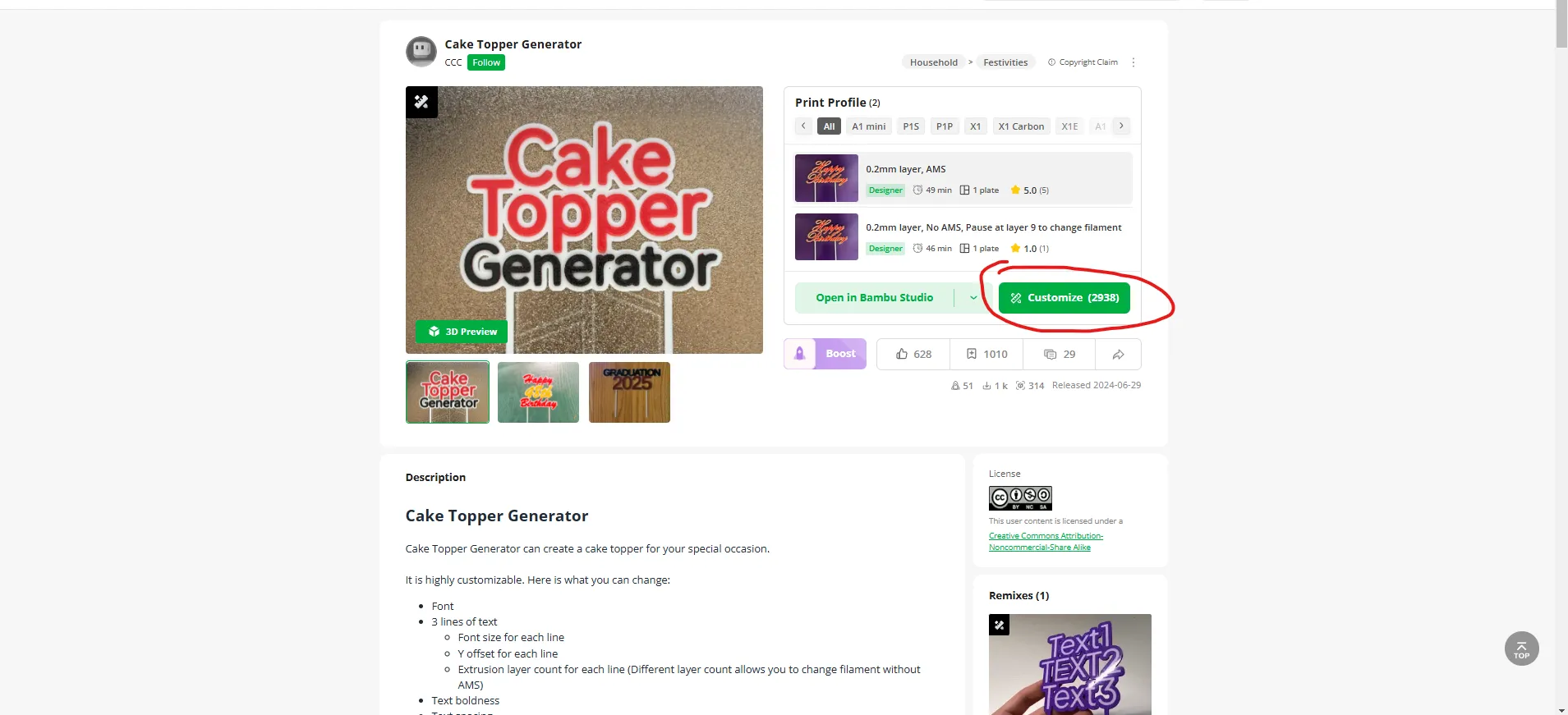
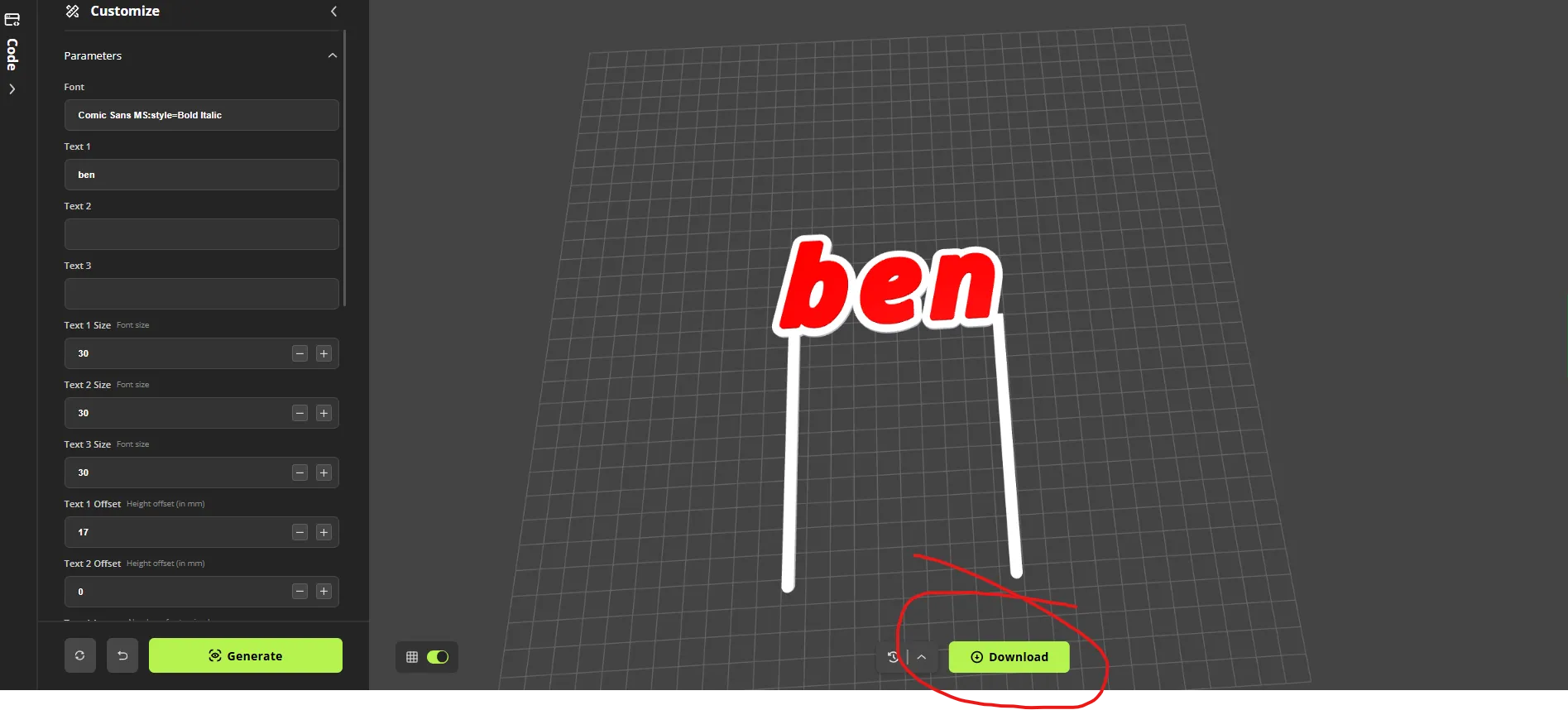
- Open ccc's Cake topper Generator, click customize.
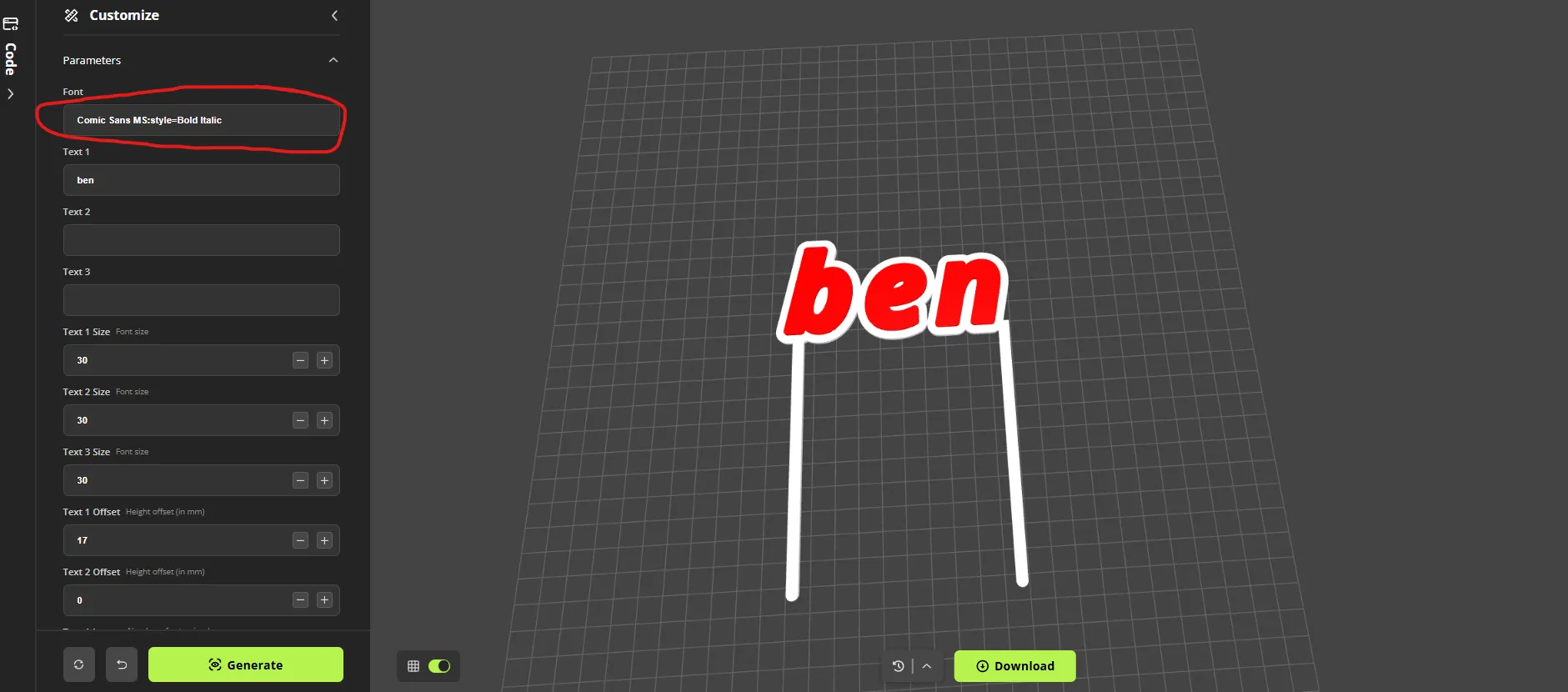
2. Copy the font below and paste, “ctrl+v” into the font box.
Comic Sans MS:style=Bold Italic
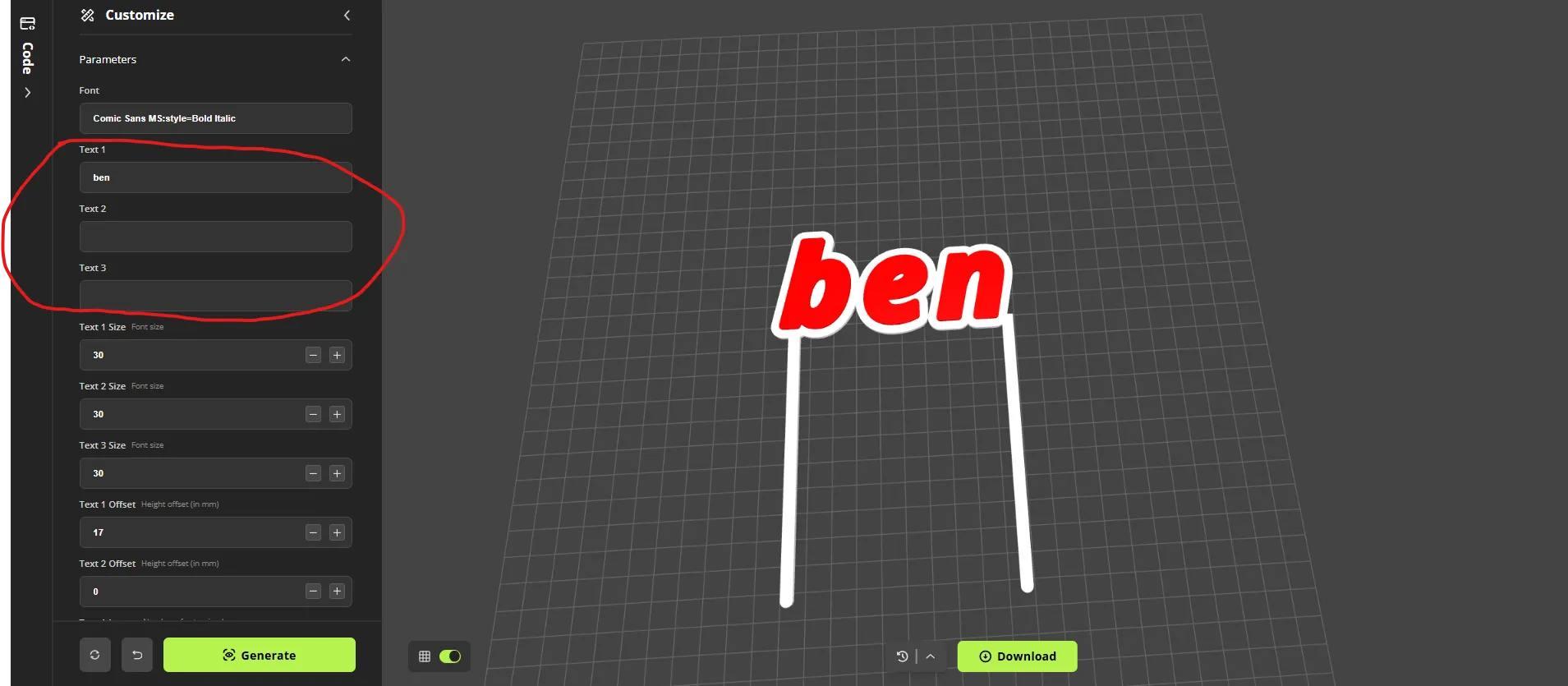
3. Change name to whatever you need, and click generate. (Every time you make a change you need to click generate)
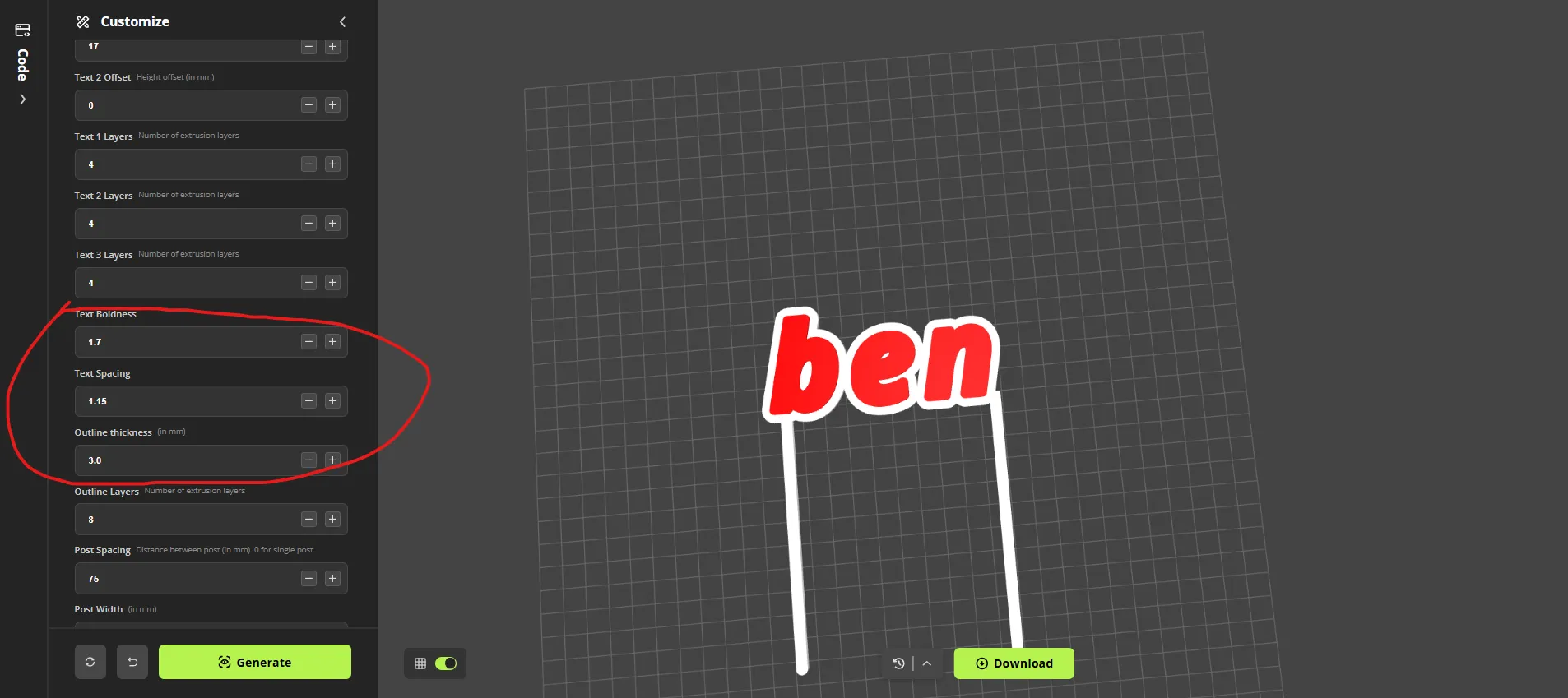
4. Change these 3 settings to make it look the best for you. (Sticks you can change later in Bambu Studio)
5. When you find what you like click download.
6. Open the print profile and import the file and drag it to the age you need. (if you need any other numbers or modifications message me through Makerworld* and I can get that done quickly for you.) :D
7. After you move and change the size of where you need the name **Make sure that you turn off uniform scale and change the z (blue) to “5.89”
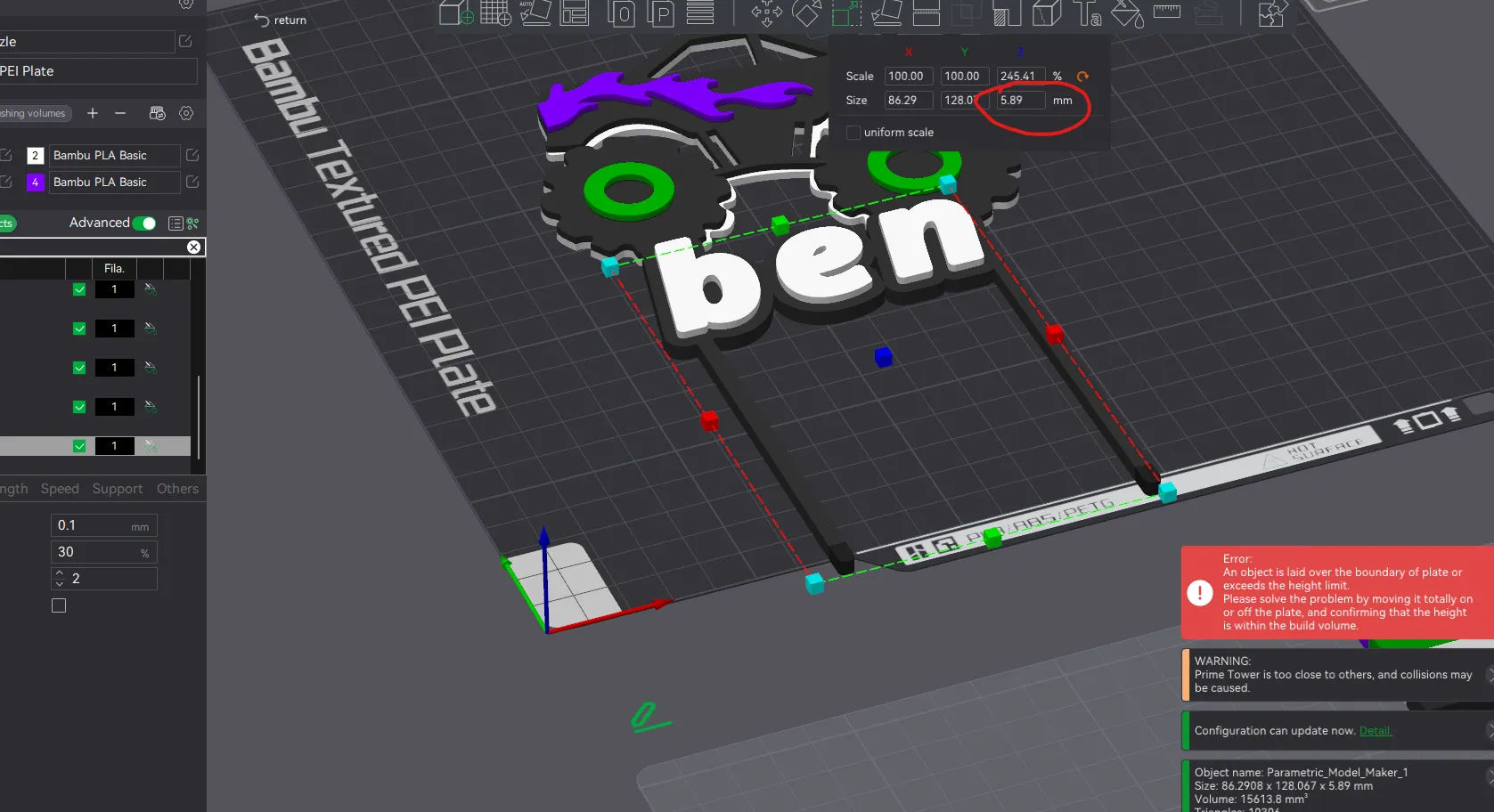
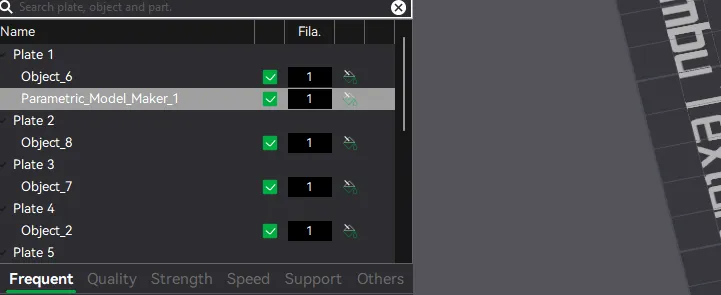
8. If you need the sticks moved go to objects right click on "Parametric_Model_maker_1", click “split”, then “to objects”. The sticks are now separate so now you can use the move tool at the top to move it as needed.
9. Open painting, make sure its on white, go to height range, set to “1.96” and click the bottom.
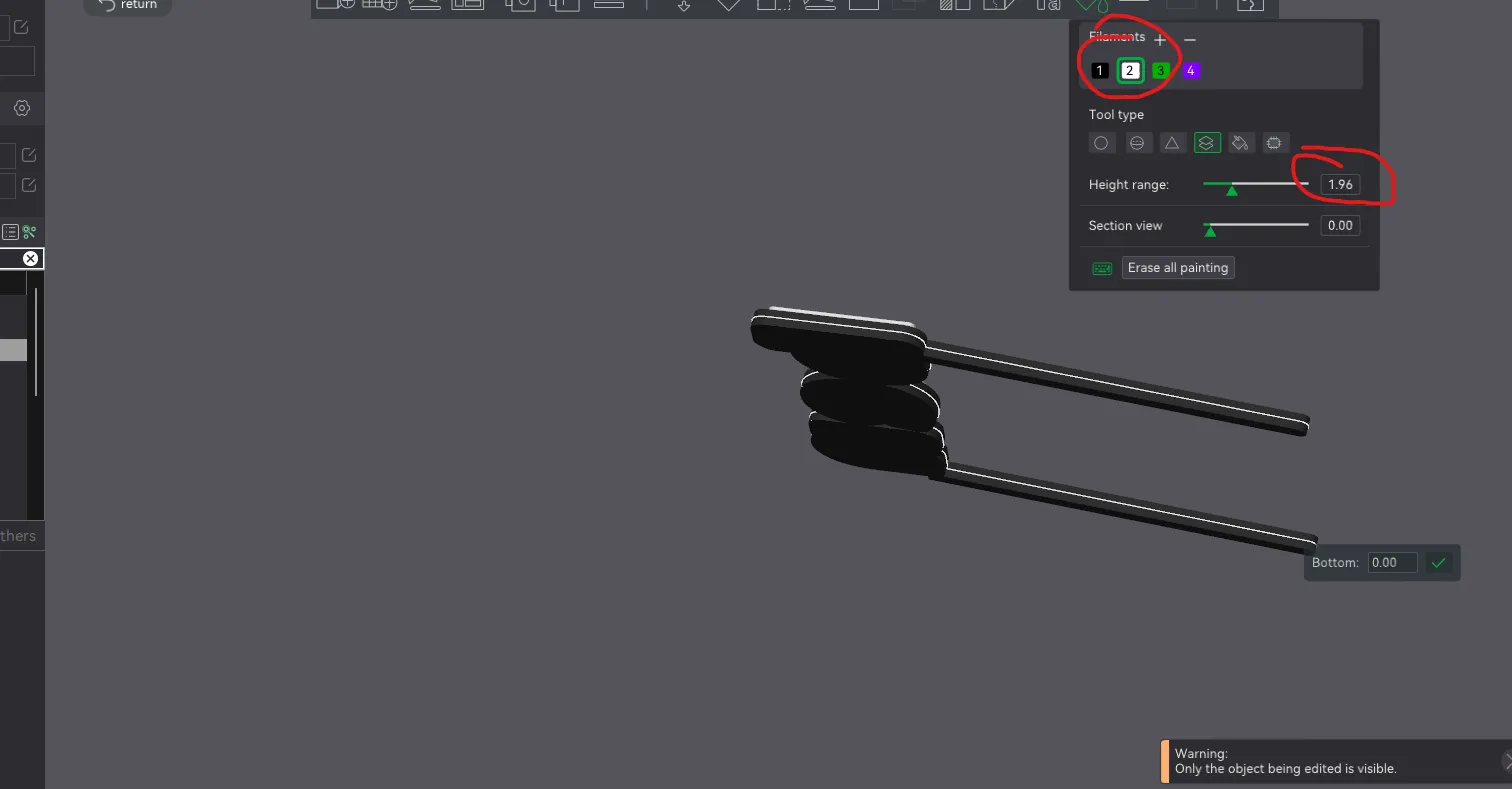
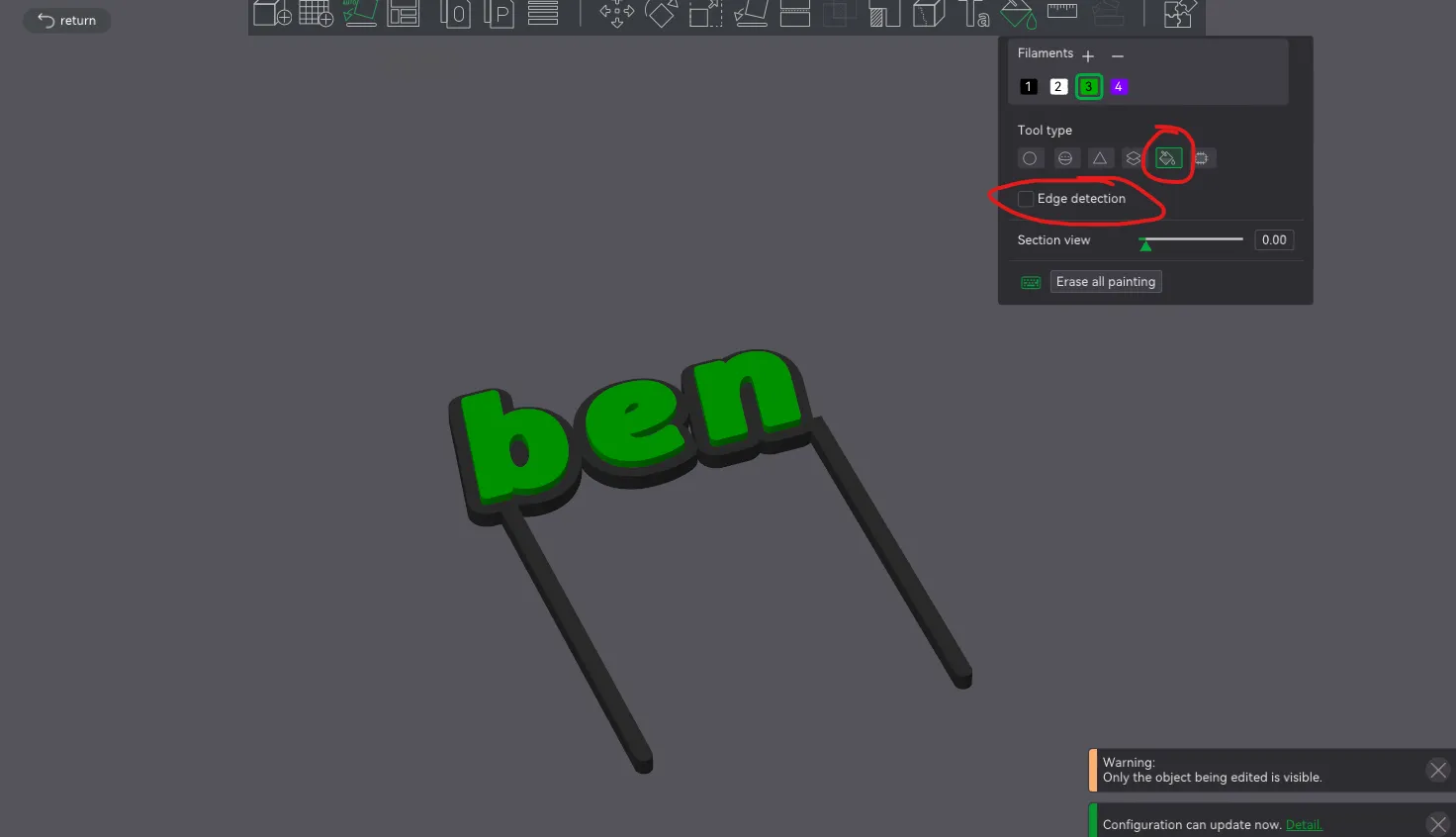
10. (Optional) if you want to have the top of the name a different color open painting, put it on fill, turn off edge detection and click each letter.
11.***MANDATORY or it may not work***, click on the name hold ctrl and click the design, while holding ctrl, right click then left click "merge".
12. Click slice, print, change your colors, and great printing!
***If you have any problems put it in the comments or message me and I will replay asap***
Boost Me (for free)
If you liked it Im very thankful for anything postive to my design such as a like or boost! :D
License



Comment & Rating (12)