

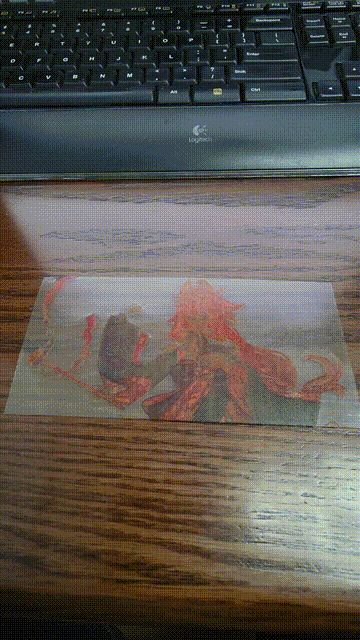

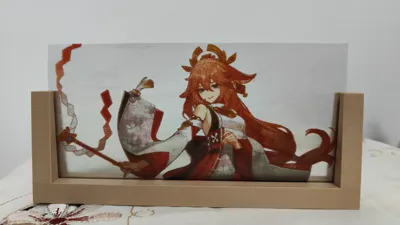
Print Profile(1)

Description
1) Color scheme: cyan-JAYO transparent blue PETG, magenta-JAYO transparent red PETG, yellow-JAYO transparent yellow PETG, black-R3D transparent light black PETG
2) It is recommended to use a smooth PEI printing plate
3) Reduce the amount of material wasted during purging and increase the speed of material change: The purging volume coefficient can be set to 0.5, and the purge tower purge volume can also be halved based on the default settings
4) Welcome to visit my homepage to get more color and black and white photo printing configurations
5) Welcome to visit the homepage of the same name on Xiaohuangyu, customize printing configurations or finished photos
==============================================================
1. Introduction
Bambu Lab's AMS has brought multi-color printing closer to the general consumer, but there are not many algorithms or software that use 3D printing technology to print two-dimensional color images. Currently, the two most commonly used methods are Hugeforge and Lithophane. Among them, Hugeforge extracts the main color information of the image and outlines the main features of the image with three or four colors, but in terms of both color richness and image fidelity, it can only be said to be an artistic secondary creation of the original image. Lithophane, on the other hand, uses the CMYK subtractive color principle to creatively use cyan, magenta, and yellow layers to mix different colors, and uses a white layer to add brightness information, making it possible to "print" photos. However, due to the light transmittance of PLA material, Lithophane algorithm only has less than 10 color layers, resulting in very limited color types, lacking enough color gradation changes, and the display effect has a feeling of oversaturation, which is very different from the original image. In addition, because the surface is covered with a white brightness control layer, the color image cannot be seen directly and must be paired with background lighting, which is not convenient for daily display.
Based on the work of predecessors, I have developed my own algorithm to implement a technical route for printing photos using translucent color consumables, which has the following advantages:
1) Richer color types. Translucent consumables allow for a significant increase in the number of layers and color types. Theoretically, 24 layers can be mixed to produce 24*24*24=13824 colors. Although there is still a gap compared to true color (256*256*256), it can already restore the changes in hue, saturation, and brightness very well.
2) More natural brightness restoration. This algorithm does not have a separate brightness control layer, but instead adjusts the number of translucent layers to achieve a gradual transition from light to solid colors, and adds a transparent black layer to achieve a gradual transition from solid colors to full black. The overall brightness change of the colors is natural and smooth, without the gray and unclear feeling of Lithophane.
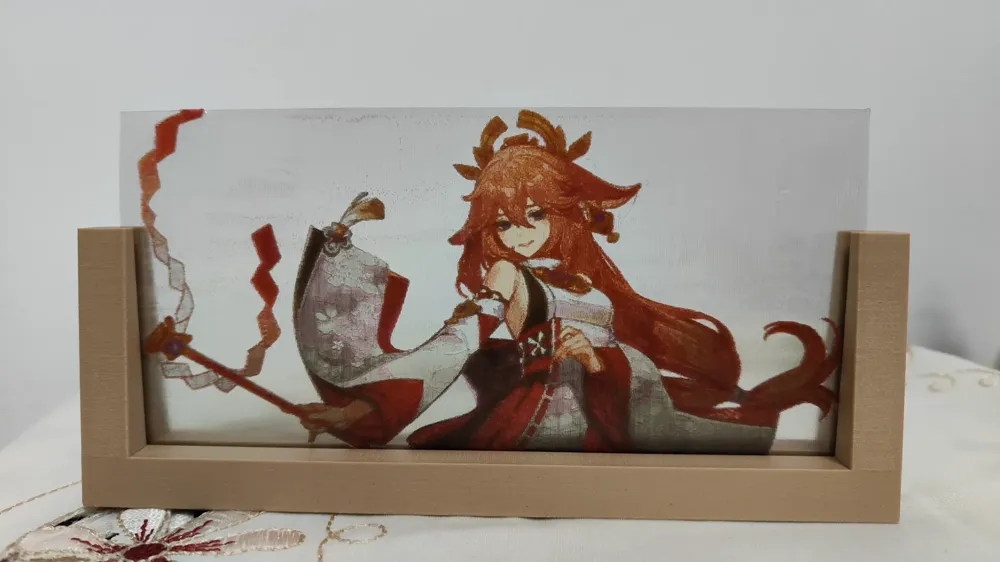

3) Easier photo display. The use of translucent materials makes it unnecessary to use specially made backlit frames for the printed photos, allowing them to be viewed in any direction, giving a sense of double-sided embroidery.
2. Printing method
Method 1: Download the compressed package, drag the four STL files for cyan, magenta, yellow, and black into the Bambu Studio slicing software, and combine them into one part. For a printer configuration with a 0.4mm nozzle, set the first layer height and the remaining layer heights to 0.1mm, the line width to 0.4mm, and the infill density to 100%. Some other parameters can refer to "Transparent PETG Printing Tips" https://wiki.bambulab.com/zh/knowledge-sharing/transparent-petg. It is recommended to add a 0.1mm thick cube with the same length and width as the image as the base layer, set the color to black, and combine it with the image STL. Then, move all four color layers of the image up by 0.1mm.
Method 2: Download the ready-made 3MF file directly.
3. Precautions
Since there are currently no standard CMYK translucent consumables on the market, I have conducted a lot of tests and used consumables of similar colors as substitutes, and optimized and corrected the hue algorithm based on the actual display effect, basically achieving the theoretical display effect. Among them, cyan uses JAYO's transparent blue PETG, magenta uses JAYO's transparent red PETG (the actual effect is not pure red, just a little magenta), yellow uses JAYO's transparent yellow PETG, and black uses R3D's transparent light black PETG. The above consumables are the actual materials used for the display effect in this post, not commercial promotion; if other color consumables are used, there may be some color deviation, please understand.
License

You shall not share, sub-license, sell, rent, host, transfer, or distribute in any way the digital or 3D printed versions of this object, nor any other derivative work of this object in its digital or physical format (including - but not limited to - remixes of this object, and hosting on other digital platforms). The objects may not be used without permission in any way whatsoever in which you charge money, or collect fees.


Comment & Rating (0)