
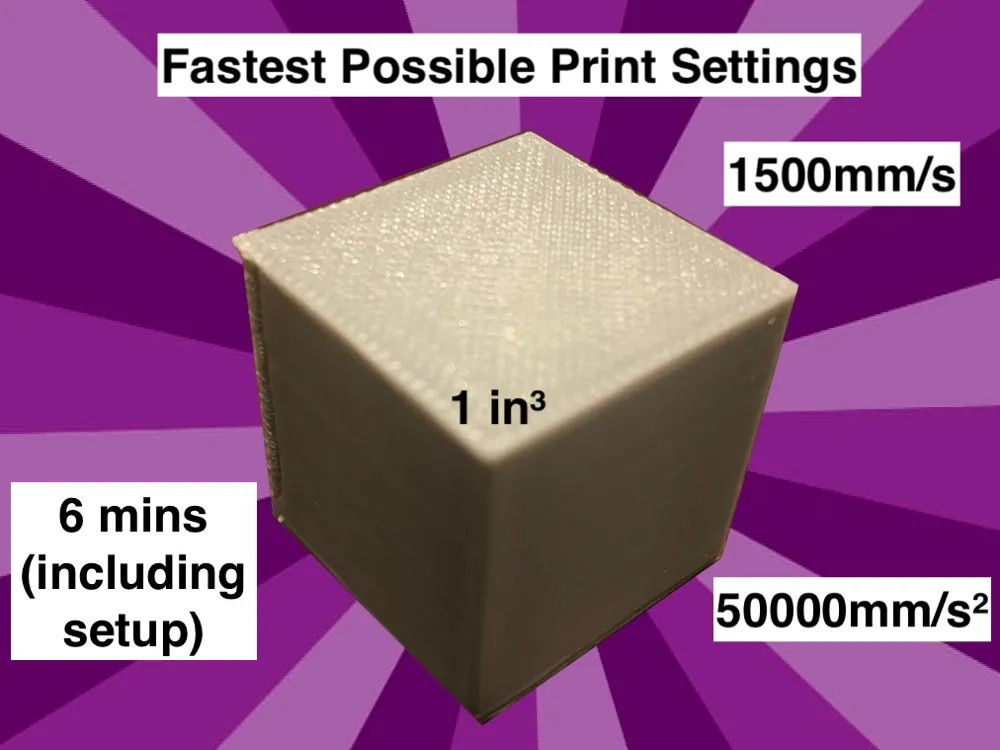
Fastest Printer Settings (1,500mm/s, 50,000mm/s²)

Print Profile(1)
Description
Boost Me (for free)
Boost me for more printer settings like this!
This model is the culmination of many hours of testing and many print “explosions” throughout the past few days, so enjoy!
Every printer enthusiast has had to make the hard choice between different brands of printers. If you're reading this, there's a very high chance you chose a Bambu printer, likely for its quality and sleek design. That's the main reason I got my P1P and recently upgraded it to a P1S. However, I'd be lying if I didn't envy the agility of some other brands, which do have lower quality than Bambu but go much faster. That's why I've decided to absolutely demolish the competition with Bambu's very own P1/X1 series in terms of speed (while maintaining plenty of the quality).
Before reading any further, please open the .3mf file included in this project. Take a look at the settings.
- First, the filament. The “slow down for better cooling” feature has been disabled for optimal speed without limitations. Additionally, the max volumetric flow rate has been significantly increased, just in case.
- Also (most obviously), all the speed settings have been increased to 500mm/s (except for the first layer for bed adhesion and bridging to prevent ripping) and the acceleration settings have all been set to 10000mm/s² (again, aside from the first layer). This consistency is very important for the advanced steps.
Alright, so you have an incredibly fast cube. Surely that's pushing the limits of the printer, right? Wrong. However, I would recommend doing a full calibration set (bed leveling, motor noise cancellation, etc.) before trying what I have next.
How to make the printer go even faster:
- Export the file as g-code in the “file” menu of Bambu Studio. (After you make sure that your physical 3D file is sliced)
- Open the new .gcode file in a text editor that has a find-replace feature (for example, Notepad or TextEdit).
- Find all instances of “F30000” and replace them with “F90000”. (This triples the speed.)
- Find all instances of “S10000” and replace them with “S50000”. (This multiplies the acceleration by 5.)
- Save the file, ensuring that the filename ends in “.gcode” (or the file type is G-code on some operating systems).
If these processes were done correctly, the file should be openable by Bambu Studio again and sliced to reveal the new speeds and 5 minutes less to ~½ the print time.
This project will get you a ~18 minute Benchy if you leave all other settings as their defaults. However, Benchy competitions allow higher layer heights, infinite flow rates, any line thicknesses, and many other variables. These Bambu standard presets, however, give you the previously mentioned results. (I modified the settings a bit and got a 15 minute one with the fast speeds physically allowed on a P1 series printer; that's just over 9 minutes on Ludicrous.)
Side note on the Benchy front: I also tried these settings/mods on the E3D ObXidian Speed Benchy and the model was so optimized I could only squeeze nine seconds out of it. A testament to the skill of some creators to make the fastest models they can… that is, with the hardware we've got. 10 minutes and 36 seconds is (I believe) the current unofficial record for a competition-legal Bambu-sliced Speed Benchy (mine), not much more than the previous one at 10 minutes and 45 seconds. (All of this is excluding Sport and Ludicrous modes.) Feel free to try this challenge yourself!
License

You shall not share, sub-license, sell, rent, host, transfer, or distribute in any way the digital or 3D printed versions of this object, nor any other derivative work of this object in its digital or physical format (including - but not limited to - remixes of this object, and hosting on other digital platforms). The objects may not be used without permission in any way whatsoever in which you charge money, or collect fees.


Comment & Rating (18)