Search models, users, collections, and posts

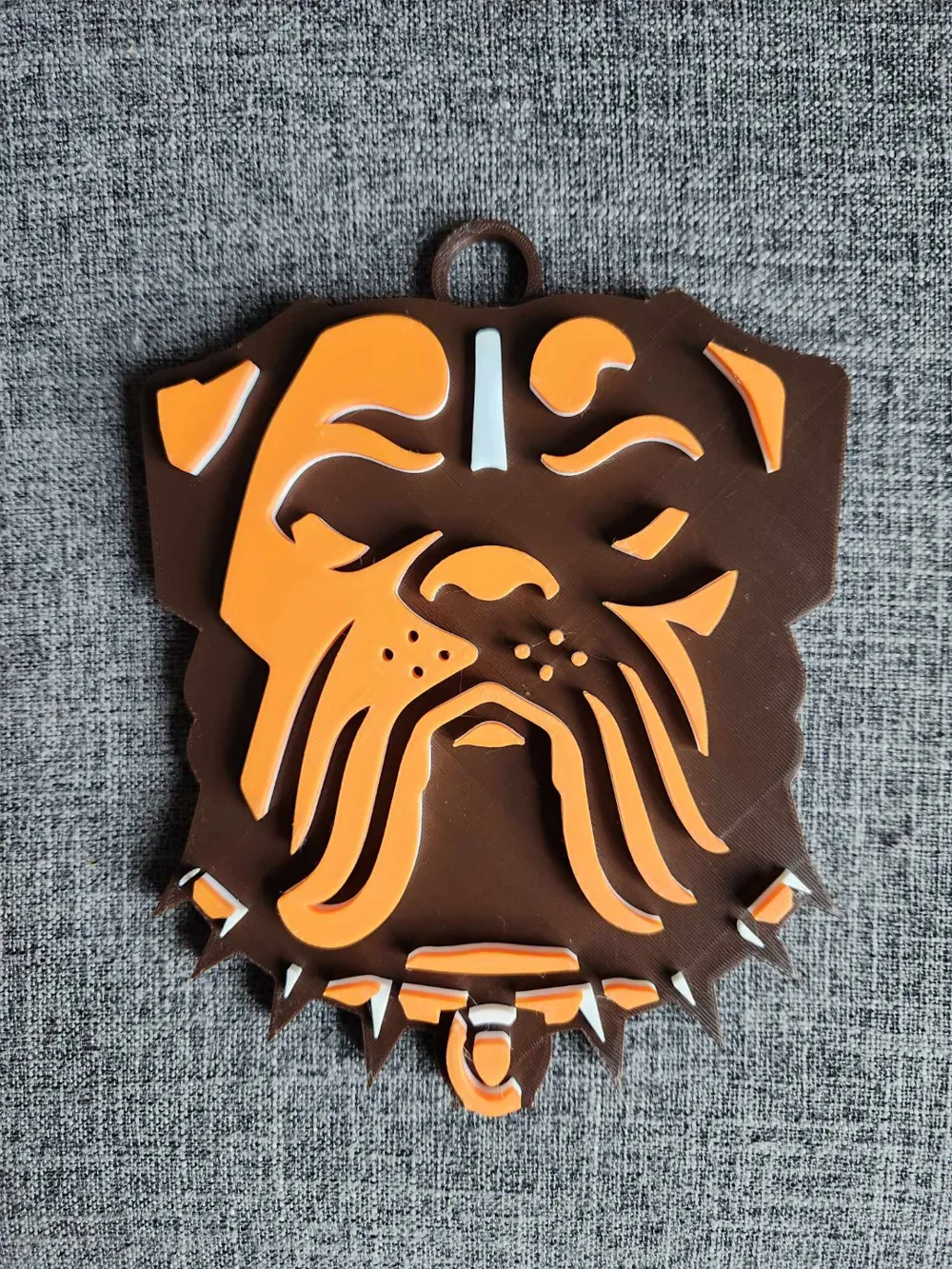
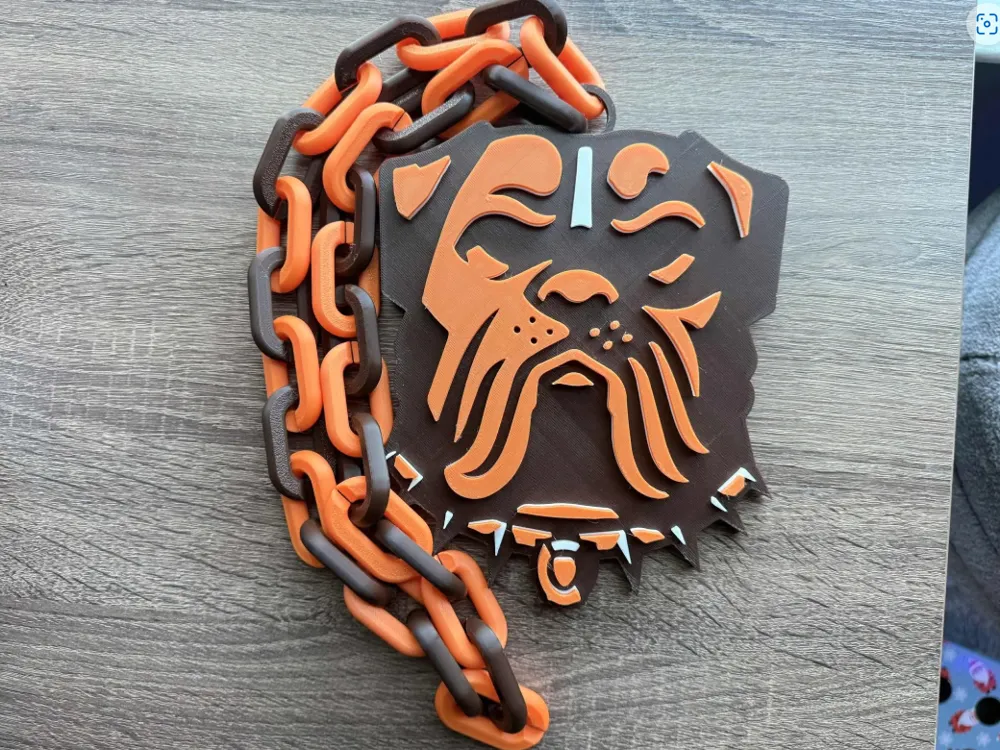
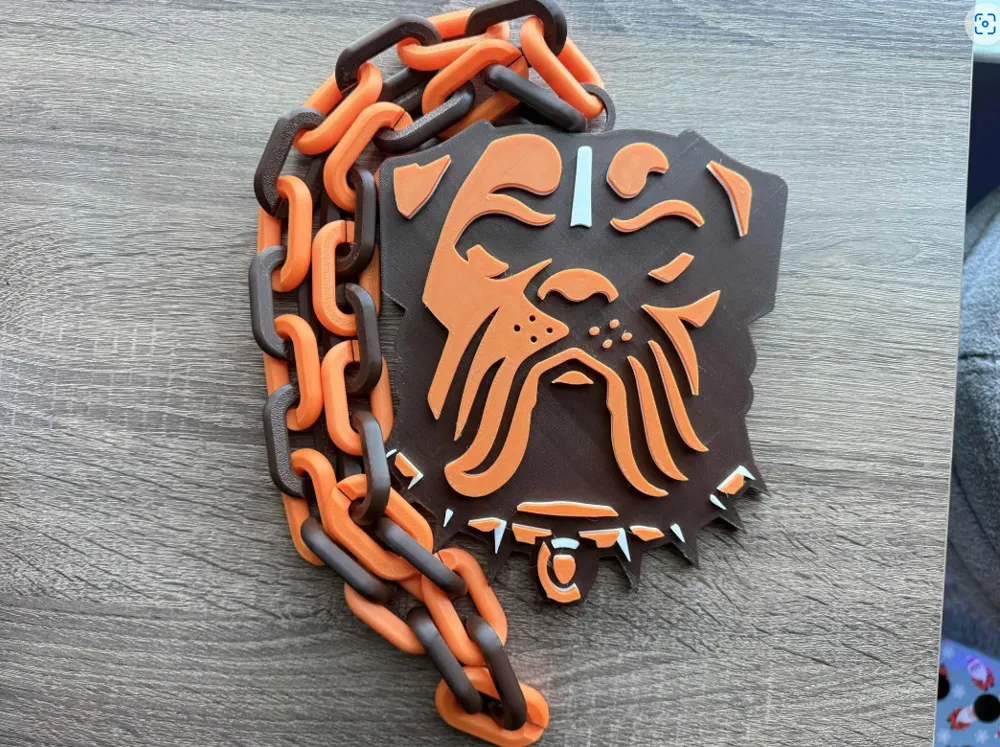
Cleveland Browns Oversized Necklace, Pendant
Print Profile(1)

All
X1 Carbon
P1S
P1P
X1
X1E
A1
H2D
H2D Pro
H2S
P2S
H2C
X2D
A2L

0.2mm layer, 2 walls, 15% infill
Designer
3.4 h
1 plate
5.0(44)

Open in Bambu Studio
Boost
193
468
56
25
506
316
Released 

Description

Membership

Join as a Member for a Commercial License to my designs! 😊

Join

Here is the awesome looking Cleveland Browns Oversized Necklace, Pendant! Hope you guys enjoy! Fits with the standard oversized chain you can find here on Makers World. (Chain Used: https://makerworld.com/en/models/25960#profileId-639228)


Want a commercial license to sell my prints? (Only applies to IP I own) Join as a member to my Patreon (FOR TOYS: https://www.patreon.com/c/Salvadori3DArtworks / FOR SPORTS: https://www.patreon.com/c/Salvadori3DSports) or my Thangs https://thangs.com/designer/Salvadori3D
 

Boost Me (for free)

If you enjoy my models, please throw a boost my way! It helps me as a creator A LOT 😁


Brown: CCTREE Dark Brown PLA

Orange: ELEEGOO Orange PLA

White: ELEEGOO White PLA

Comment & Rating (56)

(0/1000)

Print Profile
0.2mm layer, 2 walls, 15% infill
Amazing, can't wait to gift this to my dad. Unable to slice colors on Handy, but once you slice in BambuLabs it works flawlessly! Thank you!
1
Reply
I'm not quite done printing but the printer head started to rub against the print. This is just before it's going to start printing in white. Any ideas what i should do to prevent this
0
Reply
Print Profile
0.2mm layer, 2 walls, 15% infill
came out awesome thank you!
0
Reply
Print Profile
0.2mm layer, 2 walls, 15% infill
I loved this! it came out almost perfect! Thanks!
0
Reply
Boosted
Print Profile
0.2mm layer, 2 walls, 15% infill
love it!
0
Reply
Print Profile
0.2mm layer, 2 walls, 15% infill
love it!
(Edited)
0
Reply
Print Profile
0.2mm layer, 2 walls, 15% infill
0
Reply
Print Profile
0.2mm layer, 2 walls, 15% infill
0
Reply
I open the file in bambu studio and all I see is the shape but only in one color, do i need to do something? I dont have all the 8 colors that come on the project, but I do have one ams. I resync to use mine, but still only one color (my color)
The designer has replied
0
Reply
All you should have to do is open the file, slice it, then hit print. Once you slice it, you should see the 3 colors show up and you can assign your AMS to the right slots 😊let me know if this fixes it
0
Reply
same issue and can't seem to figure it out at all
0
Reply
Boosted
Sean, getting same error also, only two colors shows up when I 'Print Plate', it only shows 2 colors brown and white to choose from in AMS. I also just updated the Bambu Labs webstudio today
0
Reply
I used your settings and WOW, that thing is huge in my P1S
0
Reply
scale it down some next time :)
0
Reply
Replying to @3Desaray :
It was fine as is. I just havent printed any of those charms before and didnt know how big they are
0
Reply

License

If you want to use this model commercially, please join my membership.
Join Now
This user content is licensed under a Standard Digital File License.

You shall not share, sub-license, sell, rent, host, transfer, or distribute in any way the digital or 3D printed versions of this object, nor any other derivative work of this object in its digital or physical format (including - but not limited to - remixes of this object, and hosting on other digital platforms). The objects may not be used without permission in any way whatsoever in which you charge money, or collect fees.