Search models, users, collections, and posts

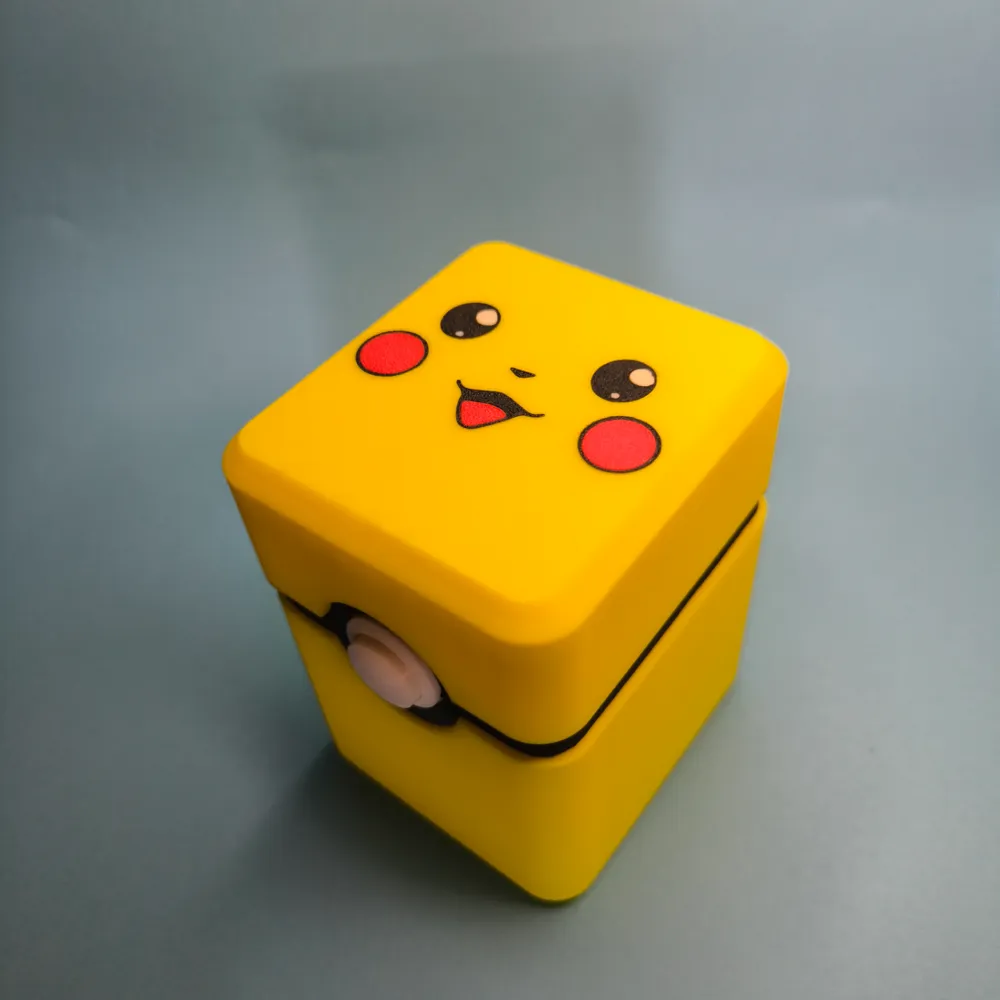
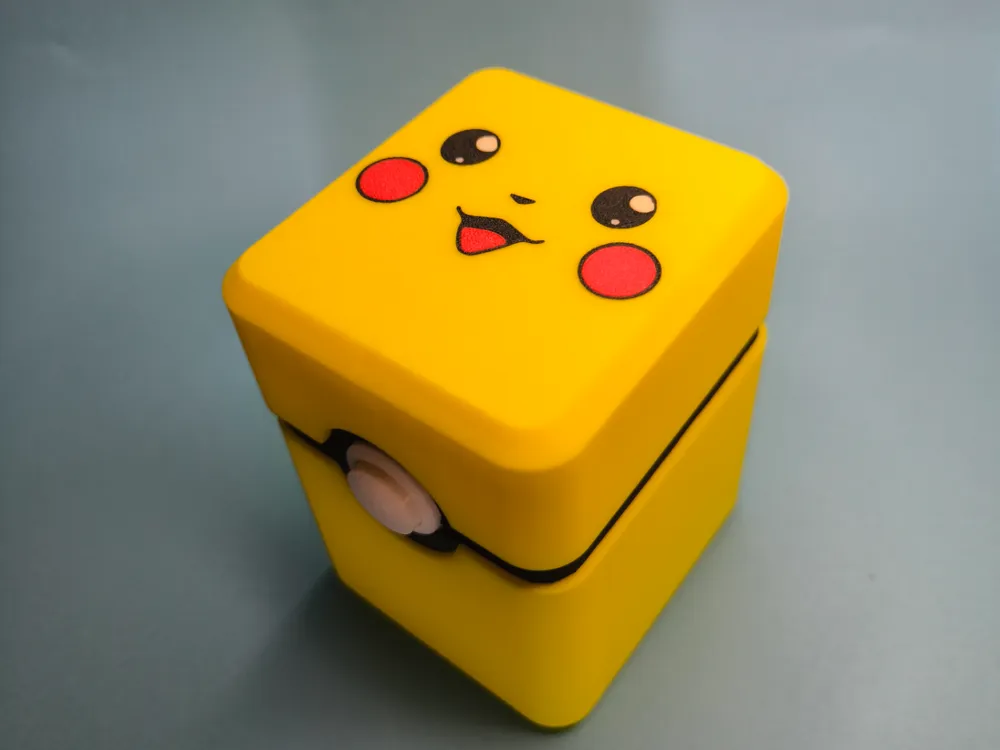
Pikachu Deck Box

IP Report
Print Profile(2)

All
P1S
P1P
X1
X1 Carbon
X1E
A1
H2D
H2D Pro
H2S
P2S
H2C
X2D
A2L
A1 mini

0.2mm layer, 2 walls, 15% infill
Designer
4.8 h
3 plates
4.8(73)

0.2mm layer, 3 walls, 10% infill
4.3 h
3 plates
4.9(17)

Open in Bambu Studio
Boost
813
2210
131
66
1.6 k
915
Released 

Description

Content has been automatically translated.
Show original

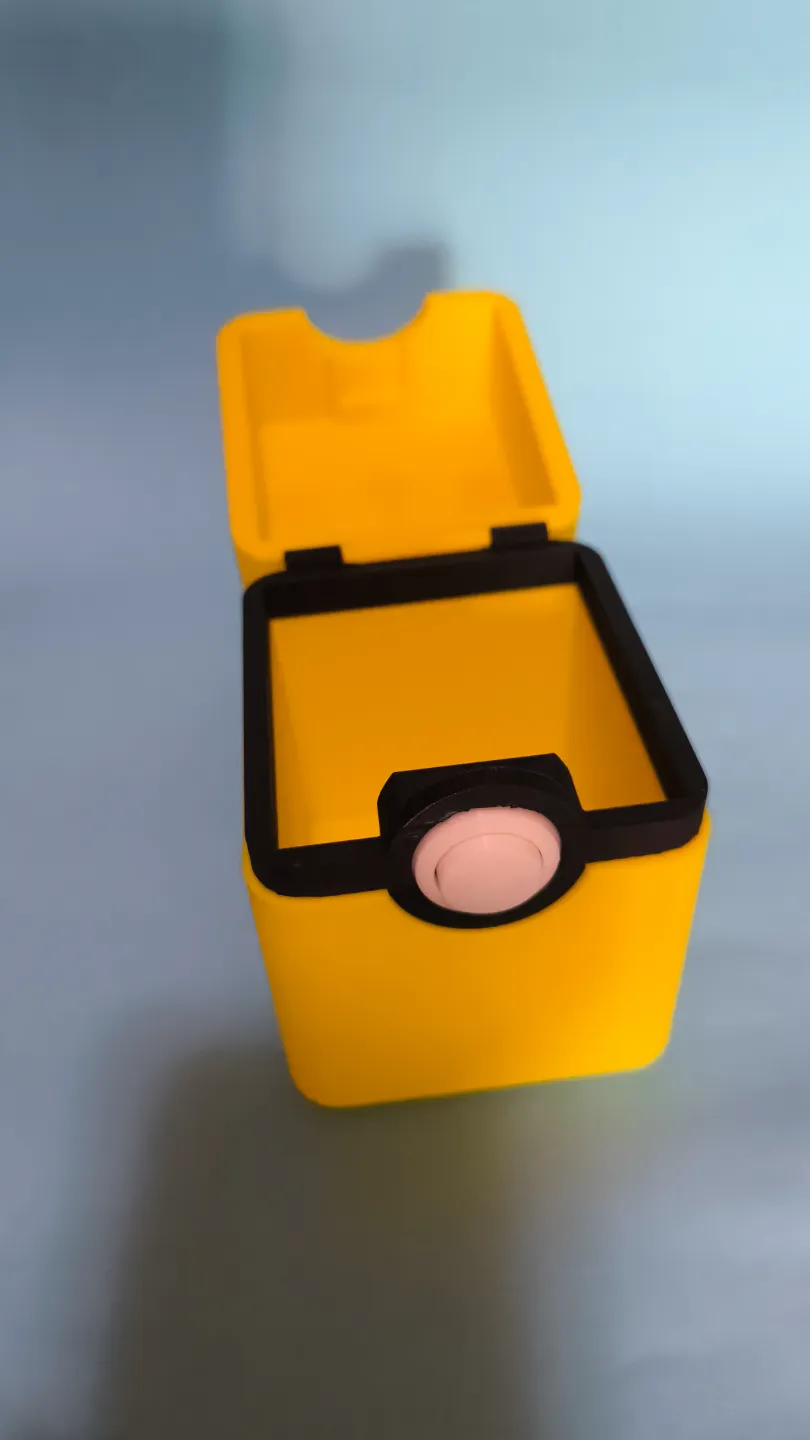
A personalized box featuring Pikachu to store card decks.

For the hinge, a piece of filament is sufficient, and for the closure, a small spring from a pen will suffice.

Supports need to be activated to print the central part and the closure.

Comment & Rating (131)

(0/1000)

Boosted
Print Profile
0.2mm layer, 2 walls, 15% infill
Cool storage box. Easy to print and assemble. I used metal rods and scrub set screws for the hinges instead of the plastic filament for more strength.
profile
1
Reply
what spring did you used?
0
Reply
Boosted
Replying to @markymaarty :
The exact measurement for that spring is unavailable since the button is glued down. The spring diameter should be under 4.6mm (3/16"). Confirm this by using the ruler tool in Bambu Studio to measure the hole where the spring sits. I think the spring length should be 7mm (9/32") or 8mm (5/16"), but test it after printing to confirm.
(Edited)
1
Reply
Replying to @Spikes11 :
Thank you.
0
Reply
Print Profile
0.2mm layer, 3 walls, 10% infill
Prints very nicely. Adding the spring behind the button was tricky but add a tiny bit of glue to help it stay on the button before assembly. Used filament for the hinges as described and it closed perfectly. The only issue is the lid doesn't lock into the button nicely so it can just be opened without pressing down on the button. Also I suggest 3 wall instead of 2 because I can see the lines of the infill from the surface.
profile
2
Reply
I have the same problem with the button did you manage to fix it
Show original
0
Reply
Boosted
Print Profile
0.2mm layer, 2 walls, 15% infill
Be VERY careful printing this, couple of serious notes......once printed EVERYONE will want one! Such a cool and fun design! I blew it up to about 150% and turned it in to Pikachu gift box. Opened up a world different avenues! Thank you!
3
Reply
sad ; dont know what is going on here! help pls
The designer has replied
0
Reply
friend, those are the seams, they come in all prints, but it's the first time I've seen them so bulging, check your printer, you may have a fault
Show original
0
Reply
friend, those are the seams, they come in all prints, but it's the first time I've seen them so bulging, check your printer, you may have a fault
Show original
0
Reply
I must be doing something seriously wrong, I have tried printing the black plate several times now using two different build plates, two different nozzles, with and without supports and no matter what I do, the overhang layers fail. I'm trying it flipped with supports this time and will report back, but I would love to know what everyone else is doing that I'm apparently not? All the other pieces printed and look great, so I"m excited for this to be finished, but yeah. 😭
(Edited)
The designer has replied
4
Reply
Hello friend, could you please provide some photos to illustrate the issue
Show original
0
Reply
Replying to @Andurel :
I printed the one on the Bulbasaur version and it came out fine, so I think it was a problem with what I was doing. Great designs! Thank you for sharing them.
0
Reply
I had this same issue. I was able to correct this with another profile
0
Reply
Assembly instructions: *Tools reccomended* Super glue Hot glue gun Side cutters Filament Soldering iron Flat tip iron Petroleum jelly Ball Point pen or small spring Cotton tips (for cleaning up or getting into small spaces) (*be aware that cotton tips smoke when put in contact with super glue*) *first off, make sure your build plate is clean of all oils! If not, the face of the pikachu might separate from the lid while printing and you will need to fail the print or super glue the face on which is very different! * Take the supports off of your middle black piece, and get your two white pieces and lower black Crescent ready. Break open a ball point pen and cut the spring in half. You can hot glue the cut end of the spring into the little hole inside the white button piece. Put the circular white sheath around the white button, and insert it half way into the grooves on the black middle piece. Depress the glued spring, and slide the whole button into the black frame. This can take a few attempt before it works. You can use a little Allen key to help you push the spring in once it catches the back of the black piece. Use some super glue to glue the bottom Crescent black piece onto the middle square black piece that had the spring loaded button installed. Get your bottom yellow piece, and newly assembled middle piece along side some super glue. Put super glue in the 90° angled grooves of the yellow bottom box. Push the black middle piece onto this super glue, with the Crescent black piece facing towards the table/ground. Use both of your hands to gently (but firmly) push down on the black piece into the super glue. Once this sticks slightly by itself. Get the top piece with the pikachu and place it on top of the box. Put 2 rolls of filament on top of the unit to apply pressure. Come back in 15 mins once the glue has dried. Now take the filament off. And start working on the lid of the box. Super glue the yellow rectangular pin in the groove of the box lid. The hook should be facing inward. Apply some pressure to it for 30 seconds until it holds. Put the lid on top of the bottom half of the box. And grab a piece of black or yellow filament that you chopped off of a spool. Slide the filament through the black holes of the hinge, through the lid hinge and out the other side. Use a soldering iron (better if you had a flat tipped one) to melt the end of the filament close to the exit hole of the hinge. It should create a plug at the end. Once the plug has cooled. Chop the other end of the filament with about 1 or 2 mm overhang. Use this overhang to create another plug at the second side of the hinge. Use the soldering iron to do this too. Once two plugs have been created, you have a working hinge. Close the lid and test tbe button. It should be finished now. If you have fog from the super glue. Get some petroleum jelly (Vaseline) and rub a small amount of it over the fog. Wipe up the jelly after about 1 minute of it sitting on top of the glue fog. The fog should no longer be there now.
2
Reply
Print Profile
0.2mm layer, 2 walls, 15% infill
wife is happy came out great
The profile uploader has replied
1
Reply
I'm thrilled you like the design!
Show original
0
Reply
Very nice print the problems I encountered are the selected angle which came out the same in 3 different prints and that the insert for the hook is missing and therefore necessary to glue it
The designer has replied
Show original
0
Reply
those that appear in the corners are not printing errors they are called seams and all prints have them regarding the closure hook you should print it and glue it
Show original
0
Reply
Print Profile
0.2mm layer, 3 walls, 10% infill
I printed it at the maximum of my build plate to make a large box
(Edited)
Show original
1
Reply
Print Profile
0.2mm layer, 2 walls, 15% infill
good for cards or other small stuff
The profile uploader has replied
0
Reply
It turned out great!!!!
Show original
0
Reply

License

This user content is licensed under a Standard Digital File License.

You shall not share, sub-license, sell, rent, host, transfer, or distribute in any way the digital or 3D printed versions of this object, nor any other derivative work of this object in its digital or physical format (including - but not limited to - remixes of this object, and hosting on other digital platforms). The objects may not be used without permission in any way whatsoever in which you charge money, or collect fees.