Search models, users, collections, and posts

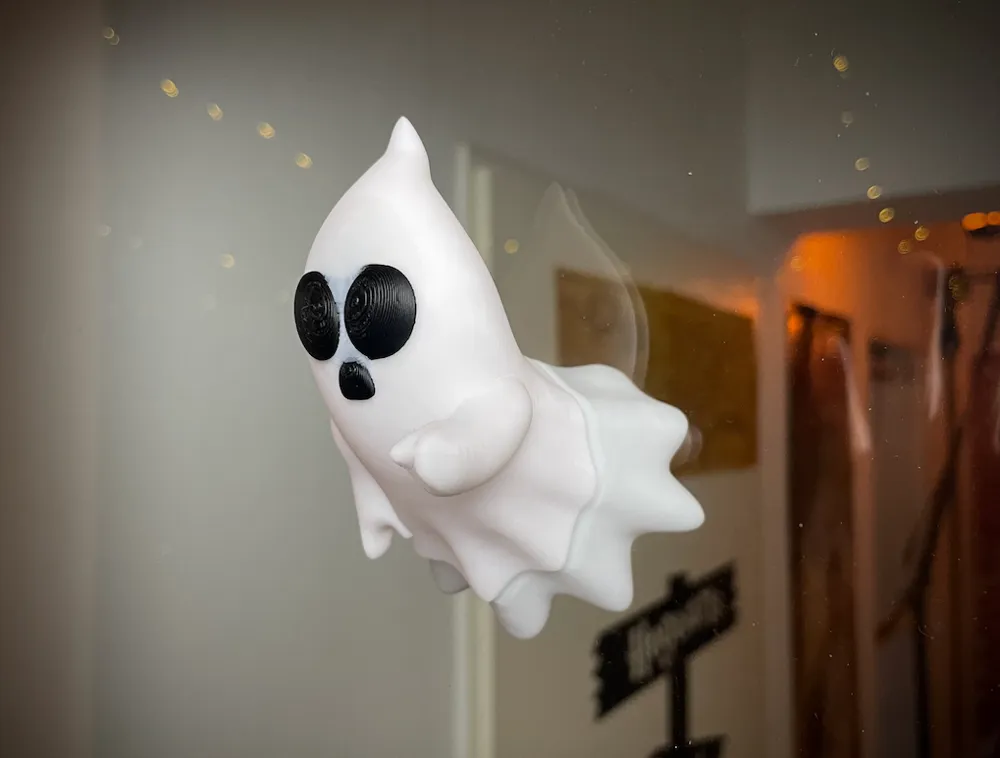
Cute Halloween Ghosts float through window glass
IP Report

Print Profile(4)

All
P1S
P1P
X1
X1 Carbon
X1E
A1
H2D
H2D Pro
H2S
P2S
H2C
X2D
A2L
A1 mini

3 ghosts, PLA B&W, AMS, Tree support
Designer
4.9 h
1 plate
4.9(59)

8 negative cylinders for 10x3mm magnets, b&w multicolour
Designer
7 h
1 plate
4.9(14)

0.2mm layer, 2 walls, 15% infill
1.4 h
2 plates
5.0(12)

Fixed multicolor profile 0.2mm layer, 2 walls, 15% infill
4.9 h
1 plate

Open in Bambu Studio
Boost
965
2243
139
88
1 k
614
Released 

Bill of Materials

Maker's Supply Kits and Parts
Select all
D10x3 mm Round Magnet (20PCS) - CA009

Description

Happy Halloween!


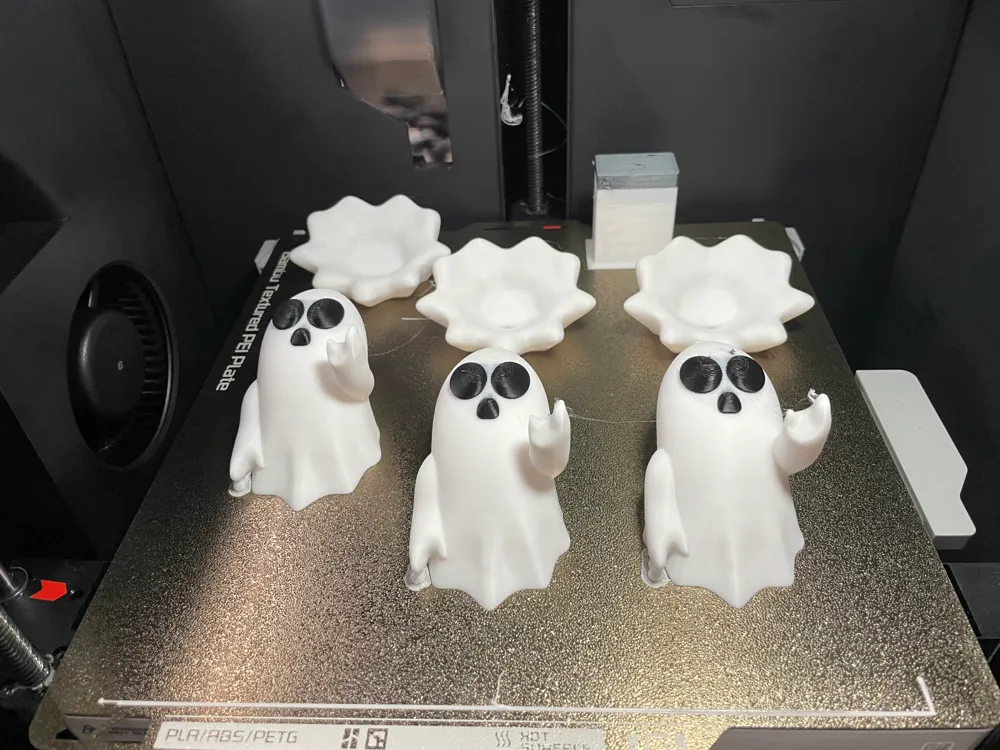
I designed another halloween decor, this ghost comes in 2 pieces, glue each side on one side of a window with double sided tape and it looks like it is floating right threw the glass.

You have several options for the eyes:

  1. print the whole file in white and just paint the eyes
  2. use the print file with AMS
  3. use the OBJ file to import to bambu studio, it will automatically recognize the colors if you have black and white filament loaded

Just use 2 small tree supports for the overhangs.


Have fun and feel free to post a make!


If you like, like and subcribe to my YT Channel:


Boost Me (for free)

If you like my models, consider boosting them. It really keeps me motivated to make more such models!


Have a look at my other halloween models

Ghost Tumbler:

 

Glowing jack o lantern earring:


 Another Halloween earring:

Ghost Earring:



Sinister Clown tree:



Another evil tree stump:

Ghost Lady in white:


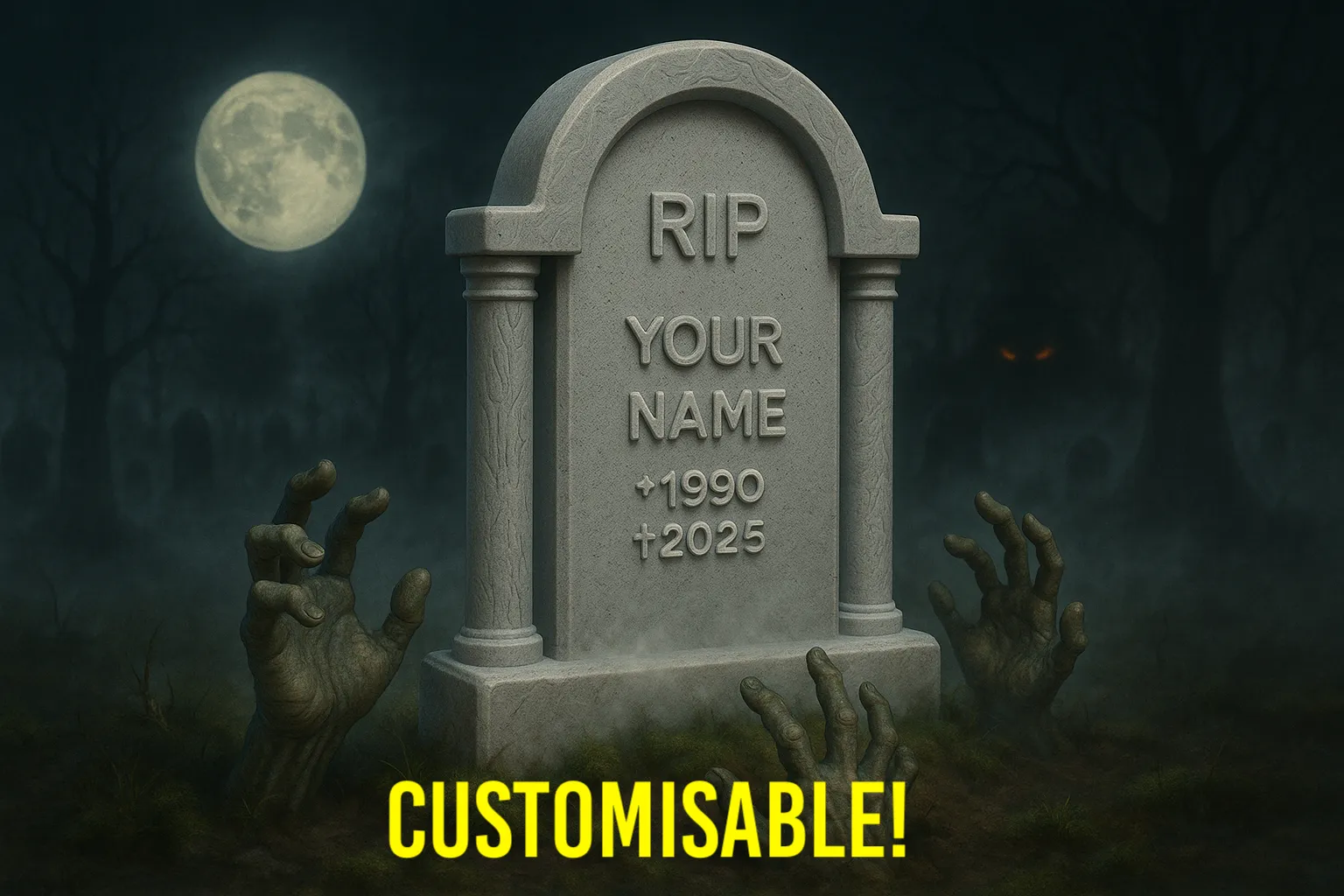
Customizable Tomb Stone with name & Birth- deathdate:


Comment & Rating (139)

(0/1000)

Boosted
I fixed the magnet holes as the current file does not work at all. I was going to publish a remix of my work but you do not allow it. The four magnets adds way more strength and my model actually has the holes 3mm deep. The current published model is only 1mm deep. I do love the model my wife thinks it is adorable. He is on her office door.
(Edited)
The designer has replied
designer
7
Reply
hi! thanks for your post. you could upload the print profile for Bambu studio! I will have a look at my magnet file and try it out at the weekend.
0
Reply
Print Profile
8 negative cylinders for 10x3mm magnets, b&w multicolour
it’s a very cute idea! with two little issues, I don’t like that the black comes through the white between the eyes and mouth, I don’t know if that’s fixable or not, and the magnet slot is too close to the edge here in the front. I will be printing more! probably just without AMS
The profile uploader has replied
profile
3
Reply
Hi! Thanks for your detailed feedback! I will have a look at that one magnet you mentioned! With the black shining through: I also noticed this, to be honest I don’t use multicolored prints often, I have heard that black and white have these issues sometimes, there seems to be a bit black filament left in the hotend while printing white. I guess one could tweak the flush settings a bit to get better results.
(Edited)
2
Reply
I fixed it! and I love them!
(Edited)
profile
2
Reply
Boosted
Print Profile
3 ghosts, PLA B&W, AMS, Tree support
Very nice design. Thank you! The only thing is that in the multicolor profile the back part is a different filament, so there is a lot of filament swap. I changed this and the print time is reduced significantly.
The profile uploader has replied
profile
3
Reply
Hi! Thank you, I did notice this a while ago and also updated my print profile! This is a bit annoying because Bambus studio won't let me delete a random filament, only the last one, but then I would have to load and color everything new... btw yours look great!
0
Reply
Boosted
Replying to @DIYWizard :
coloring was easy with the bucket tool. You can use my printprofile to update yours.
0
Reply
Print Profile
0.2mm layer, 2 walls, 15% infill
This is very nice for decoration :) It has the effect
Show original
3
Reply
Print Profile
3 ghosts, PLA B&W, AMS, Tree support
Superb print, thank you.
The profile uploader has replied
Show original
profile
2
Reply
thanks! yours look great :)
0
Reply
Print Profile
3 ghosts, PLA B&W, AMS, Tree support
Cool look, very nice idea. The print went flawlessly
The profile uploader has replied
Show original
profile
1
Reply
Thanks, looks great
Show original
0
Reply
Print Profile
3 ghosts, PLA B&W, AMS, Tree support
I'm using it as a wall decoration so I did not need the back. Printed it at 220% and Bambu's glow in the dark blue and orange PLA filaments and it turned out great! The only issue was removing the back of the head support, which took some of the printed part with it, so remove it carefully, don't just pry it off like I did.
The profile uploader has replied
profile
1
Reply
thanks for the info about the supports! looks great glowing in the dark! I think the support removal is dependent on the filament/printer, on my p1s most tree supports are very easy to remove.
0
Reply
This would be great if it had a place for a magnet in both pieces instead of using double sided tape.
The designer has replied
designer
4
Reply
if you use Bambu Studio or orca slicer, you can just add a negative part (cylinder) in the size of your magnets. This will be cut from the model while printing! than you can glue the magnets in.
2
Reply
thanks for the input! I just added a print profile that leaves space for a 10mmx3mm magnet (CA009). I HAVE NOT tested, if this holds the ghost on the glass. If you test this, feel free to reply if it works.
1
Reply
Print Profile
3 ghosts, PLA B&W, AMS, Tree support
excellent print. a little color bleed between the eyes but that could just be my filament.
The profile uploader has replied
0
Reply
Thanks!
0
Reply
Boosted
Print Profile
8 negative cylinders for 10x3mm magnets, b&w multicolour
turned out great! thank you for sharing
The profile uploader has replied
0
Reply
You‘re welcome! Looks great!
0
Reply

License

This user content is licensed under a Standard Digital File License.

You shall not share, sub-license, sell, rent, host, transfer, or distribute in any way the digital or 3D printed versions of this object, nor any other derivative work of this object in its digital or physical format (including - but not limited to - remixes of this object, and hosting on other digital platforms). The objects may not be used without permission in any way whatsoever in which you charge money, or collect fees.