
Fire HD 10 (Gen 9 / 2019) Tablet Wall Mount

Print Profile(2)


Description
Boost Me (for free)
Update 20.07.2024
both buttons extended for easier pressing
Summary
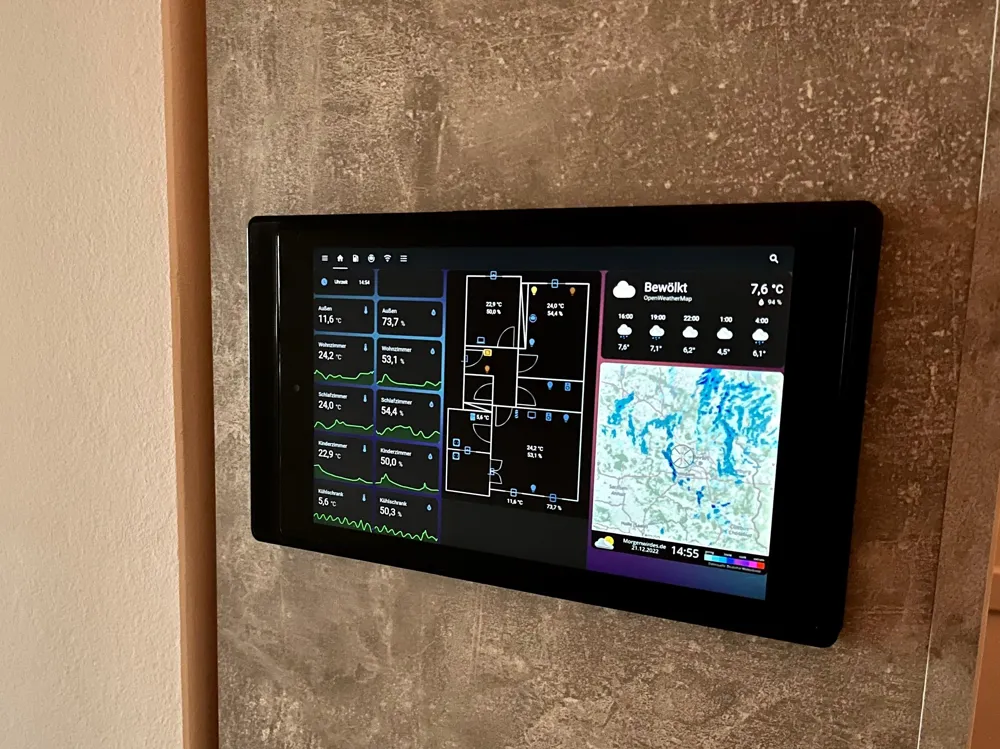
The Amazon Fire HD10 Gen 9 / 2019 tablet is now available extremely cheaply (15$ used) or already exists in your home.
With this holder, you can complete your smart home by elegantly mounting the tablet on the wall (or cabinet in my case).
Key features
- Hidden cable routing possible (version for external cable routing available)
- Simple print without supports
- Elegant and timeless design
- Button accessible (for poweroff or reboot)
- integrated webcam accessible (motion detector / brightness meter)
Compatibility
Amazon Fire HD10 (9th generation / 2019)
What do i need?
- an Amazon Fire HD10 (9th generation / 2019)
- a hinged or angled USB C-cable (have a look on AliExpress or Amazon)
- max. 4 screws for installation
- a home automation software (e.g. Home Assistant)
- a PC for the following software
Print
Please print the required version of the holder (internal supply or external supply) and the corresponding button. The end cap is universal and fits both versions.
No supports needed!
Software
- debloat tablet and remove ads
- App (.apk) of choice to run your tablet in kiosk mode
Configuration
Please see documentation of the corresponding software. I'm sorry that I can't help you with this.
How do I charge my tablet without damaging the battery?
Use a charger with a low charging current (reduces stress and heating of the battery during charging).
Plug the charger into a smart home-compatible socket.
You can read the charge level of the tablet and start charging when the battery level is below 30%. Charging can stop when the battery is above 80%.
Leave the screen off and have it activated automatically by movement.
Do you like my work? I would be very happy if you would support my work on Ko-fi.
Differences of the remix compared to the original
- added tolerances
- added buttons to push side button
- moved cutline
- Holes for nuts replaced with screw holes
- Unnecessary holes removed
- Centered cable entry
This remix is based on

License



Comment & Rating (14)