
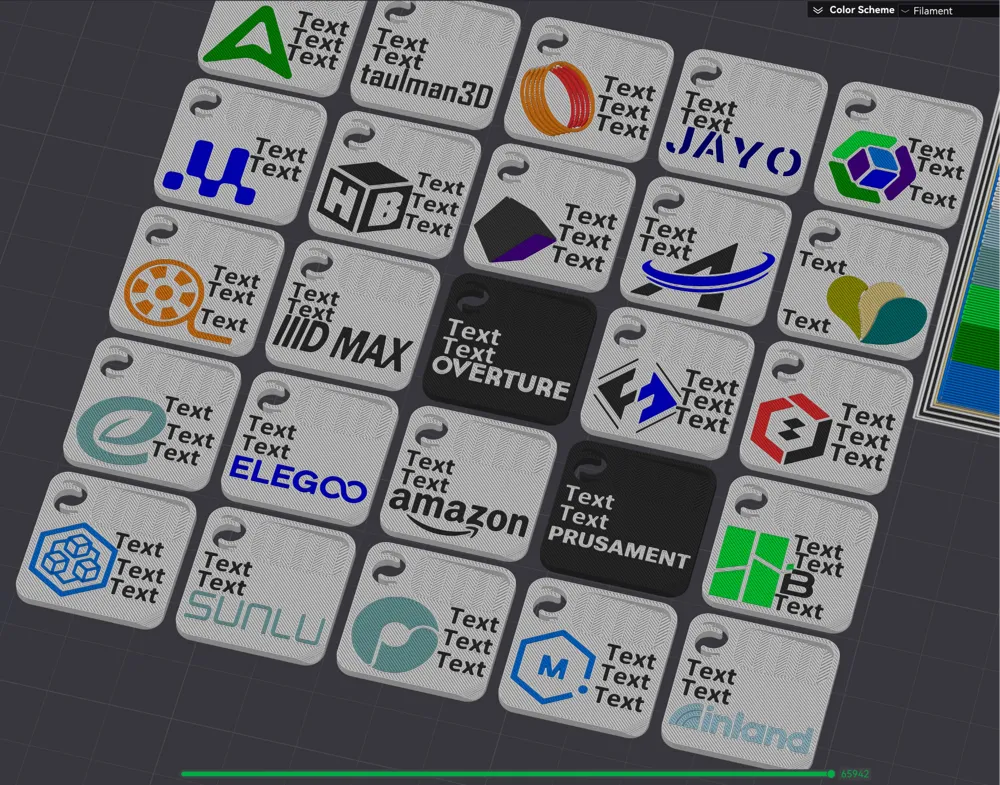
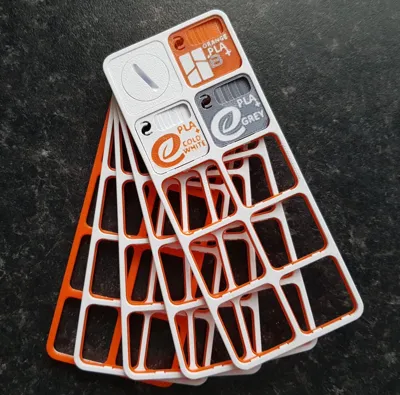
25 Brand logo'd multi coloured bambu swatches
Print Profile(2)


Description
Update: i have now uploaded an improved version that lets you colour each part of a logo in the objects tab (instead of using the painting tool) and now the logos can be moved and edited.
The swatch has also been changed; the transparency test has been made narrower and it has been moved to the back.
https://makerworld.com/en/models/848568#profileId-796114
----------------
Remixed from: Bambu Lab Filament Swatch with 12x22r2 Label by suit1337 (Thanks)
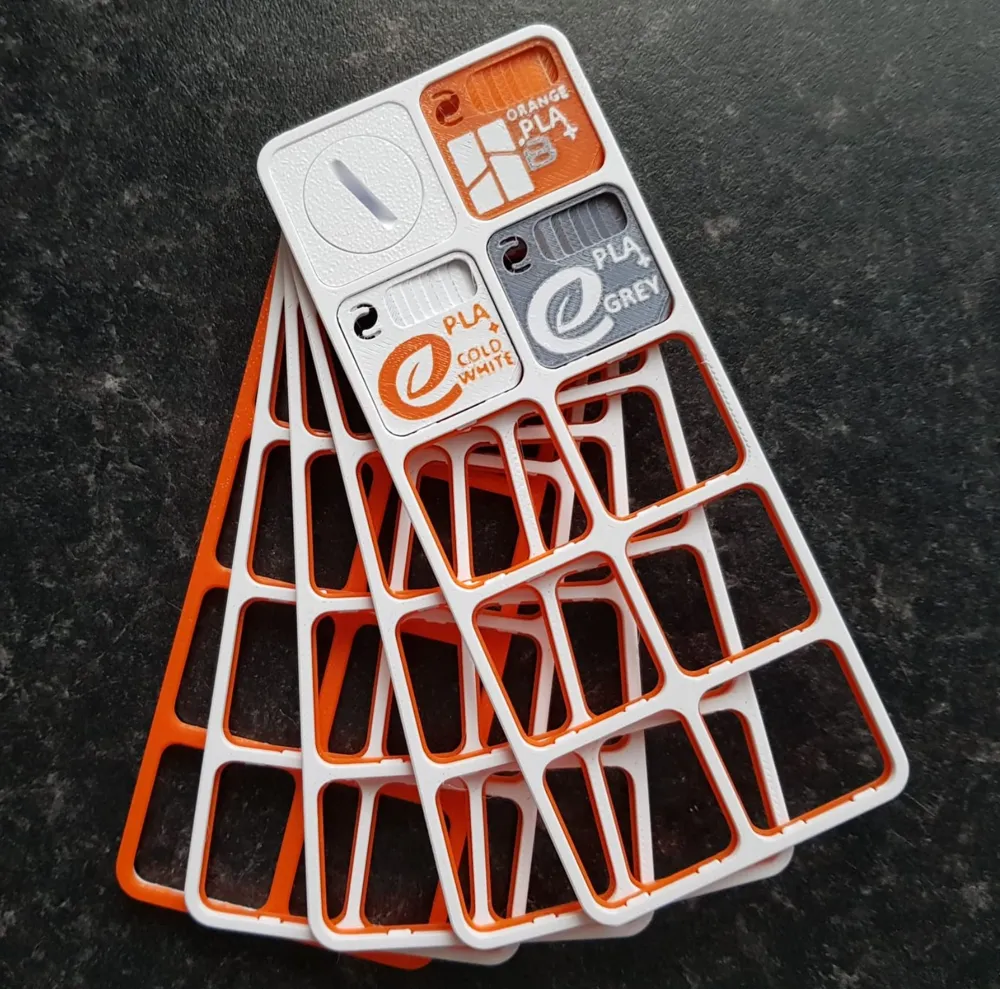
I rounded off the one corner to better show the layers at different angles (seemed like a good idea at the time but it's hard to see because of how small the swatch is) and i've added brand logos with editable text
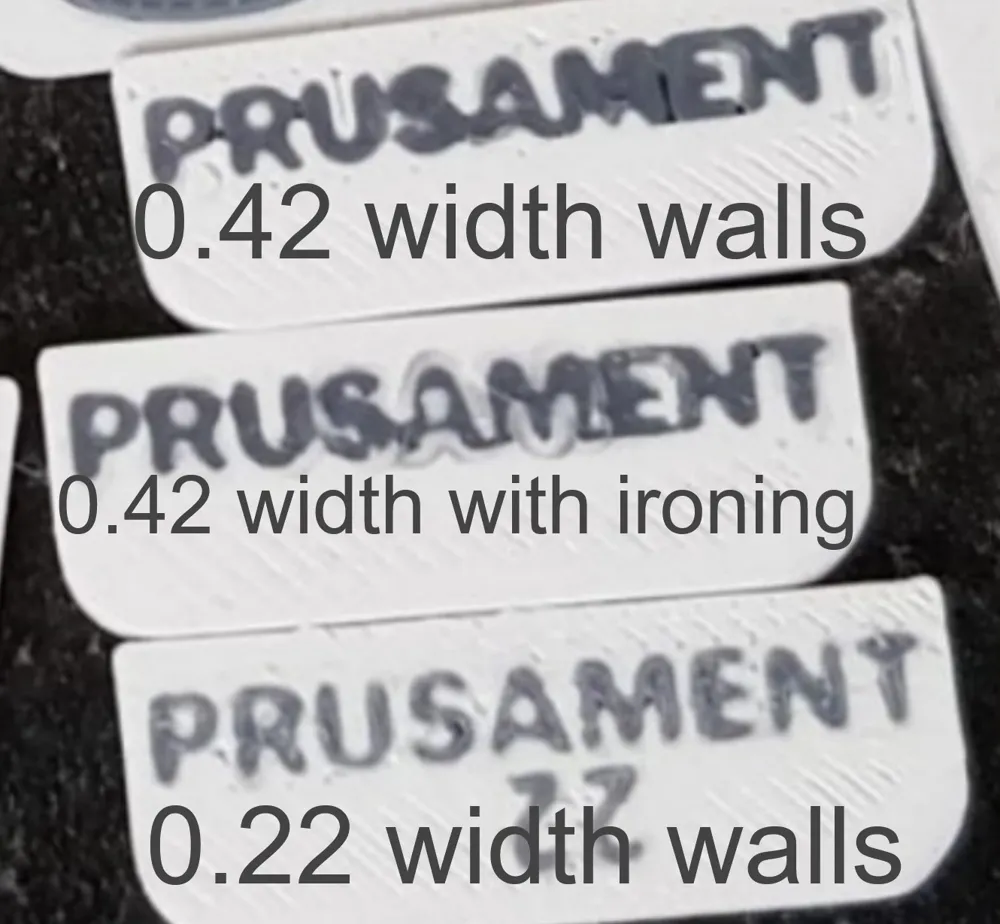
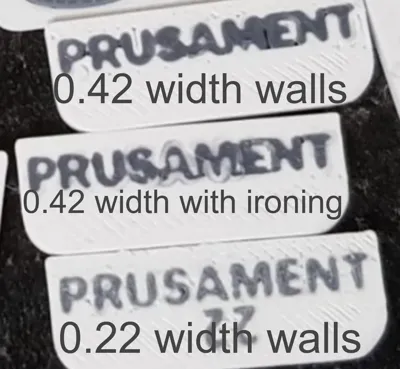
I've done some tests to get the best results and thin walls without ironing looked best for both text and logos.
You can easily repaint the logos with the fill tool.
Edit or delete text in the objects tab (choose the text then click on the text tool).
For best results with text, go as big as possible (obviously) or print on the back where it will also give a more detailed result.
If you change the default colour (the top colour) you will also need to re-select the colour of each text so it's best to leave this as it is.
You can download each swatch individually or go nuts and get all 25 at once, it's up to you.
Here's the swatch board/ holder that's in one of the pictures: https://makerworld.com/en/models/462536?from=search#profileId-371042
This remix is based on


License



Comment & Rating (10)